
Envato Elements Review: Unlimited Creative Assets for $16.50/Month
Envato Elements review: Explore its 29M+ creative assets, unlimited downloads, AI tools, pricing, licensing, pros, cons, and overall value for creators.

If a design project regularly needs stock footage, fonts, presentation templates, music, graphics and mockups, buying each asset separately gets expensive very quickly. That is where this Envato Elements review becomes interesting. The Core plan currently starts at $16.50 per month when billed annually, giving access to more than 29 million creative assets, unlimited downloads and 20 AI credits each month.
The real value becomes apparent when using Elements as a working library rather than simply browsing it. A single project can move from a presentation template to a font, stock image, background video, sound effect and mockup without requiring separate subscriptions. That convenience is the strongest argument for Elements, although the quality and usefulness of individual assets can vary considerably.
The Library Is Huge, But Search Quality Matters More Than the Number
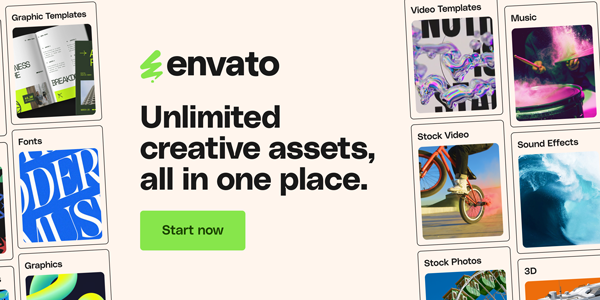
Envato currently lists around 16.4 million stock photos, 150,000+ video templates, 340,000+ music tracks, 940,000 sound effects, 430,000 graphic templates and 61,000 fonts, alongside graphics, 3D assets, presentation templates, WordPress resources and more.
In practical use, the sheer size can be both helpful and slightly frustrating. There are usually plenty of options for a common requirement, but finding the right one can take longer than expected. The first search result is rarely the reason to subscribe; the value comes from being able to keep looking, compare styles and download alternatives without worrying about another per-item charge.
Where It Works Particularly Well
- Social media and advertising creatives
- Presentation and pitch-deck design
- YouTube and video production
- Website and landing-page projects
- Brand mockups
- Fonts and graphic elements
- Background music and sound effects
Templates Are the Biggest Time Saver
The most useful assets are not necessarily the most visually impressive ones. A well-structured template can save hours because the difficult work has already been handled: composition, animation, transitions, typography and layout.
This is especially noticeable with video templates. Envato supports templates for tools including Adobe Premiere Pro, After Effects, Final Cut Pro, Apple Motion and DaVinci Resolve, so the workflow can continue inside software already being used rather than forcing a switch to another editor.
The catch is that templates are not equally beginner-friendly. Some require specific plugins, fonts or newer versions of editing software. Before downloading a complicated project, checking the compatibility notes is worth the extra minute.
The Unlimited Downloads Model Changes How You Work
The phrase “unlimited downloads” sounds like marketing until it changes the way assets are selected. With traditional stock libraries, downloading five versions of a background or testing several presentation templates can feel wasteful when every asset has an individual price.
Elements removes much of that hesitation. Its Core plan provides unlimited downloads of creative assets, subject to its Fair Use Policy.
That makes experimentation one of the platform’s better features. Instead of trying to make the first acceptable asset work, it becomes practical to download several candidates, test them in the project and keep the one that fits.
Licensing Is Better Than It First Appears
The licensing system deserves more attention than it usually gets in reviews. Each downloaded stock asset receives an ongoing license for a specific project, and Envato says completed projects remain covered even after the subscription ends. If the same asset is used for a separate project, a new license needs to be registered.
That distinction is important for freelancers and agencies working for clients. Canceling a subscription does not suddenly invalidate previously licensed completed work. However, the asset cannot simply be downloaded during a subscription and then freely reused in unlimited future projects without registering the relevant use.
Where the $16.50 Plan Makes Sense
| Area | Envato Core | Practical Take |
| Annual price | $16.50/month | Excellent if used regularly |
| Monthly price | $39/month | Much less attractive for occasional use |
| Creative assets | 29M+ | Extremely broad library |
| Stock photos | 16.4M+ | Strong variety |
| Video templates | 150,000+ | Particularly useful for creators |
| Fonts | 61,000+ | Large typography selection |
| AI credits | 20/month | Useful for occasional experimentation |
| Downloads | Unlimited* | Major advantage |
| Commercial license | Lifetime for licensed uses | Strong for client work |
*Subject to Envato’s Fair Use Policy.
The annual Core plan is where the value proposition becomes compelling. At $16.50 a month, downloading several assets every week can quickly make the subscription cheaper than purchasing individual stock items. But the monthly $39 option changes the calculation considerably.
The AI Addition Is Useful, But Not the Main Reason to Subscribe
Envato’s current Core plan includes 20 AI credits per month, while Plus and Ultimate provide substantially larger AI allocations. The newer plans have shifted the platform from a straightforward asset marketplace toward a combined stock-and-AI creative toolkit.
For someone primarily joining to access stock assets, this is more of a bonus than a deciding factor. Twenty credits are not enough to make Core an intensive AI-generation subscription, but they can be useful for occasional image, editing or other creative experiments without requiring another platform.
What Could Be Better?
The biggest weakness is consistency.
- A library containing millions of assets inevitably contains work that feels dated, generic or overused.
- Finding something genuinely distinctive sometimes requires patience, especially for common categories such as corporate presentations, business stock images and social-media graphics.
There is also the Fair Use Policy to keep in mind.
- “Unlimited” does not mean unrestricted automated bulk downloading.
- Envato explicitly says its download system is subject to fair-use conditions and prohibits unusual or excessive activity, including mass downloading through scripts or bots.
Another consideration is software dependency.
- A beautiful After Effects template is not particularly useful if the project requires plugins or technical knowledge that the user does not have.
- The platform supplies the asset, not the production expertise needed to turn every asset into a finished result.
Is Envato Elements Worth $16.50 a Month?
For someone producing content regularly, the answer is largely yes. A designer creating social campaigns, a video editor producing weekly content, a marketing team building presentations or an agency working across several clients can easily use enough assets to make the annual Core subscription worthwhile.
The Envato Elements review becomes less enthusiastic for occasional users. If a project only needs one photo or one presentation template every few months, paying for an annual subscription simply to access a large library may not be economical.
For regular creative work, though, the subscription changes the workflow. The ability to try several assets, download alternatives and move between photos, footage, fonts, music and templates without calculating the price of every download is genuinely useful.
Final Verdict
The strongest part of this Envato Elements review is how the subscription changes the economics of everyday creative work. When several assets are needed every week, being able to download, test and replace them without another purchase makes the library considerably more useful.
At $16.50/month billed annually, Core is compelling for frequent creators. At $39 month-to-month, the value is harder to defend unless the library is being used heavily. Either way, Envato Elements works best as a production resource alongside Photoshop, Premiere Pro, Canva, After Effects, DaVinci Resolve or similar tools, rather than as a replacement for them.
Envato Elements Review: FAQs
- Can Envato Elements be used for commercial projects?
Yes. Envato provides a commercial license for its creative stock assets, including client work and monetized projects, subject to its license terms. - Can you keep using downloaded assets after canceling?
Existing completed project uses remain covered under the lifetime licensing arrangement. However, new projects require an active subscription and appropriate licensing. - Is Envato Elements worth it for a freelancer?
It can be, particularly when working across several clients and asset types. The value comes from frequent use rather than simply having access to a large library.
Also Read: Krisp Review: Does AI Noise Cancellation Actually Work on Calls?