
Krisp vs Built-In Noise Cancellation: Is Dedicated Software Worth It?
Compare Krisp vs Built-In Noise Cancellation for calls, covering noise removal, voice isolation, app compatibility, audio quality, and when dedicated software is worth using.

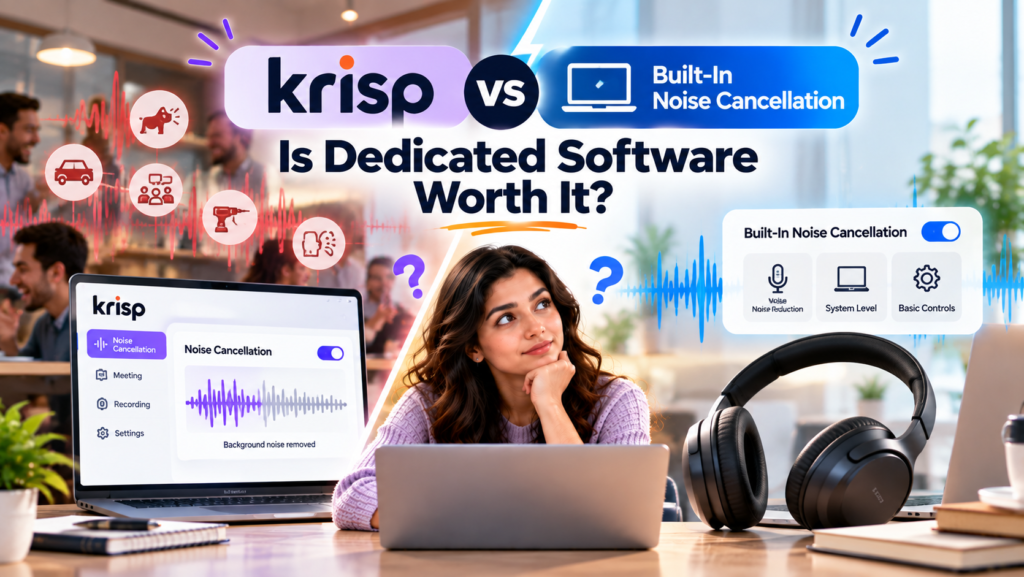
The Krisp vs built-in noise cancellation comparison has become more relevant as video platforms increasingly include their own AI audio processing. Microsoft Teams can suppress background noise and use AI-powered Voice Isolation, while Google Meet can remove sounds such as typing, doors closing and construction noise. Krisp takes a different approach: it works as a separate desktop audio layer, processing microphone and speaker audio across supported meeting applications rather than tying noise cancellation to one meeting platform. Krisp says its processing happens locally on the device and currently reports more than 3 billion calls processed and 9 million users worldwide. (October 2026)
That makes the choice less straightforward than paying for “better noise cancellation.” If most meetings happen inside Teams or Google Meet, their built-in controls may already cover everyday office noise. But people who switch between Zoom, Teams, Meet and other communication apps may value a single audio layer that follows them from application to application.
What Built-In Noise Cancellation Already Does
Modern meeting platforms are much better at handling background noise than they were a few years ago.
Microsoft Teams, for example, offers background-noise suppression and a Voice Isolation mode that uses AI to identify the user’s voice and filter surrounding sound. Microsoft says its audio processing can also handle echo, distorted speech and reverberation.
Google Meet similarly removes non-speech sounds such as typing, doors closing, room echo and construction noise. Depending on the setup, noise cancellation can be processed on the device or through supported cloud-based functionality.
For someone sitting in a reasonably quiet room with an occasional keyboard, fan or air conditioner in the background, these built-in tools can be enough.
The bigger question is what happens when the environment gets more difficult.
How Krisp Is Different

Krisp operates independently of the meeting platform. Instead of turning noise cancellation on separately in each application, it creates an audio-processing layer between the microphone, speakers and communication software.
Its current noise-cancellation system covers microphone noise, background voices, speaker noise and echo cancellation. That last point is particularly relevant when people aren’t using headphones.
Krisp also offers an AI Meeting Assistant with meeting transcription, notes, action items and AI chat, although those are separate productivity features rather than part of noise cancellation itself.
Another notable point is privacy. Krisp states that its noise-cancellation processing runs locally and that audio from the user’s machine isn’t sent to Krisp’s servers for noise cancellation.
Krisp vs Built-In Noise Cancellation: Feature Comparison
| Feature | Krisp | Built-In Meeting App Cancellation |
| Microphone noise removal | Yes | Yes, platform dependent |
| Background voice removal | Yes | Available on some platforms |
| Speaker-side noise reduction | Yes | Depends on platform |
| Echo cancellation | Yes | Usually available |
| Works across meeting apps | Yes | Usually tied to the individual app |
| Teams integration | Yes | Native |
| Google Meet integration | Yes | Native |
| Zoom and other apps | Yes | Depends on app |
| Local processing | Yes, according to Krisp | Varies by platform |
| AI meeting notes | Yes, with AI Meeting Assistant | Depends on platform/plan |
| Additional software | Required | No |
| Additional cost | Depends on Krisp plan | Often included with meeting software |
The important distinction is platform independence. Built-in cancellation is convenient because there is nothing additional to install. Krisp’s advantage is that the same processing can follow the user between applications.
When Built-In Cancellation Is Enough

There is little reason to add another application if the existing meeting platform already handles your environment well.
Take a home office with a closed door, a decent microphone and occasional keyboard noise. Teams can suppress background sounds, and Google Meet can remove several common non-speech noises.
Built-in processing also has a practical advantage: fewer things can go wrong.
There is no virtual microphone to select, no additional application to launch and no audio-routing layer to troubleshoot. For occasional meetings, that simplicity can be more valuable than having additional controls.
This is especially true if almost every meeting happens on one platform.
When Krisp Starts Making More Sense
The Krisp vs built-in noise cancellation question changes when the environment becomes unpredictable.
- Consider someone working from a café, shared office or home where other people are talking nearby.
- Krisp’s Background Voice Cancellation is specifically designed to suppress surrounding human voices while keeping the primary speaker’s voice.
That is different from basic noise suppression.
- Google Meet, for example, explicitly notes that its standard noise cancellation removes non-speech noises but does not cancel voices from television or people talking.
- Teams’ Voice Isolation addresses surrounding voices too, but it requires creating a voice profile.
For someone who regularly moves between several meeting platforms, Krisp can also avoid repeatedly configuring audio processing inside each application.
What About Audio Quality?
Noise cancellation isn’t simply about removing as much sound as possible.
Aggressive processing can sometimes affect speech quality, particularly when the software has difficulty distinguishing a person’s voice from background sounds. Meeting platforms therefore provide different levels or modes.
Teams, for example, offers multiple noise-suppression settings, including automatic, low and high levels on supported devices. Google Meet also warns that noise cancellation is designed for non-speech sounds and can be inappropriate when music or other non-speech audio needs to be transmitted.
The same principle applies to Krisp: noise cancellation is useful for meetings, but it isn’t designed to preserve every element of a complex audio environment.
The Hidden Cost of Dedicated Software

The biggest disadvantage in the Krisp vs built-in noise cancellation comparison is not necessarily performance. It’s complexity.
A dedicated application adds another piece of software to manage.
- Users need to make sure Krisp is selected as the microphone and speaker source in their meeting application.
- They also need to consider system resources, permissions and subscription requirements for paid features.
Built-in cancellation avoids all of this.
- There’s also a practical question: if Teams already provides Voice Isolation and Google Meet already provides noise cancellation, paying for a separate tool may provide limited additional value for a user who spends the majority of the day inside one platform.
Krisp vs Built-In Noise Cancellation: Which Setup Fits Different Users?
| User situation | More relevant approach | Reason |
| Quiet home office | Built-in | Basic suppression may be sufficient |
| Occasional online meetings | Built-in | No extra software required |
| Frequent Teams meetings | Teams controls | Native audio processing is convenient |
| Frequent Google Meet meetings | Meet controls | Noise cancellation is already integrated |
| Switching between multiple platforms | Krisp | One audio-processing layer across apps |
| Shared/open office | Krisp or advanced platform isolation | Background voices are harder to suppress |
| Café or public workspace | Dedicated or advanced isolation | More challenging background noise |
| Speakerphone meetings | Krisp can be useful | Speaker and echo processing |
| Music/audio production | Neither by default | Noise cancellation can remove wanted audio |
So, Is Krisp Worth It?
The Krisp vs built-in noise cancellation decision isn’t really about whether built-in tools have become good enough. They have.
The more useful question is whether you need consistent noise cancellation outside a single meeting platform.
For straightforward meetings in a quiet environment, built-in cancellation is likely to cover the basics without adding another application. Teams and Google Meet already provide sophisticated AI-based audio processing.
Krisp becomes more interesting for people who work across multiple communication platforms, regularly deal with surrounding voices or unpredictable environments, or want additional features such as speaker-side noise cancellation and Krisp’s broader AI meeting workflow.
In other words, dedicated software isn’t automatically necessary. Its value comes from solving problems that the built-in option doesn’t adequately address.
FAQs
1. Does Krisp work with Teams and Google Meet?
Yes. Krisp operates as a separate audio layer, allowing it to be selected as the microphone and speaker in supported communication applications.
2. Does Krisp cancel other people’s background noise?
Yes. Krisp provides speaker noise cancellation designed to reduce unwanted sounds coming from the other participants’ side of a call.
3. Does Krisp process audio in the cloud?
Krisp says its noise-cancellation processing occurs locally on the user’s device and that audio isn’t sent to its servers for this function.
Also Read: Termly Review: Is It Worth Using for Website Privacy Compliance?