
Building a Budget Gaming PC in 2027: Parts List and Total Cost
Building a budget gaming PC in 2027 is less about buying the cheapest components and more about putting your money where it makes a visible difference: the graphics card, memory and reliable power delivery. In the United States, this has become particularly important because component prices have been fluctuating, especially for graphics cards and RAM. A November 2026 price comparison by Tom’s Hardware put an entry-level gaming PC build at approximately $971 before RAM, with a 16GB DDR5 memory kit costing around $262 separately. That brings the estimated tower cost to approximately $1,233, before taxes, shipping and peripherals. This means older $500-$700 build guides may no longer reflect what a capable new gaming PC actually costs. The practical approach is to target smooth 1080p gaming, choose compatible components and keep some room in your budget for price changes.
What Should You Prioritize in a Budget Gaming Build?
Before selecting individual components, decide what kind of gaming experience you want. For most budget-conscious PC gamers, 1080p resolution is the best starting point because it delivers good visual quality without requiring an expensive graphics card.
Your budget should be distributed around three priorities:
- Graphics card: Allocate the largest share of your budget here. It has the biggest impact on gaming performance.
- Processor: Choose a CPU that can keep up with your graphics card without creating a performance bottleneck.
- Memory and storage: Start with 16GB RAM and an NVMe SSD, but consider 32GB RAM and 1TB storage if your budget allows.
Also, think about future upgrades. A compatible motherboard, reliable power supply and well-ventilated case can help you upgrade individual components later instead of replacing the entire PC.
The Recommended Parts List
For this build, the goal is smooth 1080p gaming, a modern motherboard platform and a reasonable upgrade path. The following parts and prices are based on a U.S. retail price snapshot reported by Tom’s Hardware on November 20, 2026. Prices can change quickly, especially for memory and graphics cards.
| Component | Recommended part | Estimated price |
|---|---|---|
| Processor | Intel Core Ultra 5 250K Plus | $219 |
| Motherboard | ASRock B860 Rock WiFi 7 | $139 |
| Graphics card | AMD Radeon RX 7600 8GB | $389 |
| RAM | 16GB V-Color Manta XSky DDR5-6000 | $262 |
| Storage | Patriot P300 512GB NVMe SSD | $80 |
| Power supply | MSI MAG A650BN 650W | $60 |
| Case | DIY PC ARGB-N5-BK | $60 |
| CPU cooler | Jonsbo CR1400 EVO ARGB | $24 |
| Estimated total | Complete PC tower | $1,233 |
Prices are reference figures, not guaranteed current checkout prices. RAM pricing is particularly volatile.
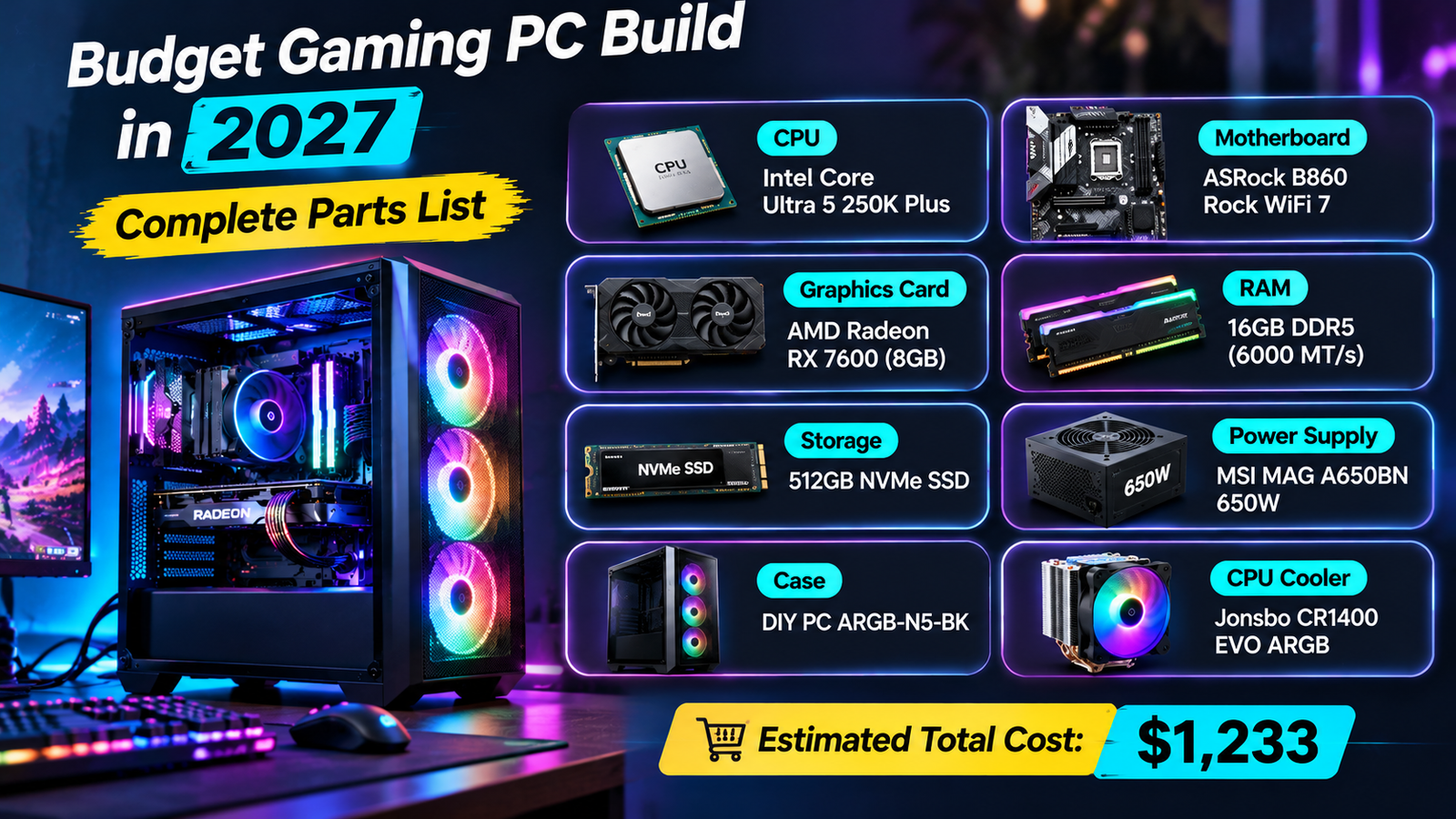
This is a tower-only estimate. It excludes sales tax, shipping, Windows, monitor, keyboard, mouse and headset.
Why These Components Make Sense
Processor: Intel Core Ultra 5 250K Plus
This processor provides a modern foundation for a budget gaming system. Its combination of performance cores and efficiency cores also makes it suitable for everyday multitasking. It is paired with an LGA1851 motherboard, so check CPU and motherboard compatibility before purchasing.
Graphics card: AMD Radeon RX 7600 8GB
The graphics card has the biggest influence on gaming performance in this build. The RX 7600 is aimed primarily at 1080p gaming and is a sensible choice for players who want good traditional rendering performance without paying for a higher-end GPU. Its 8GB of VRAM can become a limitation in demanding newer games, so you may need to reduce texture quality or other graphics settings.
Motherboard: ASRock B860 Rock WiFi 7
A compatible B860 motherboard provides the platform for the selected Intel processor. Built-in Wi-Fi 7 is useful if your gaming setup is not close to your router. Check the board’s memory support, expansion slots and rear connectivity before ordering.
Memory: 16GB DDR5
The listed kit uses DDR5-6000 memory. Sixteen gigabytes keeps the initial configuration within a lower budget, but it is a compromise. Some newer games and multitasking workloads benefit from 32GB. If you can afford it, a matched 2×16GB kit is a worthwhile upgrade.
Storage: 512GB NVMe SSD
An NVMe SSD makes Windows startup and game loading faster than a traditional hard drive. However, 512GB fills up quickly when modern games can occupy tens or even hundreds of gigabytes. A 1TB SSD is a better long-term choice if you regularly play several large titles.
Power supply and case
The 650W MSI power supply provides a reasonable starting point for this configuration. Always check independent reviews, safety protections and warranty coverage rather than relying on wattage alone. The case should have adequate airflow, space for the graphics card and enough room for future storage upgrades.
What Gaming Performance Should You Expect?
This configuration is designed for 1080p gaming, not maximum-detail 4K. Competitive games should be suitable targets for high-refresh-rate play, while demanding AAA releases may require medium or high graphics settings.
Actual frame rates depend on the game, graphics preset, drivers, resolution and background applications. Look for independent benchmarks of the exact CPU and GPU combination before making a purchase. Avoid treating advertised FPS figures as guaranteed results.
Three Ways to Spend Less
- Compare GPU alternatives: Check the Radeon RX 7600 against similarly priced graphics cards. A better sale can improve gaming performance without changing the rest of the build.
- Look for CPU and RAM bundles: Retailers such as Micro Center and Newegg sometimes offer processor, motherboard and memory combinations. Compare the bundle price against buying each part separately.
- Upgrade storage later: If your budget is tight, begin with a 512GB SSD and add another drive when you need more space. Do not compromise on the power supply to save a few dollars.
If you can stretch your budget, consider a Ryzen 5 7600 with a B650 motherboard and 32GB of DDR5. AMD’s AM5 platform offers a useful processor upgrade path, although the final cost depends heavily on memory and GPU prices.
Build Around Your Gaming Needs
The best budget gaming PC is not the one with the most impressive component names. It is the one that delivers the resolution and frame rates you want without wasting money on features you rarely use.
For 2027, start with a clear 1080p target, compare U.S. retailer prices and prioritise the graphics card, memory and power supply. Use this parts list as a starting point, then adjust it around current deals. A little research can make the difference between an affordable gaming machine and an expensive collection of mismatched parts.
Budget Gaming PC: Frequently Asked Questions
1. How much does a budget gaming PC cost in 2027?
Plan for approximately $1,000-$1,250 for a new, capable 1080p gaming tower under the current late-2026 pricing conditions. Sales and component availability can change that figure.
2. Is 16GB RAM enough for gaming?
It remains usable for many games, but 32GB is a more comfortable target for newer releases, multitasking and background applications.
3. Can this PC run modern AAA games?
Yes, but expect to adjust graphics settings in demanding titles. The RX 7600 is primarily a 1080p graphics card, not a high-end 4K solution.
Also Read: How to Save for Travel Without Touching Your Emergency Fund