
UniPin and Game Top-Ups: Paying for In-Game Currency Safely
In-game purchases have become a significant part of the gaming economy. However, purchasing digital items comes with a responsibility that is easy to overlook. Choosing the wrong website, entering an incorrect player ID, or sharing account credentials with an unverified seller can turn a routine purchase into a costly mistake. That is why safe game top-ups matter as much as finding the right denomination or payment method.
UniPin is a digital payment platform offering game credits, prepaid vouchers, direct top-ups for supported games, and regional payment options. It provides gamers with an alternative way to purchase digital gaming content without relying exclusively on the payment method built into a game. Understanding how the process works and knowing which precautions to take helps players make informed purchases.
What Is UniPin, and How Does It Work?
UniPin provides digital products and payment services for supported online and mobile games. Depending on the game and region, users can purchase in-game credits directly or buy a voucher that must be redeemed through the relevant game or platform.
The process generally starts by selecting a supported game, choosing a denomination, entering the required player information, and selecting an available payment method. Once payment is completed and processed, the purchased credit or voucher is delivered according to the product’s instructions.
Some transactions may be completed without creating a UniPin account, while others require registration. UniPin also offers a rewards programme for eligible account holders, subject to its applicable terms.
The important detail is that the process differs between games. A direct top-up, a prepaid voucher, and a platform-specific gift code are not interchangeable. Before paying, check the product description to understand exactly what you are purchasing and how it will be delivered.
Why Safe Game Top-Ups Matter
- Digital currency is often delivered quickly, leaving little room to correct mistakes once a transaction has been processed.
- Scammers exploit this by creating websites that imitate legitimate payment platforms, advertising unusually cheap currency, or sending messages that lead users to fraudulent checkout pages.
A trustworthy-looking logo does not prove that a seller is genuine.
- Similarly, an offer advertised through a social media account or gaming group is not automatically authorised.
- UniPin publishes safety guidance advising users to verify website addresses, avoid suspicious links, protect passwords and one-time passwords (OTPs), and check unusually generous offers before paying.
- Its support documentation also describes fraud-prevention controls and payment processing safeguards.
These measures can reduce risk, but safe purchasing also depends on the user’s actions. Always start from the official website, read the transaction details, and keep evidence of payment.
Payment Options: Choosing the Right Method
UniPin supports different payment methods depending on the market, product, and checkout options available. In India, users may encounter options such as UPI, digital wallets, net banking, and eligible voucher products.
| Payment method | What to check before paying | Practical safety tip |
| UPI | Merchant details and the amount requested | Verify the recipient before approving the payment |
| Digital wallets | Final amount and transaction status | Use the official wallet app or authorised payment flow |
| Net banking | Checkout destination and payment amount | Never share banking passwords or OTPs with a seller |
| UniPin Voucher | Validity, denomination, and redemption instructions | Keep the voucher serial number and PIN private |
| Card payments | Merchant identity and final charge | Use transaction alerts and never disclose your card OTP |
Payment availability can vary by region and game. A method listed in one country’s UniPin store may not be offered in another.
Before confirming a purchase, check the total amount, any applicable charges, the currency, and the expected delivery method. If a payment fails but money is deducted, retain the transaction reference and contact the relevant payment provider and UniPin support instead of immediately paying again.
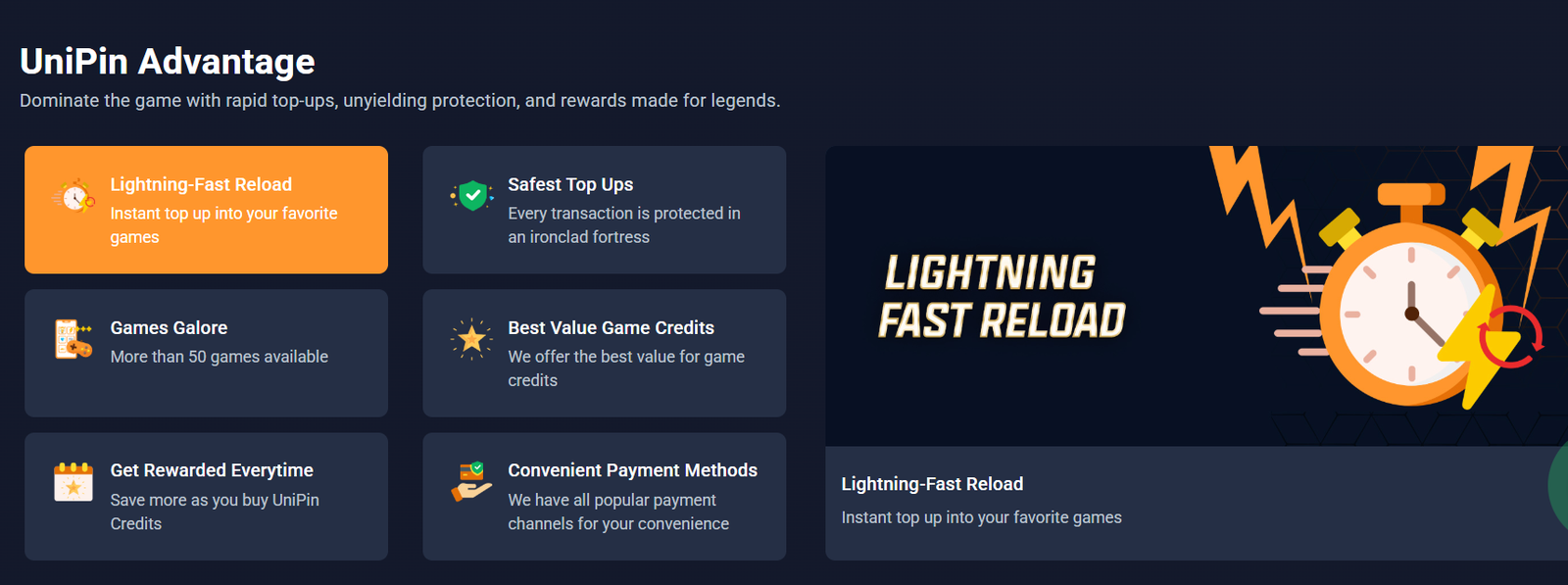
Source: UniPin
How to Buy Game Top-Ups More Safely Through UniPin
A few careful checks can prevent many common problems.
1. Verify the website address.
- Visit UniPin.com directly rather than relying on shortened links or messages from unknown sellers.
- Check that the domain is spelt correctly.
2. Confirm your game and player ID.
- Many direct top-ups require a player ID or other account identifier.
- Find it inside the game’s official profile and check every digit before proceeding.
- Selecting the wrong region or server can also affect whether the purchase reaches the intended account.
3. Select the correct product.
- Confirm the game, currency, quantity, region, and denomination.
- Read the redemption instructions carefully if you are purchasing a voucher rather than direct credit.
4. Review the checkout details.
- Check the amount, payment method, and applicable terms before authorising the transaction.
- Do not approve unexpected payment requests or share your OTP with anyone claiming to be customer support.
5. Save your confirmation.
- Keep the payment reference, order confirmation, and relevant emails until the purchased currency arrives.
- If delivery is delayed, these details help support teams investigate the transaction.
6. Check promotions through official channels.
- Discounts can be useful, but offers promising unlimited currency or implausibly large rewards deserve extra scrutiny.
- Compare the offer with the promotion details published on UniPin’s official website.
Common Mistakes to Avoid
The most expensive top-up mistake is not necessarily choosing the wrong package. It can be trusting a third-party seller who requests your game password, buying a region-locked voucher, or paying twice because the first transaction appears delayed.
Never give another person remote access to your device to complete a purchase. Avoid downloading unofficial top-up applications, and do not assume that a transaction is refundable simply because the wrong item was selected. Digital products may be subject to specific cancellation, refund, and redemption conditions.
If something goes wrong, use the official UniPin support channels and provide your transaction details. Do not post payment receipts containing sensitive information publicly.
Make Your Next Top-Up a Safer One
Buying digital currency should be a straightforward part of gaming, not a source of unnecessary risk. UniPin offers multiple ways to access supported gaming credits, but the safest experience starts with verifying the website, checking the game details, choosing an appropriate payment method, and protecting your account information.
Before making your next purchase, take a moment to review the product and payment details. Explore supported games and available options on UniPin.com, and use its official support channels whenever you need assistance. A few simple checks can help you spend more confidently and keep your attention where it belongs: enjoying the game.
Game Top-Ups: Frequently Asked Questions
1. Is UniPin a platform for purchasing in-game currency?
Yes. UniPin offers digital game credits, vouchers, and direct top-up services for supported games. Available products depend on your region.
2. Do I need a UniPin account to purchase game credits?
Not always. Some supported purchases can be made as a guest, while account-based transactions and certain reward features require registration.
3. Is it safe to share my game password for a top-up?
You should not share your password or OTP with an individual seller. Follow the official checkout process and provide only the information required for the specific product.