
How to Cut Your Email Time in Half: Superhuman, Shortcuts, and AI
For many professionals, email has quietly become one of the biggest drains on the workday. A steady flow of new messages, lengthy threads, follow-ups, routine replies, and constant inbox checking can easily turn a few necessary tasks into hours of fragmented work. How to cut your Email time in half is about reducing that friction, not simply writing faster.
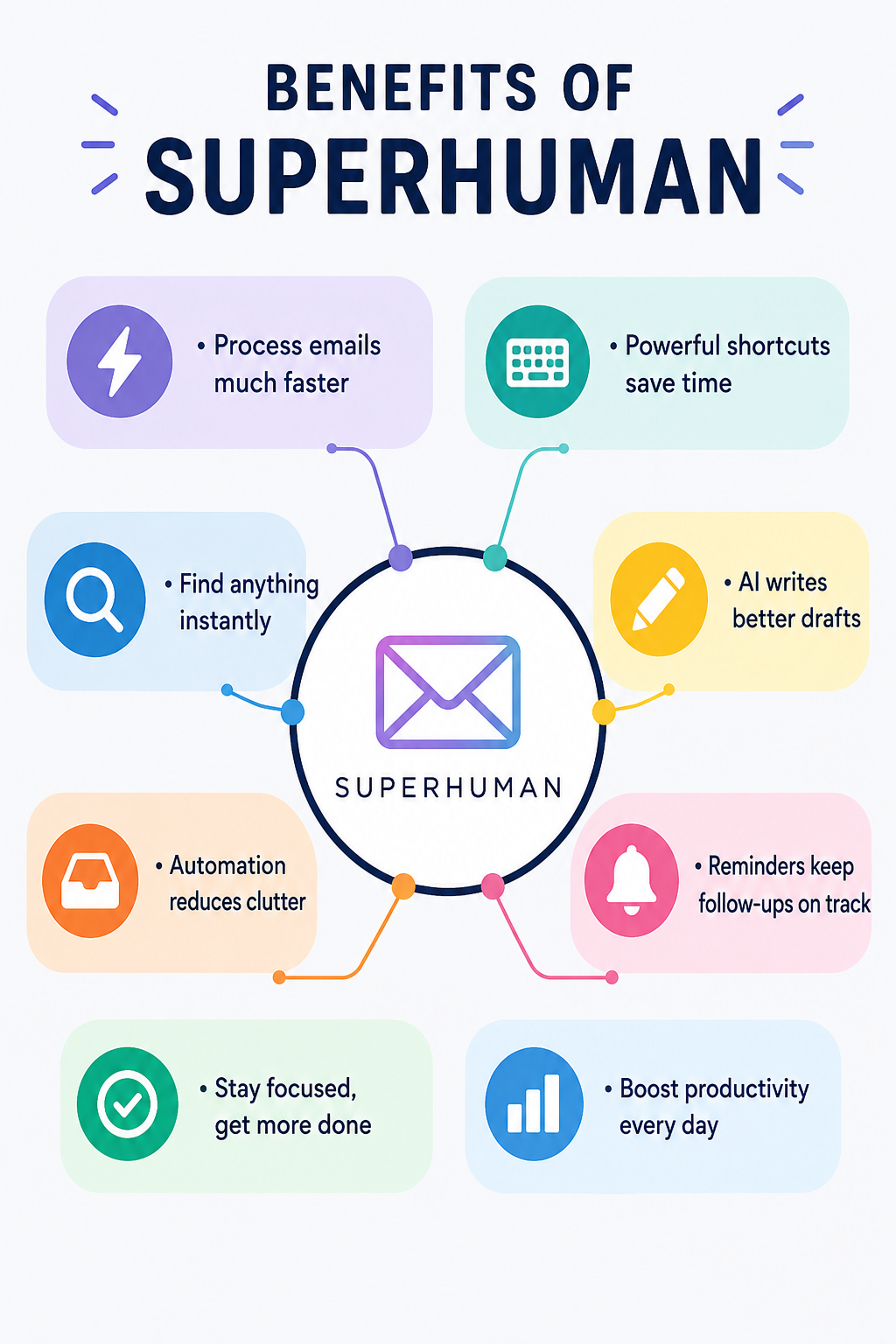
Superhuman, an email app designed for speed, combines keyboard shortcuts, AI-powered drafting, search, summaries, reminders, and automation to help users process messages with fewer clicks and less repetitive work. Used alongside a focused email routine, these tools can make a noticeable difference in how much time you spend managing your inbox each day.
Stop Treating Your Inbox Like a To-Do List
One of the biggest reasons email consumes so much time is that people repeatedly reopen the same messages without deciding what should happen to them. A better approach is to process each message according to the action it requires: respond now, delegate it, archive it, schedule a follow-up, or leave it for a defined time.
Superhuman is particularly useful for this workflow because its interface is designed around rapid inbox navigation and triage. Instead of clicking through menus for every action, you can use keyboard commands to move through messages and process them without constantly switching between mouse and keyboard.
The goal is not to reach an empty inbox at all times. It is to stop allowing email to dictate your attention.
Learn a Small Set of Shortcuts First
You do not need to memorize dozens of keyboard combinations on your first day. Superhuman itself recommends starting with the actions you use most frequently and learning additional shortcuts as you go. Its Command feature, opened with Cmd+K on Mac or Ctrl+K on Windows, shows available actions and their shortcuts, making the learning curve much easier.
Start with composing, searching, opening messages, replying and archiving. Once these actions become automatic, the time saved across hundreds of emails becomes noticeable. Superhuman also supports shortcuts in its Mac and Windows apps and in its Chrome web experience.
Use Search Instead of Scrolling
Searching through an old inbox manually is one of the most wasteful email habits. If you remember approximately what you need but not the exact subject line, sender or date, AI-powered search can make the process considerably easier.
Ask AI, available on Superhuman’s Business and Enterprise plans, can search your inbox using natural-language questions and can combine information from email, calendar and the web. It can search emails going back as far as five years, excluding Trash and Spam.
Instead of searching through dozens of threads, you could ask for the latest discussion about a client, find a previous commitment or locate information connected to an upcoming meeting. That changes email search from a memory exercise into a direct question-and-answer process.
Let AI Handle the First Draft
Writing is often where email time disappears.
- You know what you want to say, but turning that thought into a polished message can take several minutes, particularly when the email needs the right balance of clarity, politeness and brevity.
Superhuman’s Write with AI is designed for exactly this situation.
- On desktop, Cmd+J on Mac or Ctrl+J on Windows opens the AI writing function, where you can describe what you want the message to accomplish.
- You can then refine the draft with commands such as shortening, simplifying, improving grammar or changing its length.
- The important distinction is that AI should create the first version, not automatically replace your judgment.
- Give it the relevant context, check names, dates and commitments, then make the final message sound like something you would actually send.
Make AI More Useful with Better Prompts
A vague prompt usually produces a vague email. If you want AI to save time, provide the information it would otherwise need from you through several rounds of editing.
Instead of asking for “a reply to this client,” specify the objective, tone and next step. For example, you could ask Superhuman to write a friendly follow-up that confirms the agreed deadline, answers the client’s question, and proposes a 30-minute call next week. Superhuman recommends giving its AI clear instructions and useful context to produce more specific results.
This is one of the simplest ways on how to cut your Email time in half without sacrificing the quality of your communication.
Automate the Repetitive Parts
Not every email deserves your attention.
- Newsletters, routine notifications, recurring updates and low-priority messages can quietly consume a surprising amount of time when they remain mixed with conversations that actually require action.
- Superhuman’s AI features include Auto Labels and Auto Archive, which can help organize incoming messages automatically.
- Auto Reminders can also bring conversations back to your attention when a response is still needed, while Auto Drafts can prepare replies for recurring situations.
The advantage is not simply a cleaner inbox. It is fewer decisions. When repetitive email handling happens in the background, your attention stays available for messages where human judgment actually matters.
Use Autocomplete for Small Replies
AI does not always need to write an entire email. Sometimes the fastest solution is simply finishing a sentence.
- Superhuman’s desktop Autocomplete suggests words, phrases and portions of sentences while you type.
- Suggestions can be accepted with Tab or the Right Arrow key, allowing short replies to be completed without stopping to construct every phrase manually.
- This is especially useful for routine communication such as confirming receipt, acknowledging an update or arranging a time.
These tiny savings may seem insignificant individually, but they accumulate when repeated throughout the day.
Build an Email Routine That Protects Your Time
Technology works best when it is combined with a predictable workflow. Rather than checking email every few minutes, create specific periods for processing your inbox and keep notifications from interrupting focused work whenever possible.
During an email session, begin with urgent messages, clear simple replies quickly, delegate anything that belongs elsewhere, schedule reminders for unresolved conversations and archive messages that require no further action. AI can accelerate these steps, but the underlying discipline remains important.
If you are trying to understand how to cut your Email time in half, the biggest change is therefore not learning every Superhuman feature. It is creating a system in which every message has a clear destination.
A Practical Superhuman Email Workflow
| Email task | Faster approach | Superhuman feature |
|---|---|---|
| Find an old conversation | Ask naturally | Ask AI |
| Write a routine reply | Generate a first draft | Write with AI |
| Handle repetitive mail | Automate organization | Auto Labels / Archive |
| Remember unanswered threads | Set automatic follow-ups | Auto Reminders |
| Navigate the inbox | Use keyboard commands | Shortcuts |
| Finish short messages | Accept suggestions | Autocomplete |
| Understand long threads | Generate a concise overview | Auto Summarize |
The most effective setup combines these tools rather than relying on one feature. Shortcuts reduce navigation time, AI reduces writing and searching time, while automation reduces the number of messages that require your attention in the first place.
What You Should Not Automate
Speed should never come at the expense of accuracy or relationships. Important client emails, sensitive negotiations, financial decisions and messages involving commitments should still receive human review before they are sent.
AI can misunderstand context, produce an overly confident statement or omit a detail that matters. Superhuman’s own guidance encourages users to provide context and refine AI output rather than treating generated drafts as finished communication.
For sensitive information, it is also worth understanding how the specific AI features handle data and what your organization’s policies allow. Superhuman says that, when Ask AI is enabled, email data is stored through a SOC 2-compliant third-party vendor and encrypted in transit and at rest; its documentation also distinguishes how queries and responses are retained across different AI features.
The Real Way to Save Hours
How to cut your Email time in half is ultimately less about moving your fingers faster and more about reducing unnecessary decisions. Superhuman provides the infrastructure for that approach: shortcuts for rapid navigation, AI for drafting and searching, and automation for repetitive inbox management.
Start with five shortcuts, introduce AI for first drafts and summaries, automate the messages that consistently waste your time, and reserve your attention for conversations that genuinely need you. Once that workflow becomes habitual, email stops being a constant interruption and becomes a task you can process deliberately and quickly.
Frequently Asked Questions
1. Is Superhuman an email app or an AI tool?
Superhuman is an email app with built-in AI capabilities. Its current tools extend beyond drafting to include search, summaries, automated labels, reminders, drafts and other inbox-management functions.
2. Can Superhuman actually reduce email time?
It can reduce the amount of manual work involved in common email tasks, particularly searching, drafting, navigating and following up. The actual time saved depends on how much email you handle and whether you consistently use shortcuts and automation.
3. Do I need to learn every Superhuman shortcut?
No. Starting with the shortcuts for your most frequent actions is more practical. Superhuman’s Command menu is designed to help you discover shortcuts as you work.
Also Read: Udemy Course Quality: How to Spot a Great Course Before You Buy