
How to Start a Blog in 2026: The Complete Beginner’s Guide
Blogging in 2026 is no longer simply about publishing articles and waiting for Google traffic. Search is increasingly influenced by AI-generated answers, social discovery, visual content, newsletters and users who expect original information rather than recycled articles. Yet the opportunity remains substantial: WordPress powers 41.2% of all websites and 59.1% of websites whose CMS is known, according to W3Techs’ July 2026 data. For a beginner, how to start a Blog successfully therefore means building a focused publication with a clear audience, a technically reliable website, original expertise and a distribution strategy that does not depend entirely on traditional search rankings.
Start With a Topic You Can Actually Own
The first decision on how to start a blog in 2026 is not which blogging platform to use. It is what you can consistently say something useful about that other websites cannot easily reproduce.
- Instead of choosing a broad category such as technology, travel or health, identify a narrower subject where you have experience, access to information or a distinctive perspective.
- A blog about “software” is difficult to differentiate, while a blog covering productivity software for remote marketing teams gives you a much clearer audience and editorial direction.
- This matters even more in 2026 because Google explicitly recommends people-first content that demonstrates originality, experience and useful information beyond what is already available elsewhere.
Decide What Your Blog Is Supposed to Achieve
A blog can generate advertising revenue, support a business, attract leads, build a personal brand, promote affiliate products or become a standalone media property. Your objective affects almost every decision that follows.
For example, a consultant should build content around problems potential clients actually face, while an affiliate publisher needs strong product research and comparison content. If you want to build a media brand, publishing consistency and a recognizable editorial voice may matter more than immediate monetization.
Knowing the purpose prevents you from filling the website with random topics simply because they appear to have search volume.
Choose Your Platform and Hosting
For beginners who want flexibility, WordPress remains the most established option. Its current market share means there is a large ecosystem of themes, plugins, developers and educational resources available.
Your hosting provider matters because poor server performance can affect both the reader experience and your ability to manage the website. Bluehost and UltaHost are two options beginners can evaluate, but compare renewal pricing, backups, storage, support and performance rather than choosing solely on the introductory price.
A practical beginner setup is a domain you can remember easily, reliable hosting, WordPress, a lightweight theme and only the plugins you genuinely need.
Build the Website Before Publishing
Do not rush to publish your first article before the website is usable.
- Create the basic pages readers expect, including an About page, Contact page and Privacy Policy, then establish a simple navigation structure that makes your main topics obvious.
- Your article pages should also be easy to read on mobile devices, load quickly and make authorship clear.
- Google recommends making it obvious who created content and encourages signals that help readers understand the expertise behind a page.
Research Topics, Not Just Keywords
Keyword research is still useful, but in 2026 it should be treated as audience research rather than a list of phrases to insert into articles.
SEMrush can help identify search volume, keyword difficulty, search intent, competitor rankings and related queries. Its current tools also support keyword clustering and research aimed at visibility across traditional and AI search.
Look for questions your audience repeatedly asks, then build clusters around them. One strong article can answer the central question, while related articles address specific problems and link naturally back to the main topic.
Write for Search Intent, AI and Real Readers
The biggest change for new bloggers is that ranking for a keyword is no longer the only objective. Your content may be discovered through conventional search results, AI-generated search experiences, social platforms, newsletters or direct recommendations.
That makes original material especially valuable. Add firsthand observations, examples, screenshots, comparisons, original research, expert commentary or practical experience whenever possible. Google says unique viewpoints and non-commodity content are likely to matter for visibility in generative AI search as well.
AI can help with research, outlining or editing, but do not build a blog by publishing large volumes of lightly edited AI-generated articles. Google’s current spam policies specifically identify scaled content created primarily to manipulate search rankings as a problem, regardless of whether automation, humans or a combination of both produced it.
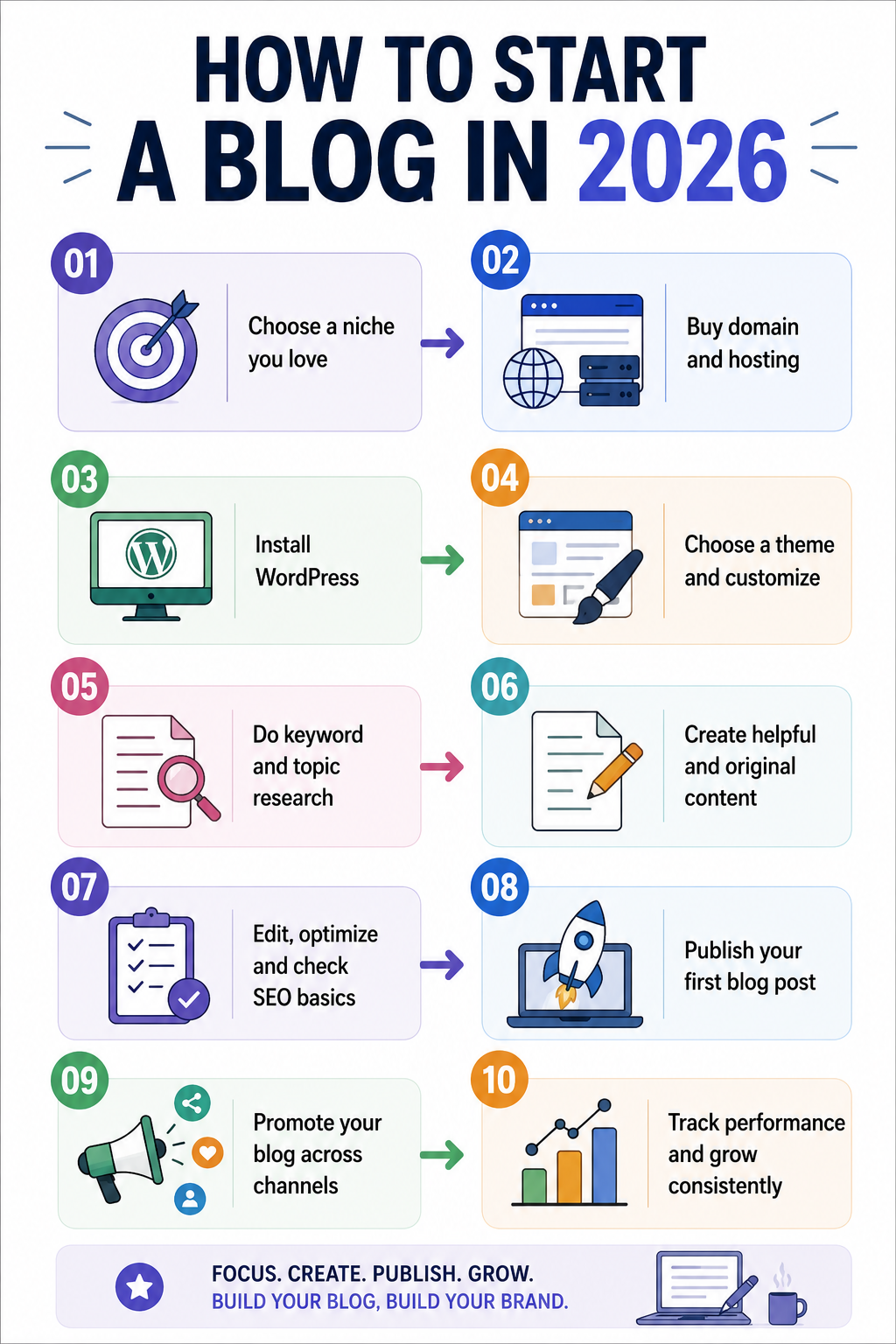
Your Basic Workflow on How to Start a Blog in 2026
| Stage | What to do | Useful tool |
|---|---|---|
| Topic research | Find real audience questions | SEMrush |
| Content planning | Build related topic clusters | SEMrush |
| Drafting | Write from original research | WPS Office |
| Editing | Improve clarity and grammar | Grammarly |
| Research support | Organize source material | PopAi |
| Publishing | Manage articles and pages | WordPress |
| Distribution | Share through relevant channels | Social platforms |
| Measurement | Track traffic and conversions | Analytics tools |
The tools should support your process of how to start a blog rather than determine it. A beginner does not need an expensive collection of software before publishing the first useful article.
Create a Publishing System You Can Maintain
Consistency does not mean publishing every day.
- A realistic schedule of two well-researched articles a week can be far more valuable than producing seven shallow posts that repeat information already available elsewhere.
- Before publishing, check whether the article answers the searcher’s question, contains original value, uses useful internal links and has a clear title and description.
- Add descriptive image alt text, compress large images and make sure important pages are accessible to search engines.
- Google’s Search Essentials continues to emphasize helpful content, crawlable links and clear descriptive language.
Build Traffic Beyond Google
A blog should not depend on one traffic source. Turn useful articles into LinkedIn posts, short videos, newsletters, community discussions or social posts where your audience already spends time.
This is particularly important when a new website has little search authority. Distribution can bring your first readers while your content gradually builds search visibility. It also gives you feedback about which topics people actually care about instead of relying entirely on keyword tools.
Monetize Only After Finding Demand
Do not cover your new website with advertisements and affiliate links from day one. First establish useful content and understand what your readers need.
Once traffic and audience behaviour become clearer, monetization can include affiliate partnerships, advertising, digital products, consulting, sponsored content, memberships or lead generation. The right model depends on why people visit your blog and what problem your business can solve for them.
Practical Tips on How to Start a Blog
- Choose a lightweight WordPress theme: Try Astra, GeneratePress or Kadence for speed and flexibility.
- Install an SEO plugin: Use Rank Math SEO or Yoast SEO for on-page optimization.
- Check content with Grammarly: Use grammar editing, plagiarism checking, AI detection and AI rewriting features.
- Compress your images: Use ShortPixel, Imagify or Smush to reduce image sizes.
- Improve website speed: Use WP Rocket, LiteSpeed Cache or W3 Total Cache for caching.
- Back up your website: Use UpdraftPlus to schedule regular WordPress backups.
- Protect your WordPress site: Use Wordfence to monitor security threats and suspicious activity.
- Build internal links: Connect related articles to improve navigation and content structure.
- Track your performance: Use Google Analytics and Google Search Console to monitor traffic and search visibility.
- Avoid unnecessary plugins: Install only plugins that provide a clear and useful function.
A Practical First 30 Days
- During the first week, choose your niche, audience and business objective, purchase the domain and set up hosting.
- In the second week, create the core website pages and research your first group of topics.
- Use the third week to publish several strong articles that establish your main subject areas.
- During the fourth week, begin distributing those articles, monitor which pages receive attention and use the data to decide what to publish next.
That approach makes starting a blog a manageable project rather than an endless preparation exercise. You do not need hundreds of articles to begin; you need a clear audience, a technically sound website and enough genuinely useful content to give people a reason to return.
Frequently Asked Questions on How to Start a Blog
1. Is blogging still worth starting in 2026?
Yes, but the strategy has changed. A blog built around original expertise, a specific audience and multiple traffic channels has a stronger foundation than one relying entirely on generic SEO articles.
2. Is WordPress still a good choice for beginners?
Yes. WordPress remains the most widely used CMS on the web, powering 41.2% of all websites according to W3Techs’ July 2026 data.
3. How many articles should I publish before promoting my blog page?
There is no required number. A better starting point is to publish several genuinely useful articles covering your core topic, then begin distribution rather than waiting until the site contains dozens of posts.
Also Read: How to Cut Your Email Time in Half: Superhuman, Shortcuts, and AI