
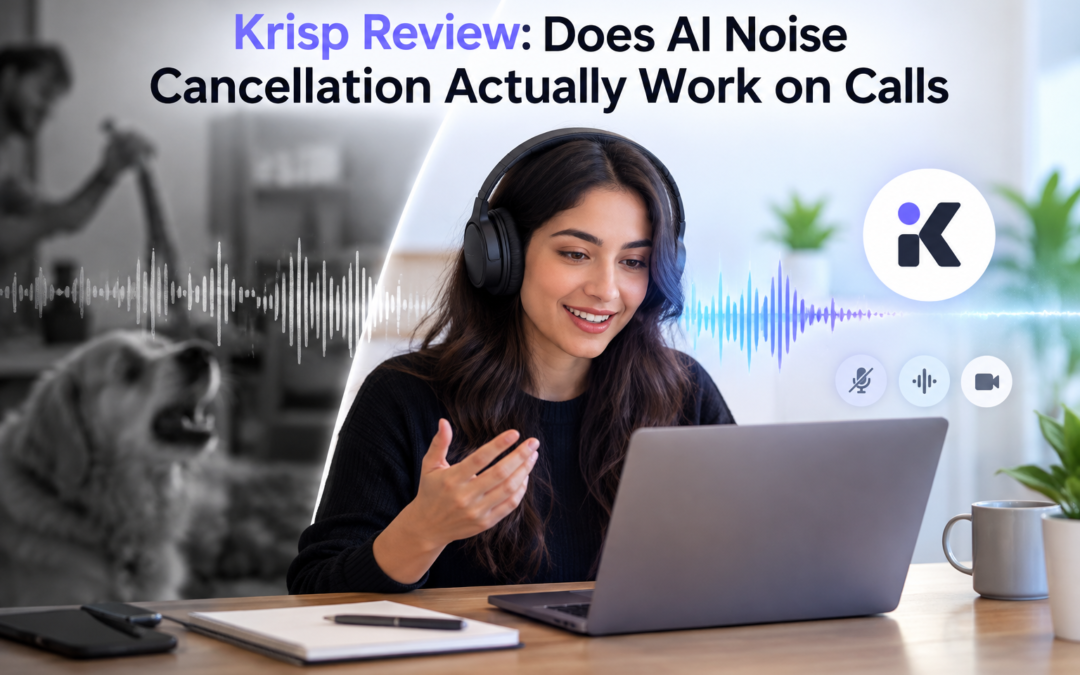
Krisp Review: Does AI Noise Cancellation Actually Work on Calls?
If you have ever joined an important call while a pressure cooker was going off in the kitchen, someone was talking beside you, or your laptop fan suddenly sounded like a small aircraft, you know how quickly background noise can become a professional problem. This Krisp review is really about whether software can solve that problem well enough to matter. Krisp has now processed more than 3 billion calls and over 450 million hours of outbound noise, and its current product combines real-time noise, voice and echo cancellation with AI transcription, meeting notes, recording and accent conversion.
What makes Krisp interesting is that it does not ask you to replace your existing meeting application. You install it on Mac or Windows, select Krisp Microphone and Krisp Speaker inside your calling app, and let it sit between your hardware and the meeting software. It works with platforms including Zoom, Microsoft Teams, Google Meet, Webex and Slack.
Does Krisp Actually Make Calls Sound Better?
The Noise Cancellation Is the Main Event
Krisp’s most convincing feature is still its original one: removing unwanted sound while keeping speech intelligible. It handles background noise, nearby voices and room echo in real time, and it can work in both directions, meaning you can clean up your own microphone as well as reduce noise coming from other participants.
That is more useful than it sounds. A keyboard, fan or street noise is annoying, but another person talking in the same room can completely disrupt a meeting. Krisp’s Voice Isolation is specifically designed to separate the active speaker from secondary voices, which gives it a practical advantage in shared workspaces.
It Does Not Make a Bad Setup Disappear
This is where expectations need to be realistic. Krisp cannot turn a poor microphone into a professional recording setup, and extremely loud or unpredictable sounds can still get through.
Krisp itself recommends a headset with a dedicated boom microphone and a stable USB connection for the cleanest results. Microphone position and other audio-processing software can also affect how well the system separates your voice from surrounding sounds.
The Features Beyond Noise Cancellation
- Krisp now includes a bot-free AI Meeting Assistant that can record meetings, generate transcripts, summaries and action items.
- It also supports in-person meetings through its mobile app and lets users upload audio or video for transcription.
- The bot-free approach is popular because it avoids the slightly awkward experience of having another participant join a meeting just to take notes.
- Krisp can work at the audio level while the meeting continues normally.
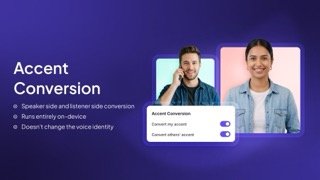
Krisp has also moved into real-time accent conversion.
- Core includes one hour per day of accent conversion, while Advanced provides higher allowances, and the system supports several accent options on the speaker side.
This is potentially valuable for international teams where intelligibility is more important than preserving a particular accent. For most individual users, however, we would treat it as an interesting extra rather than a reason to buy Krisp.
What We Like About Krisp
It Works Across Your Existing Meeting Apps
This is probably the biggest practical advantage. You do not have to convince your company to move from Teams to another platform just to get better audio.
Once Krisp is configured as the microphone and speaker, it can work with compatible applications that allow users to select virtual audio devices. That makes the software relatively unobtrusive in day-to-day use.
The Privacy Story Is Stronger Than Expected
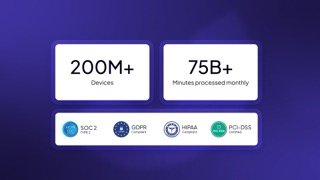
Krisp says its noise-cancellation processing does not expose voice data to its servers. Its current security information also lists GDPR compliance, SOC 2 Type II, encryption in transit and at rest, PCI-DSS 4.0 and HIPAA compliance.
That matters if calls involve client information or internal discussions. The important distinction, though, is that noise cancellation and cloud-based AI features such as transcription are different workflows, so businesses should review the applicable data policies before deploying the full meeting assistant.
What Could Be Better?

Krisp Core costs $16 per user monthly or $8 per user monthly with annual billing. Advanced is $30 monthly or $15 annually, while Enterprise pricing is custom.
For someone who works from a quiet office with a decent microphone and already has effective noise suppression in Teams or Zoom, that subscription may not deliver enough additional value. The economics change considerably for people who spend most of their working day on calls.
Krisp has expanded far beyond noise cancellation, but that creates a small problem: the product can now look like several products bundled under one brand. The company itself distinguishes between its AI Meeting Assistant, Call Center AI and Voice AI SDK, and installing one does not automatically include the others.
So you should not buy Krisp because the feature list is long. You would buy it because one particular problem, poor call audio, is costing you time or credibility.
Krisp Review on Pricing: Is It Worth Paying For?
| Plan | Price | Best fit |
| Free Trial | $0 for 7 days | Testing premium features |
| Core | $16/month or $8/month annually | Individuals and small teams |
| Advanced | $30/month or $15/month annually | Teams needing advanced controls |
| Enterprise | Custom | Larger organisations |
Core includes unlimited noise cancellation, AI note-taking, recording, integrations, mobile support and multilingual transcripts. Advanced adds features such as agent/customer noise cancellation, voice isolation, usage analytics, SSO and SCIM.
The good part is that Krisp offers a seven-day premium trial without requiring a credit card. That is enough time to test the software in the environment where you actually work rather than deciding from a product demo.
Final Verdict on Krisp Review
The Krisp review verdict is positive, but with one important qualification: Krisp is worth paying for when noise is a recurring problem, not simply because it is an AI-powered app.
Its noise cancellation is the feature that gives the product a clear identity. Background voices, echo and everyday environmental sounds are exactly the problems it is designed to address, while transcription, notes and accent conversion make the same installation useful for more than audio cleanup.
For remote employees, sales teams, consultants, customer-facing professionals and people working from shared spaces, we recommend testing the free trial. If your calls are already clean, however, there is little reason to pay simply to add another layer of software.
Our take: excellent noise cancellation, genuinely useful meeting features, but the subscription makes sense only when you will actually use the audio advantage.
FAQs: Krisp Review
- Does Krisp work with Zoom and Teams?
Yes. Krisp works with major conferencing applications including Zoom, Microsoft Teams, Google Meet, Webex and Slack.
- Does Krisp have a free version?
Krisp currently offers a seven-day free trial of its premium features without requiring a credit card.
- Does Krisp record and transcribe meetings?
Yes. Its AI Meeting Assistant provides transcription, recording, summaries and action items. It also supports in-person meeting capture through its mobile app.
Also Read: Pop AI Sheet Review: Is This AI Spreadsheet Tool Worth Using?