
Pop AI Sheet Review: Is This AI Spreadsheet Tool Worth Using?
If you regularly spend hours cleaning datasets, writing formulas, comparing sheets, or turning raw numbers into useful insights, an AI spreadsheet tool can be more valuable than another general-purpose chatbot. Pop AI’s spreadsheet-focused capabilities are designed around that exact problem: understanding spreadsheet structures, reasoning across data, generating formulas and SQL queries, and helping users manipulate information without manually handling every step. The interesting question, therefore, is not whether AI can generate a SUM formula. Excel and Google Sheets users have been doing that for years. The real test is whether Pop AI Sheet can reduce the repetitive work surrounding formulas, data relationships and analysis while still leaving the user in control of the final numbers.
What Makes Pop AI Sheet Different From a Normal Spreadsheet Assistant?
Most spreadsheet problems are not actually about knowing one formula.
They involve several connected steps: finding the right columns, combining information from different sheets, calculating a new metric, checking the result and then presenting it in a usable format.PopAI’s spreadsheet agent is designed to work across these stages.
Its 2026 AI Agent for Excel materials describe features such as table understanding, multi-sheet data integration, automated calculations, annotations, and natural-language interaction with spreadsheet data.
One particularly useful capability is its approach to multi-sheet analysis.
Instead of manually joining datasets or writing SQL, users can describe what they want and have the system generate queries to extract relevant information. For example, a sales workbook could contain separate customer, product and transaction sheets. Rather than repeatedly using lookup formulas, an AI workflow could identify the common fields, combine the relevant information and calculate derived values.
| Capability | Where It Can Help | Value to Users |
| Spreadsheet understanding | Identifying headers, fields and relationships | Less manual setup |
| Formula assistance | Creating or explaining calculations | Useful for non-experts |
| Multi-sheet analysis | Combining related datasets | Reduces repetitive work |
| SQL generation | Querying larger or complex tables | Helpful without coding knowledge |
| Data reasoning | Finding patterns and answering questions | Faster analysis |
| Notes and annotations | Marking important figures or assumptions | Better review workflow |
Is an AI Spreadsheet Tool Useful for Real-World Work?

The strongest use case is repetitive analysis rather than replacing spreadsheet expertise.
Consider a marketing manager reviewing monthly campaign data.
- Instead of manually calculating conversion rates for every campaign, comparing periods and searching for the largest changes, the user could ask the AI to identify campaigns with falling conversion rates and explain the underlying figures.
- The system’s ability to reason across spreadsheet data is intended to make this type of investigation less dependent on manual filtering and formula construction.
Financial and operational spreadsheets offer another practical example.
- A finance employee might have revenue, expense and regional performance data stored across several tabs.
- An AI assistant can potentially reduce the time spent locating information and constructing intermediate calculations.
- PopAI also highlights annotation and note-management features, which can be useful when reviewing assumptions, unusual figures or follow-up items rather than simply producing an answer and moving on.
From Spreadsheet Answers to Spreadsheet Reasoning
The more interesting shift with Pop AI Sheet is its move from answering isolated spreadsheet questions to reasoning across the data behind them. Instead of asking only “What is the total revenue?”, users can work toward questions such as which products are driving a decline, where performance changed most sharply, or what relationships exist between different datasets.
That makes the tool potentially useful for exploratory analysis, where the question is not known in advance. Rather than building a series of formulas just to investigate a hypothesis, an AI workflow can help move through several analytical steps and surface patterns worth checking. The important caveat is that these findings still need human validation, particularly when decisions depend on the underlying numbers.
Where Pop AI Sheet May Fall Short
The biggest reason not to treat any AI spreadsheet tool as an automatic replacement for Excel skills is accuracy.
A system can understand a table incorrectly, interpret an ambiguous request differently from what you intended, or produce a technically valid calculation that answers the wrong business question. That matters considerably when spreadsheets contain financial forecasts, payroll information, inventory figures or management reporting.
There is also a learning curve in knowing how to phrase requests effectively.
“Analyze this spreadsheet” is too vague to produce consistently useful work. Better instructions specify the metric, comparison period, filters and desired output. Users should therefore treat AI-generated formulas, queries and conclusions as work to verify, not numbers that can be accepted without checking.
Who Should Actually Use Pop AI Sheet?
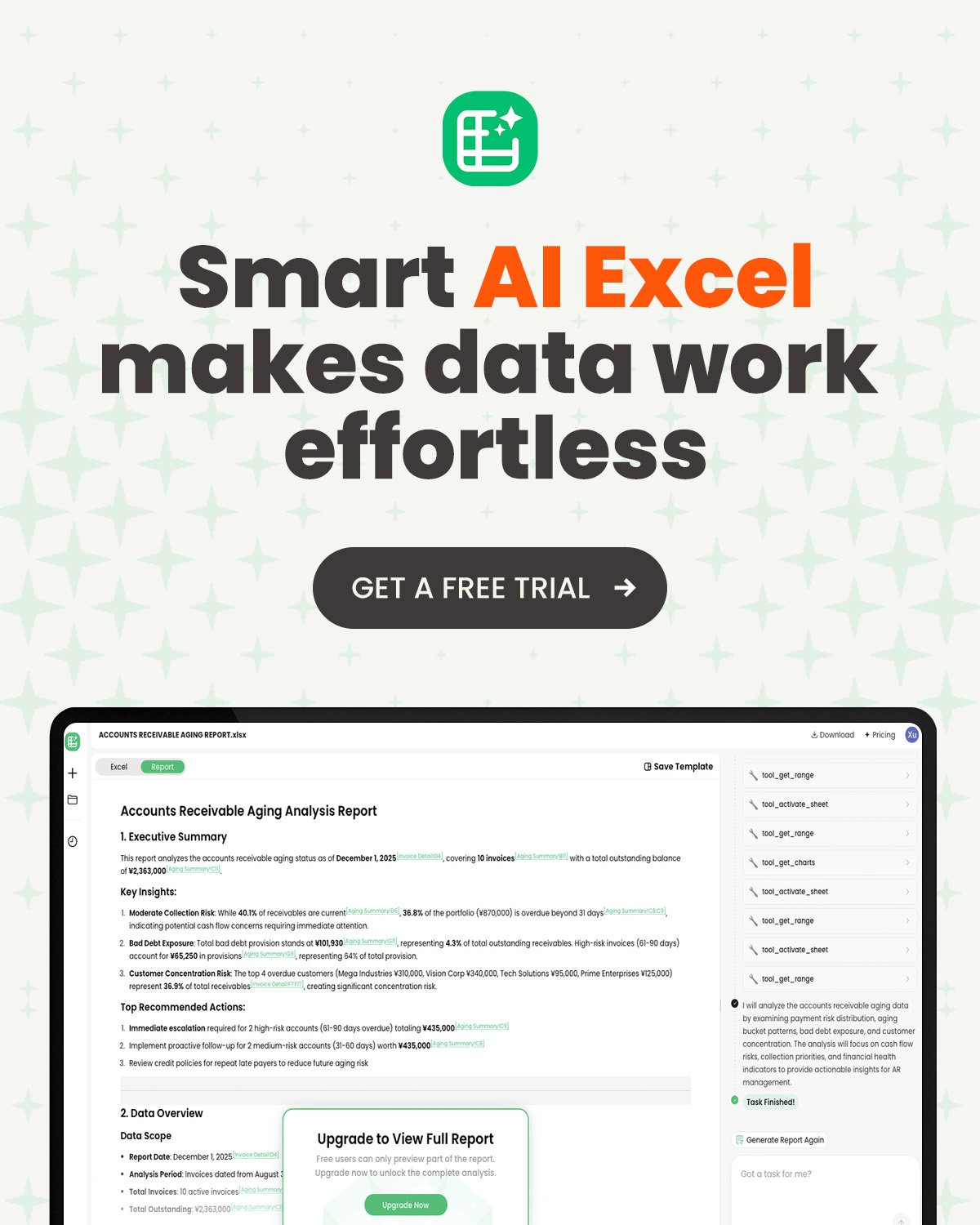
Pop AI Sheet makes the most sense for people who work with spreadsheets frequently but do not necessarily want to spend their day writing formulas or SQL. Analysts, marketers, operations teams, researchers, students and business owners could benefit when their workload involves repeated data cleaning, calculations or comparisons.
For experienced Excel users, the value is different. If you already know exactly how to build every formula and manipulate every dataset, an AI spreadsheet tool needs to save meaningful time to justify adding another layer to your workflow. Its strongest appeal is likely to be the reduction of repetitive tasks and the ability to interact with complex spreadsheet structures using plain language.
Final Verdict: Is Pop AI Sheet Worth Using?
Pop AI Sheet is worth considering if your spreadsheet work involves more than basic tables and simple calculations. Its emphasis on table understanding, multi-step reasoning, multi-sheet analysis and natural-language interaction gives it a more practical purpose than an AI tool that merely generates formulas.
The deciding factor, however, is not the number of AI features. It is whether those features remove enough repetitive work from your particular workflow. If you regularly clean datasets, combine sheets, investigate trends or explain complicated calculations, the time savings could be substantial. If you only use spreadsheets for simple lists and occasional SUM formulas, you probably do not need another AI spreadsheet tool.
FAQs
- What is Pop AI Sheet used for?
It is designed to help users understand, analyze and manipulate spreadsheet data through AI, including tasks involving formulas, multiple tables, data relationships and natural-language queries. - Can Pop AI Sheet work with multiple sheets?
Yes. PopAI describes its spreadsheet agent as capable of understanding relationships between sheets and combining data based on common columns. - Can it generate SQL queries?
PopAI says its agent can generate SQL queries to extract information from spreadsheet data without requiring users to write the SQL themselves.
Also Read: How to Cut Your Email Time in Half: Superhuman, Shortcuts, and AI