
Portable Monitors for Remote Work: LG and the Best Options Tested
Remote work has changed what a productive workspace looks like. A laptop is enough for answering emails, but managing spreadsheets, attending video calls, reviewing presentations and switching between multiple applications on a single screen can quickly become frustrating. A second display gives you more room to work without requiring a permanent desk setup. That is where portable monitors for remote work become useful.
These lightweight displays can connect to compatible laptops through USB-C or HDMI, making them practical for freelancers, consultants, developers and professionals who regularly move between home, offices and travel destinations. The market includes affordable Full HD models, high-resolution displays for creative work and premium options designed to complement lightweight laptops.
We have shortlisted five options worth considering, focusing on screen quality, portability, connectivity and suitability for everyday work. The recommendations below are based on published specifications and product positioning, rather than claims of independent hands-on testing.
1. UPERFECT Portable Monitor: Best for Flexible Work Setups
Source: UPERFECT
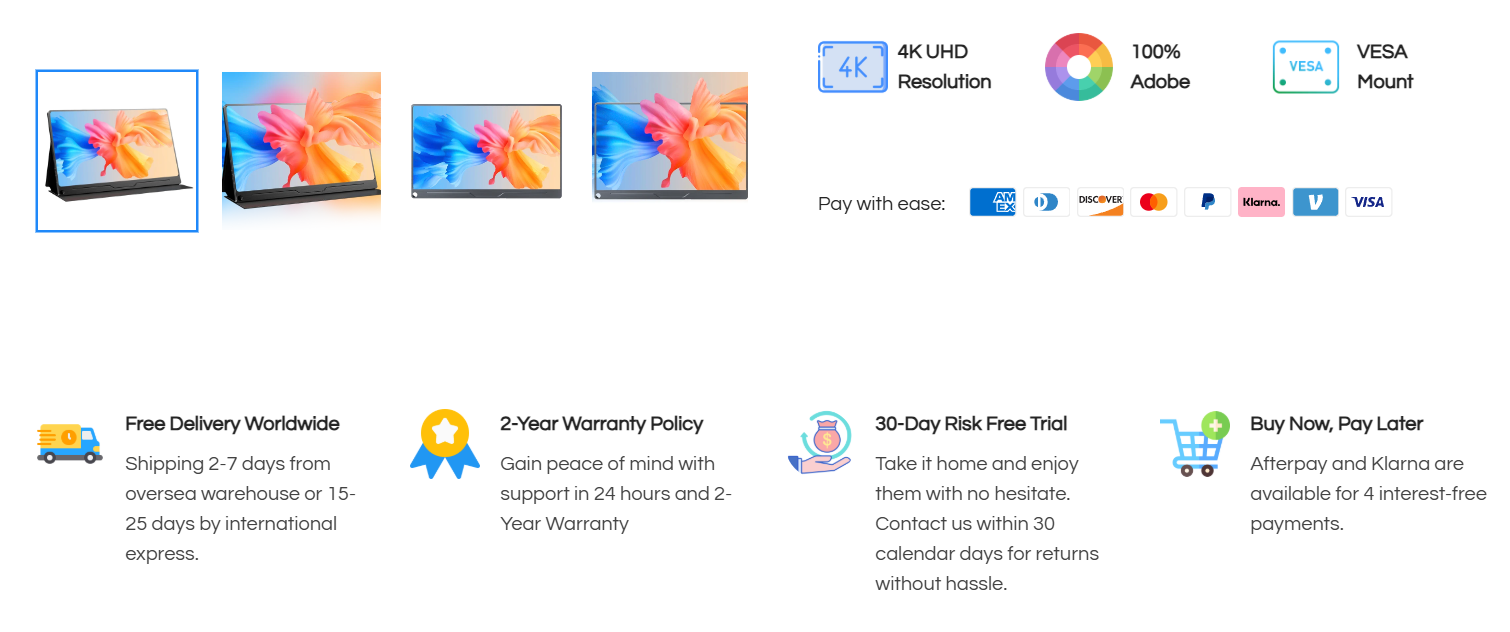
UPERFECT is a strong starting point for anyone looking for a portable display with different screen sizes, resolutions and feature combinations. Its range includes compact Full HD screens as well as larger, high-resolution options for professionals who need more workspace.
Consider the UPERFECT 17.3-inch 4K portable monitor. It offers a 3840 × 2160 resolution, an IPS panel, 400-nit rated brightness and a matte screen. The high pixel density is useful when reviewing detailed documents, working with visual assets or keeping several windows visible at once.
The larger screen is particularly useful for developers, analysts and designers who need more room than a standard 15.6-inch display provides. However, its approximately 1.21 kg weight makes it less convenient for daily travel than smaller alternatives.
Best for: Professionals who want a larger screen, high resolution and flexibility across different working environments.
2. LG gram +view 16: Best Premium Lightweight Option
Source: LG
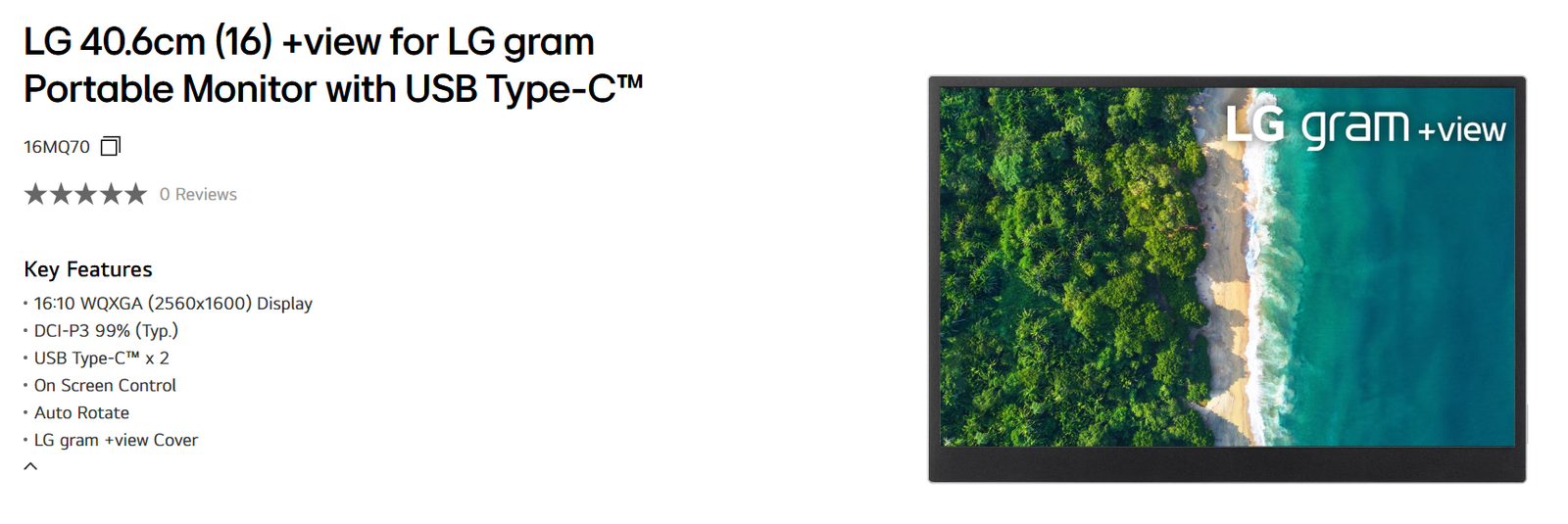
LG’s gram +view 16 is designed for people who value portability without wanting to compromise on display resolution. Its 16-inch IPS panel delivers 2560 × 1600 pixels in a 16:10 format, providing additional vertical space compared with a conventional 16:9 screen.
That extra height is helpful when reading long documents, editing code, reviewing spreadsheets or working with web pages. The display also offers 350-nit typical brightness and 99% DCI-P3 colour coverage, making it attractive for colour-conscious work.
Weighing approximately 670 grams without the folio cover, it is easy to carry alongside a laptop. Its two USB-C ports support DisplayPort Alternate Mode, but the connected computer must support compatible video output and provide sufficient power. The monitor does not have a built-in battery, so it can draw power from the laptop.
Best for: Consultants, business travellers and professionals who prioritise a lightweight, high-resolution second screen.
3. ASUS ZenScreen MB16FC: Best for Everyday Office Work
The ASUS ZenScreen range is worth considering if your daily workload revolves around email, office documents, video meetings and browser-based applications. The MB16FC is a 16-inch portable monitor with a Full HD-class workspace and a design intended for mobile productivity.
Compared with a 4K display, Full HD resolution is generally sufficient for standard office tasks while keeping the setup straightforward. It is a sensible category to explore if your priority is expanding your laptop workspace rather than editing high-resolution photographs or working on detailed visual projects.
Before purchasing, confirm the exact model’s connectivity, stand arrangement and power requirements. ZenScreen specifications vary across versions, so features from one model should not be assumed to apply to another.
Best for: Office professionals who want a practical second display for routine multitasking.
4. ARZOPA 16.1-inch FHD Portable Monitor: Best Budget-Friendly Alternative
ARZOPA offers portable displays that appeal to buyers looking for a larger workspace without immediately moving into premium pricing. Its 16.1-inch Full HD models provide a useful balance between screen area and portability.
For remote workers, the main advantage is simple: keep your meeting window on one screen while working on a document, spreadsheet or browser on the other. This reduces the constant switching that can interrupt concentration during a busy workday.
Some models also advertise higher refresh rates, kickstands and broad colour coverage. These features vary by product, so check the precise model number before comparing prices. A Full HD panel is a reasonable choice for everyday office work, although users handling intricate design work may prefer a higher-resolution screen.
Best for: Freelancers, students and remote employees who want a straightforward second screen at a more accessible price.
5. Lenovo ThinkVision M14: Best for Compact Business Travel
The Lenovo ThinkVision M14 is another option for professionals who travel frequently and want a dedicated second display without carrying a full-sized desktop monitor.
Its compact 14-inch format makes it particularly suitable for smaller laptop bags and limited hotel-room desks. A screen of this size will not offer the same working area as a 16-inch or 17.3-inch monitor, but that trade-off can make sense for people who prioritise mobility.
Before choosing it, verify the connectivity offered by the specific version and ensure your laptop supports the required USB-C display functionality. Business travellers should also consider the included stand or mounting arrangement, since a portable monitor is only useful when it can be positioned comfortably.
Best for: Frequent travellers and professionals working from temporary desks or shared spaces.
Portable Monitor Comparison Table
| Monitor | Main advantage | Best use case |
|---|---|---|
| UPERFECT 17.3-inch 4K | High-resolution, large display | Detailed work and multitasking |
| LG gram +view 16 | 2560 × 1600 resolution; approx. 670 g | Premium mobile productivity |
| ASUS ZenScreen MB16FC | Everyday office functionality | Documents and meetings |
| ARZOPA 16.1-inch FHD | Accessible Full HD option | Budget-conscious remote work |
| Lenovo ThinkVision M14 | Compact form factor | Frequent business travel |
Specifications differ by model and regional availability. The UPERFECT and LG specifications above refer to the specific products identified in their descriptions.
What to Check Before Buying a Portable Monitor
Choosing between portable monitors for remote work involves more than comparing screen sizes.
1. Connectivity comes first. A USB-C port does not automatically guarantee video output. Your laptop’s USB-C port must support DisplayPort Alternate Mode or another compatible display protocol. If you plan to use HDMI, check whether the monitor includes the appropriate input and whether separate power is required.
2. Resolution should match your workload. Full HD is usually adequate for email, spreadsheets and meetings. A 2560 × 1600 panel provides more workspace, while 4K can benefit detailed visual work. Remember that higher resolution may require scaling to keep text comfortable to read.
3. Consider power consumption and ergonomics. Many portable monitors draw power from the laptop, which can reduce battery life. A stable stand, adjustable viewing angle and matte screen can make a noticeable difference during long working sessions.
Finally, compare the complete package rather than the screen alone. Check the included cables, protective cover, warranty, return policy and local service availability before placing an order.
Portable Monitors for Remote Work: Frequently Asked Questions
1. Are portable monitors worth buying for remote work?
Yes, particularly if your work involves frequent multitasking. A second screen can keep reference documents, spreadsheets or meetings visible while you work on your main display.
2. Is UPERFECT better than LG for portable monitors?
Neither brand is universally better. UPERFECT offers a varied range, including larger 4K displays, while the LG gram +view 16 prioritises a lightweight design and a high-resolution 16:10 panel. Your workload and portability requirements should guide the decision.
3. Can I connect a portable monitor to any laptop?
Not necessarily. Check whether your laptop supports video output through USB-C. If it does not, an HDMI connection or another compatible solution may be required.
Also Read: AirAsia MOVE Review: Flights, Hotels, Deals and Booking Experience