
Surfshark Review: The Best Value VPN for Families?
A VPN becomes much harder to justify when a household has several phones, laptops, smart TVs and streaming devices to protect. Buying separate subscriptions for everyone quickly defeats the purpose of choosing a budget service. That is where this Surfshark review gets interesting. Surfshark supports unlimited simultaneous connections, covers major desktop, mobile and TV platforms, and can also be installed on a router to protect devices that do not have a native VPN app. Its network currently spans 4,500+ servers across 100 countries.
The price is also built around long-term subscriptions rather than a simple monthly fee. Surfshark’s current Starter plan starts at $2.49 per month on its two-year option, while month-to-month pricing is considerably higher. There is also a 30-day money-back guarantee, giving families enough time to install it across several devices and see whether the connection, streaming access and day-to-day usability hold up.
Setting Up Surfshark Across a Household
The first thing that stands out is how little effort is required to expand coverage. The same subscription can be used simultaneously across phones, computers, tablets and smart TVs, rather than forcing a family to decide which devices deserve protection.
During normal use, the app is straightforward enough that less technical household members do not need to understand VPN protocols or server infrastructure. For devices without a dedicated application, router installation is the more practical option because everything connected to that network can pass through the VPN.
What Makes the Family Setup Practical
- Unlimited simultaneous connections
- Windows, macOS, Linux, Android and iOS apps
- Apple TV, Fire TV and Android TV support
- Chrome, Firefox and Edge extensions
- Router support for broader home-network coverage
That unlimited-device policy is the feature that changes the value calculation most. Surfshark says there is no bandwidth limit based on the number of connected devices, although normal network and server conditions can still affect performance.
Speed Is Good, But Server Choice Still Matters
Source: Surfshark
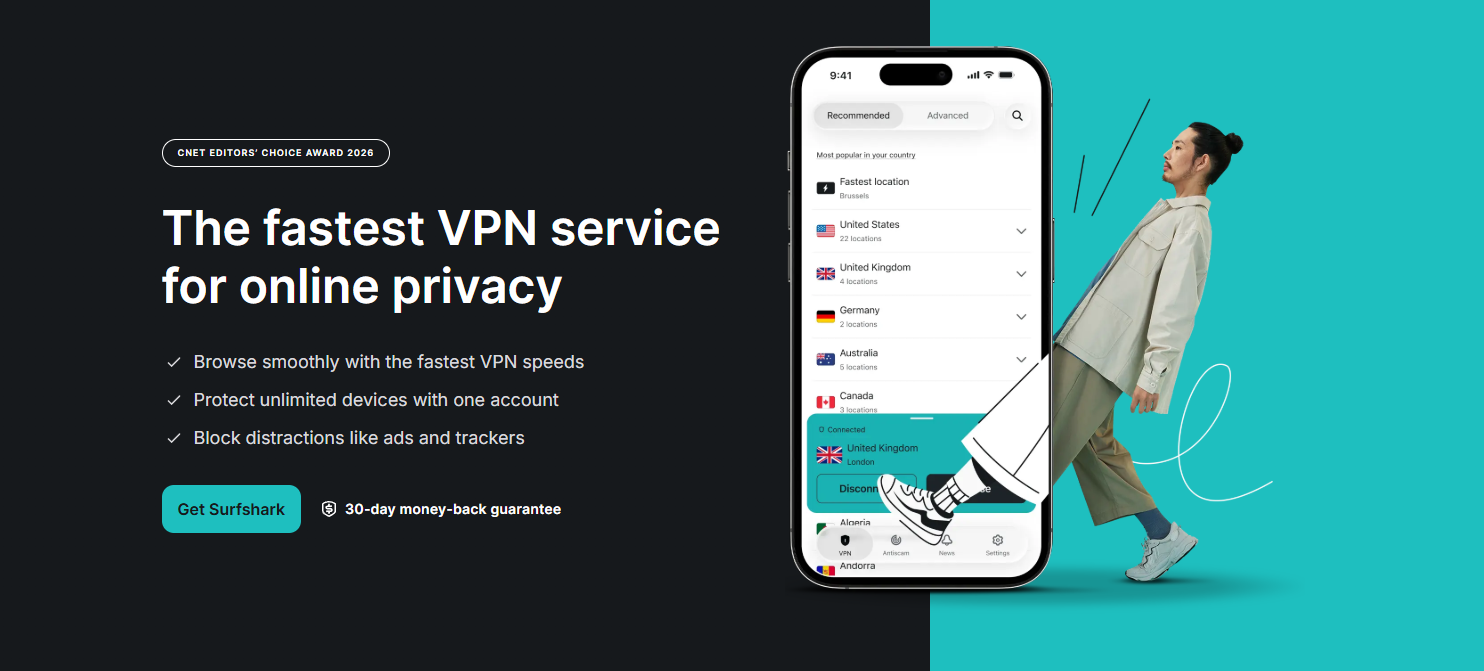
A VPN inevitably adds another step between a device and the internet, so the real-world question is whether the slowdown is noticeable. Surfshark’s current network uses RAM-only servers, with servers supporting at least 10 Gbps according to the company, and its newer Dausos protocol is designed around speed and security.
For a household, the more useful test is not a single speed-test number. It is whether one person can stream while another is on a video call and someone else is downloading a large file without the connection becoming frustrating. Surfshark generally has enough server choice to make switching worthwhile when a particular location feels congested.
Privacy Features Are More Than Marketing Extras
Surfshark includes a kill switch, DNS leak protection, split tunnelling through Bypasser, obfuscation and its Dynamic MultiHop feature. MultiHop routes traffic through two VPN servers, while Bypasser lets selected apps or websites avoid the VPN tunnel. That latter feature is especially useful for banking or services that behave badly when accessed through a VPN.
The privacy claims also have more substance than simply displaying a “no logs” badge. Deloitte’s 2025 assurance report verified Surfshark’s no-activity-logs policy and confirmed that IP addresses were not stored, while independent security assessments in 2025 and 2026 examined its infrastructure, applications and newer Dausos protocol and found no Critical or High-severity vulnerabilities within the protocol itself.
CleanWeb Is Surprisingly Useful at Home
One feature that becomes more noticeable on a family subscription is CleanWeb. It is designed to block ads, trackers and certain unwanted web elements, while Surfshark also offers cookie pop-up blocking.
It does not turn the VPN into a complete parental-control system, and that distinction matters. Families looking for detailed child-specific filtering should not assume a VPN alone provides that. Surfshark is primarily protecting connections and adding privacy, not replacing dedicated parental-control software.
Pricing and What You Actually Get
| Feature | Surfshark Starter | Practical family value |
| Two-year starting price | $2.49/month | Excellent for multiple devices |
| Monthly starting price | $16.45/month | Expensive for casual use |
| Simultaneous connections | Unlimited | Biggest advantage |
| Server network | 4,500+ servers / 100 countries | Strong coverage |
| Kill switch | Yes | Important for privacy |
| Split tunnelling | Yes | Useful for banking and selected apps |
| MultiHop | Yes | Extra privacy layer |
| Ad/tracker blocking | Yes | Useful for everyday browsing |
| Money-back guarantee | 30 days | Useful for testing |
Pricing can change with promotions and renewal terms, so the initial subscription price should not be confused with the renewal price. Surfshark itself notes that renewal is charged at the applicable renewal rate.
Where Surfshark Falls Short
The unlimited-device advantage can also make the product seem better than it is for people who only use one laptop and phone. A single user with modest VPN requirements may not get much practical benefit from protecting dozens of devices.
The other issue is that the broader Surfshark ecosystem can make the subscription page confusing. Starter, One and One+ add different combinations of Antivirus, Alert, Alternative ID, scam protection and data-removal services. These extras are useful for some households, but paying for them simply because they are bundled is unnecessary if the VPN is the only requirement.
There can also be occasional speed variation depending on the selected server and distance. No VPN can guarantee the same connection speed as an unencrypted direct connection, and the closest server is not always the fastest one.
Is Surfshark Really the Best Value for Families?
Source: Surfshark
For a household with several connected devices, the Surfshark review verdict is largely positive.
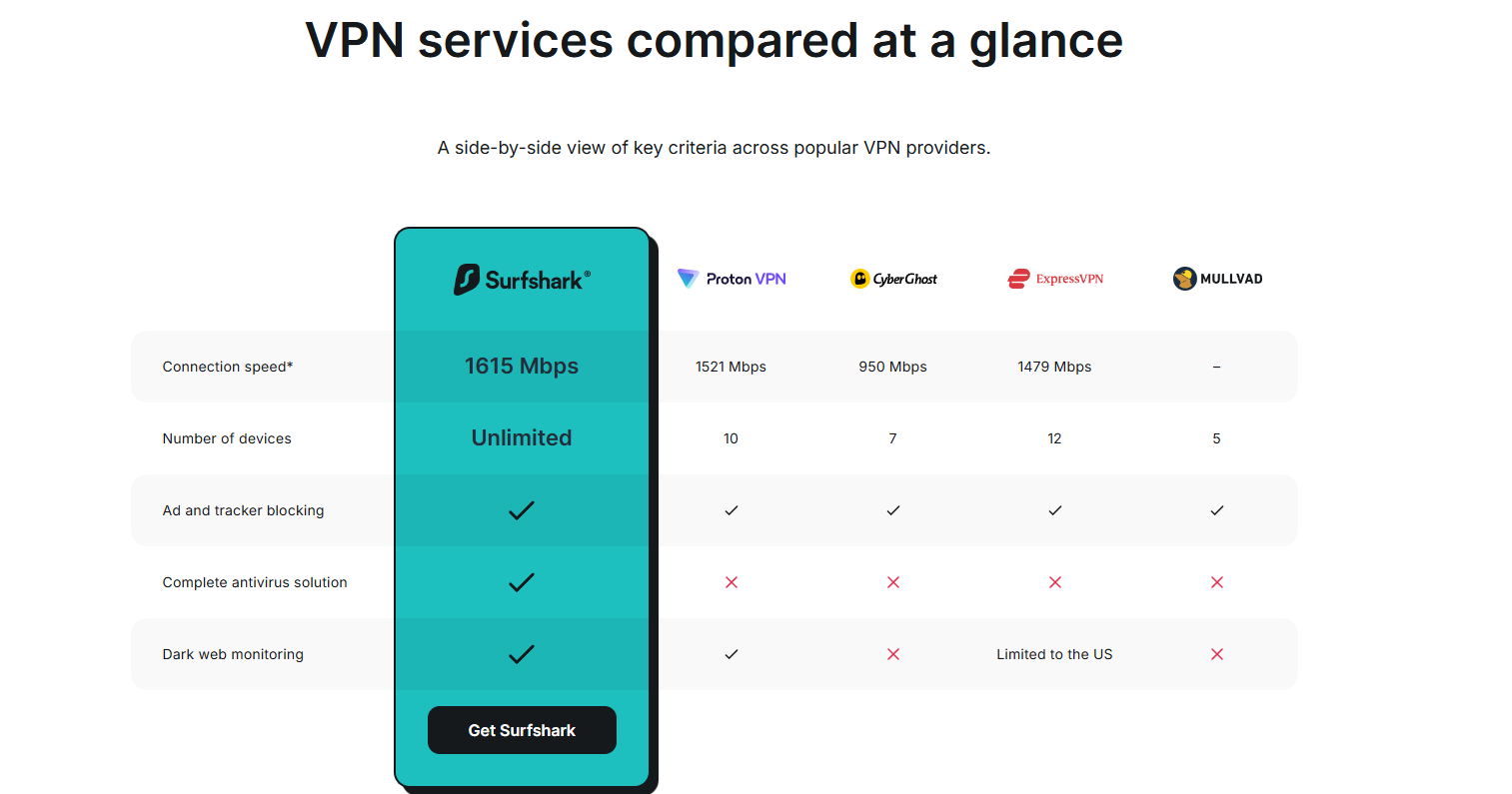
- Unlimited simultaneous connections remove one of the most annoying limitations found in competing VPN subscriptions, and router support makes it possible to extend protection beyond phones and computers.
- It is particularly compelling for families that want one subscription rather than managing separate accounts.
- The combination of unlimited connections, a broad server network, modern protocols, a kill switch, split tunnelling and a 30-day refund window makes the long-term plans easy to consider.
For a single user, the calculation is less obvious.
- If only two devices need protection and advanced features are not important, a cheaper VPN or a free service with fewer restrictions may be enough.
- But once a household starts counting phones, laptops, tablets, TVs and consoles, the value becomes much clearer.
Final Verdict
The strongest part of this Surfshark review is not that Surfshark has an unusually long feature list. It is that the service solves a very practical household problem: one subscription can cover almost everything that connects to the home network.
For families, that makes Surfshark one of the easier VPN subscriptions to justify. The unlimited connections are genuinely useful, the apps are accessible, and the privacy features go well beyond simply changing an IP address. The best value comes from the longer plans, provided the renewal price is checked before committing.
For a single casual user, it is worth comparing alternatives. For a household with a growing collection of connected devices, however, Surfshark makes a much stronger case, which is why this Surfshark review would put it firmly in the value-focused category rather than calling it merely a cheap VPN.
Surfshark Review: FAQs
- Can one Surfshark account be shared with a family?
Yes. Surfshark allows unlimited simultaneous connections, so one subscription can be used across a household’s devices. - Does Surfshark slow down internet speed?
Some speed reduction is possible because traffic is routed through a VPN server. The actual effect depends on factors such as server distance, congestion, connection quality and protocol. - Can Surfshark protect smart TVs and gaming consoles?
Yes. Surfshark supports several smart-TV platforms and can also be configured on a compatible router to protect devices such as gaming consoles.
Also Read: PopAi Review: An Honest Look at the AI Document Assistant