
WPS Office Free vs Pro+: What Are You Actually Paying For?
Compare WPS Office Free vs Pro+ to see what each plan includes, from core office tools and cloud storage to AI features, PDF tools, templates, and ad-free use.

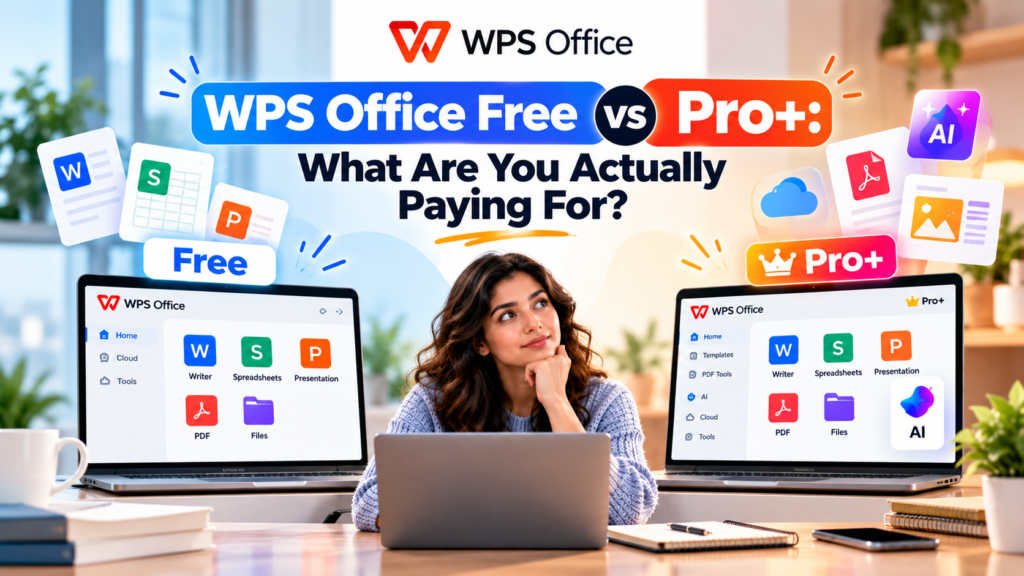
The WPS Office Free vs Pro+ comparison comes down to a fairly simple question: do you need an everyday office suite, or do you regularly work with PDFs, cloud storage, templates and AI tools? WPS Office Standard is free and includes Writer, Spreadsheet, Presentation and basic PDF functionality, along with 1GB of cloud storage, support for 47 file formats and 46 languages. WPS Pro+ currently costs $69.99 per year, equivalent to $5.83 per month when billed annually, and expands that package with full PDF editing and conversion, 20GB of cloud storage, unlimited templates, OCR, electronic signatures, an ad-free experience and AI tools with daily usage limits. (October 2026)
That makes the WPS Office Free vs Pro+ decision less about whether the free version is usable. It is. The real question is whether the premium features remove enough restrictions from your particular workflow to justify the annual subscription.
What You Get With WPS Office Free
WPS Office Free is not a stripped-down viewer. The core productivity applications remain available without a subscription.
You can use Writer for documents, Spreadsheet for data and calculations, Presentation for slides and PDF for basic PDF functions. WPS also supports common Microsoft Office formats, making it possible to open and work with DOCX, XLSX and PPTX files without purchasing Microsoft 365 for everyday tasks.
The free plan currently includes:
- Writer, Spreadsheet and Presentation
- Free PDF reader
- Basic PDF features
- 1GB cloud storage
- 47 supported file formats
- 46 languages
- Limited template downloads
- Core WPS AI functionality with usage limitations
For someone mainly writing reports, editing spreadsheets, preparing presentations and opening Office documents, this is a substantial amount of functionality for $0.
The trade-offs become more noticeable when PDFs or cloud storage become part of the daily workflow.
What Pro+ Actually Adds

Source: WPS
The WPS Office Free vs Pro+ difference becomes clearer once the advanced features are separated from the basic office applications.
- Pro+ adds full PDF editing and conversion, including converting PDFs to Word, Excel and PowerPoint.
- It also provides image and text editing within PDFs, advanced OCR, electronic signatures and additional PDF tools.
- Cloud storage jumps from 1GB to 20GB, while template downloads become unlimited. Pro+ also removes advertising.
The AI component is another important part of the paid plan.
- WPS integrates AI into Writer, Spreadsheet, Presentation and PDF rather than treating it as a separate application.
- Depending on the feature, it can draft or rewrite documents, generate spreadsheet formulas, create presentations from prompts and summarize or interact with PDF documents.
However, “Pro+” does not mean unlimited AI usage. WPS states that its AI features have daily usage limits, after which access pauses until the next day.
WPS Office Free vs Pro+: Feature Breakdown
| Feature | WPS Office Free | WPS Pro+ |
| Writer | Yes | Yes |
| Spreadsheet | Yes | Yes |
| Presentation | Yes | Yes |
| PDF reader | Yes | Yes |
| Advanced PDF editing | Limited | Yes |
| PDF conversion | Limited | Full tools |
| OCR | Limited/feature dependent | Advanced |
| E-signature | Limited | Full feature |
| Cloud storage | 1GB | 20GB |
| Templates | Limited downloads | Unlimited |
| WPS AI | Limited | Included with daily limits |
| Ads | Yes | No |
| Microsoft Office formats | Supported | Supported |
| Annual price | Free | $69.99/year |
The important detail is that you are not paying to unlock Word, Excel and PowerPoint-style applications themselves. Those core tools are already available in the free version. The subscription primarily pays for advanced PDF capabilities, storage, templates, an ad-free experience and broader access to premium features.
The PDF Difference Is Probably the Biggest One
For occasional PDF reading, the free version may be sufficient. For regular PDF work, the calculation changes.
Someone who frequently receives contracts, reports, scanned documents or forms may need to edit PDF text, convert files between formats, extract information with OCR or add electronic signatures. Those are precisely the kinds of functions WPS places behind its premium offering.
This is where Pro+ can replace the need for a separate PDF application.
For example, a small business that normally uses one application for Word documents, another for spreadsheets, a third for presentations and another for PDF editing could consolidate several of those tasks inside WPS.
Is 20GB of Cloud Storage Enough?
The free plan’s 1GB is fine for lightweight document synchronization.
It becomes restrictive if WPS is being used as a primary document workspace across a laptop, phone and tablet. Pro+ raises the allowance to 20GB per user, which provides considerably more room for documents, presentations and PDFs.
Still, 20GB should not be confused with a full cloud-storage replacement for services designed around large photo, video or archive libraries.
What About WPS AI?

Source: WPS
AI is one of the more interesting reasons to consider Pro+, but it shouldn’t automatically be treated as the reason everyone needs the upgrade.
WPS AI is built directly into the office applications.
- In Writer, it can help draft, rewrite, summarize and translate.
- In Spreadsheet, it can generate formulas and assist with data analysis.
- Presentation can generate slide decks from prompts, while the PDF tools can summarize and answer questions about documents.
That native integration is useful because the AI operates inside the document workflow instead of requiring constant copy-and-paste between an office application and a separate chatbot.
The limitation is usage. Pro+ includes AI, but WPS still applies daily limits.
Who Should Stay With Free?
The free version makes sense for students, casual users and anyone who mainly needs basic document, spreadsheet and presentation editing.
It is particularly difficult to justify paying simply to write a Word-compatible document or create a PowerPoint-compatible presentation when those core functions already exist in the free version.
If PDFs are mostly opened and read rather than edited, 1GB of cloud storage is sufficient for a modest document collection, and ads are not a major annoyance, Free can cover a lot.
Who Gets More From Pro+?
The subscription becomes more relevant for professionals and small businesses that handle PDFs frequently.
It can also make sense for users who need more cloud storage, download templates regularly, want an ad-free workspace or use WPS AI throughout their working day.
The annual price works out to about $5.83 per month, but the useful comparison is not simply monthly cost. It is how many separate tools or paid features WPS can replace in your workflow.
That is the real calculation behind the WPS Office Free vs Pro+ question.
Final Take
WPS has deliberately kept its core office suite accessible for free while putting more specialized productivity features behind Pro+. The free version is capable enough for everyday documents, spreadsheets, presentations and basic PDF work.
Pro+ is primarily a convenience and advanced-workflow upgrade. Full PDF tools, 20GB storage, unlimited templates, OCR, e-signatures, no advertising and expanded AI access are the features you’re actually paying for.
For occasional office work, Free can be enough. For someone whose day involves PDFs, document conversion, cloud files and AI-assisted productivity, the paid plan addresses much more specific workflow needs.
The WPS Office Free vs Pro+ choice therefore isn’t really about getting a “better” office suite. It is about whether the premium tools solve problems you encounter often enough to justify $69.99 a year.
FAQs
1. How much does WPS Pro+ cost?
The current listed price is $69.99 per year, equivalent to $5.83 per month when billed annually.
2. Does WPS Pro+ include unlimited AI?
No. WPS states that Pro+ AI features have daily usage limits. Once the applicable limit is reached, those AI tools pause until the next day.
3. Can you use WPS Office without Microsoft 365?
Yes. WPS Office provides its own Writer, Spreadsheet and Presentation applications and can open common Microsoft Office file formats
Also Read: Termly Review: Is It Worth Using for Website Privacy Compliance?