
Black Friday Tech Strategy: What to Buy, Skip, and Price-Track
Follow this Black Friday tech strategy to find genuine deals on laptops, TVs, headphones and smart devices while avoiding overpriced purchases.

Black Friday is often promoted as the biggest opportunity of the year to upgrade your technology, but a discount does not automatically make a product worth buying. In 2026, shoppers have another reason to be careful: rising memory costs and supply pressures are expected to affect laptops, PCs, tablets and storage devices, potentially making some electronics deals less generous. Black Friday falls on 27 November 2026, followed by Cyber Monday on 30 November. A smart Black Friday tech strategy starts before the sale banners appear.
You need to know which products are worth upgrading, what price would represent genuine savings and which purchases can wait. Research by the UK consumer group Which? found that 83% of 175 products tracked around Black Friday 2024 were available at the same or a lower price at another point during the year. The lesson is clear: compare price history, not just the advertised discount.
Here’s how to approach this year’s tech sales without wasting money on products you don’t need.
Tech Worth Buying During Black Friday
Some categories regularly attract competitive holiday promotions. They are worth monitoring, especially if you already planned to replace an older device.
- Televisions and monitors: Black Friday is a useful time to compare 4K TVs, OLED models and gaming monitors. Look beyond screen size and check refresh rate, HDR support, HDMI ports and panel technology. Last year’s model may offer better value than a newly launched television with a small discount.
- Headphones and earbuds: Wireless headphones, noise-cancelling models and premium earbuds are worth tracking. Compare battery life, comfort, microphone quality and device compatibility. A lower price on a model that does not suit your daily use is not a saving.
- Smart-home devices: Smart bulbs, security cameras, video doorbells, speakers and Wi-Fi routers often feature in holiday promotions. Check compatibility with your existing ecosystem before purchasing.
- Accessories: External SSDs, chargers, keyboards, mice, webcams and USB-C hubs can be practical purchases. These are particularly useful if you already own the main device and want to improve its performance or convenience.
What to Skip or Approach Carefully
Not every technology category deserves an immediate purchase.
- Laptops with limited specifications: Avoid buying an older laptop simply because the discount looks large. Check processor generation, RAM, storage, display quality and upgrade options.
- Unknown-brand gadgets: Extremely cheap smartwatches, earbuds and accessories may compromise on reliability, software support or warranty service.
- Unnecessary upgrades: A phone that works well does not need replacing just because a newer model is on sale.
- Extended warranties without comparison: Read the manufacturer’s warranty and the retailer’s protection plan carefully before paying extra.
- Bundles you won’t use: A discounted laptop bundled with unwanted accessories may cost more than buying the laptop separately.
For 2026, pay particular attention to memory-heavy products. WIRED reports that memory supply pressures linked to AI infrastructure could keep prices elevated for PCs, tablets, laptops and SSDs. Compare actual specifications and current prices rather than assuming these products will receive their usual deep discounts.
Build a Price-Tracking List Before the Sale
The most useful part of a black friday tech strategy happens before Black Friday itself. Choose three to five products you genuinely want and record their current prices.
Useful tools include:
- Keepa: Tracks Amazon product price history.
- CamelCamelCamel: Provides historical Amazon price charts and alerts.
- Google Shopping: Helps compare offers across retailers and supports price tracking in selected markets.
- Retailer wish lists: Useful for monitoring products and receiving sale notifications.
Do not track only the advertised percentage discount. Record the exact model number, storage capacity, colour and retailer. Two products may look identical but have different specifications.
Set a target price before the sale begins. For example, if a pair of headphones normally sells for $150 and you would happily buy it for $110, set that as your buying threshold. This prevents urgency from taking over when a countdown timer appears.
Your Black Friday Tech Buying Cheat Sheet
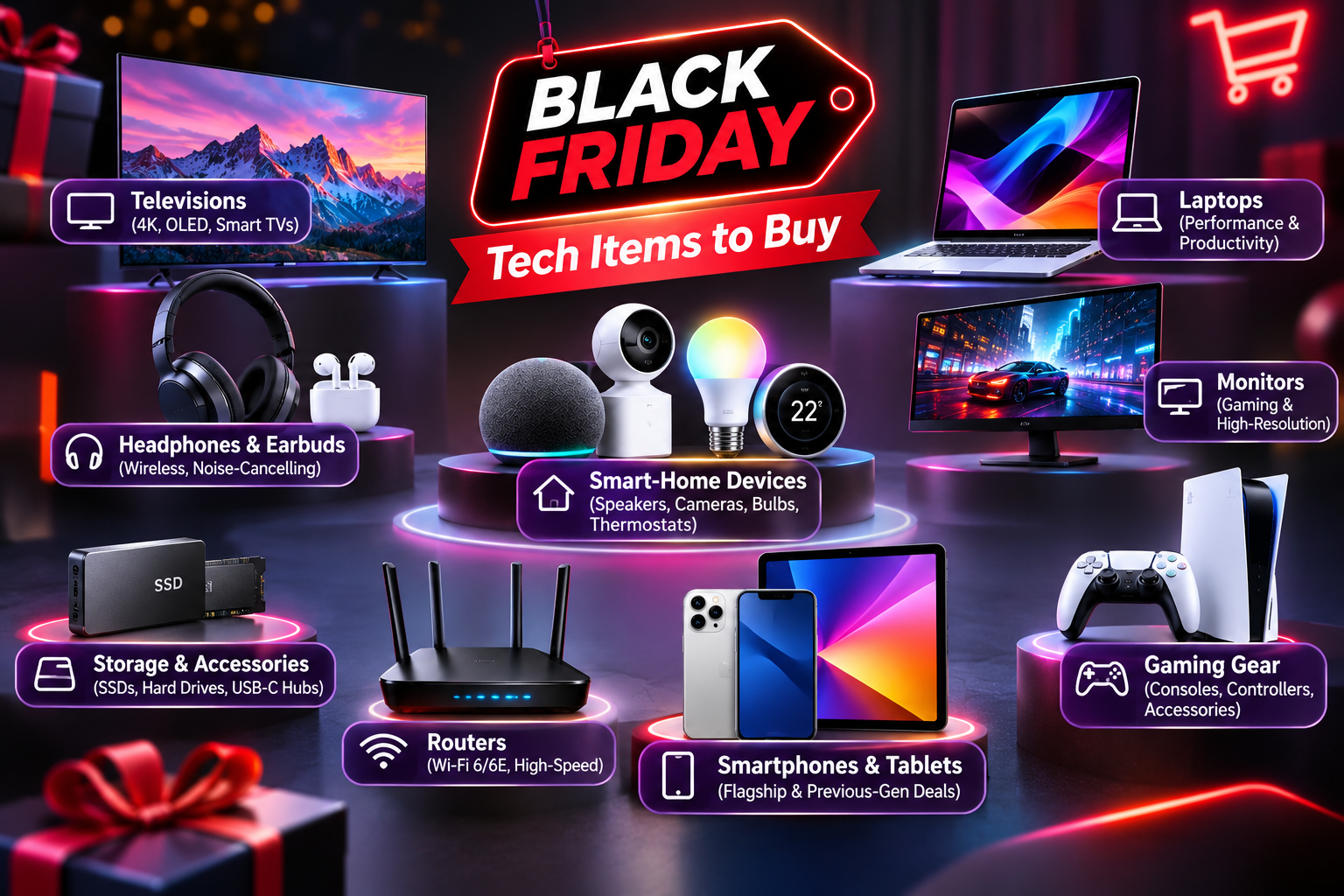
| Product category | Buying approach | What to check |
|---|---|---|
| TVs | Strong category to monitor | Panel type, HDR, refresh rate |
| Headphones | Compare early offers | ANC, battery, comfort |
| Laptops | Be selective | Processor, RAM, SSD, warranty |
| Smartphones | Compare previous models | Software support, battery, storage |
| SSDs | Track prices carefully | Capacity, speed, warranty |
| Routers | Good practical upgrade | Wi-Fi standard, coverage, ports |
| Smart-home devices | Buy compatible products | Ecosystem, app support, security |
| Gaming monitors | Compare specifications | Resolution, refresh rate, response time |
How to Spot a Genuine Deal
A product showing 50% off is not necessarily a bargain. Retailers may compare the sale price with an inflated recommended retail price rather than the price customers usually pay.
Use these checks before purchasing:
- Compare the current price across at least three retailers.
- Review the product’s price history.
- Check independent product reviews, not just customer ratings.
- Confirm the model number and specifications.
- Read return, replacement and warranty conditions.
- Include delivery fees and other charges in the final price.
Consumer Reports also recommends judging deals by product performance, not price alone. Its 2026 early-deal coverage highlights TVs, laptops, headphones and other electronics that have performed well in its testing.
Make a Budget and Stick to It
Divide your shopping list into three groups: essential replacements, useful upgrades and optional purchases. Give each item a maximum price. If an offer does not meet your target, walk away.
A sensible Black Friday tech strategy also accounts for the cost of accessories, subscriptions, and future upgrades. A cheap printer, for example, may involve expensive ink cartridges. A discounted smart device may require a paid subscription for important features.
Black Friday 2026 is not a race to buy everything in one weekend. Amazon’s announced Black Friday Week runs from 19 to 30 November, so some offers will appear before the main Friday event. Compare early deals with the prices you have recorded rather than waiting automatically for the final day.
Black Friday Tech Strategy: Final Thoughts
The best Black Friday purchase is the one that solves a real problem at a price you have already decided is fair. Prioritise products you need, compare specifications and use price trackers to separate genuine savings from promotional noise.
A disciplined black friday tech strategy can help you upgrade your technology without turning a shopping event into an expensive impulse-buying exercise.
FAQs
1. When is Black Friday 2026?
Black Friday falls on 27 November 2026. Cyber Monday follows on 30 November.
2. Which tech products are worth buying on Black Friday?
Televisions, headphones, monitors, smart-home devices and accessories are worth comparing. Always check the exact model and price history.
3. Should I buy a laptop during Black Friday 2026?
Only if the specifications meet your needs and the price is competitive. Pay particular attention to RAM, storage, processor generation and warranty.
Also Read: How to Stop Websites Tracking You: Cookies, Fingerprinting, and Fixes