
by parth@bidkinetic.com | Aug 11, 2026 | Health
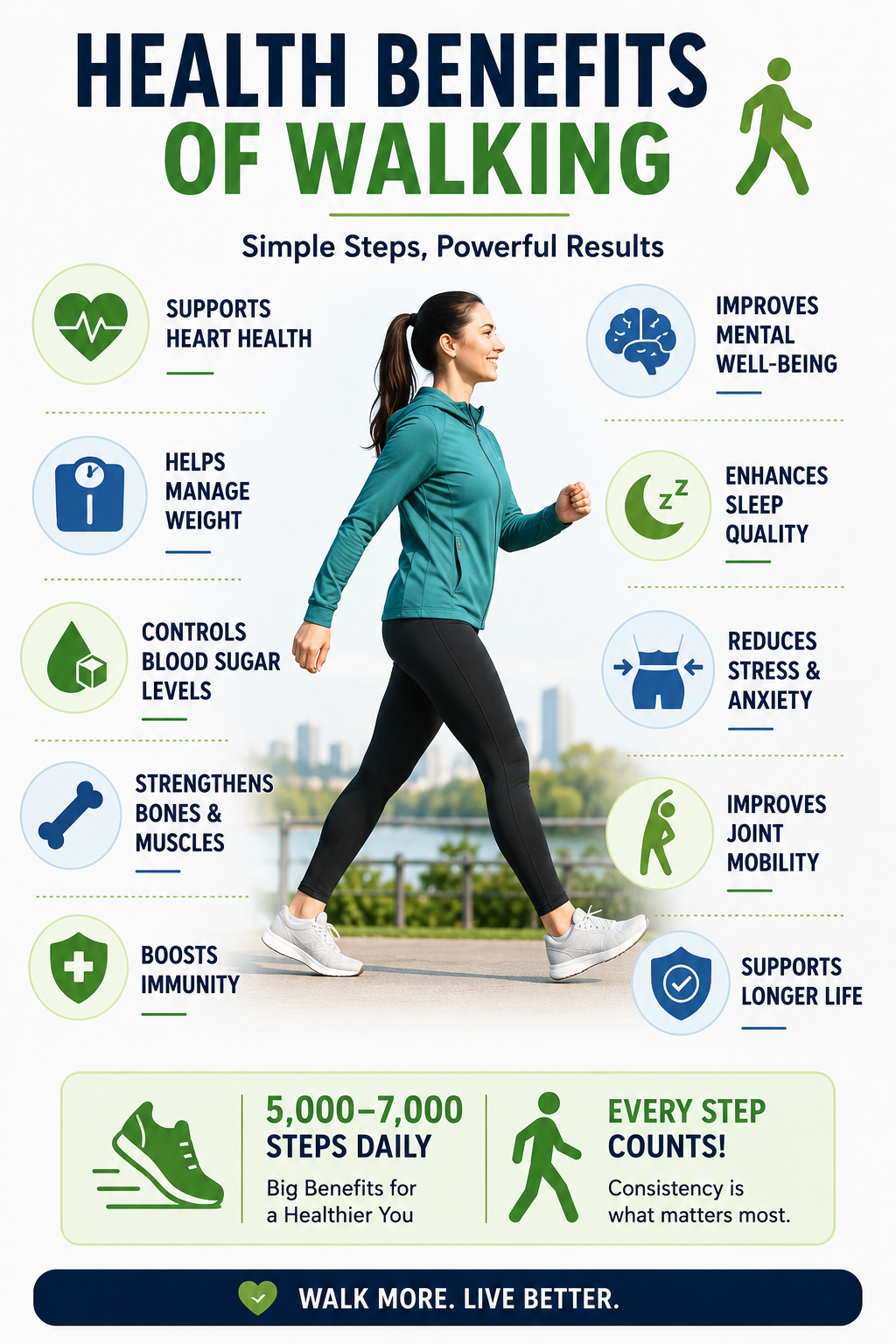
The idea of walking 10000 steps every day has become one of the most recognisable fitness targets, but the number itself is not a medical requirement. A 2025 systematic review and dose-response meta-analysis published in The Lancet Public Health examined 57 studies from 35 cohorts and found that health benefits became particularly meaningful around 5,000 to 7,000 daily steps. At 7,000 steps, compared with 2,000, researchers found associations with a 47% lower risk of death from any cause, 25% lower cardiovascular disease incidence, 38% lower dementia risk and 14% lower type 2 diabetes risk. The researchers also cautioned that these are associations from mostly observational studies, not proof that steps alone caused the reductions.

Where Did 10,000 Steps Come From?
The interesting part is that 10,000 was never established as a universal medical threshold. The number became popular after a Japanese pedometer marketing campaign in the 1960s and eventually became embedded in fitness culture.
That does not make 10,000 steps meaningless. Someone who comfortably reaches that level can continue doing so, and the 2025 Lancet analysis specifically noted that 10,000 remains a viable target for more active people. The important distinction is that you do not need to reach exactly 10,000 to obtain substantial health benefits.
What Happens Between 2,000 and 7,000 Steps?
This is where the newer research becomes particularly useful. The evidence does not show a magical point where walking suddenly becomes beneficial. Instead, health outcomes generally improve as daily movement increases, with several outcomes showing a curved relationship in which the gains become less pronounced at higher step counts.
In the Lancet analysis, the researchers found inflection points around 5,000 to 7,000 steps for all-cause mortality, cardiovascular disease incidence, dementia and falls. That means moving from a very low activity level toward 5,000 or 7,000 steps may offer considerably more health benefit than obsessing over the final few thousand steps.
| Daily Steps |
What the Evidence Suggests |
| Around 2,000 |
Very low activity baseline |
| 4,000-5,000 |
Meaningful improvement begins |
| 5,000-7,000 |
Strong health associations |
| Around 7,000 |
Major benefits across outcomes |
| 10,000 |
Useful target, not a requirement |
| Above 10,000 |
Benefits can continue, but vary |
Walking Is More Than a Step Counter
One weakness of focusing exclusively on steps is that two people can reach the same number in very different ways. A person who spends the day moving around a workplace may accumulate thousands of low-intensity steps, while another person may complete a brisk 30-minute walk and accumulate fewer total steps.
Public-health recommendations therefore do not use a universal daily step target as their primary measure. The CDC recommends that adults get at least 150 minutes of moderate-intensity aerobic activity each week, such as brisk walking, plus muscle-strengthening activity on at least two days each week. It also emphasises that some physical activity is better than none.
That distinction matters. Reaching a step target should complement cardiovascular and strength training rather than replace them.
Does Walking Help Mental Health?
The evidence is not limited to heart health and longevity.
- The 2025 Lancet review found that 7,000 daily steps were associated with a 22% lower risk of depressive symptoms compared with 2,000 steps.
- The authors found a broadly linear relationship between step count and depressive symptoms rather than a single threshold at which the benefit suddenly appeared.
- A separate systematic review and meta-analysis published in JAMA Network Open in 2024 also examined daily steps and depression, reinforcing the broader relationship between greater daily movement and fewer depressive symptoms.
This does not mean walking is a treatment for depression by itself. It does, however, add to the evidence that regular movement has benefits extending beyond physical fitness.
What About Weight Loss?
- Walking uses energy, so increasing daily movement can contribute to a calorie deficit when combined with appropriate food intake.
- However, the number on a step counter should not be treated as a direct measure of weight loss.
- The CDC notes that physical activity increases the calories the body uses, but most weight loss generally comes from reducing calorie intake, while regular physical activity is important for maintaining weight loss.
This is why someone walking 10000 steps every day may not lose weight if their overall energy intake remains high. Conversely, a person walking 6,000 or 7,000 steps while maintaining an appropriate calorie balance can still make meaningful progress.
Practical Tips to Increase Your Steps
You do not need to add a long walk to an already packed schedule. Small changes can accumulate surprisingly quickly.
- Track your current baseline: Record your normal steps for a week before setting a target.
- Increase gradually: If you average 3,000 steps, moving toward 4,000 or 5,000 is more realistic than immediately demanding 10,000.
- Walk after meals: A short post-meal walk can add steps without requiring another dedicated workout.
- Break up sitting: Take brief walking breaks during long periods at a desk.
- Use everyday destinations: Walk to nearby shops, take stairs where practical or park farther away.
- Add one deliberate walk: A 15-30 minute brisk walk can raise both your step count and aerobic activity.
- Watch the trend: Your weekly average is more useful than becoming frustrated by one low-step day.
The CDC specifically recommends starting gradually and notes that physical activity can be divided into smaller periods rather than completed in one long session.
Should You Still Aim for 10,000?
If walking 10000 steps fits naturally into your lifestyle and you enjoy it, there is no scientific reason to stop. The problem comes when the number becomes an arbitrary pass-or-fail test.
For someone currently walking 2,000 steps, reaching 4,000 is progress. Moving toward 5,000 or 7,000 may provide substantial health benefits without requiring a dramatic lifestyle overhaul. For an already active person, 10,000 or more may be perfectly reasonable.
The better question is not whether you hit an exact number every day, but whether your overall activity is increasing and whether you are combining walking with enough moderate-intensity activity and strength work.
Frequently Asked Questions
1. Is 10,000 steps scientifically necessary?
No. The latest evidence suggests that substantial health benefits occur below 10,000 steps, particularly around 5,000-7,000 daily steps.
2. Are 7,000 steps better than 10,000?
Not necessarily. Seven thousand steps were associated with substantial benefits, but the research does not establish it as a new universal maximum or ideal target. More active people can continue walking beyond that level.
3. Can 5,000 steps improve health?
Yes. Research indicates that benefits begin well below 10,000 steps, although the exact effects vary by health outcome and individual characteristics.
The science has moved beyond the simple idea that walking 10000 steps is the minimum requirement for good health. Ten thousand remains a perfectly reasonable goal, but it is not a biological threshold. For many people, getting from a sedentary baseline toward 5,000-7,000 steps, adding some brisk walking and including strength training may be a more realistic and evidence-based approach.
Also Read: How to Learn a Language with iTalki: A Beginner’s Roadmap
by parth@bidkinetic.com | Aug 10, 2026 | Business
How to start an Amazon FBA Business in 2026 requires a more realistic understanding of costs, competition and profit margins, especially as the marketplace becomes increasingly competitive. Starting an Amazon FBA Business successfully now is more than finding a popular product and sending inventory to Amazon. Product margins, advertising costs, inventory risk, referral fees, fulfilment charges and cash flow all need to work together before the first order is placed. In the US, Amazon’s Professional selling plan costs $39.99 per month, while the Individual plan costs $0.99 per item sold, before other selling fees. FBA then adds fulfilment and storage costs based on the product.
Amazon says its average US FBA fee increase for 2026 is about $0.08 per unit, or less than 0.5% of the average selling price, while a 3.5% fuel and logistics surcharge applies to US and Canada FBA fulfilment fees from April 17, 2026.
What FBA Actually Does
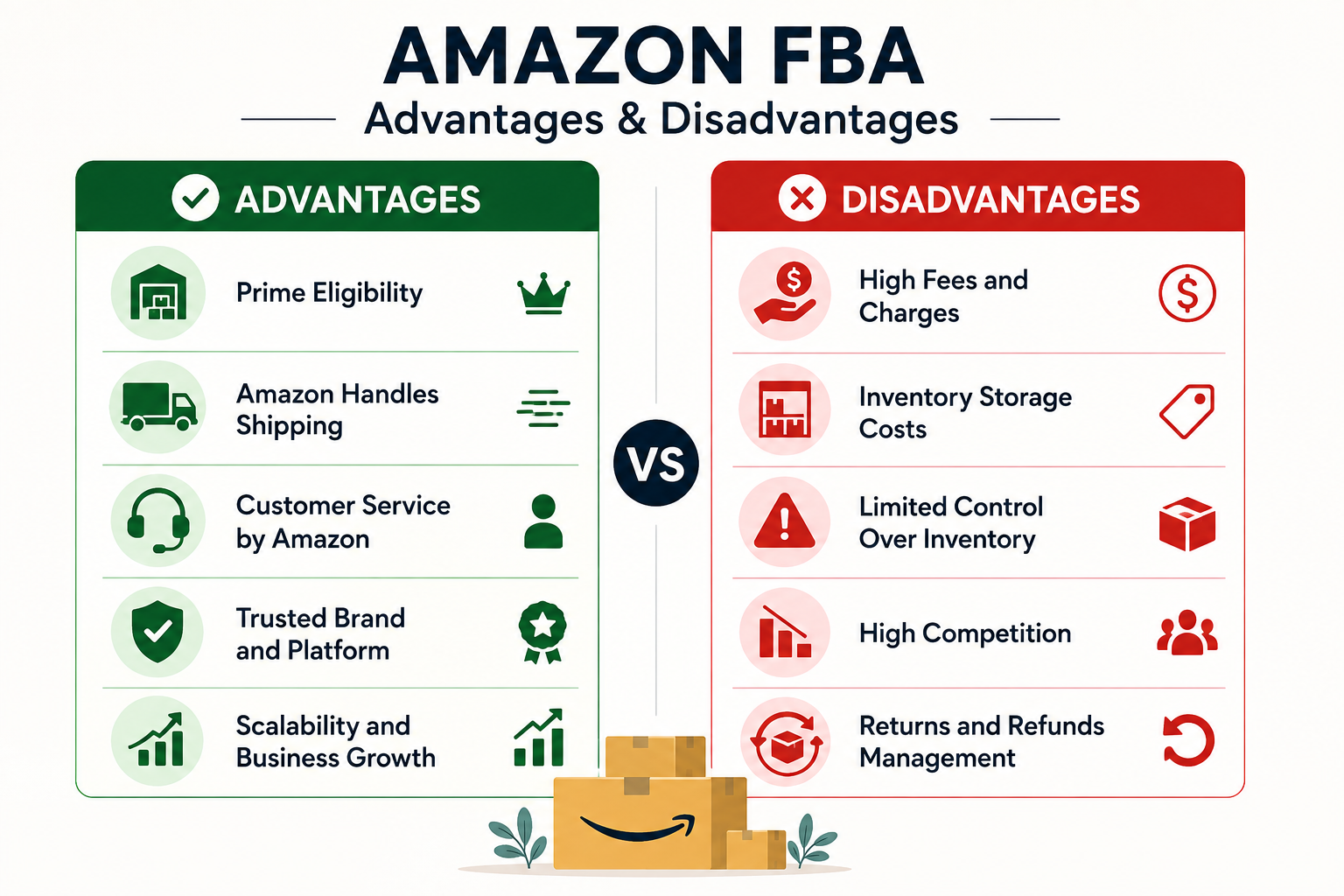
Fulfillment by Amazon means you send your inventory to Amazon’s fulfillment network, and Amazon handles storage, picking, packing, shipping, customer service and returns for eligible orders. You remain responsible for choosing the product, sourcing it, setting the price, managing the listing and generating demand.
That distinction is important because FBA removes much of the logistics work, but it does not remove the commercial risk. Amazon charges storage before an item sells and fulfilment fees when an order is fulfilled, with costs influenced by product size and weight.
How Much Money Do You Really Need?
There is no official minimum investment, and the right amount depends heavily on the product.
- For a beginner launching one relatively small private-label product in the US, a practical starting budget could be around $3,000 to $7,000.
- You can start with less by ordering a small quantity or using an existing product, but having too little working capital can create problems when inventory needs to be reordered before your first batch has generated enough cash.
| Expense |
Realistic beginner range |
| Product samples |
$100-$300 |
| Initial inventory |
$1,000-$2,500 |
| Freight and import costs |
$400-$1,000 |
| Product photography/design |
$150-$500 |
| Trademark/brand setup |
$250-$600+ |
| Amazon selling plan |
$39.99/month in US |
| Initial advertising |
$500-$1,500 |
| Contingency/working capital |
$500-$1,500 |
| Typical starting budget |
$3,000-$7,000 |
These are planning estimates, not Amazon’s official charges. Actual costs can be substantially higher for bulky products, regulated categories, premium branding or large initial orders. Amazon’s own Revenue Calculator should be used before committing capital because it lets sellers compare FBA and other fulfilment methods using product dimensions, weight, price and shipping information.
Step 1: Pick a Product With Room for Profit
Do not begin by thinking, “What sells well on Amazon?” Start by thinking, “What can I sell profitably after every major cost?“
- Look for products that are relatively small, lightweight, durable and easy to understand.
- Avoid products with complicated compliance requirements, high return rates or expensive shipping unless you have experience in that category.
A useful target is to model your product backwards from its selling price. If a product sells for $30, calculate Amazon fees, landed product cost, advertising, returns and other expenses before deciding whether the margin is attractive.
Step 2: Validate Demand and Competition
Search Amazon manually before placing an order. Examine the first page, read negative reviews and look for complaints customers repeatedly make. Those complaints can reveal opportunities for improving an existing product.
Do not rely solely on sales estimates from third-party software. Look at review counts, pricing, listing quality, variations, image quality and how established the leading brands appear. A product with high demand can still be a poor choice if several established sellers have strong reviews and pricing power.
Step 3: Order Samples Before Inventory
Never make a large inventory commitment based only on supplier photographs.
- Order samples from multiple suppliers and compare material quality, dimensions, packaging, finishing and consistency.
- Ask suppliers about minimum order quantities, production timelines, packaging specifications and defect policies.
- Your sample should also be tested under the conditions customers are likely to use it.
- A product that looks good in a catalogue can become expensive if it generates returns after launch.
Step 4: Calculate Landed Cost
Your product cost is not the same as your landed cost. Include manufacturing, packaging, inspection, freight, customs duties, import charges and transportation to Amazon’s fulfilment network.
This is where many beginner calculations fall apart. A product that costs $5 from a supplier may not actually cost $5 by the time it becomes sellable inventory in Amazon’s warehouse.
Step 5: Create the Listing Before the Shipment Arrives
Your listing should be treated as part of the product launch, not something to finish at the last minute. Invest in clear product photography, useful infographics and concise copy that explains what the product does and why it is different.
Use customer language naturally in the title, bullets and description, but do not turn the listing into a collection of repeated keywords. Your images should answer the questions a shopper would normally ask before purchasing.
Step 6: Launch With Controlled Advertising
Amazon advertising can help a new listing gain visibility, but spending aggressively without understanding conversion can burn through your launch budget quickly.
Start with a controlled campaign structure, monitor which search terms generate relevant clicks and separate useful terms from expensive ones that produce little return. Your initial objective should be learning which searches and audiences actually convert, not simply generating the largest possible number of impressions.
Step 7: Manage Inventory Like a Cash-Flow Business
FBA is often described as a hands-off fulfilment model, but inventory management remains your responsibility. Running out of stock can interrupt sales momentum, while ordering too much can leave your money sitting in storage.
Amazon also has inventory-related fees and programs that can affect profitability, so monitor your sell-through rate and replenishment timing rather than ordering based on optimism. The company provides inventory and fee tools inside Seller Central to help sellers estimate costs and manage stock.
What Makes FBA Profitable in 2026?
The strongest opportunity is usually not simply finding the cheapest product. It is finding a product where you can create enough differentiation to maintain a healthy selling price.
That might mean improving the design, packaging, instructions, bundle, sizing, materials or customer experience. A product that is identical to dozens of cheaper listings gives you very little control over pricing.
This is why starting an Amazon FBA Business should be approached as a product-development exercise rather than a simple marketplace arbitrage strategy. Your advantage needs to survive beyond the first few months.
Don’t Ignore Amazon’s 2026 Fee Changes
Amazon’s US fee structure changes periodically, so calculations made from an old YouTube video or blog post can be misleading. For 2026, Amazon announced an average FBA fee increase of $0.08 per unit in the US, while also introducing or changing specific fee components and a fuel and logistics surcharge.
If you plan to sell in India instead, do not apply US figures to your business. Amazon.in uses a different fee structure, and its 2026 changes include category-specific selling fees and other marketplace charges.
A Sensible First-Year Approach
For a beginner on how to start an Amazon FBA Business successfully, the objective should not be to launch ten products immediately. Start with one product, understand its economics and learn how customers respond before expanding.
A reasonable first cycle is to spend several weeks on product research and supplier validation, order samples, place a controlled inventory order, launch with measured advertising and then use actual sales data to decide whether to reorder, improve the product or abandon it.
The biggest advantage of this approach is that it limits the cost of being wrong.
Is Amazon FBA Still Worth It?
Yes, but it is no longer sensible to treat FBA as easy passive income. The model works best for sellers who understand margins, customer demand, inventory cycles and advertising rather than those chasing whatever product happens to be trending.
Before spending money, use Amazon’s free Revenue Calculator to model the exact product. Amazon allows sellers to compare estimated FBA fees, fulfilment costs and revenue against other fulfilment options.
Ultimately, how to start an Amazon FBA Business successfully comes down to making the numbers work before placing the purchase order. If the product remains profitable after Amazon fees, landed costs, advertising, returns and realistic operating expenses, you have something worth testing. If the margin disappears after those calculations, a popular product is still a bad business.
Frequently Asked Questions on How to Start an Amazon FBA Business
1. Can I start Amazon FBA with $1,000?
It is possible, but the budget leaves little room for inventory, advertising, freight and unexpected costs. A $3,000-$7,000 planning range is more realistic for a small US private-label launch, although the actual amount varies significantly by product.
2. What is the cheapest Amazon selling plan?
In the US, the Individual plan costs $0.99 per item sold, while the Professional plan costs $39.99 per month, before other selling fees. Amazon notes that the Professional plan may make more sense for sellers expecting to sell more than about 40 units per month.
3. Does Amazon FBA guarantee profit?
No. FBA handles fulfilment, but sellers still carry product, inventory, advertising and pricing risks. Profit depends on the difference between selling revenue and all associated costs.
Also Read: How to Do Keyword Research for a New Website: Free + Paid Methods

by parth@bidkinetic.com | Aug 9, 2026 | Tech
A VPN is often marketed as a simple privacy switch, but the reality is more nuanced. Do you actually need a VPN in 2026? For some people, it is a genuinely useful security and privacy tool; for others, it may be an unnecessary monthly expense. VPN usage has also grown alongside internet restrictions and privacy concerns. Proton VPN reported major download increases across 62 countries in 2025, with some spikes connected to censorship, internet shutdowns and new privacy rules.
At the same time, CISA continues to recommend VPNs or other secure-access solutions for certain remote-work and public-network situations, while warning that VPNs themselves can have security weaknesses.

What a VPN Actually Does
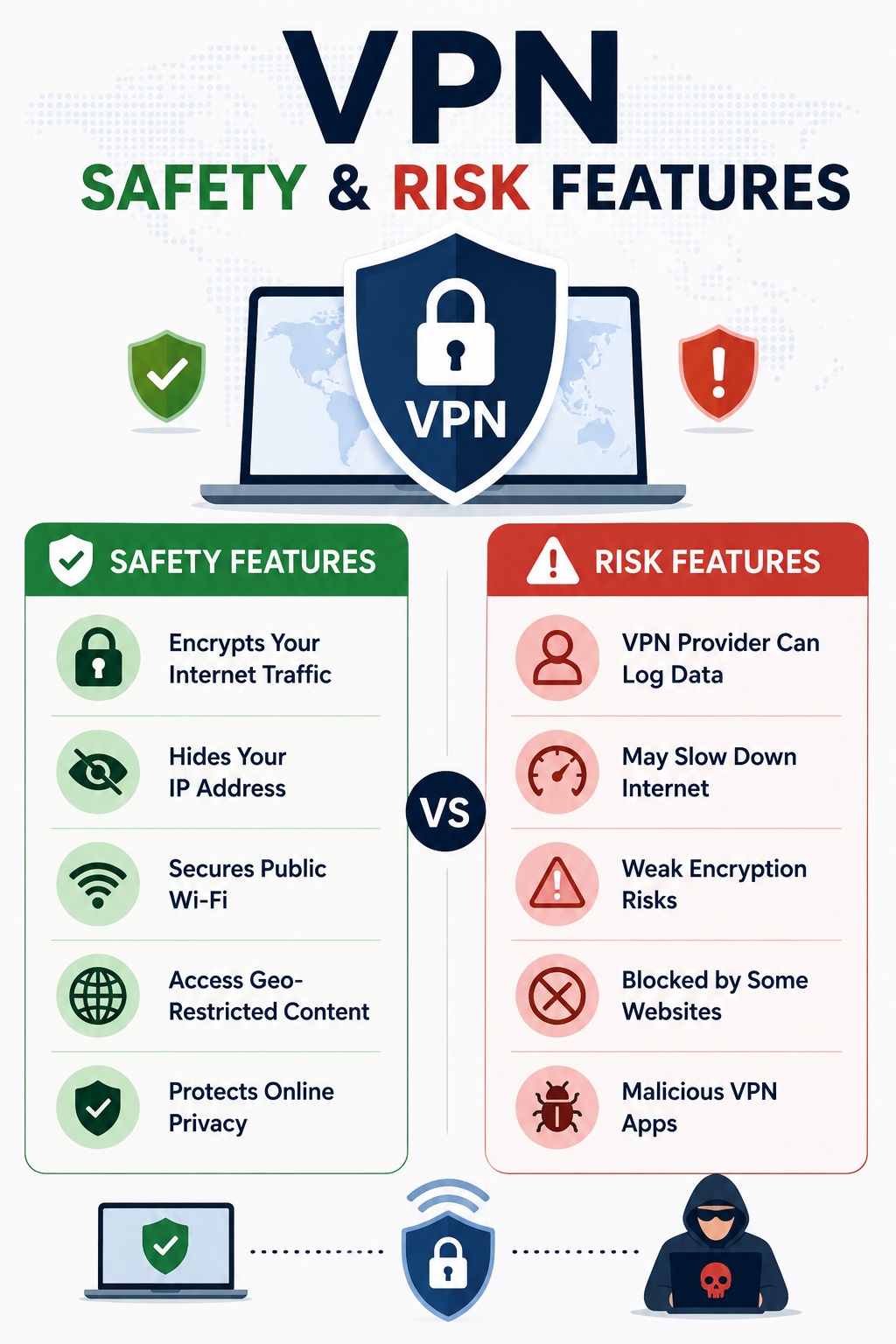
A VPN (Virtual Private Network) creates an encrypted connection between your device and a VPN server. Instead of websites seeing your normal public IP address, they generally see the VPN server’s address. This can make your traffic less exposed on networks you do not control and can reduce the amount of browsing information visible to your internet provider.
That does not make you anonymous. Websites can still identify you through accounts, cookies, browser characteristics and other tracking technologies. You are also placing some trust in the VPN company, so choosing the provider matters.
Who Has a Good Reason to Use One?
Frequent travellers are among the clearest candidates.
- Hotel, airport and café networks are outside your control, and public Wi-Fi can create additional security risks.
- CISA recommends using a VPN or another authorised secure-access solution when connecting to third-party networks in certain work environments.
Remote employees may also need a VPN to access company systems.
- In this case, the VPN is primarily an access and security mechanism rather than a tool for hiding everyday browsing.
- Businesses are increasingly considering Zero Trust, SASE and other modern approaches alongside traditional VPN infrastructure.
Privacy-conscious users have another reason.
- A VPN can prevent your ISP or someone operating the local network from having the same visibility into your connection.
- However, that privacy benefit depends heavily on the VPN provider’s policies and technical practices.
Who Probably Does Not Need One?
If you mainly browse from a secure home network, use HTTPS websites, keep your devices updated and have strong account security, a VPN may not add enough value to justify another subscription.
A VPN is also not necessary simply because you occasionally use public Wi-Fi. Modern websites generally use HTTPS encryption, which protects the contents of normal web connections. A VPN can provide another layer, but it should not be treated as the only protection you need.
A VPN Is Not Antivirus Software
This is where VPN marketing can create unrealistic expectations. A VPN does not automatically stop phishing, malware, malicious browser extensions or stolen passwords.
If you click a fake banking link and enter your credentials, a VPN cannot recognise the scam for you. Similarly, if malware is already installed on your laptop, routing your connection through a VPN does not remove it.
A sensible security setup still includes software updates, strong passwords, multifactor authentication, device security and careful handling of suspicious links and downloads.
The VPN Provider Becomes Part of the Trust Chain
Using a VPN does not eliminate trust; it moves some of it. Your internet provider may have less visibility into your connection, but the VPN provider becomes responsible for handling that traffic.
Before choosing a service, check its privacy policy, ownership, data-retention practices and whether its privacy claims have undergone independent audits. Be cautious about providers promising complete anonymity or protection against every type of online threat.
Security agencies have also pointed out that VPNs themselves can be vulnerable. CISA and its partners identified more than 22 known exploited vulnerabilities associated with VPN solutions and have warned organisations to keep VPN systems properly secured and updated.
What About Streaming and Changing Your Location?
Changing your apparent IP location is another major reason people subscribe to VPN services. A VPN can route your connection through a server in another country, but this does not guarantee access to every region-specific website or streaming catalogue.
Streaming platforms actively detect and block many VPN addresses, so performance and accessibility can change without warning. A VPN should therefore not be purchased solely on the assumption that it will permanently unlock every service available in another country.
How to Decide If You Need One
| Your Situation |
VPN Value |
| Frequent public Wi-Fi |
High |
| Regular international travel |
High |
| Employer requires VPN access |
High |
| Strong privacy concerns |
Moderate to high |
| Occasional home browsing |
Low |
| Secure home network |
Low |
| Expecting complete anonymity |
Not realistic |
| Looking for antivirus protection |
Not the right tool |
This is why do you actually need a VPN in 2026 is better answered by looking at your habits rather than following a universal recommendation. If you travel frequently, work remotely or regularly connect through networks you do not trust, a VPN can be a sensible addition.
For someone who spends most of their time on a properly secured home network, the priorities may be different. Strong account protection, multifactor authentication, updated software and careful browsing habits could provide more practical value than adding another subscription.
How to Choose a VPN
Do not select a provider simply because it offers the biggest discount or the largest server count. Start by checking what information it collects and how long it retains that information.
Look for modern protocols, a reliable kill switch, clear privacy documentation, independent security assessments and a transparent company structure. Connection speed is also important because an impressive privacy policy is less useful if the service makes normal browsing, video calls or downloads frustratingly slow.
Do you actually need a VPN in 2026? The answer becomes clearer when you identify the specific problem you want to solve. Buy one because you need additional privacy on untrusted networks or secure remote access, not because an advertisement suggests that the internet is otherwise completely unsafe.
Frequently Asked Questions on Do You Actually Need a VPN in 2026
1. Does a VPN make me anonymous?
No. It can hide your IP address and encrypt the connection to the VPN server, but websites can still identify you through accounts, cookies and other tracking methods.
2. Is a VPN necessary on home Wi-Fi?
Usually not for ordinary browsing if your router, devices and accounts are properly secured. A VPN may still be useful if you have a specific privacy requirement.
3. Does a VPN protect against hackers?
Only to a limited extent. It can protect the connection between your device and VPN server, but it does not replace device security, updates, multifactor authentication or protection against phishing.
Ultimately, do you actually need a VPN in 2026? There is no universal answer. A VPN is neither a useless gimmick nor an essential requirement for every internet user. It is one security and privacy layer that becomes particularly valuable when your circumstances call for it. The smartest approach is to understand what it protects, recognise what it cannot do and choose a service based on your actual needs rather than fear-driven marketing.

by parth@bidkinetic.com | Aug 8, 2026 | Education
Launching a new website without keyword research is a little like opening a shop without knowing what customers are looking for. Doing keyword research effectively means understanding the language people use, the problems behind their searches, the level of competition you can realistically handle, and whether a keyword can bring the kind of visitor your business actually needs. In 2026, this matters beyond traditional Google rankings because search behaviour is increasingly spread across standard results, AI-generated answers, local results, shopping surfaces and other search experiences. The goal is no longer to collect hundreds of keywords, but to identify realistic opportunities and turn them into a useful content plan and to do this our how to do keyword research for a new website guide will be helpful.

Start With Your Business, Not a Keyword Tool
Before opening any SEO platform, write down what your website actually offers. List your products, services, customer problems, locations, and the questions prospects regularly ask.
Suppose you are launching a website for a digital marketing agency. “Digital marketing” may have enormous search demand, but it is also broad and highly competitive. A new website may have a better opportunity with terms such as “digital marketing agency” or “local SEO services,” particularly if those topics match the agency’s actual expertise.
This first stage prevents keyword research from becoming a spreadsheet exercise disconnected from the business.
Build a Seed Keyword List
Seed keywords are broad starting points that help you discover more specific searches. You do not need hundreds of them, but ten to twenty strong seeds are usually enough to begin.
Think about the words a customer would use without knowing your brand. For a website selling accounting software, seeds could include “accounting software,” “invoice software,” “small business accounting,” “GST accounting software” and “online bookkeeping.”
Now expand each seed into questions, comparisons, problems, locations and purchase-related searches. This is where the difference between a keyword list and actual research begins.
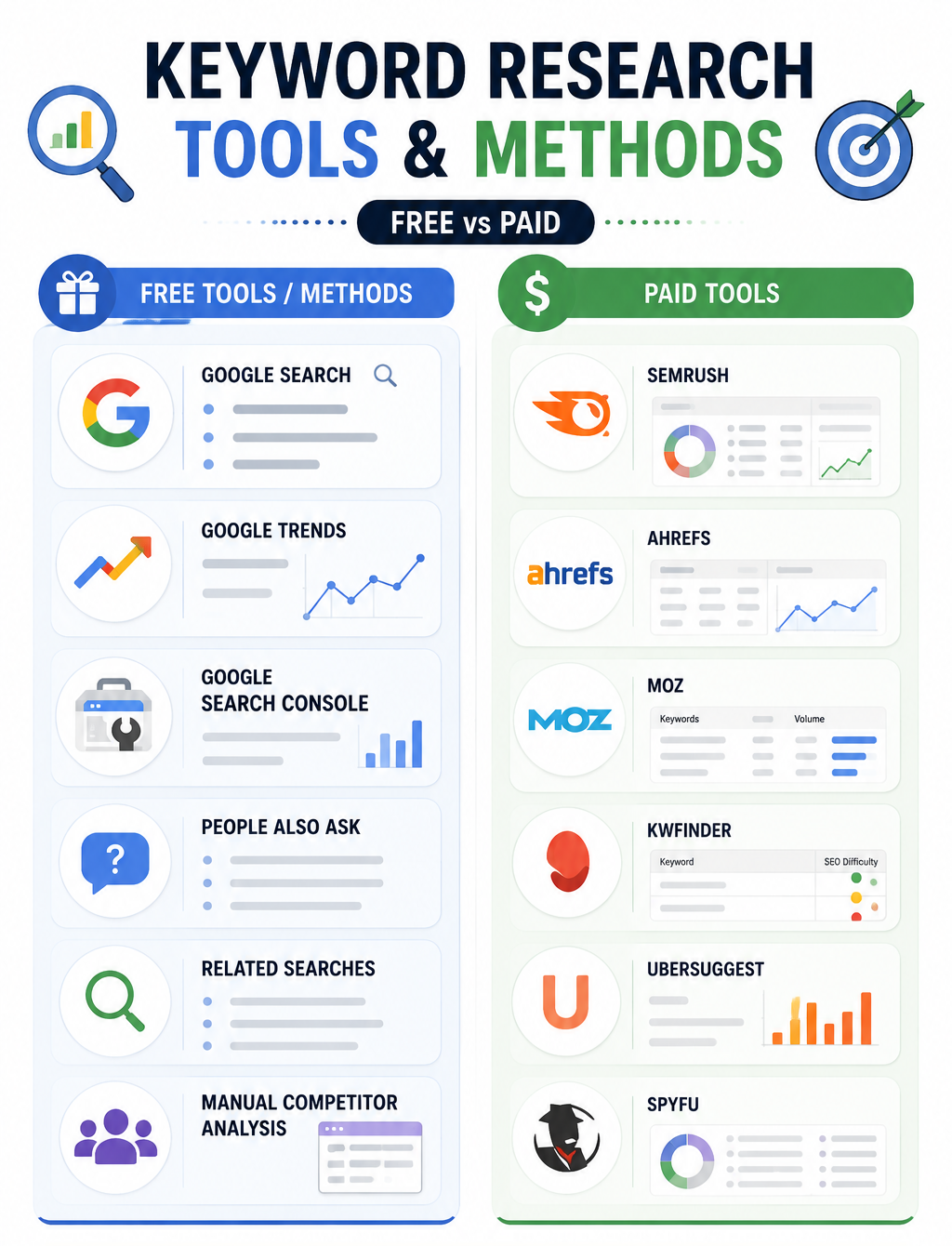
Free Method 1: Use Google Search Itself
Google can reveal useful information without requiring a paid subscription. Enter a broad term and examine autocomplete suggestions, related searches and the questions appearing around the results.
More importantly, study the actual pages ranking for your target phrase. Look at what type of content Google is rewarding. If the first page is dominated by detailed guides, creating a short promotional article probably will not match the search intent. If product pages dominate, a purely informational article may also struggle.
Search results are therefore a form of competitor research as well as keyword research.
Free Method 2: Explore Google Trends
Google Trends is useful when search demand changes with seasons, locations or current events. It allows you to compare search terms, examine interest by region and discover related searches.
For example, a travel website might compare “summer vacation,” “monsoon travel” and “winter holidays” to understand when interest rises rather than treating search volume as a fixed number throughout the year.
One important detail is that Google Trends measures relative interest rather than giving you the same monthly search-volume metric found in many SEO platforms. Use it to understand direction and timing, not as your only source of demand data.
Free Method 3: Use Google Keyword Planner
- Google Keyword Planner is a free tool for discovering keyword ideas, search volume ranges, competition levels and related terms.
- Enter a broad topic, such as “digital marketing services,” and review the suggestions to find specific keywords with clear search intent.
- For a new website, focus on relevant, lower-competition phrases rather than chasing only high-volume terms.
- Keep in mind that Keyword Planner often shows search-volume ranges, so combine its data with Google Search and competitor analysis before choosing your final keywords.
Free Method 4: Use Google Search Console Later
A brand-new website will not have meaningful Search Console data immediately, but once pages begin appearing in Google, the Performance report becomes extremely useful.
Search Console shows the queries that lead people to your site and lets you examine clicks, impressions and CTR.
This creates opportunities you could not have predicted before publishing. A page might rank for several related phrases that were never part of your original keyword list. Those terms can become targets for improving the existing article or developing a related page.
Paid Method: Use Semrush for Deeper Research
For a new website, a paid SEO platform becomes valuable when you need competitive data rather than just keyword ideas. Semrush’s Keyword Magic Tool currently provides access to more than 27 billion keywords, with metrics such as search volume, keyword difficulty, search intent, CPC and SERP features. This tool also offers a limited number of free searches daily.
- Enter your seed keyword, select your target country and start filtering.
- Do not automatically choose the keywords with the largest volume.
- A phrase with 50,000 monthly searches may be useless if the current results are dominated by websites with enormous authority.
- Instead, look for combinations of reasonable demand, manageable competition and strong business relevance.
There are also similar paid tools available with similar features like AHREFS, MOZ, SPYFU, etc.
Study Competitors Before Choosing Your Targets
Competitor research is one of the most useful paid methods for a new domain because it reveals what is already working in your market. Semrush’s Keyword Gap can compare your website with competing domains and identify searches where competitors have visibility, but you do not.
Choose competitors that are realistically relevant. If you operate a small regional business, comparing yourself only with Amazon, Forbes or Wikipedia will produce an intimidating list of keywords that tells you very little about what you can achieve.
Look for smaller sites ranking consistently for valuable terms. Their content structure, topic selection and backlink profile can provide much more useful benchmarks.
Evaluate Keywords Using More Than Search Volume
Search volume should never be the deciding metric. A keyword with modest demand can be commercially valuable if the searcher is close to making a purchase.
| Factor |
What to Check |
Why It Matters |
| Search volume |
Monthly demand |
Shows potential audience size |
| Difficulty |
Competition level |
Indicates ranking challenge |
| Search intent |
Informational, commercial, transactional |
Determines suitable content |
| Relevance |
Connection to your offer |
Prevents irrelevant traffic |
| SERP |
Current ranking pages |
Reveals content expectations |
| CPC |
Advertising value |
Can indicate commercial interest |
| Trend |
Rising, stable or declining |
Helps identify future opportunities |
This is where how to do keyword research effectively becomes a strategic exercise rather than simply finding popular phrases.
Create Keyword Clusters Instead of One Keyword Per Article
A common mistake is creating separate pages for every minor variation of the same search. If “best CRM for small business,” “best small business CRM”, and “CRM software for small companies” all have essentially the same intent, one genuinely useful page may be more appropriate than three thin articles.
Group closely related terms around one main topic, then use supporting phrases naturally throughout the page. Semrush also provides keyword grouping and clustering features that can help turn large keyword lists into content structures.
This approach gives a new website a clearer topical structure and reduces the temptation to publish dozens of repetitive pages.
Practical Tips for New Websites
- Target specific problems first: Long-tail searches often reveal clearer intent and can be easier for a new domain to compete for.
- Check the SERP manually: Always inspect the first page before committing to a keyword because difficulty scores cannot fully explain what Google is rewarding.
- Look for commercial intent: Prioritize searches that connect naturally to your products, services or future monetization plans.
- Use location modifiers: Local businesses should research combinations involving cities, neighbourhoods and service areas rather than relying only on broad industry terms.
- Track keyword variations: Search Console can reveal unexpected queries once your pages begin receiving impressions.
- Do not force exact-match phrases: Modern search systems understand related language, so readable writing is more valuable than awkward repetition.
- Review your list regularly: Search behaviour changes, competitors publish new pages and seasonal demand can shift, so keyword research should be revisited rather than completed once.
Frequently Asked Questions on
1. How many keywords should a new website target?
There is no fixed number. Start with a focused group of keywords closely connected to your products, services and audience, then expand as your website gains visibility and authority.
2. Should a new website target high-volume keywords?
Usually not as its first priority. High-volume terms often attract strong competition, so a new domain may achieve faster results by targeting specific, relevant searches with clearer intent.
3. Is keyword difficulty always accurate?
No. Difficulty scores are useful for comparison, but they cannot replace manual SERP analysis. Examine the authority, content quality and relevance of the pages currently ranking before deciding whether a keyword is realistic.
Learning how to do keyword research is ultimately about understanding demand before investing time in content. When you combine free search data, competitor analysis, paid SEO metrics and actual performance data, your keyword list becomes more than a collection of phrases. It becomes a practical roadmap for deciding what your new website should publish, which audiences it should attract and where it has a realistic chance to compete.
Also Read: How to Start a Blog in 2026: The Complete Beginner’s Guide
by parth@bidkinetic.com | Aug 7, 2026 | Education
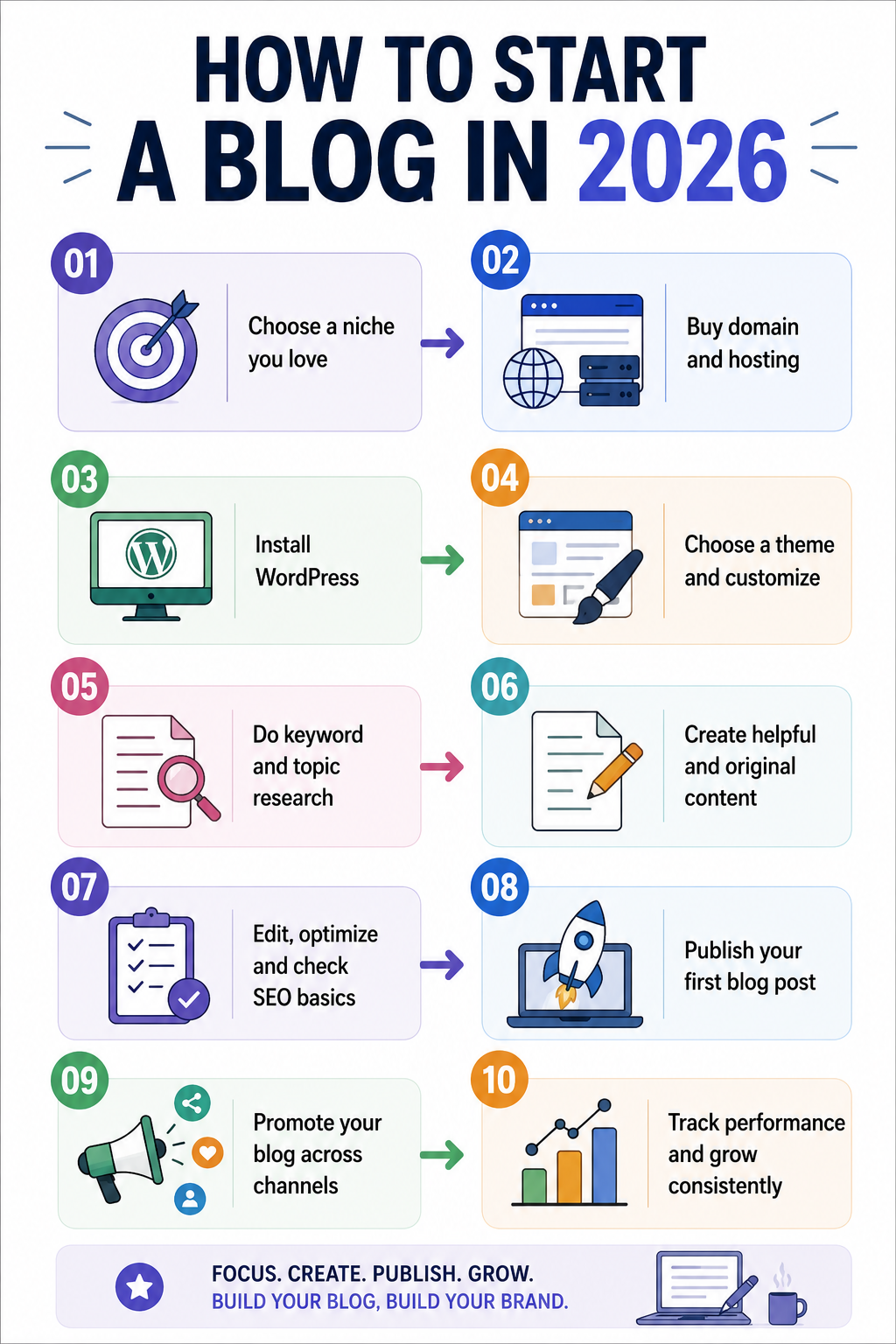
Blogging in 2026 is no longer simply about publishing articles and waiting for Google traffic. Search is increasingly influenced by AI-generated answers, social discovery, visual content, newsletters and users who expect original information rather than recycled articles. Yet the opportunity remains substantial: WordPress powers 41.2% of all websites and 59.1% of websites whose CMS is known, according to W3Techs’ July 2026 data. For a beginner, how to start a Blog successfully therefore means building a focused publication with a clear audience, a technically reliable website, original expertise and a distribution strategy that does not depend entirely on traditional search rankings.
Start With a Topic You Can Actually Own
The first decision on how to start a blog in 2026 is not which blogging platform to use. It is what you can consistently say something useful about that other websites cannot easily reproduce.
- Instead of choosing a broad category such as technology, travel or health, identify a narrower subject where you have experience, access to information or a distinctive perspective.
- A blog about “software” is difficult to differentiate, while a blog covering productivity software for remote marketing teams gives you a much clearer audience and editorial direction.
- This matters even more in 2026 because Google explicitly recommends people-first content that demonstrates originality, experience and useful information beyond what is already available elsewhere.
Decide What Your Blog Is Supposed to Achieve
A blog can generate advertising revenue, support a business, attract leads, build a personal brand, promote affiliate products or become a standalone media property. Your objective affects almost every decision that follows.
For example, a consultant should build content around problems potential clients actually face, while an affiliate publisher needs strong product research and comparison content. If you want to build a media brand, publishing consistency and a recognizable editorial voice may matter more than immediate monetization.
Knowing the purpose prevents you from filling the website with random topics simply because they appear to have search volume.
Choose Your Platform and Hosting
For beginners who want flexibility, WordPress remains the most established option. Its current market share means there is a large ecosystem of themes, plugins, developers and educational resources available.
Your hosting provider matters because poor server performance can affect both the reader experience and your ability to manage the website. Bluehost and UltaHost are two options beginners can evaluate, but compare renewal pricing, backups, storage, support and performance rather than choosing solely on the introductory price.
A practical beginner setup is a domain you can remember easily, reliable hosting, WordPress, a lightweight theme and only the plugins you genuinely need.
Build the Website Before Publishing
Do not rush to publish your first article before the website is usable.
- Create the basic pages readers expect, including an About page, Contact page and Privacy Policy, then establish a simple navigation structure that makes your main topics obvious.
- Your article pages should also be easy to read on mobile devices, load quickly and make authorship clear.
- Google recommends making it obvious who created content and encourages signals that help readers understand the expertise behind a page.
Research Topics, Not Just Keywords
Keyword research is still useful, but in 2026 it should be treated as audience research rather than a list of phrases to insert into articles.
SEMrush can help identify search volume, keyword difficulty, search intent, competitor rankings and related queries. Its current tools also support keyword clustering and research aimed at visibility across traditional and AI search.
Look for questions your audience repeatedly asks, then build clusters around them. One strong article can answer the central question, while related articles address specific problems and link naturally back to the main topic.
Write for Search Intent, AI and Real Readers
The biggest change for new bloggers is that ranking for a keyword is no longer the only objective. Your content may be discovered through conventional search results, AI-generated search experiences, social platforms, newsletters or direct recommendations.
That makes original material especially valuable. Add firsthand observations, examples, screenshots, comparisons, original research, expert commentary or practical experience whenever possible. Google says unique viewpoints and non-commodity content are likely to matter for visibility in generative AI search as well.
AI can help with research, outlining or editing, but do not build a blog by publishing large volumes of lightly edited AI-generated articles. Google’s current spam policies specifically identify scaled content created primarily to manipulate search rankings as a problem, regardless of whether automation, humans or a combination of both produced it.
Your Basic Workflow on How to Start a Blog in 2026
| Stage |
What to do |
Useful tool |
| Topic research |
Find real audience questions |
SEMrush |
| Content planning |
Build related topic clusters |
SEMrush |
| Drafting |
Write from original research |
WPS Office |
| Editing |
Improve clarity and grammar |
Grammarly |
| Research support |
Organize source material |
PopAi |
| Publishing |
Manage articles and pages |
WordPress |
| Distribution |
Share through relevant channels |
Social platforms |
| Measurement |
Track traffic and conversions |
Analytics tools |
The tools should support your process of how to start a blog rather than determine it. A beginner does not need an expensive collection of software before publishing the first useful article.
Create a Publishing System You Can Maintain
Consistency does not mean publishing every day.
- A realistic schedule of two well-researched articles a week can be far more valuable than producing seven shallow posts that repeat information already available elsewhere.
- Before publishing, check whether the article answers the searcher’s question, contains original value, uses useful internal links and has a clear title and description.
- Add descriptive image alt text, compress large images and make sure important pages are accessible to search engines.
- Google’s Search Essentials continues to emphasize helpful content, crawlable links and clear descriptive language.
Build Traffic Beyond Google
A blog should not depend on one traffic source. Turn useful articles into LinkedIn posts, short videos, newsletters, community discussions or social posts where your audience already spends time.
This is particularly important when a new website has little search authority. Distribution can bring your first readers while your content gradually builds search visibility. It also gives you feedback about which topics people actually care about instead of relying entirely on keyword tools.
Monetize Only After Finding Demand
Do not cover your new website with advertisements and affiliate links from day one. First establish useful content and understand what your readers need.
Once traffic and audience behaviour become clearer, monetization can include affiliate partnerships, advertising, digital products, consulting, sponsored content, memberships or lead generation. The right model depends on why people visit your blog and what problem your business can solve for them.
Practical Tips on How to Start a Blog
- Choose a lightweight WordPress theme: Try Astra, GeneratePress or Kadence for speed and flexibility.
- Install an SEO plugin: Use Rank Math SEO or Yoast SEO for on-page optimization.
- Check content with Grammarly: Use grammar editing, plagiarism checking, AI detection and AI rewriting features.
- Compress your images: Use ShortPixel, Imagify or Smush to reduce image sizes.
- Improve website speed: Use WP Rocket, LiteSpeed Cache or W3 Total Cache for caching.
- Back up your website: Use UpdraftPlus to schedule regular WordPress backups.
- Protect your WordPress site: Use Wordfence to monitor security threats and suspicious activity.
- Build internal links: Connect related articles to improve navigation and content structure.
- Track your performance: Use Google Analytics and Google Search Console to monitor traffic and search visibility.
- Avoid unnecessary plugins: Install only plugins that provide a clear and useful function.
A Practical First 30 Days
- During the first week, choose your niche, audience and business objective, purchase the domain and set up hosting.
- In the second week, create the core website pages and research your first group of topics.
- Use the third week to publish several strong articles that establish your main subject areas.
- During the fourth week, begin distributing those articles, monitor which pages receive attention and use the data to decide what to publish next.
That approach makes starting a blog a manageable project rather than an endless preparation exercise. You do not need hundreds of articles to begin; you need a clear audience, a technically sound website and enough genuinely useful content to give people a reason to return.
Frequently Asked Questions on How to Start a Blog
1. Is blogging still worth starting in 2026?
Yes, but the strategy has changed. A blog built around original expertise, a specific audience and multiple traffic channels has a stronger foundation than one relying entirely on generic SEO articles.
2. Is WordPress still a good choice for beginners?
Yes. WordPress remains the most widely used CMS on the web, powering 41.2% of all websites according to W3Techs’ July 2026 data.
3. How many articles should I publish before promoting my blog page?
There is no required number. A better starting point is to publish several genuinely useful articles covering your core topic, then begin distribution rather than waiting until the site contains dozens of posts.
Also Read: How to Cut Your Email Time in Half: Superhuman, Shortcuts, and AI
