
by parth@bidkinetic.com | Aug 7, 2026 | Education
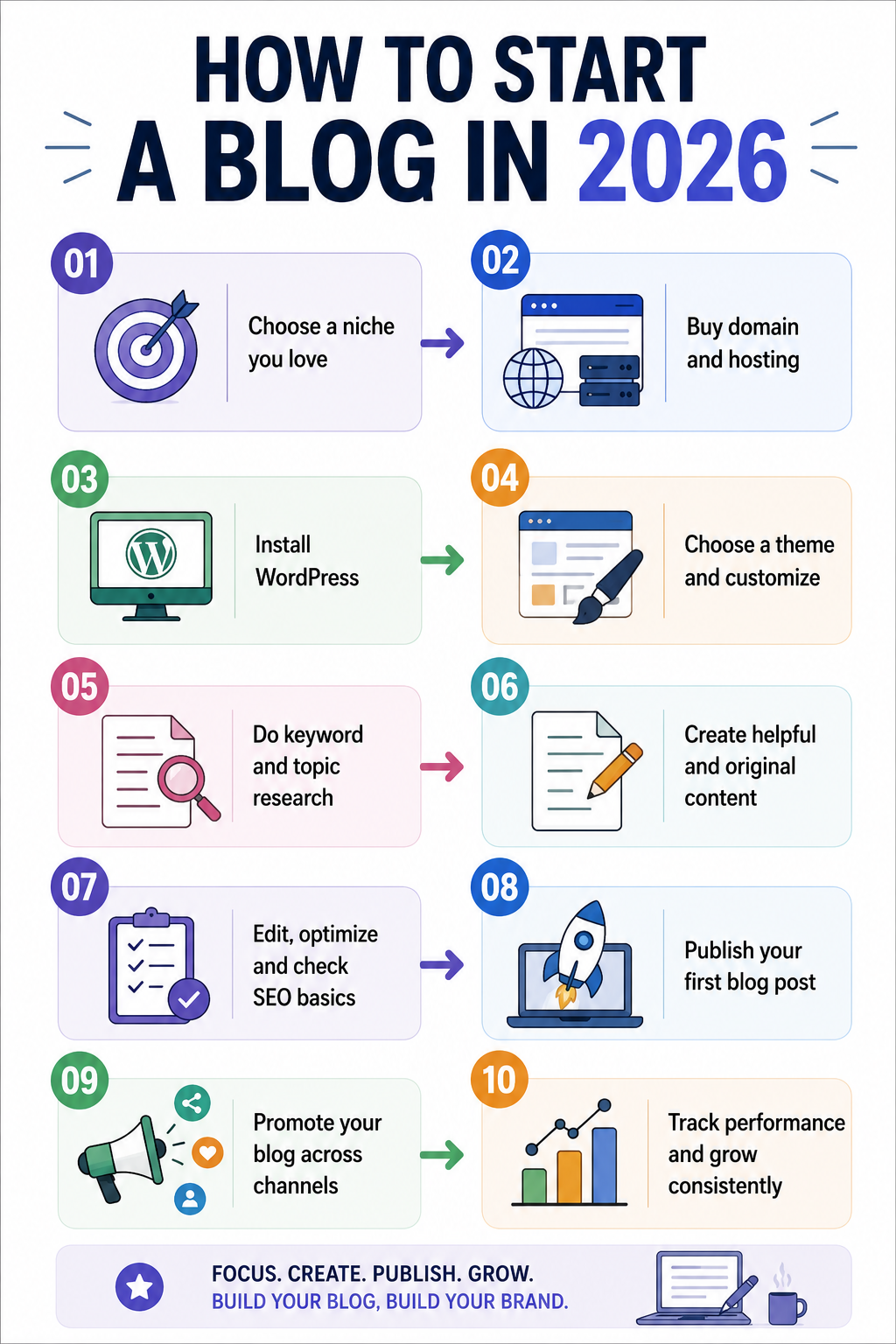
Blogging in 2026 is no longer simply about publishing articles and waiting for Google traffic. Search is increasingly influenced by AI-generated answers, social discovery, visual content, newsletters and users who expect original information rather than recycled articles. Yet the opportunity remains substantial: WordPress powers 41.2% of all websites and 59.1% of websites whose CMS is known, according to W3Techs’ July 2026 data. For a beginner, how to start a Blog successfully therefore means building a focused publication with a clear audience, a technically reliable website, original expertise and a distribution strategy that does not depend entirely on traditional search rankings.

Start With a Topic You Can Actually Own
The first decision on how to start a blog in 2026 is not which blogging platform to use. It is what you can consistently say something useful about that other websites cannot easily reproduce.
- Instead of choosing a broad category such as technology, travel or health, identify a narrower subject where you have experience, access to information or a distinctive perspective.
- A blog about “software” is difficult to differentiate, while a blog covering productivity software for remote marketing teams gives you a much clearer audience and editorial direction.
- This matters even more in 2026 because Google explicitly recommends people-first content that demonstrates originality, experience and useful information beyond what is already available elsewhere.
Decide What Your Blog Is Supposed to Achieve
A blog can generate advertising revenue, support a business, attract leads, build a personal brand, promote affiliate products or become a standalone media property. Your objective affects almost every decision that follows.
For example, a consultant should build content around problems potential clients actually face, while an affiliate publisher needs strong product research and comparison content. If you want to build a media brand, publishing consistency and a recognizable editorial voice may matter more than immediate monetization.
Knowing the purpose prevents you from filling the website with random topics simply because they appear to have search volume.
Choose Your Platform and Hosting
For beginners who want flexibility, WordPress remains the most established option. Its current market share means there is a large ecosystem of themes, plugins, developers and educational resources available.
Your hosting provider matters because poor server performance can affect both the reader experience and your ability to manage the website. Bluehost and UltaHost are two options beginners can evaluate, but compare renewal pricing, backups, storage, support and performance rather than choosing solely on the introductory price.
A practical beginner setup is a domain you can remember easily, reliable hosting, WordPress, a lightweight theme and only the plugins you genuinely need.
Build the Website Before Publishing
Do not rush to publish your first article before the website is usable.
- Create the basic pages readers expect, including an About page, Contact page and Privacy Policy, then establish a simple navigation structure that makes your main topics obvious.
- Your article pages should also be easy to read on mobile devices, load quickly and make authorship clear.
- Google recommends making it obvious who created content and encourages signals that help readers understand the expertise behind a page.
Research Topics, Not Just Keywords
Keyword research is still useful, but in 2026 it should be treated as audience research rather than a list of phrases to insert into articles.
SEMrush can help identify search volume, keyword difficulty, search intent, competitor rankings and related queries. Its current tools also support keyword clustering and research aimed at visibility across traditional and AI search.
Look for questions your audience repeatedly asks, then build clusters around them. One strong article can answer the central question, while related articles address specific problems and link naturally back to the main topic.
Write for Search Intent, AI and Real Readers
The biggest change for new bloggers is that ranking for a keyword is no longer the only objective. Your content may be discovered through conventional search results, AI-generated search experiences, social platforms, newsletters or direct recommendations.
That makes original material especially valuable. Add firsthand observations, examples, screenshots, comparisons, original research, expert commentary or practical experience whenever possible. Google says unique viewpoints and non-commodity content are likely to matter for visibility in generative AI search as well.
AI can help with research, outlining or editing, but do not build a blog by publishing large volumes of lightly edited AI-generated articles. Google’s current spam policies specifically identify scaled content created primarily to manipulate search rankings as a problem, regardless of whether automation, humans or a combination of both produced it.
Your Basic Workflow on How to Start a Blog in 2026
| Stage |
What to do |
Useful tool |
| Topic research |
Find real audience questions |
SEMrush |
| Content planning |
Build related topic clusters |
SEMrush |
| Drafting |
Write from original research |
WPS Office |
| Editing |
Improve clarity and grammar |
Grammarly |
| Research support |
Organize source material |
PopAi |
| Publishing |
Manage articles and pages |
WordPress |
| Distribution |
Share through relevant channels |
Social platforms |
| Measurement |
Track traffic and conversions |
Analytics tools |
The tools should support your process of how to start a blog rather than determine it. A beginner does not need an expensive collection of software before publishing the first useful article.
Create a Publishing System You Can Maintain
Consistency does not mean publishing every day.
- A realistic schedule of two well-researched articles a week can be far more valuable than producing seven shallow posts that repeat information already available elsewhere.
- Before publishing, check whether the article answers the searcher’s question, contains original value, uses useful internal links and has a clear title and description.
- Add descriptive image alt text, compress large images and make sure important pages are accessible to search engines.
- Google’s Search Essentials continues to emphasize helpful content, crawlable links and clear descriptive language.
Build Traffic Beyond Google
A blog should not depend on one traffic source. Turn useful articles into LinkedIn posts, short videos, newsletters, community discussions or social posts where your audience already spends time.
This is particularly important when a new website has little search authority. Distribution can bring your first readers while your content gradually builds search visibility. It also gives you feedback about which topics people actually care about instead of relying entirely on keyword tools.
Monetize Only After Finding Demand
Do not cover your new website with advertisements and affiliate links from day one. First establish useful content and understand what your readers need.
Once traffic and audience behaviour become clearer, monetization can include affiliate partnerships, advertising, digital products, consulting, sponsored content, memberships or lead generation. The right model depends on why people visit your blog and what problem your business can solve for them.
Practical Tips on How to Start a Blog
- Choose a lightweight WordPress theme: Try Astra, GeneratePress or Kadence for speed and flexibility.
- Install an SEO plugin: Use Rank Math SEO or Yoast SEO for on-page optimization.
- Check content with Grammarly: Use grammar editing, plagiarism checking, AI detection and AI rewriting features.
- Compress your images: Use ShortPixel, Imagify or Smush to reduce image sizes.
- Improve website speed: Use WP Rocket, LiteSpeed Cache or W3 Total Cache for caching.
- Back up your website: Use UpdraftPlus to schedule regular WordPress backups.
- Protect your WordPress site: Use Wordfence to monitor security threats and suspicious activity.
- Build internal links: Connect related articles to improve navigation and content structure.
- Track your performance: Use Google Analytics and Google Search Console to monitor traffic and search visibility.
- Avoid unnecessary plugins: Install only plugins that provide a clear and useful function.
A Practical First 30 Days
- During the first week, choose your niche, audience and business objective, purchase the domain and set up hosting.
- In the second week, create the core website pages and research your first group of topics.
- Use the third week to publish several strong articles that establish your main subject areas.
- During the fourth week, begin distributing those articles, monitor which pages receive attention and use the data to decide what to publish next.
That approach makes starting a blog a manageable project rather than an endless preparation exercise. You do not need hundreds of articles to begin; you need a clear audience, a technically sound website and enough genuinely useful content to give people a reason to return.
Frequently Asked Questions on How to Start a Blog
1. Is blogging still worth starting in 2026?
Yes, but the strategy has changed. A blog built around original expertise, a specific audience and multiple traffic channels has a stronger foundation than one relying entirely on generic SEO articles.
2. Is WordPress still a good choice for beginners?
Yes. WordPress remains the most widely used CMS on the web, powering 41.2% of all websites according to W3Techs’ July 2026 data.
3. How many articles should I publish before promoting my blog page?
There is no required number. A better starting point is to publish several genuinely useful articles covering your core topic, then begin distribution rather than waiting until the site contains dozens of posts.
Also Read: How to Cut Your Email Time in Half: Superhuman, Shortcuts, and AI
by parth@bidkinetic.com | Aug 6, 2026 | Tech
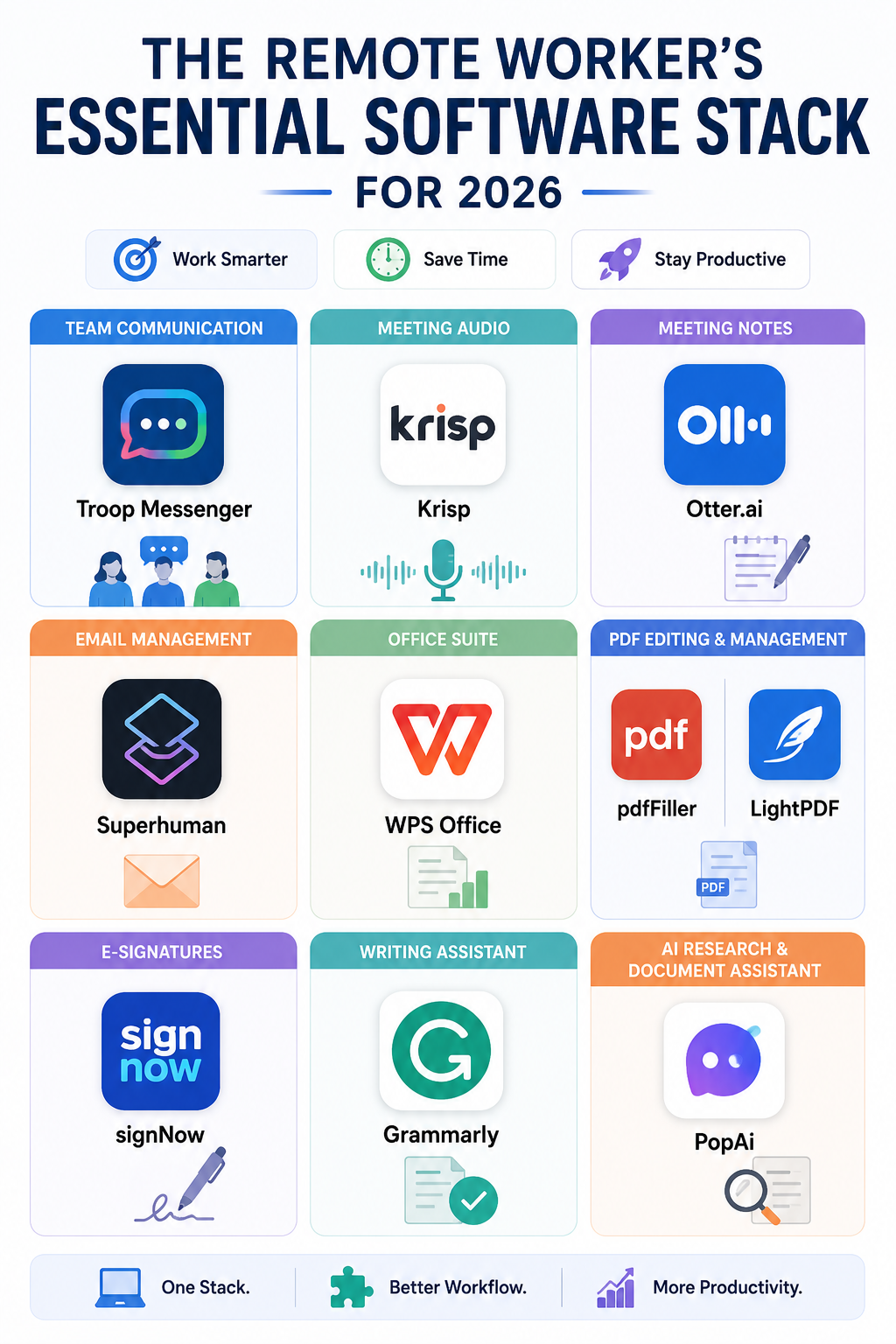
Remote work has moved well beyond simply working from home with a laptop. In 2026, a typical remote professional may handle video meetings, team messages, shared documents, digital signatures, email, PDFs and AI-assisted research across several platforms every day. Gallup reports that among U.S. employees with remote-capable jobs, 52% work in a hybrid arrangement while 26% work fully remotely, making digital tools a central part of how modern teams operate. The remote worker’s essential software stack should therefore be built around a simple principle: every tool should solve a specific problem, save time or make collaboration easier rather than create another source of notifications and complexity.
What a Good Remote Work Stack Should Do
A useful software stack does not need to contain dozens of applications. It should cover the core activities that make up a remote workday: communication, meetings, email, documents, writing, file management and repetitive tasks.
The best setup also avoids unnecessary overlap. If one application already handles a particular job well, adding another tool simply because it is popular can make information harder to find. The objective is a connected workflow where each application has a clear purpose.
Communication: Keep Team Conversations Moving
Remote teams need a reliable place for everyday conversations that do not belong in email. Troop Messenger can be useful for team messaging, file sharing and workplace collaboration, particularly for businesses that want a dedicated communication platform.
The bigger benefit comes from establishing communication rules. Quick questions can stay in chat, important decisions should be documented, and discussions that require several people should not become endless email chains. These simple boundaries prevent remote workers from searching through multiple platforms to understand what happened.
Meetings: Improve Both Audio and Notes
Meetings create two separate challenges for remote workers: poor audio can make conversations difficult to follow, while useful information can disappear once the call ends.
- Krisp addresses the first problem through AI-powered noise cancellation, making it useful when working from a home office, café or shared workspace.
- Otter.ai addresses the second by helping transcribe conversations and turn meetings into searchable notes, summaries and action items.
Together, these tools can make meetings more productive without requiring workers to spend the next hour reconstructing what was discussed.
Email: Spend Less Time in Your Inbox
Email remains one of the easiest places for a remote worker to lose focused time. Checking messages repeatedly, searching through old conversations and writing routine replies can break concentration throughout the day.
Superhuman is an email app designed around faster inbox management. Its features include keyboard shortcuts, AI-assisted writing, search, summaries, reminders and automated inbox organization. Instead of treating every email as something that requires immediate attention, users can process messages quickly, schedule follow-ups and use AI for repetitive drafting tasks.
For people who deal with a high volume of business email, this can become one of the most valuable parts of a remote worker’s essential software stack.
Documents and PDFs: Reduce App Switching
Remote workers frequently deal with contracts, proposals, invoices, reports and forms without having access to an office printer or document desk. That makes reliable document software particularly important.
- WPS Office covers everyday word-processing, spreadsheet and presentation requirements.
- For PDF-heavy workflows, pdfFiller can help with editing and completing documents.
- LightPDF offers tools for common PDF tasks such as conversion and editing.
- When documents need signatures, signNow provides an electronic-signature workflow that can eliminate the need to print, scan and send paperwork manually.
The right combination depends on the job. A consultant handling contracts will have different requirements from someone who mainly creates spreadsheets and presentations.
Writing and AI: Speed Up the First Draft
Remote work creates a heavier dependence on written communication, from emails and project updates to proposals and reports. That makes writing quality and speed important, particularly when colleagues and clients may rarely meet face to face.
- Grammarly can help identify grammar problems, improve clarity and adjust tone before a message is sent.
- PopAi can be useful for research and working with documents when the task involves extracting information, organizing material or developing an initial draft.
These tools work best when they support the worker rather than replace judgment. AI-generated information should still be checked, particularly when the final output contains facts, numbers, client information or business recommendations.
The Essential Software Stack at a Glance
| Work requirement |
Useful software |
Primary purpose |
| Team communication |
Troop Messenger |
Messaging and collaboration |
| Meeting quality |
Krisp |
Noise cancellation |
| Meeting documentation |
Otter.ai |
Transcripts and summaries |
| Email management |
Superhuman |
Faster inbox workflows |
| Office documents |
WPS Office |
Documents and spreadsheets |
| PDF editing |
pdfFiller / LightPDF |
PDF management |
| Digital signatures |
signNow |
E-signature workflows |
| Writing support |
Grammarly |
Clarity and grammar |
| AI research |
PopAi |
Research and document assistance |
Do Remote Workers Need All These Tools?
Not necessarily. A good stack is determined by the work you actually do, not by how many applications you can install.
For example, someone who spends most of the day in meetings may benefit more from Krisp and Otter.ai, while an executive handling hundreds of emails may get greater value from Superhuman. A freelancer working with contracts could prioritize pdfFiller and signNow, while a content professional may find Grammarly and PopAi more useful.
This is why the remote worker’s essential software stack should be reviewed every few months. Tools that once solved a genuine problem can become unnecessary when your role, team or workflow changes.
Avoid Building a Complicated Stack
The biggest mistake remote workers make is adding software without removing anything. Ten productivity applications do not automatically make a person more productive; they can actually create more notifications, duplicate files and fragmented information.
A better approach is to identify the parts of your workday that repeatedly consume time. If meetings are difficult to hear, fix the audio problem. If email takes hours, improve the inbox workflow. If contracts require repeated downloading, printing and scanning, move to a digital signing process.
The remote worker’s essential software stack should make your workday feel simpler after implementation, not more complicated.
Build Around Your Actual Workflow
Before choosing new software, track where your time goes for a typical week. Look for repetitive tasks, unnecessary app switching and activities that regularly interrupt focused work.
Then choose one tool to solve each significant problem and give yourself enough time to build a habit around it. The strongest remote setup is rarely the one with the most features. It is the one where communication is easy to find, meetings produce useful records, documents move smoothly, and routine work takes less manual effort.
In 2026, the goal of a remote software stack is not simply to help people work from anywhere. It is to create a digital workspace that removes friction while leaving more time for work that requires creativity, judgment and collaboration.
Frequently Asked Questions
1. What is a remote worker’s software stack?
It is the collection of digital tools a remote professional uses for communication, meetings, email, documents, collaboration, writing and other daily work.
2. Which tools are most important for remote workers?
The essentials depend on the role, but most remote workers need reliable communication, email, meeting, document and file-management tools. AI and automation tools can then be added where they solve repetitive problems.
3. What is useful for online meetings?
Krisp can improve meeting audio by reducing background noise, while Otter.ai can help capture transcripts, summaries and action items for later reference.
Also Read: How to Cut Your Email Time in Half: Superhuman, Shortcuts, and AI
by parth@bidkinetic.com | Aug 5, 2026 | Tech
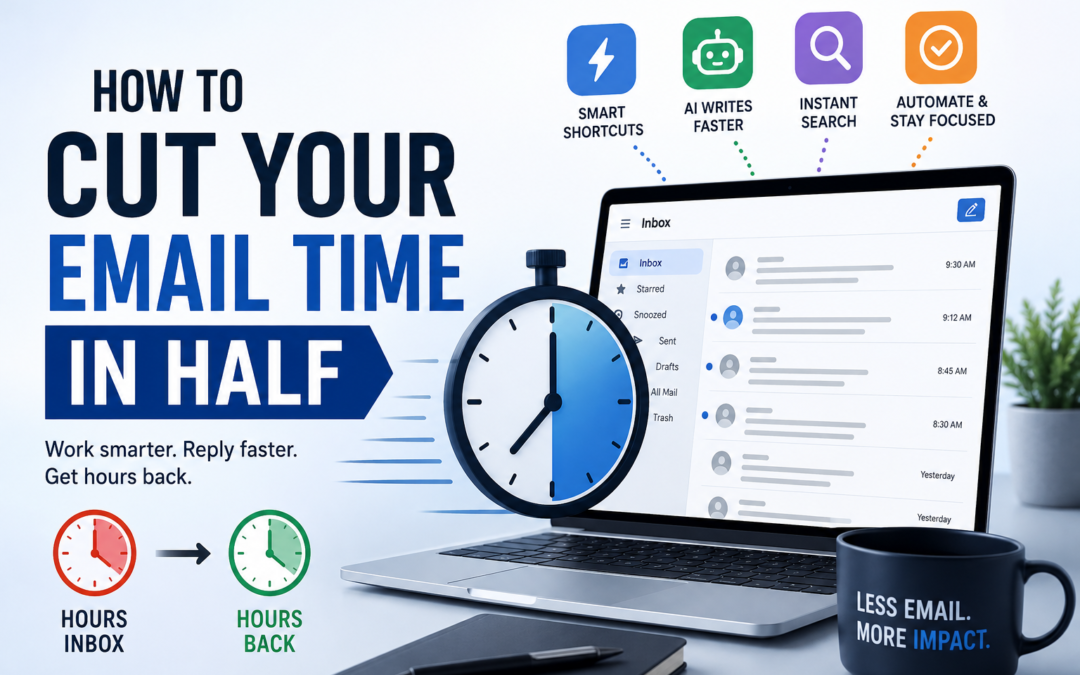
For many professionals, email has quietly become one of the biggest drains on the workday. A steady flow of new messages, lengthy threads, follow-ups, routine replies, and constant inbox checking can easily turn a few necessary tasks into hours of fragmented work. How to cut your Email time in half is about reducing that friction, not simply writing faster.
Superhuman, an email app designed for speed, combines keyboard shortcuts, AI-powered drafting, search, summaries, reminders, and automation to help users process messages with fewer clicks and less repetitive work. Used alongside a focused email routine, these tools can make a noticeable difference in how much time you spend managing your inbox each day.
Stop Treating Your Inbox Like a To-Do List
One of the biggest reasons email consumes so much time is that people repeatedly reopen the same messages without deciding what should happen to them. A better approach is to process each message according to the action it requires: respond now, delegate it, archive it, schedule a follow-up, or leave it for a defined time.
Superhuman is particularly useful for this workflow because its interface is designed around rapid inbox navigation and triage. Instead of clicking through menus for every action, you can use keyboard commands to move through messages and process them without constantly switching between mouse and keyboard.
The goal is not to reach an empty inbox at all times. It is to stop allowing email to dictate your attention.
Learn a Small Set of Shortcuts First
You do not need to memorize dozens of keyboard combinations on your first day. Superhuman itself recommends starting with the actions you use most frequently and learning additional shortcuts as you go. Its Command feature, opened with Cmd+K on Mac or Ctrl+K on Windows, shows available actions and their shortcuts, making the learning curve much easier.
Start with composing, searching, opening messages, replying and archiving. Once these actions become automatic, the time saved across hundreds of emails becomes noticeable. Superhuman also supports shortcuts in its Mac and Windows apps and in its Chrome web experience.
Use Search Instead of Scrolling
Searching through an old inbox manually is one of the most wasteful email habits. If you remember approximately what you need but not the exact subject line, sender or date, AI-powered search can make the process considerably easier.
Ask AI, available on Superhuman’s Business and Enterprise plans, can search your inbox using natural-language questions and can combine information from email, calendar and the web. It can search emails going back as far as five years, excluding Trash and Spam.
Instead of searching through dozens of threads, you could ask for the latest discussion about a client, find a previous commitment or locate information connected to an upcoming meeting. That changes email search from a memory exercise into a direct question-and-answer process.
Let AI Handle the First Draft
Writing is often where email time disappears.
- You know what you want to say, but turning that thought into a polished message can take several minutes, particularly when the email needs the right balance of clarity, politeness and brevity.
Superhuman’s Write with AI is designed for exactly this situation.
- On desktop, Cmd+J on Mac or Ctrl+J on Windows opens the AI writing function, where you can describe what you want the message to accomplish.
- You can then refine the draft with commands such as shortening, simplifying, improving grammar or changing its length.
- The important distinction is that AI should create the first version, not automatically replace your judgment.
- Give it the relevant context, check names, dates and commitments, then make the final message sound like something you would actually send.
Make AI More Useful with Better Prompts
A vague prompt usually produces a vague email. If you want AI to save time, provide the information it would otherwise need from you through several rounds of editing.
Instead of asking for “a reply to this client,” specify the objective, tone and next step. For example, you could ask Superhuman to write a friendly follow-up that confirms the agreed deadline, answers the client’s question, and proposes a 30-minute call next week. Superhuman recommends giving its AI clear instructions and useful context to produce more specific results.
This is one of the simplest ways on how to cut your Email time in half without sacrificing the quality of your communication.
Automate the Repetitive Parts
Not every email deserves your attention.
- Newsletters, routine notifications, recurring updates and low-priority messages can quietly consume a surprising amount of time when they remain mixed with conversations that actually require action.
- Superhuman’s AI features include Auto Labels and Auto Archive, which can help organize incoming messages automatically.
- Auto Reminders can also bring conversations back to your attention when a response is still needed, while Auto Drafts can prepare replies for recurring situations.
The advantage is not simply a cleaner inbox. It is fewer decisions. When repetitive email handling happens in the background, your attention stays available for messages where human judgment actually matters.
Use Autocomplete for Small Replies
AI does not always need to write an entire email. Sometimes the fastest solution is simply finishing a sentence.
- Superhuman’s desktop Autocomplete suggests words, phrases and portions of sentences while you type.
- Suggestions can be accepted with Tab or the Right Arrow key, allowing short replies to be completed without stopping to construct every phrase manually.
- This is especially useful for routine communication such as confirming receipt, acknowledging an update or arranging a time.
These tiny savings may seem insignificant individually, but they accumulate when repeated throughout the day.
Build an Email Routine That Protects Your Time
Technology works best when it is combined with a predictable workflow. Rather than checking email every few minutes, create specific periods for processing your inbox and keep notifications from interrupting focused work whenever possible.
During an email session, begin with urgent messages, clear simple replies quickly, delegate anything that belongs elsewhere, schedule reminders for unresolved conversations and archive messages that require no further action. AI can accelerate these steps, but the underlying discipline remains important.
If you are trying to understand how to cut your Email time in half, the biggest change is therefore not learning every Superhuman feature. It is creating a system in which every message has a clear destination.
A Practical Superhuman Email Workflow
| Email task |
Faster approach |
Superhuman feature |
| Find an old conversation |
Ask naturally |
Ask AI |
| Write a routine reply |
Generate a first draft |
Write with AI |
| Handle repetitive mail |
Automate organization |
Auto Labels / Archive |
| Remember unanswered threads |
Set automatic follow-ups |
Auto Reminders |
| Navigate the inbox |
Use keyboard commands |
Shortcuts |
| Finish short messages |
Accept suggestions |
Autocomplete |
| Understand long threads |
Generate a concise overview |
Auto Summarize |
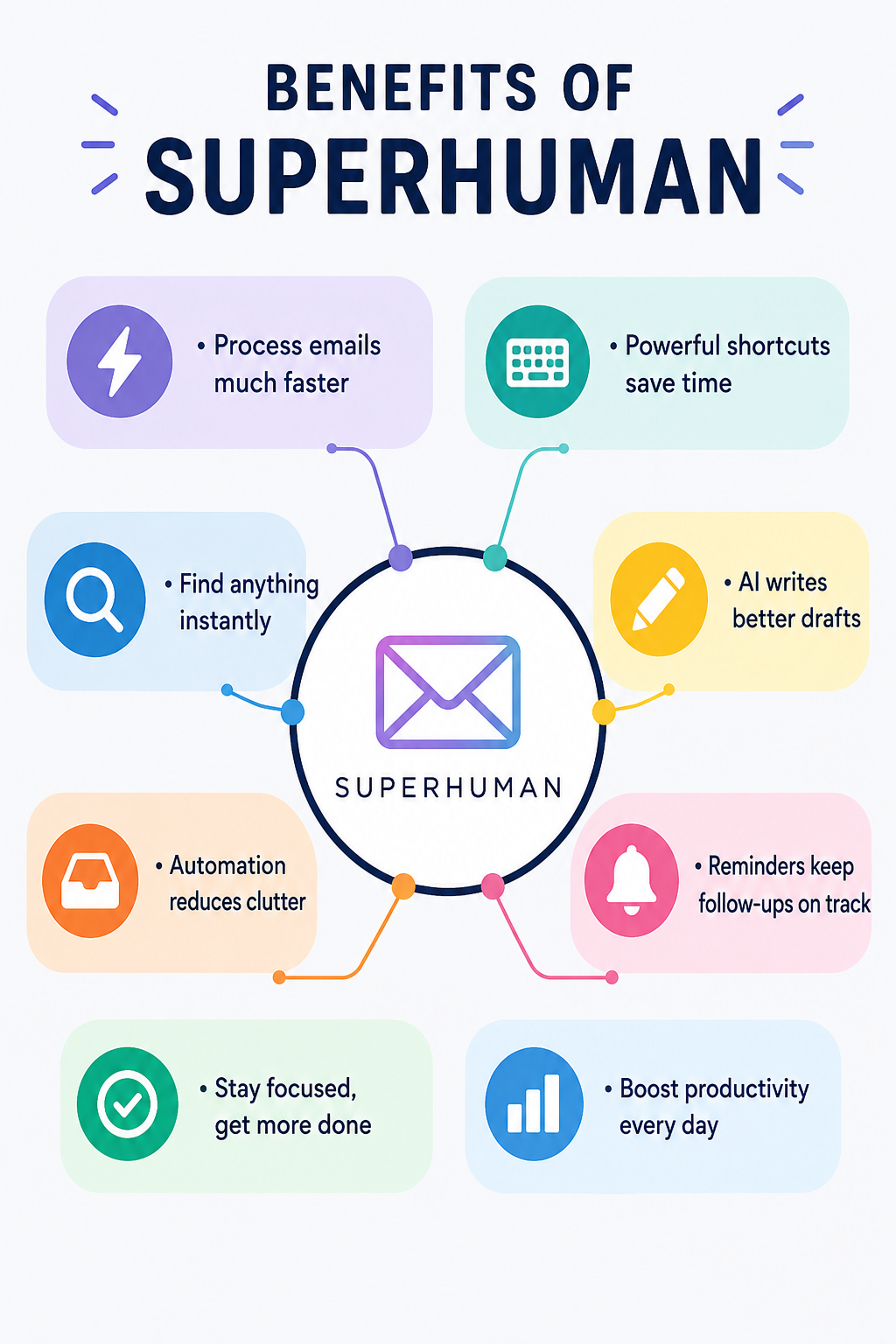
The most effective setup combines these tools rather than relying on one feature. Shortcuts reduce navigation time, AI reduces writing and searching time, while automation reduces the number of messages that require your attention in the first place.
What You Should Not Automate
Speed should never come at the expense of accuracy or relationships. Important client emails, sensitive negotiations, financial decisions and messages involving commitments should still receive human review before they are sent.
AI can misunderstand context, produce an overly confident statement or omit a detail that matters. Superhuman’s own guidance encourages users to provide context and refine AI output rather than treating generated drafts as finished communication.
For sensitive information, it is also worth understanding how the specific AI features handle data and what your organization’s policies allow. Superhuman says that, when Ask AI is enabled, email data is stored through a SOC 2-compliant third-party vendor and encrypted in transit and at rest; its documentation also distinguishes how queries and responses are retained across different AI features.
The Real Way to Save Hours
How to cut your Email time in half is ultimately less about moving your fingers faster and more about reducing unnecessary decisions. Superhuman provides the infrastructure for that approach: shortcuts for rapid navigation, AI for drafting and searching, and automation for repetitive inbox management.
Start with five shortcuts, introduce AI for first drafts and summaries, automate the messages that consistently waste your time, and reserve your attention for conversations that genuinely need you. Once that workflow becomes habitual, email stops being a constant interruption and becomes a task you can process deliberately and quickly.
Frequently Asked Questions
1. Is Superhuman an email app or an AI tool?
Superhuman is an email app with built-in AI capabilities. Its current tools extend beyond drafting to include search, summaries, automated labels, reminders, drafts and other inbox-management functions.
2. Can Superhuman actually reduce email time?
It can reduce the amount of manual work involved in common email tasks, particularly searching, drafting, navigating and following up. The actual time saved depends on how much email you handle and whether you consistently use shortcuts and automation.
3. Do I need to learn every Superhuman shortcut?
No. Starting with the shortcuts for your most frequent actions is more practical. Superhuman’s Command menu is designed to help you discover shortcuts as you work.
Also Read: Udemy Course Quality: How to Spot a Great Course Before You Buy

by parth@bidkinetic.com | Aug 4, 2026 | Tech
Instagram has evolved from a photo-sharing platform into one of the most powerful customer engagement channels for businesses. With over two billion monthly active users globally, brands now rely on Instagram not only to build awareness but also to answer product inquiries, qualify leads, collect customer information, and even drive sales directly through direct messages (DMs). Responding to every message manually, however, becomes increasingly difficult as conversations grow. This is where knowing how to automate Instagram DMs with ManyChat becomes a valuable strategy.
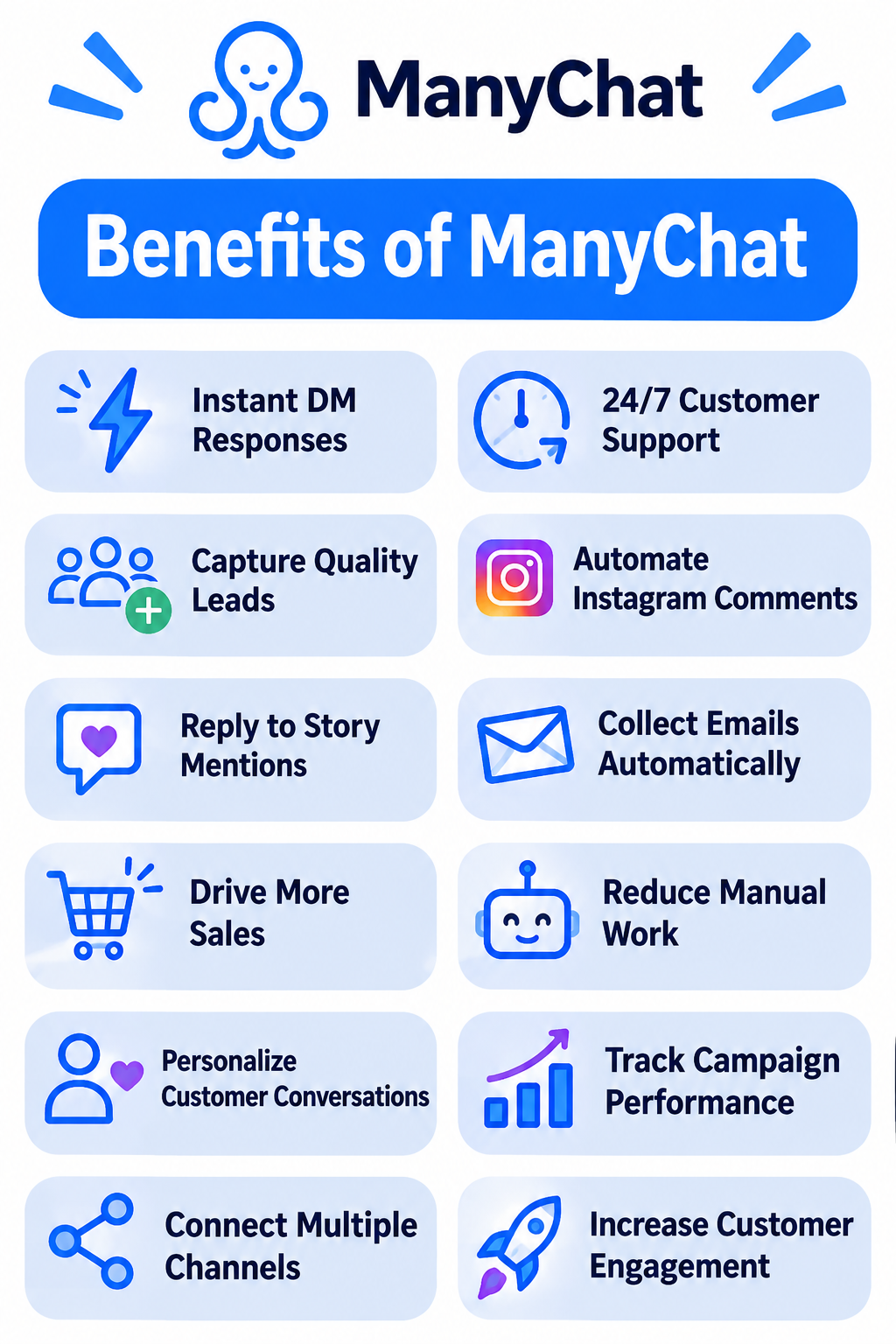
ManyChat is a conversation automation platform that helps businesses automatically reply to Instagram DMs, comments, Story mentions, and keyword-based interactions while maintaining a personalized customer experience. When implemented correctly, automation reduces response times, captures more leads, and allows businesses to engage customers around the clock without sacrificing quality.

Why Instagram DM Automation Matters
Consumers increasingly expect businesses to respond within minutes rather than hours. A delayed response often means losing a potential customer to a competitor. Whether someone asks about pricing, delivery, appointments, or product availability, fast communication improves trust and conversion rates.
Instagram’s built-in messaging system works well for small volumes, but as businesses grow, managing hundreds of conversations manually becomes inefficient. Automation handles repetitive queries instantly while allowing human agents to step in whenever personalized assistance is required.
What is ManyChat?
ManyChat is a marketing automation platform designed to build conversational workflows across messaging channels. For Instagram, it enables businesses to automate replies based on user actions such as sending a keyword, commenting on a post, replying to a Story, or clicking a link.
Instead of replacing human conversations, ManyChat streamlines routine interactions. Businesses can answer FAQs, recommend products, collect email addresses, share downloadable resources, qualify leads, and route complex conversations to team members, all within Instagram Direct Messages.
Prerequisites Before You Start
Before learning how to automate Instagram DMs with ManyChat, ensure you have the necessary accounts and permissions in place.
| Requirement |
Purpose |
| Instagram Professional Account |
Required for automation features |
| Facebook Page connected to Instagram |
Enables Meta integration |
| ManyChat Account |
Creates and manages automation |
| Meta Permissions Enabled |
Allows message automation |
| Business Objectives |
Helps design relevant workflows |
Connecting these accounts takes only a few minutes but forms the foundation for every automation you’ll build.
Step 1: Connect Instagram to ManyChat
- Begin by creating a ManyChat account and signing in using your Facebook credentials.
- During setup, authorize access to your connected Instagram Business or Creator account.
- Once connected, ManyChat automatically syncs your Instagram profile, allowing you to create messaging flows and monitor conversations from a single dashboard.
- Before publishing any automation, verify that permissions remain active to avoid interruptions after Meta updates.
Step 2: Identify Your Most Common Customer Questions
Effective automation starts with understanding customer behavior rather than building complex workflows.
Review your Instagram inbox and identify recurring questions. Businesses typically receive repeated inquiries about pricing, business hours, shipping, bookings, product availability, return policies, or service details. These repetitive conversations are the best candidates for automation because they save significant time while maintaining consistent customer support.
Step 3: Build Your First Automation Flow
A Flow is the sequence of messages users receive after triggering an automation.
- Start with a friendly greeting that feels conversational rather than robotic.
- Follow it with useful information or quick reply buttons that guide users toward the next action.
- Instead of overwhelming visitors with long paragraphs, keep messages concise and interactive.
For example, a restaurant might offer buttons such as “View Menu,” “Reserve a Table,” and “Today’s Specials,” while an online store could display “Browse Products,” “Track My Order,” or “Contact Support.”
Step 4: Use Keywords and Comment Automation
One of the most powerful features in how to automate Instagram DMs with ManyChat is keyword automation.
You can configure specific words or phrases that automatically trigger a response. If users send “Price,” “Catalogue,” “Menu,” or “Appointment,” ManyChat instantly delivers the relevant information without requiring manual intervention.
Comment automation is equally effective for marketing campaigns. If someone comments “Guide” or “Interested” on a promotional post, ManyChat can automatically send a personalized DM containing additional details, download links, or promotional offers.
Step 5: Personalize Every Conversation
Automation works best when conversations feel natural.
- Use variables such as the customer’s first name, previous responses, or selected interests to create personalized messages.
- Segmenting audiences based on their choices allows businesses to deliver more relevant recommendations instead of generic broadcasts.
- Thoughtful personalization increases engagement and helps customers feel like they’re interacting with a helpful brand rather than a scripted chatbot.
Step 6: Test Before Publishing
Before making any workflow live, test every conversation path thoroughly.
Verify that buttons function correctly, keywords trigger the right responses, and fallback messages appear when users enter unexpected text. Testing from multiple Instagram accounts also helps identify permission issues or broken links that could affect the customer experience.
Regular testing should continue even after deployment because Instagram and Meta occasionally update messaging policies.
Best Practices for Successful Instagram Automation
Learning how to automate Instagram DMs with ManyChat involves more than simply setting up workflows. Successful businesses continuously refine their automation based on customer behavior.
- Keep messages conversational, avoid sending excessive promotional content, and always provide an option to speak with a real person.
- Review analytics regularly to identify where users exit conversations, then simplify those sections.
- Updating flows as products, services, or campaigns change ensures automation remains accurate and valuable.
- Most importantly, use automation to begin conversations, not replace meaningful customer interactions.
Common Mistakes to Avoid
Many businesses fail because they attempt to automate every possible conversation. Overly complicated workflows often confuse users instead of helping them.
Avoid creating lengthy message chains, forcing customers through unnecessary menus, or hiding contact options behind multiple clicks. Automation should reduce effort, not increase it. Businesses should also avoid outdated information by reviewing flows regularly whenever pricing, operating hours, or services change.
Conclusion
Understanding how to automate Instagram DMs with ManyChat gives businesses a practical way to improve customer engagement while reducing repetitive manual work. By combining keyword automation, comment triggers, personalized conversations, and intelligent workflows, ManyChat enables brands to respond faster, capture more qualified leads, and maintain consistent communication at any time of day.
The most effective automation doesn’t try to replace people; it removes repetitive tasks so teams can focus on meaningful customer conversations. Whether you’re a small business, creator, restaurant, or e-commerce brand, investing time in building thoughtful Instagram automation today can significantly improve customer satisfaction and marketing performance tomorrow.
Frequently Asked Questions
1. What is ManyChat?
ManyChat is a conversation automation platform that helps businesses automate messaging on Instagram, Facebook Messenger, WhatsApp, and other supported channels.
2. Can ManyChat automate Instagram DMs?
Yes. ManyChat can automatically respond to Instagram direct messages, Story replies, comments with specific keywords, and other supported user interactions through Meta’s official APIs.
3. Do I need an Instagram Business account to use ManyChat?
Yes. Instagram automation requires a Professional account (Business or Creator) connected to a Facebook Page.
Also Read: Udemy Course Quality: How to Spot a Great Course Before You Buy
by parth@bidkinetic.com | Aug 3, 2026 | Education
The idea of changing careers once meant returning to university, earning another degree, and spending years building experience before landing a new job. Today, that path looks very different. If you’re researching how to switch careers into tech in 12 months using online courses, you’re following a route that thousands of professionals have already taken successfully. According to the World Economic Forum’s Future of Jobs Report, technology roles such as software developers, cybersecurity specialists, AI engineers, cloud professionals, and data analysts are expected to remain among the fastest-growing occupations over the next decade. At the same time, employers are increasingly hiring based on demonstrable skills rather than academic qualifications alone.
However, the biggest misconception about online learning is that completing a few courses is enough to secure a tech job. Recruiters rarely hire someone because they own twenty certificates. Instead, they look for candidates who understand real-world problems, can build practical solutions, communicate effectively, and demonstrate continuous learning. This guide explains how to switch careers into tech in 12 months using online courses through a structured roadmap that manages education, projects, networking, and interview preparation.
Start With a Career Goal, Not a Programming Language
One of the biggest mistakes career changers make is beginning with a programming language instead of deciding what they actually want to become.
- Technology is a broad industry, and every role needs a different combination of technical and interpersonal skills.
- Someone interested in designing user experiences does not need the same learning path as someone planning to become a cloud engineer or cybersecurity analyst.
- Spend time researching different career paths before purchasing your first course.
- Read job descriptions, browse LinkedIn profiles of professionals already working in those roles, and compare salary expectations, growth opportunities, and required skills.
- A clear destination helps eliminate unnecessary learning and allows you to concentrate on subjects that directly improve your employability.
Popular Tech Career Paths
| Career Path |
Core Skills |
Beginner Friendly |
| Software Development |
HTML, CSS, JavaScript, Git, React |
Yes |
| Data Analytics |
Excel, SQL, Power BI, Python |
Yes |
| Cybersecurity |
Networking, Linux, Security Fundamentals |
Moderate |
| UX/UI Design |
Figma, Research, Prototyping |
Yes |
| Cloud Computing |
AWS, Azure, Docker |
Moderate |
| AI & Machine Learning |
Python, Statistics, Machine Learning |
Moderate |
Build Strong Foundations Before Chasing Advanced Skills
Once you’ve selected your career path, resist the temptation to jump toward advanced tutorials. Many learners start building artificial intelligence projects before understanding basic programming concepts, or they attempt cloud certifications without knowing networking fundamentals. This often leads to frustration and inconsistent progress.
Instead, dedicate your first few months to grasping the core principles of your chosen discipline. Learn why technologies work, not just how to use them. Online services like Coursera, Udemy, edX,
LinkedIn Learning, and freeCodeCamp provide structured beginner courses that explain concepts in a logical sequence.
Building a strong foundation now will save countless hours of confusion later.
Turn Every Lesson Into a Practical Project
The fastest way to learn technology is by building something with every new concept you study. Observing tutorials creates familiarity, but solving problems creates understanding. After finishing each module, challenge yourself to apply it in a small project rather than immediately moving to the next lesson.
For Example:
- If you’re learning web development, build a responsive portfolio website or a simple expense tracker.
- Data analytics learners can download publicly available datasets and create dashboards that answer real business questions.
- UX designers can redesign an existing mobile application while documenting every design decision.
Employers consistently value practical work because it demonstrates that you can convert knowledge into results.
Develop a Portfolio That Tells Your Story
Understanding how to switch careers into tech in 12 months using online courses goes beyond completing coursework. Your portfolio becomes the strongest evidence of your capabilities because it allows recruiters to evaluate your thinking process instead of simply reading your résumé.
- Rather than uploading dozens of unfinished projects, focus on four or five polished pieces of work.
- Explain the business problem, the technologies you used, the challenges you encountered, and how you solved them.
- Adding screenshots, GitHub repositories, live demos, or design case studies makes your work more credible and easier for hiring managers to evaluate.
A well-organized portfolio also exhibits professionalism.
- Small details like clear documentation, consistent formatting, and thoughtful explanations commonly leave a stronger impression than highly complicated projects with poor presentation.
Learn the Tools Employers Expect You to Know
Technical knowledge alone is rarely enough to succeed in modern workplaces. Companies expect new hires to collaborate using professional tools that improve productivity and communication. Becoming familiar with these tools before your first job can give you a significant advantage during interviews.
Version control platforms such as GitHub, project management software like Jira, collaboration tools including Slack and Microsoft Teams, and cloud-based productivity platforms are commonly used across technology companies. Even basic familiarity with these systems indicates that you’re prepared to work within professional development environments instead of learning everything from scratch after being hired.
Networking Can Accelerate Your Career More Than Another Course
Many successful career changers receive their first interview because someone noticed their work, not because they submitted hundreds of online applications.
- Building relationships within the technology community exposes you to technology trends, coaching opportunities, and hidden job openings that never reach public job boards.
- Start participating in LinkedIn discussions, take part in virtual technology conferences, participate in open-source projects, and join developer communities on Discord or GitHub.
- Sharing your learning path publicly may feel uncomfortable initially, but it demonstrates curiosity, consistency, and genuine interest in your field.
Recruiters increasingly appreciate candidates who actively engage with professional communities rather than learning in isolation.
Prepare for Interviews Before You Feel Ready
Many learners postpone job applications because they believe they need one more course or another certification. Unfortunately, that mindset often delays career transitions by several months.
- Interview preparation should begin while you’re still learning because it reveals knowledge gaps that ordinary studying may overlook.
- Practice explaining your projects in simple language, solve technical interview questions regularly, and participate in mock interviews with colleagues or advisors.
- Employers frequently evaluate communication skills alongside technical knowledge, particularly for entry-level positions where teamwork and flexibility carry just as much as coding ability.
Remember that interviews are also learning experiences. Every conversation with a recruiter provides awareness of market expectations and facilitates refining your preparation for upcoming opportunities.
A Realistic 12-Month Roadmap
| Timeline |
Primary Objective |
| Months 1–3 |
Choose a specialization and complete beginner-level courses |
| Months 4–6 |
Build hands-on projects and strengthen technical understanding |
| Months 7–9 |
Develop a professional portfolio and optimize LinkedIn |
| Months 10–12 |
Prepare for interviews, network actively, and apply consistently |
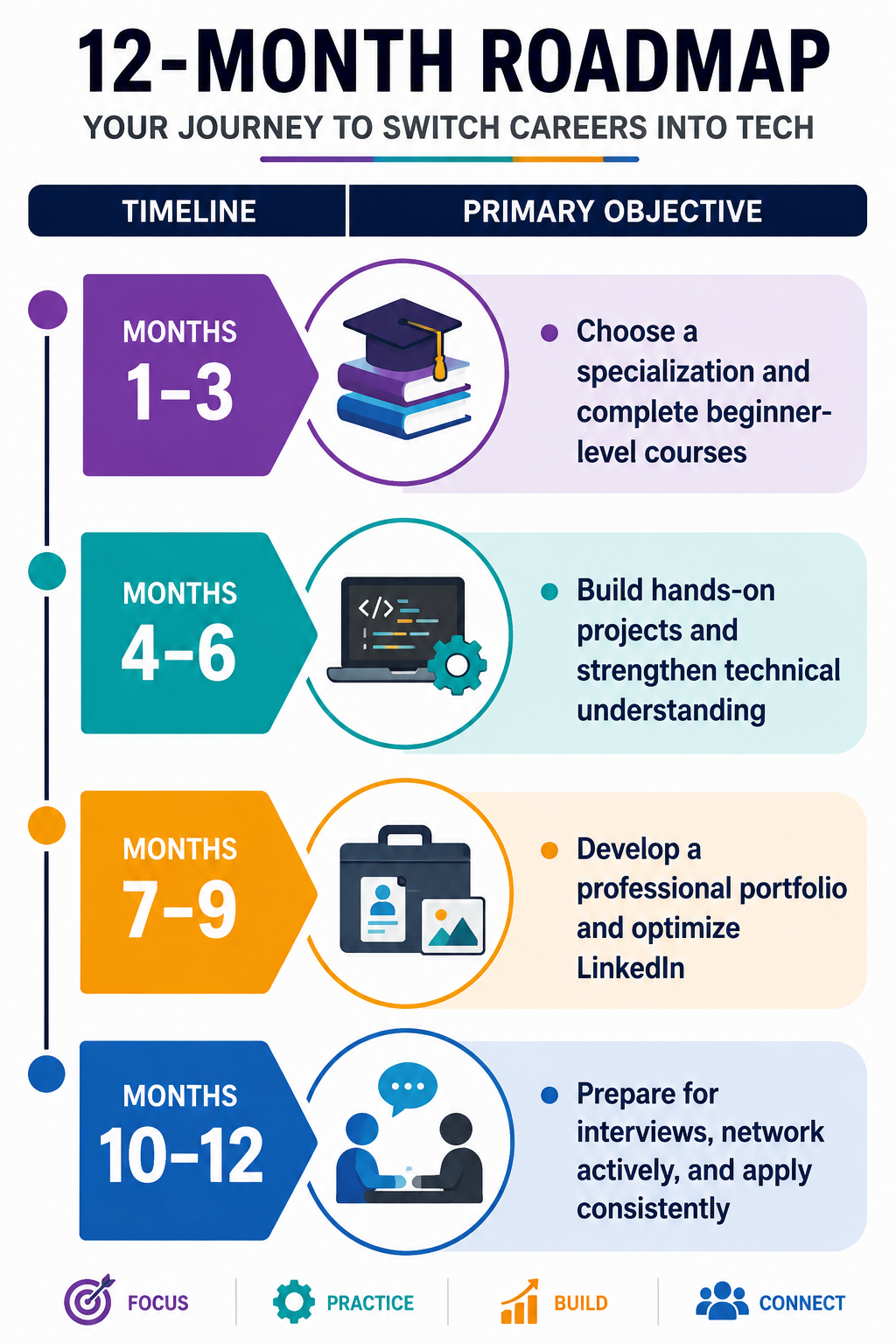
This roadmap is flexible rather than rigid. Some learners may progress faster, while others might spend additional time strengthening particular skills. Consistency matters far more than speed.
Final Thoughts
Successfully learning how to switch careers into tech in 12 months using online courses requires much more than watching video lessons or collecting certificates. It demands discipline, structured learning, practical experience, networking, and the confidence to apply for opportunities before you feel completely prepared. Technology rewards curiosity and continuous improvement, making it one of the few industries where motivated professionals from entirely different backgrounds can build successful careers.
If you remain focused on one specialization, consistently build projects, actively engage with the professional community, and keep refining your portfolio, how to switch careers into tech in 12 months using online courses becomes an achievable objective rather than an unrealistic ambition. Every experienced engineer, analyst, designer, or cybersecurity professional once started exactly where you are today, with curiosity, commitment, and the willingness to keep learning.
Frequently Asked Questions
1. Can I switch to a tech career without a computer science degree?
Yes. Many employers now prioritize practical skills, portfolios, certifications, and project experience over classic academic qualifications for entry-level technology roles.
2. Which e-learning platforms are best for learning tech skills?
Coursera, Udemy, edX, LinkedIn Learning, freeCodeCamp, Codecademy, and Google Career Certificates are among the most trusted platforms for structured online learning.
3. Are certifications enough to get hired?
No. Certifications strengthen your profile, but recruiters usually place greater value on real projects, portfolios, and demonstrated problem-solving skills.
Also Read: How to Learn a Language with iTalki: A Beginner’s Roadmap
