by parth@bidkinetic.com | Nov 3, 2026 | Education
What if you could start learning a high-value professional skill for less than the cost of a restaurant dinner? From artificial intelligence and Python programming to cybersecurity, cloud computing and business intelligence, some of the most useful technical skills can be introduced through affordable online training. The interesting part is that you don’t necessarily need to spend hundreds of dollars to begin. Several Udemy courses are currently listed below $20, offering structured lessons in skills used across technology and business. Here are 10 options worth exploring if you want to invest in your capabilities without making a large financial commitment.
10 Online Courses Under $20 Worth Considering
1. 100 Days of Code: The Complete Python Pro Bootcamp
Approximate listed price: $19.99 | Platform: Udemy
Python is used in automation, web development, data analysis and artificial intelligence. This course takes a project-based approach, making it a useful starting point for people who want to move beyond watching coding tutorials. Aim to finish with small working applications and scripts you can demonstrate.
2. Microsoft Excel: Excel from Beginner to Advanced
Approximate listed price: $19.99 | Platform: Udemy
Excel remains important in finance, operations, marketing and administration. Learning formulas, lookup functions, pivot tables and data organisation can help you work more efficiently. Practise with a real sales or expense dataset instead of simply following the lessons.
Approximate listed price: $19.99 | Platform: Udemy
Businesses need people who can turn raw information into useful decisions. Power BI helps users clean data, build relationships, create dashboards and communicate trends. A strong portfolio project could be a sales performance dashboard with regional comparisons and monthly trends.
4. CompTIA Security+ Complete Course and Practice Exam
Approximate listed price: $18.99 | Platform: Udemy
Cybersecurity knowledge is valuable wherever organisations handle sensitive information. This course is designed around Security+ preparation and introduces important security concepts. Treat it as preparation material rather than the certification itself: the official CompTIA exam requires a separate registration and fee.
5. Ultimate AWS Certified Solutions Architect Associate
Approximate listed price: $19.99 | Platform: Udemy
Cloud computing supports modern applications, storage and business infrastructure. This course focuses on AWS Solutions Architect Associate preparation. You can strengthen your understanding by practising cloud architecture, access controls, storage choices and cost-conscious system design in an eligible AWS environment.
Approximate listed price: $13.99 | Platform: Udemy
AI agents are becoming an important part of workflow automation. This course explores agent-based systems and tools such as MCP. The practical goal should be to understand how an agent connects to tools, handles tasks and produces useful outputs: not just how to write prompts.
7. The AI Engineer Course 2026: Complete AI Engineer Bootcamp
Approximate listed price: $14.99 | Platform: Udemy
For learners interested in building AI applications, this course offers a route into areas such as Python, machine learning and modern AI development. Before enrolling, review its curriculum and prerequisites. Try to build a small application that solves a specific problem using an AI model.
8. Ultimate AWS Certified AI Practitioner
Approximate listed price: $14.99 | Platform: Udemy
This is a useful option for understanding AI concepts in the AWS ecosystem. It is oriented towards certification preparation, so check the current exam objectives and course update date. Remember that purchasing the course does not include the official certification exam.
9. Claude Code: The Practical Guide
Approximate listed price: $14.99 | Platform: Udemy
AI coding assistants are changing how developers approach software projects. Learning to work with Claude Code can help you explore AI-assisted development, code navigation and task execution. The best way to learn is to use it on a small project while reviewing and testing every change.
10. AI Builder: Create Agents, Voice Agents and Automations in n8n
Approximate listed price: $13.99 | Platform: Udemy
Not every valuable technology skill requires extensive programming. Workflow automation tools such as n8n connect applications and automate repetitive processes. This course is worth considering if you want to build practical business workflows, connect services and experiment with AI-powered automation.
Course Comparison: Which Skill Should You Learn?
| Course |
Skill area |
Useful portfolio project |
| Python Pro Bootcamp |
Programming |
Automation script |
| Excel Beginner to Advanced |
Data management |
Financial dashboard |
| Power BI |
Business intelligence |
Sales analytics dashboard |
| CompTIA Security+ |
Cybersecurity |
Security assessment lab |
| AWS Solutions Architect |
Cloud computing |
Cloud architecture diagram |
| Agentic Track |
AI agents |
Task automation agent |
| AI Engineer Bootcamp |
AI development |
AI-powered application |
| AWS AI Practitioner |
Applied AI |
AI use-case demonstration |
| Claude Code |
AI-assisted coding |
Working software prototype |
| n8n AI Builder |
Workflow automation |
Automated lead workflow |
Can a $20 Course Really Lead to a $100k Career?
It can contribute to one, but the course alone will not get you there. A high-paying role usually requires a combination of technical knowledge, practical experience, problem-solving ability and communication skills.
Consider the difference between watching a Power BI course and independently building a dashboard that helps a company identify declining sales. The second demonstrates that you can apply what you learned.
If you are exploring online courses under $20, use the course as a starting point. Build two or three projects, document your approach, publish appropriate work in a portfolio and seek opportunities to apply the skill professionally.
How to Choose the Right Course
Don’t select a course only because its discount looks attractive. Check the instructor’s background, recent update date, curriculum, learner reviews and practical assignments. For certification preparation, compare the syllabus with the official exam objectives.
Also check the checkout price. Udemy prices change with promotions, location, currency and taxes. The listed prices above are approximate USD snapshots, not guaranteed offers.
Final Thoughts
A small learning budget should not prevent you from developing valuable professional skills. Whether you choose Python, cybersecurity, cloud computing or AI automation, the real return comes from what you can build and solve after completing the lessons.
Choose one skill, finish one course and create something useful with it. That practical evidence is what can turn an inexpensive learning experience into a meaningful career investment.
Online Courses Under $20: Frequently Asked Questions
1. Are online courses under $20 worth it?
They can be excellent value for learning foundations and exploring a new skill. Their value depends on course quality and how consistently you practise.
2. Can I get a $100k job after completing one online course?
A course does not guarantee a particular salary or job. High-paying roles generally require demonstrable skills, experience and sometimes formal qualifications or certifications.
3. Which course should a beginner choose?
Start with Excel or Python if you are new to technology. Choose Power BI if you enjoy working with business data, or an introductory AI course if you want to explore automation.
Also Read: Coupert Review: Does the Coupon Extension Actually Save Money?
by parth@bidkinetic.com | Nov 3, 2026 | Business
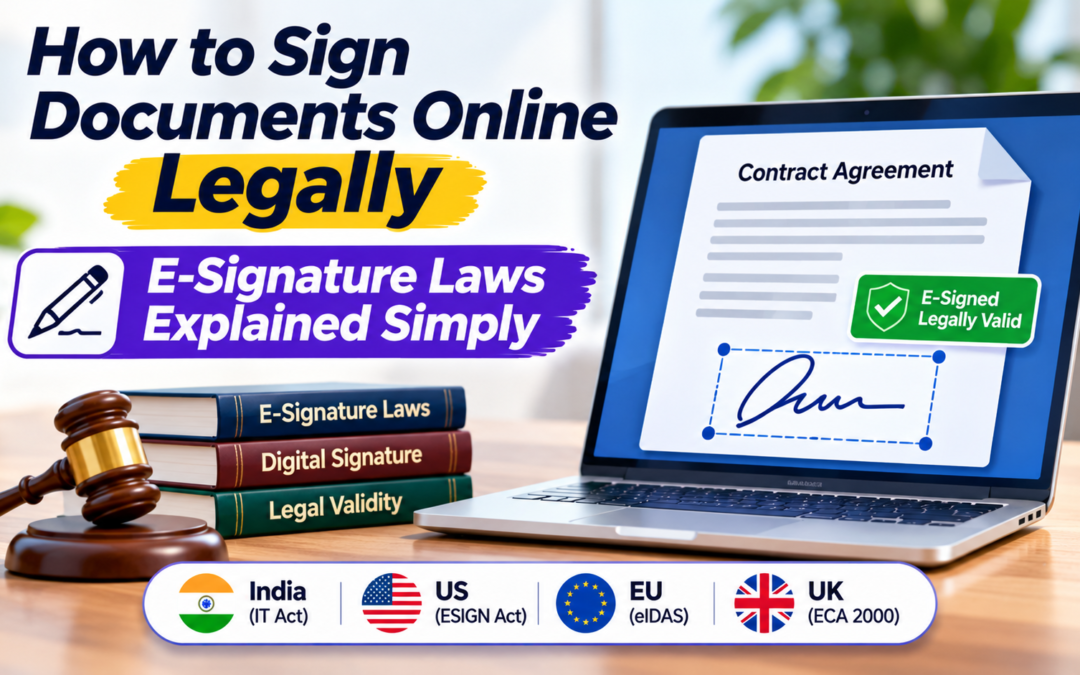
Signing a document no longer requires printing, scanning, or sending paperwork through a courier. Employment agreements, vendor contracts, service proposals and business approvals can now be completed electronically. Understanding E-signature laws helps individuals and businesses sign online confidently without overlooking important legal conditions. But does clicking a signature button make a document legally binding?
In many cases, yes. As of 2026, major jurisdictions including India, the United States, the UK and the European Union recognise electronic signatures under specific legal frameworks. For example, India’s Information Technology Act, 2000 provides legal recognition to electronic signatures under Section 5, while the EU’s eIDAS Regulation establishes three categories of electronic signatures. The US ESIGN Act protects electronic records and signatures from being rejected solely because they are electronic.
However, legal recognition does not mean every electronic signature is automatically valid for every document. Identity verification, consent, document integrity and applicable local requirements still matter.
What Is an Electronic Signature?
An electronic signature is information in digital form that a person uses to indicate agreement, approval or acceptance of a document.
It can take several forms:
- Typing your name into a signature field.
- Drawing your signature using a mouse, stylus or touchscreen.
- Uploading an image of your handwritten signature.
- Approving a document through a verified signing platform.
- Using a certificate-based digital signature.
The important point is that an electronic signature should demonstrate the signer’s intention to sign. A typed name alone may be sufficient in some situations, but stronger identity verification and supporting evidence can make a signature more reliable.
Are Electronic Signatures Legally Binding?
Generally, yes, provided the applicable legal requirements are satisfied.
The legal position depends on the country, document type and signing method. Here is how the main frameworks work.
1. India: Information Technology Act, 2000
India recognises electronic signatures under the Information Technology Act, 2000.
Section 5 provides legal recognition to electronic signatures where a law requires a document to be signed or authenticated, provided the prescribed electronic authentication method is used. Section 3 covers digital signatures, while Section 3A provides for other prescribed electronic signature or authentication techniques.
The government-backed eSign service allows individuals to sign documents online using identity authentication, including eligible Aadhaar-based e-KYC processes. Licensed Certifying Authorities facilitate the service.
There are also important exclusions.
- Certain documents, including wills, trusts and specified negotiable instruments and powers of attorney, fall outside the Act’s general electronic recognition framework.
- Check the current First Schedule and any applicable special law before signing these documents electronically.
2. United States: ESIGN Act and UETA
The Electronic Signatures in Global and National Commerce Act, commonly called the ESIGN Act, establishes that a signature or contract cannot be denied legal effect solely because it is electronic.
The Uniform Electronic Transactions Act (UETA), adopted by most US jurisdictions, provides a complementary framework for electronic records and signatures in transactions covered by the relevant state law.
Consumer transactions have additional consent and disclosure requirements. Certain documents, such as wills and some family-law or court-related records, may also be excluded or subject to specific rules.
3. European Union: eIDAS Regulation
The EU’s eIDAS framework recognises three types of electronic signatures:
- Simple Electronic Signature (SES): Basic electronic data associated with a document and used to sign it.
- Advanced Electronic Signature (AES): Uniquely linked to the signer, capable of identifying them, under their control and connected to the document so later changes can be detected.
- Qualified Electronic Signature (QES): An advanced signature created using a qualified certificate and qualified signature-creation device. It has the legal effect of a handwritten signature across EU Member States.
An ordinary electronic signature cannot be rejected in legal proceedings merely because it is electronic or does not qualify as a QES. However, a QES provides a higher level of legal assurance.
4. United Kingdom: Electronic Communications Act 2000
The UK recognises electronic signatures as admissible evidence in legal proceedings. Section 7 of the Electronic Communications Act 2000 addresses their use in establishing the authenticity and integrity of electronic communications and data.
Whether a particular signing method is sufficient depends on the document, the parties’ intentions and any applicable execution formalities.
Simple vs Advanced vs Qualified Electronic Signatures
| Signature type |
How it works |
Typical use |
| Simple (SES) |
Typed name, click-to-sign or drawn signature |
Routine approvals and agreements |
| Advanced (AES) |
Stronger identity verification and document integrity controls |
Business contracts and higher-value transactions |
| Qualified (QES) |
Certified signing process meeting eIDAS requirements |
Transactions requiring the highest EU signature assurance |
These categories are particularly relevant under eIDAS. Other countries use different terminology and technical requirements, so do not assume that a signature category automatically has the same legal status worldwide.
How to Sign a Document Online Legally
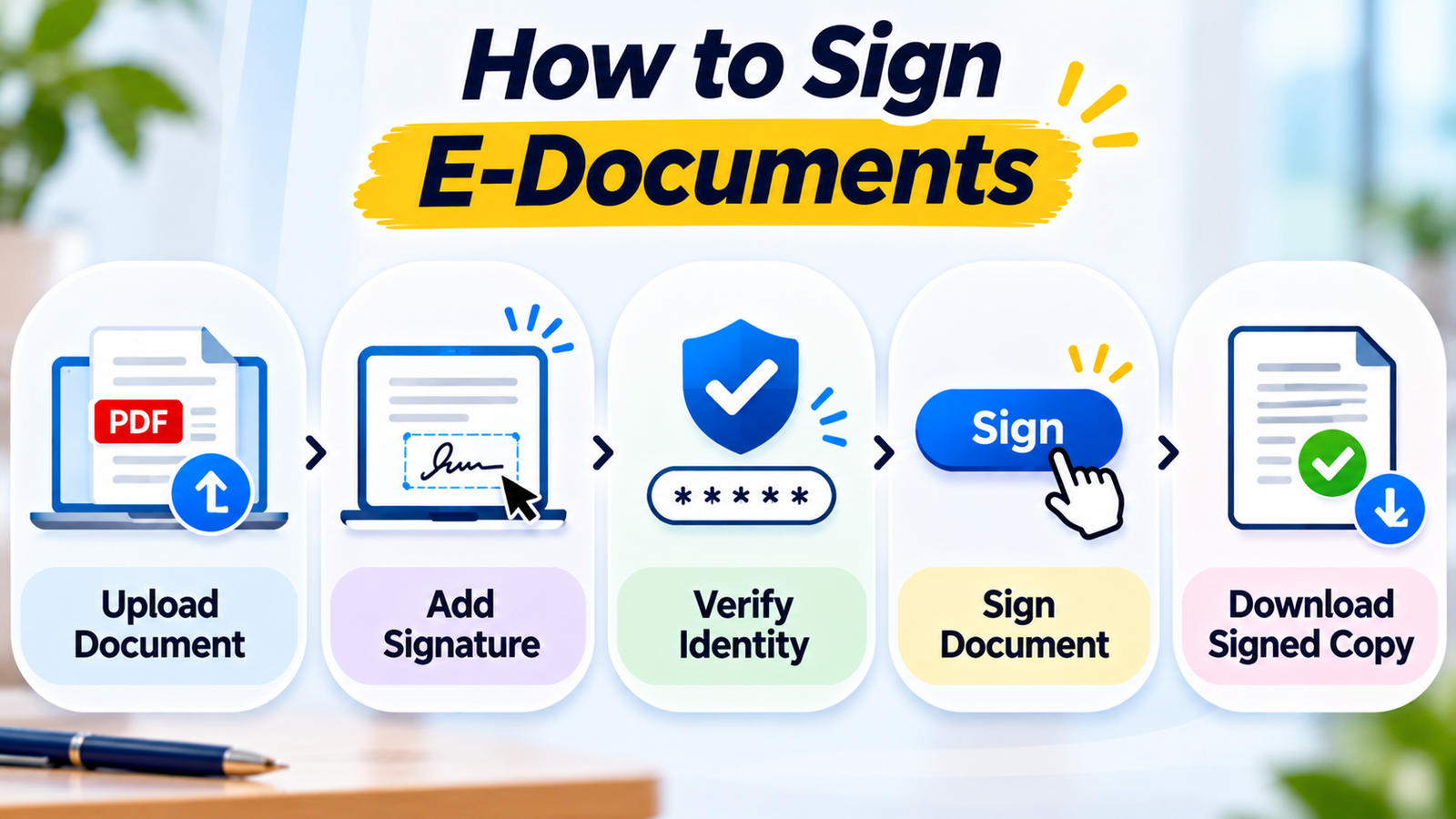
A reliable signing process involves more than placing a signature image on a PDF.
- Prepare the final document: Check the names, dates, payment terms, clauses and attachments before sending it for signature.
- Choose an appropriate platform: Use a reputable service that supports the legal and technical requirements of your jurisdiction.
- Verify the signer’s identity: Depending on the document, this may involve email verification, OTP, identity checks or a digital certificate.
- Obtain clear consent: The signer should understand what they are signing and demonstrate an intention to approve the document.
- Complete the signature process: Follow the platform’s signing instructions and confirm that all required parties have signed.
- Save the signed copy and audit trail: Retain the final document, timestamps, authentication records and completion certificate where available.
What Makes an Electronic Signature Legally Strong?
When evaluating E-signature laws and choosing a signing tool, look beyond convenience. A dependable process should establish who signed, when they signed, what they agreed to and whether the document changed afterwards.
Useful safeguards include identity verification, secure access, timestamps, tamper-evident records, consent evidence and a downloadable audit trail.
For important business agreements, these records can help demonstrate the signing process if a dispute arises.
Final Thoughts
Online signing has made everyday business transactions faster, but convenience should never replace legal care. The right approach depends on the document, the country and the level of assurance required.
Understanding E-signature laws helps you choose the right signing method, maintain reliable records and avoid unnecessary disputes. For routine agreements, a reputable electronic signing platform may be sufficient. For property matters, regulated transactions or high-value contracts, check the applicable legal formalities before signing.
A signature is only one part of a valid agreement. Clear consent, proper documentation and reliable evidence matter just as much.
E-signature laws: Frequently Asked Questions
1. Are electronic signatures valid for employment contracts?
They are generally recognised for many employment agreements, subject to local employment law and any special execution requirements.
2. Is typing my name considered a legal signature?
It can qualify as an electronic signature when used with the intention of signing and when applicable legal requirements are met. Its evidentiary strength depends on the circumstances.
3. Can a signed PDF be changed afterwards?
Technically, a PDF may be modified, but doing so can invalidate a digital signature or reveal changes. Preserve the original signed version and verify its signature status before relying on it.
Also Read: GamsGo Review: Shared Streaming Subscriptions, Legit or Risky?
by parth@bidkinetic.com | Nov 3, 2026 | Education
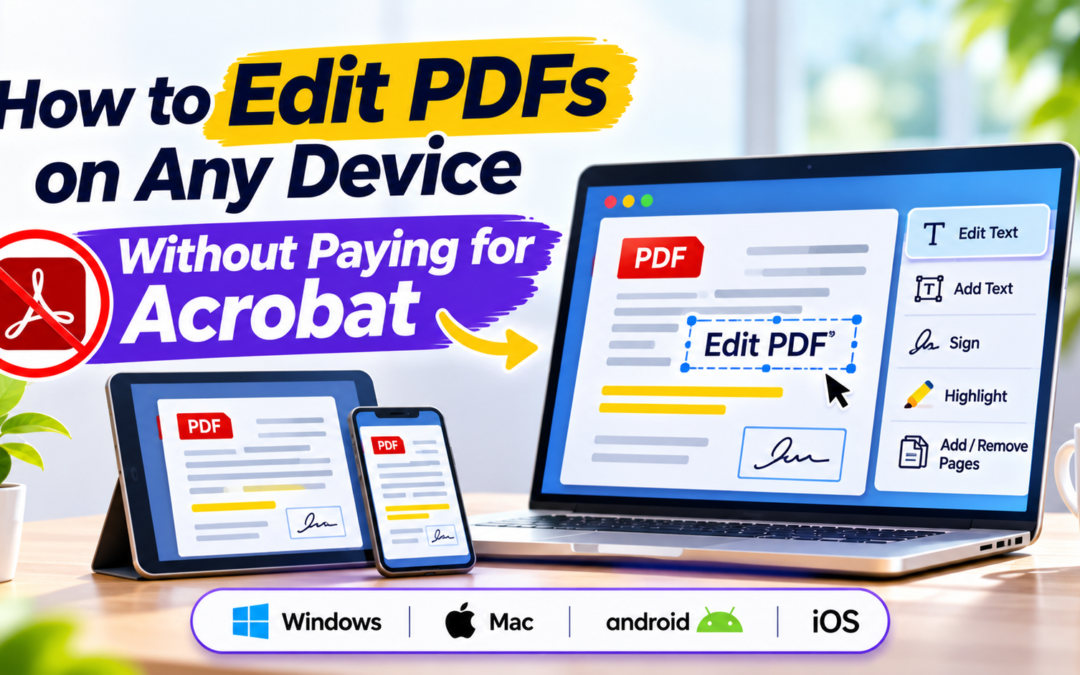
PDFs are everywhere, from employment contracts and university applications to invoices, government forms, and business reports. Their biggest advantage is consistency: a PDF preserves its appearance across operating systems and devices. The format is governed by ISO 32000, an international standard designed for reliable document exchange. But that same consistency can make even a minor correction frustrating. Learning how to edit PDF files doesn’t mean purchasing an expensive subscription. Free tools can handle most everyday tasks, including adding text, correcting existing content, inserting signatures, highlighting documents, and rearranging pages.
The important distinction is between annotating a PDF and editing its original content. Some free applications let you write over a document without changing the underlying text. Others convert or reconstruct the document, making more substantial changes possible. Choosing the right method saves time and prevents formatting problems.
Can You Really Edit a PDF for Free?
Yes, although the available features depend on the software and the type of PDF.
For example, adding a signature to a contract is relatively straightforward. Replacing a paragraph inside a complex brochure is more difficult because PDFs aren’t structured like ordinary word-processing documents.
Before choosing an editor, identify what needs changing:
- Text corrections: Replace existing words, numbers, or paragraphs.
- Annotations: Add comments, highlights, shapes, or text boxes.
- Form completion: Enter information and sign documents.
- Page management: Rotate, delete, extract, or reorder pages.
- Scanned documents: Recognise printed text using optical character recognition (OCR).
Understanding these differences is essential when deciding how to edit PDF documents without paying for professional software.
How to Edit PDFs on Windows for Free
Use Microsoft Word for Text-Based PDFs
If you already have a licensed version of Microsoft Word, it can convert many text-based PDFs into editable documents.
- Open Microsoft Word and select File → Open.
- Choose the PDF you want to modify.
- Accept the conversion prompt.
- Edit the document as you would a Word file.
- Select Save As and choose PDF.
This works particularly well for letters, resumes, and reports containing mostly text.
However, conversion can shift page breaks, tables, and images. Always compare the finished PDF against the original before sharing it.
LibreOffice Draw is a free, open-source alternative worth trying when you need to change text or graphical elements.
Open the PDF in Draw, select the text or object you want to modify, make your changes, and export the document as a PDF. It is useful for relatively simple layouts, but complex documents may not import perfectly. Missing fonts and unusual formatting can cause alignment problems.
How to Edit PDFs on Mac Without Acrobat
Mac users already have a capable PDF tool installed: Preview.
- Open a PDF in Preview and select the Markup toolbar.
- You can add text boxes, highlight passages, draw shapes, insert signatures, and complete supported forms.
- Preview also provides tools for rotating and organising pages.
There is one important limitation: Preview cannot directly rewrite the original text in a PDF. Its text boxes are annotations placed over the existing document.
If you need to replace actual wording, use a compatible document editor or convert the PDF into an editable format first. For anyone researching how to edit PDF files on a Mac, Preview is the most convenient starting point because it requires no additional installation.
How to Edit PDFs on Android and iPhone
Mobile PDF editing is particularly useful when you receive a form or contract while travelling.
On an iPhone or iPad, open the document in Files or a supported PDF viewer. Use the available Markup tools to add notes, text, drawings, or signatures.
Android users can open PDFs in compatible applications, including Google Drive’s PDF viewer or dedicated PDF editors. Available editing functions vary by application and Android version.
For more substantial changes, a browser-based editor may offer additional options.
Be careful with unfamiliar apps advertising completely free editing. Some allow modifications but require payment when exporting the finished document.
Edit PDFs Online Using Google Docs
Google Docs provides another practical method for learning how to edit PDF content without specialised software.
- Upload the PDF to Google Drive, right-click the file, and select Open with → Google Docs.
- Google converts the document into an editable format.
- After making changes, download it as a PDF.
This approach is useful for text-heavy documents and can extract text from certain scanned files.
However, complex tables, columns, and footnotes may not survive conversion accurately. Google Docs is better for recovering and revising content than preserving intricate page designs.
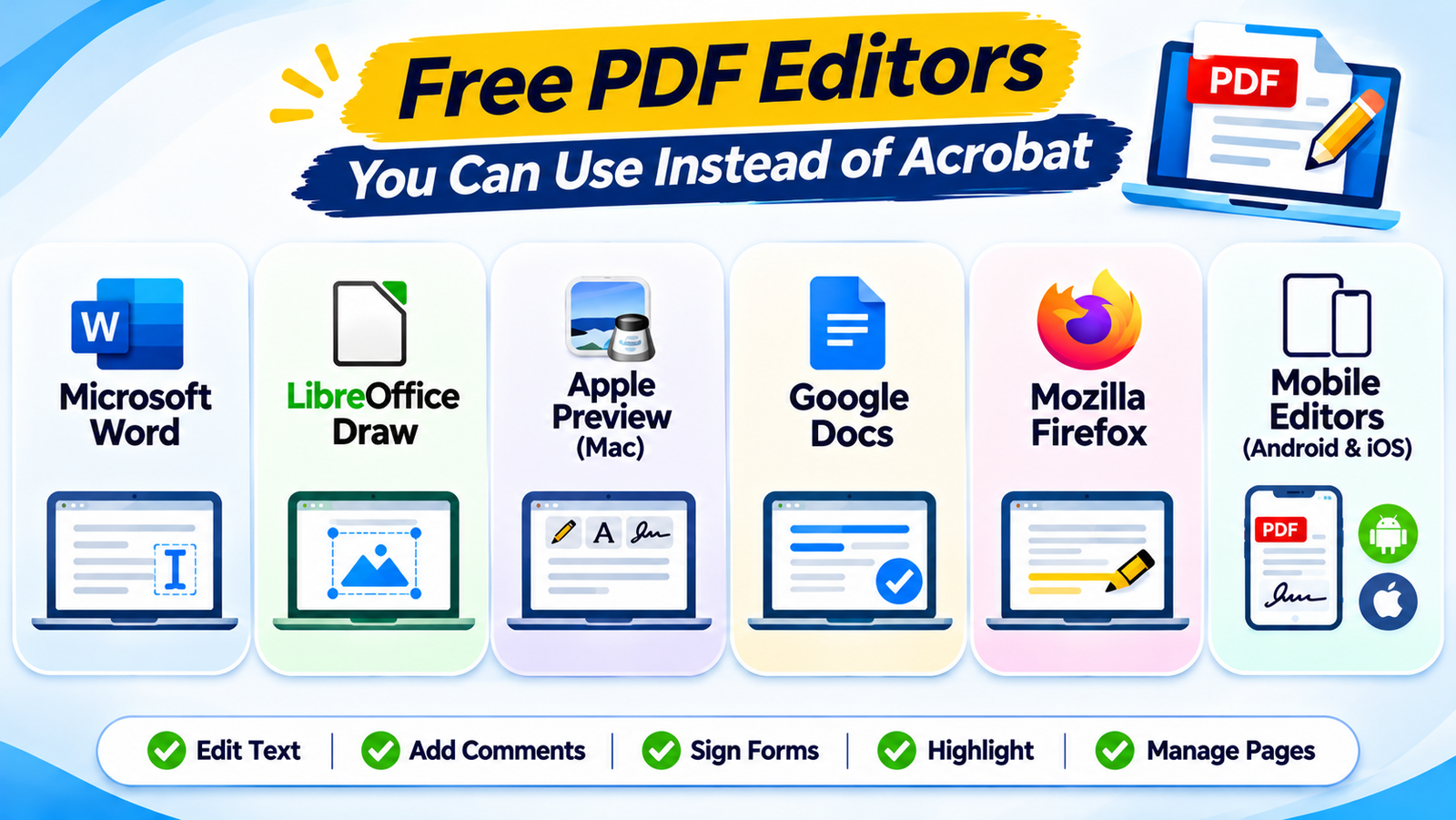
Best Free PDF Editing Methods Compared
| Tool |
Best for |
Main limitation |
| Microsoft Word |
Editing text-based PDFs |
Requires access to Word; formatting may shift |
| LibreOffice Draw |
Modifying text and objects |
Complex layouts may change |
| Apple Preview |
Signatures, forms, annotations |
Cannot directly edit original text |
| Google Docs |
Converting and rewriting PDF content |
May lose formatting |
| Mozilla Firefox |
Adding text, images, highlights, and signatures |
Not a full original-text editor |
| Mobile markup tools |
Quick notes and signatures |
Features vary by device |
What About Scanned PDFs?
Scanned PDFs are different because their pages often contain images rather than selectable text.
To edit the words, you first need OCR software to recognise the characters. Google Drive can convert certain scanned documents into editable text. However, OCR accuracy depends on image quality, language, handwriting, and page layout.
After conversion, check names, dates, numerical values, and punctuation carefully. Even small recognition errors can create serious problems in financial or official documents.
How to Keep Your Documents Safe
Free editing should never come at the expense of privacy.
Avoid uploading bank statements, identity documents, medical records, or confidential contracts to unknown online services.
For sensitive files, choose reputable offline applications whenever possible. Keep the original document unchanged, work on a copy, and verify that signatures and formatting remain intact.
Also remember that covering sensitive information with a white rectangle does not securely remove it. Proper redaction must permanently eliminate the underlying content.
These precautions matter just as much as knowing how to edit PDF files.
Final Thoughts
You don’t need Acrobat for every PDF-related task. Preview and mobile markup tools are convenient for signatures and annotations, while LibreOffice Draw, Word, and Google Docs offer more flexibility for content changes.
The best solution depends on whether you’re adding information, replacing existing text, or working with a scanned document. Start with the simplest free tool that meets your needs, preserve the original, and review the exported file before sending it.
How to Edit PDFs: FAQs
1. Can I edit existing PDF text without Acrobat?
Yes. LibreOffice Draw can modify content in many PDFs, while Microsoft Word and Google Docs can convert suitable PDFs into editable documents. Results depend on the original layout.
2. Is there a completely free PDF editor?
LibreOffice Draw and Firefox offer free PDF editing capabilities. Apple Preview also provides built-in annotation and signing tools for Mac users.
3. Can I edit a PDF directly on my phone?
Yes. iPhones and Android devices support various annotation and form-filling options. Editing original text may require additional software.
Also Read: The Best Free PDF Editors That Don’t Watermark Your Files
by parth@bidkinetic.com | Nov 2, 2026 | Education
Project management certification can strengthen your professional profile, but preparing for the exam requires more than watching lectures and memorising terminology. Candidates need to understand project planning, risk management, stakeholder communication, Agile methods and how to respond to complex workplace scenarios.
In 2026, choosing the right preparation course matters even more. The Project Management Institute (PMI) launched an updated PMP exam in July 2026. The Business Environment domain now accounts for 26% of the exam, compared with 8% previously. The revised outline also places greater emphasis on AI, sustainability, stakeholder engagement and business value. Candidates preparing with older material should check whether their course has been updated.
If you are comparing the best online courses for project management certification, start by identifying whether you need the Project Management Professional (PMP) or Certified Associate in Project Management (CAPM) credential. PMP is designed for experienced project professionals, while CAPM is a suitable starting point for people building foundational project management knowledge.
Here are the online learning options worth considering.
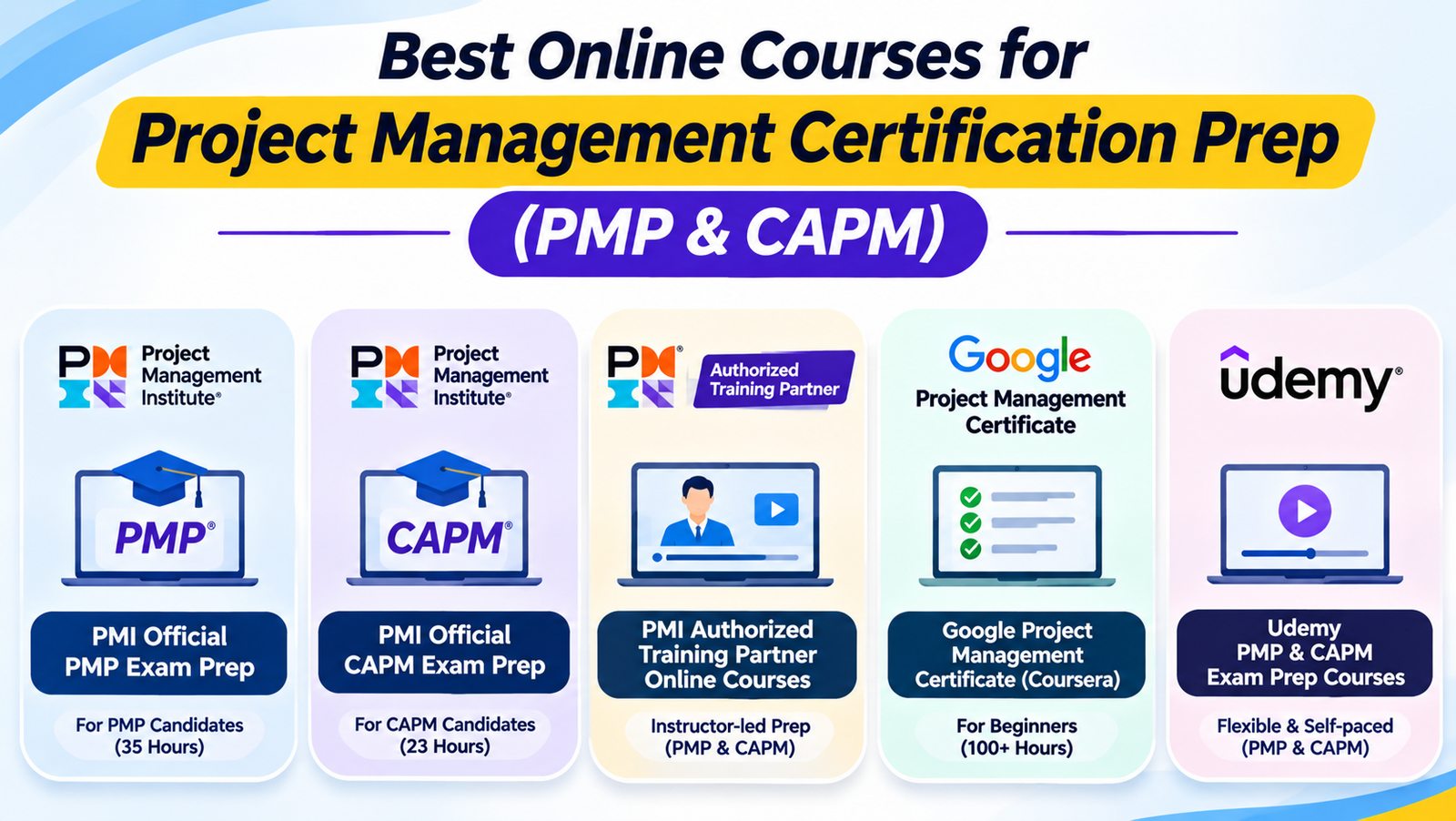
1. PMI Official PMP Exam Prep Course
Best for: Experienced project professionals preparing for PMP
The official PMP Exam Prep Course from PMI is one of the most direct options for candidates who want preparation aligned with the certification provider’s exam requirements.
The self-paced course is developed and validated by PMP certification holders. It covers the knowledge and practical judgment required for the updated examination and provides the 35 hours of project management training needed for the PMP application.
PMI also offers Study Hall subscriptions and practice exams. These are useful for testing how well you apply concepts to scenario-based questions rather than simply recalling definitions.
Explore: PMI PMP Exam Prep
2. PMI CAPM Exam Prep Course
Best for: Beginners, graduates and aspiring project coordinators
The official CAPM course is designed for candidates who want to establish their project management knowledge without first meeting the experience requirements associated with PMP.
The course fulfils the 23 hours of project management education required for the CAPM application. It prepares learners for concepts across predictive project management, Agile approaches and business analysis.
PMI also provides a CAPM Study Hall option and practice exam resources. These can help learners identify weak areas before booking the examination.
Explore: PMI CAPM Exam Prep
3. PMI Authorized Training Partner Online Courses
Best for: Learners who prefer instructor guidance
Some candidates struggle with self-paced learning, especially when they have questions about exam scenarios or project management concepts. PMI Authorized Training Partners (ATPs) offer structured online classes with qualified instructors, discussion opportunities and study schedules.
These programmes can be particularly useful for working professionals who benefit from deadlines and peer interaction. ATP courses use PMI-developed content and are aligned with the relevant certification exam.
Before enrolling, verify the provider’s ATP status and confirm that its course follows the 2026 PMP exam outline or the current CAPM outline.
Explore: PMI Authorized Training Partners
4. Google Project Management Certificate on Coursera
Best for: Beginners and career changers
The Google Project Management Certificate is not a PMP exam-preparation course, but it is a useful foundation for people entering the profession.
The programme contains six courses and approximately 240 hours of learning. It covers project planning, budgeting, risk management, stakeholder communication, Agile methods and team leadership. Learners complete practical activities rather than relying only on theory.
Google also states that the programme provides more than 100 hours of project management education that can count towards the educational requirement for CAPM.
It is a good option if you want to understand how projects operate before deciding whether to pursue a formal PMI certification.
Explore: Google Project Management Certificate
5. Udemy PMP and CAPM Exam Preparation Courses
Best for: Self-directed learners looking for focused revision
Udemy hosts third-party PMP and CAPM preparation courses covering exam concepts, practice questions, Agile methods and project management frameworks.
The main advantage is choice. You can select a course focused on exam simulations, a particular knowledge area or a complete revision programme. However, course quality and update frequency vary by instructor.
Check the publication date, curriculum, practice-question quality and whether the instructor has updated the material for the 2026 PMP exam. If you need qualifying training hours, confirm that the specific course meets PMI’s requirements before purchasing it.
Explore: Udemy Project Management Courses
Quick Comparison of PMP and CAPM Preparation Courses
| Course or platform |
Best for |
Training requirement |
| PMI PMP Exam Prep |
PMP candidates |
35 hours |
| PMI CAPM Exam Prep |
CAPM candidates |
23 hours |
| PMI Authorized Training Partners |
Instructor-led preparation |
Depends on certification |
| Google Project Management on Coursera |
Beginners and career changers |
100+ hours applicable to CAPM |
| Udemy PMP/CAPM courses |
Flexible revision and practice |
Verify course eligibility |
How to Choose the Right Course
The best online courses for project management certification are not necessarily the longest or most expensive. They are the ones that match your certification goal and provide current, relevant preparation.
First, check your eligibility.
- PMP requires qualifying project management experience and 35 hours of training, subject to PMI’s education and experience criteria.
- CAPM requires a secondary qualification and 23 hours of project management education.
Next, review the course outline against the official exam content outline.
- For PMP candidates in 2026, this is particularly important because the exam changed in July.
- Look for realistic practice questions, explanations for incorrect answers, mock examinations and opportunities to review weak topics.
- A course that only provides video lectures may not offer enough exam practice.
Also compare the total cost.
- The course fee, PMI membership, examination fee, study resources and possible retake expenses are separate considerations.
Important 2026 training update: From 1 December 2026, PMI will apply new eligibility rules to live PMP training hours. Live classes must be delivered by an ATP, an eligible registered provider or an accredited academic programme. Self-paced training can still come from any organisation, provided it meets PMI’s requirements. Check the official rules before enrolling.
Final Thoughts
Choosing among the best online courses for project management certification becomes easier when you know your starting point. Beginners can build a foundation through Google’s programme or prepare for CAPM, while experienced professionals should focus on current PMP exam preparation.
Whichever route you choose, combine structured lessons with practice questions and real project examples. A certification is valuable, but the ability to plan work, manage risks, communicate with stakeholders and deliver measurable outcomes is what makes the knowledge useful throughout your career.
Project Management Certification: FAQs
1. Which is better for beginners: PMP or CAPM?
CAPM is generally the more suitable starting point for beginners. PMP is intended for professionals who already have qualifying project management experience.
2. Can I prepare for PMP online?
Yes. PMI offers self-paced preparation, practice exams and instructor-led online training through its authorised partners.
3. How many training hours are required for PMP and CAPM?
PMP requires 35 hours of project management education, while CAPM requires 23 hours.
Also Read: Coupert Review: Does the Coupon Extension Actually Save Money?
by parth@bidkinetic.com | Nov 2, 2026 | Education
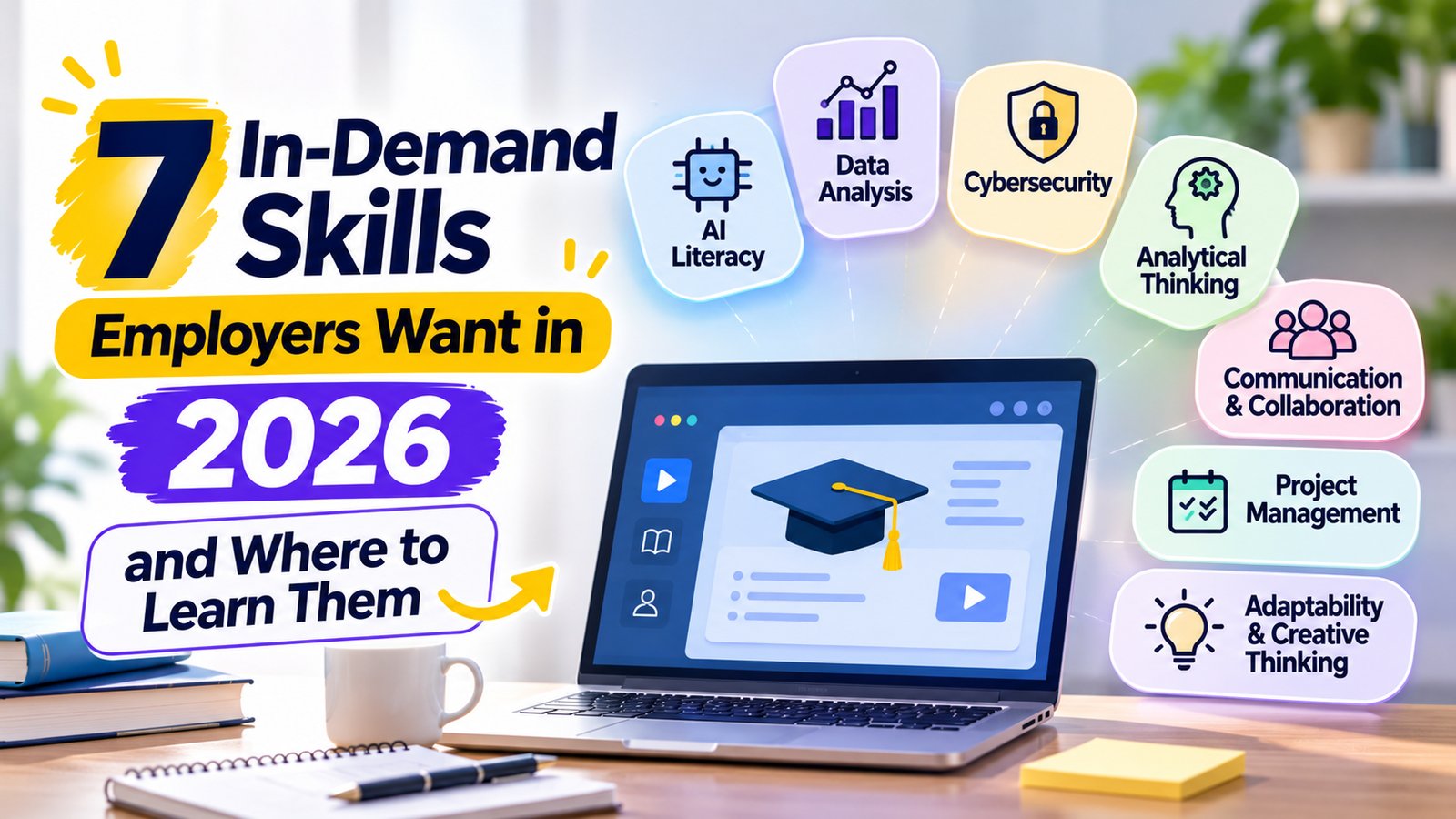
The workplace is changing faster than traditional job descriptions can keep up. Artificial intelligence is becoming part of everyday work, businesses are relying more heavily on data, and employees are expected to solve problems rather than simply follow instructions. According to the World Economic Forum’s Future of Jobs Report 2025, 39% of workers’ existing skill sets are expected to change or become outdated between 2025 and 2030. The report also identifies analytical thinking as a core skill for 69% of surveyed employers. LinkedIn’s Skills on the Rise 2026 report highlights growing demand for AI expertise, business growth, communication and risk management. Meanwhile, Upwork reported that demand for top AI-related skills on its marketplace increased by 109% year over year. These findings point towards an important shift: employers increasingly value people who can use technology, understand business needs and work effectively with others. Here are 7 in-demand skills employers want in 2026, along with practical platforms where you can start developing them.
1. AI Literacy and Practical AI Skills
Knowing how to use AI tools is becoming a workplace advantage across marketing, finance, HR, software development and customer support. Employers increasingly need people who can write effective prompts, evaluate AI-generated results, automate repetitive tasks and understand where human judgement is necessary.
You do not necessarily need to become a machine-learning engineer. A marketing professional who can use AI for research, a recruiter who can streamline candidate screening, or an analyst who can automate reporting already brings useful AI skills to a role.
Where to learn:
2. Data Analysis and Data Literacy
Businesses generate enormous amounts of information, but collecting data is not the same as understanding it. Employers need professionals who can identify patterns, interpret performance and turn numbers into useful recommendations.
Start with spreadsheets, data cleaning, basic statistics and visualisation. Then move towards SQL, Power BI, Tableau or Python, depending on your career direction. For example, a sales executive who can analyse conversion rates and identify why leads are dropping out of the funnel can contribute beyond routine reporting.
Where to learn:
3. Cybersecurity and Digital Risk Management
Cybersecurity is no longer limited to IT departments. Employees across organisations handle customer information, financial records, internal systems and confidential documents. A single careless action can expose sensitive business data.
Understanding phishing, access control, password security, data privacy and basic threat prevention is increasingly valuable. For specialist roles, learners can progress towards networking, security operations, cloud security and recognised certifications.
Where to learn:
4. Analytical Thinking and Problem-Solving
Technology can process information, but people still need to ask the right questions and decide what to do with the answers. Analytical thinking helps professionals identify the actual cause of a problem instead of treating its symptoms.
Consider an e-commerce business experiencing declining sales. The issue might be poor traffic quality, a complicated checkout process, pricing or delivery delays. Someone with strong analytical skills can investigate the evidence before recommending a solution.
The World Economic Forum identifies analytical thinking as the leading core skill in its employer survey.
Where to learn:
- Coursera: Courses in critical thinking, business analysis and decision-making.
- Harvard Online: Courses in data, computer science and analytical subjects.
- Khan Academy: Foundations in mathematics, statistics and logical reasoning.
5. Communication and Cross-Functional Collaboration
As organisations become more connected, employees rarely work in isolation. A product designer may coordinate with developers, marketing teams and customers. A project manager may need to communicate with finance, operations and senior leadership.
Clear writing, active listening, presentation skills, stakeholder management and the ability to explain complex ideas simply can make a significant difference. LinkedIn’s 2026 skills research specifically highlights cross-functional collaboration, team management and stakeholder communication.
Where to learn:
6. Project Management and Business Growth
Employers value professionals who can turn ideas into completed work. Project management involves planning tasks, managing timelines, coordinating people, tracking budgets and handling risks.
You do not need to hold a project manager title to use these skills. Marketing executives manage campaigns, HR teams coordinate recruitment projects, and developers work against product release schedules. Understanding Agile, Scrum, workflow management, and business priorities can improve performance across these roles.
Where to learn:
7. Adaptability, Creative Thinking and Continuous Learning
Tools, processes and customer expectations change. Employees who can learn new systems, adjust to unfamiliar situations and approach problems creatively are better prepared for those changes.
The WEF identifies resilience, flexibility, agility and creative thinking among the skills employers consider important. These abilities are developed through experience as much as formal courses. Take on unfamiliar assignments, experiment with new tools and seek feedback instead of repeating the same processes.
Where to learn:
- LinkedIn Learning: Adaptability, creative thinking and professional development.
- FutureLearn: Courses across business, technology and personal development.
- Coursera: Creative problem-solving and lifelong learning programmes.
Quick Comparison: Skills and Learning Platforms
| In-demand skill |
Platforms to explore |
| AI literacy |
Microsoft Learn, Google AI, DeepLearning.AI |
| Data analysis |
Google, IBM SkillsBuild, Kaggle |
| Cybersecurity |
Cisco, Google, TryHackMe |
| Analytical thinking |
Coursera, Harvard Online, Khan Academy |
| Communication |
LinkedIn Learning, Toastmasters |
| Project management |
Atlassian University, Google, HubSpot |
| Adaptability and creativity |
LinkedIn Learning, FutureLearn |
Final Thoughts
The 7 in-demand skills employers want are not limited to technical specialists. AI literacy, data analysis, cybersecurity, problem-solving, communication, project management and adaptability can strengthen careers across industries.
You do not need to master everything in one year. Choose skills that connect with your career direction, learn through credible resources and apply them to real problems. A certificate may help you get noticed, but the ability to demonstrate what you can actually do is what makes the learning valuable.
7 In-Demand Skills Employers Want: FAQs
1. Which skill is most important for jobs in 2026?
AI literacy and analytical thinking are particularly valuable, but the right priority depends on the role. Employers increasingly look for combinations of technical and interpersonal skills.
2. Can I learn these skills online for free?
Yes. Platforms such as Cisco Networking Academy, Kaggle Learn and Microsoft Learn offer free learning resources. Some advanced programmes and certificates require payment.
3. Do employers value online certificates?
Certificates can demonstrate structured learning, but practical ability matters too. Apply what you learn through projects, case studies, internships or work assignments.
Also Read: Termly Review: Is It Worth Using for Website Privacy Compliance?
