by parth@bidkinetic.com | Sep 15, 2026 | Gadgets
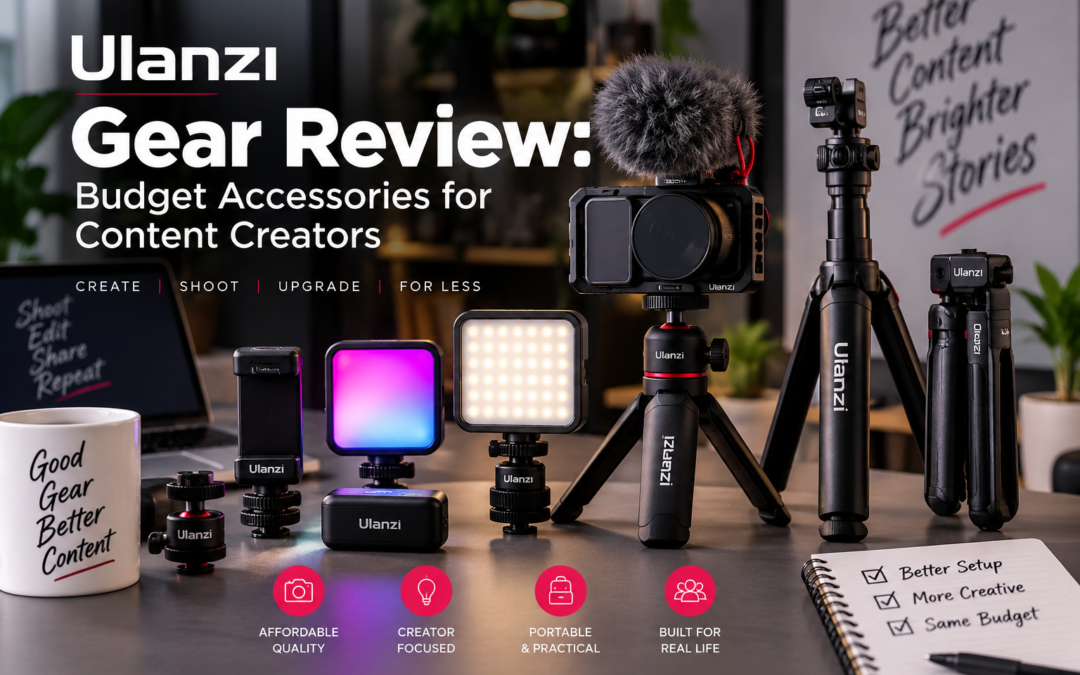
Content creation does not always require a four-figure camera setup. In many cases, the difference between a basic-looking video and a polished one comes down to smaller things: stable framing, better light, cleaner audio and a setup that can be assembled quickly. That is where Ulanzi has built its reputation. Its current range covers tripods, lights, camera mounts, cages and other creator accessories, with products ranging from inexpensive compact gear to more specialized equipment. For this Ulanzi gear review, NovaReads tested a selection of Ulanzi accessories with a simple question in mind: can inexpensive creator gear actually make a noticeable difference without introducing new frustrations? The answer is mostly yes, although not every accessory is equally useful.
The Gear Tested
The testing focused on accessories that solve everyday problems rather than Ulanzi’s entire catalog. The setup included the VL49 LED light, VL49 RGB light and MT-44 tripod, representing the kind of equipment a phone creator, vlogger or beginner camera user might realistically combine.
| Product |
Main purpose |
What stood out |
Best suited for |
| VL49 LED |
On-camera lighting |
CRI 95+, compact design |
Vlogs, interviews |
| VL49 RGB |
Portable creative lighting |
2500-9000K, RGB effects |
Reels, streaming |
| MT-44 |
Tripod/selfie stick |
Extendable quadpod design |
Phones, travel |
| Ulanzi mounting system |
Accessory expansion |
Multiple mounting points |
Creator rigs |
VL49: Small Light, Noticeable Difference
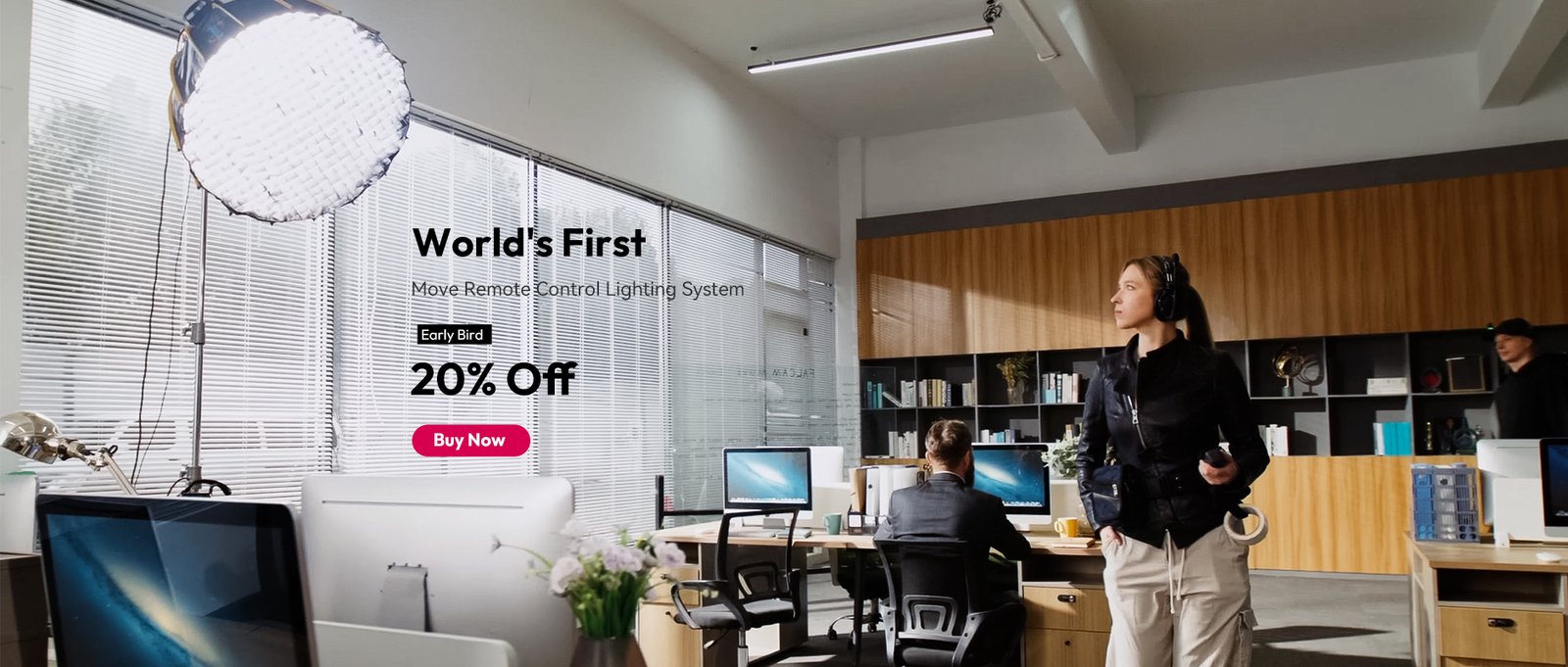
The basic VL49 is one of the easiest Ulanzi products to recommend. Its 49 LEDs produce 5500K light, while the integrated diffuser helps soften what would otherwise be a fairly direct source. It weighs only 90g and has three additional cold-shoe mounts, allowing other accessories to be attached around it.
During NovaReads’ testing, its biggest advantage was not raw brightness but convenience. It can be attached directly to a camera or phone rig and adjusted quickly without turning a compact setup into a bulky lighting system.
At close range, it provides useful fill light for faces and products. It isn’t a substitute for a large softbox, and expecting it to illuminate an entire room would be unrealistic. But for correcting shadows during a talking-head video or improving a product shot, it earns its place in a creator bag.
Battery performance is also reasonable for its size. Ulanzi rates the 2,000mAh battery for roughly 120-300 minutes depending on brightness.
NovaReads rating: 4/5
VL49 RGB: More Fun, More Flexible
The RGB version takes the same basic concept and makes it considerably more useful for stylized content. It offers adjustable color temperature from 2500K to 9000K, RGB color control, brightness adjustment and 13 special-effect modes. Ulanzi lists 800 lux at 0.5m, a CRI above 95 and a 2,000mAh battery.
In practical testing, the adjustable color temperature proved more useful than the RGB effects themselves. Switching between warmer and cooler light makes it easier to match different environments, while RGB works well as a background accent rather than a primary light.
The compact body is another advantage. At around 100g, it is genuinely easy to carry rather than something that gets left at home because the creator bag is already too heavy.
NovaReads rating: 4.2/5
MT-44: A Tripod That Actually Travels Well
A tripod can look like the least exciting part of a creator setup until a shoot requires a stable hands-free angle.
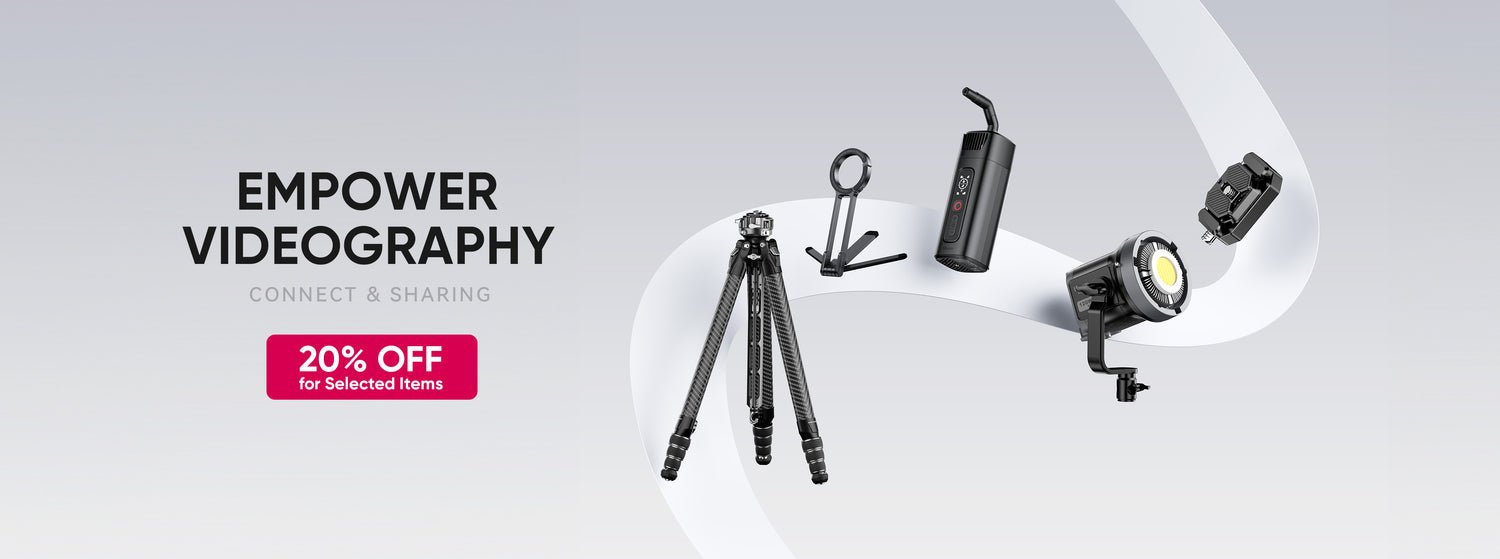
The Ulanzi MT-44 combines an extendable selfie-stick design with a quadpod base and a 360-degree ball head. Its auto-deploying legs are designed to make setup faster, while the ball head provides adjustment for horizontal and vertical shooting.
NovaReads found the format particularly practical for phone-based shooting and travel. It transitions between handheld and stationary use without requiring a separate tripod. The quick-release system is also useful when switching between setups.
There is a trade-off: compact travel tripods cannot provide the same stability as heavier full-size models. On a stable indoor surface that is rarely an issue, but outdoor shooting on uneven or windy ground requires more care.
NovaReads rating: 4/5
What Ulanzi Gets Right
The biggest strength across the tested Ulanzi gear is modularity.
- The products aren’t designed as isolated accessories.
- Lights can be mounted to rigs, tripods can serve multiple roles, and the company’s accessory ecosystem makes it relatively easy to build a setup gradually.
That matters for beginners.
- Instead of spending hundreds of dollars on a complete creator kit immediately, a user can start with a tripod or light and add components when a genuine limitation appears.
Build quality is also better than the budget positioning might suggest.
- The products tested did not feel disposable, although premium brands can still have an advantage in refinement, finish and long-term ecosystem support.
Where the Budget Shows
The low prices do come with compromises. Compact lights have obvious limitations in output, and small tripods cannot match the stability of heavier professional support systems. Some Ulanzi products also offer numerous mounting options, which is useful once understood but can feel confusing when building a first rig.
The important distinction is that these aren’t necessarily flaws. They’re limitations that become relevant when moving from casual content creation into professional production.
Is Ulanzi Gear Worth Buying?
After testing, the Ulanzi gear review verdict is fairly straightforward: Ulanzi is strongest when the goal is to improve a creator setup without dramatically increasing its size or cost.
The VL49 is particularly easy to recommend as an inexpensive lighting upgrade, while the RGB version makes more sense for creators who want visual control and background effects. The MT-44 is a useful travel companion for anyone primarily shooting on a smartphone.
Ulanzi isn’t trying to replace professional cinema equipment with $20 accessories, and the products shouldn’t be judged that way. Their real value comes from solving small production problems cheaply and conveniently.
For beginners, vloggers, mobile creators and anyone building a compact kit, this Ulanzi gear review found the brand’s budget approach surprisingly convincing. Spend carefully, choose accessories around actual shooting problems, and the savings don’t necessarily mean settling for poor results.
Ulanzi Gear Review: FAQs
- Is Ulanzi a good brand for content creators?
Yes. Its lineup covers affordable lighting, tripods, mounting hardware and other accessories aimed specifically at creators.
- Is the Ulanzi VL49 bright enough for videos?
It works well as a close-range fill or on-camera light. It isn’t designed to replace a large studio light.
- How long does the VL49 battery last?
Ulanzi rates the standard VL49 for approximately 120-300 minutes, depending on brightness.
Also Read: Ugreen Chargers and Hubs Review: The Anker Alternative Worth Knowing

by parth@bidkinetic.com | Sep 14, 2026 | Gadgets
Anker has long been the familiar name in charging accessories, but Ugreen chargers and hubs have quietly become serious alternatives, particularly for people who want high charging output, multiple ports, and useful laptop connectivity without automatically paying a premium for the brand name. Ugreen’s current lineup ranges from compact 65W travel chargers to 100W multi-port GaN adapters and even 160W and 200W desktop charging solutions. Its Revodok hubs add features such as 4K display output, 10Gbps data transfer and up to 100W USB-C power delivery.
In several categories, Ugreen offers combinations of ports and power that make more sense for laptops, tablets, phones and accessories being charged together. The bigger question is whether the performance and build quality hold up outside the specification sheet.
What Makes Ugreen Different?
Ugreen’s strongest products generally fall into two groups: Nexode chargers for power delivery and Revodok hubs for connectivity.
The Nexode Pro 100W, for example, uses two USB-C ports and one USB-A port, supports USB PD 3.0 and PPS, and measures just 71 × 43 × 33mm. That makes it considerably more useful than a basic single-port phone charger when travelling with several devices.
The hub range follows the same philosophy. The Revodok 6-in-1 provides 4K at 60Hz, 10Gbps USB connectivity and up to 100W PD pass-through, with Ugreen claiming up to 85W available to the connected notebook after power allocation.
Charging Performance: Where Ugreen Shines
Charging performance is arguably Ugreen’s strongest argument.
- GaN technology allows the company to pack substantial power into relatively compact chargers.
- A 65W Nexode model tested by TechRadar remained reasonably cool during testing and delivered consistent performance, while its integrated retractable USB-C cable added a practical advantage for travel.
For heavier setups, Ugreen goes much further.
- Its Nexode 200W charging station has eight USB ports, including three 100W PD ports, making it particularly useful for a desk shared by a MacBook, iPad, phone, headphones and other accessories.
- Macworld found it offered strong value, although the absence of a 140W PD 3.1 output means it isn’t the ideal choice for users who need maximum charging speed for a 16-inch MacBook Pro.
The important point is that wattage alone shouldn’t decide the purchase. Port allocation matters just as much. A charger capable of 100W doesn’t necessarily send 100W to every connected device simultaneously.
USB-C Hubs: More Than Just Extra Ports
This is where Ugreen can be particularly compelling against conventional charging brands.
A good USB-C hub effectively turns one laptop port into a small workstation. The Revodok range includes models with HDMI, USB-A, USB-C, SD card readers, Ethernet and power delivery, depending on configuration. Ugreen’s 2026 MacBook recommendations include everything from portable 10-in-1 hubs to Thunderbolt 4 docking stations for multi-monitor setups.
Testing of the Revodok 6-in-1 found its 4K/60Hz HDMI output reliable and its 10Gbps USB connections useful for fast file transfers. The aluminum construction also scored well, although the hub lacks Ethernet and its short cable can be inconvenient in some desk arrangements.
So, the Ugreen chargers and hubs ecosystem makes the most sense for someone building around USB-C rather than buying isolated accessories.
Build Quality and Everyday Use
Ugreen generally gets the physical basics right.
The chargers feel dense and substantial without becoming unnecessarily bulky, while many hubs use aluminum housings that feel more appropriate beside premium laptops than inexpensive plastic dongles.
The experience isn’t flawless, though.
Port distribution can become a limitation when several demanding devices are connected at once. The 65W Nexode retractable-cable model, for instance, drops to just 7.5W on each additional USB port when all three outputs are being used. That’s perfectly acceptable for earbuds or smaller accessories, but not ideal for simultaneously charging multiple power-hungry devices.
That distinction matters more than a headline wattage figure.
Ugreen vs Anker: Which Should You Buy?
| Feature |
Ugreen |
Anker |
| Charger variety |
Excellent |
Excellent |
| High-wattage options |
Excellent |
Excellent |
| USB-C hubs |
Excellent |
Excellent |
| Port selection |
Often generous |
Generally well balanced |
| Compact GaN chargers |
Very good |
Very good |
| Build quality |
Very good |
Excellent |
| Value for money |
Excellent |
Good to very good |
| Best for |
Feature-heavy setups |
Polished all-round experience |
The Ugreen chargers and hubs range often wins on value because the company is willing to put more ports and higher output into products at competitive prices. Ugreen’s 100W Nexode Pro is currently listed at $74.99, while its 6-in-1 Revodok hub is listed at $32.99 on the U.S. site.
Anker still has an advantage when brand familiarity, polished product ecosystems and long-established customer support are priorities. But for someone comparing specifications against price, Ugreen deserves to be in the same conversation.
Pros and Cons
Pros
- Excellent power-to-size ratio
- Strong selection of GaN chargers
- Plenty of multi-port options
- Capable USB-C hubs and docks
- Generally competitive pricing
- Good aluminum build quality
Cons
- Power sharing can reduce charging speeds
- Some hubs have short integrated cables
- Not every model includes Ethernet or display support
- The huge product range can make model selection confusing
Verdict: Are Ugreen Chargers and Hubs Worth Buying?
The short answer is yes, with one qualification: choose the model based on your actual devices rather than the maximum wattage printed on the box.
For travellers, a compact 65W or 100W Nexode charger can replace several individual adapters. For laptop users, a Revodok hub can add display, storage and peripheral connectivity through one USB-C connection. And for demanding desktop setups, Ugreen’s higher-output charging stations provide an unusually large number of ports.
The Ugreen chargers and hubs lineup doesn’t make Anker obsolete, but it does make the buying decision considerably less one-sided. If getting more ports, higher output and useful connectivity for the money matters more than owning the most established name, Ugreen is absolutely worth considering.
FAQs
- Are Ugreen chargers as good as Anker?
For many charging and USB-C hub applications, yes. Ugreen competes strongly on power, port selection and value, while Anker can have an edge in overall ecosystem polish.
- Is Ugreen good for MacBooks?
Yes. Ugreen offers hubs ranging from compact travel models to Thunderbolt 4 docks designed for MacBook setups, including models supporting 4K displays and high-speed USB connections.
- Is Ugreen cheaper than Anker?
Often, although prices vary by model and promotions. Ugreen’s advantage is usually the amount of charging power and connectivity offered for the price rather than simply being the cheapest option.
Also Read: Dreame Robot Vacuum Review: Flagship Features at Half the Price

by parth@bidkinetic.com | Sep 14, 2026 | Gadgets
A wearable air conditioner sounds like one of those products that makes more sense on paper than around your neck. This Torras Coolify review focuses on the cooling mechanism, battery life, and independent hands-on testing. The current COOLiFY 2S is listed by TORRAS at $169 and uses cooling plates combined with directed airflow rather than simply blowing room-temperature air. TORRAS rates it for up to 28 hours in low-power fan mode, but that figure drops to 3.5 hours at the highest cooling setting. The device also offers separate fan, cooling and heating modes, app control and an adjustable fit.
The Coolify is not a tiny air conditioner capable of lowering the temperature of an entire room. Its purpose is much narrower: create a cooler personal zone around the neck and face when a conventional fan is inconvenient or unavailable. Independent testing has found the cooling effect noticeable almost immediately, although performance and battery life depend heavily on the selected setting.
Design & Comfort: Is It Easy to Wear?
The COOLiFY 2S looks more like a lightweight neckband than a conventional fan. It sits around the back and sides of the neck, with cooling plates making contact with the skin.
The adjustable design helps with fit, although comfort will depend on neck size and how tightly the device is positioned. One useful detail is that the unit doesn’t require handheld operation once it is in place, making it practical for desk work, walking or commuting.
At roughly the size expected from a device carrying a battery, cooling hardware and fans, it is not completely invisible when worn. Still, its wearable format is considerably more convenient than carrying a handheld fan around.
Cooling Performance: How Cool Does It Get?

This is where the product earns its place.
The cooling plates provide the immediate sensation of cold directly against the neck, while the fans push air upward toward the face and head. A test of the COOLiFY 2S measured the cooling plate dropping from approximately 74°F to 53°F, a 21°F surface-temperature reduction under the test conditions.
It was also found that the cooling sensation was immediate and useful on hot days, although it did not eliminate sweating altogether.
That is an important expectation to set. The Torras Coolify review is positive on cooling, but the device works best as personal relief rather than a replacement for air conditioning. The neck, face and upper shoulder area benefit most; the rest of the body remains exposed to the surrounding heat.
Battery Life: Can It Last All Day?
Battery performance is the biggest specification that needs context.
- TORRAS advertises up to 28 hours, but that applies to its lowest-power Wind Mode.
- Its own figures show approximately 5 hours on Cooling 1, 4 hours on Cooling 2 and 3.5 hours on Cooling 3.
- Heating ranges from four to six hours depending on the setting.
- That makes the COOLiFY 2S much better suited to intermittent cooling than running at maximum power from morning until night.
- The device supports USB-C charging and can also be used while charging, according to TORRAS.
Noise: Is It Quiet Enough?

At low settings, the sound is relatively easy to live with. Increase the fan speed, however, and the COOLiFY becomes much more noticeable.
Independent reviewers have described the highest fan setting as clearly audible, with one comparison putting maximum airflow closer to the sound of a small hairdryer than a silent desk fan.
For walking outdoors, commuting or working alone, that may not matter much. In a quiet office, library or conversation, the higher settings are less discreet.
App & Controls: More Useful Than Expected
The physical controls are straightforward, but the companion app adds more flexibility. Temperature and fan settings can be adjusted without repeatedly reaching behind the neck, and newer COOLiFY models also incorporate smarter temperature management.
For someone who simply wants maximum cooling, the app is not essential. It becomes more useful when switching between cooling levels or using the device for longer periods.
How It Performs in Everyday Use

The Torras Coolify review really comes down to where it is being used.
Indoors, the cooling effect is considerably more convincing because the surrounding temperature is easier to manage. A desk worker dealing with a warm room can feel the cooling around the neck without turning the entire room into an icebox.
Outside, expectations need to be lower. On very hot, humid days, the device can provide welcome relief but cannot overcome the heat entirely. Tech Advisor’s 2026 testing similarly found the cooling effective indoors but less impressive outdoors.
For travel, outdoor events, commuting and situations without reliable air conditioning, that difference can still make the device worthwhile.
| Feature |
Rating |
| Cooling performance |
4.5/5 |
| Comfort |
4/5 |
| Battery life |
3.5/5 |
| Noise |
3.5/5 |
| App & controls |
4/5 |
| Portability |
4/5 |
| Overall |
4/5 |
The Torras Coolify review verdict is more nuanced than simply calling it a neck fan.
At $169, the COOLiFY 2S is expensive compared with a conventional portable fan, but it also does something a regular fan cannot: it puts active cooling directly against the neck while remaining completely hands-free.
Its biggest limitation is endurance at maximum cooling. The advertised 28-hour battery figure is real only at a low fan setting, while intensive cooling is closer to three and a half hours. Noise also increases substantially as cooling power rises.
For commuting, travel, outdoor events and hot workplaces, the Torras Coolify review points toward a useful niche product rather than a gimmick. It will not cool an entire body or replace air conditioning, but around the neck and face, the cooling effect is genuinely noticeable.
FAQs
- Does the Torras Coolify actually cool you?
Yes. Its cooling plates create direct cooling around the neck while integrated fans move air toward the face and head. Independent testing has confirmed a substantial drop in plate temperature.
- Is Torras Coolify noisy?
Low settings are relatively manageable, but maximum airflow produces noticeable fan noise.
- Is Torras Coolify good for outdoor use?
It can provide useful relief outdoors, but its effect is more noticeable indoors or in moderately hot conditions than during extreme heat.
Also Read: TORRAS: The Phone Accessory Brand That Actually Thinks About How You Use Your Phone

by parth@bidkinetic.com | Sep 13, 2026 | Travel
Long-haul economy is where an airline’s real value becomes obvious. A two-hour flight can hide a lot; a 12- to 14-hour journey cannot. Etihad Economy currently offers a fairly strong mix of comfort, entertainment, food and onboard service, although what you actually receive depends heavily on your aircraft, route and fare type. On current Economy fares, passengers generally get 1 × 7 kg cabin bag, while checked baggage ranges from no included allowance on Basic to 25 kg on Value, 30 kg on Comfort and 40 kg on Deluxe for most destinations outside the US and Canada.
On long-haul aircraft, Etihad also provides seat-back entertainment, complimentary meals and Wi-Fi options, while Etihad Guest members get free onboard messaging. So, is it worth choosing for a long international journey? Here is a closer look at what flying Etihad Economy is actually like.
The Seat: Comfortable, But Aircraft Matters

Source: Etihad
The biggest mistake is to think of Etihad Economy as one identical product across the fleet. The experience changes considerably depending on whether you are flying an A350, 787, A380 or the newer A321LR.
On wide-body aircraft, the seats generally feel appropriate for long-haul travel, with adjustable headrests and personal entertainment screens. The A321LR is particularly interesting because it is a narrow-body aircraft operating some surprisingly long routes. Its Economy seats offer around 18 inches of width, with roughly 30 inches of pitch in most rows and more space in selected seats.
That makes seat selection worth considering. If you are tall, travelling overnight or simply dislike being boxed into a tight row, paying for a better seat can make a noticeable difference.
Food and Drinks: Better Than the Typical Economy Meal
Food is one area where Etihad generally feels more premium than its basic Economy label suggests. Complimentary meals and drinks are included on applicable Economy fares, with menus designed around the destinations Etihad serves.
The meals are not restaurant quality, obviously, but the presentation and variety can make a long flight feel less monotonous. Special meals can also be requested for dietary requirements through the booking or manage-booking process.
For Indian travellers, the availability of familiar flavours and international choices is particularly useful. Still, expectations should remain realistic: catering can vary by route, flight duration and catering station.
Entertainment and Wi-Fi
This is probably one of Etihad’s strongest areas. The E-BOX entertainment system offers a large selection of movies, television, music and games, with seat-back screens available in its wide-body Economy cabins.
On a long-haul flight, having a good screen and enough content matters more than people realise. It breaks up the journey and means you don’t have to rely entirely on your phone or downloaded content.
Wi-Fi is more complicated. It isn’t universally free for every Economy passenger. Etihad Guest members receive complimentary chat access, while unlimited Wi-Fi or broader access depends on the fare, membership status and aircraft.
Cabin Crew and Service
The cabin crew can make or break a long-haul Economy journey, and this is where Etihad tends to retain its premium-airline character.
The service is generally polished without being excessively formal. On a long flight, small things like how quickly a request is handled, whether meals are cleared efficiently and how the crew responds during overnight hours matter more than scripted greetings.
There can naturally be differences between individual flights and crews, but Etihad’s overall service proposition remains one of its stronger selling points.
Baggage: Read Your Fare Conditions Carefully
This is one of the areas where travellers can get caught out.
For tickets issued from June 18, 2026, Etihad’s current Economy structure lists Basic, Value, Comfort and Deluxe fares. For most destinations outside the US and Canada, the checked allowance is 0 kg/fees apply on Basic, 25 kg on Value, 30 kg on Comfort and 40 kg on Deluxe. US and Canada itineraries generally have a 2 × 23 kg allowance across these Economy fare types.
| Feature |
Etihad Economy Rating |
| Seat comfort |
4/5 |
| Meals |
4/5 |
| Entertainment |
4.5/5 |
| Wi-Fi |
3/5 |
| Cabin baggage |
4/5 |
| Checked baggage |
3.5/5 |
| Crew service |
4/5 |
| Seat selection |
3.5/5 |
| Overall long-haul experience |
4/5 |
The Advantages

Source: Etihad
The biggest advantage of Etihad Economy is balance. You are not getting one spectacular feature while everything else is compromised.
- The combination of a modern cabin, personal entertainment, complimentary meals, respectable service and connectivity makes the experience competitive with other major Gulf carriers.
- The airline is also a particularly interesting option for travellers connecting through Abu Dhabi, where the stopover can break up an otherwise exhausting ultra-long-haul itinerary.
The Disadvantages
The fare structure is probably the biggest frustration. A cheap Economy ticket may look attractive until you add seat selection, baggage or Wi-Fi.
Seat quality can also vary considerably depending on the aircraft.
- A spacious A350 or 787 experience is not necessarily comparable with every narrow-body configuration.
And while Etihad Economy can feel premium for Economy, it is still Economy.
- On an ultra-long flight, limited personal space, a fixed seat and the inevitable cabin fatigue eventually become noticeable.
Is Etihad Economy Worth It?
For long-haul travel, Etihad Economy is a strong choice if the fare is competitive and you check the aircraft and fare conditions before booking.
The strongest value comes when the ticket includes checked baggage and the flight operates on a modern wide-body aircraft. Checking the aircraft type, seat map and fare conditions before booking can prevent unpleasant surprises later.
Overall, Etihad’s Economy cabin gets the important things mostly right: a comfortable enough seat, a good entertainment system, complimentary food, professional service and useful connectivity options. It may not transform a 12-hour flight into a luxurious experience, but it can make a long journey considerably easier to manage.
FAQs
- Is Etihad Economy good for long-haul flights?
Yes. It offers complimentary meals, seat-back entertainment on wide-body aircraft and generally good cabin service. Aircraft choice makes a significant difference.
- Is Wi-Fi free in Etihad Economy?
Etihad Guest members receive free chat access. Full Wi-Fi availability and pricing depend on the aircraft, fare and membership status.
- Is food free on Etihad Economy?
Yes, onboard food and drinks are included with current Economy fare types, subject to the flight and service conditions.
- Which seat should I choose on Etihad Economy?
For a long flight, consider an extra-legroom or preferred seat if the additional cost is reasonable, particularly if you are tall or travelling overnight.
Also Read: Flying Etihad: What the Airline Actually Gets Right (And Why It Matters)

by parth@bidkinetic.com | Sep 13, 2026 | Travel
Choosing between two activity-booking platforms can be surprisingly difficult. Both can put thousands of tours, attraction tickets and experiences in one place, but they are not identical. Viator vs Klook is really a comparison between two different approaches to travel experiences: Viator has built its reputation around a huge global marketplace for tours and activities, while Klook has developed a broader experience platform with particularly strong coverage across Asia.
Viator currently lists more than 300,000 travel experiences across 2,500 destinations, ranging from sightseeing tours and private guides to adventure activities and attraction tickets. Klook, meanwhile, says it has more than half a million offerings across 3,400+ destinations, covering activities as well as accommodation, airport transfers, rail passes, SIM cards and other travel essentials.
That difference matters when choosing a platform. Someone looking for a guided European city tour may find Viator more natural, while a traveller planning a Japan, Thailand or Singapore trip may get more value from Klook’s combination of attractions, transport and activities.
Viator: A Stronger Focus on Tours and Experiences
Source: Viator
Viator feels like a specialist marketplace rather than a general travel booking site. Its core product is the experience itself.
What Stands Out
The catalogue covers walking tours, food experiences, private excursions, attraction tickets, day trips, outdoor activities and unusual local experiences. Viator says its experiences are sourced from local operators and supported by traveller reviews, with more than 300,000 options available globally.
One practical advantage is the amount of information available before booking. Listings typically include ratings, traveller reviews, photos, duration, meeting information, cancellation conditions and booking details. For popular attractions, there can also be several competing tours, making it easier to compare different operators.
Flexibility is a Major Advantage
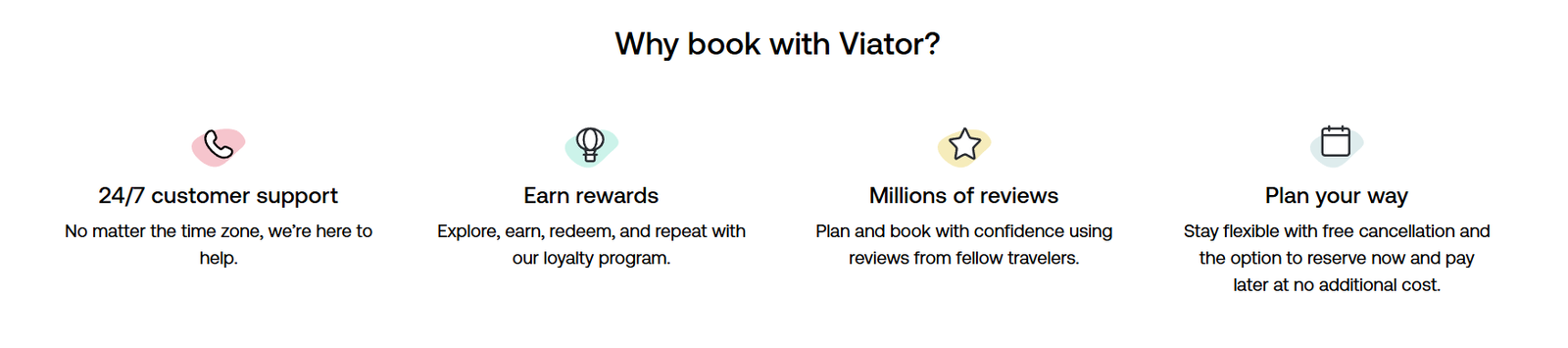
Viator promotes free cancellation on many experiences and offers Reserve Now & Pay Later on eligible bookings. Its current platform also provides 24/7 customer support. However, cancellation conditions can vary by activity, so the policy shown on the individual listing matters more than the general platform promise.
Where Viator Falls Short
The sheer size of the marketplace can make the choice overwhelming. A search for something as simple as a city walking tour may return numerous similar listings with different meeting points, durations, group sizes and cancellation policies.
Prices can also vary substantially between operators. Viator is useful for comparison, but the first result is not necessarily the best one.
Klook: More Than a Tours Platform

Source: Klook
Klook takes a broader approach. Its catalogue includes tours and experiences, but the platform also covers attraction tickets, airport transfers, car rentals, train passes, hotels, cruises, SIM cards and travel essentials.
Where Klook Really Performs Well
Klook is particularly convenient for travellers visiting Asian destinations. Its current platform prominently features Japan, South Korea, Singapore, China, Thailand, Vietnam, Malaysia and the Philippines, alongside European and North American destinations.
For example, a Japan trip can be planned around attraction tickets, airport transfers, rail products and day trips without switching between several websites. That is one of Klook’s strongest practical advantages.
Deals and KlookCash
Klook also puts more emphasis on discounts and repeat-booking rewards. The platform offers KlookCash after eligible bookings, while its current site promotes last-minute booking, free cancellation on selected products and attraction deals.
Its 2026 Travel Pulse research also found that 47% of surveyed APAC travellers were actively looking for deals, discounts or bundled offers, while 42% said they were booking earlier to secure better prices.
Viator vs Klook: Side-by-Side
| Feature |
Viator |
Klook |
| Main focus |
Tours and experiences |
Experiences, attractions and travel services |
| Experience inventory |
300,000+ |
500,000+ offerings |
| Destinations |
2,500+ |
3,400+ |
| Strongest advantage |
Global tours and guided experiences |
Asia-focused activities and travel essentials |
| Attraction tickets |
Yes |
Yes |
| Day trips |
Yes |
Yes |
| Transport |
More limited |
Strong selection |
| Rail passes |
Limited |
Strong, especially Asia |
| Rewards |
Viator rewards |
KlookCash |
| Cancellation |
Available on many listings |
Available on selected listings |
| Customer support |
24/7 |
Customer support available |
Which Platform Has Better Tours?
For a pure tours-and-activities search, Viator vs Klook is a closer contest.
Viator has the advantage when the priority is finding guided experiences across a wide range of international destinations. Its large marketplace, extensive traveller-review base, and focus on local operators make it particularly useful for sightseeing tours, private excursions and specialist experiences.
Klook becomes more attractive when the activity is only one part of the trip. Someone booking a Tokyo attraction might also need a train pass, airport transfer, SIM card or other travel product. Having those options alongside the activity can save time.
Which Is Better for Asian Travel?
This is where Klook has a noticeable edge.
The platform has deep coverage across Asian destinations and includes products that are particularly useful in the region, such as Japan Rail-related products, Shinkansen bookings, airport transfers and attraction tickets. Its current India platform also lists activities, tours and attractions across major Indian destinations.
That does not make Viator weak in Asia. It simply means Klook’s broader ecosystem can be more convenient when transportation and attractions need to be booked together.
Advantages and Disadvantages
Viator Advantages
- Very large global tours and activities catalogue
- Strong selection of guided and private experiences
- Extensive traveller reviews
- 24/7 customer support
- Free cancellation available on many activities
- Reserve Now & Pay Later on eligible experiences
Viator Disadvantages
- Large number of similar listings can make comparison time-consuming
- Prices vary significantly between operators
- Cancellation rules differ by experience
- Less useful if the main requirement is transport or travel essentials
Klook Advantages
- More than 500,000 offerings across 3,400+ destinations
- Particularly strong Asian coverage
- Activities, attraction tickets and transport on one platform
- KlookCash rewards
- Mobile-friendly booking experience
- Discounts and bundled offers on selected products
Klook Disadvantages
- Some destinations have a much stronger inventory than others
- Experience quality can vary between individual operators
- Deals and cancellation terms differ by product
- The broader catalogue can sometimes make the platform feel less focused than a dedicated tours marketplace
Final Verdict: Viator or Klook?
The better choice depends on what is being booked. Viator vs Klook is not really a question of which company is universally better. Viator is the stronger pick when the priority is finding and comparing tours, guided experiences and excursions worldwide.
Klook makes more sense when a trip involves activities plus attraction tickets, transportation, rail passes or other travel essentials, particularly across Asia.
For a European city break, safari, food tour or private sightseeing experience, Viator deserves the first search. For Japan, Singapore, Thailand, South Korea or a similar Asia-focused trip where several travel components need to be arranged, Klook can be the more convenient option.
The smartest approach is to check both before paying. Compare the exact activity, operator, meeting point, cancellation policy and final price rather than assuming that one platform will always be cheaper.
FAQs
1. Is Viator better than Klook?
Viator is generally better for travellers primarily looking for tours, guided activities and excursions. Klook is stronger when activities need to be combined with attraction tickets, transport and other travel services.
2. Which is better for Japan travel, Viator or Klook?
Klook is often the more convenient option for Japan because it combines activities with rail, transport and attraction products. Viator remains useful for guided tours and local experiences.
3. Can you cancel Viator bookings?
Many Viator activities offer free cancellation, but the exact deadline and refund conditions depend on the individual experience. Always check the listing before booking.
Also Read: Qmove Review 2026: Delivery, Moving and Freight Transportation Explained
