by parth@bidkinetic.com | Sep 10, 2026 | Tech
Deleting the wrong folder is one thing. Realising that a formatted drive contained the only copy of important photos, documents or project files is another. Data recovery software has to do more than find filenames in a scan. It needs to reconstruct usable files, preserve folder structures where possible and, ideally, tell the difference between something genuinely recoverable and a useless fragment. This EaseUS data recovery review puts those practical questions under the microscope.
Current testing shows why EaseUS remains popular: it can recover recently deleted files extremely well, handles formatted HDDs and USB drives effectively, and offers a free version that can recover up to 2GB. However, SSD recovery is much less predictable, particularly after formatting.
The Recovery Test: Where EaseUS Impresses
The first thing noticeable during a recovery workflow is how little technical knowledge is required. The interface essentially follows three stages: select the storage location, scan it, then preview and recover the files. Quick Scan handles straightforward deletions, while Deep Scan digs further when the original file structure is no longer readily available. Files can be filtered by type, size and other attributes before recovery.
That simplicity does not come at the expense of recovery depth.
- In one controlled test using an SSD, EaseUS recovered all deliberately deleted test files with their original filenames.
- A separate HDD test involving a quick format also produced a complete recovery, with filenames and nested folders largely intact.
- USB flash-drive testing produced similarly strong results, although some folder names were partially altered.
That distinction matters. Recovering 500 files is not particularly useful if every file has been renamed and the original folder structure has disappeared. EaseUS performs especially well when the filesystem information is still available.
Deleted Files vs Formatted Drives
Source: EaseUS
A simple deletion is the scenario in which data recovery software has the best chance of succeeding. When a file is deleted, the operating system generally marks the occupied space as available rather than immediately destroying every underlying data block. As long as new data has not overwritten those blocks, recovery can often reconstruct the file.
The results become more complicated after formatting. Tests on HDDs have shown EaseUS recovering files successfully after a quick format, including photos, videos and documents. One independent test recovered 1,114 files totalling 23.26GB from a 16GB USB drive after deleted-data testing, although some recovered material consisted of older remnants that had previously occupied the drive.
| Test situation |
Observed result |
What it means |
| Recently deleted files |
Excellent |
Best-case recovery scenario |
| HDD quick format |
Very strong |
Many files can remain recoverable |
| USB drive deletion |
Strong |
Good results, but filenames may change |
| Formatted SSD |
Unpredictable |
TRIM can make recovery difficult |
| Damaged filesystem |
Variable |
Deep scanning may find fragments |
| Overwritten data |
Poor/usually impossible |
Recovery cannot recreate overwritten data |
The SSD Problem Changes the Verdict
This is where exaggerated recovery claims fall apart. SSDs behave differently from traditional hard drives because of technologies such as TRIM. Once deleted blocks are cleaned up, software may have little or nothing left to reconstruct.
An independent 2025 test demonstrated this clearly. After copying files to an SSD and performing a quick format, EaseUS found only a system file and none of the personal files. Yet when the files were simply deleted without the same formatting scenario, the software recovered the complete set. The same testing showed much stronger performance on HDDs and USB drives.
That is not necessarily an EaseUS-specific failure. It is a fundamental limitation of modern storage. The practical lesson is more important than any recovery-rate headline: stop using the affected drive immediately. Every new download, installation or copied file can overwrite the space containing the missing data.
What Else Does EaseUS Bring to the Table?
The preview function is particularly useful.
- Instead of recovering a huge collection of questionable results and discovering later that half are unusable, the software lets users inspect supported files before committing to recovery.
- That saves considerable time when a deep scan returns thousands of results.
Another practical advantage is that scanning does not mean immediately paying.
- The free version can scan and show recoverable files, with up to 2GB of recovery available without upgrading.
- That makes it possible to establish whether the software can actually see the missing data before spending money.
Pricing: Reasonable If the Data Is Valuable
Source: EaseUS
EaseUS Data Recovery Wizard Pro currently starts at $69.95 for a one-month licence, while the one-year option costs $99.95 and lifetime upgrades cost $149.95. The Windows version is cheaper than the Mac version on the current store, where the Mac Professional edition is listed at $89.95.
That pricing is difficult to judge without considering the situation. Paying $69.95 to recover irreplaceable family photographs or an important work folder can be easy to justify. Paying the same amount to retrieve replaceable downloads is another matter.
The lifetime licence is the more interesting option for technicians or users who regularly work with removable drives. For a one-off emergency, however, the monthly licence makes more sense.
What Could Be Better?
The biggest weakness is that successful scanning can create a false sense of security.
- Seeing a filename in the results does not guarantee that the file will open correctly.
- Deep scans can also produce duplicate entries, fragments and files with missing or altered names.
The software cannot overcome physical drive failure either.
- A clicking HDD, electrically damaged SSD, or severely damaged storage device may require professional recovery equipment rather than consumer software.
- EaseUS itself offers professional recovery services for more serious cases.
There is also the issue of SSD recovery.
- Anyone buying the software specifically because a formatted SSD contains lost files should use the free scan first.
- The test evidence shows that SSD results can be dramatically worse than HDD results.
Final Verdict
The EaseUS data recovery review verdict is more nuanced than “yes, it brings files back.” It can genuinely recover deleted and formatted data, and the strongest results come from HDDs, USB drives and recently deleted files. The interface is approachable enough for someone who has never used recovery software, while the deeper scanning and repair tools give more experienced users additional options.
The software is not magic, though. SSDs, TRIM, overwritten sectors, severe filesystem corruption and physical hardware damage can all change the outcome. The most sensible approach is to run the free scan first, preview the files, and only then decide whether the recovery is worth paying for.
For ordinary accidental deletion, EaseUS is one of the more convincing recovery tools available in 2026. For a physically failing drive or data that has already been overwritten, expectations should be much lower.
FAQs
- How much data can EaseUS recover for free?
The current free version allows up to 2GB of recovery and lets users scan, filter and preview results before upgrading.
- Is EaseUS safe to use?
The software is designed to scan storage and recover files rather than modify the original data. The safest approach is to install it on a different drive from the one containing the lost files and recover the results to another storage location.
- What should be done immediately after deleting important files?
Stop using the affected drive. Avoid installing software, downloading files or copying new data onto it, because those actions can overwrite the deleted data and reduce the chances of recovery.
Also Read: NordVPN Review 2026: Features, Speed, and Real-World Testing
by parth@bidkinetic.com | Sep 9, 2026 | Tech
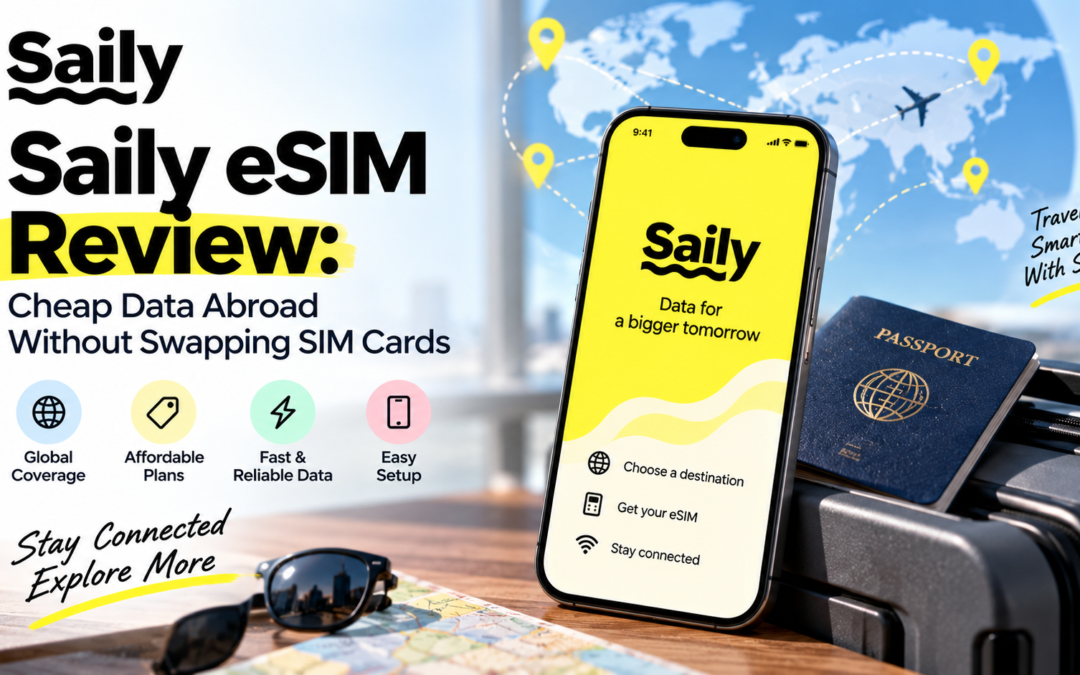
Landing in another country and discovering that the phone has no usable data is still one of the most frustrating parts of international travel. Local SIM cards mean finding a store, dealing with registration, physically swapping cards and keeping track of the original SIM. This Saily eSIM review looks at whether Saily actually removes those hassles without replacing them with a different set of problems.
Saily currently offers prepaid data plans in more than 200 destinations, with country plans starting from around $1.99 in some markets and global options ranging from 1GB for 7 days at $8.99 to 50GB for 365 days at $129.99. It supports 3G, 4G, LTE and 5G depending on the local network, allows hotspot sharing, and can be installed before leaving home.
Setting Up Saily Is the Part That Gets Most Things Right
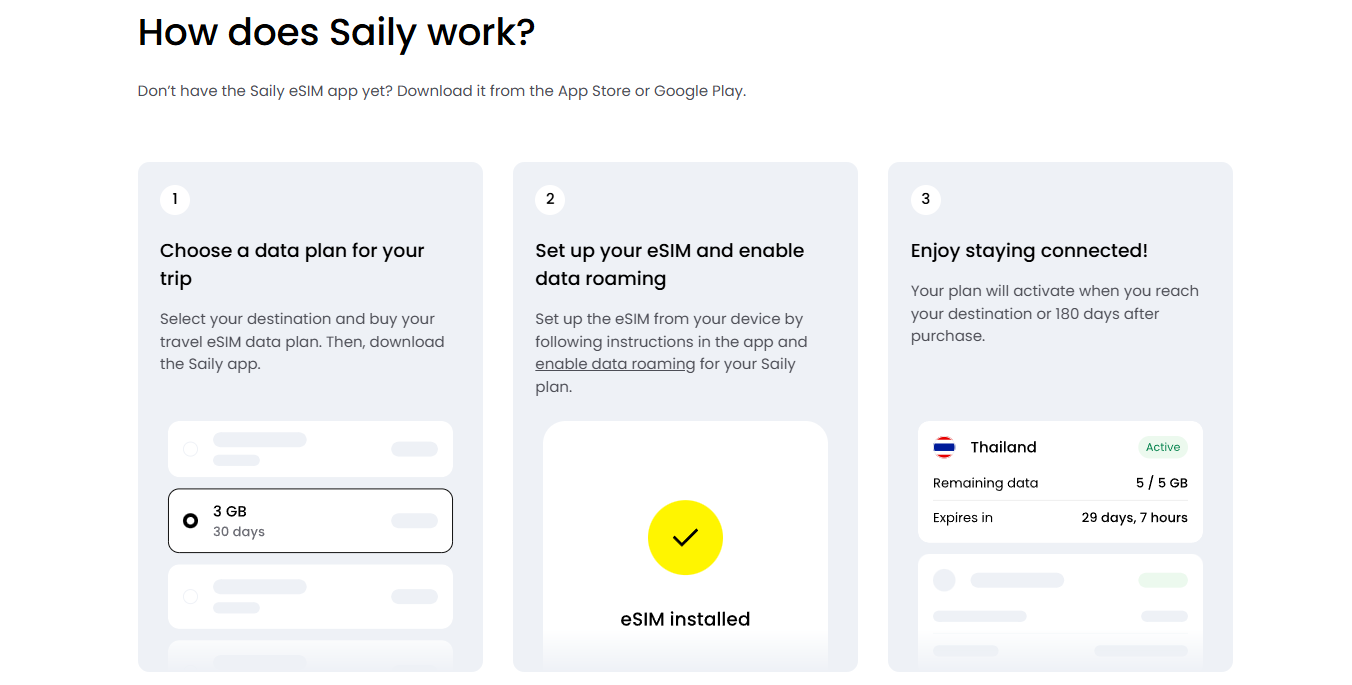
The biggest advantage becomes obvious before the trip even starts. The Saily app handles the eSIM installation, so there is no physical card to remove and no need to hunt for a telecom shop after landing. A plan can be purchased and installed in advance, with the service activating when the traveller reaches the destination, provided the Saily eSIM is enabled and data roaming is turned on.
There is one small catch worth knowing before boarding the plane: the initial installation needs an internet connection. That means installing the eSIM while connected to reliable Wi-Fi is much smarter than waiting until the airport. Once installed, the setup is relatively straightforward, although users should disable automatic mobile-data switching to prevent the phone from accidentally falling back to the primary SIM and generating roaming charges.
The service also allows additional destinations to be added to the existing Saily eSIM. That is particularly useful for multi-country trips because changing from France to Italy, for example, does not require installing another physical SIM or replacing the eSIM profile.
What Is the Data Experience Actually Like?
Source: Saily
Saily’s biggest practical variable is not the app; it is the local network behind it. The company provides access to local operators, with speeds reaching 3G, 4G, LTE or 5G depending on what is available in the destination. That means performance can be excellent in one city and merely adequate in another, particularly outside major urban areas.
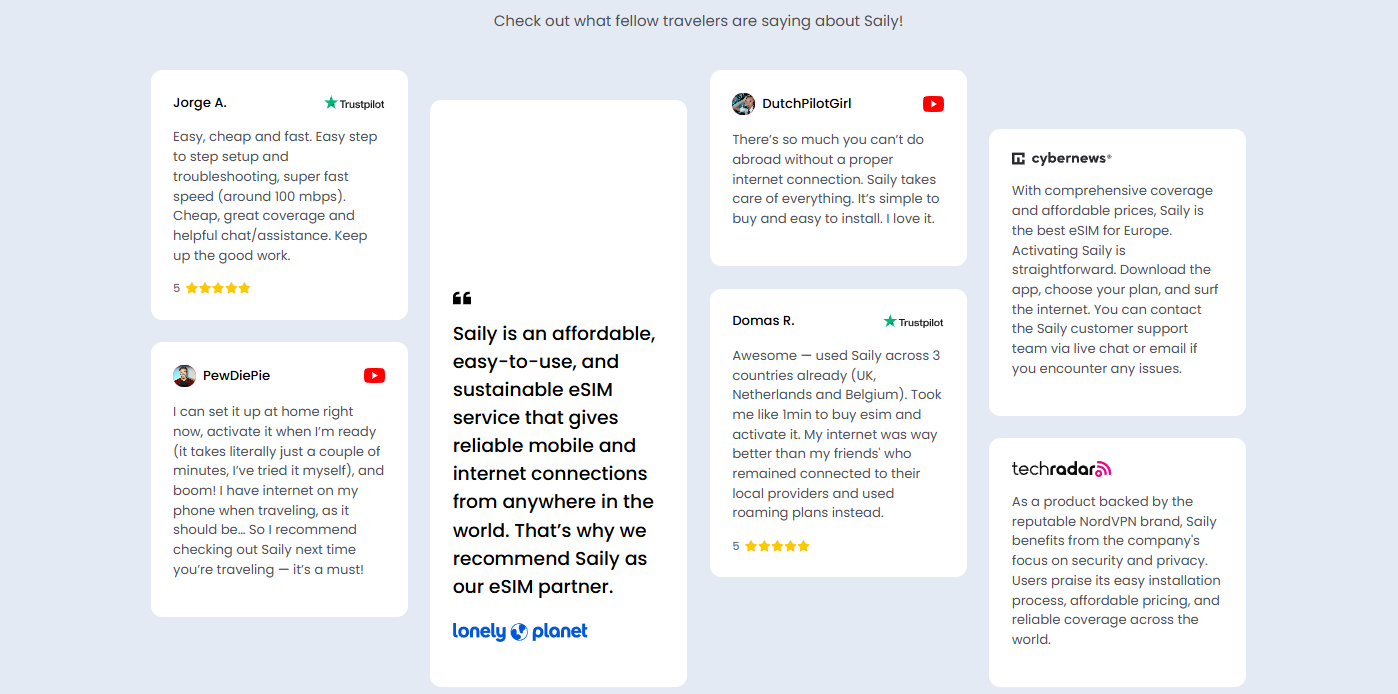
For normal travel use, the service is designed around exactly the activities that consume data while abroad: Google Maps navigation, WhatsApp, ride-hailing apps, email, social media and occasional video calls. Published user feedback also includes reports of speeds around 100 Mbps, although that should be treated as an individual experience rather than a guaranteed Saily speed.
Hotspot sharing is another practical strength. Saily currently advertises unlimited hotspot sharing, which can be useful when travelling with a second phone, tablet or laptop. That makes a modest data plan more versatile than one restricted to the primary handset.
The Smart Way to Choose a Plan
The temptation with travel eSIMs is to buy unlimited data and forget about usage. Saily makes a fixed-data plan more interesting because the smaller packages can be considerably cheaper.
| What you need |
Saily option |
Practical verdict |
| Short city break |
1-3GB country plan |
Enough for maps, messaging and light browsing |
| 1-2 week holiday |
5-10GB |
Better balance for regular social use |
| Heavy traveller |
20GB or unlimited |
Better for video, hotspot and frequent navigation |
| Multi-country trip |
Regional/global plan |
More convenient than changing SIMs |
| Frequent international travel |
Long-duration global plan |
Useful when travelling repeatedly |
For example, current global plans include 1GB/7 days for $8.99, 2GB/15 days for $16.49, 5GB/60 days for $33.99, 10GB/180 days for $56.99 and 20GB/365 days for $66.99. A 50GB global option costs $129.99 for 365 days.
Top-Ups and the Features That Actually Matter
Running out of data is less disruptive than it used to be because additional data can be purchased through the app. Saily’s automatic top-up option can also add another plan when the existing allowance is exhausted, which is useful for longer trips where data consumption is difficult to predict.
The app also goes beyond connectivity.
- Saily includes security-oriented tools such as a virtual location, ad blocking and protection against malicious websites and trackers.
- These are useful additions, especially when relying on public Wi-Fi at hotels, airports or cafés, although they should not be mistaken for a full replacement for every dedicated security service.
- There is now an optional US-based phone number with voice and SMS plans as well.
This is separate from the standard data service and is particularly useful for travellers who need an actual number rather than relying entirely on WhatsApp, FaceTime or other VoIP apps.
Saily eSIM Review: Where Saily Falls Short
Saily is not a replacement for a traditional mobile operator in every situation.
- The standard eSIM plans are primarily designed around data, so travellers who need a local phone number, conventional voice calls and SMS should check the available add-ons rather than assuming those services are included.
Coverage also needs to be considered at the destination level.
- “200+ destinations” sounds impressive, but the quality of service ultimately depends on the local networks Saily connects to.
- A strong 5G signal in central London does not mean the same experience will be available in a remote village or rural road elsewhere.
Another limitation is that an eSIM-compatible, carrier-unlocked phone is required.
- Users with older devices cannot solve that limitation through the Saily app.
- The company also notes specific restrictions in Turkey, where the Saily website and top-up options are unavailable within the country, so the plan should be purchased and activated before entering.
Is Saily Actually Cheap?
Source: Saily
This is where the Saily eSIM review becomes more favourable. The entry pricing is genuinely useful for travellers who do not need huge amounts of data. Some country plans start below $4, while unlimited plans are available in selected destinations. Current examples include Japan from $3.99 for 1GB, India from $3.99 and Thailand from $2.99.
The pricing becomes particularly attractive when compared with unlimited travel eSIM alternatives. For example, Saily’s published April 2026 comparison showed its 30-day unlimited plan at $48.99 in Japan, compared with $74.90 for Holafly. Its 20GB Japan plan was only $24.99.
That does not automatically make Saily the cheapest option everywhere. Local prepaid SIMs can still offer better raw data value in some countries. What Saily sells particularly well is convenience: the traveller pays slightly more than a local bargain SIM in some cases, but avoids the store visit, physical card and setup hassle.
Final Verdict
After looking at the complete travel workflow, the Saily eSIM review verdict is fairly straightforward: Saily makes the most sense for travellers who value convenience but do not want to pay for a huge amount of data they will never use.
The strongest combination is the simple installation, broad destination coverage, flexible data sizes, hotspot support and in-app top-ups. The fact that the same eSIM can be used across multiple destinations makes it even more practical for European and multi-country itineraries.
It is less compelling for someone travelling permanently, needing a traditional local number or chasing the absolute lowest cost per gigabyte. For ordinary holidays and business trips, however, Saily removes one of the most annoying travel chores: getting connected after landing.
Saily eSIM Review: FAQs
- Does Saily work without changing the physical SIM?
Yes. The eSIM is installed digitally, allowing the physical SIM to remain in the phone. Users can keep their primary SIM available while directing mobile data through Saily.
- Can Saily be used as a hotspot?
Yes. Saily currently advertises unlimited hotspot sharing, although the underlying mobile network still determines practical performance.
- Can Saily be used in multiple countries?
Yes. Regional and global plans are available, and additional destinations can be added to an existing Saily eSIM rather than installing a new profile for every country.
- Does Saily provide a phone number?
An optional US-based phone number with voice and SMS plans is available. The standard data-only plans do not require this add-on.
Also Read: SEMrush Review: Is It Worth $140/Month for Small Websites?
by parth@bidkinetic.com | Sep 9, 2026 | Tech
If a VPN is going to sit between every device and the internet, “fast” and “private” are not enough as selling points. The real questions are whether speeds remain usable when connecting to distant servers, whether streaming services actually work, how quickly connections establish, and whether the privacy claims have been independently checked. This NordVPN Review looks at those practical points rather than simply repeating the feature list.
In 2026, NordVPN offers 8,000+ servers across 167 countries according to recent independent testing, supports up to 10 simultaneous devices, and uses NordLynx, its WireGuard-based protocol. Independent testing has recorded download speeds as high as 1,249 Mbps, while NordVPN’s latest pricing starts at $3.49/month on a 27-month introductory offer.
NordVPN in 2026: What Has Actually Improved?
NordVPN has grown well beyond being a basic app with a map of VPN servers. The core service now combines VPN encryption with features such as Threat Protection, DNS leak protection, an automatic kill switch, Double VPN, Onion Over VPN, obfuscated servers and Dark Web Monitor. NordLynx remains the practical choice for users who care about speed, while OpenVPN is available when a more established protocol is preferred.
The other notable change is how much NordVPN now bundles around the VPN itself. Depending on the subscription, users can get malware and phishing protection, ad and tracker blocking, a password manager, 1 TB of encrypted cloud storage, identity monitoring and other security tools. That makes the higher-priced plans considerably broader than a conventional VPN subscription, although not everyone will actually need those extras.
Privacy Is Still One of Its Strongest Arguments
NordVPN’s no-logs position is more convincing than a simple marketing statement because it has gone through six independent examinations. The company says the first reviews were conducted by PwC Switzerland and later examinations, including the sixth in 2025, by Deloitte.
That matters in practical terms. A VPN provider can offer excellent encryption while still creating privacy concerns through logging. Independent verification does not make a service completely risk-free, but it gives NordVPN considerably more credibility than relying solely on its own privacy promises.
Speed Testing: Is NordVPN Really Fast?
Source: NordVPN
Speed is where NordVPN continues to make a strong case.
- A West Coast Labs evaluation using 1 Gbps connections tested Windows 10 and 11 applications across locations including the UK, France, Germany, the Netherlands, East Asia, Australia and the US.
- The highest recorded download speed was 920 Mbps, while the average connection establishment time was 1.67 seconds.
More recent independent testing paints an even stronger picture.
- Tom’s Guide recorded a peak of 1,249 Mbps over NordLynx, placing NordVPN third among the fastest VPNs in its latest testing.
- OpenVPN performance was also unusually consistent, with around 688 Mbps on both local and long-distance connections.
The important caveat is distance.
- Long-distance NordLynx connections can lose substantially more speed than nearby servers.
- That is normal for VPNs, but it means the “1,249 Mbps” figure should not be interpreted as the speed every user will experience.
Streaming, Gaming and Everyday Use
For ordinary browsing, NordVPN’s performance is difficult to fault.
- Recent testing found minimal disruption during browsing, 4K streaming, video calls and gaming.
- Another independent test recorded only about a 7% download-speed reduction compared with the connection without the VPN, although latency increased considerably.
Streaming is another area where NordVPN performs particularly well.
- SmartPlay is designed to combine VPN protection with streaming compatibility, and testing in 2026 has found NordVPN capable of accessing major platforms including Netflix, Disney+ and BBC iPlayer.
Gaming requires a little more nuance.
- Download speed is rarely the limiting factor; latency is more important.
- A nearby VPN server can keep the experience perfectly playable, while routing traffic halfway around the world can introduce unnecessary delay.
| Area |
NordVPN 2026 assessment |
| NordLynx speed |
Excellent |
| Long-distance performance |
Good, but speed drops |
| Streaming |
Excellent |
| Privacy |
Excellent, independently reviewed |
| Connection time |
Very fast |
| Device support |
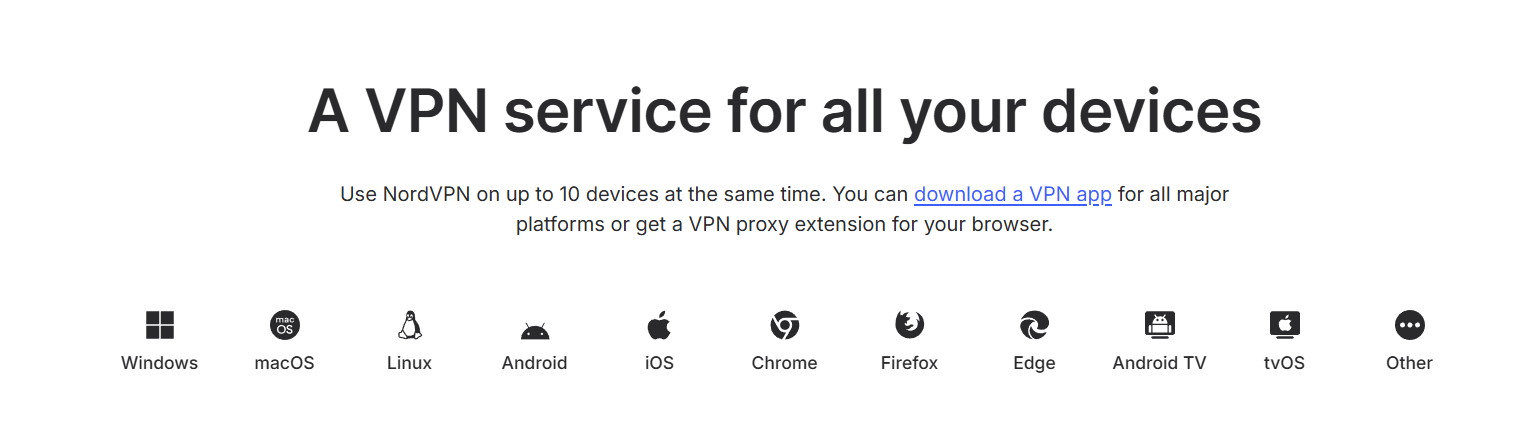
Up to 10 devices |
| Ease of use |
Good, but feature-heavy |
| Value |
Strong on long-term plans |
| Main drawback |
High renewal pricing |
NordVPN Review on Pricing: The Catch Is Renewal
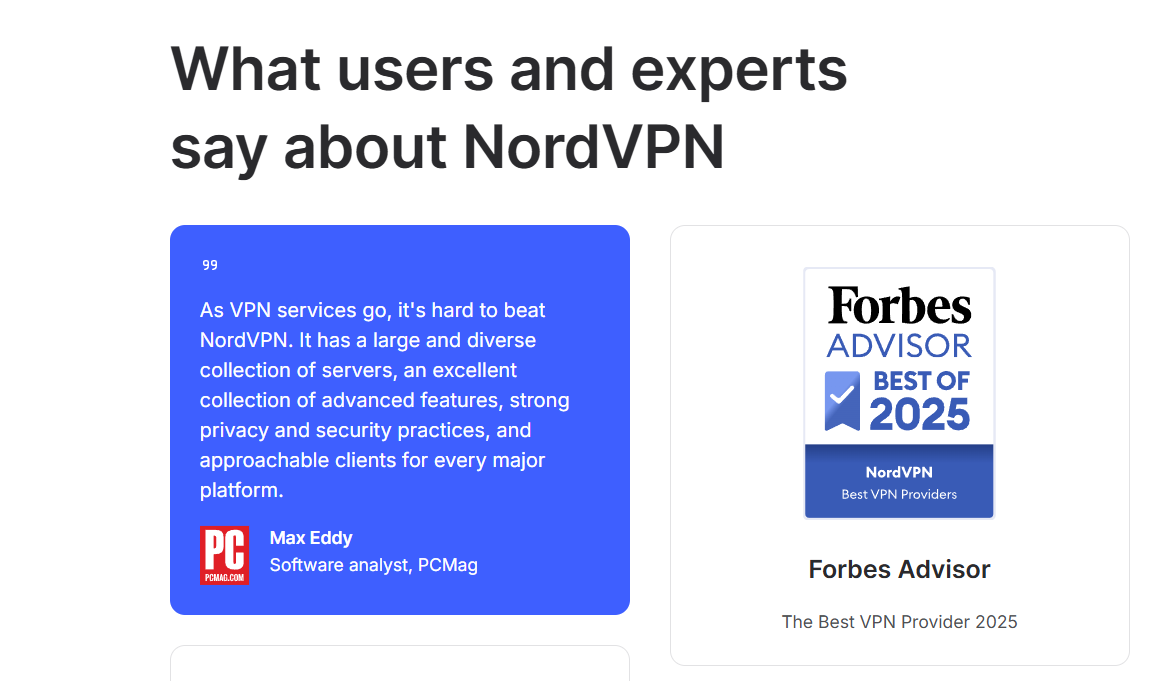
Source: NordVPN
NordVPN’s current US pricing starts at $3.49/month for Basic when taking the 27-month introductory offer, which totals $94.23 before applicable tax. Complete costs $4.49/month and Prime $7.49/month under the same promotional structure. All three include a 30-day money-back guarantee.
The promotional price applies only to the introductory period. Basic currently renews at $139.08/year, Complete at $219.48/year and Prime at $296.28/year. That makes checking the renewal date important before treating the initial price as the long-term cost.
For most users, Basic is the sensible starting point if the goal is simply a fast VPN. Complete becomes more interesting when malware protection, tracker blocking, password management and cloud storage are genuinely useful.
What Could Be Better?
The biggest weakness is not performance; it is complexity. NordVPN now has so many security and privacy features that the interface can feel busier than simpler VPN competitors. Users who only want a connect button, server selection and a kill switch may find some of the additional options unnecessary.
Platform differences are another consideration. Recent testing notes that some advanced features, including split tunneling and a full-system kill switch, are not equally available across every platform, particularly macOS.
And then there is renewal pricing. The introductory deals are attractive, but anyone comparing VPNs purely on monthly cost should look beyond the promotional figure.
NordVPN Review: Final Verdict
This NordVPN review comes down to performance rather than the size of its feature list. NordVPN remains one of the strongest choices for users who want fast connections, reliable streaming, independently reviewed no-logs practices and a substantial collection of security tools.
The testing data supports the reputation: speeds can reach well above 1 Gbps, nearby connections can have minimal performance impact, and connection times are exceptionally quick.
The best fit is someone who wants more than basic VPN encryption and is willing to manage a feature-rich application. The less convincing proposition is for someone looking for the cheapest possible VPN indefinitely. Once promotional pricing ends, the renewal cost becomes much more significant.
NordVPN Review: FAQs
- Does NordVPN keep logs?
NordVPN says it operates a no-logs policy that has undergone six independent examinations, with the latest examination conducted by Deloitte in 2025.
- How many devices can use NordVPN?
One subscription supports up to 10 simultaneous devices.
- Does NordVPN work for streaming?
Independent testing in 2026 found it effective with major streaming platforms, including Netflix, Disney+ and BBC iPlayer.
Also Read: VPN Speed Explained: Why Your Connection Slows and How to Fix It
by parth@bidkinetic.com | Sep 8, 2026 | Tech
A VPN becomes much harder to justify when a household has several phones, laptops, smart TVs and streaming devices to protect. Buying separate subscriptions for everyone quickly defeats the purpose of choosing a budget service. That is where this Surfshark review gets interesting. Surfshark supports unlimited simultaneous connections, covers major desktop, mobile and TV platforms, and can also be installed on a router to protect devices that do not have a native VPN app. Its network currently spans 4,500+ servers across 100 countries.
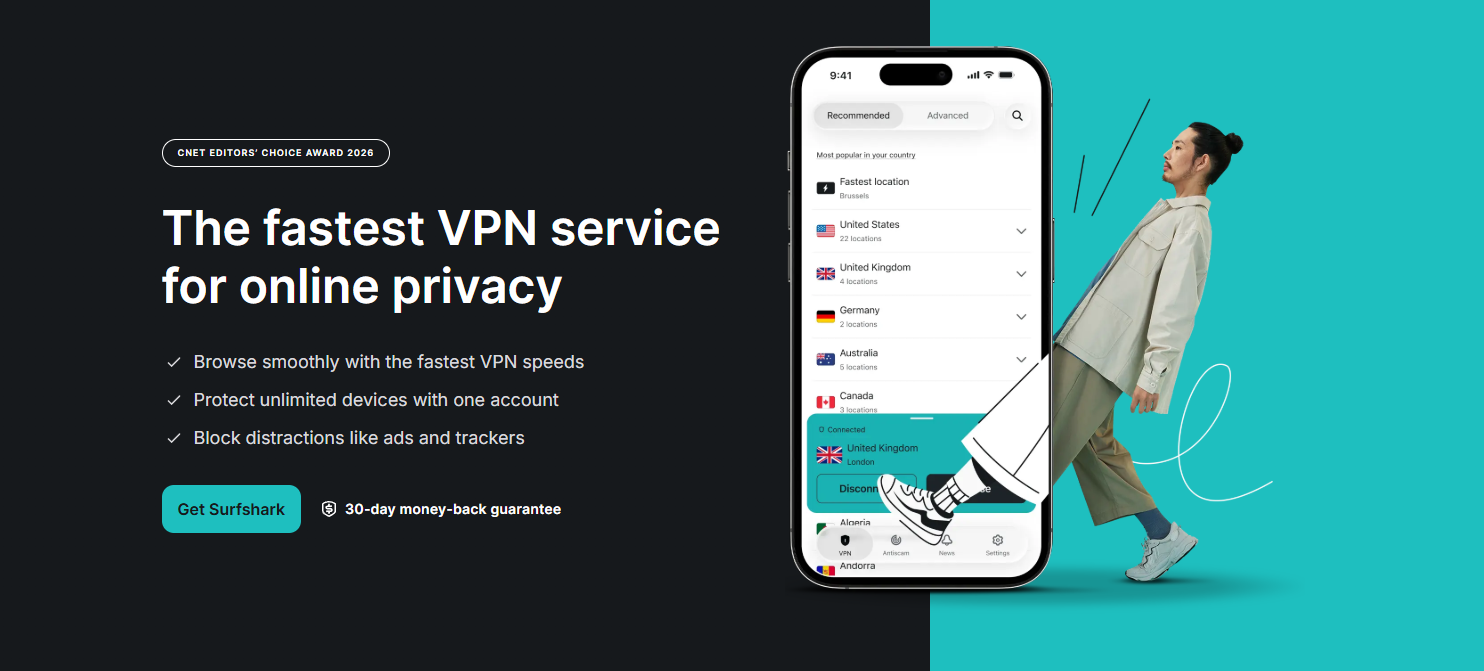
The price is also built around long-term subscriptions rather than a simple monthly fee. Surfshark’s current Starter plan starts at $2.49 per month on its two-year option, while month-to-month pricing is considerably higher. There is also a 30-day money-back guarantee, giving families enough time to install it across several devices and see whether the connection, streaming access and day-to-day usability hold up.
Setting Up Surfshark Across a Household
The first thing that stands out is how little effort is required to expand coverage. The same subscription can be used simultaneously across phones, computers, tablets and smart TVs, rather than forcing a family to decide which devices deserve protection.
During normal use, the app is straightforward enough that less technical household members do not need to understand VPN protocols or server infrastructure. For devices without a dedicated application, router installation is the more practical option because everything connected to that network can pass through the VPN.
What Makes the Family Setup Practical
- Unlimited simultaneous connections
- Windows, macOS, Linux, Android and iOS apps
- Apple TV, Fire TV and Android TV support
- Chrome, Firefox and Edge extensions
- Router support for broader home-network coverage
That unlimited-device policy is the feature that changes the value calculation most. Surfshark says there is no bandwidth limit based on the number of connected devices, although normal network and server conditions can still affect performance.
Speed Is Good, But Server Choice Still Matters
Source: Surfshark
A VPN inevitably adds another step between a device and the internet, so the real-world question is whether the slowdown is noticeable. Surfshark’s current network uses RAM-only servers, with servers supporting at least 10 Gbps according to the company, and its newer Dausos protocol is designed around speed and security.
For a household, the more useful test is not a single speed-test number. It is whether one person can stream while another is on a video call and someone else is downloading a large file without the connection becoming frustrating. Surfshark generally has enough server choice to make switching worthwhile when a particular location feels congested.
Privacy Features Are More Than Marketing Extras
Surfshark includes a kill switch, DNS leak protection, split tunnelling through Bypasser, obfuscation and its Dynamic MultiHop feature. MultiHop routes traffic through two VPN servers, while Bypasser lets selected apps or websites avoid the VPN tunnel. That latter feature is especially useful for banking or services that behave badly when accessed through a VPN.
The privacy claims also have more substance than simply displaying a “no logs” badge. Deloitte’s 2025 assurance report verified Surfshark’s no-activity-logs policy and confirmed that IP addresses were not stored, while independent security assessments in 2025 and 2026 examined its infrastructure, applications and newer Dausos protocol and found no Critical or High-severity vulnerabilities within the protocol itself.
CleanWeb Is Surprisingly Useful at Home
One feature that becomes more noticeable on a family subscription is CleanWeb. It is designed to block ads, trackers and certain unwanted web elements, while Surfshark also offers cookie pop-up blocking.
It does not turn the VPN into a complete parental-control system, and that distinction matters. Families looking for detailed child-specific filtering should not assume a VPN alone provides that. Surfshark is primarily protecting connections and adding privacy, not replacing dedicated parental-control software.
Pricing and What You Actually Get
| Feature |
Surfshark Starter |
Practical family value |
| Two-year starting price |
$2.49/month |
Excellent for multiple devices |
| Monthly starting price |
$16.45/month |
Expensive for casual use |
| Simultaneous connections |
Unlimited |
Biggest advantage |
| Server network |
4,500+ servers / 100 countries |
Strong coverage |
| Kill switch |
Yes |
Important for privacy |
| Split tunnelling |
Yes |
Useful for banking and selected apps |
| MultiHop |
Yes |
Extra privacy layer |
| Ad/tracker blocking |
Yes |
Useful for everyday browsing |
| Money-back guarantee |
30 days |
Useful for testing |
Pricing can change with promotions and renewal terms, so the initial subscription price should not be confused with the renewal price. Surfshark itself notes that renewal is charged at the applicable renewal rate.
The unlimited-device advantage can also make the product seem better than it is for people who only use one laptop and phone. A single user with modest VPN requirements may not get much practical benefit from protecting dozens of devices.
The other issue is that the broader Surfshark ecosystem can make the subscription page confusing. Starter, One and One+ add different combinations of Antivirus, Alert, Alternative ID, scam protection and data-removal services. These extras are useful for some households, but paying for them simply because they are bundled is unnecessary if the VPN is the only requirement.
There can also be occasional speed variation depending on the selected server and distance. No VPN can guarantee the same connection speed as an unencrypted direct connection, and the closest server is not always the fastest one.
Is Surfshark Really the Best Value for Families?
Source: Surfshark
For a household with several connected devices, the Surfshark review verdict is largely positive.
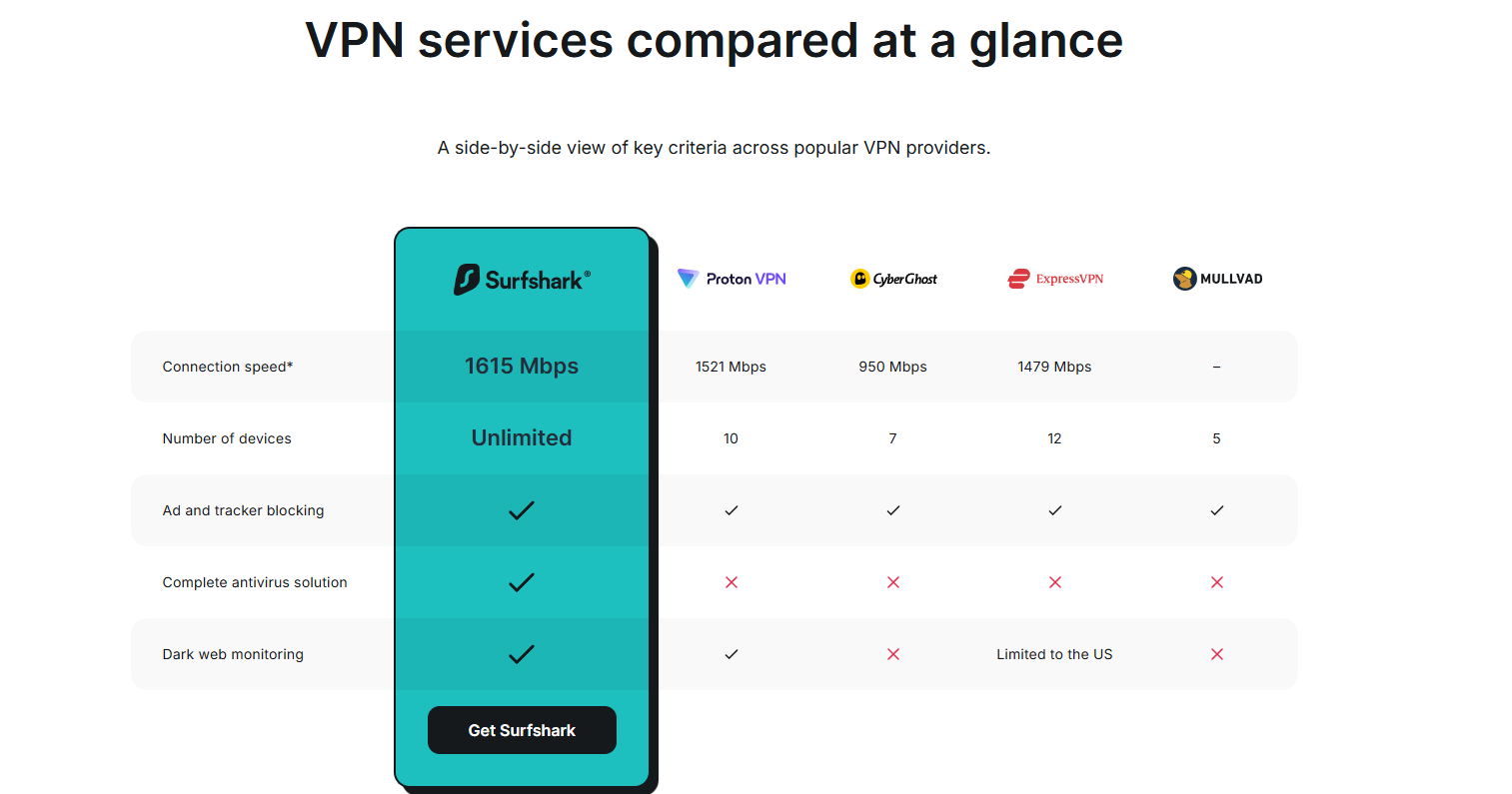
- Unlimited simultaneous connections remove one of the most annoying limitations found in competing VPN subscriptions, and router support makes it possible to extend protection beyond phones and computers.
- It is particularly compelling for families that want one subscription rather than managing separate accounts.
- The combination of unlimited connections, a broad server network, modern protocols, a kill switch, split tunnelling and a 30-day refund window makes the long-term plans easy to consider.
For a single user, the calculation is less obvious.
- If only two devices need protection and advanced features are not important, a cheaper VPN or a free service with fewer restrictions may be enough.
- But once a household starts counting phones, laptops, tablets, TVs and consoles, the value becomes much clearer.
Final Verdict
The strongest part of this Surfshark review is not that Surfshark has an unusually long feature list. It is that the service solves a very practical household problem: one subscription can cover almost everything that connects to the home network.
For families, that makes Surfshark one of the easier VPN subscriptions to justify. The unlimited connections are genuinely useful, the apps are accessible, and the privacy features go well beyond simply changing an IP address. The best value comes from the longer plans, provided the renewal price is checked before committing.
For a single casual user, it is worth comparing alternatives. For a household with a growing collection of connected devices, however, Surfshark makes a much stronger case, which is why this Surfshark review would put it firmly in the value-focused category rather than calling it merely a cheap VPN.
Surfshark Review: FAQs
- Can one Surfshark account be shared with a family?
Yes. Surfshark allows unlimited simultaneous connections, so one subscription can be used across a household’s devices.
- Does Surfshark slow down internet speed?
Some speed reduction is possible because traffic is routed through a VPN server. The actual effect depends on factors such as server distance, congestion, connection quality and protocol.
- Can Surfshark protect smart TVs and gaming consoles?
Yes. Surfshark supports several smart-TV platforms and can also be configured on a compatible router to protect devices such as gaming consoles.
Also Read: PopAi Review: An Honest Look at the AI Document Assistant

by parth@bidkinetic.com | Sep 8, 2026 | Business
If a design project regularly needs stock footage, fonts, presentation templates, music, graphics and mockups, buying each asset separately gets expensive very quickly. That is where this Envato Elements review becomes interesting. The Core plan currently starts at $16.50 per month when billed annually, giving access to more than 29 million creative assets, unlimited downloads and 20 AI credits each month.
The real value becomes apparent when using Elements as a working library rather than simply browsing it. A single project can move from a presentation template to a font, stock image, background video, sound effect and mockup without requiring separate subscriptions. That convenience is the strongest argument for Elements, although the quality and usefulness of individual assets can vary considerably.
The Library Is Huge, But Search Quality Matters More Than the Number
Envato currently lists around 16.4 million stock photos, 150,000+ video templates, 340,000+ music tracks, 940,000 sound effects, 430,000 graphic templates and 61,000 fonts, alongside graphics, 3D assets, presentation templates, WordPress resources and more.
In practical use, the sheer size can be both helpful and slightly frustrating. There are usually plenty of options for a common requirement, but finding the right one can take longer than expected. The first search result is rarely the reason to subscribe; the value comes from being able to keep looking, compare styles and download alternatives without worrying about another per-item charge.
Where It Works Particularly Well
- Social media and advertising creatives
- Presentation and pitch-deck design
- YouTube and video production
- Website and landing-page projects
- Brand mockups
- Fonts and graphic elements
- Background music and sound effects
Templates Are the Biggest Time Saver

The most useful assets are not necessarily the most visually impressive ones. A well-structured template can save hours because the difficult work has already been handled: composition, animation, transitions, typography and layout.
This is especially noticeable with video templates. Envato supports templates for tools including Adobe Premiere Pro, After Effects, Final Cut Pro, Apple Motion and DaVinci Resolve, so the workflow can continue inside software already being used rather than forcing a switch to another editor.
The catch is that templates are not equally beginner-friendly. Some require specific plugins, fonts or newer versions of editing software. Before downloading a complicated project, checking the compatibility notes is worth the extra minute.
The Unlimited Downloads Model Changes How You Work
The phrase “unlimited downloads” sounds like marketing until it changes the way assets are selected. With traditional stock libraries, downloading five versions of a background or testing several presentation templates can feel wasteful when every asset has an individual price.
Elements removes much of that hesitation. Its Core plan provides unlimited downloads of creative assets, subject to its Fair Use Policy.
That makes experimentation one of the platform’s better features. Instead of trying to make the first acceptable asset work, it becomes practical to download several candidates, test them in the project and keep the one that fits.
Licensing Is Better Than It First Appears
The licensing system deserves more attention than it usually gets in reviews. Each downloaded stock asset receives an ongoing license for a specific project, and Envato says completed projects remain covered even after the subscription ends. If the same asset is used for a separate project, a new license needs to be registered.
That distinction is important for freelancers and agencies working for clients. Canceling a subscription does not suddenly invalidate previously licensed completed work. However, the asset cannot simply be downloaded during a subscription and then freely reused in unlimited future projects without registering the relevant use.
Where the $16.50 Plan Makes Sense
| Area |
Envato Core |
Practical Take |
| Annual price |
$16.50/month |
Excellent if used regularly |
| Monthly price |
$39/month |
Much less attractive for occasional use |
| Creative assets |
29M+ |
Extremely broad library |
| Stock photos |
16.4M+ |
Strong variety |
| Video templates |
150,000+ |
Particularly useful for creators |
| Fonts |
61,000+ |
Large typography selection |
| AI credits |
20/month |
Useful for occasional experimentation |
| Downloads |
Unlimited* |
Major advantage |
| Commercial license |
Lifetime for licensed uses |
Strong for client work |
*Subject to Envato’s Fair Use Policy.
The annual Core plan is where the value proposition becomes compelling. At $16.50 a month, downloading several assets every week can quickly make the subscription cheaper than purchasing individual stock items. But the monthly $39 option changes the calculation considerably.
The AI Addition Is Useful, But Not the Main Reason to Subscribe
Envato’s current Core plan includes 20 AI credits per month, while Plus and Ultimate provide substantially larger AI allocations. The newer plans have shifted the platform from a straightforward asset marketplace toward a combined stock-and-AI creative toolkit.
For someone primarily joining to access stock assets, this is more of a bonus than a deciding factor. Twenty credits are not enough to make Core an intensive AI-generation subscription, but they can be useful for occasional image, editing or other creative experiments without requiring another platform.
What Could Be Better?
The biggest weakness is consistency.
- A library containing millions of assets inevitably contains work that feels dated, generic or overused.
- Finding something genuinely distinctive sometimes requires patience, especially for common categories such as corporate presentations, business stock images and social-media graphics.
There is also the Fair Use Policy to keep in mind.
- “Unlimited” does not mean unrestricted automated bulk downloading.
- Envato explicitly says its download system is subject to fair-use conditions and prohibits unusual or excessive activity, including mass downloading through scripts or bots.
Another consideration is software dependency.
- A beautiful After Effects template is not particularly useful if the project requires plugins or technical knowledge that the user does not have.
- The platform supplies the asset, not the production expertise needed to turn every asset into a finished result.
For someone producing content regularly, the answer is largely yes. A designer creating social campaigns, a video editor producing weekly content, a marketing team building presentations or an agency working across several clients can easily use enough assets to make the annual Core subscription worthwhile.
The Envato Elements review becomes less enthusiastic for occasional users. If a project only needs one photo or one presentation template every few months, paying for an annual subscription simply to access a large library may not be economical.
For regular creative work, though, the subscription changes the workflow. The ability to try several assets, download alternatives and move between photos, footage, fonts, music and templates without calculating the price of every download is genuinely useful.
Final Verdict
The strongest part of this Envato Elements review is how the subscription changes the economics of everyday creative work. When several assets are needed every week, being able to download, test and replace them without another purchase makes the library considerably more useful.
At $16.50/month billed annually, Core is compelling for frequent creators. At $39 month-to-month, the value is harder to defend unless the library is being used heavily. Either way, Envato Elements works best as a production resource alongside Photoshop, Premiere Pro, Canva, After Effects, DaVinci Resolve or similar tools, rather than as a replacement for them.
Envato Elements Review: FAQs
- Can Envato Elements be used for commercial projects?
Yes. Envato provides a commercial license for its creative stock assets, including client work and monetized projects, subject to its license terms.
- Can you keep using downloaded assets after canceling?
Existing completed project uses remain covered under the lifetime licensing arrangement. However, new projects require an active subscription and appropriate licensing.
- Is Envato Elements worth it for a freelancer?
It can be, particularly when working across several clients and asset types. The value comes from frequent use rather than simply having access to a large library.
Also Read: Krisp Review: Does AI Noise Cancellation Actually Work on Calls?
