
by parth@bidkinetic.com | Sep 7, 2026 | Business
Most Amazon seller software looks impressive until it has to answer a practical question: which product should actually be worth launching, which keywords are worth targeting, and where is the listing losing sales? That is the real test behind this Helium 10 review. The platform combines product research, keyword discovery, listing optimisation, competitor tracking, profitability, inventory, refunds and advertising rather than treating each problem as a separate tool.
The current US pricing makes the decision more interesting. Platinum costs $129 per month, or $99 per month when billed annually, while Diamond is $359 monthly or $279 when billed annually. Platinum is aimed at sellers with up to $100K in yearly sales, while Diamond is positioned for businesses between $100K and $10M.
Product Research Is Where Helium 10 First Earns Its Keep
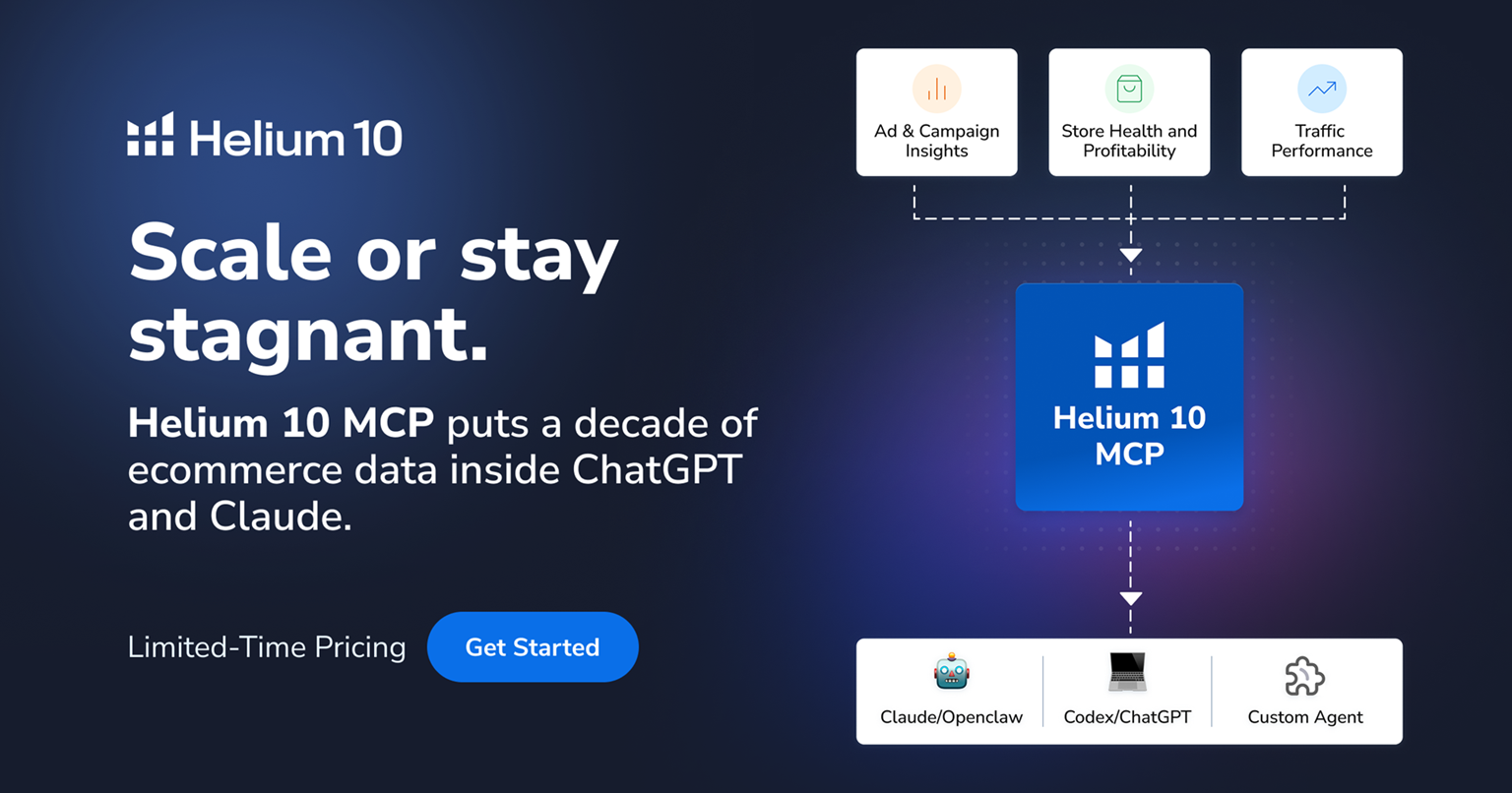
The Black Box and Xray combination is more useful than simply browsing Amazon and guessing which products look profitable. Black Box lets sellers narrow opportunities using market criteria, while Xray puts product-level information directly alongside Amazon search results through the Chrome extension.
The important part is what happens after finding a promising product. Estimated sales, revenue, reviews and competition can be compared before spending money on inventory. The numbers are still estimates, so they should be treated as a screening mechanism rather than a substitute for supplier quotes, landed-cost calculations or actual Amazon account data.
What Stands Out
- Black Box: narrows large product markets into specific opportunities.
- Xray: makes competitor research faster while browsing Amazon.
- Review insights: helps identify recurring complaints and potential product improvements.
- Profitability checks: bring costs into the product-selection decision.
That last point matters because a product can rank well and still be a poor business. A high-selling competitor does not automatically mean there is enough margin, manageable PPC competition or room for another seller.
Cerebro Is More Useful Than Chasing Search Volume
Cerebro is one of the stronger parts of the suite because it reverses the usual keyword research process. Instead of starting with a product idea and generating keywords from scratch, a seller can examine the terms competing ASINs are already ranking for and identify gaps.
Magnet then expands the research around related search terms. In practice, this creates a more useful workflow: competitor ASINs first, keyword opportunities second, listing decisions third. Helium 10 currently includes keyword research and reverse-ASIN functionality in its core research tools.
This is particularly valuable when a listing has decent traffic but weak organic visibility. Rather than rewriting every bullet point, the research can reveal whether important buyer terms are missing, poorly positioned or simply too competitive to pursue immediately.
Listing Optimisation Is About Relevance, Not Keyword Stuffing

Helium 10’s Listing Builder and Listing Analyzer are designed to connect keyword research with the actual product detail page. The useful part is being able to work from the researched keyword set instead of manually moving between spreadsheets, Amazon and separate SEO tools.
The danger is relying too heavily on optimisation scores. A listing can technically include the right keywords and still have weak images, an unconvincing offer or poor differentiation. The Helium 10 review takeaway here is that the software is better at identifying optimisation opportunities than deciding what will persuade a shopper to buy.
A Better Workflow
Competitor research → keyword selection → listing draft → optimisation check → conversion testing
That keeps Helium 10 in its proper role. It provides the data and structure, while the seller still has to make the product positioning convincing.
The Analytics Become More Valuable After Launch
Once products are selling, Helium 10 becomes less about finding the next product and more about understanding what is happening inside the existing business. Profits, Keyword Tracker and Market Tracker can be used together to monitor financial performance, ranking movement and competitor activity.
This is where the suite starts becoming harder to replace with individual research tools. A ranking drop can be investigated alongside keyword trends, competitor movement and listing changes instead of being treated as an isolated SEO problem.
The Helium 10 review becomes considerably more positive for sellers with multiple products because the value shifts from individual tools to the connected workflow. For one small product catalogue, some of these dashboards may remain underused.
Operations Are Where the Suite Gets More Serious
Refund Genie, inventory management, automated follow-ups and alerts extend Helium 10 beyond research. These tools address problems that become increasingly annoying once order volume grows, particularly inventory monitoring and Amazon reimbursement opportunities.
Platinum currently includes inventory management for up to 40 SKUs and 5,000 monthly Follow-up emails, while Diamond expands inventory to 500 SKUs and Follow-up to 15,000 emails. The difference is meaningful for a growing catalogue, but probably unnecessary for a seller managing only a handful of products.
Pricing: Which Plan Actually Makes Sense?
| Plan |
Monthly |
Annual Billing |
Best Fit |
| Free |
$0 |
$0 |
Testing the platform |
| Platinum |
$129 |
$99/month |
Smaller Amazon brands |
| Diamond |
$359 |
$279/month |
Growing sellers and larger catalogues |
| Enterprise |
Custom |
From $1,499/month |
Large teams and brands |
The current pricing shows why choosing a plan based on the feature list alone can be misleading. Platinum already covers the core research workflow, while Diamond adds substantially more capacity, advanced operations and full Helium 10 Ads functionality.
For a new seller, Platinum is the more sensible starting point. Diamond becomes easier to justify when PPC management, larger product catalogues, deeper analytics and operational automation are already part of the business rather than future plans.
What Could Be Better?
The biggest weakness is complexity. Helium 10 contains so many separate tools that it is possible to spend a lot of time researching without actually making a decision. Beginners can also mistake estimated sales, keyword volumes and competition scores for guaranteed outcomes.
There is another practical limitation: not every feature is equally useful at every stage. A seller with two products does not necessarily need sophisticated market tracking, extensive inventory controls or advanced advertising automation. The platform rewards sellers who have enough activity to use several tools repeatedly.
A Good Fit For:
- Private-label Amazon sellers
- FBA brands researching new products
- Sellers managing multiple ASINs
- Businesses actively investing in Amazon SEO and PPC
- Sellers wanting research and operations in one platform
Less Suitable For:
- Complete beginners with no product yet
- Sellers with one low-volume product
- Businesses that only need occasional keyword research
- Sellers unwilling to interpret estimated market data
Final Verdict
The strongest argument for Helium 10 is not that it has dozens of Amazon tools. It is that the tools connect several decisions that normally end up scattered across different platforms.
For a serious Amazon seller, the Helium 10 review comes down to workflow. If product research leads into keyword research, keyword research leads into listing optimisation, and those decisions are later checked against rankings, profitability and competitors, the subscription can earn its place in the operating budget.
For occasional Amazon selling, it is overkill. But once an Amazon business has enough products, advertising spend and inventory to generate constant decisions, Helium 10 becomes much easier to justify.
FAQs
- Is Helium 10 worth paying for?
For active Amazon sellers, particularly those managing several products, it can be valuable because research, optimisation, analytics and operations are combined. Occasional sellers may not use enough of the platform to justify the cost.
- Is Helium 10 good for beginners?
Yes, but the number of tools can initially feel overwhelming. Beginners will get more from it by learning a small workflow rather than trying to use every feature immediately.
- What is the most useful Helium 10 tool?
There is no single answer. Xray and Black Box are strong for product research, while Cerebro is particularly useful for competitor keyword analysis.
Also Read: How to Start a Blog in 2026: The Complete Beginner’s Guide

by parth@bidkinetic.com | Sep 7, 2026 | Business
Paying around $140 every month for SEO software sounds excessive when a small website may have only a few hundred pages and limited organic traffic. But the real question in this SEMrush review is not how many features the platform offers. It is whether those features actually help a small website find better keywords, identify competitors, fix technical problems and make smarter content decisions.
Semrush’s current US SEO Toolkit Pro plan costs $139.95 per month, or an effective $117.33 per month with annual billing. It covers five websites, 500 tracked keywords, up to 100,000 crawled pages per month and 10,000 results per report. For a small site, those limits are more than sufficient. The bigger issue is whether enough of that data will actually be used.
Keyword Research Feels More Practical Than a Keyword List

The Keyword Magic Tool becomes useful when the obvious keywords have already been covered. Instead of simply searching for high-volume terms, filters for keyword difficulty, intent and related variations make it easier to narrow down opportunities that fit the site’s actual authority.
The Keyword Gap tool is even more interesting for smaller websites. Comparing your domain against competitors can reveal terms they rank for while your site does not. This gives content planning a direction based on existing search demand rather than another generic list of blog topics.
SEMrush Review: What Works Particularly Well
- Competitor keyword discovery
- Search-intent filtering
- Long-tail keyword research
- Finding content gaps
- Comparing several competing domains
The database scale is also impressive. Semrush currently says its Keyword Magic Tool covers more than 28 billion keywords across 142 regional databases. That depth matters most when researching competitive industries or markets outside the largest English-speaking search results.
Site Audit Finds Problems, But Don’t Chase Every Warning
Site Audit checks more than 140 technical and on-page issues, including broken links, crawlability, indexability, HTTPS, duplicate content and other problems. For a small website, the benefit is less about the impressive number of checks and more about having one place to monitor technical health.
The mistake is treating the Site Health score as the goal. A site can spend hours clearing minor warnings while an important indexing problem remains unresolved. The more useful approach is to prioritise issues affecting crawling, important pages, internal linking and actual search visibility.
Best use: Run regular audits, identify problems affecting important URLs first, then work down the list.
Competitor Research Is the Strongest Reason to Pay

This is where Semrush starts feeling less like an SEO dashboard and more like a research tool. Entering a competitor’s domain can reveal the keywords driving its visibility, pages receiving organic attention, and the backlink profile supporting that performance.
The Backlink Gap feature is particularly useful when a website has moved beyond basic content optimisation. Finding websites that link to competitors but not to your own domain can provide realistic outreach targets instead of building a backlink list from random websites.
A Useful Workflow
Competitor → Ranking keywords → Missing topics → Content opportunity → Backlink prospects
The important caveat is that competitor traffic figures are estimates. They are valuable for identifying trends and comparing domains, but they should not be interpreted as another company’s actual Google Analytics data.
What You Actually Get for $139.95
| Feature |
Pro Plan |
Small Website Verdict |
| Monthly price |
$139.95 |
Expensive |
| Annual effective price |
$117.33/month |
Better, but still substantial |
| Websites |
5 |
More than enough |
| Tracked keywords |
500 |
Usually sufficient |
| Pages crawled/month |
100,000 |
Far beyond most small sites |
| Report results |
10,000 |
Generous |
| Site Audit |
Included |
Highly useful |
| Position Tracking |
Included |
Useful for measuring progress |
| Competitor research |
Included |
One of the biggest advantages |
The numbers reveal something important: most small websites will not come close to using the plan’s technical limits. A 500-page website does not need access to 100,000 monthly crawlable pages simply because the plan provides them.
What matters is whether the research tools are being used frequently enough to influence publishing, optimisation and link-building decisions. If Semrush is opened once every few weeks, the subscription becomes difficult to justify.
The Interface Can Feel Like Too Much

Semrush gives access to Keyword Overview, Organic Research, Keyword Gap, Backlink Analytics, Site Audit, Position Tracking and several other reports. The problem is not that these tools are poor. It is that there are so many of them that beginners can spend more time exploring reports than acting on them.
For experienced SEO users, that depth is an advantage. For smaller businesses without a dedicated SEO person, the platform works better when there is a defined routine: research opportunities, track important keywords, audit the site and review competitors.
SEMrush Review: What Could Be Better
- The dashboard can feel overwhelming.
- Some reports require interpretation rather than giving a straightforward answer.
- Competitor traffic figures are estimates.
- Small sites may pay for capacity they never use.
- The monthly price is difficult to justify for occasional SEO work.
Is Semrush Worth $140 a Month?
For a hobby website or a small business that publishes occasionally, probably not. A combination of Google Search Console, Google Analytics and a few lower-cost SEO tools can cover many basic requirements without committing nearly $140 every month.
For a small site actively competing for organic traffic, the calculation is different. If Semrush is used every week to identify content gaps, evaluate competitors, track rankings, find technical issues and uncover backlink opportunities, it can become part of the actual growth process rather than another subscription sitting unused.
Worth it for:
Small businesses with an active SEO strategy, affiliate sites, content publishers and agencies managing multiple projects.
Probably not worth it for:
New websites with little content, businesses that rarely publish, or owners who only need occasional keyword research.
Final Verdict
The biggest mistake would be buying Semrush because it has a huge feature list. The better reason is that it connects several parts of SEO research in one workflow, especially competitor analysis, keyword discovery, technical auditing and rank tracking.
At $139.95 per month, it is not cheap software for a small website. But for a site where organic search directly contributes to leads, sales or affiliate revenue, the subscription can make sense if the data is being turned into action consistently.
That is ultimately the conclusion of this SEMrush review: the Pro plan is expensive for the casual user, but considerably easier to justify for a small website that treats SEO as an ongoing growth channel.
SEMrush Review: FAQs
- How many keywords can Semrush Pro track?
The current Pro plan includes tracking for up to 500 keywords.
- Can Semrush show what competitors are ranking for?
Yes. Organic Research, Keyword Gap and related competitor tools can show keywords and content opportunities associated with competing domains.
- Is Semrush better than Google Search Console?
They serve different purposes. Search Console provides first-party Google search performance and indexing information, while Semrush adds competitor research, keyword discovery, backlink analysis and broader SEO research.
Also Read: How to Do Keyword Research for a New Website: Free + Paid Methods

by parth@bidkinetic.com | Sep 6, 2026 | Business
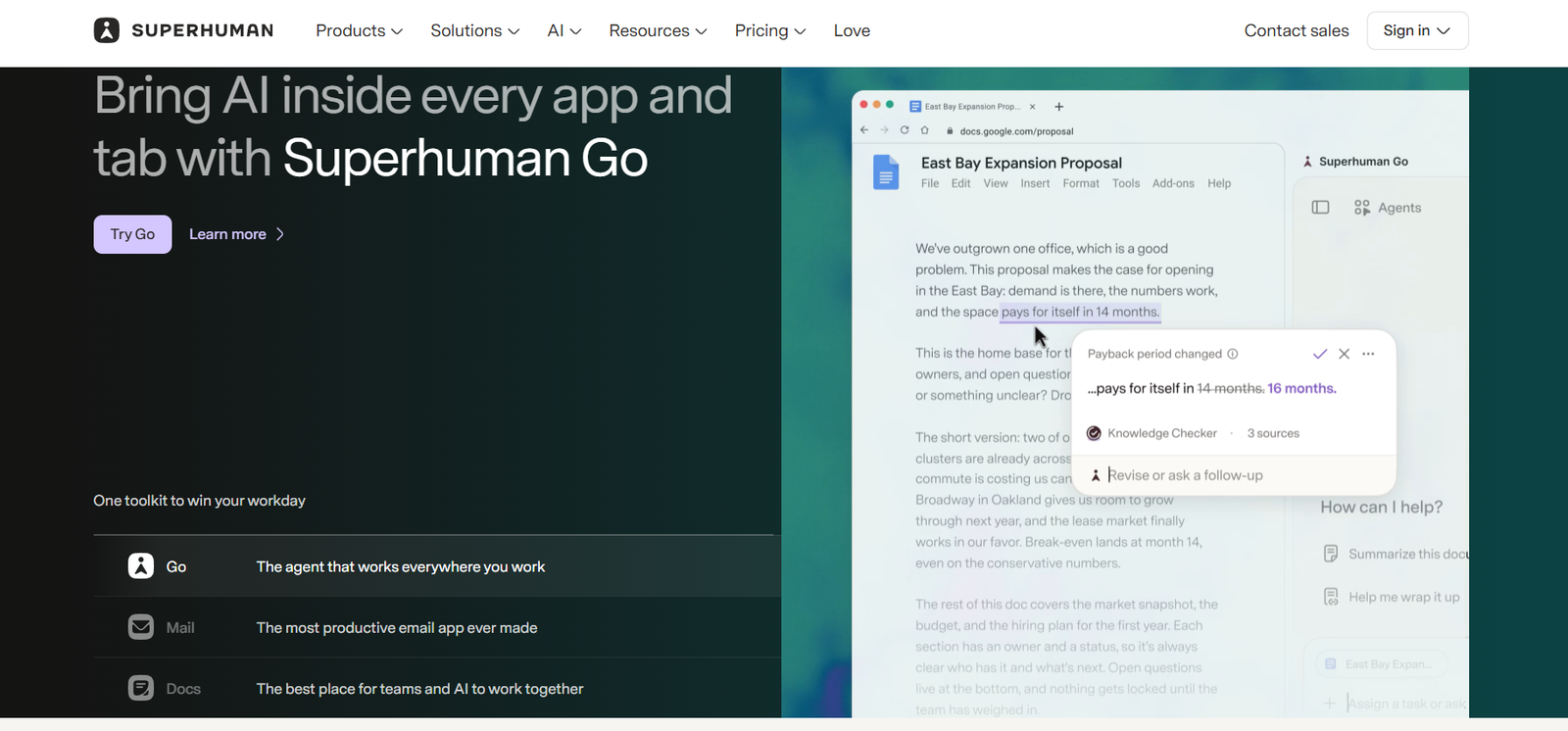
If the inbox is already manageable with Gmail or Outlook, paying $30 every month for an email client sounds excessive. But if email consumes hours of the workday, the calculation changes. This Superhuman Email review looks at whether the premium comes from genuinely faster email handling or simply from putting familiar features behind a polished interface. The platform claims its workflow can help users save four hours per week, respond 12 hours faster and handle twice as many emails in the same amount of time.
The current product is also more capable than the minimalist inbox associated with Superhuman’s earlier reputation. Starter includes Superhuman AI, email productivity tools, calendar and scheduling, team collaboration and more than 100 keyboard shortcuts. Business adds Auto Drafts, Ask AI, custom AI labels, HubSpot and Salesforce integrations, and Recent Opens.
Source: Superhuman
What Makes Superhuman Different From Gmail?
Speed Is the Product
Superhuman is built around the idea that email should be processed rather than browsed. Keyboard commands, rapid navigation, split inboxes, shortcuts and instant actions are designed to reduce the number of mouse movements and context switches involved in handling messages.
That approach makes the biggest difference for repetitive inbox work. Archiving, replying, forwarding, snoozing, searching and jumping between conversations can become almost mechanical once the shortcuts become familiar. The company says actions are designed to happen in under 100 milliseconds, although the real benefit depends on how quickly a user adopts the workflow.
Split Inbox Is More Useful Than Another Folder System
Superhuman’s Split Inbox separates incoming mail into categories so important messages do not have to compete with newsletters, automated notifications and lower-priority conversations.
This is a subtle but important distinction. Gmail provides enormous flexibility, but that flexibility can also encourage endless labels, folders and filters. Superhuman takes a more opinionated approach, trying to decide how the inbox should be worked rather than simply giving users more ways to organise it.
The AI Features Are More Practical Than Flashy
AI Handles the Repetitive Parts
Superhuman’s AI tools include Write with AI, Instant Reply, Instant Event, Auto Archive, Auto Labels, Auto Reminders, Auto Summarize, Autocorrect and Autocomplete. Business users get additional capabilities such as Auto Drafts, Ask AI and Custom Auto Labels.
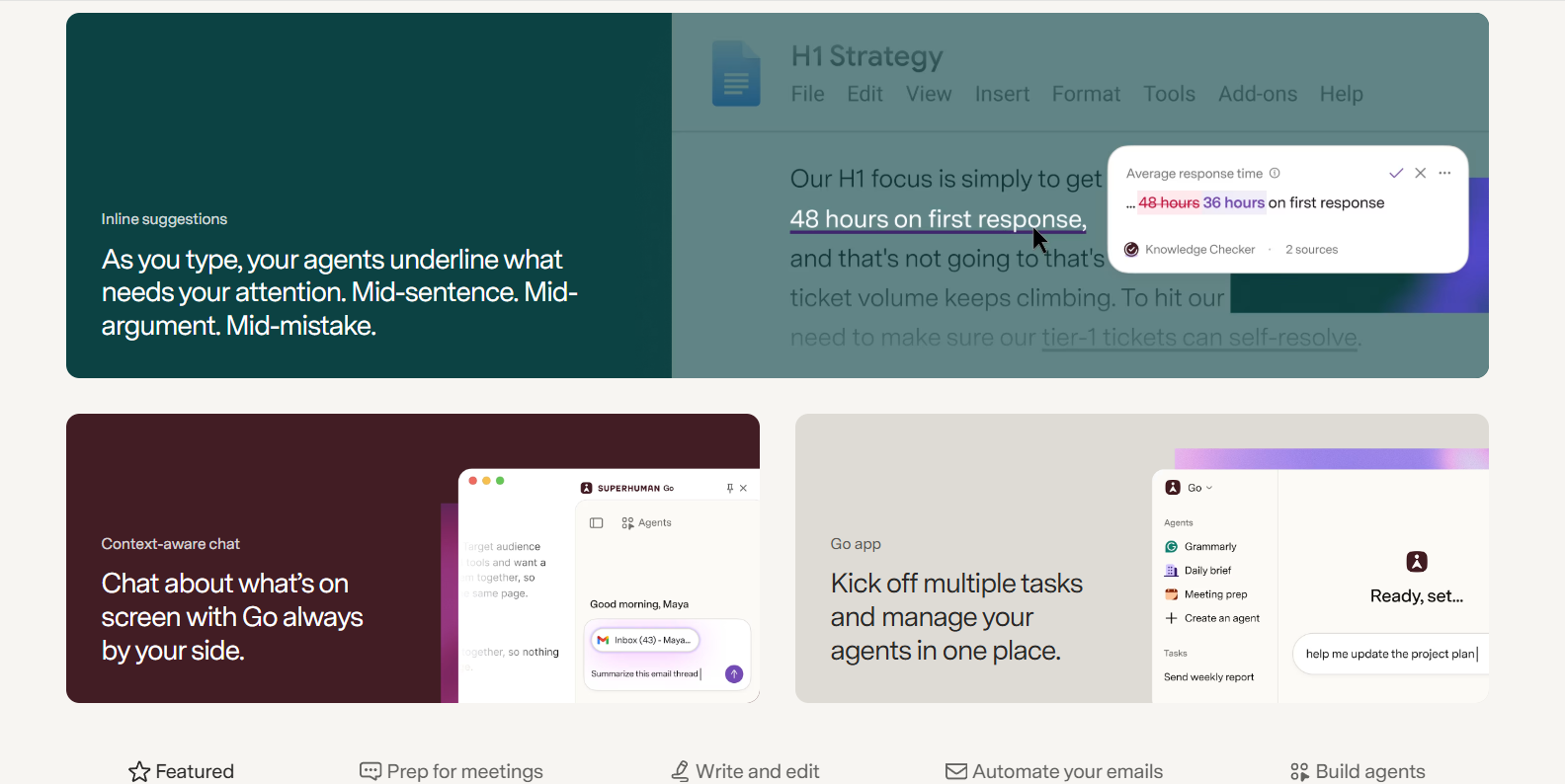
The useful part is how these features sit inside the inbox. AI is not treated as a separate chatbot that requires copying an email into another window. A message can be summarised, answered or organised while remaining inside the normal email workflow.
Auto Drafts Could Be the Real Differentiator
Business subscribers get Auto Drafts, which can automatically prepare replies based on the context of incoming messages. Ask AI also allows questions about email content, while custom AI labels can classify messages according to rules specific to a workflow.
For someone receiving dozens of recurring requests, this is considerably more valuable than a generic “write an email” button. For a person who sends only a handful of emails each day, it is much harder to justify the additional subscription.
Where Superhuman Earns Its Price
| Area |
Superhuman advantage |
Reality check |
| Speed |
Keyboard-first navigation and rapid actions |
Requires learning the shortcuts |
| Inbox management |
Split Inbox, AI labels and automation |
Less flexible than building everything manually |
| AI writing |
Replies, autocomplete and drafting |
Quality still needs human review |
| Summaries |
Quick understanding of long threads |
Most useful for high-volume inboxes |
| Calendar |
Scheduling directly from email |
Useful, but not unique |
| CRM |
HubSpot and Salesforce on Business |
Only valuable to sales/customer teams |
| Collaboration |
Shared conversations and team comments |
More relevant to teams than individuals |
| Support |
Live onboarding/productivity coaching |
Adds value for professional users |
This is where the Superhuman Email becomes less about features and more about working style. Superhuman is not necessarily better because it has more functions than Gmail. It is better when speed and consistency matter more than unlimited customisation.
The onboarding also reflects that philosophy. Superhuman includes live 1:1 onboarding on its Mail plans, with the company positioning productivity coaching as part of the product rather than leaving users to discover shortcuts themselves.
What Could Be Better?
Source: Superhuman
The biggest weakness is obvious: the price.
- Starter costs $30 monthly, while annual billing brings it down to $25 per month.
- Business costs $40 monthly or $33 per month annually.
- That means the annual Starter subscription is $300, enough to make the decision meaningful even for a professional.
Someone who sends 20 emails a day may not recover that cost. Someone who lives inside email for six hours a day might.
This is another point worth noticing.
- Starter includes most Superhuman AI features, but Auto Drafts, Ask AI, Custom Auto Labels with AI, HubSpot and Salesforce integrations and Recent Opens are Business features.
- That makes the $30 plan slightly less compelling for users specifically attracted by AI automation.
- The cheaper plan is strongest as a speed-focused email client, while Business starts making sense when email is tied directly to sales, customer management or heavier automation.
Is Superhuman Worth $30 a Month?
The Superhuman Email review verdict depends almost entirely on inbox volume.
For executives, founders, sales professionals, recruiters, consultants and customer-facing teams, saving even 30 minutes a day could make the subscription economically sensible. Superhuman’s own reported figure of four hours saved per week would make the $30 monthly cost relatively small compared with the value of professional time, although that productivity claim should be treated as a vendor-reported result rather than an independent benchmark.
For lighter users, Gmail or Outlook remains difficult to beat because the core email infrastructure is already paid for and increasingly includes AI assistance. Paying Superhuman’s premium only makes sense when its speed-focused workflow becomes noticeably faster than the existing setup.
Final Verdict
The Superhuman Email review conclusion is that Superhuman is not really selling email. It is selling a faster way to process email.
That distinction explains both its appeal and its price. The interface, keyboard shortcuts, Split Inbox and integrated AI can make a high-volume inbox feel substantially less cumbersome. But the $30 monthly Starter price is hard to defend if email is not a major part of the working day.
Worth it for: heavy email users who value speed.
Probably not worth it for: casual users, students, and people already satisfied with Gmail or Outlook.
Best value: Starter for speed-focused users; Business for teams that will actually use Auto Drafts, AI automation and CRM integrations.
FAQs
- Is Superhuman better than Gmail?
Not universally. Superhuman is designed for speed, keyboard-driven workflows and high-volume inbox management. Gmail remains the better fit for users who prioritise flexibility, integrations and avoiding another subscription.
- Does Superhuman work with Outlook?
Yes. Superhuman Mail supports both Gmail and Outlook, making it useful for professionals working across Google Workspace and Microsoft environments.
- Does Superhuman have AI?
Yes. Superhuman Mail includes AI features such as writing assistance, instant replies, summaries, autocomplete, auto labels and reminders. Business adds Auto Drafts, Ask AI and additional AI-powered automation.
Also Read: Troop Messenger Review: The Team Messaging Tool Built for Remote Collaboration

by parth@bidkinetic.com | Sep 6, 2026 | Tech
If the goal is to launch a first WordPress website without spending days figuring out servers, caching, SSL, migrations and DNS, this BlueHost Review starts with a fairly important observation: Bluehost is still heavily designed around removing those early technical decisions. Its current WordPress hosting starts at $3.99 per month and renews at $9.99. The plans include an SSL certificate, CDN, AI website builder, free first-year domain, WordPress updates and 24/7 support, with the Starter plan supporting up to 10 websites and 10GB NVMe storage.
That sounds beginner-friendly on paper, but the real test is what happens after the promotional price disappears. Bluehost currently says it powers more than 5 million website owners and has over 20 years of hosting experience. Its WordPress hosting also carries a 99.99% uptime SLA and a 30-day money-back guarantee. The interesting question in 2026 is whether that convenience remains valuable once a website starts growing.

Getting Started Is Still Bluehost’s Strongest Argument
WordPress Setup Is Deliberately Simple
Bluehost does a good job of hiding the technical machinery that tends to intimidate first-time website owners. WordPress is automatically installed, managed updates are available, and the AI builder can create an initial site from a short description rather than starting with a blank installation.
The free migration tool is another practical touch. Instead of treating migration as a developer-only task, Bluehost provides a dedicated WordPress migrator, which can be useful when moving an existing small website from another host.
The Dashboard Matters More Than the Homepage
For beginners, the quality of the account interface can matter more than raw server specifications. Domain management, WordPress installation, SSL, site tools and support are brought into the same ecosystem, reducing the number of separate dashboards involved.
That convenience is particularly useful during the first few weeks. Once a site becomes more technical, however, the need for staging, caching, backups, malware protection and more granular controls becomes much more important.
What Bluehost Offers Beyond Basic Hosting

The 2026 WordPress Stack is Considerably More Capable
The current WordPress plans include NVMe storage, CDN integration, server-level caching, staging, SSH and WP-CLI. The Starter plan offers 10GB storage and up to 10 websites, while Business moves to 50GB and up to 50 websites.
That is a meaningful upgrade from the old perception of Bluehost as simply a cheap place to install WordPress. The combination of caching, CDN and staging gives users tools to make performance and site changes without immediately needing a separate optimization service.
Security Is Built Into the Hosting Package
Bluehost includes free SSL, malware scanning, a web application firewall, DDoS protection and weekly website backups on its current WordPress plans.
The practical advantage is not that these features make a website invulnerable. They reduce the number of essential security tasks that a beginner has to assemble independently. That is exactly the kind of convenience a beginner-oriented host should provide.
BlueHost Review: Pricing Is Where the Decision Gets Interesting
| Plan |
Introductory price |
Renewal price |
Websites |
Storage |
| Starter |
$3.99/month |
$9.99/month |
10 |
10GB NVMe |
| Business |
$6.99/month |
$13.99/month |
50 |
50GB NVMe |
| eCommerce Essentials |
$12.99/month |
$26.99/month |
100 |
100GB NVMe |
The prices above are based on a 36-month term. Bluehost’s promotional rates are substantially lower than the regular renewal rates, which makes the initial subscription attractive but also means the long-term cost needs closer attention. The plans include features such as SSL, CDN, WordPress updates and other hosting tools, while the higher tiers add more capacity and e-commerce-oriented functionality.
The Renewal Jump Deserves Attention
The biggest pricing issue is not the introductory offer itself. It is what happens when that offer expires. Starter rises from $3.99 to $9.99 per month, while Business increases from $6.99 to $13.99. eCommerce Essentials moves from $12.99 to $26.99.
That does not automatically make Bluehost expensive. It simply means the promotional price should not be treated as the true long-term hosting cost. A website expected to remain online for several years should be evaluated using the renewal rate when comparing Bluehost with competing hosts.
Starter Is Enough for Many First Websites
For a personal blog, portfolio, small business website or relatively straightforward content site, Starter already provides enough capacity to avoid immediately paying for a higher tier. Its allowance of up to 10 websites is also more generous than what a first-time website owner might expect from an entry-level plan.
Business becomes more useful when multiple websites need to be managed from one account or when additional storage and capacity justify the higher price. eCommerce Essentials is better suited to stores that need Bluehost’s ecommerce-focused tools rather than a standard informational website.
Where Bluehost Could Still Improve

The plans have clear boundaries.
- Storage, website counts, support options and performance expectations differ by tier.
- A website with unusually heavy traffic or resource-intensive plugins may eventually outgrow the environment designed for low-to-moderate traffic.
Bluehost itself positions its standard shared hosting for low-to-moderate traffic websites and recommends optimized options for higher-traffic or more complex use cases.
This is probably the biggest issue when comparing Bluehost with competitors.
- The initial price looks excellent, but the renewal figure is substantially higher.
- Bluehost also notes that promotional rates apply only during the initial term and automatically renew at the regular rate unless changed or cancelled.
That means the cheapest-looking plan is not necessarily the cheapest over three or five years. Comparing total ownership cost is more useful than comparing the first-month price.
What We Like About Bluehost
It Reduces the Number of Technical Decisions
For a first WordPress site, having hosting, SSL, CDN, staging, updates, migration, and support in one place is genuinely useful. Bluehost also provides 24/7 human support on its current WordPress plans.
The AI website builder is another convenience rather than a replacement for WordPress expertise. It can get a basic site structure online quickly, after which the normal WordPress environment remains available for customization.
There is Room to Grow Without Immediately Migrating
Starter supports 10 websites, while Business supports 50, and higher plans increase storage and capabilities. That gives small agencies, freelancers and businesses some breathing room before another hosting migration becomes necessary.
The inclusion of staging is particularly useful once a website becomes important. Testing plugin or theme changes before pushing them live is a feature that becomes far more valuable after the beginner stage.
Final Verdict on BlueHost Review
The BlueHost review verdict for 2026 is a qualified yes. Bluehost remains one of the easier choices for someone launching a first WordPress website, particularly when setup simplicity, support and having several essential services under one account matter.
The strongest case for Bluehost is not that it has the cheapest hosting. It is that beginners can get a functioning WordPress site online without having to become server administrators first.
Best for: first-time WordPress users, blogs, portfolios, small businesses and users who value guided setup.
Less suitable for: high-traffic websites, highly customized server environments and buyers choosing purely on long-term lowest cost.
For beginners, Bluehost still earns its reputation, but the smart purchase decision is to judge the renewal price and included features, not just the introductory offer.
FAQs: BlueHost Review
- Does Bluehost offer website migration?
Yes. Bluehost provides a free WordPress site migration tool that can be used to move an existing WordPress website to the platform.
- Does Bluehost have an AI website builder?
Yes. Its current WordPress hosting includes an AI-powered site builder that can generate website previews based on information supplied about the desired site.
- Does Bluehost offer a money-back guarantee?
Yes. Bluehost currently offers a 30-day money-back guarantee on its WordPress hosting plans, subject to its refund terms. Domain-related costs can be deducted in certain cancellation scenarios.
Also Read: How to Choose a VPN: 7 Features That Matter (and 5 That Don’t)

by parth@bidkinetic.com | Sep 5, 2026 | Tech
If you have ever joined an important call while a pressure cooker was going off in the kitchen, someone was talking beside you, or your laptop fan suddenly sounded like a small aircraft, you know how quickly background noise can become a professional problem. This Krisp review is really about whether software can solve that problem well enough to matter. Krisp has now processed more than 3 billion calls and over 450 million hours of outbound noise, and its current product combines real-time noise, voice and echo cancellation with AI transcription, meeting notes, recording and accent conversion.
What makes Krisp interesting is that it does not ask you to replace your existing meeting application. You install it on Mac or Windows, select Krisp Microphone and Krisp Speaker inside your calling app, and let it sit between your hardware and the meeting software. It works with platforms including Zoom, Microsoft Teams, Google Meet, Webex and Slack.

Does Krisp Actually Make Calls Sound Better?
The Noise Cancellation Is the Main Event
Krisp’s most convincing feature is still its original one: removing unwanted sound while keeping speech intelligible. It handles background noise, nearby voices and room echo in real time, and it can work in both directions, meaning you can clean up your own microphone as well as reduce noise coming from other participants.
That is more useful than it sounds. A keyboard, fan or street noise is annoying, but another person talking in the same room can completely disrupt a meeting. Krisp’s Voice Isolation is specifically designed to separate the active speaker from secondary voices, which gives it a practical advantage in shared workspaces.
It Does Not Make a Bad Setup Disappear
This is where expectations need to be realistic. Krisp cannot turn a poor microphone into a professional recording setup, and extremely loud or unpredictable sounds can still get through.
Krisp itself recommends a headset with a dedicated boom microphone and a stable USB connection for the cleanest results. Microphone position and other audio-processing software can also affect how well the system separates your voice from surrounding sounds.
The Features Beyond Noise Cancellation

- Krisp now includes a bot-free AI Meeting Assistant that can record meetings, generate transcripts, summaries and action items.
- It also supports in-person meetings through its mobile app and lets users upload audio or video for transcription.
- The bot-free approach is popular because it avoids the slightly awkward experience of having another participant join a meeting just to take notes.
- Krisp can work at the audio level while the meeting continues normally.
Krisp has also moved into real-time accent conversion.
- Core includes one hour per day of accent conversion, while Advanced provides higher allowances, and the system supports several accent options on the speaker side.
This is potentially valuable for international teams where intelligibility is more important than preserving a particular accent. For most individual users, however, we would treat it as an interesting extra rather than a reason to buy Krisp.
What We Like About Krisp
It Works Across Your Existing Meeting Apps
This is probably the biggest practical advantage. You do not have to convince your company to move from Teams to another platform just to get better audio.
Once Krisp is configured as the microphone and speaker, it can work with compatible applications that allow users to select virtual audio devices. That makes the software relatively unobtrusive in day-to-day use.
The Privacy Story Is Stronger Than Expected
Krisp says its noise-cancellation processing does not expose voice data to its servers. Its current security information also lists GDPR compliance, SOC 2 Type II, encryption in transit and at rest, PCI-DSS 4.0 and HIPAA compliance.
That matters if calls involve client information or internal discussions. The important distinction, though, is that noise cancellation and cloud-based AI features such as transcription are different workflows, so businesses should review the applicable data policies before deploying the full meeting assistant.
What Could Be Better?

Krisp Core costs $16 per user monthly or $8 per user monthly with annual billing. Advanced is $30 monthly or $15 annually, while Enterprise pricing is custom.
For someone who works from a quiet office with a decent microphone and already has effective noise suppression in Teams or Zoom, that subscription may not deliver enough additional value. The economics change considerably for people who spend most of their working day on calls.
Krisp has expanded far beyond noise cancellation, but that creates a small problem: the product can now look like several products bundled under one brand. The company itself distinguishes between its AI Meeting Assistant, Call Center AI and Voice AI SDK, and installing one does not automatically include the others.
So you should not buy Krisp because the feature list is long. You would buy it because one particular problem, poor call audio, is costing you time or credibility.
Krisp Review on Pricing: Is It Worth Paying For?
| Plan |
Price |
Best fit |
| Free Trial |
$0 for 7 days |
Testing premium features |
| Core |
$16/month or $8/month annually |
Individuals and small teams |
| Advanced |
$30/month or $15/month annually |
Teams needing advanced controls |
| Enterprise |
Custom |
Larger organisations |
Core includes unlimited noise cancellation, AI note-taking, recording, integrations, mobile support and multilingual transcripts. Advanced adds features such as agent/customer noise cancellation, voice isolation, usage analytics, SSO and SCIM.
The good part is that Krisp offers a seven-day premium trial without requiring a credit card. That is enough time to test the software in the environment where you actually work rather than deciding from a product demo.
Final Verdict on Krisp Review
The Krisp review verdict is positive, but with one important qualification: Krisp is worth paying for when noise is a recurring problem, not simply because it is an AI-powered app.
Its noise cancellation is the feature that gives the product a clear identity. Background voices, echo and everyday environmental sounds are exactly the problems it is designed to address, while transcription, notes and accent conversion make the same installation useful for more than audio cleanup.
For remote employees, sales teams, consultants, customer-facing professionals and people working from shared spaces, we recommend testing the free trial. If your calls are already clean, however, there is little reason to pay simply to add another layer of software.
Our take: excellent noise cancellation, genuinely useful meeting features, but the subscription makes sense only when you will actually use the audio advantage.
FAQs: Krisp Review
- Does Krisp work with Zoom and Teams?
Yes. Krisp works with major conferencing applications including Zoom, Microsoft Teams, Google Meet, Webex and Slack.
- Does Krisp have a free version?
Krisp currently offers a seven-day free trial of its premium features without requiring a credit card.
- Does Krisp record and transcribe meetings?
Yes. Its AI Meeting Assistant provides transcription, recording, summaries and action items. It also supports in-person meeting capture through its mobile app.
Also Read: Pop AI Sheet Review: Is This AI Spreadsheet Tool Worth Using?
