Skip to content
US Edition · Tuesday, Sep 29 2026 Deals & brand guides updated daily
Is Shein Worth It in 2026? Quality, Sizing, and What to Avoid

Is Shein Worth It in 2026? Quality, Sizing, and What to Avoid

Is Shein worth it in 2026? This depends less on the extremely low prices and more on what you are buying. SHEIN’s U.S. catalog still includes tops priced below $10, while its current listings span everything from basic cotton T-shirts to denim, dresses, shoes and plus-size clothing. At the same time, product quality varies considerably because SHEIN is a marketplace-style fashion platform with an enormous number of individual listings and sellers. Current 2026 customer reviews show plenty of buyers reporting good fit and quality, but the experience is not consistent across products.

That makes SHEIN useful for trend-driven, low-cost purchases, but a poor place to assume that every item will perform like a conventional mid-priced clothing brand.

Is Shein Worth It in 2026? Quality, Sizing, and What to Avoid

Is Shein Quality Actually Good?

The short answer is: sometimes.

SHEIN’s biggest strength is price. You can experiment with a trend without committing $50 or $100 to something you may only wear occasionally. Current U.S. listings include inexpensive 100% cotton shirts alongside polyester dresses and synthetic-blend garments.

But material matters more than the SHEIN label itself.

A $7 polyester top and a $25 structured jacket should not be judged by the same expectations. Lightweight tops, casual dresses, vacation pieces and trend-led items can make sense when durability isn’t the main requirement. Items involving structure, tailoring or repeated washing deserve much closer inspection.

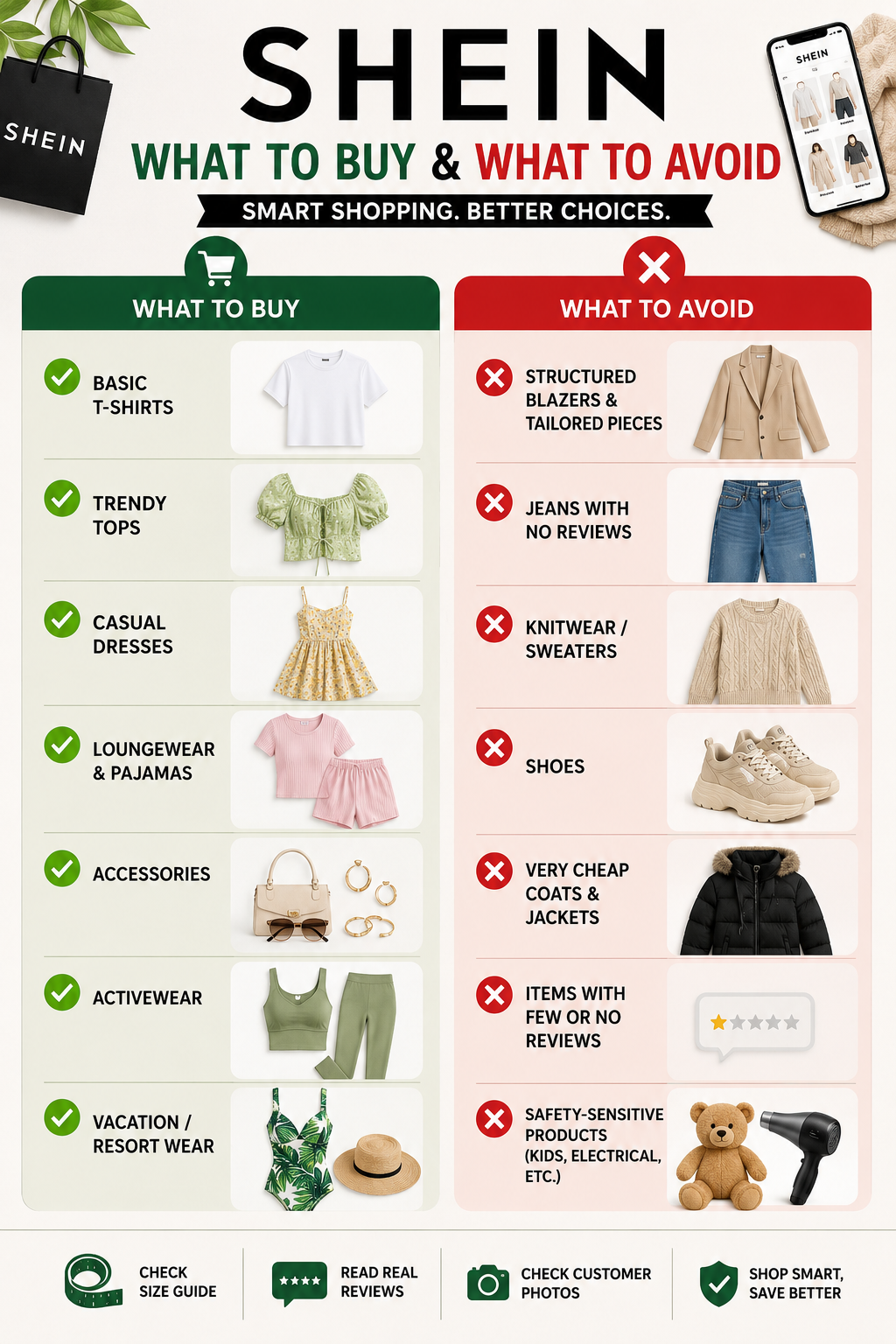
Category What to expect Buying approach
Basic T-shirts Often reasonable for the price Check fabric composition
Trend tops Highly variable Read recent reviews
Dresses Depends heavily on fabric Check lining and measurements
Jeans Fit can vary Prioritize measurements
Knitwear Quality varies Check fiber content
Shoes Mixed experiences Read size-specific reviews
Coats/blazers Higher risk Check construction carefully
Accessories Usually low-cost experimentation Avoid assuming premium quality

Sizing Is Where You Need to Be Careful

One of the biggest mistakes is treating SHEIN’s size label as equivalent to your usual size elsewhere.

The site provides individual size guides, and listings can have different measurements, materials and fits. Current products also show descriptions such as “regular fit,” “oversized,” “non-stretch”, and “medium stretch,” which can make a substantial difference to how the same nominal size feels.

Some current reviews illustrate the problem clearly. Some SHEIN shoe listings, for example, explicitly warn that the model runs small and recommend going one size up.

For clothing, don’t rely solely on S, M, L or XL. Compare the product’s bust, waist, hip, inseam and length measurements with a garment you already own. For jeans and fitted dresses, this is particularly important because non-stretch fabric leaves less room for sizing mistakes.

What Customer Feedback Says

The current feedback is mixed rather than universally positive or negative.

SHEIN’s own product pages contain thousands of customer ratings across individual listings, and many buyers report accurate photos, comfortable fabrics and good fits. For example, current listings for plus-size clothing and petite pants include reviews describing good fit and satisfactory quality.

Independent customer feedback also shows that affordability is a major attraction. Trustpilot currently has more than 350,000 reviews for SHEIN, with reviews ranging from positive experiences with inexpensive clothing to complaints about individual orders and service. It also has an overall rating of 3.8 out of 5 stars.

The important takeaway is that reviews need to be read at the product level, not just the retailer level.

What Should You Avoid?

If you’re deciding whether Shein is worth it in 2026, the better question is what not to buy there.

Avoid purchasing something simply because the photograph looks expensive. Pay particular attention to:

  • Very cheap structured clothing: Blazers, tailored trousers and coats can expose differences in stitching more quickly than casual tops.
  • Items with very few reviews: There is less evidence about actual fit and quality.
  • Non-stretch fitted clothing without measurements: A small sizing error can make the item unusable.
  • Products with inconsistent customer photographs: If several buyers show a noticeably different result from the main listing, investigate before ordering.
  • Safety-sensitive products: Clothing and accessories aren’t the same as electrical or children’s products. In 2026, the U.S. Consumer Product Safety Commission recalled Michley children’s pajamas sold through SHEIN because they violated mandatory flammability requirements. Earlier, a SHEIN-sold hair-dryer brush was recalled because of an electrocution hazard.

These recalls don’t mean every SHEIN product is unsafe, but they are a good reason to check the CPSC database when purchasing products where safety standards matter.

How to Shop SHEIN More Intelligently

The best approach is to treat every product as its own purchase rather than assuming the entire catalog has one quality level.

  1. First, check the fabric composition. A cotton garment, a polyester garment and an elastane blend will naturally behave differently.
  2. Second, read the newest reviews and look specifically for comments about fit, fabric thickness, transparency, shrinkage, stitching and washing.
  3. Third, look at customer-uploaded photographs. These often provide more useful information about how a garment actually sits on a body than a professionally styled product image.
  4. Fourth, check the return rules before purchasing. SHEIN’s U.S. policy says most eligible items can be returned within 30 days of delivery, although exceptions apply.

The first return shipping is free, while additional returns from the same order incur a $7.99 deduction. Some categories, including certain lingerie, jewelry, cosmetics and final-sale items, are excluded.
Is Shein Worth It in 2026

So, Is Shein Worth It in 2026?

For occasional, inexpensive fashion, the answer can be yes. SHEIN’s pricing makes it attractive for trend pieces, vacation clothing, casual tops and experimenting with styles without a major financial commitment.

For clothing you expect to wear for years, however, the calculation changes. A higher-quality garment that costs more upfront may offer better construction, fabric and longevity.

So, Is Shein Worth It in 2026? It can be, provided you shop selectively rather than treating every $5 item as a bargain. The smartest SHEIN purchase isn’t necessarily the cheapest one. It’s the item where the fabric, measurements, reviews, construction and intended use all make sense for the price.

FAQs on Is Shein Worth It?

1. Does SHEIN sizing run small?

There is no single sizing rule across the entire catalog. Some products run small, while others are described as oversized or loose. Always check the individual product’s measurements and reviews.

2. What is safest to buy from SHEIN?

For a lower-risk purchase, basic casual clothing such as T-shirts and simple tops is easier to evaluate than highly structured garments. For children’s products and electrical items, check current safety information and recalls before buying.

3. Can SHEIN purchases be returned?

Most eligible U.S. SHEIN items can be returned within 30 days of delivery, subject to the company’s exclusions and return conditions.


How to Furnish a First Apartment for Under $2,000

How to Furnish a First Apartment for Under $2,000

Learning how to furnish a first apartment on a $2,000 budget is less about buying the cheapest version of everything and more about knowing what deserves your money first. In the U.S., a first apartment can quickly become expensive once you add a mattress, bed frame, sofa, kitchenware, towels, storage, lighting and basic cleaning supplies. The good news is that a studio or modest one-bedroom can be made comfortable without spending thousands on furniture alone.

The most practical approach is to furnish the apartment in layers. Spend more on the things you use every day, choose compact furniture for smaller rooms, use multipurpose pieces where possible, and leave decorative purchases until you understand how you actually use the space.

How to Furnish a First Apartment for Under $2,000

Start With a $2,000 Budget

Before buying anything, divide the budget by function rather than by room.

Category Target Budget Priority
Mattress + bed frame $400-$500 Essential
Sofa / main seating $250-$350 Essential
Table + chair $150-$200 Essential
Kitchen essentials $150-$200 Essential
Storage $100-$150 High
Bedding + bathroom $125-$150 High
Lighting $75-$100 High
Cleaning + utility items $75-$100 Essential
Curtains, rug & basic décor $100-$125 Medium
Emergency buffer $100-$150 Essential
Total $1,525-$2,025

The goal should be to stay closer to $1,800, leaving some money for delivery, missing essentials or an unexpected apartment expense.

1. Buy the Mattress Before the Sofa

Your mattress should be one of the first purchases because replacing it later is inconvenient, and sleeping badly on a cheap mattress defeats the purpose of saving money elsewhere.

For an apartment, choose between Twin, Full, Queen or King based on the bedroom and your sleeping needs. A Full is particularly useful for a single person in a smaller apartment because it costs less and leaves more floor space than a Queen.

Novilla is one brand worth considering in this category because it sells mattresses directly in the U.S. Its current range includes memory-foam models and bed frames, making it possible to pair the mattress and frame without buying from completely different retailers.

EGOHOME is another relevant option for shoppers specifically looking for memory-foam mattresses. The important point is to compare the actual dimensions, thickness, firmness and trial/return terms rather than choosing based only on a brand name.

Don’t spend $800 on a mattress when your entire furnishing budget is $2,000. A comfortable, appropriately sized mattress in the roughly $200-$350 range can leave considerably more money for the rest of the apartment.

2. Choose a Sofa That Fits the Apartment

The first sofa does not need to be your forever sofa.

For a studio or compact one-bedroom, a loveseat, apartment-size sofa, or sleeper sofa can be more practical than a large sectional. Measure the front door, elevator, hallway and stairwell before ordering. Furniture dimensions are not useful if the sofa cannot physically enter the apartment.

CHITA is worth considering if you specifically want modular seating, but larger configurations can consume a substantial part of a $2,000 budget. For a first apartment, keep the sofa budget around $250-$350 unless the rest of your furniture is already covered.

A simple neutral sofa also gives you more flexibility when you eventually add a rug, coffee table or accent chair.

3. Make One Table Do Two Jobs

You probably don’t need a separate dining table and desk.

A compact 42- to 48-inch table can serve as a dining surface, laptop workstation, study area and occasional preparation space. Pair it with one comfortable chair and use the remaining space for a second inexpensive chair or folding chairs when guests arrive.

This is one of the easiest ways to make furnishing a first apartment much more affordable.

If you work from home every day, however, don’t sacrifice the chair. A basic desk can be inexpensive; sitting in an uncomfortable chair for eight hours is a different problem.

4. Keep the First Kitchen Basic

A first-apartment kitchen doesn’t need every gadget that appears in a TikTok kitchen tour.

Start with:

  • One frying pan
  • One saucepan
  • One medium pot
  • Chef’s knife
  • Cutting board
  • 4 plates
  • 4 bowls
  • 4 glasses
  • 4 mugs
  • Flatware
  • Food-storage containers
  • One baking sheet
  • Spatula and cooking spoon

Walmart and Kohl’s can be useful for these everyday purchases because you can build a basic kitchen without spending heavily on premium cookware.

Avoid buying an air fryer, espresso machine, blender, stand mixer and toaster on moving day unless you already know you will use them. Buy appliances based on your actual cooking habits.

5. Storage Is More Important Than Décor

An apartment can look beautifully empty before you move in. Once clothes, shoes, cleaning products, paperwork and kitchen equipment arrive, storage suddenly becomes the priority.

Use vertical space wherever possible.

A narrow shelving unit can take up less floor area than a wide cabinet. A storage bench can work as both seating and organisation. Under-bed storage can handle seasonal clothing without requiring another dresser.

VEVOR is particularly relevant for this category because its U.S. range includes storage cabinets, shelving and organization products.

Don’t buy storage blindly, though. Move in first, identify what actually needs storing, then buy the appropriate size.

6. Spend Less on Lighting, Get More Atmosphere

You don’t need expensive designer lamps to make an apartment feel finished.

Use three layers:

  1. Overhead lighting for general visibility.
  2. Task lighting at your desk or kitchen.
  3. Ambient lighting from a table or floor lamp.

A $30-$50 floor lamp can have a greater effect on an apartment’s evening atmosphere than a $150 decorative object.

If your apartment has harsh overhead lighting, fixing that early is one of the easiest ways to make the space feel more comfortable.

7. Buy Bedding and Bathroom Essentials Together

These are small purchases individually but expensive when forgotten.

For the bedroom, budget for:

  • Two sheet sets
  • Comforter or duvet
  • Two pillows
  • Mattress protector
  • Basic blanket

For the bathroom:

  • Two bath towels
  • Two hand towels
  • Two washcloths
  • Shower curtain and liner if required
  • Bath mat
  • Basic toiletries

Buy two sets where possible. Having a spare means laundry doesn’t become an emergency.

8. Don’t Furnish Every Room on Day One

This is probably the most important rule for how to furnish a first apartment.

You don’t need artwork, plants, side tables, decorative mirrors, bar carts and accent chairs before you’ve spent a week living there.

Instead:

  • Move-in day: Bed, mattress, seating, table, bathroom and kitchen basics.
  • Week two: Storage, lighting and anything you discovered you genuinely need.
  • Month two: Rug, artwork, plants, décor and upgrades.

This prevents you from spending $100 on something that looked useful online but has nowhere practical to go.

How to Furnish a First Apartment

A Better Way to Use Walmart and Kohl’s

Walmart and Kohl’s are useful for filling gaps rather than necessarily buying the entire apartment from one retailer.

Use them for bedding, towels, cookware, lamps, curtains, storage bins, cleaning supplies and basic home accessories.

For larger furniture, compare dimensions and construction carefully. A $180 sofa that lasts a year isn’t necessarily cheaper than a $300 sofa that survives several moves.

The $2,000 Rule: Buy for Your Actual Life

When working out how to furnish a first apartment, ask one question before every purchase:

Will I use this every week?

If the answer is yes, prioritize it. If the answer is “maybe,” wait.

A comfortable bed, usable sofa, functional kitchen, proper lighting and enough storage will make an apartment feel complete far faster than expensive décor.

The best first apartment is not the one that looks finished immediately. It is the one where you can sleep comfortably, cook a meal, work, relax, keep your belongings organised and still have money left in your bank account.

FAQs on How to Furnish a First Apartment

1. Can I really furnish a U.S. apartment for under $2,000?

Yes, particularly a studio or smaller one-bedroom. The biggest factor is avoiding oversized furniture and spreading purchases over several weeks.

2. Should I buy a Full or Queen mattress?

For one person in a smaller apartment, a Full can be a practical budget choice. A Queen is better if you want additional sleeping space and have room for it.

3. Is buying used furniture a good idea?

Yes, for tables, chairs, shelves and some storage furniture. Be considerably more cautious with used mattresses and upholstered furniture because of hygiene and pest concerns.

How to Choose a Mattress for Back Pain: Firmness, Position, and Fit

How to Choose a Mattress for Back Pain: Firmness, Position, and Fit

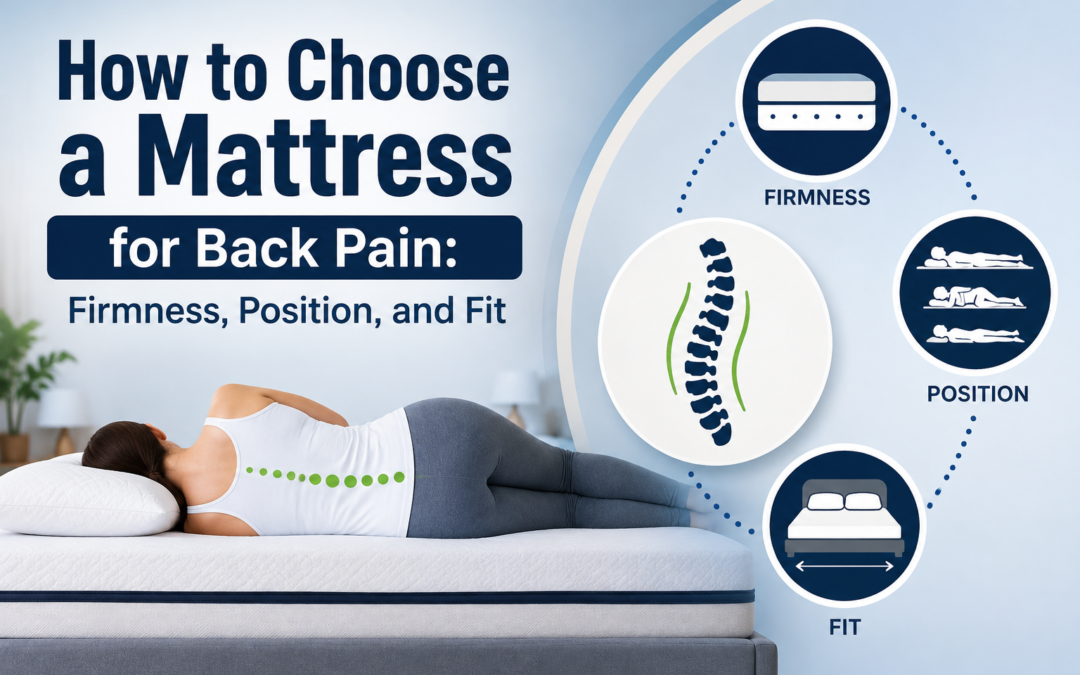
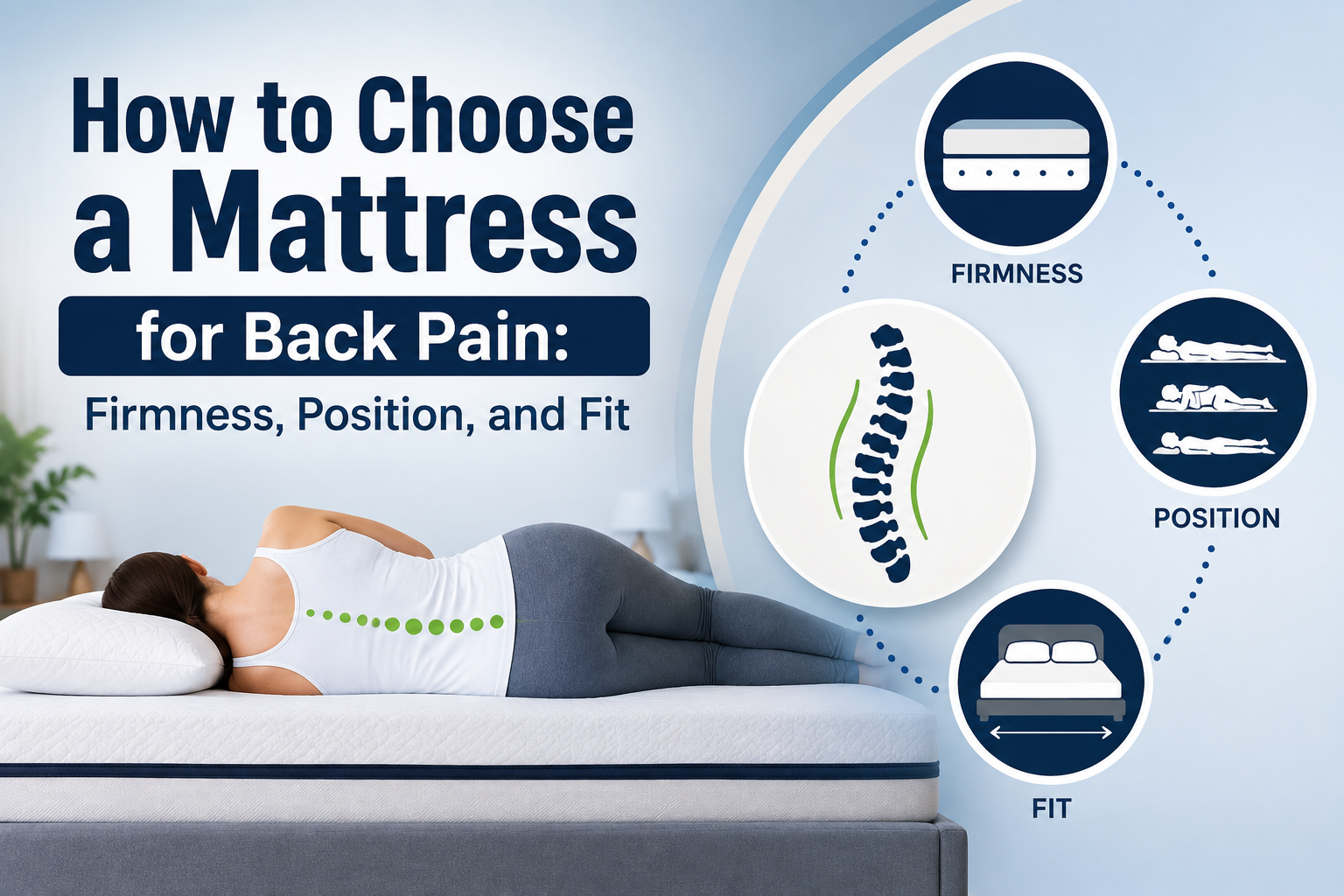
If you are trying to understand how to choose a mattress for back pain, the first thing to forget is the old advice that a very firm mattress is automatically better. Current evidence points in a different direction. A 2026 review of 47 studies found that medium-firm mattresses were the most consistently supported option for adults with nonspecific low back pain and morning stiffness, with benefits linked to pressure distribution, sleep quality and reduced pain. A landmark randomized trial involving 313 adults with chronic nonspecific low back pain also found better outcomes with medium-firm mattresses than with firm mattresses after 90 days.

That does not mean everyone should buy the same mattress. Your sleeping position, body weight, the amount your shoulders and hips sink, and whether you move around at night all change what “supportive” actually feels like.

How to Choose a Mattress for Back Pain

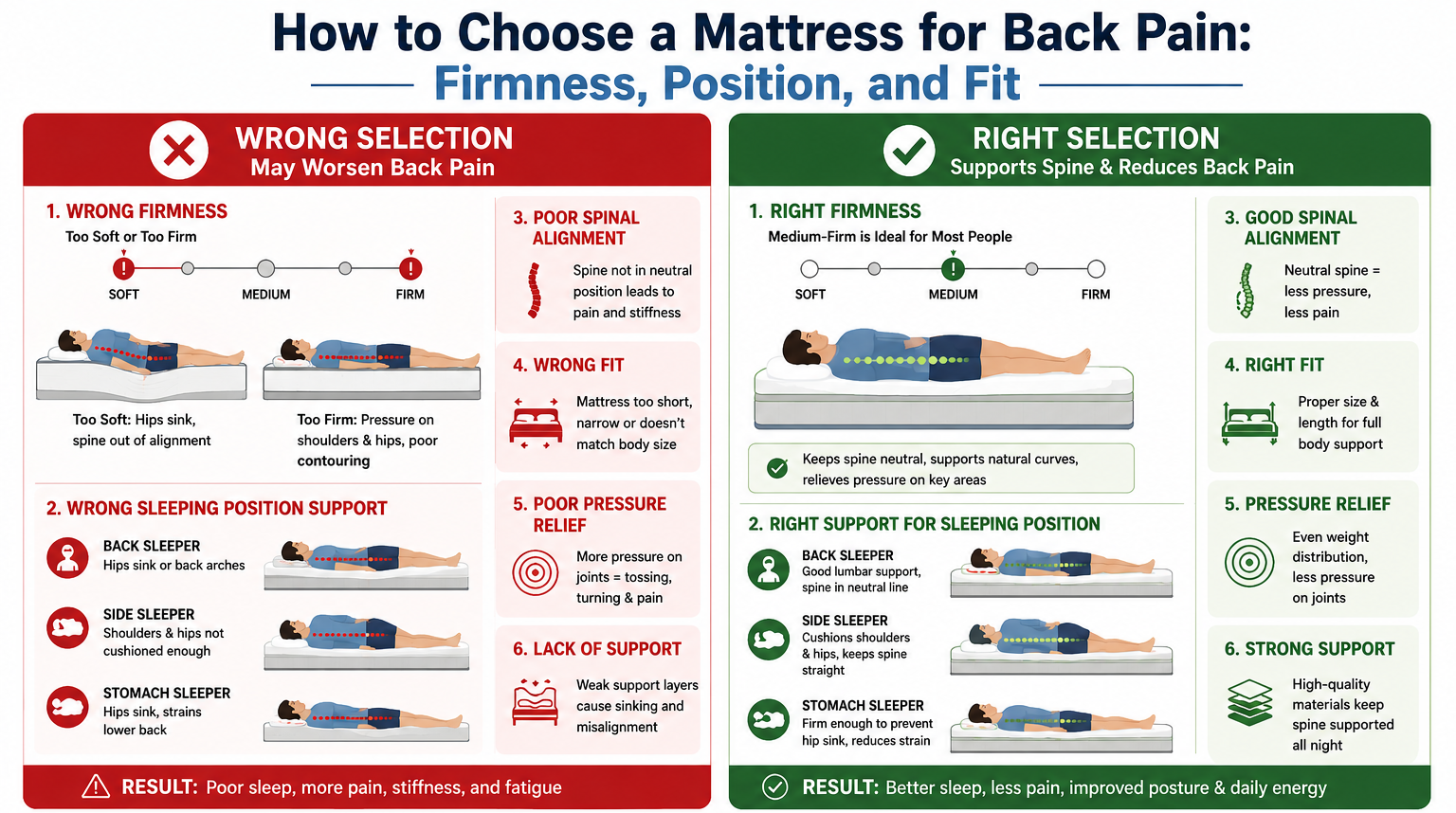
Start With Medium-Firm, Not Extra-Firm

Firmness and support are not the same thing.

A mattress can feel hard but still fail to support your body properly. Conversely, a softer mattress can provide good support if its underlying structure prevents excessive sinking.

For most people with nonspecific low back pain, medium-firm is the sensible starting point. A systematic review found medium-firm mattresses consistently performed better than softer or harder alternatives for comfort, spinal alignment and sleep quality.

A useful way to think about firmness is:

Mattress feel Usually suits Potential problem
Soft Lighter side sleepers Hips may sink too deeply
Medium-soft Side sleepers needing more cushioning May lack support for some sleepers
Medium-firm Most back-pain sufferers Best starting point, not universal
Firm Stomach/back sleepers who prefer stability Can create pressure points
Extra-firm Specific preferences/body types Often unnecessarily hard

Don’t automatically choose the firmest option because your back hurts. The clinical evidence does not support that shortcut.

Your Sleeping Position Changes the Answer

If You Sleep on Your Back

Back sleepers generally need a surface that keeps the pelvis from sinking too deeply while still cushioning the lower back.

Medium-firm is a good starting point. Lie flat and check whether your lower back feels supported without being pushed upward.

One practical test: have someone look at your body from the side while you are lying naturally. Your spine should appear reasonably neutral rather than forming a pronounced curve because your hips have dropped into the mattress.

If You Sleep on Your Side

Side sleepers have a different problem. Your shoulders and hips need enough cushioning to sink into the mattress while your spine remains relatively straight.

If a mattress is too firm, you may feel pressure around the shoulder and hip. If it is too soft, your waist and pelvis can sink excessively.

This is where a medium to medium-firm mattress with good pressure relief can make more sense than simply buying a hard mattress.

If You Sleep on Your Stomach

Stomach sleepers generally need stronger resistance to sinking around the pelvis. A mattress that allows the hips to drop too far can leave the lower back in an uncomfortable position.

A firmer feel may therefore work better, but comfort and spinal alignment still matter more than the label on the mattress.

Don’t Ignore Your Body Weight

Two people can lie on the same mattress and experience completely different firmness.

A heavier sleeper will compress the comfort layers more deeply than a lighter sleeper. That means a mattress advertised as medium-firm can feel considerably softer to one person.

This is why testing the mattress or using a meaningful home trial is more useful than choosing purely from an online firmness score.

Novilla, for example, currently lists several mattresses across medium-soft, medium, and medium-firm feels, with different constructions and thicknesses. Its comparison guide also separates firmness from pressure relief and edge support.

Look at Construction, Not Just the Firmness Label

The same “medium-firm” label can describe very different mattresses.

Memory foam can provide substantial pressure relief and contouring. Hybrid mattresses combine foam comfort layers with pocketed springs, often providing more bounce and airflow. Latex tends to feel more responsive and less “sinking” than traditional memory foam.

For back pain, don’t obsess over whether foam or springs are theoretically better. Focus on whether the mattress gives you stable support underneath and enough cushioning on top.

EGOHOME’s current Black mattress range, for instance, includes medium-firm options designed around cushioning and underlying support, illustrating why construction matters alongside the firmness rating.

The 10-Minute Mattress Test

How to Choose a Mattress for Back Pain: Firmness, Position, and Fit

When shopping in a store, don’t sit on the edge for 30 seconds and decide.

Lie down in your normal sleeping position for at least 10-15 minutes.

Check three things:

  1. Pressure: Are your shoulders, hips or ribs uncomfortable?
  2. Alignment: Does your body feel twisted or bent?
  3. Movement: Can you turn without fighting the mattress?

If you wake up with more stiffness than usual after several nights, don’t assume you simply need to “get used to it.”

Your Pillow Can Undo a Good Mattress

A mattress is only one part of your sleeping surface.

Side sleepers often need enough pillow height to fill the space between the head and mattress. A pillow that is too low can leave the neck tilted downward; one that is too high can push it upward.

Back sleepers generally need less height, while stomach sleepers often do better with a relatively thin pillow.

So when testing a mattress, use a pillow similar to the one you normally sleep on.

Check the Trial Period Before Buying

A showroom test cannot reproduce eight hours of sleep.

A proper home trial gives you time to discover whether you wake with less stiffness, whether pressure points develop during the night and whether the mattress remains comfortable after several weeks.

When comparing mattresses through retailers such as Walmart or Kohl’s, check the current trial, return, delivery and warranty conditions rather than assuming they are identical across brands.

When a Mattress Isn’t the Real Problem

A mattress can contribute to discomfort, but persistent back pain should not automatically be treated as a mattress-shopping problem.

If pain travels down your leg, causes numbness or weakness, follows a significant injury, or comes with other concerning symptoms, seek medical evaluation rather than trying progressively firmer mattresses.

A mattress change is most useful when the problem is genuinely related to the sleeping surface or sleep comfort, not when it is being used to self-treat an undiagnosed condition.

A Simple Formula on How to Choose a Mattress for Back Pain

If you want a practical starting point for how to choose a mattress for back pain, use this sequence:

Start medium-firm → match it to your sleeping position → account for your body weight → test pressure points → check spinal alignment → use your own pillow → buy only with a reasonable return policy.

That approach is more reliable than chasing a particular material, brand or firmness number.

The strongest evidence currently favours medium-firm mattresses for nonspecific low back pain, but there is no single mattress that works for everyone. The goal is not to find the hardest surface or the most expensive model. It is to find the surface that keeps you supported without creating new pressure points.

FAQs on How to Choose a Mattress for Back Pain

1. Is a firm mattress better for back pain?

Not necessarily. A randomized trial of 313 adults found medium-firm mattresses produced better outcomes than firm mattresses for chronic nonspecific low back pain.

2. What firmness is best for back pain?

Medium-firm is the best-supported general starting point, although sleeping position, body weight and individual comfort can change the ideal choice.

3. Is memory foam good for back pain?

It can be. The important issue is whether the mattress provides adequate underlying support while relieving pressure. Material alone does not determine whether a mattress will work for your back.

The Ultimate Desk Setup for Productivity: Budget, Mid, and Premium Builds

The Ultimate Desk Setup for Productivity: Budget, Mid, and Premium Builds

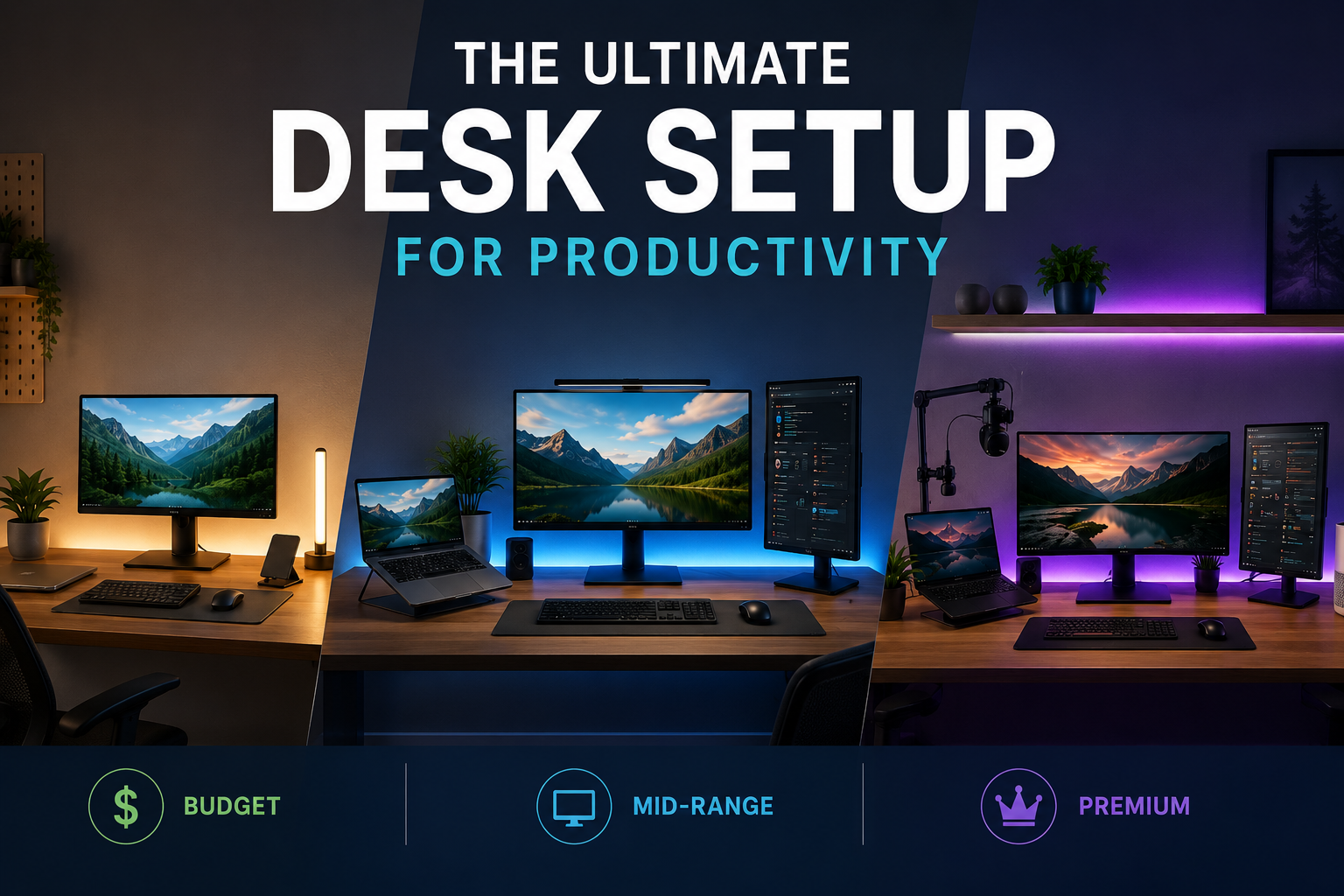
A great desk setup for productivity is not about filling a table with expensive gadgets. It is about removing the small frustrations that repeatedly interrupt work: a cramped display, awkward charging, poor lighting, cable clutter or a laptop sitting too low for comfortable viewing. Research on modern multi-monitor workstations suggests that additional screens can improve task efficiency, but poor positioning can also increase neck strain.

That makes the right setup surprisingly personal. A developer may benefit from two screens, a writer may prefer one excellent display, while a video editor needs colour accuracy and fast storage. The three builds below are designed around that reality, not around buying the most expensive version of everything.

Desk Setup for Productivity

What Actually Makes a Desk Productive?

Before choosing equipment, divide your desk into five jobs:

  1. Display: Your primary workspace.
  2. Input: Keyboard, mouse and other controls.
  3. Lighting: Enough illumination without screen glare.
  4. Power: Charging and connectivity without cable chaos.
  5. Environment: Temperature, air quality and distractions.

Spend money according to the bottleneck you experience most. If you’re constantly switching between windows, upgrade the display before buying decorative lighting. If your desk feels uncomfortable after two hours, fix ergonomics before upgrading your monitor.

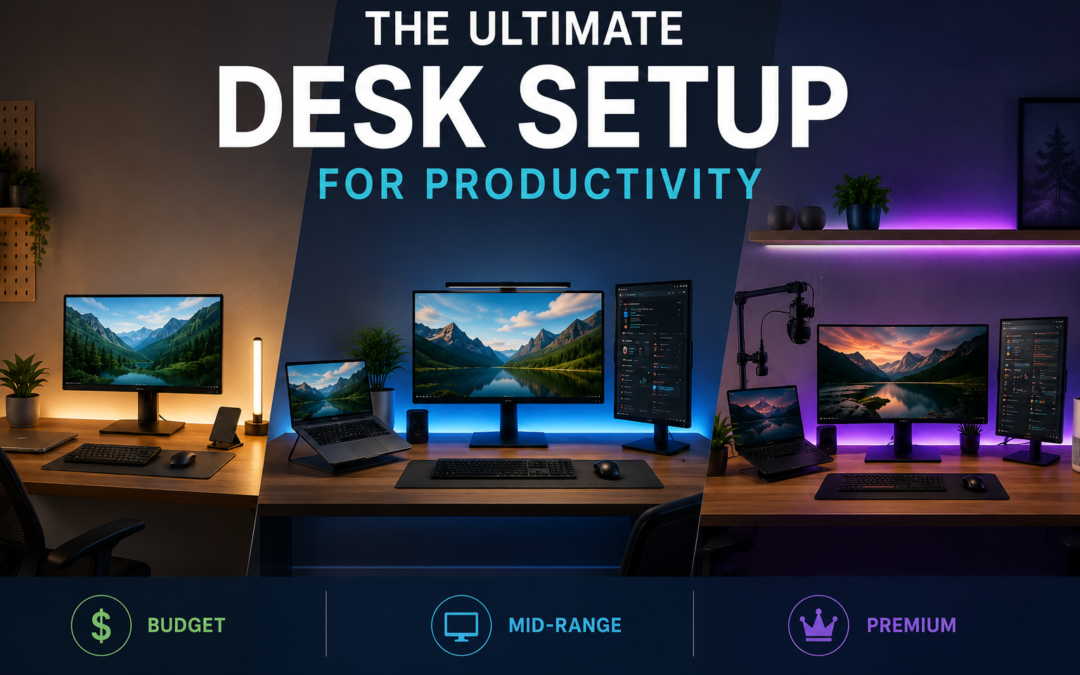
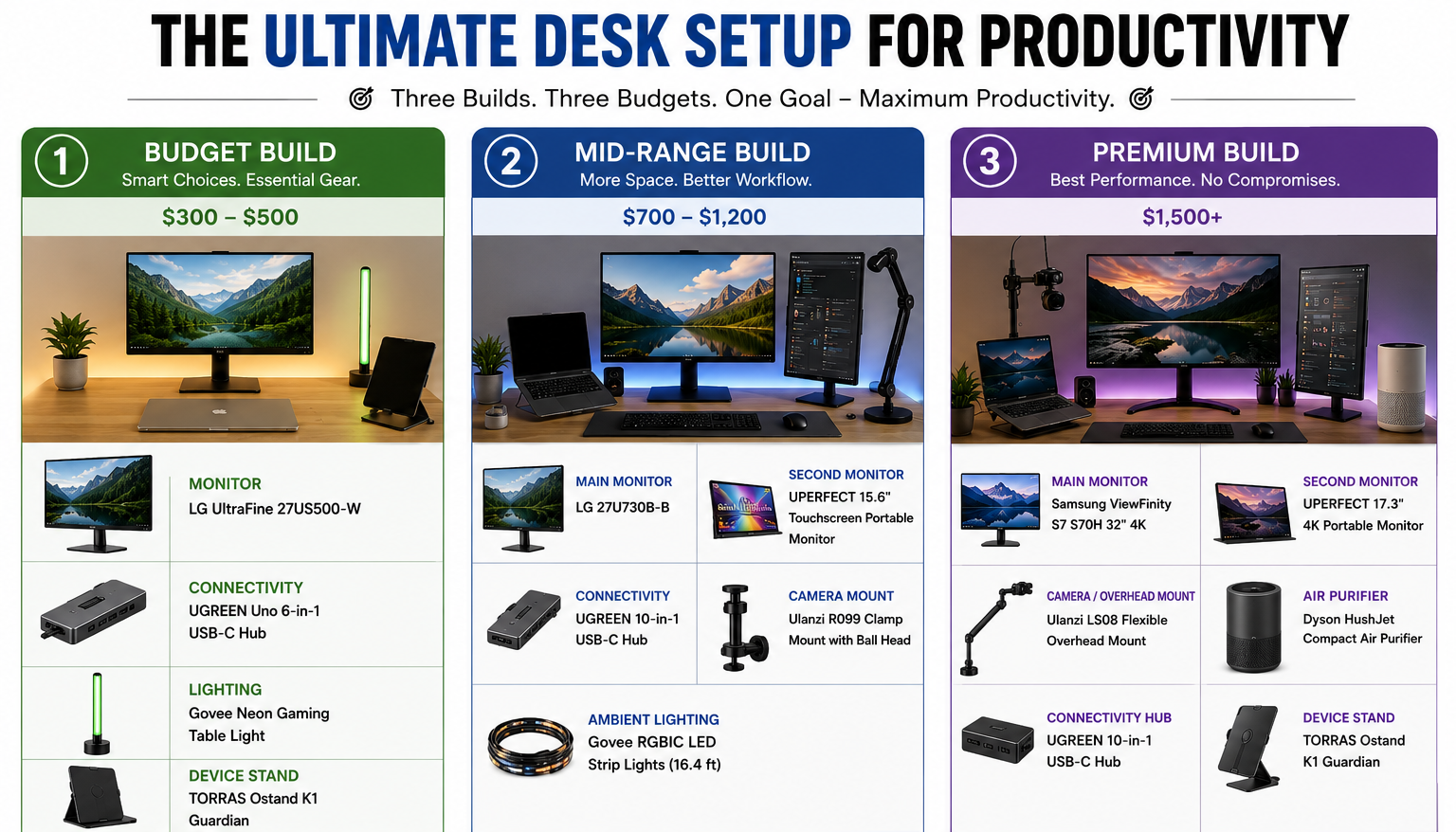
Budget Build: Spend Where It Counts

Target budget: roughly $300-$500

The budget build should establish a good working foundation without turning into a gadget collection.

Start with a 27-inch 1440p monitor if your computer can drive it. For office work, coding and content creation, 1440p gives you substantially more usable workspace than a basic 1080p display without requiring the hardware or price of a high-end 4K setup.

If you already own a laptop, don’t immediately buy a second computer. Add a monitor and use the laptop as a secondary screen.

A basic monitor arm can also be worthwhile. Raising the display and freeing desk space is often more useful than buying a premium desk mat or decorative accessory.

Other Requirements

For connectivity, UGREEN is worth considering for USB-C hubs, chargers and multi-port adapters. The important specification is not the number of ports printed on the box; check whether the hub supports the display resolution, USB speed and charging wattage your devices actually require.

For lighting, a simple adjustable desk lamp is enough. Position it so it illuminates the workspace without reflecting directly into the monitor.

Budget priority: monitor → chair/ergonomics → connectivity → lighting → accessories.

Mid-Range Build: Two Screens, Cleaner Workflow

Target budget: roughly $700-$1,200

This is where the desk setup for productivity starts becoming a proper workstation.

A strong configuration is a 27-inch 4K monitor plus a laptop or second display, or two matching 27-inch 1440p monitors. Dual-screen setups can improve task efficiency, but positioning matters. A 2026 review found that multi-monitor benefits depend heavily on screen arrangement and task type, while poorly arranged displays can increase neck and visual strain.

Keep the screen you use most directly in front of you. If one monitor is secondary, angle it slightly rather than turning your head repeatedly throughout the day.

Other Requirements

Ulanzi products become useful if your desk also serves as a content-creation station. A compact arm or mounting system can hold a webcam, camera, microphone or light without consuming valuable desk space.

For a portable second display, Uperfect offers another practical option, particularly for laptop users who travel or work from multiple locations.

Lighting is another worthwhile upgrade. Govee can add adjustable ambient lighting behind the desk or monitor. Keep it subtle; RGB lighting should improve the environment rather than become another notification demanding attention.

Premium Build: Build a Complete Workstation

Target budget: $1,500+

A premium setup should improve the entire workflow rather than simply increase specifications.

For the main display, consider a high-quality LG or Samsung monitor matched to your work. A 32-inch 4K display works particularly well for spreadsheets, editing and multitasking, while an ultrawide can reduce window switching for users who constantly work across multiple applications.

Other Requirements

Add a quality monitor arm, USB-C/Thunderbolt dock and high-speed external storage. The goal is simple: connect one cable to your laptop and have your monitor, peripherals, network and charging ready.

For creators, a camera mounted using Ulanzi hardware can remain permanently positioned rather than being unpacked for every call or recording session.

Govee lighting can provide controlled bias lighting, while Dyson or Dreame ecosystems can improve the surrounding environment through air purification, cleaning or climate-related comfort depending on the room.

This is also where cable management deserves attention. Run power and signal cables under the desk, label the important ones and leave enough slack to move your monitor or laptop without unplugging everything.

Desk Setup for Productivity

Recommended Products by Build

Build Category Brand Product Specifications
Budget Main monitor LG UltraFine 27US500-W, 27″ 27-inch 4K monitor; suitable as the main productivity display.
Budget Connectivity UGREEN Uno 6-in-1 USB-C Hub USB-C hub for adding HDMI, USB and other connections; a practical laptop-desk upgrade.
Budget Lighting Govee Neon Gaming Table Light Compact smart desk lighting; better suited as an optional ambience upgrade than a core productivity purchase.
Budget Device stand TORRAS Ostand K1 Guardian Adjustable stand solution for compatible iPad models; useful for keeping a secondary device visible.
Mid-range Main monitor LG 27U730B-B, 27″ 4K 3840×2160 IPS, DCI-P3 90%, HDR10 and 65W USB-C PD.
Mid-range Portable second monitor UPERFECT 15.6″ Touchscreen Portable Monitor Portable second-screen option for laptop-based workflows.
Mid-range Connectivity UGREEN 10-in-1 USB-C Hub More connectivity for a multi-peripheral workstation.
Mid-range Camera/phone mount Ulanzi R099 Clamp Mount with Mini Ball Head Desk-clamp mounting solution for cameras, phones and compact equipment.
Mid-range Ambient lighting Govee RGBIC LED Strip Lights, 16.4 ft Useful behind the monitor/desk for adjustable ambient lighting.
Premium Main monitor Samsung ViewFinity S7 S70H, 32″ 4K 3840×2160, HDR10, 99% sRGB, 60Hz; designed around a larger professional workspace.
Premium Alternative creator monitor LG 27UP850K-W, 27″ 4K IPS, DCI-P3 95%, DisplayHDR 400 and 90W USB-C PD; particularly strong for creators.
Premium Secondary display UPERFECT 17.3″ 4K Portable Monitor Large portable 4K secondary-screen option.
Premium Camera/overhead mount Ulanzi LS08 Flexible Overhead Mount Useful for desk recording, tutorials, product shots and overhead content.
Premium Air purifier Dyson HushJet Compact Air Purifier Premium workspace-environment upgrade.
Premium Alternative air purifier Dreame AP10 Pet Air Purifier Alternative premium air-purification option.
Premium Tablet stand TORRAS Ostand K1 Guardian Useful for keeping an iPad available as a reference/secondary screen.


Don’t Overspend on the Wrong Things

A premium desk setup for productivity can still be badly designed.

You don’t need three monitors simply because you can fit three. If your work happens primarily in one application, a single high-quality display may be better.

You also don’t need a $300 smart-lighting system if your biggest problem is glare from a window.

And don’t buy a monitor arm without checking VESA compatibility, screen weight and desk thickness. The same applies to USB-C docks: confirm bandwidth before purchasing.

Torras can be useful for device stands and protection, but treat these as convenience upgrades rather than productivity essentials. Best Buy can be useful when you want to compare multiple brands in one place, particularly for monitors, docks and accessories.

A Better Way to Build Your Desk

Build in stages.

First, fix your chair, monitor position and lighting. Then improve connectivity and storage. Only after that should you spend on aesthetic upgrades.

A useful test is to work for a full week before buying anything new. Write down every repeated annoyance: “I need another screen,” “my laptop is too low,” “my charger doesn’t reach,” “this cable keeps falling behind the desk.” Buy specifically to eliminate those problems.

The best desk setup for productivity is therefore rarely the one that looks most impressive online. It is the one that lets you start work quickly, stay comfortable and keep your attention on the task instead of the equipment.

The Three Builds at a Glance

Component Budget Mid-Range Premium
Main display 27″ 1440p 27″ 4K / Dual 32″ 4K / Ultrawide
Secondary display Existing laptop Second monitor Premium secondary
Monitor arm Basic Adjustable Gas-spring premium
Connectivity USB-C hub Advanced dock Thunderbolt/USB4 dock
Lighting Desk lamp Govee ambient Govee + task lighting
Camera setup Laptop webcam Ulanzi mount Dedicated camera + mount
Environment Basic ventilation Air purifier Dyson/Dreame ecosystem
Cable management Clips Tray + clips Integrated routing
Best for Students, basic WFH Professionals Heavy daily users

FAQs on Desk Setup for Productivity

1. Is a dual-monitor setup actually more productive?

It can be. Research suggests multiple monitors can improve task efficiency, but the benefit depends on the work and screen arrangement. Poor positioning can create neck strain.

2. Is 4K necessary for productivity?

No. A good 1440p monitor can be excellent for everyday work. 4K becomes more attractive for large screens, detailed creative work and users who want more workspace.

3. Are smart lights worth buying?

Only if lighting is genuinely a problem or you want adjustable ambient lighting. Govee can be useful for this, but a good task lamp is often enough.

Also Read: GamsGo: The One-Stop Shop That’s Quietly Saving People a Lot of Money

USB-C Explained: Cables, Wattages, and What Your Devices Actually Need

USB-C Explained: Cables, Wattages, and What Your Devices Actually Need

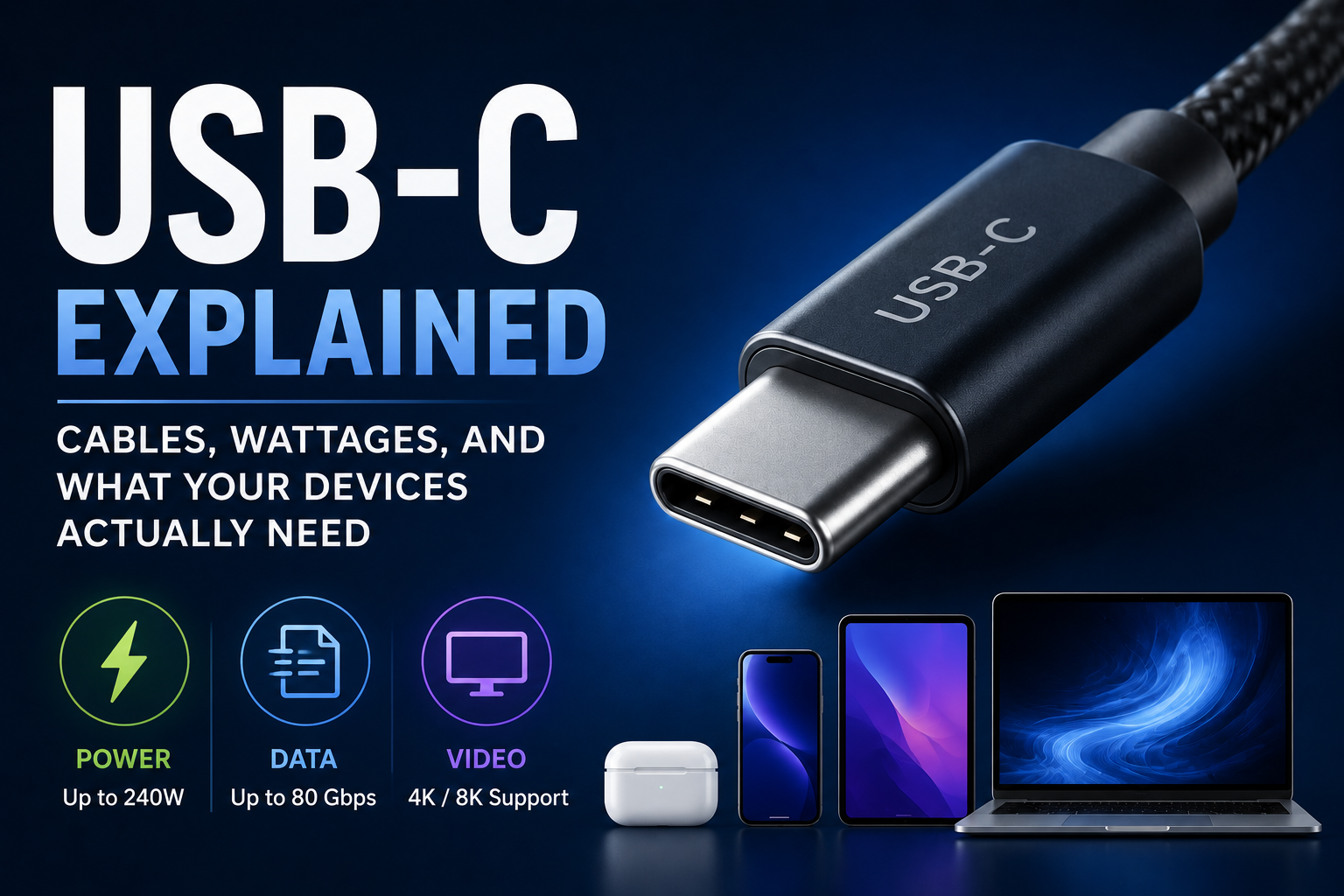
USB-C has become the default connector for phones, tablets, laptops, monitors, power banks and accessories, but the small oval-shaped port tells you surprisingly little about what a device can actually do. A USB-C connection can carry basic USB 2.0 data or support USB4 at up to 80 Gbps, while USB Power Delivery can provide as much as 240W with the right charger, device and cable. The USB Implementers Forum (USB-IF) has also introduced clearer 60W and 240W power markings for compliant USB-C-to-USB-C cables.

That is why buying a cable based only on the words “USB-C” can lead to disappointing charging speeds, slow file transfers or a monitor that refuses to work. The connector is only the starting point.

USB-C Explained: Cables, Wattages, and What Your Devices Actually Need

USB-C Is a Connector, Not a Speed Rating

This is the first distinction worth remembering.

USB-C describes the physical connector and port design. It does not automatically mean USB 3.2, USB4, fast charging or video output.

Two cables can look identical but have completely different capabilities. One may support only USB 2.0 data speeds, while another can handle high-speed data, displays and high-power charging.

USB-IF’s current specifications continue to expand the capabilities associated with USB-C, including USB4 Version 2.0 and newer Type-C specifications.

The Three Things You Need to Check

When choosing a cable, separate its capabilities into three categories:

  1. Power: How many watts can it safely carry?
  2. Data: How quickly can it transfer files?
  3. Video: Can it support the display standard and resolution you need?

A cable can be excellent in one category and mediocre in another. A 100W-rated cable, for example, does not automatically provide high-speed data transfer.

How Much Wattage Do You Actually Need?

USB Power Delivery allows a charger and device to negotiate the amount of power required rather than simply forcing the maximum available wattage into the device. USB-IF says PD can support up to 240W using compatible USB-C equipment.

That does not mean every device needs a 240W charger.

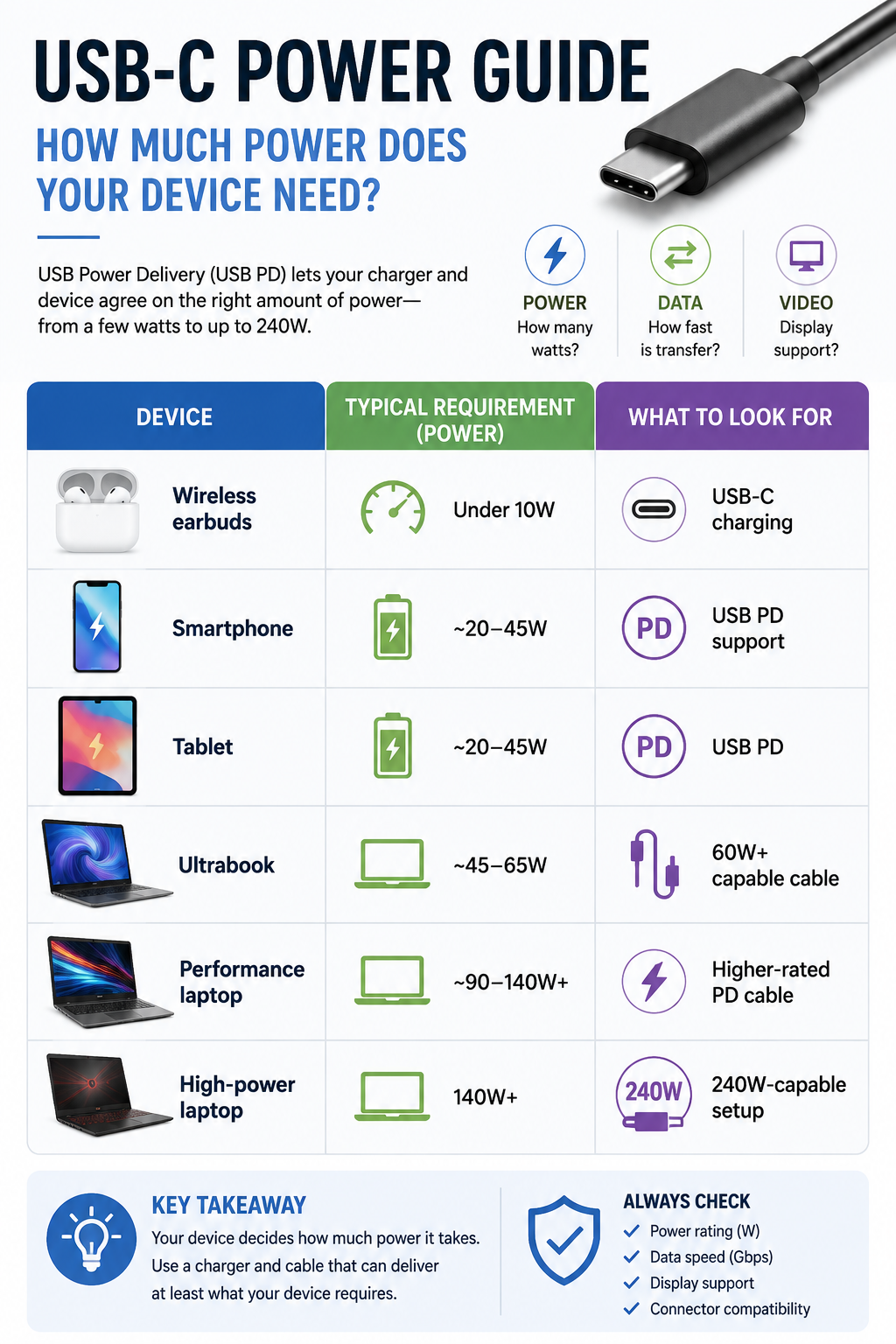
USB-C

These are practical ranges rather than universal specifications. Always check the manufacturer’s stated charging requirement before buying.

A 240W charger will not make a phone charge at 240W if the phone is designed to accept considerably less. The device determines what it requests through the charging protocol.

Why Cable Wattage Matters

The charger is only one part of the system.

  • Imagine you have a 100W laptop charger but connect it through a cable that cannot support the required power. The setup cannot deliver the charger’s full capability.
  • USB-IF’s current cable marking system uses 60W and 240W power icons for compliant USB-C-to-USB-C cables, making it easier to identify certified power capabilities.
  • For higher-power laptops, check the cable rating rather than assuming every USB-C cable is interchangeable.

Don’t Ignore Data Speed

Charging is only half of the USB-C story.

A cheap cable may charge your phone perfectly but become painfully slow when you use it to move large video files to an SSD. This happens because power capability and data capability are separate specifications.

USB4 can reach 80 Gbps with certified 80 Gbps cables, while also supporting multiple data and display protocols. It is also designed to work with earlier USB standards and compatible Thunderbolt 3 systems.

For everyday charging and occasional file transfers, USB 2.0 may be perfectly adequate. For external SSDs, docks, professional cameras or large media libraries, paying attention to data speed becomes much more important.

What About Monitor Connections?

A USB-C port can also carry display signals, but again, the connector itself does not guarantee video output.

If you want to connect a laptop to a monitor through USB-C, check whether the laptop’s port supports the required display function and whether the cable, dock, and monitor support the necessary bandwidth.

This matters particularly with high-resolution or high-refresh-rate monitors. A cable that works perfectly for charging may not be suitable for a demanding display setup.

The Cable You Need Depends on the Job

For a phone charger, spending heavily on an extremely high-speed data cable may provide little practical benefit if you rarely transfer large files.

For a laptop dock, the opposite can be true. You may need substantial power delivery, fast data and display support from the same connection.

This is where USB-C becomes confusing: the most expensive cable is not necessarily the best cable for your device. The right cable is the one whose power, data and display capabilities match the hardware on both ends.

Practical Buying Tips

Before purchasing a replacement cable, check the specifications of your device and charger first. If the laptop requires 100W, choose a cable rated for at least that requirement rather than assuming a generic cable will work.

For fast external storage, check the advertised data rate. For monitors, verify display compatibility separately.

Also look for USB-IF certification and the appropriate power/data markings where available. USB-IF requires compliant USB-C-to-USB-C cables to carry specified power markings, while applicable high-speed cables also identify their supported data rate.

One more practical rule: avoid suspiciously cheap cables from unknown sellers when you need high power or high-speed data. A cable is inexpensive compared with a laptop, SSD or charger that could be affected by poor-quality hardware.

Common Mistakes

The biggest mistake is assuming every USB-C cable is identical. Another is buying a 240W charger when the device cannot use anything close to that power.

People also frequently confuse watts with gigabits per second. Watts describe electrical power; Gbps describes data-transfer bandwidth. They measure completely different things.

Finally, don’t judge a cable by thickness alone. Build quality matters, but performance depends on its actual specifications and compliance.

Frequently Asked Questions

1. Is every USB-C cable fast?

No. USB-C cables can support very different data rates. Some are limited to USB 2.0, while others support much faster USB 3.x or USB4 connections.

2. Does a higher-wattage charger charge every device faster?

No. The device negotiates the power it can accept. A higher-rated charger provides additional capacity but does not force the device to take more power.

3.  Why does my USB-C cable charge quickly but transfer files slowly?

Charging and data performance are separate. Your cable may support high power while using a slower data specification.

Ultimately, USB-C is best understood as a flexible connection standard rather than a guarantee of performance. Once you separate charging power, data speed and display capability, choosing the right cable becomes considerably less confusing.