

10 AI Writing Tools Compared: Which One Fits Your Workflow?
The demand for AI writing tools is growing because content teams are expected to produce more without sacrificing research, accuracy or originality. According to McKinsey’s 2025 global survey on AI, 88% of respondents said their organisations regularly used AI in at least one business function. Marketing and sales remain among the areas where generative AI is making a significant impact. But choosing a writing assistant is not as simple as picking the most popular platform. A freelance blogger needs different features from an SEO specialist, an agency copywriter or a business that produces technical documentation. Some tools are better at long-form drafting, others at brand consistency, grammar, research or search optimisation. The right choice depends on what you write, how much editing you do and where the tool fits into your existing workflow. Here are ten options worth comparing.
10 AI Writing Tools Worth Comparing
1. ChatGPT – Best for all-round content creation
- Best for: Bloggers, freelancers, marketers and small agencies.
- Watch out for: It can produce confident but incorrect information. Verify facts, statistics and references before publishing.
2. Claude – Best for long-form writing
- Best for: Editors, researchers, consultants and long-form bloggers.
- Watch out for: Always review factual claims and check whether the final draft meets your SEO requirements.
3. Google Gemini – Best for Google ecosystem users
- Best for: Professionals and teams already using Google Workspace.
- Watch out for: Check source quality when using generated research, and verify information independently.
4. Jasper – Best for marketing teams
- Best for: Marketing agencies, brand teams and businesses producing content at scale.
- Watch out for: It may be more than an individual blogger needs, particularly if a general-purpose assistant already covers their requirements.
5. Grammarly – Best for editing and proofreading
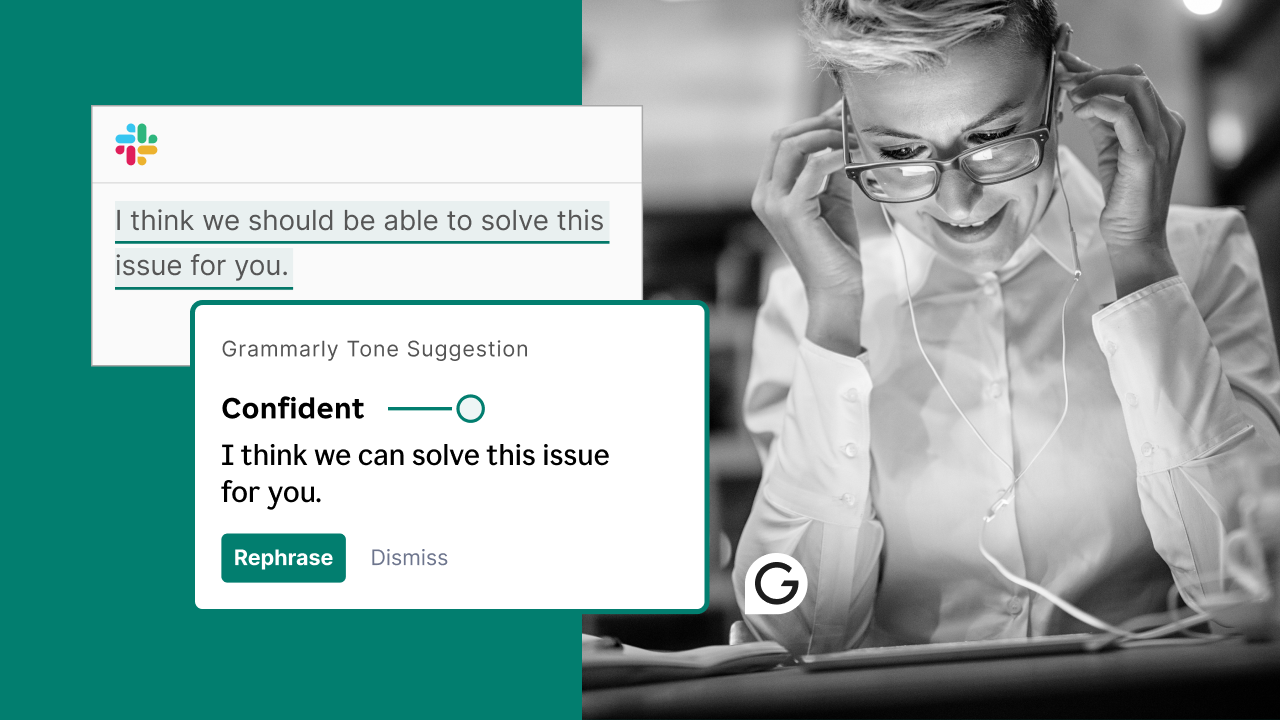
- Best for: Professionals, students, email writers and content editors.
- Watch out for: Editing assistance does not replace subject expertise or a proper fact-check.
6. Writesonic – Best for SEO-focused content
- Best for: SEO professionals, bloggers and content marketing teams.
- Watch out for: A high content score does not guarantee rankings. Search intent, original information, backlinks and website quality still matter.
7. Copy.ai – Best for marketing workflows
- Best for: Sales teams, marketing departments and agencies managing recurring campaigns.
- Watch out for: Set up workflows carefully. Automation without human review can reproduce weak messaging at scale.
8. Rytr – Best for short-form copy
- Best for: Freelancers, small businesses and occasional content creators.
- Watch out for: Complex research articles may require a more capable writing and research workflow.
9. QuillBot – Best for rewriting and summarising
- Best for: Students, researchers and editors.
- Watch out for: Rewriting does not make copied material original. Preserve citations and check that the meaning has not changed.
10. Notion AI – Best for content planning and team documentation
- Best for: Content teams, project managers and businesses using Notion.
- Watch out for: It may not replace a dedicated SEO platform or specialist writing assistant.
Quick Comparison: Which Tool Should You Choose?
| Tool | Main strength | Ideal user |
|---|---|---|
| ChatGPT | General writing and research | Freelancers and marketers |
| Claude | Long-form drafting | Bloggers and editors |
| Gemini | Google ecosystem integration | Workspace users |
| Jasper | Brand-led campaigns | Marketing teams |
| Grammarly | Grammar and clarity | Professionals |
| Writesonic | SEO content | SEO specialists |
| Copy.ai | Marketing workflows | Sales and marketing teams |
| Rytr | Short-form copy | Small businesses |
| QuillBot | Paraphrasing | Students and editors |
| Notion AI | Workspace productivity | Content teams |
How to Choose the Right Tool for Your Workflow
Before paying for a subscription, identify the task that consumes most of your time. If you spend hours researching and drafting blogs, test ChatGPT and Claude. If your work involves managing several brand accounts, compare Jasper and Copy.ai. For proofreading, Grammarly may be enough, while QuillBot is useful for rewriting existing material.
For SEO teams, Writesonic can support content optimisation, but it should work alongside keyword research, competitor analysis and Search Console data rather than replace them.
A practical way to evaluate these AI writing tools is to give each shortlisted platform the same assignment. Ask it to prepare a 1,000-word article with a defined audience, primary keyword, supporting facts, a comparison table and FAQs. Compare the research accuracy, editing required, tone and time saved.
Also check free usage limits, commercial-use terms, data privacy, integrations and subscription costs before committing. A tool that saves ten minutes but requires extensive rewriting may not be worth a recurring fee.
Final Verdict
There is no single winner for every writer. ChatGPT is a strong all-round choice, Claude is worth considering for long-form work, Jasper suits brand-focused marketing teams, and Grammarly is particularly useful for polishing drafts.
The best AI writing tools are not necessarily the ones with the longest feature lists. They are the ones that fit naturally into your existing process, reduce repetitive work and leave more time for research, creativity and editorial judgment.
Frequently Asked Questions
1. Which AI writing tool is best for beginners?
ChatGPT and Gemini are useful starting points because they support a wide range of writing tasks. Grammarly is another approachable option for improving existing text.
2. Can AI writing tools create SEO-friendly blogs?
Yes. They can help with outlines, keyword placement, headings, FAQs and drafts. However, ranking also depends on search intent, useful information, website authority and content quality.
3. Are free AI writing tools good enough?
Free plans can be sufficient for occasional writing and editing. Regular users may need paid plans for higher usage limits, advanced models or specialised features.
Also Read: Pins & Aces Review: Golf Apparel That Doesn’t Take Itself Seriously