
The Digital Nomad Security Stack: VPN, eSIM, 2FA, and Backups
Working from a beachside café in Bali, a co-working space in Lisbon, or a hotel room in Bangkok offers flexibility, but it also means your work depends on networks, devices and accounts you do not always control. A reliable digital nomad security stack is therefore more than a VPN subscription. It is a combination of secure connectivity, protected logins, mobile data, encrypted devices and recoverable backups that keeps your work accessible without making it easy for someone else to access.
The risks are not theoretical. The UK Government’s Cyber Security Breaches Survey 2025 found that 43% of businesses experienced phishing attacks in the previous 12 months. Meanwhile, the National Cybersecurity Alliance’s 2025 research found that although 77% of respondents were aware of multi-factor authentication, regular use stood at just 53%. These findings highlight a practical problem: knowing about security tools is not the same as using them consistently. For people working across borders, that gap can put client files, payment accounts and business communications at risk.
Here is how to build a practical setup without turning every workday into a cybersecurity exercise.
VPN: Protect Your Connection, Not Your Entire Digital Life
A virtual private network (VPN) encrypts traffic between your device and the VPN server, making it harder for people on the same public network to inspect your connection. This is particularly useful when working from hotel Wi-Fi, airports or shared co-working spaces.
Choose a reputable paid VPN with:
- A clear no-logs policy and independent security audits.
- Modern encryption protocols such as WireGuard or OpenVPN.
- A kill switch that blocks internet traffic if the VPN disconnects.
- DNS leak protection and apps for all your devices.
Avoid choosing a provider solely because it advertises hundreds of server locations. Reliability, privacy practices and transparent ownership matter more.
One important distinction: a VPN does not prevent phishing, malicious downloads or compromised websites. It also does not make you anonymous. Treat it as one protective layer, not a complete security solution. For access to company systems, use the VPN or secure access service approved by your employer or client.
eSIM: Keep Your Internet Access Independent
An eSIM allows compatible phones to download a mobile network profile without inserting a physical SIM card. For digital nomads, this is useful when moving between countries or needing internet access immediately after landing.
Providers such as Airalo, Holafly and Ubigi offer travel data plans in different destinations. Compare them based on coverage, data allowance, validity, hotspot support and whether the plan includes a local number.
An eSIM can reduce dependence on unfamiliar public Wi-Fi, but it is not automatically a security product. Your traffic still passes through a mobile operator, and the security of your apps, device and accounts remains your responsibility.
A practical setup is to keep your primary number active for important account recovery where possible, while using a travel eSIM for everyday data. Check that your phone is unlocked and supports eSIM before purchasing a plan.
Two-Factor Authentication: Protect Your Accounts
A stolen password should not be enough to access your email, cloud storage or banking accounts. Two-factor authentication (2FA), also called multi-factor authentication (MFA), adds another verification step.
Prioritise these accounts:
- Primary email and password manager
- Banking, payment and financial services
- Cloud storage and work collaboration tools
- Domain registrar, website hosting and social media accounts
An authenticator app is generally a stronger option than SMS codes, which can be vulnerable to SIM-swapping and number-based attacks. For accounts supporting passkeys or hardware security keys, consider enabling them.
Store backup codes in an encrypted password manager or another secure location. Keep a recovery method that does not depend entirely on the phone you carry while travelling. Losing that phone should not lock you out of every account.
Backups: Make Sure Lost Devices Don’t Mean Lost Work
A laptop can be replaced. Unrecoverable client files, photographs, invoices and project documents are harder to replace.
Follow the 3-2-1 backup principle:
- Keep three copies of important data.
- Store them on two different types of storage.
- Keep one copy off-site or in a separate cloud location.
For example, maintain working files on your laptop, an encrypted external SSD and a reputable cloud backup service. Enable automatic backups, but remember that synchronisation is not always the same as backup: accidental deletion or ransomware may synchronise unwanted changes.
Test restoration occasionally. A backup that cannot be restored when needed is not a dependable backup.
How the Four Tools Work Together
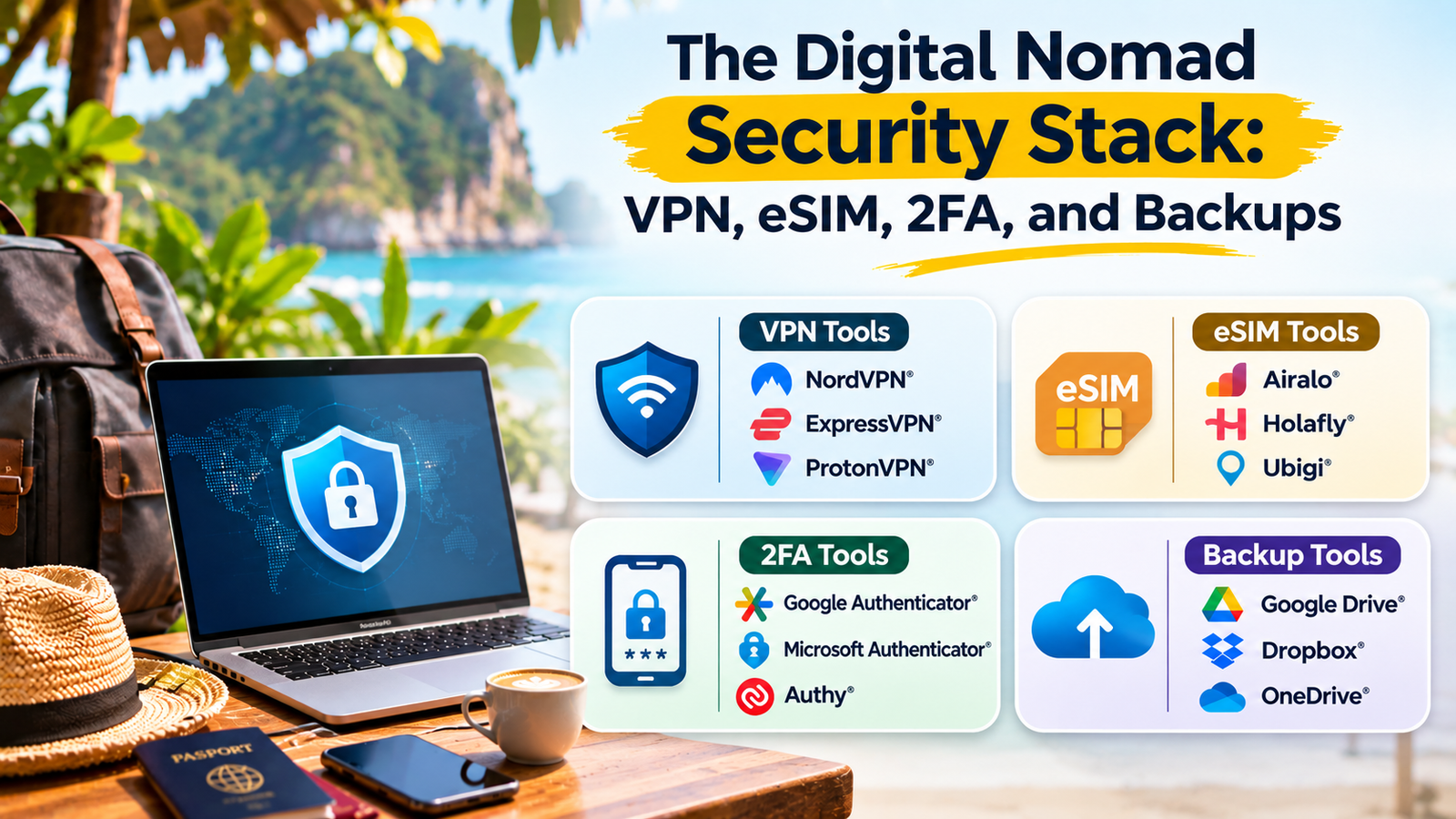
| Security layer | What it protects | Practical choice |
|---|---|---|
| VPN | Network traffic | Reputable VPN or company-approved access |
| eSIM | Mobile internet availability | Local or regional data plan |
| 2FA | Online account access | Authenticator app, passkey or security key |
| Backups | Files and work continuity | Cloud backup plus encrypted external drive |
The strongest digital nomad security stack is not necessarily the most expensive one. It is the one that covers different failure points without relying on a single tool.
Secure Your Devices Before You Travel
Before leaving, install operating system and application updates, enable full-disk encryption, activate device tracking and remote-wipe features, and use a strong screen lock. Disable automatic connection to unknown Wi-Fi networks and remove apps you no longer need.
Be careful with charging stations and unknown USB devices. Carry your own charger and power adapter, and use a power bank when possible. Avoid leaving laptops unattended in cafés or co-working spaces.
The National Counterintelligence and Security Center also recommends minimising sensitive information stored on travel devices, enabling multi-step authentication and backing up data before departure.
Build Security Into Your Travel Routine
A dependable digital nomad security stack should make working abroad easier, not more complicated. Set up your VPN, arrange mobile connectivity, secure important accounts with 2FA and automate backups before your next trip.
Once these basics are in place, add simple habits: update devices, verify login requests, protect your equipment and test file recovery. The objective is straightforward: wherever you work, your accounts stay protected, and your work remains recoverable.
FAQs
1. Do digital nomads really need a VPN?
A VPN is useful when connecting through networks you do not control, particularly for work. It does not replace HTTPS, device security or safe browsing habits.
2. Is an eSIM safer than public Wi-Fi?
A mobile data connection avoids many risks associated with shared public hotspots, but an eSIM does not guarantee privacy or protect against phishing and malware.
3. Which 2FA method is best for frequent travellers?
Passkeys and hardware security keys offer strong protection where supported. Authenticator apps are a practical alternative. Keep recovery codes accessible securely.
Also Read: How to Speed Up a WordPress Site: 15 Fixes That Actually Work