
Is Incognito Mode Private? What It Hides and What It Doesn’t
Opening an Incognito window feels like switching to an invisible version of the internet. Your browser stops keeping a normal record of the websites you visit, but that does not mean your online activity disappears. In reality, private browsing mainly protects information stored locally on your device. Websites, internet service providers (ISPs), employers and network administrators may still be able to observe your activity while you browse. Google’s Chrome documentation makes this distinction clear: Incognito removes session history and site data after all Incognito windows are closed, but downloaded files and saved bookmarks remain. So, is Incognito mode private? Yes, to a limited extent, but it is not an anonymity tool, a VPN or a complete security solution.
Understanding what happens behind the private-browsing window helps you use it for the right reasons and avoid relying on it for protection it was never designed to provide.
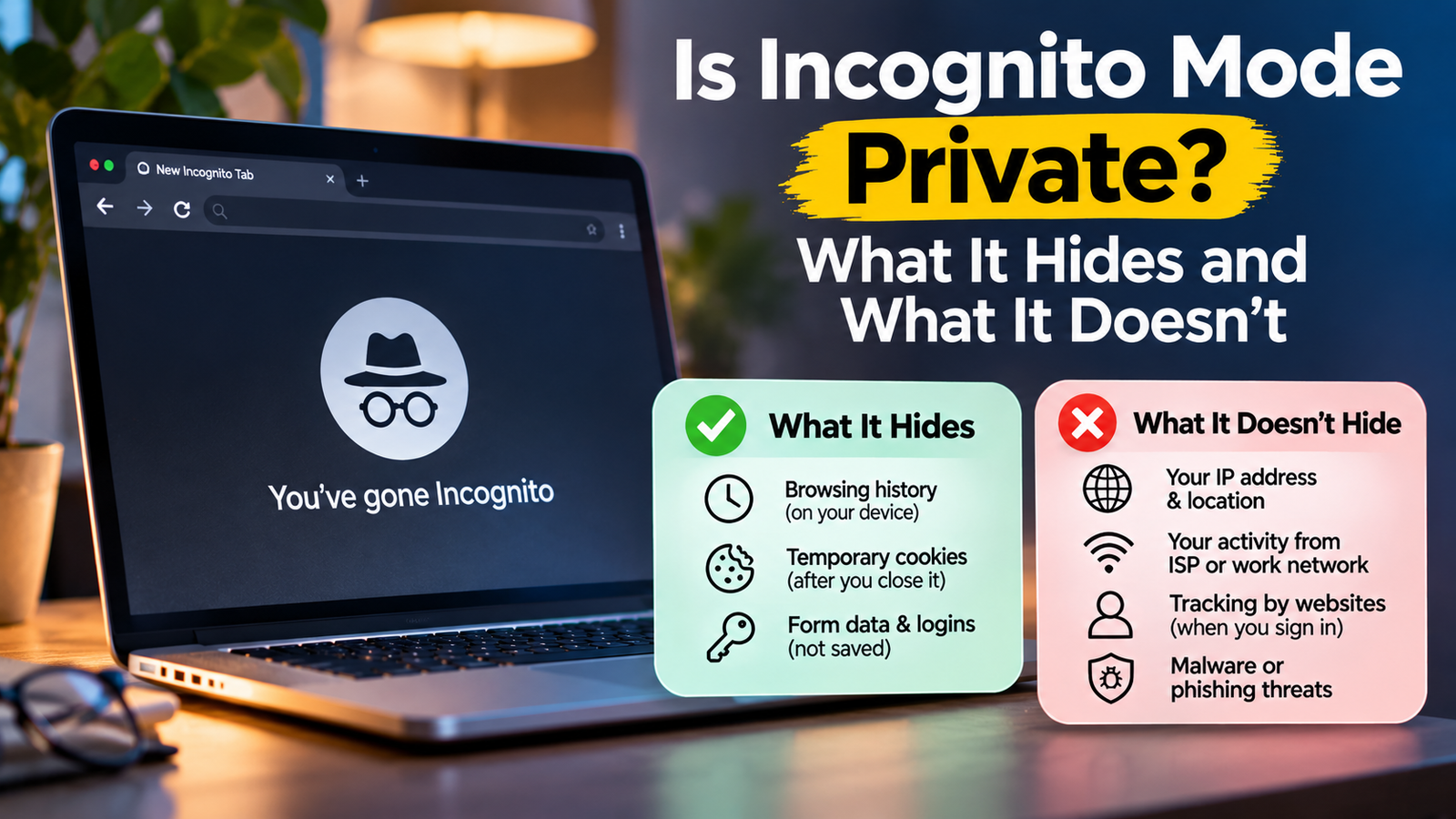
What Incognito Mode Actually Hides
When you open a private window, your browser creates a separate temporary session. It does not normally save the same browsing history, cookies and form information to your regular browser profile.
This is useful when:
- You share a laptop with family members or colleagues.
- You want to sign into a second account without logging out of the first.
- You are shopping for a surprise gift on a shared device.
- You want a website to load without cookies from your normal browsing session.
For example, if you search for hotels in an Incognito window, those pages generally will not appear in your regular Chrome browsing history after you close every Incognito window. Temporary cookies are also cleared when the session ends.
However, bookmarks you save and files you download are not automatically deleted. Anyone with access to your device may still find them.
What Incognito Mode Does Not Hide
This is where the biggest misunderstanding begins. Private browsing limits what your browser remembers, not what the rest of the internet can observe.
Your IP address and location
Websites can still see your public IP address, which can reveal your approximate location and internet provider. Incognito mode does not replace your IP address or route your traffic through an anonymous network.
Your activity from your ISP
Your internet provider can still observe network connections and, depending on encryption and network configuration, may identify the domains you visit. Private browsing does not prevent network-level monitoring.
Your activity at work or college
If you connect through an employer’s or university’s network, administrators may monitor network activity. Managed devices may also have monitoring software or security policies that operate independently of browser settings.
Your identity when you sign in
Opening an Incognito window does not make you anonymous to Google, Facebook, Amazon or other services. If you sign in to an account, the platform can associate your activity with that account.
Malware and phishing threats
Private browsing does not stop malicious downloads, fraudulent websites, phishing links or spyware. A dangerous file downloaded in Incognito mode can still infect your computer.
Incognito Mode vs Regular Browsing: What’s Different?
| Activity | Regular browsing | Incognito browsing |
|---|---|---|
| Browsing history | Usually saved | Not saved after the session ends |
| Temporary cookies | Stored until cleared or expired | Removed when all private windows close |
| Saved passwords | Can be saved | Generally not saved automatically |
| Downloaded files | Remain on device | Still remain on device |
| Bookmarks | Saved | Still saved |
| IP address | Visible to websites | Still visible |
| ISP monitoring | Possible | Still possible |
| Account-based tracking | Possible | Still possible |
The distinction is simple: Incognito reduces the digital traces left in your browser, but it does not prevent websites or networks from observing your connection.
Does Incognito Stop Websites from Tracking You?
Not completely. Websites can still use several tracking techniques during a private session.
Cookies created during the session may help websites remember activity while the window remains open. Some browsers restrict third-party cookies in private mode, but this does not eliminate every tracking method.
Browser fingerprinting is another concern. Websites can collect technical details such as screen resolution, browser version, operating system and device characteristics to recognise visitors.
Tracking can also happen through account logins, advertising identifiers and analytics services. Therefore, if you are wondering is Incognito mode private enough to stop personalised advertising, the answer is no. You may still encounter advertisements based on your activity.
When Should You Actually Use Incognito Mode?
Private browsing is useful in everyday situations where you want to keep your activity separate from the browser’s regular history.
Consider these examples:
- Shared computers: Prevent your browsing history and temporary login sessions from remaining in the normal browser profile.
- Multiple accounts: Access a second email or social media account without disturbing your primary session.
- Shopping: Check prices or purchase gifts without leaving ordinary browsing history on a shared device.
- Website testing: View a website without relying on existing cookies or saved sessions.
- Troubleshooting: Check whether a website problem is caused by cached data or browser extensions.
It is particularly useful for separating personal and work browsing on a shared device, provided you close every private window when finished.
What Should You Use for Better Online Privacy?
If your objective is stronger privacy rather than simply hiding local browsing history, combine several measures.
- Use a reputable VPN: A VPN encrypts traffic between your device and its VPN server and hides your real IP address from websites. However, your VPN provider becomes another party you must trust.
- Enable tracking protection: Browsers such as Firefox and Brave offer built-in features to block many known trackers. These protections go beyond simply clearing browsing history.
- Install a trusted tracker blocker: Tools such as uBlock Origin can reduce advertising and tracking scripts, subject to browser compatibility.
- Use two-factor authentication: Protect important accounts against unauthorised access, especially when using shared or unfamiliar devices.
- Keep your browser updated: Security updates help protect against vulnerabilities that private browsing cannot address.
The Final Verdict
So, is incognito mode private? It is private in a limited, practical sense: it helps prevent your browsing session from becoming part of your regular browser history. It does not hide your identity from websites, conceal your IP address or stop network monitoring.
Use it when sharing devices, managing multiple accounts or testing websites. For stronger online privacy, combine browser tracking protection, secure connections, updated software and a trustworthy VPN where appropriate. Knowing the difference is far more useful than assuming the Incognito icon makes you invisible.
Is Incognito Mode Private: FAQs
1. Can someone see my Incognito history?
Other users generally cannot view your session through the browser’s normal history after all private windows are closed. However, network logs, monitoring software and downloaded files may still reveal activity.
2. Does Incognito hide my IP address?
No. Websites and online services can still see your public IP address. A VPN or privacy network is needed for additional IP-address protection.
3. Is Incognito mode safe for online banking?
It can be used for banking, but it does not provide additional protection against phishing, malware or unsafe networks. Use the bank’s official website or app and a trusted internet connection.
Also Read: How to Move Your Website to a New Host Without Downtime