
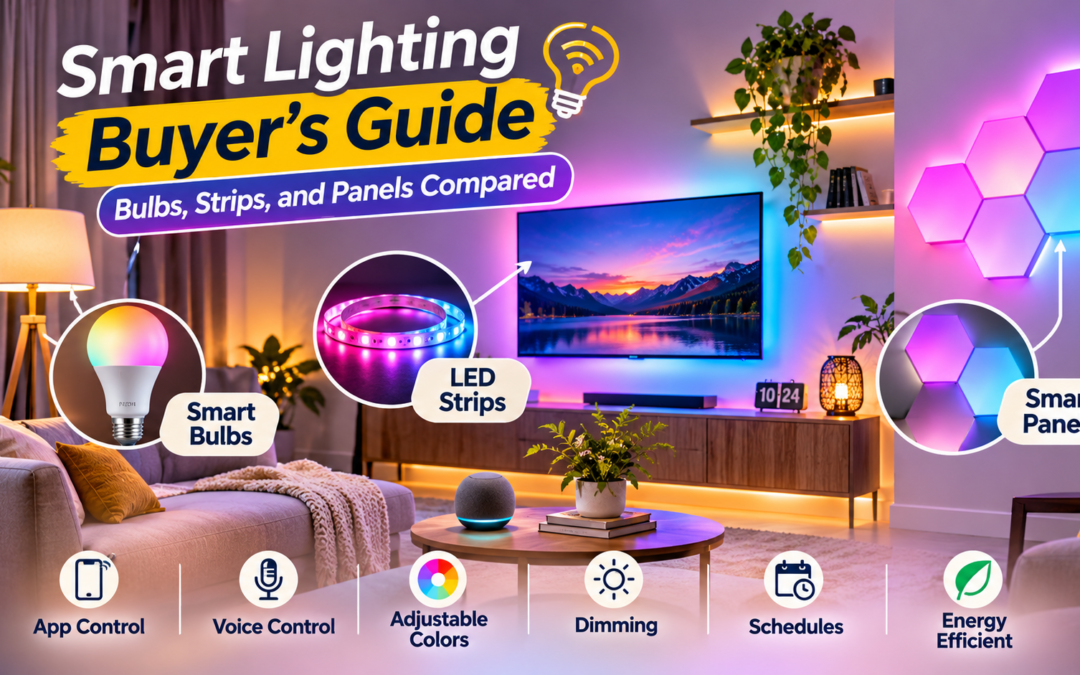
Smart Lighting Buyer’s Guide: Bulbs, Strips, and Panels Compared
Lighting does more than brighten a room. It affects how comfortable your home feels, how easily you work at night and even how much electricity you use. The US Department of Energy estimates that lighting accounts for around 15% of an average home’s electricity consumption. Switching from traditional incandescent bulbs to LEDs can reduce lighting energy use by at least 75%, while LEDs can last up to 25 times longer. Add app controls, scheduling and adjustable colours, and smart lighting becomes an upgrade that offers both convenience and creative flexibility.
But should you buy smart bulbs, LED strips or decorative wall panels? They serve different purposes, and choosing the wrong type can leave you with expensive mood lighting when what you really needed was a brighter room. Here’s how to compare them before spending money.
Smart Bulbs: The Easiest Place to Start
Smart bulbs replace the regular bulbs in existing lamps and compatible fixtures. You can control brightness, switch lights on or off remotely, set schedules and, depending on the model, adjust colour temperature or choose from millions of colours.
They are ideal for bedrooms, living rooms, bedside lamps and rented homes where changing electrical fittings is not practical.
What to check before buying:
- Socket type: Match the bulb base to your fixture, such as E27, B22 or GU10.
- Brightness: Check lumens rather than watts. Around 800 lumens is comparable to a traditional 60-watt incandescent bulb.
- Colour temperature: Warm white (around 2700K-3000K) suits relaxing spaces, while cooler white (4000K-5000K) is useful for kitchens and work areas.
- Dimming: Confirm that the bulb supports dimming and is compatible with any existing dimmer.
A common mistake is buying a colourful bulb without checking its white-light quality. If you plan to read, cook or work under it, adjustable white light may be more useful than elaborate colour effects.
LED Light Strips: Best for Accent Lighting
Light strips are flexible LED ribbons that can be attached behind televisions, under kitchen cabinets, along shelves, around desks or beneath beds. Many models offer colour-changing effects, brightness controls and music synchronisation.
They are particularly useful when you want to add depth to a room without installing additional ceiling fixtures.
Before purchasing, check the strip’s length, brightness, power adapter and cutting points. Not every strip can be shortened anywhere; only cut at the marked sections. Also check whether connectors or extension cables are available if you need to cover corners or multiple surfaces.
For kitchens, look for adjustable white light rather than RGB-only strips. For TV backlighting or gaming setups, colour effects and screen synchronisation may matter more.
Adhesive quality is another detail worth checking. Dusty, textured or damp surfaces can cause strips to peel away. Clean and dry the surface before installation, and avoid placing strips where heat can build up.
Smart Light Panels: Lighting That Becomes Décor
Smart panels are designed to be seen. Usually installed on walls, they create geometric patterns and decorative lighting effects. Some products allow each panel to display a different colour, creating animated designs, gradients and music-responsive effects.
They work particularly well in gaming rooms, entertainment spaces, creative studios and feature walls.
Panels are generally more expensive than ordinary bulbs or basic LED strips. Installation also needs more planning because you must arrange the layout, power connection and mounting position before fixing them to the wall.
If you are renting, check whether the mounting system uses removable adhesive or requires drilling. Also consider whether the panels will still look attractive when switched off. Unlike hidden LED strips, they remain part of the room’s visual design.
Bulbs vs. Strips vs. Panels: Which Should You Buy?
| Feature | Smart Bulbs | LED Strips | Smart Panels |
|---|---|---|---|
| Main purpose | Everyday room lighting | Accent and background lighting | Decorative feature lighting |
| Best location | Lamps and ceiling fixtures | TV units, shelves, desks | Feature walls and gaming rooms |
| Installation | Replace existing bulb | Adhesive mounting | Wall mounting or adhesive |
| Brightness priority | High | Varies by model | Usually secondary |
| Colour effects | Available on colour models | Common | Major feature |
| Budget | Low to premium | Low to mid-range | Mid to premium |
| Best for | Practical everyday use | Ambience and highlighting | Visual impact |
For most homes, a combination works better than choosing just one. Use bulbs for functional lighting, strips for subtle accents and panels only where you want a decorative centrepiece.
Check Connectivity Before You Buy
A product can have excellent lighting effects but still become frustrating if it does not connect reliably.
Common connection options include:
- Wi-Fi: Connects directly to your home network. Convenient for individual devices, but many connected products can add network traffic.
- Bluetooth: Simple to set up, but direct control is generally limited by range.
- Zigbee: A low-power mesh network commonly used in established lighting systems, usually with a compatible hub.
- Thread and Matter: Matter helps compatible devices work across different smart-home platforms, while Thread provides a low-power network connection for supported devices.
Do not assume that every Matter-compatible product supports every feature across every app. Check compatibility with Alexa, Google Home, Apple Home or your preferred platform before purchasing.
What Else Should You Consider?
Good smart lighting should be easy for everyone at home to operate, not just the person who installed it. Check whether the product includes a physical remote, supports voice commands and remembers its settings after a power cut.
Also consider standby power consumption, software updates, warranty and whether the manufacturer requires an account or cloud connection. If you already have a smart-home hub, check compatibility before buying additional equipment.
Start with one room rather than replacing every bulb at once. Test the app, connection and physical controls for a few days. You can expand the setup once you know it works reliably.
Final Verdict
The best smart lighting purchase depends on what you want to improve. Choose bulbs for everyday convenience, strips for subtle accent lighting and panels for a more expressive decorative setup.
Prioritise brightness and white-light quality before colour effects, check compatibility with your existing devices and calculate the full system cost. A thoughtfully planned setup will be more useful than a collection of colourful products that look impressive but rarely get switched on.
Smart Lighting: FAQs
1. Are smart bulbs worth buying?
Yes, if you want remote control, dimming, schedules or voice commands without changing existing fixtures. Choose brightness and socket compatibility carefully.
2. Do smart LED strips use a lot of electricity?
Consumption depends on strip length, brightness and colour settings. Check the product’s wattage and power requirements before installation.
3. Do smart lights need Wi-Fi?
Not always. Some use Bluetooth, Zigbee or Thread. However, remote access and certain cloud-based features may require an internet connection.
Also Read: How to Plan a Japan Trip in 2027: Costs, Rail Passes, and Bookings