Skip to content
US Edition · Tuesday, Sep 29 2026 Deals & brand guides updated daily
Chegg Study Review: Is It Worth It for College Students?

Chegg Study Review: Is It Worth It for College Students?

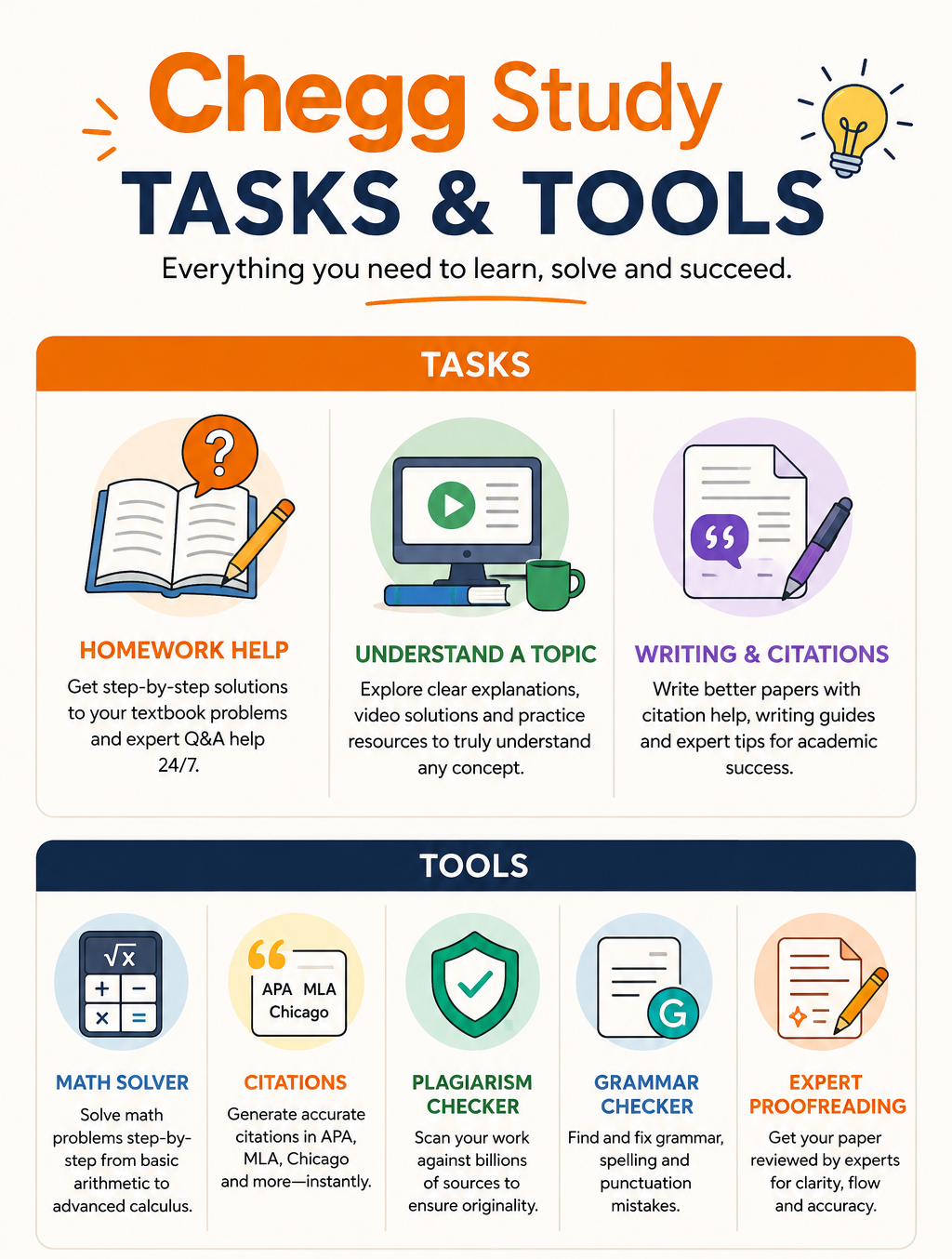
A useful Chegg Study review has to look beyond the familiar promise of “homework help.” Chegg currently positions Study as a broader learning platform offering searchable step-by-step solutions, 24/7 Expert Q&A, practice questions, flashcards and AI-powered study tools across dozens of subjects. Its current homework-help pages cover areas including mathematics, engineering, computer science, economics, physics and chemistry, while its Study pages emphasize explanations rather than simply displaying final answers.

That distinction matters for college students. Chegg can be genuinely useful when you’re stuck on a calculus problem at 11 p.m., trying to understand a textbook exercise before an exam, or checking whether your approach to an accounting or engineering problem makes sense. But its value changes dramatically depending on how often you use it, whether your textbook is supported, and whether you use solutions to learn or simply copy them.

Chegg Study Review: Is It Worth It for College Students?

What You Actually Get With Chegg Study

The biggest attraction is the depth of its existing solution library. Chegg’s current Study offering advertises millions of textbook solutions alongside Expert Q&A, where students can submit questions for explanations. Its platform also includes practice-oriented tools such as flashcards and practice questions.

The textbook connection is particularly useful for students whose professors assign problems directly from a specific edition. Searching by textbook title, chapter and problem can be much faster than trying to find an equivalent problem elsewhere.

However, availability isn’t universal. A student should check whether their exact textbook edition and problem set are covered before paying for a subscription.

Factor What Chegg Offers What Students Should Consider
Textbook solutions Millions of solutions Check your exact edition
Expert help 24/7 Q&A Useful for unfamiliar problems
Subjects 50+ areas listed by Chegg Depth varies by subject
Explanation style Step-by-step solutions Quality can vary
Practice Questions, flashcards and study tools Best used before exams
Mobile access Web and app-based study Convenient for quick checks
Academic integrity Honor Code and answer blocking Don’t use it for graded exams

Where Chegg Saves the Most Time

The strongest use case isn’t necessarily getting an answer. It’s getting unstuck.

Imagine you’re working through a statistics problem and your calculation produces a different result from the textbook. Instead of spending another hour wondering whether the error occurred during the formula selection, substitution or arithmetic, a step-by-step solution can show where your method diverged.

The same applies to engineering and mathematics. A worked solution can reveal the sequence of operations that a lecture may have moved through too quickly.

Chegg’s current platform also uses AI-generated tips alongside some solutions, but those should be treated as supplementary guidance rather than unquestionable authority. Current Chegg pages show AI-generated tips being presented alongside full solutions and expert content.

That makes verification important, particularly in technical subjects where a small error in an intermediate step can completely change the result.

The Textbook Edition Problem Is Bigger Than It Looks

One of the easiest mistakes is assuming that a solution for the same textbook title will automatically match your assignment.

It may not.

A professor using the 11th edition can assign a problem that has a different number, altered wording or different data in the 10th edition. Even when the underlying concept is identical, submitting the wrong solution can send your studying in the wrong direction.

Before subscribing specifically for textbook answers, search Chegg using the exact ISBN, edition and problem number. If you can’t find several of your assigned problems, the subscription may not deliver the value you’re expecting.

There’s another recent change worth knowing: Chegg’s digital textbook service changed in July 2025. Chegg says its eTextbooks are now supplied by Valore, with flexible rental periods and tiered pricing.

So students shouldn’t assume that a Chegg Study subscription automatically means the same textbook-rental experience Chegg previously provided.

Chegg Is Most Useful Before the Deadline

The timing of your usage makes a surprising difference.

Using Chegg at the beginning of a study session can help you understand a difficult concept. Using it after you’ve attempted the problem yourself lets you compare your reasoning against the worked solution. Using it the night before an exam to copy 40 answers is much less useful because you’ve skipped the part where your brain actually builds the skill.

A practical method is:

Attempt → identify the mistake → check the explanation → redo without looking.

That final step is crucial. If you cannot reproduce the solution independently five minutes later, you probably haven’t learned the underlying concept.

The Academic Integrity Issue Cannot Be Ignored

This is where any serious Chegg Study review needs to be more cautious.

Chegg explicitly says its services are designed to support learning, not cheating. Its Honour Code prohibits using answers or solutions from the platform to cheat on exams or graded work. Chegg can investigate suspected violations, remove material and terminate accounts.

The company also operates Honor Shield, which allows verified educators to block access to answers matching their exam questions during an examination period.

For students, the practical rule is straightforward: if your professor’s syllabus or institution prohibits outside solution services for an assignment, don’t use Chegg for that work. Even if the platform technically allows you to access the material, your university’s academic-integrity rules take priority.

Is the Subscription Worth Paying For?

The answer depends heavily on usage.

A student taking quantitative courses and regularly getting stuck on textbook problems could extract substantial value from a subscription. Someone taking mostly essay-based classes and rarely needing worked solutions may get much less from it.

Before subscribing, calculate how often you’d realistically use it.

If you’re paying for one month and expect to use Chegg only twice, compare that cost against free alternatives such as office hours, tutoring provided by your college, library resources and professor-provided practice material. If you’re using it several times a week across multiple difficult courses, the economics become much more favourable.

Chegg has also changed its product mix over time, so students should check the current plan, included features and cancellation terms rather than relying on older reviews or screenshots.
Chegg Study review

Who Should Actually Use Chegg?

Chegg makes the most sense for students who:

  • Regularly work from supported textbooks
  • Need step-by-step explanations
  • Take math, science, engineering or economics courses
  • Study independently outside normal class hours
  • Want an additional way to check their reasoning

It’s less compelling if you’re primarily looking for someone to complete assignments for you. Apart from the academic-integrity problem, that approach removes the exact practice you’re paying to improve.

Final Verdict on Chegg Study Review

The most accurate Chegg Study review verdict is that Chegg is a study accelerator, not a substitute for studying.

Its large solution library, Expert Q&A and on-demand explanations can be extremely useful when you’re stuck, particularly in technical college courses. The value is highest when your textbooks are well covered, and you use the platform to diagnose mistakes rather than copy answers.

For a student who uses it strategically several times a week, it can justify the cost. For someone looking for an answer machine, it is expensive and academically risky.

FAQs

1. Is Chegg Study good for college students?

Yes, particularly for students in quantitative and technical courses where step-by-step textbook solutions are useful. Its current platform covers subjects including mathematics, engineering, computer science, science and economics.

2. Can Chegg answers be wrong?

They can be. Students should compare solutions with lecture notes, textbooks and their professor’s methods, especially when an answer seems inconsistent.

3. Is using Chegg considered cheating?

Not automatically. Chegg says its services are intended to support learning, but using its answers for active exams or prohibited graded work violates its Honor Code.

 Also Read: How to Start a Blog in 2026: The Complete Beginner’s Guide

Are Google Career Certificates on Coursera Worth It? A Complete Review

Are Google Career Certificates on Coursera Worth It? A Complete Review

Google Career Certificates on Coursera have become one of the more practical ways to learn job-ready skills without committing to a traditional degree. Since launching in 2018, the program has grown from one IT-support course into a much larger portfolio covering areas such as data analytics, cybersecurity, project management, UX design, digital marketing and AI. By 2025, more than 1 million people had completed a Google Career Certificate worldwide, including more than 350,000 in the US. Google and Coursera report that more than 70% of US graduates surveyed reported a positive career outcome such as a new job, promotion or raise.

Those numbers are encouraging, but they don’t mean a certificate automatically translates into employment. The real question is whether the program gives you enough practical ability, portfolio evidence and career support to compete with candidates who already have experience.

Are Google Career Certificates on Coursera Worth It? A Complete Review

What You Actually Get

The biggest strength of Google Career Certificates is that they’re designed around specific entry-level job functions, rather than simply teaching a broad academic subject.

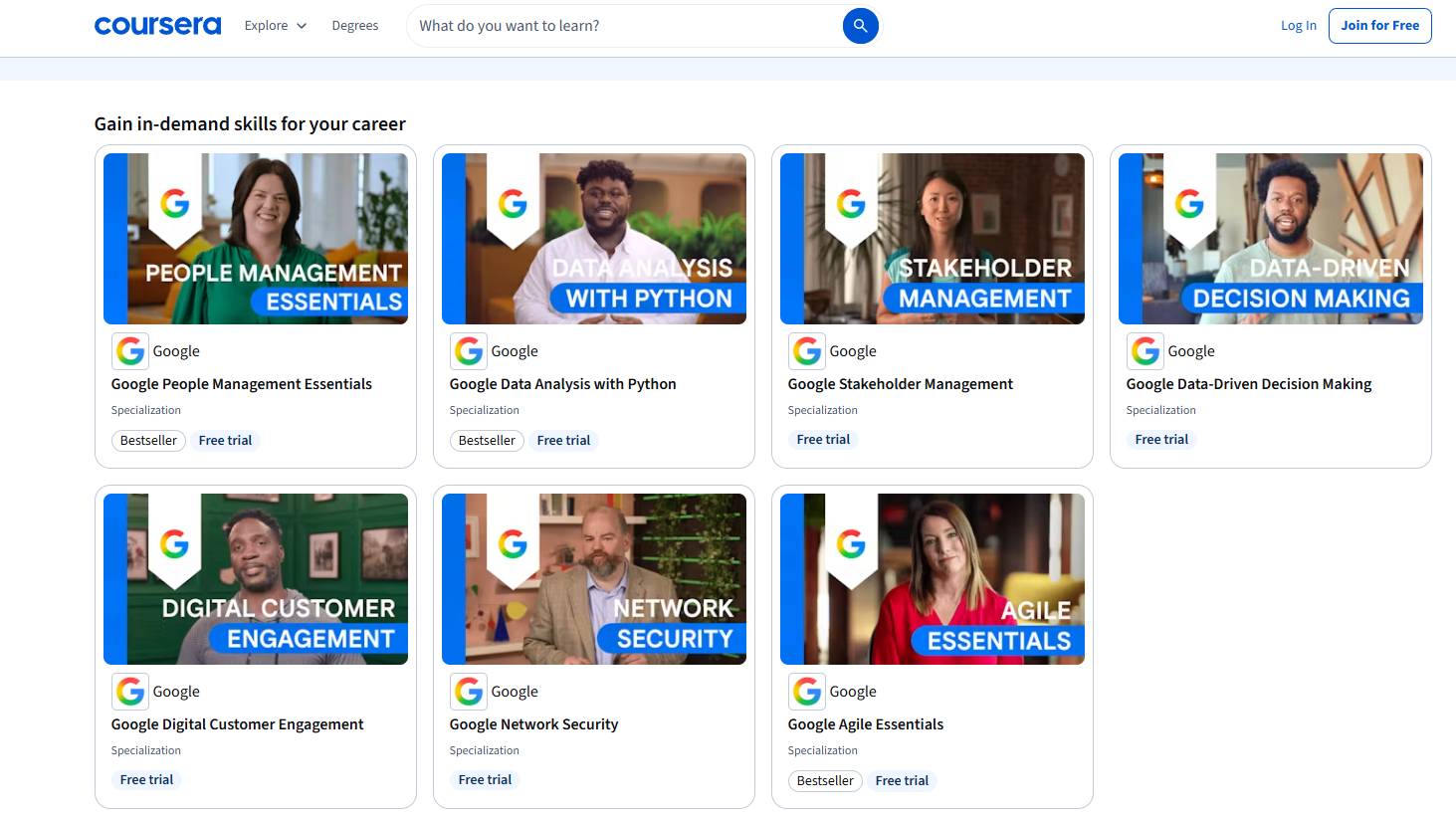
For example, the Data Analytics certificate covers spreadsheets, SQL, Tableau, R, data cleaning and visualization. Google says the program contains more than 180 hours of instruction, practice-based assessments and a shareable case study designed to demonstrate what you’ve learned.

The Project Management certificate takes a similar approach, covering Agile and Scrum, budgeting, stakeholder management, risk planning and project execution. It includes more than 140 hours of instruction and practical assessments.

That distinction matters. A certificate that leaves you with something tangible to show an employer is considerably more useful than one that simply proves you watched several hours of videos.

How Long Does It Take?

Google’s certificates are self-paced. Many learners complete them in three to six months, although someone studying aggressively can move faster.

Factor What to Expect
Format Fully online
Experience required Usually none
Typical completion 3-6 months
Study style Self-paced
Main focus Entry-level job skills
Practical work Projects and assessments
Certificate Shareable professional credential
Job support Coaching, interview resources and job-search tools

The flexibility is particularly useful if you’re working full-time. You don’t need to attend scheduled classes, and you can increase or reduce your weekly workload depending on your schedule.

The Cost Is More Complicated Than It Looks

Google Career Certificates use a monthly subscription model on Coursera, but the price varies by country. For example, Google’s current US/Canada information lists $49 per month, while its India program lists $20 per month.

That makes completion speed financially important.

If your subscription costs $49 per month and you finish in four months, you’re paying about $196 before taxes. Take eight months, and you’ve effectively doubled the subscription cost.

This creates a useful incentive: don’t treat the course like casual entertainment. Set a weekly completion target before enrolling. Financial aid may also be available through Coursera, depending on eligibility, and Google has funded scholarship programs in several markets.

Where the Certificates Are Actually Strong

Are Google Career Certificates on Coursera Worth It? A Complete Review

Source: Coursera

The strongest argument for Google Career Certificates on Coursera is accessibility.

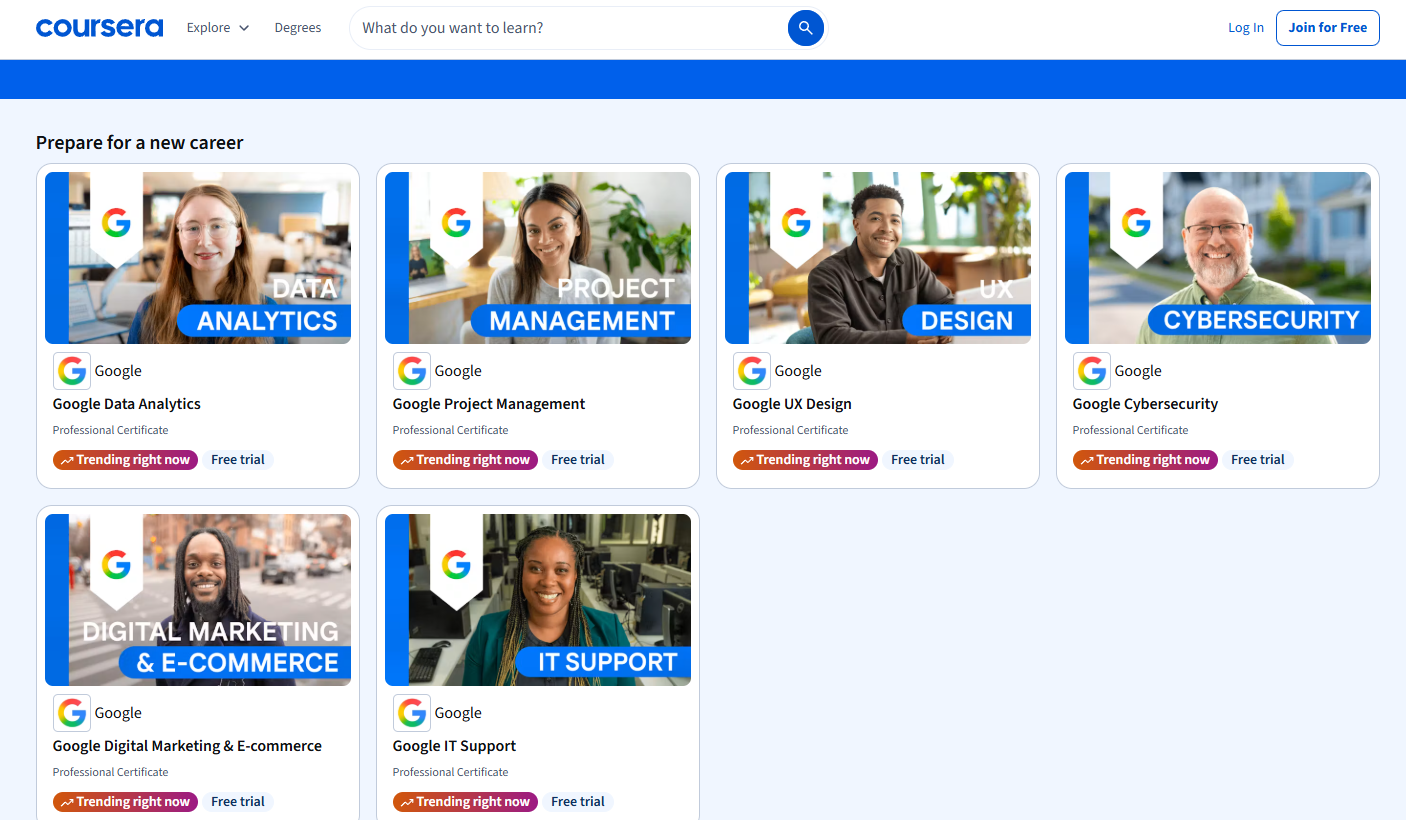
You don’t generally need a degree or previous industry experience to begin. Google specifically designed these programs for people entering fields such as IT support, cybersecurity, data analytics, project management, UX design and digital marketing.

They’re also useful for people changing careers who already possess transferable skills.

Someone moving from customer service into IT support, for example, isn’t starting from zero. Communication, troubleshooting with customers and documentation experience can complement the technical skills learned through the certificate.

The same applies to project management. Someone who has coordinated vendors, schedules or internal projects may already have useful experience but lack the terminology and formal framework employers expect.

The Employer Recognition Is Useful but Don’t Overestimate It

Google says its certificate graduates in the US can share their information with more than 150 employers, including companies such as Google, Deloitte, Target, Verizon and American Express.

That’s valuable, but it should not be interpreted as a guaranteed interview or hiring pipeline. The credential can help establish credibility when your resume has little relevant experience. It doesn’t replace experience.

An applicant with a Google certificate plus three strong projects, a polished resume and relevant freelance work will generally have a more convincing story than someone whose resume simply says “Google Certificate completed.”

That’s the difference between using the certificate as evidence and treating the certificate itself as the qualification that gets you hired.

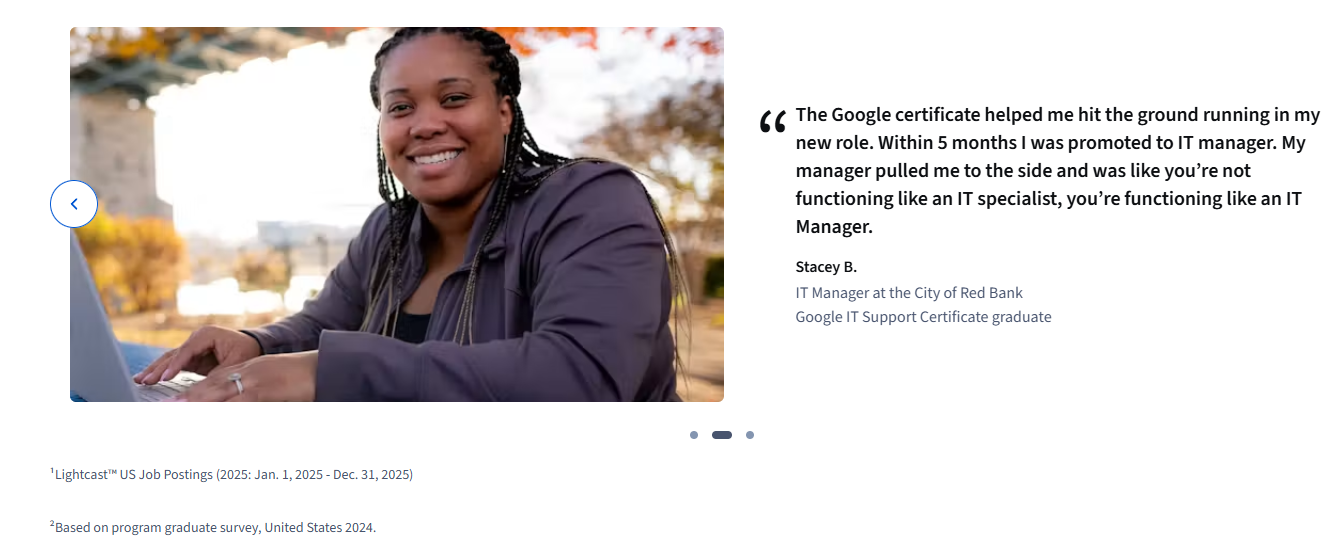
What About the 75% Career-Outcome Figure?

Are Google Career Certificates on Coursera Worth It? A Complete Review

Source: Coursera

You’ll frequently see Google Career Certificates advertised with a statistic that 75% of US graduates reported a positive career outcome within six months, including a new job, promotion or raise.

It’s an impressive figure, but it needs context.

This is based on a graduate survey, not an independent guarantee that 75% of every enrollee gets a job. “Positive career outcome” also includes promotions and raises, not just employment.

That doesn’t make the statistic meaningless. It simply means prospective students should interpret it as evidence of reported outcomes rather than a promised employment rate.

Which Certificate Should You Choose?

Your choice should depend on the job you actually want, not whichever certificate has the most attractive title.

Google Career Certificates on Coursera

Source: Coursera

  • IT Support is one of the more accessible options for someone entering technology without a technical background.
  • Data Analytics is better suited to people comfortable with numbers, spreadsheets and structured problem-solving.
  • Cybersecurity requires more technical curiosity and is not simply a shortcut into a security analyst job.
  • Project Management can work particularly well for people with existing coordination or business experience.
  • UX Design is more portfolio-dependent because employers need to see your design thinking, research and completed work.

The newer AI-focused programs are useful for building practical AI fluency, but they shouldn’t be confused with becoming an AI engineer. Google’s AI Professional Certificate, for instance, focuses on applying AI at work and includes hands-on projects rather than deep computer-science training.

So, Are Google Career Certificates on Coursera Worth It?

For the right learner, Google Career Certificates on Coursera are worth considering, particularly if you need a structured entry point, have no relevant degree and want to build practical skills relatively quickly.

They’re much less compelling if you’re expecting the Google name alone to overcome a lack of experience.

The best approach is to treat the certificate as the first half of the career switch. Complete the coursework, turn the projects into a portfolio, rewrite your resume around the skills you’ve gained, apply for entry-level positions and continue building real-world experience.

That combination is where the certificate becomes valuable.

FAQs

1. Can I get a job with only a Google Career Certificate?

You can, particularly for some entry-level positions, but the certificate alone isn’t a guarantee. Projects, transferable experience, interview performance and practical skills still matter.

2. How much do Google Career Certificates cost?

Pricing varies by country. Google’s current information lists $49 per month in the US/Canada and $20 per month in India, although prices can change.

3. Which Google certificate is best for beginners?

IT Support, Project Management and some data-focused programs can be accessible starting points, but the best choice depends on your target job. Pick the role first and the certificate second.

Bottom line: Google Career Certificates on Coursera are inexpensive compared with traditional education and can provide a credible structure for learning career-specific skills. Their real value, however, comes from what you do after and alongside the certificate, especially building proof that you can actually perform the work.

Also Read: How to Do Keyword Research for a New Website: Free + Paid Methods

How to Order Delivery for Less: Fees, Timing, and Pickup Tricks

How to Order Delivery for Less: Fees, Timing, and Pickup Tricks

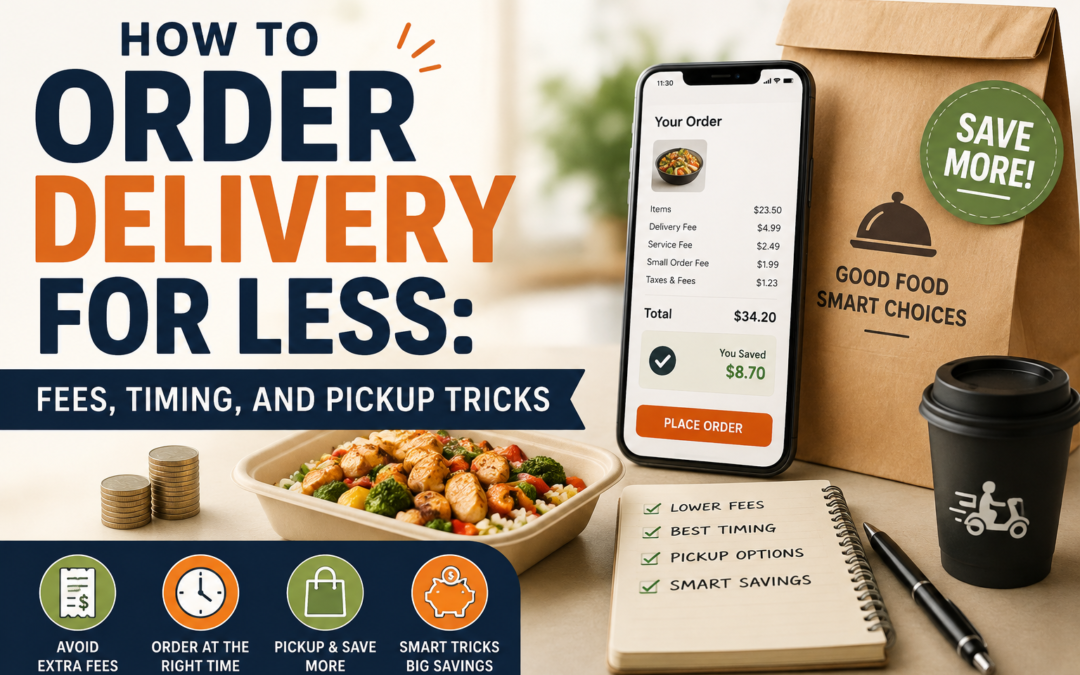
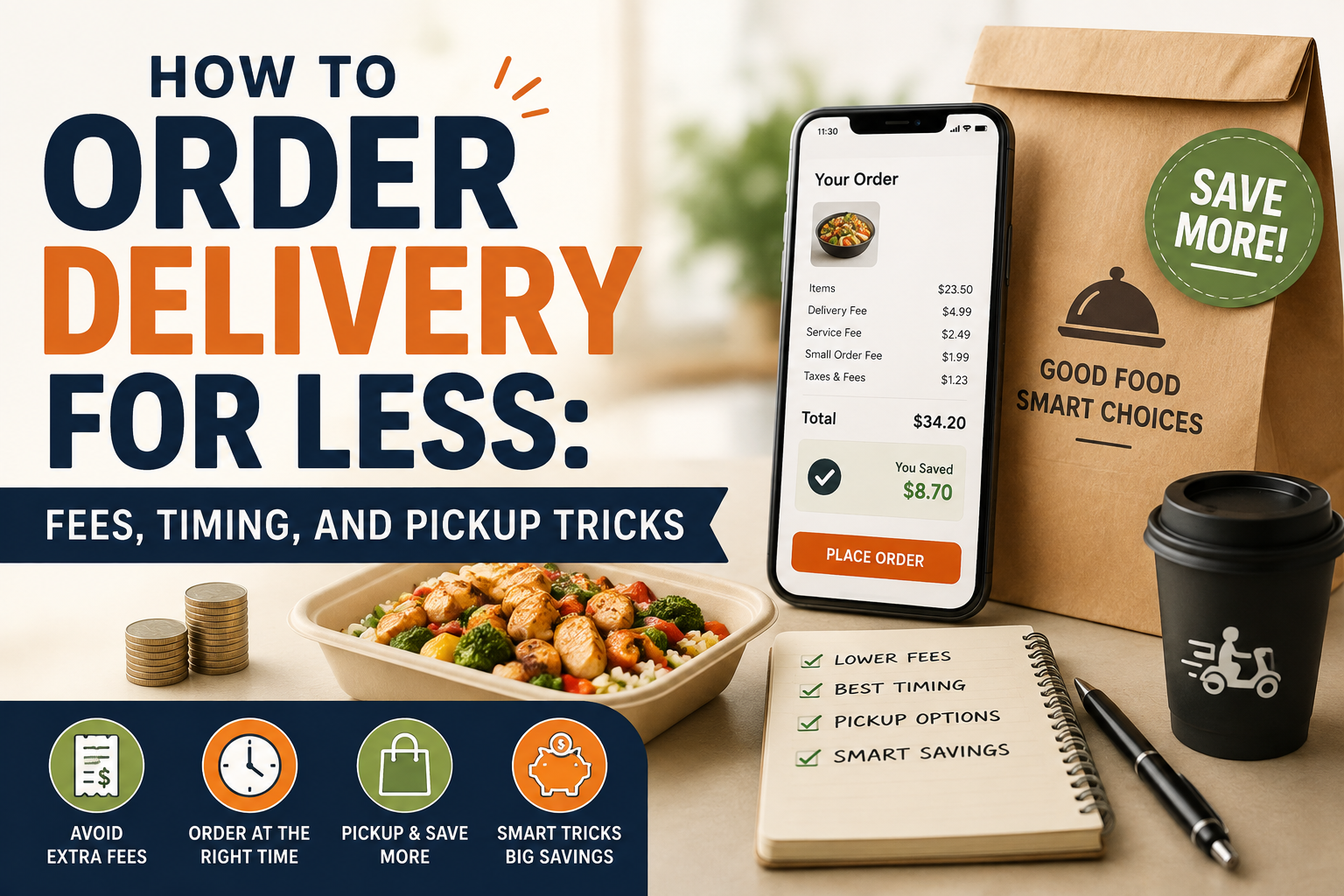
How to order delivery for less starts with understanding one simple fact: the price you see beside a restaurant’s dish is rarely the amount you ultimately pay. A delivery order can include a delivery fee, service fee, small-order charge, taxes, optional priority charges and a tip. On DoorDash, for example, fees can vary according to the merchant, distance, order size and local regulations, while Uber Eats similarly factors in location, merchant, courier availability and demand.

That makes saving money less about finding one magical coupon and more about changing when, where and how you order. Sometimes the cheapest option is delivery with a membership. Sometimes it’s ordering two meals together and sometimes, surprisingly, the best “delivery deal” is pickup.

How to Order Delivery for Less: Fees, Timing, and Pickup Tricks

Start With the Checkout Total, Not the Menu Price

A $15 meal isn’t necessarily a $15 meal.

Before placing an order, look at the complete checkout screen and separate the costs into three categories: food, unavoidable charges and avoidable charges. Delivery fees, service fees and small-order charges are often the areas where you have some control.

DoorDash currently lists several possible charges, including service, delivery, long-distance, small-order and weather-impact fees. Its fee structure is also being updated across much of the US to better reflect delivery distance and effort.

Uber Eats likewise says delivery charges can rise during busy periods and that service and other fees may apply.

The important habit is simple: don’t judge a deal until you reach checkout.

The Menu-Price Gap Can Beat a Delivery Discount

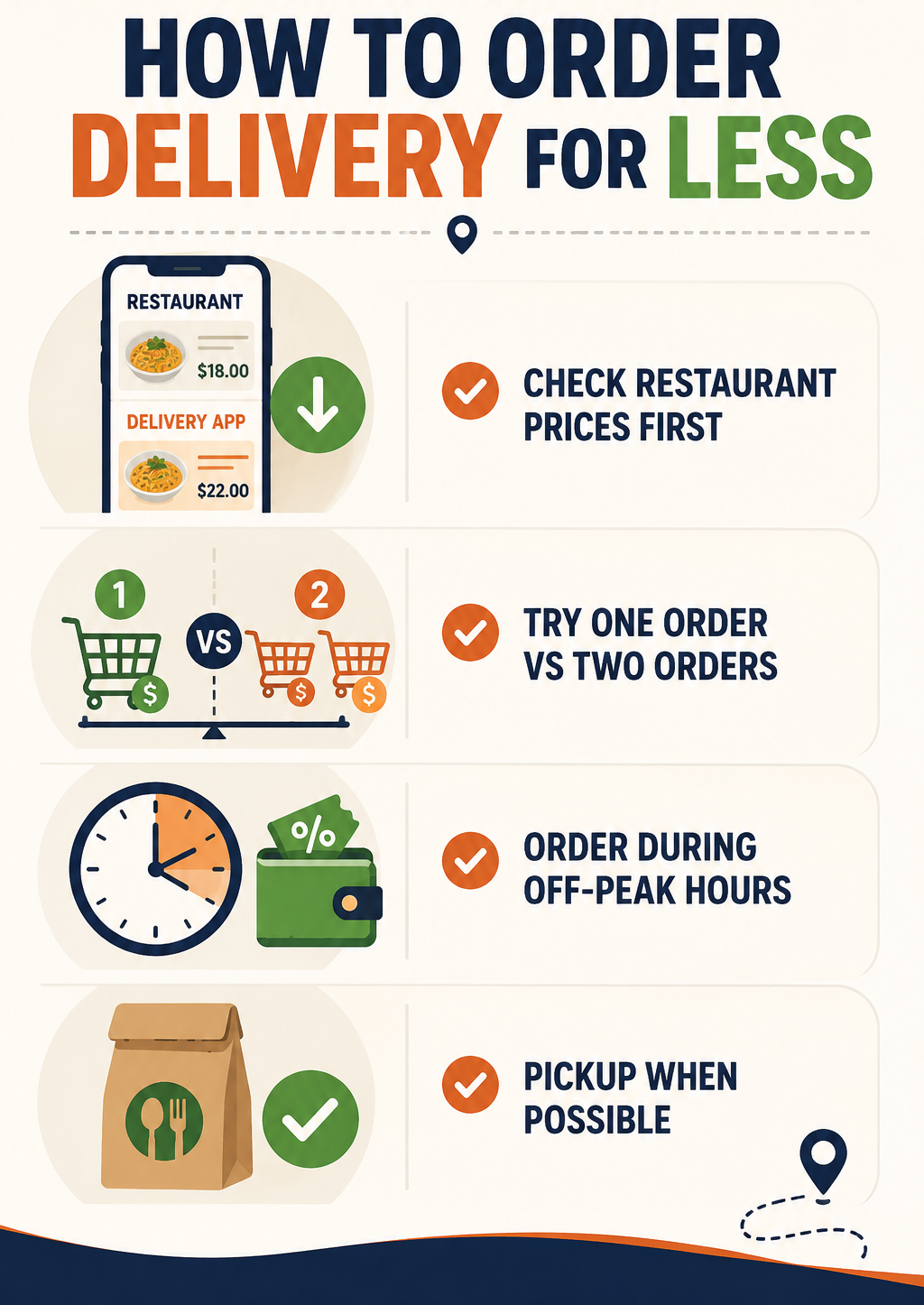
Don’t assume a delivery discount means you’re getting the best price. Some restaurants list higher prices on delivery apps than on their own websites or pickup menus. Compare the same basket directly before ordering.

Quick check: Compare food-price difference + delivery fees against the advertised discount. A 20% coupon may be meaningless if the menu is already 15-20% more expensive.

The calculation worth remembering is:

Real savings = platform discount − higher menu pricing − additional fees

If that number is negative, the “deal” isn’t really a deal.

Distance Is One of the Easiest Costs to Control

Choosing the closest restaurant isn’t just about getting your food faster. It can also reduce delivery-related costs.

DoorDash’s newer fee model takes delivery effort and distance into account, while Uber Eats says delivery fees can vary according to the distance and availability of delivery partners.

If two restaurants sell comparable meals, compare their final totals rather than assuming the cheaper menu wins.

For example:

Option Food Fees Final Cost
Restaurant A, nearby $18 $4 $22
Restaurant B, farther away $16 $8 $24
Restaurant C, pickup $18 $0 $18

The $16 meal isn’t actually the cheapest choice.

Order During Quieter Periods

Timing can influence what you pay, particularly when platforms are dealing with high demand.

Uber Eats specifically notes that delivery fees can be higher during busy hours in some locations.

If you’re flexible, avoid ordering exactly when everyone else is ordering. A late lunch instead of the noon rush, or an earlier dinner rather than peak evening demand, can sometimes produce a better delivery fee or more available promotions.

There’s another advantage: restaurants and couriers may be less overwhelmed, potentially reducing the temptation to pay extra for priority or express delivery.

You don’t need to rearrange your entire day around delivery prices. But if you’re deciding between 5:30 and 7:30 p.m., checking both totals takes seconds.

Don’t Order Too Little

Small orders are one of the easiest ways to turn delivery into an expensive habit.

Both DoorDash and Uber Eats have mechanisms that can add fees when an order falls below certain minimums. DoorDash calls this a Small Order Fee in applicable situations, while Uber Eats applies small-order fees to certain convenience, grocery and retail orders below specified thresholds.

This creates an interesting calculation.

If you’re ordering $9 worth of food and paying a $3 small-order fee, adding a $4 side you actually wanted can make more financial sense than paying the fee. Adding something you don’t need simply to reach a threshold doesn’t.

The distinction is important: consolidate purchases, don’t manufacture purchases.

How to Order Delivery for Less With Memberships

Delivery subscriptions can make sense if you order frequently, but only when your actual savings exceed the membership price.

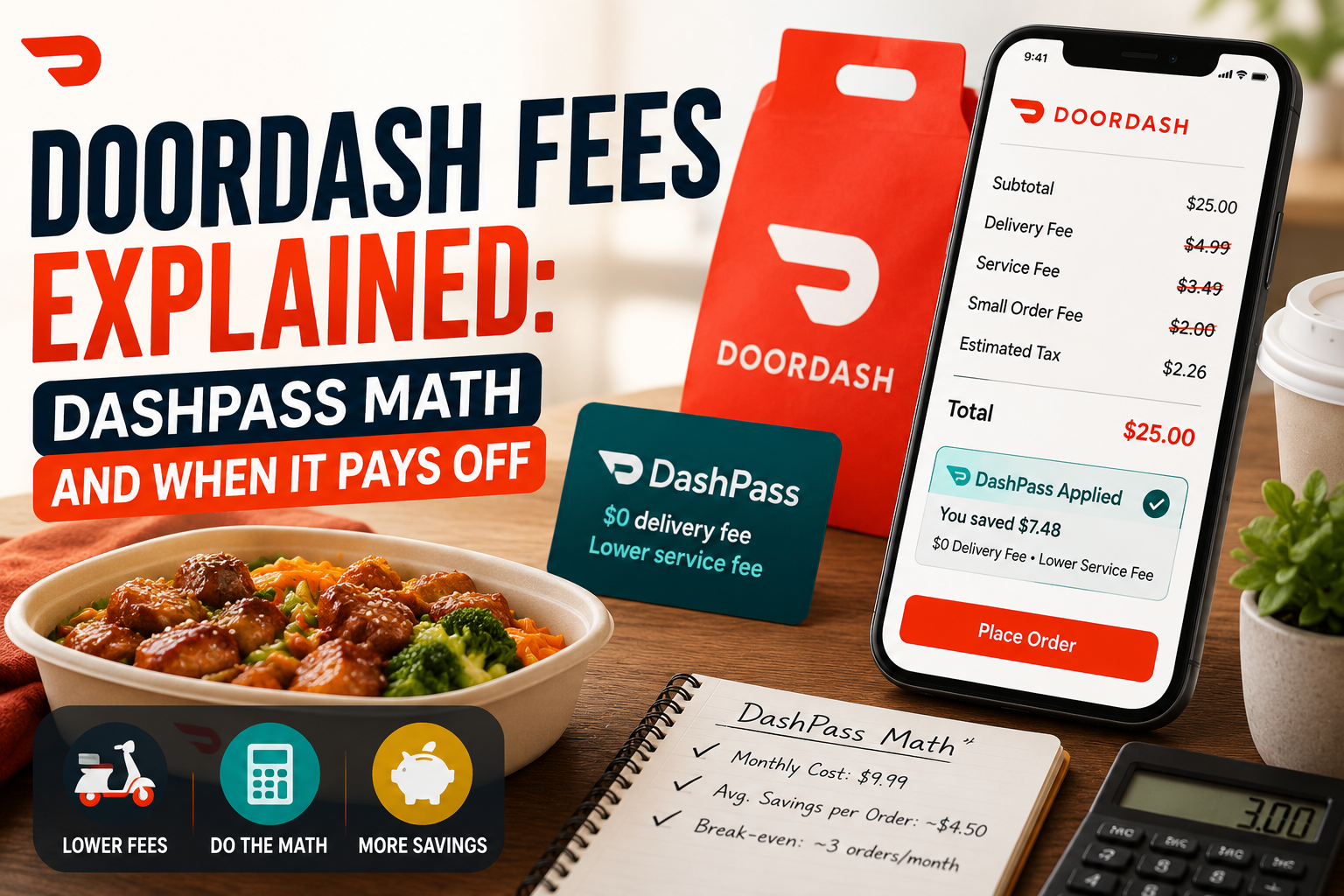
DoorDash’s DashPass currently costs $9.99 per month or $96 per year. Eligible members receive $0 delivery fees and reduced service fees on qualifying orders, subject to merchant and subtotal requirements. DoorDash says members save an average of $4-$5 per eligible order.

That means someone receiving roughly $4.50 in savings per qualifying order would need a little more than two eligible orders each month to cover a $9.99 subscription.

But don’t subscribe solely because one order has a high delivery fee. Check your last few orders first. If you order twice a month, pickup may still be cheaper. If you order four or five times every month, membership becomes much more interesting.

Pickup Is the Underrated Money-Saver

Pickup can eliminate one of the biggest expenses attached to delivery: getting the food brought to your door.

Uber Eats explicitly states that its delivery fee does not apply to pickup orders.

That doesn’t necessarily mean pickup will always have the exact same final price as ordering directly from the restaurant. Menu pricing and platform arrangements can differ. But for nearby restaurants, pickup is worth checking whenever you’re already out or can combine the trip with another errand.

A $20 meal with $6 in delivery-related charges is effectively a 30% premium before tax and tip. If the restaurant is five minutes away, that premium may be difficult to justify.

Combining and Splitting a Large Order

Ordering for two people can be considerably more efficient than placing two separate delivery orders. This works particularly well for roommates, families and office lunches.

The key is to compare the final combined total with two individual checkouts rather than assuming automatically that bigger is cheaper.

Test One Order vs. Two

Sometimes splitting a large order can unlock separate promotions or avoid a discount cap. Build the order both ways and compare the final totals.

For example, if a 20% discount is capped at $5, a $60 order still gets only $5 off. Two qualifying orders could occasionally produce greater savings, but only if the second delivery fee doesn’t erase the extra discount.

How to Order Delivery for Less

Be Careful With Express Delivery

  • Paying extra to get food slightly faster is rarely a good value unless timing genuinely matters.
  • DoorDash lists optional Express Delivery among the fees that can apply to some orders.
  • Uber Eats also offers a Priority Delivery Fee in applicable situations.
  • If your food is already estimated to arrive within a reasonable window, paying several extra dollars to move it ahead in the queue doesn’t improve the food itself.

Use priority delivery when you have a genuine time constraint, not simply because the button is offered.

Compare Platforms Before Paying

The same restaurant can appear on multiple delivery platforms, and the final total can differ.

Compare:

  • Menu price
  • Delivery fee
  • Service fee
  • Minimum-order requirement
  • Active discounts
  • Membership benefits
  • Estimated arrival time

Don’t compare only the promotional headline. A “20% off” offer can lose its advantage if the platform has higher menu prices or additional charges.

For regular orders, saving $3-$5 through comparison can add up quickly over a month.

A Practical Delivery-Saving Routine

If you’re trying to learn how to order delivery for less, use a 30-second routine before every order.

First, check the nearest restaurants. Then compare the final checkout totals on the platforms you already use. If you’re close to a minimum, ask whether adding something you genuinely want makes sense. Check whether a membership applies. Finally, compare delivery with pickup.

This takes less time than hunting through random coupon websites and gives you a decision based on the actual order in front of you.

The Cheapest Order Is Usually the One You Plan

The biggest savings rarely come from one spectacular coupon. They come from avoiding unnecessary charges repeatedly.

Choose nearby restaurants, order when demand is lower when practical, combine orders, use memberships only when the numbers work and check pickup before paying for delivery. Most importantly, compare the final checkout price, because that’s where the real cost of convenience becomes visible.

Once you start looking at delivery as a combination of food cost, distance, timing and fees rather than simply a menu order, knowing how to order delivery for less becomes much easier, and the savings can add up without requiring you to give up delivery altogether.

FAQs on How to Order Delivery for Less

1. Is delivery membership always cheaper?

No. Memberships are most useful for frequent customers who consistently place eligible orders. If you only order delivery occasionally, the subscription itself can outweigh the savings.

2. Does ordering during off-peak hours really save money?

It can. Some platforms adjust delivery costs based on demand and courier availability. Uber Eats, for example, says delivery fees may be higher during busy periods in certain areas.

3. Is pickup always cheaper than delivery?

Not necessarily, but it often eliminates delivery-specific charges. Check the restaurant’s pickup price and compare the complete total rather than assuming.

Also Read: How to Shop AliExpress Safely: Sellers, Shipping, and Refunds

DoorDash Fees Explained: DashPass Math and When It Pays Off

DoorDash Fees Explained: DashPass Math and When It Pays Off

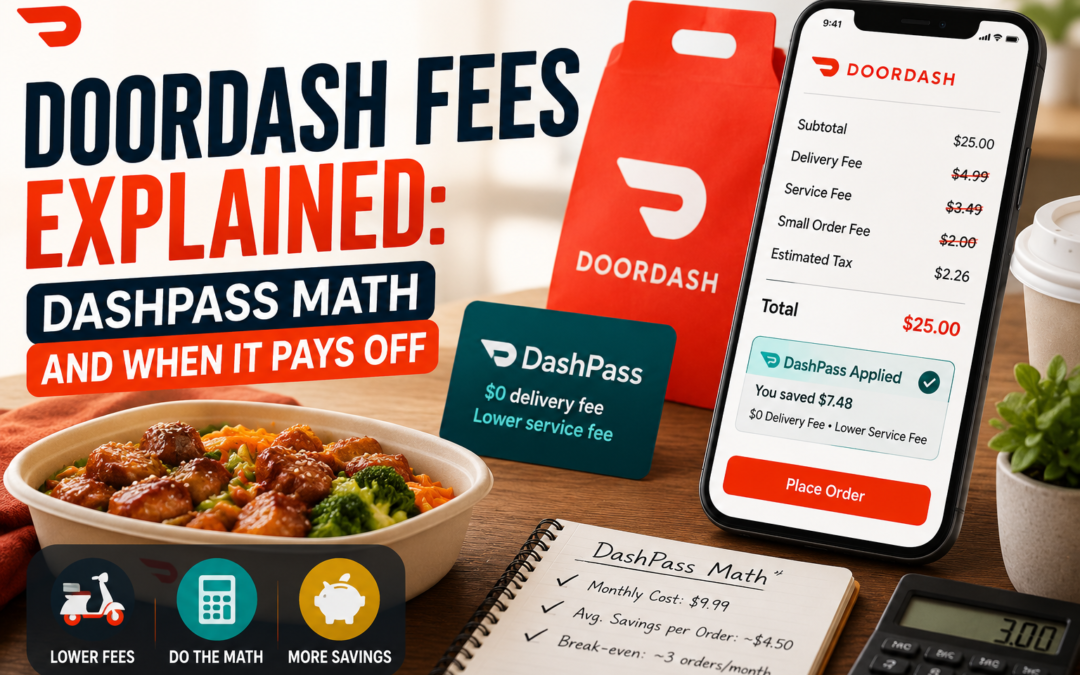
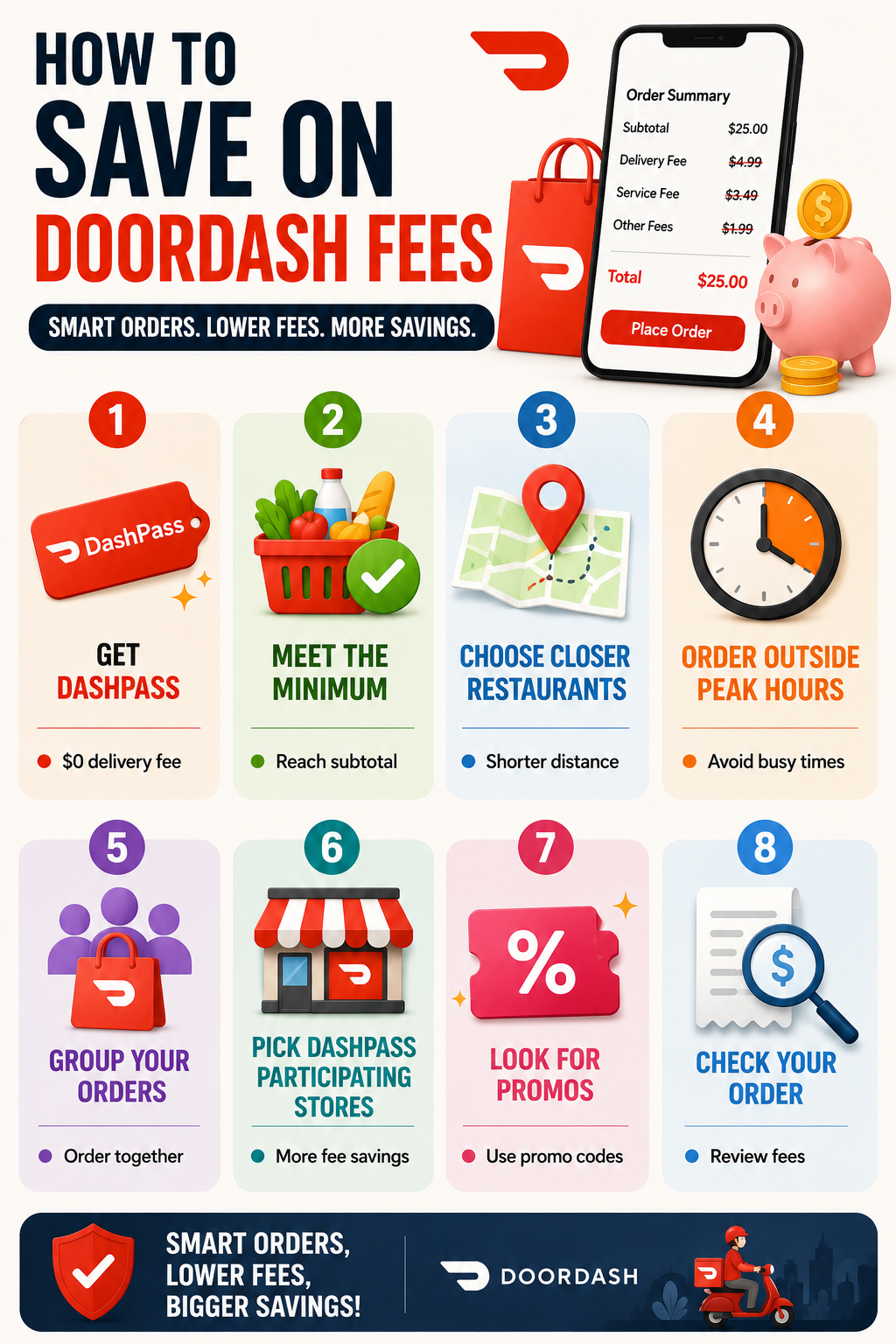
DoorDash fees can make a meal that looks reasonably priced on the menu surprisingly expensive at checkout. For US customers, the final bill can include delivery fees, service fees, small-order charges, taxes and a tip, while the menu prices shown on DoorDash can also differ from a restaurant’s own prices. DashPass changes part of that equation by offering $0 delivery fees and reduced service fees on eligible orders, but it does not make every fee disappear.

As of 2026, DoorDash lists DashPass at $9.99 per month or $96 per year, plus applicable taxes. DoorDash says members save an average of $4-$5 per eligible order, which provides a useful starting point for deciding whether the subscription makes financial sense.

The catch is that the math depends on how often you order, where you order from and whether your carts meet the required minimum subtotal.

DoorDash Fees Explained: DashPass Math and When It Pays Off

What You’re Actually Paying For

A typical DoorDash checkout can contain several separate charges. The delivery fee pays for getting the order to you and can vary by restaurant, distance and other factors. DashPass can reduce this to $0 on qualifying orders.

Then there’s the service fee, which DoorDash says may apply even when DashPass benefits are active. There can also be small-order, expanded-range, regulatory-response or surge-related fees depending on the transaction and location. Taxes and gratuity are separate as well.

Perhaps the easiest charge to overlook isn’t technically a fee at all: the menu price. DoorDash’s US terms state that prices displayed through the service may differ from prices offered by the merchant or other websites.

That means a subscription can save you on delivery while the overall order still costs more than picking up the same food yourself.

The Basic DashPass Break-Even Math

At the standard monthly price of $9.99, the simplest calculation is:

$9.99 ÷ $4.50 average savings = about 2.2 orders

So, if your eligible orders genuinely save around $4.50 each, you need roughly three qualifying orders per month to recover the membership fee.

For the $96 annual plan:

$96 ÷ $4.50 = about 21.3 orders per year

That works out to fewer than two qualifying orders per month.

Ordering pattern Approx. eligible orders Basic conclusion
Occasional delivery 1/month Usually hard to justify
Regular delivery 2/month Depends on actual savings
Frequent delivery 3-4/month DashPass can make sense
Weekly ordering 4-5/month Stronger case for membership
Several orders weekly 8+ /month Potentially significant savings

These calculations use DoorDash’s stated average savings as an illustration. Your actual savings can be lower or higher.

The Minimum-Order Trap

This is where DoorDash fees become more complicated than a simple subscription calculation.

DashPass benefits only apply to eligible merchants and orders that meet the applicable minimum subtotal. DoorDash’s current US guidance says the minimum is generally $12 for restaurant or convenience orders and $25 for grocery orders, although DoorDash notes that requirements can vary and the app identifies the applicable threshold.

Importantly, the minimum is calculated on the subtotal before fees and taxes.

Imagine you want a $9 sandwich and a $3 drink. Your $12 subtotal may qualify. But a $10 entrée plus a $1.50 side leaves you below the threshold, even though the final amount after fees could be considerably higher.

That creates an awkward situation: adding another item you don’t need just to unlock free delivery isn’t necessarily saving money.

If you’re adding $5 of food to avoid a $3 delivery charge, you’ve spent more, not saved more.

DashPass Doesn’t Make Every Fee Disappear

One of the biggest misconceptions about DashPass is that it turns a DoorDash checkout into a simple food-price-plus-tip transaction.

It doesn’t.

DoorDash explicitly states that service fees, taxes and gratuity can still apply to DashPass orders. Other fees may also apply depending on the order.

This matters most for smaller orders. Eliminating a $4 delivery charge sounds valuable, but if you’re still paying several dollars in other charges, the total difference may be smaller than expected.

Always compare the final checkout total, not just the delivery-fee line.

The Annual Plan Changes the Calculation

At $96 per year, the annual DashPass plan works out to $8 per month before taxes when averaged across 12 months.

That makes the annual option more attractive for someone who knows they will use DoorDash throughout the year. But there’s a catch: paying annually only saves money if you actually use the membership consistently.

If you order heavily during college semesters or certain months and barely use DoorDash during others, a monthly plan can provide more flexibility despite its higher annualized cost.

DoorDash also runs limited-time offers. For example, it has recently advertised a first-year annual price of $59 for selected customers, after which the subscription renews at the then-current annual price.

A promotional price can completely change the break-even calculation, so check the renewal price before signing up.

When DashPass Is Probably Worth It

DashPass is easiest to justify if you order delivery at least three times a month, regularly meet the qualifying subtotal and use restaurants that participate in the program.

It becomes even more compelling if you order groceries or convenience items through DoorDash and can consistently reach the applicable minimums.

Another useful situation is ordering for multiple people. A $40 family dinner can make the delivery-fee savings more meaningful than a $12 solo order, provided you aren’t ordering extra food simply to qualify.

DoorDash also extends DashPass benefits to eligible grocery and convenience orders, giving frequent users more opportunities to recover the subscription cost.

When You Should Skip It

  • If you order delivery once or twice a month, don’t assume DashPass is automatically cheaper.
  • It’s also a poor fit if most of your preferred restaurants aren’t DashPass eligible, your orders frequently fall below the minimum, or you usually pick up food yourself.
  • And if you subscribe because one promotional offer looks attractive, remember that subscriptions automatically renew until canceled.
  • DoorDash’s terms state that DashPass is an automatically renewing subscription. Set a reminder before the promotional period ends if you don’t intend to keep it.

DoorDash Fees

A Better Way to Calculate Your Savings

Instead of asking, “Is DashPass worth $9.99?”, look at your own last five or ten orders.

Write down:

  • Delivery fee without DashPass
  • Reduced service fee, if applicable
  • Order subtotal
  • Other fees
  • Final amount
  • Whether the order met the minimum

Add up the delivery and fee savings you would actually have received. If that number consistently exceeds the membership cost, you have your answer.

This method is more useful than relying on an advertised average because your ordering habits may be very different from the typical DashPass customer.

FAQs

1. Does DashPass eliminate all DoorDash Fees?

No. DashPass provides $0 delivery fees and reduced service fees on qualifying orders, but taxes, gratuity and potentially other fees can remain.

2. What is the DashPass minimum order?

For US restaurant and convenience orders, DoorDash currently states a $12 minimum in its general guidance, while grocery orders generally require $25. Individual merchant requirements can vary, so check the amount displayed in the app.

3. Is the annual DashPass plan cheaper?

At the standard prices currently listed by DoorDash, $96 annually is less than paying $9.99 every month for 12 months. But the annual plan only makes sense if you expect to use the service consistently enough to recover the cost.

The smartest way to approach DoorDash fees is to stop looking at any single charge in isolation. DashPass can be a genuine money-saver for frequent users, but the subscription doesn’t turn every delivery into a bargain. Look at your order frequency, minimums, service charges and actual checkout totals. If the numbers work for your habits, the membership can pay for itself; if not, paying for fewer deliveries may be the bigger saving.

How Game Keys Get So Cheap: The Grey Market Explained

How Game Keys Get So Cheap: The Grey Market Explained

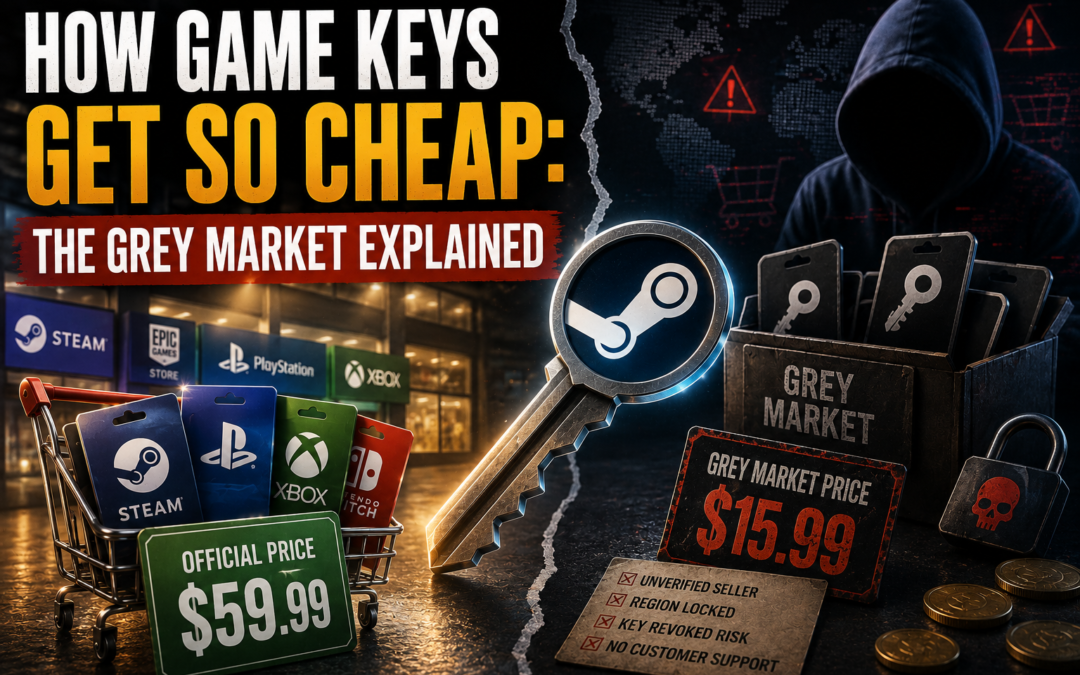
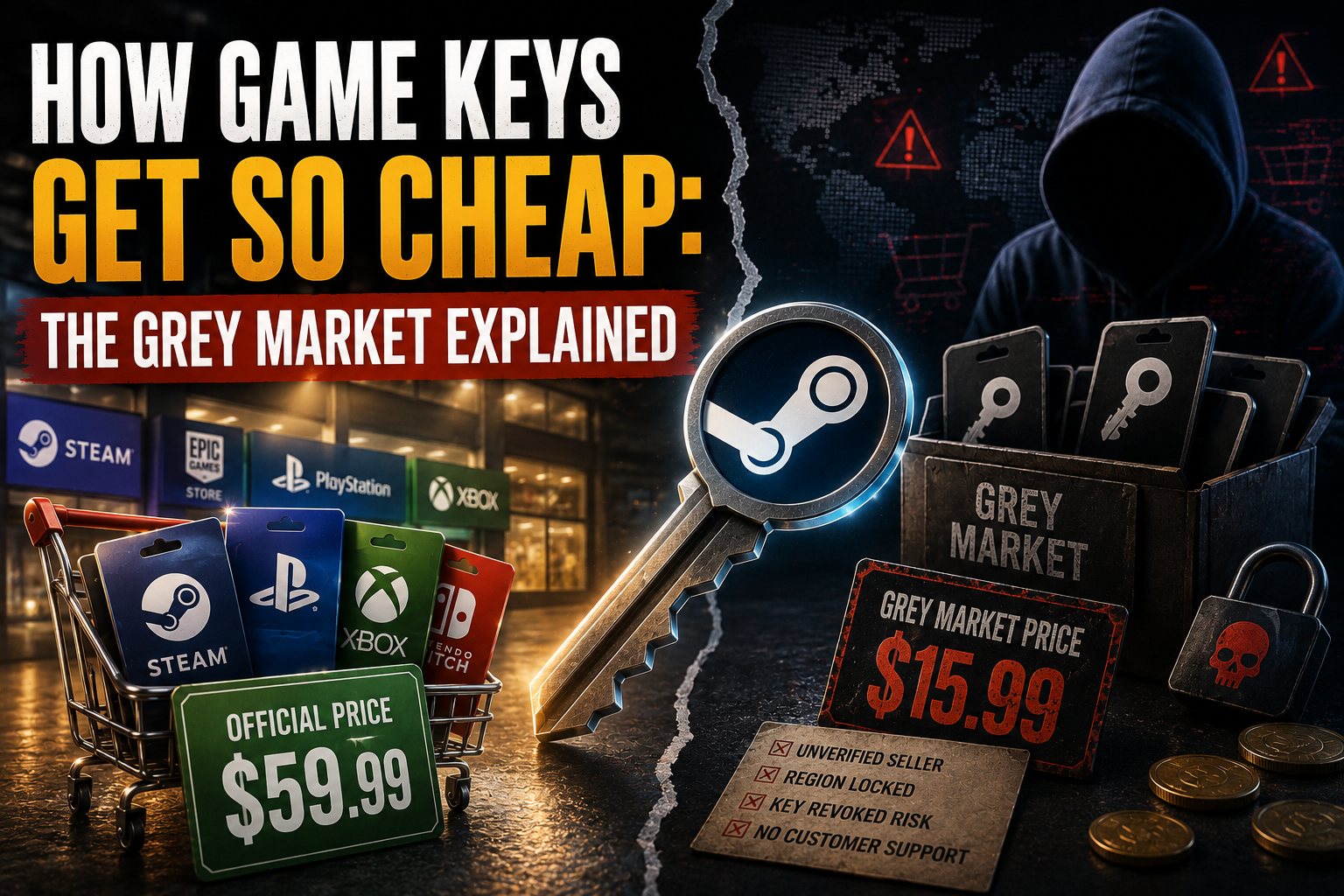
Game Keys can sometimes appear online for dramatically less than the price shown on Steam, PlayStation, Xbox or an official publisher store. A $60 PC game might be listed for $35, $20 or even less, which naturally raises the question: if the game is legitimately available to download, where did the cheap key come from?

The answer is that not every discounted key has the same origin. Some come from legitimate regional promotions, publisher-authorized retailers, bundles or temporary discounts. Others move through what is commonly called the grey market, where marketplaces connect buyers with third-party sellers whose supply chain may be difficult to verify. That distinction matters because a cheap key can carry risks that aren’t obvious at checkout, including regional restrictions, revoked licenses or uncertain sourcing.

The grey market exists partly because digital keys are unusually easy to resell. Unlike a physical game, a key can cross borders instantly and can be sold without the seller maintaining inventory in the traditional sense.

Game Keys

Where Cheap Keys Actually Come From

There isn’t one single grey-market supply chain.

Some keys originate from legitimate promotions. A publisher may sell a game cheaply in one country, distribute keys through a bundle or provide keys to a retailer as part of a marketing campaign. Regional price differences can then create an opportunity for resellers to buy where prices are lower and sell where prices are higher.

Other keys may come from legitimate retail overstock, giveaways or promotional distributions. Developers can also issue Steam keys to external stores and partners. Valve’s Steamworks documentation explicitly allows developers to sell Steam Keys through other stores, although Valve reviews unusually large requests and can reject requests when key distribution appears inconsistent with sales on Steam.

The problem is that a buyer on a third-party marketplace may not know which of these sources applies to a particular key.

The Difference Between Authorized and Grey-Market Sellers

An authorized retailer has a commercial relationship with the publisher or distributor that allows it to sell the game. A grey-market marketplace generally operates differently: individual or third-party sellers list keys, and the marketplace facilitates the transaction.

That doesn’t mean every key sold through a grey-market marketplace is fraudulent. Some may work perfectly and remain valid indefinitely. The issue is traceability.

With an authorized retailer, there is generally a clearer chain from publisher to distributor to customer. With an unknown third-party seller, that chain can be much harder to establish.

Source of Key Why It May Be Cheap Main Consideration
Official sale Publisher discount Lowest risk
Authorized retailer Competitive pricing/promotions Generally reliable
Bundle Bulk promotional deal Check included titles
Regional pricing Lower local price Region restrictions
Marketplace reseller Seller competition Source may be unclear
Promotional key Marketing distribution May have restrictions
Fraudulently obtained key Illegitimate acquisition Revocation risk

How Regional Pricing Creates Cheap Keys

One of the less obvious reasons for price differences is regional pricing.

Publishers frequently adjust game prices according to local purchasing power, taxes and market conditions. A game that costs significantly less in one country can therefore create an incentive for resellers to move keys into another market.

But regional restrictions can prevent that from working. A key intended for one country or region may not activate on an account elsewhere.

This is why a price that looks unbelievably low deserves a closer look at the product listing. “Global,” “EU,” “US”, and other regional labels can have important consequences for activation.

Why Some Keys Can Be Revoked

A key isn’t necessarily permanently safe simply because it activated successfully.

If a publisher discovers that keys were obtained improperly, for example, through payment fraud or unauthorized distribution, it may invalidate them. That can leave the customer without access to a game they believed they had purchased legitimately.

Steam’s terms also make clear that purchases involve authorization of the payment method used.

This is one reason buying from an unfamiliar seller can be different from buying during an official Steam sale. The immediate transaction may work, but problems with the underlying key can emerge later.

Why Grey-Market Prices Can Beat Official Sales

There are several reasons a third-party listing can undercut an official store.

A reseller may have purchased keys during a regional promotion and be operating on a smaller margin. A seller may have acquired keys as part of a bundle and be selling individual titles separately. Currency differences can also create opportunities.

Then there is simple competition. Marketplaces can have dozens of sellers listing the same product, pushing prices downward as sellers compete for visibility.

But extremely low prices should make buyers more cautious rather than automatically excited. If an expensive new release is consistently being sold for a tiny fraction of its official price, the discount needs an explanation.

How to Check a Cheap Key Before Buying

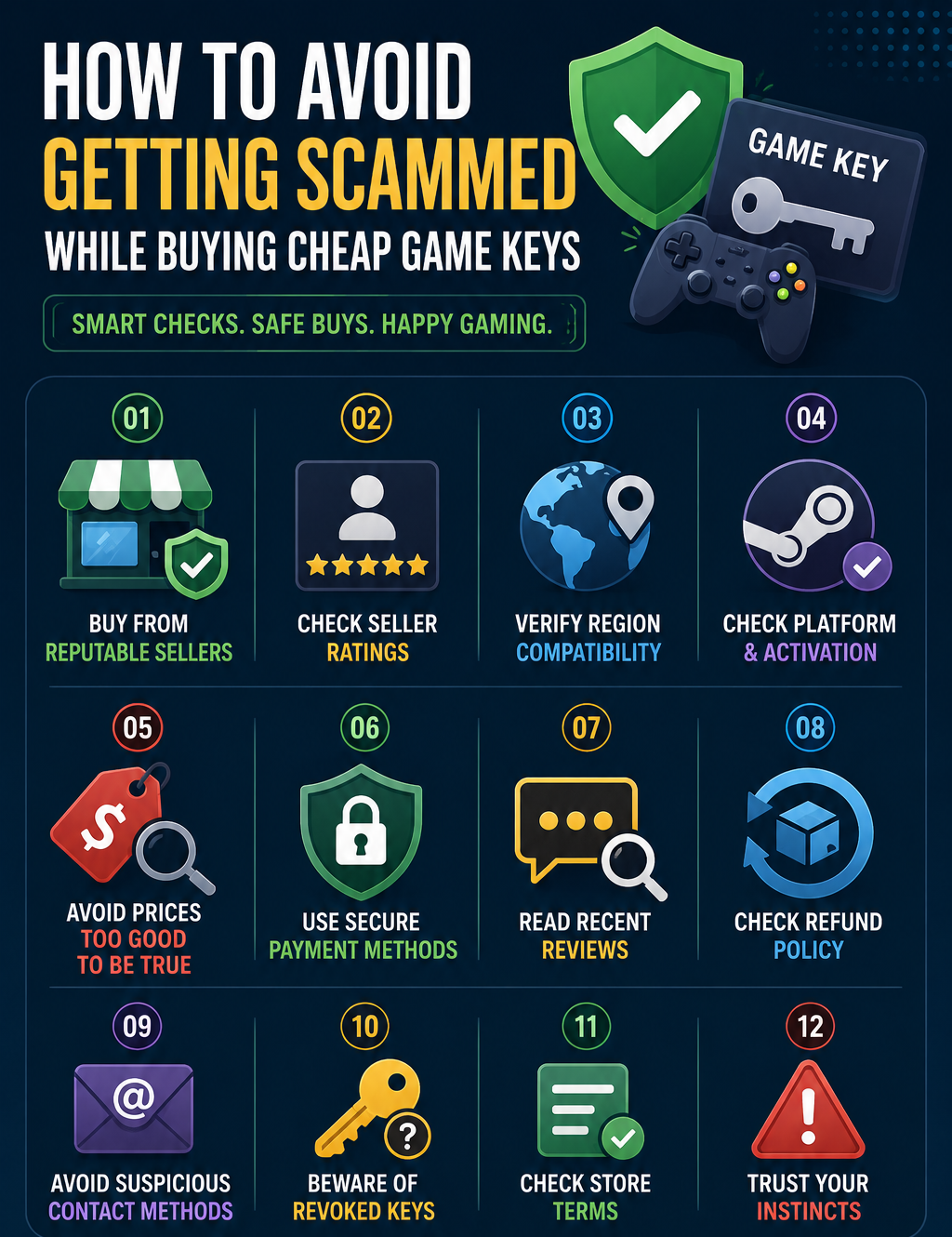
The first thing to investigate is who is actually selling the key. A marketplace’s reputation alone doesn’t tell you whether a particular seller is trustworthy.

Look at the seller’s history, number of transactions and recent feedback.

  • Pay attention to complaints about invalid keys, activation restrictions and refunds rather than focusing only on the overall rating.

Next, check the activation region and platform.

  • A Steam key is not necessarily a Steam key that works everywhere.

Also examine the refund policy.

  • Digital keys can create a particularly difficult refund situation because once a code has been revealed, some sellers may treat it as redeemed even if the buyer encounters an activation problem.

For expensive purchases, compare the third-party price with authorized retailers. If the difference is only a few dollars, the potential savings may not justify the additional uncertainty.

Game Keys

Are Grey-Market Keys Illegal?

The answer isn’t as simple as saying that every grey-market key is illegal.

A key can be legitimately obtained but resold through a channel the publisher did not intend. Another key could have been obtained through fraud. Those are very different situations.

For consumers, the practical issue is less about attaching one legal label to every marketplace and more about understanding where the key came from and what protections you have if something goes wrong.

How to Find Cheap Games?

You don’t need to rely on grey-market sellers to get substantial discounts.

Major PC storefronts regularly run seasonal sales, while authorized retailers offer their own promotions. Bundles can also provide significant value, particularly when you already want several of the included games.

Price comparison is more useful than chasing the lowest number. Check the game’s official price, recent sale history and authorized retailers before considering an unfamiliar marketplace.

A $40 game purchased for $25 from a reliable seller may be a better deal than a $10 key with uncertain provenance.

FAQs on Game Keys

1. Can a cheap game key stop working?

Yes. A publisher or platform can potentially revoke an improperly obtained or fraudulent key. Successful activation doesn’t necessarily prove that the original transaction was legitimate.

2. Are grey-market game keys always scams?

No. Some keys sold through third-party marketplaces may be completely legitimate. The concern is that buyers often have less visibility into the key’s original source.

3. Why do regional keys cost less?

Publishers may set different prices in different markets. Resellers can attempt to take advantage of these differences, although regional activation restrictions can prevent a key from working outside its intended market.

Ultimately, cheap keys aren’t automatically bad deals. The important distinction is between a genuine discount and an unexplained discount. Understanding the supply chain, checking regional restrictions and evaluating the seller can help you save money without turning a bargain game into an expensive headache.

Also Read: VPN Speed Explained: Why Your Connection Slows and How to Fix It