by parth@bidkinetic.com | Nov 2, 2026 | Education
UX/UI design is no longer just about making websites look attractive. Designers are expected to understand user behaviour, solve navigation problems, build accessible interfaces and work closely with product and development teams. The learning curve has changed, too. Figma now supports collaborative design workflows, prototyping, design systems and AI-assisted features, making practical tool knowledge increasingly important. If you are researching the best platforms to learn UX/UI design online, the real question is not simply which website has the most courses.
It is which one will help you move from watching tutorials to solving realistic design problems. Class Central’s 2026 review examined more than 2,000 UX courses and highlighted options ranging from beginner programmes to specialised training in research, prototyping and emerging technologies. Its findings reflect how broad the field has become. A useful learning path should therefore combine design fundamentals, hands-on projects and feedback, not just a certificate.
Here are platforms worth considering in 2026, depending on your experience, budget and career plans.
1. Coursera: Best for Structured Beginner Learning
Best for: Beginners and career changers
Coursera is a strong starting point if you want a guided curriculum rather than disconnected video lessons. Its best-known option is the Google UX Design Professional Certificate, which covers user research, personas, journey maps, wireframes, prototypes and usability testing.
Google’s India programme page describes a seven-course curriculum of approximately 240 hours. Learners build a portfolio with three projects and practise using tools including Figma and Adobe XD. The programme is self-paced, making it suitable for people studying alongside work or college.
Coursera also features programmes from Meta, IBM, Microsoft and universities. This makes it useful for comparing different approaches to UX and UI design.
Why choose it: A structured syllabus, recognised course providers and project-based learning.
2. Interaction Design Foundation: Best for UX Theory and Research
Best for: Learners who want a deeper understanding of user experience
The online UX and interaction design education provider offers a large library of courses covering interaction design, usability, information architecture, human-computer interaction and accessibility.
It is particularly useful if you want to understand why an interface works, not just how to recreate it. For example, a course on usability can help you identify confusing navigation, while information architecture training helps organise content around user needs.
Courses are self-paced and include certificates of completion. Membership pricing and course access should be checked on its current website before joining.
Why choose it: Strong conceptual foundations and a wide range of specialised UX subjects.
3. Figma Learn: Best for Practical UI Design Skills
Best for: Beginners learning interface design tools
Figma is widely used for interface design, prototyping and collaboration. Its official learning resources are a useful place to understand the platform directly, without immediately paying for a third-party course.
Figma Learn includes beginner lessons, design systems, components, motion design and practical workflows. Its beginner course even walks learners through creating a portfolio website from scratch.
However, learning Figma is not the same as learning UX design. You should combine tool practice with research, accessibility, layout principles and usability testing.
Why choose it: Official, practical learning resources for developing confidence with a key design tool.
4. Udemy: Best for Affordable, Specific Skills
Best for: Self-motivated learners on a budget
Udemy is useful when you already know what you want to learn. You can find courses focused on Figma, responsive interfaces, typography, wireframing, design systems and portfolio projects.
The quality varies between instructors, so do not select a course based on its discount alone. Check the last update date, syllabus, sample lessons, student feedback and whether the instructor demonstrates complete projects.
A focused course on Auto Layout or interactive prototyping may be more useful than another broad introduction to UX.
Why choose it: Flexible, topic-specific learning and frequent discounts on individual courses.
5. Designlab: Best for Mentorship and Portfolio Feedback
Best for: Career changers who need guidance
Designlab offers structured UX learning with mentor support, project work and portfolio development. Its programmes are more intensive than self-paced video libraries, with opportunities to receive feedback from experienced designers.
This can be valuable when you struggle to evaluate your own work. A mentor can explain why a user flow is confusing, whether your research supports your design decisions and how to present a case study clearly.
The trade-off is cost and time commitment. Compare the current programme fee, mentor sessions, career support and refund conditions before enrolling.
Why choose it: Human feedback, accountability and portfolio-focused learning.
6. Nielsen Norman Group: Best for Advanced UX Practice
Best for: Working professionals and experienced designers
The Nielsen Norman Group, a user experience research and training organisation, is known for research-based UX guidance and professional training. Its live online courses cover subjects such as usability testing, interaction design, UX writing, research and product experience.
It is not necessarily the first stop for someone who has never designed an interface. However, professionals can use its specialist training to strengthen particular skills. Its UX Certification involves attending five courses and passing the corresponding exams; course and exam fees are charged separately.
Why choose it: Research-led instruction and specialised professional development.
7. edX and University Courses: Best for Academic Foundations
Best for: Learners who prefer university-led instruction
edX provides access to courses from universities and educational institutions. Its UX-related offerings can introduce design thinking, human-computer interaction, research methods and user-centred design.
For example, HEC Montréal’s UX Design course covers user-centred approaches and design thinking. Many edX courses allow learners to audit content, while verified certificates and assessed features may require payment.
Why choose it: Academic perspectives and the opportunity to explore a subject before paying for a credential.
Quick Comparison: Which Platform Should You Choose?
| Platform |
Best suited for |
Learning format |
| Coursera |
Beginners and career changers |
Structured certificates |
| Interaction Design Foundation |
UX research and theory |
Self-paced courses |
| Figma Learn |
Practical UI tool skills |
Free guided resources |
| Udemy |
Specific design techniques |
Individual video courses |
| Designlab |
Portfolio and mentorship |
Guided programmes |
| Nielsen Norman Group |
Advanced UX practice |
Live professional training |
| edX |
Academic foundations |
University-led courses |
What Should You Look for Before Enrolling?
A good UX/UI course should teach more than colour palettes and button placement.
- Check whether it includes user research, problem definition, wireframing, prototyping, accessibility and usability testing.
Look for assignments that require you to explain design decisions.
- A strong portfolio case study should show the problem, your research, the alternatives you considered, the final interface and what you learned from testing.
Also check the course’s update date.
- Design tools and workflows change quickly, particularly around components, variables, AI-assisted features and developer handoff.
- A course built around outdated screenshots may not prepare you for current projects.
Best Platforms to Learn UX/UI Design Online: FAQs
1. Can I learn UX/UI design online without prior experience?
Yes. Start with design fundamentals, user research and basic Figma skills. Beginner programmes from Google and Meta are designed for learners without professional design experience.
2. Which platform is best for learning Figma?
Figma Learn is a good free starting point. Udemy and specialised programmes can help when you need more structured exercises or advanced workflows.
3. Are free UX/UI design courses worth taking?
Yes, especially for learning fundamentals and exploring the field. However, you will need to practise independently and build projects to demonstrate your skills.
Final Thoughts
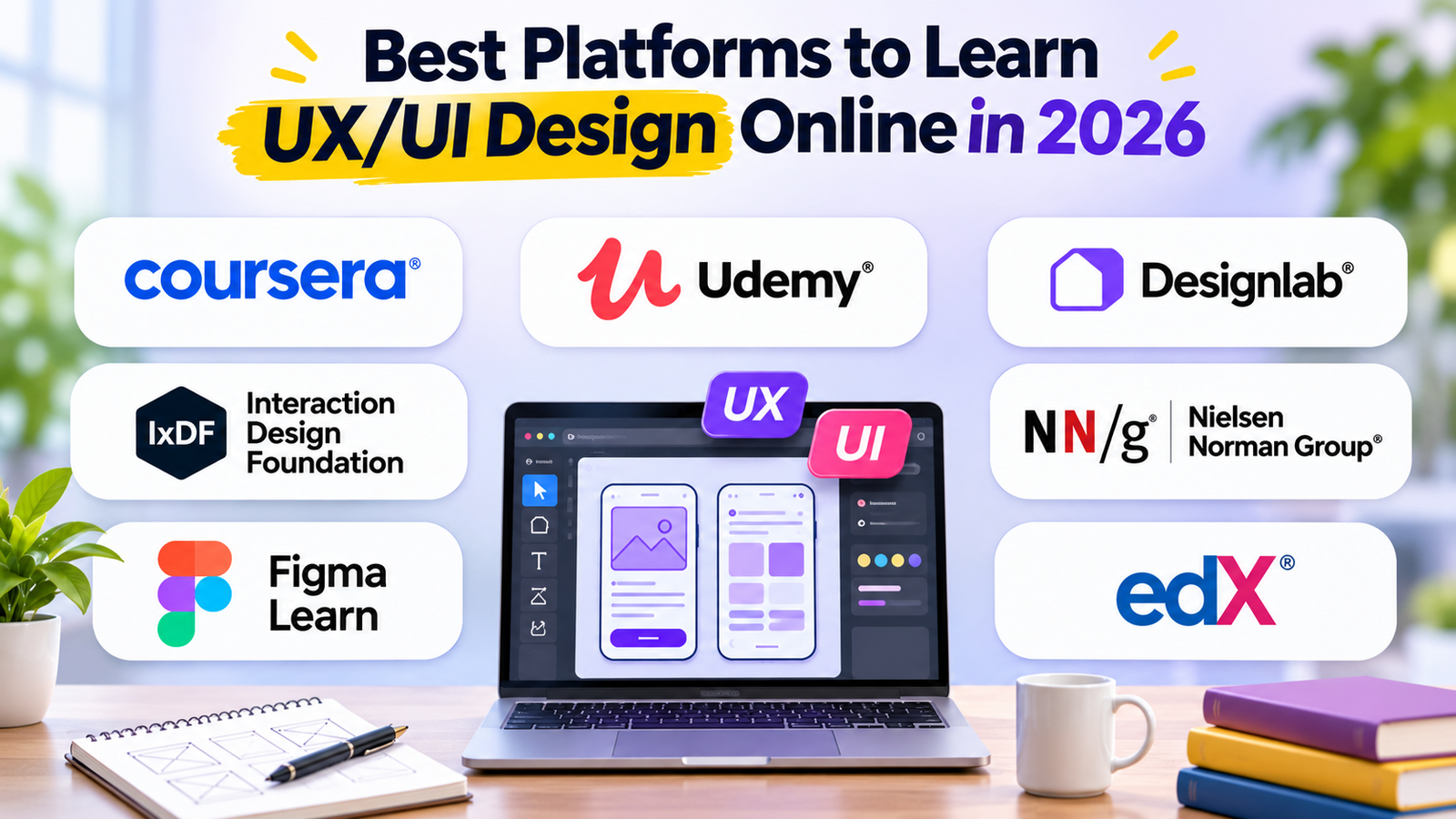
Choosing among the best platforms to learn UX/UI design online depends on what you need next. Coursera offers a structured starting point, Figma Learn builds tool confidence, IxDF develops UX understanding, while Designlab and NN/g offer more guided or specialised learning.
Whichever platform you choose, do not measure progress by the number of lessons completed. Measure it by the quality of the problems you can solve, the interfaces you can build and how clearly you can explain your design decisions.
Also Read: Crypto.com Review 2026: Card, App, and Fees Explained

by parth@bidkinetic.com | Nov 2, 2026 | Education
Online learning is often advertised as an affordable alternative to traditional education. Some courses are free, while others promise professional certificates for a monthly subscription. But the amount displayed on the enrolment page may not be the amount you eventually spend. Certificate upgrades, subscription renewals, examination fees, software access and other extras can increase the final bill. So, how much do online courses really cost? The answer depends on the platform, course format, certificate requirements and how quickly you complete the programme.
For example, edX allows learners to audit many courses for free, but verified certificates generally require payment. Coursera lists individual programmes at approximately $49-$79 per month, while its Coursera Plus subscription is advertised at $59 monthly or $399 annually on its US pricing page. These figures show why comparing only the starting price can be misleading.
Before enrolling, it is worth understanding what the advertised fee includes, what costs extra and how to calculate the real price of learning to actually know how much online courses really cost.
What Is the Average Cost of an Online Course?
There is no universal price for online education. A short introductory course may cost nothing, while a university-backed professional programme or an industry certification pathway can cost several hundred dollars or more.
The following ranges are broad budgeting estimates, not fixed market rates. Actual prices vary by subject, provider, country and promotional offer.
| Course type |
Typical advertised cost |
What to check |
| Free introductory courses |
$0 |
Whether assessments and certificates are included |
| Individual self-paced courses |
$10-$200 |
Lifetime access, updates and certificate charges |
| Verified university courses |
$50-$300 |
Graded assignments and certificate access |
| Professional certificate programmes |
$300-$1,000+ |
Number of courses and subscription duration |
| Exam preparation courses |
$20-$500+ |
Whether the actual certification exam is included |
| Bootcamps and intensive programmes |
$1,000-$10,000+ |
Mentoring, placement support and refund terms |
The important distinction is between learning access and a recognised credential. A free course may provide excellent study material, but the certificate, graded assignments or final examination may require a separate payment.
Comparing Popular Online Learning Platforms
Different platforms use different pricing models. Some charge per course, others use monthly subscriptions, and a few allow free access with paid certificate upgrades.
Coursera: Coursera offers individual courses and multi-course professional programmes. Its US pricing page lists individual programmes at around $49-$79 per month, while Coursera Plus is listed at $59 per month or $399 per year. The subscription covers many courses, but not every programme is included. Check eligibility before subscribing.
edX: Many edX courses can be audited without paying. However, the free route generally excludes graded assignments and verified certificates. edX states that verified certificate fees commonly range from $50 to $300, depending on the course.
Udemy: Udemy allows learners to purchase individual courses, with listed prices ranging from $19.99 to $199.99 on its platform page. Prices can vary with discounts and location. A single-course purchase generally provides access to that course, while its Personal Plan offers subscription-based access to a selected catalogue.
LinkedIn Learning: Access requires an active subscription rather than a one-time purchase of an individual course. It may be useful if you plan to complete several short courses, but check the subscription options and renewal terms available in your country.
SWAYAM: For learners in India, SWAYAM offers courses free of cost. However, learners who want a certificate generally need to register for and take a proctored examination, for which a nominal fee applies. Check the individual course page for examination details.
The Hidden Fees That Can Increase Your Course Budget
The biggest pricing mistake is assuming that the course fee covers everything. These are the expenses worth checking before you pay.
1. Certificate and assessment charges
Some platforms let you study for free but charge for a verified certificate. Others include the certificate in a subscription. Confirm whether the advertised price covers assessments, final projects and credential issuance.
2. Subscription renewals
A monthly subscription can look inexpensive until a course takes longer than expected. A programme estimated to take three months could cost substantially more if you need five or six months. Check the billing date, cancellation process and whether access ends immediately after cancellation.
3. Certification examination fees
A preparation course is not necessarily the same as the official certification examination. This matters in fields such as cloud computing, cybersecurity and project management. The course may teach the material, but the external examination could be charged separately by the certification provider. Retakes may also cost extra.
4. Software, tools and study materials
Some courses require paid software, cloud environments, textbooks or specialist tools. A design course might require access to creative software, while a programming course may recommend cloud services or development environments. Check whether free alternatives are acceptable before purchasing anything.
5. Taxes, currency conversion and payment fees
International platforms may display prices in a foreign currency. Your final bank statement can include applicable taxes, exchange-rate differences or foreign transaction charges. Always check the checkout total in your local currency rather than relying only on the advertised price.

How to Calculate the Real Cost Before Enrolling
A useful way to compare programmes is to calculate the total cost of completion rather than the initial fee.
Use this simple formula:
Total course cost = Course fee + Certificate fee + Exam fee + Software/materials + Subscription renewals + Applicable taxes and payment charges
For example, imagine a learner chooses a four-month subscription at $40 per month, pays $60 for an external examination and spends $25 on required study materials. The total becomes $245, before any applicable taxes or payment charges.
That is a more realistic figure than looking at the $40 monthly price alone.
Before enrolling, ask yourself three questions: Do I need the certificate or only the learning material? Can I realistically finish within the subscription period? Are there any compulsory costs outside the platform?
How to Save Money Without Compromising Learning Quality
Start by comparing the syllabus, instructor credentials and practical assignments, not just the discount percentage. A cheaper course that does not teach the required skills may become an expensive mistake.
Use free audit options or previews to assess the teaching style before paying. If you need several courses, compare the cost of individual purchases with a subscription. However, do not pay for an annual plan unless you are confident you will use it.
For professional certifications, separate the cost of preparation from the official exam fee. Look for student discounts, financial assistance, employer-sponsored learning and free resources from recognised providers. In India, check SWAYAM and NPTEL offerings where relevant.
Most importantly, choose a course that supports a clear outcome: a portfolio project, a practical skill, a recognised credential or preparation for a specific role.
How Much Do Online Courses Really Cost: FAQs
1. Are online courses really free?
Some are. Platforms such as SWAYAM and edX offer free learning options, but certificates, graded assessments or proctored examinations may require payment.
2. Why do online courses charge separately for certificates?
The course provider may offer learning materials at no cost while charging for assessment, verification and certificate issuance. The exact arrangement depends on the platform.
3. Are monthly subscriptions cheaper than buying individual courses?
They can be cheaper if you complete several eligible courses within a short period. If you study slowly or need only one course, an individual purchase may cost less.
When comparing how much do online courses really cost, look beyond the headline price. A free course may be enough to explore a subject, while a paid programme may be worthwhile when it offers structured assessments, credible instruction and practical work. The smartest choice is not necessarily the cheapest one. It is the course whose full cost makes sense for your learning and career goals.
Also Read: AirAsia MOVE Review: Flights, Hotels, Deals and Booking Experience
by parth@bidkinetic.com | Nov 1, 2026 | Education
Learning Spanish online has become easier than ever, but choosing the right learning method can make a significant difference in how quickly you become conversational. Whether you want to communicate confidently while travelling, improve your career opportunities, prepare for relocation, or simply learn a new language, there are several ways to get started. The most common options include language-learning apps, one-to-one tutoring platforms such as iTalki, and structured online classes.
But which one actually delivers results faster?
Research published in Foreign Language Annals examined 54 English-speaking adults learning Spanish through Babbel over 12 weeks, with a target of approximately 10 minutes of daily practice. Participants improved their Spanish vocabulary, grammar, and oral communication skills. The study also found that the amount of time spent practising was the strongest predictor of improvement.
This tells us something important: you do not necessarily need hours of classroom instruction every day. What matters is how consistently you practise and whether your learning method gives you opportunities to use the language.
Let’s compare the three approaches, understand their strengths, and identify which one makes sense for your learning goals.
1. Learning Spanish Through Apps: Best for Daily Practice
Language-learning apps are often the first choice for beginners because they are affordable, accessible, and easy to incorporate into everyday routines.
Platforms such as Duolingo, Babbel, and Busuu offer structured lessons covering vocabulary, grammar, pronunciation, listening, and sentence construction.
What makes apps useful?
- Short lessons that can fit into a 10-15-minute break.
- Vocabulary exercises with repetition to improve recall.
- Listening and pronunciation activities.
- Progress tracking and daily learning reminders.
- Beginner-friendly lessons that gradually introduce complex concepts.
For example, you can use Duolingo to practise everyday Spanish phrases, Babbel to understand sentence structures, and Busuu to work through more structured language lessons.
However, there is one limitation. Completing vocabulary exercises does not automatically prepare you for a real conversation. You may recognise hundreds of Spanish words but still struggle to order food, ask for directions, or understand someone speaking naturally.
Our take: Apps are excellent for building a foundation, developing vocabulary, and maintaining a daily learning habit. However, they should not be your only learning method if your goal is conversational fluency.
2. iTalki: Best for Speaking and Real Conversations
Source: iTalki
If your primary goal is to speak Spanish confidently, iTalki offers something that most self-learning apps cannot replicate: direct interaction with a real person.
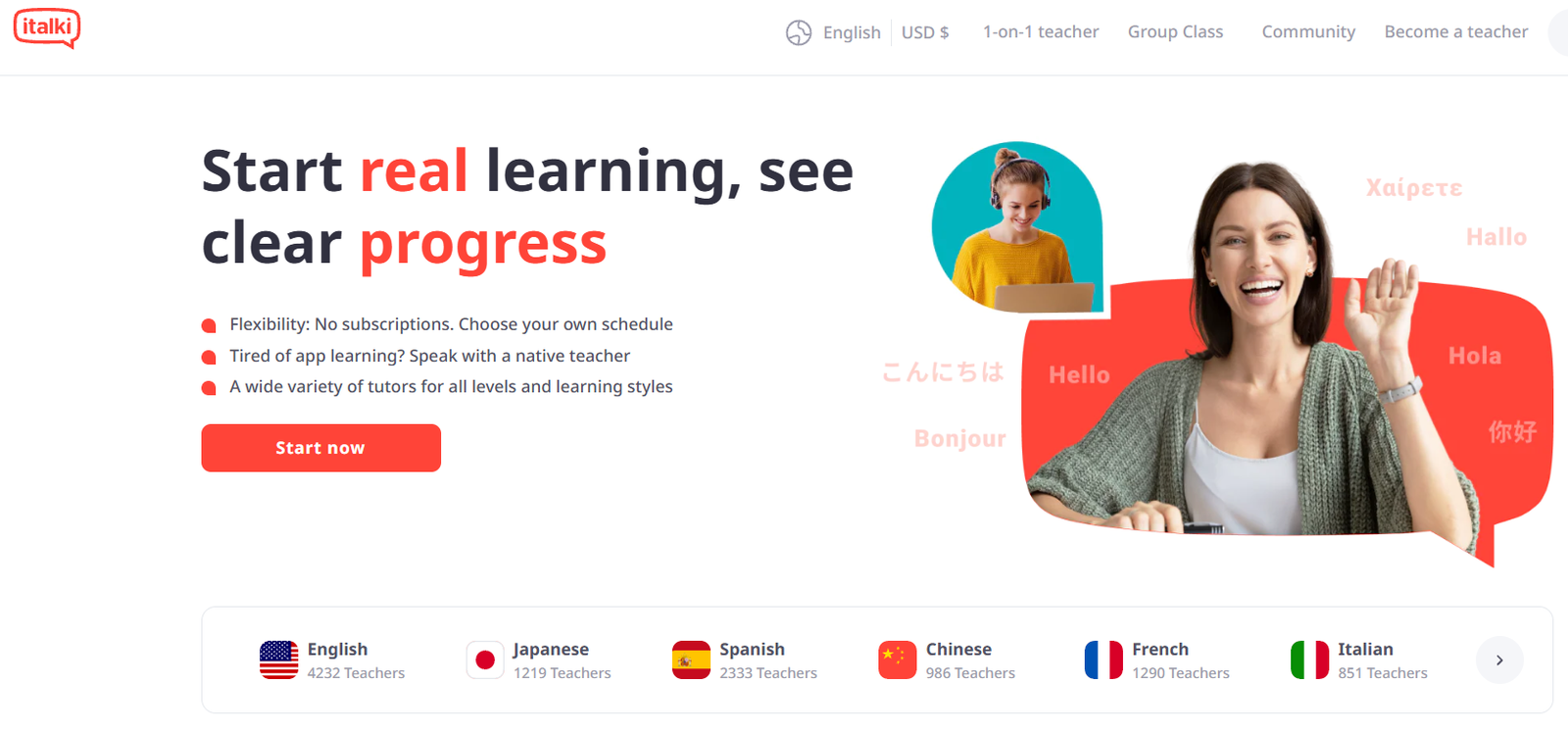
iTalki is an online language-learning marketplace where you can find Spanish teachers and community tutors for individual video lessons. You can choose tutors based on their teaching experience, availability, language background, and learning specialisation.
Unlike a fixed course, lessons can be adapted to your requirements.
For instance, a beginner might spend the first few sessions learning introductions, basic sentence formation, numbers, and common expressions. An intermediate learner could focus on conversational Spanish, pronunciation, or professional communication.
Why consider iTalki?
- Personalised lessons based on your current proficiency.
- Immediate feedback on pronunciation and grammar.
- Real-time speaking and listening practice.
- Exposure to different Spanish accents, including those from Spain and Latin America.
- Flexible lesson schedules.
You can also choose between professional teachers and community tutors. Professional teachers are suitable for structured learning, grammar explanations, and exam preparation, while community tutors can provide additional conversational practice.
The main consideration is cost. Unlike free learning apps, iTalki lessons are generally paid individually, and prices vary depending on the tutor.
Our take: If you want to start speaking Spanish rather than simply recognising words, one-to-one tutoring can accelerate practical communication skills.
3. Online Spanish Classes: Best for Structured Learning
Online Spanish classes provide a more organised learning experience. They are particularly useful for people who prefer a defined curriculum, regular teaching sessions, and a clear progression from beginner to advanced levels.
These classes may be conducted in small groups or individually, depending on the institution.
A structured programme generally covers:
- Spanish grammar and sentence construction.
- Vocabulary development across everyday situations.
- Reading and listening comprehension.
- Speaking exercises and pronunciation.
- Assessments, assignments, and progress evaluations.
Platforms such as Instituto Cervantes offer Spanish-learning programmes, while other online language schools provide instructor-led courses for different proficiency levels.
Another advantage is that structured classes can prepare learners for recognised Spanish proficiency examinations, such as DELE (Diplomas de Español como Lengua Extranjera).
However, fixed schedules and course commitments may be challenging for people with busy work routines. Group classes may also provide less individual speaking time compared with one-to-one tutoring.
Our take: Choose structured classes if you need academic guidance, systematic grammar instruction, or preparation for a formal Spanish proficiency examination.
iTalki vs Apps vs Online Classes: Which Should You Choose?
Each method serves a different purpose. The best choice depends on your budget, available time, current proficiency, and how quickly you want to start communicating.
| Comparison |
Language Apps |
iTalki |
Online Classes |
| Learning style |
Self-paced |
One-to-one tutoring |
Structured lessons |
| Speaking practice |
Limited |
Extensive |
Depends on class size |
| Personalisation |
Limited |
High |
Moderate to high |
| Flexibility |
Very high |
High |
Depends on schedule |
| Cost |
Free and paid options |
Paid per lesson |
Usually paid |
| Best for |
Vocabulary and basics |
Conversational fluency |
Grammar and structured learning |
| Main limitation |
Limited real interaction |
Requires regular bookings |
Fixed schedules |
What Is the Fastest Way to Learn Spanish Online?
If speed is your priority, relying on just one method may not be the most effective approach.
A combination of structured lessons, daily app practice, and real conversations creates a more balanced learning experience. Here is a practical weekly routine for someone starting from scratch:
| Day |
Learning Activity |
Time |
| Monday |
Vocabulary and basic phrases using an app |
20 minutes |
| Tuesday |
Grammar and sentence construction |
30 minutes |
| Wednesday |
One-to-one Spanish conversation on iTalki |
45 minutes |
| Thursday |
Listening to Spanish podcasts or videos |
20 minutes |
| Friday |
Vocabulary revision and pronunciation |
20 minutes |
| Saturday |
Online Spanish class or guided lesson |
60 minutes |
| Sunday |
Revision and speaking practice |
30 minutes |
This routine gives you exposure to different aspects of the language without requiring several hours of study every day.
A useful additional habit is to start thinking in Spanish. Describe your surroundings, prepare your shopping list, or narrate simple daily activities using Spanish words and sentences.
You can also change your phone’s language settings once you become comfortable with basic vocabulary.
How Long Does It Take to Become Conversational in Spanish?
There is no universal timeline. Your progress depends on your starting level, native language, learning consistency, and opportunities to practise speaking.
A beginner studying regularly may start handling basic introductions and everyday interactions within a few months. More complex conversations require considerably more vocabulary, listening experience, and grammatical understanding.
The Common European Framework of Reference for Languages (CEFR) provides six proficiency levels, from A1 (beginner) to C2 (proficient). Setting a target such as reaching A2 or B1 gives you a clearer way to measure progress.
Instead of focusing only on completing lessons, measure what you can actually do: introduce yourself, describe your day, understand simple conversations, and communicate your needs without constantly translating.
Frequently Asked Questions (FAQs)
1. Is iTalki better than Duolingo for learning Spanish?
They serve different purposes. Duolingo is useful for daily vocabulary and grammar practice, while iTalki provides personalised speaking opportunities and direct feedback. Using both can create a more balanced learning experience.
2. Can I learn Spanish online for free?
Yes. Duolingo offers free learning options, and you can supplement your practice with Spanish podcasts, YouTube lessons, online dictionaries, and free learning resources. However, personalised tutoring and structured classes generally involve fees.
3. How many hours should I study Spanish every day?
Beginners can start with 20-30 minutes of daily practice. Add longer speaking sessions during the week as your confidence improves. Regular practice is more useful than occasional intensive sessions.
Also Read: Coupert Review: Does the Coupon Extension Actually Save Money?
by parth@bidkinetic.com | Nov 1, 2026 | Education
The idea that you need a traditional university degree to enter a professional career is gradually being challenged. Employers are increasingly recognising industry certifications, technical skills, practical assessments, and demonstrable work as additional ways to evaluate candidates. For someone who cannot afford a full-time degree or wants to enter a new industry, online certifications can provide a more flexible starting point. If you are considering getting a job with online certificates, the right strategy is to combine recognised credentials with practical projects and a targeted job search.
However, not all certificates carry the same weight. A short introductory course and an industry-recognised professional certification communicate very different levels of expertise.
According to Accredible’s 2025 State of Credentialing Report, 91% of surveyed HR and recruiting leaders actively look for digital credentials when reviewing candidates. Furthermore, 86% are more likely to interview someone with a digital credential demonstrating a relevant skill, and 63% have hired a candidate partly because of a digital credential.
This does not mean certificates have replaced university degrees. Rather, it shows that verified skills are becoming an important part of recruitment.
Identify Careers Where Online Certificates Can Open Doors
Before enrolling in courses, identify industries where employers are willing to consider skills-based qualifications. Some roles focus heavily on practical abilities, software knowledge, and demonstrable work rather than a specific academic background.
Here are some areas worth exploring:
| Industry |
Job Roles to Target |
Relevant Certifications |
| Digital Marketing |
SEO Executive, PPC Specialist, Social Media Executive |
Google Ads, HubSpot, Google Analytics |
| Data Analytics |
Junior Data Analyst, Reporting Analyst |
Google Data Analytics, Microsoft Power BI |
| IT Support |
IT Support Technician, Help Desk Analyst |
Google IT Support, CompTIA A+ |
| Cloud Computing |
Cloud Support Associate |
AWS Cloud Practitioner, Azure Fundamentals |
| Graphic Design |
Junior Graphic Designer, Visual Content Designer |
Adobe Certified Professional |
| Project Management |
Project Coordinator, Junior Project Manager |
CAPM, Google Project Management |
| Web Development |
Junior Web Developer |
Meta Front-End Developer, relevant coding certifications |
These are potential entry routes, not guaranteed degree-free career paths. Employers may still require formal qualifications for particular positions, especially in regulated professions and specialised technical roles.
Choose Certifications That Employers Recognise
One of the biggest mistakes beginners make is enrolling in multiple courses simply because they offer free certificates.
Instead, prioritise certifications that are connected to actual job requirements.
Consider these platforms:
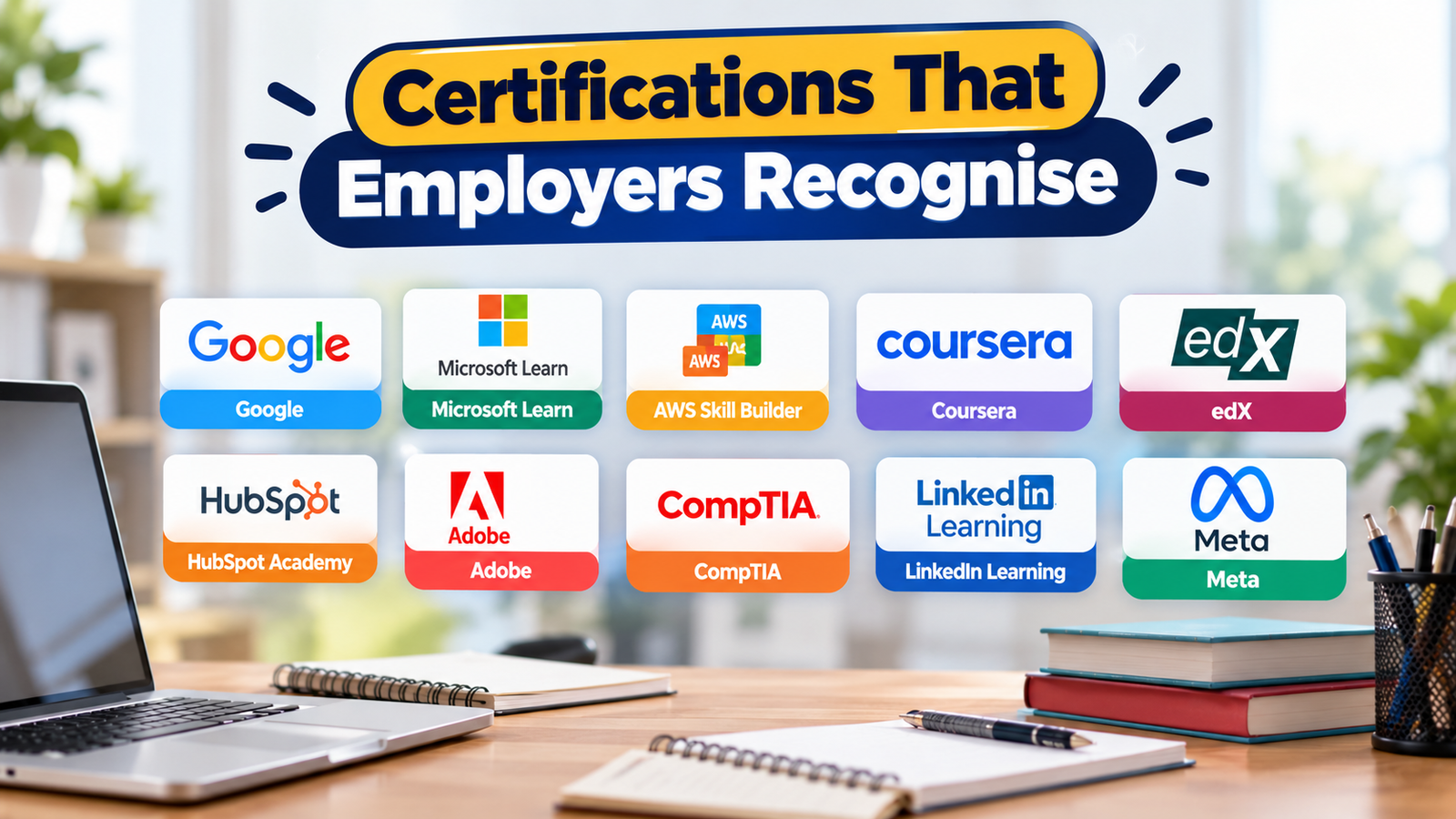
- Google Career Certificates: Google offers professional programmes in areas such as data analytics, digital marketing, IT support, cybersecurity, and project management. These are useful starting points for people exploring entry-level opportunities.
- Microsoft Learn: Particularly valuable for learning Excel, Power BI, Azure, Microsoft 365, and other Microsoft technologies. Some learning paths are free, while formal certification exams may involve fees.
- AWS Skill Builder: Offers training in cloud computing, infrastructure, and Amazon Web Services. It is a useful starting point for aspiring cloud professionals.
- HubSpot Academy: Provides certifications in inbound marketing, content marketing, email marketing, and sales.
- Coursera and edX: Host courses and professional programmes from universities and industry organisations. Check the actual certificate issuer and assessment requirements before enrolling.
When getting a job with online certificates, the credibility of the issuing organisation matters, but so does the depth of the assessment. A certificate backed by practical assignments or a recognised examination generally offers stronger evidence than passive video completion.
Build a Portfolio Alongside Your Certificates
This is where many candidates fall short.
Imagine two candidates applying for a junior digital marketing position. Both have completed a Google Ads course. However, one only lists the certificate on their resume, while the other presents a sample campaign structure, keyword research, ad copy, and a landing-page analysis.
The second candidate gives the recruiter something concrete to evaluate.
Your portfolio should demonstrate how you apply your knowledge.
Depending on your field, consider creating:
- Digital Marketing: A sample SEO audit, keyword research report, or Google Ads campaign plan.
- Data Analytics: Interactive Power BI dashboards, Excel reports, and SQL projects.
- Graphic Design: Social media creatives, brand identity concepts, and website designs.
- Web Development: A personal website, responsive landing page, or small application.
- Project Management: Project schedules, risk registers, workflow documentation, and case studies.
You do not need professional clients to create these projects. Start with realistic sample assignments and clearly label them as independent projects rather than paid client work.
Create a Resume That Highlights Skills, Not Just Certificates
Your resume should communicate what you can do, not simply list the courses you have completed.
Start with a short professional summary that identifies your target role and strongest skills.
For example:
Entry-level Data Analyst with practical knowledge of Excel, SQL, and Power BI. Completed professional training in data analytics and developed independent dashboard projects involving data cleaning, reporting, and visualisation.
Follow this with:
- Relevant technical and professional skills.
- Industry certifications with issuing organisations and completion dates.
- Portfolio projects with measurable outcomes where available.
- Internships, freelance assignments, volunteering, or relevant experience.
Include certificate verification links where available. You can also add recognised credentials to LinkedIn’s Licenses & Certifications section.
Apply Strategically and Prepare for Skill-Based Interviews
Once your resume and portfolio are ready, start applying to positions that match your actual capabilities.
Search for titles such as Junior Analyst, Trainee, Associate, Intern, Entry-Level Executive, and Graduate Trainee. Read the requirements carefully rather than applying based on job titles alone.
Use platforms such as LinkedIn, Indeed, Naukri, and company career pages.
During interviews, be prepared to explain:
- Why you selected your certifications.
- What you learned during each programme.
- How you applied those skills in practical projects.
- How you would approach a real workplace assignment.
A certificate may help you get noticed, but your ability to explain your work can determine whether you progress through the selection process.
A Practical 90-Day Plan to Become Job-Ready
If you are starting without relevant professional experience, give yourself a structured preparation period.
| Timeline |
Focus Area |
Expected Outcome |
| Days 1-15 |
Research job roles and select a career path |
Clear learning direction |
| Days 16-40 |
Complete one or two relevant certifications |
Foundational skills |
| Days 41-60 |
Build two or three practical projects |
Portfolio |
| Days 61-70 |
Prepare resume and LinkedIn profile |
Professional presentation |
| Days 71-90 |
Apply for suitable jobs and practise interviews |
Active job search |
This is a preparation framework, not a promise of employment within 90 days. Your timeline will depend on the complexity of the role and your existing knowledge.
Getting a Job with Online Certificates: FAQs
1. Can I get a job with online certificates and no degree?
Yes, some employers hire candidates based on relevant skills, certifications, and practical experience. However, eligibility depends on the industry, employer, and specific job requirements.
2. Which online certificate is best for getting a job?
There is no single best certification. Google Career Certificates, Microsoft certifications, AWS training, CompTIA certifications, and HubSpot Academy programmes are worth exploring depending on your chosen career.
3. Are free online certificates accepted by employers?
Yes, provided they come from credible organisations and demonstrate relevant knowledge. However, free course-completion certificates are not necessarily equivalent to professional certification exams.
Also Read: Humble Choice Review: Is the Monthly Subscription Worth It Now?

by parth@bidkinetic.com | Nov 1, 2026 | Education
Learning new skills while managing a full-time job sounds productive until deadlines, meetings, household responsibilities, and unexpected work commitments start competing for your attention. You may begin an online course with genuine enthusiasm, only to find yourself falling behind after the first few weeks. The challenge is rarely a lack of interest. It is finding a sustainable way to learn without exhausting yourself. This creates an important question: how can professionals continue developing their skills without sacrificing their existing responsibilities? The answer lies in building a realistic study routine, choosing effective learning techniques, and making consistent progress. Here are practical ways to approach online courses while working without turning your entire schedule upside down.
1. Choose a Course That Fits Your Career Goals
Before enrolling, understand why you want to take the course. Are you preparing for a promotion, changing career paths, learning new software, or improving your existing professional skills?
Your objective should determine the course you select.
For example, a marketing professional interested in data-driven campaigns might benefit from learning Google Analytics, SEO analytics, or Power BI rather than enrolling in several unrelated courses.
Also, evaluate the course structure before paying or committing your time.
Look for:
- Self-paced modules that allow flexible scheduling.
- Short lessons that can be completed in 15-30 minutes.
- Downloadable resources for offline revision.
- Practical assignments instead of theory-only lessons.
- Clearly defined course duration and assessment requirements.
A relevant course with manageable lessons is more valuable than an ambitious programme you cannot consistently follow.
2. Create a Study Schedule Around Your Working Hours
One of the biggest mistakes professionals make is planning their study schedule around an ideal day rather than their actual routine. If you regularly work from 9 AM to 6 PM, scheduling three hours of learning every evening is unlikely to remain practical.
Instead, identify time slots when you can concentrate without interruptions.
Consider this example:
| Time |
Activity |
Duration |
| 7:00 AM – 7:30 AM |
Watch course lessons |
30 minutes |
| Lunch break |
Revise previous notes |
15 minutes |
| 8:00 PM – 8:30 PM |
Practical exercises |
30 minutes |
| Saturday morning |
Complete assignments |
1-2 hours |
| Sunday evening |
Weekly revision and planning |
30 minutes |
You do not need to follow this schedule exactly. Adjust it according to your commute, family responsibilities, and working hours.
The important thing is to establish regular study slots. Even 30-45 minutes of focused learning on weekdays can add up to several hours of meaningful progress each week.
3. Break Large Modules into Smaller Learning Sessions
A two-hour lecture can feel difficult to fit into an already busy day. However, dividing it into smaller sessions makes it easier to complete.
Instead of watching an entire module in one sitting, divide it into manageable sections.
For instance, if you are learning Python programming, your sessions could look like this:
- Monday: Understand variables and data types.
- Tuesday: Practise conditional statements.
- Wednesday: Learn loops.
- Thursday: Solve basic programming exercises.
- Friday: Revise concepts and identify mistakes.
This approach prevents information overload and gives you time to practise what you have learned.
Research published in Nature Reviews Psychology highlights the effectiveness of spaced learning and retrieval practice. Revisiting information across multiple sessions and actively recalling concepts can improve long-term retention compared with relying only on repeated exposure.
4. Practise What You Learn Instead of Just Watching Videos
Completing video lessons does not necessarily mean you understand the subject.
Active learning is particularly important when studying technical or professional subjects. You need opportunities to apply concepts, identify mistakes, and understand how the knowledge works in real situations.
For example:
- Learning Excel? Build a spreadsheet using actual business data.
- Studying digital marketing? Create a sample Google Ads campaign.
- Learning web development? Build a small working website.
- Studying project management? Prepare a project timeline using a practical case study.
- Learning data analytics? Work with a dataset and create a dashboard.
Try to dedicate at least part of every study session to practical application.
When managing online courses while working full-time, connecting lessons with your existing professional responsibilities can make learning more relevant. You may even identify opportunities to apply newly acquired skills at work.
5. Use Productivity Tools to Stay Organised
Managing multiple responsibilities becomes easier when you have a clear system for tracking your progress.
You do not need complicated productivity software. A few simple tools can help you stay organised.
| Tool |
How It Helps |
| Google Calendar |
Blocks dedicated study hours and sends reminders |
| Notion |
Organises course notes, resources, and learning goals |
| Trello |
Tracks lessons, assignments, and pending tasks |
| Google Keep |
Saves quick notes and important concepts |
| Anki |
Uses spaced-repetition flashcards for revision |
Avoid spending too much time organising your learning system. The tools should support your study routine, not become another task to manage.
6. Set Weekly Targets Instead of Daily Perfection
Some days will be busier than others. You may have an urgent office deadline, an unexpected meeting, or personal responsibilities that make studying impossible.
This is why weekly targets are often more practical than rigid daily schedules.
For example, instead of promising yourself that you will study every evening, set a target of completing three lessons, one practical exercise, and one revision session each week.
Track your progress based on completed learning outcomes rather than the number of hours spent in front of a screen. If you miss a session, move it to another available slot instead of abandoning the entire week’s plan.
7. Protect Your Energy and Avoid Study Burnout
Your learning routine should be sustainable. Studying late every night after a demanding workday can affect concentration, sleep, and overall productivity.
A few habits can make a significant difference:
- Take short breaks between study sessions.
- Avoid sacrificing sleep to finish course modules.
- Keep at least one evening free from professional and academic tasks.
- Reduce unnecessary screen distractions during focused sessions.
- Reassess your weekly schedule when work commitments increase.
Remember, consistency matters more than intensity. Completing a course over three months with a balanced routine is better than studying excessively for two weeks and eventually giving up.
Final Thoughts
Building new skills should not require putting your professional or personal life on hold. With the right course, a realistic timetable, and effective learning techniques, you can make steady progress even with a demanding work schedule.
The secret to managing online courses while working full-time is to stop treating learning as something you will do whenever you find spare time. Give it a defined place in your weekly routine.
Start with one course, set achievable targets, practise regularly, and give yourself enough time to understand what you are learning. Your career development is a long-term investment, and consistent effort will take you further than occasional bursts of motivation.
Online Courses While Working: FAQs
1. How many hours should I study daily while working full-time?
Start with 30–60 minutes a day, depending on your workload and course requirements. You can increase your study time when your schedule allows. Consistency is more important than studying for several hours at once.
2. Is it possible to complete an online course while working 9 to 6?
Absolutely. Choose a self-paced course, schedule short learning sessions before or after work, and reserve some weekend time for assignments. A realistic weekly target will help you maintain progress.
3. What is the best time to study after a full-time job?
It depends on your energy levels. Some people concentrate better early in the morning, while others prefer evenings. Identify when you are most alert and schedule challenging lessons during that period.
Also Read: AirAsia MOVE Review: Flights, Hotels, Deals and Booking Experience
