by parth@bidkinetic.com | Oct 27, 2026 | Games
In-game purchases have become a significant part of the gaming economy. However, purchasing digital items comes with a responsibility that is easy to overlook. Choosing the wrong website, entering an incorrect player ID, or sharing account credentials with an unverified seller can turn a routine purchase into a costly mistake. That is why safe game top-ups matter as much as finding the right denomination or payment method.
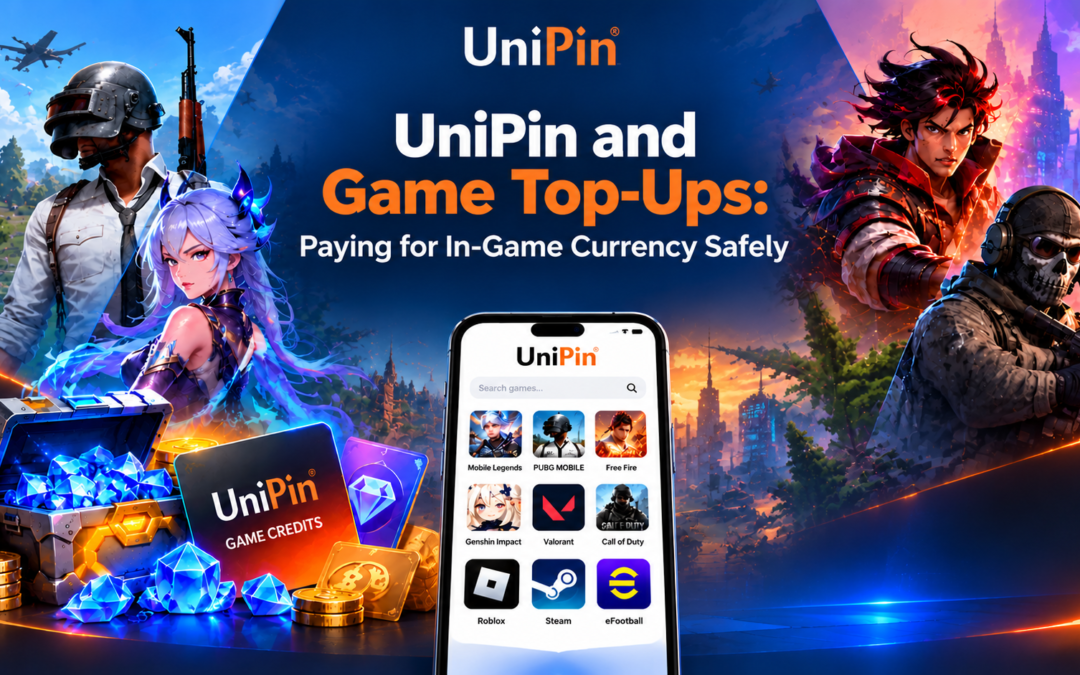
UniPin is a digital payment platform offering game credits, prepaid vouchers, direct top-ups for supported games, and regional payment options. It provides gamers with an alternative way to purchase digital gaming content without relying exclusively on the payment method built into a game. Understanding how the process works and knowing which precautions to take helps players make informed purchases.
What Is UniPin, and How Does It Work?
UniPin provides digital products and payment services for supported online and mobile games. Depending on the game and region, users can purchase in-game credits directly or buy a voucher that must be redeemed through the relevant game or platform.
The process generally starts by selecting a supported game, choosing a denomination, entering the required player information, and selecting an available payment method. Once payment is completed and processed, the purchased credit or voucher is delivered according to the product’s instructions.
Some transactions may be completed without creating a UniPin account, while others require registration. UniPin also offers a rewards programme for eligible account holders, subject to its applicable terms.
The important detail is that the process differs between games. A direct top-up, a prepaid voucher, and a platform-specific gift code are not interchangeable. Before paying, check the product description to understand exactly what you are purchasing and how it will be delivered.
Why Safe Game Top-Ups Matter
- Digital currency is often delivered quickly, leaving little room to correct mistakes once a transaction has been processed.
- Scammers exploit this by creating websites that imitate legitimate payment platforms, advertising unusually cheap currency, or sending messages that lead users to fraudulent checkout pages.
A trustworthy-looking logo does not prove that a seller is genuine.
- Similarly, an offer advertised through a social media account or gaming group is not automatically authorised.
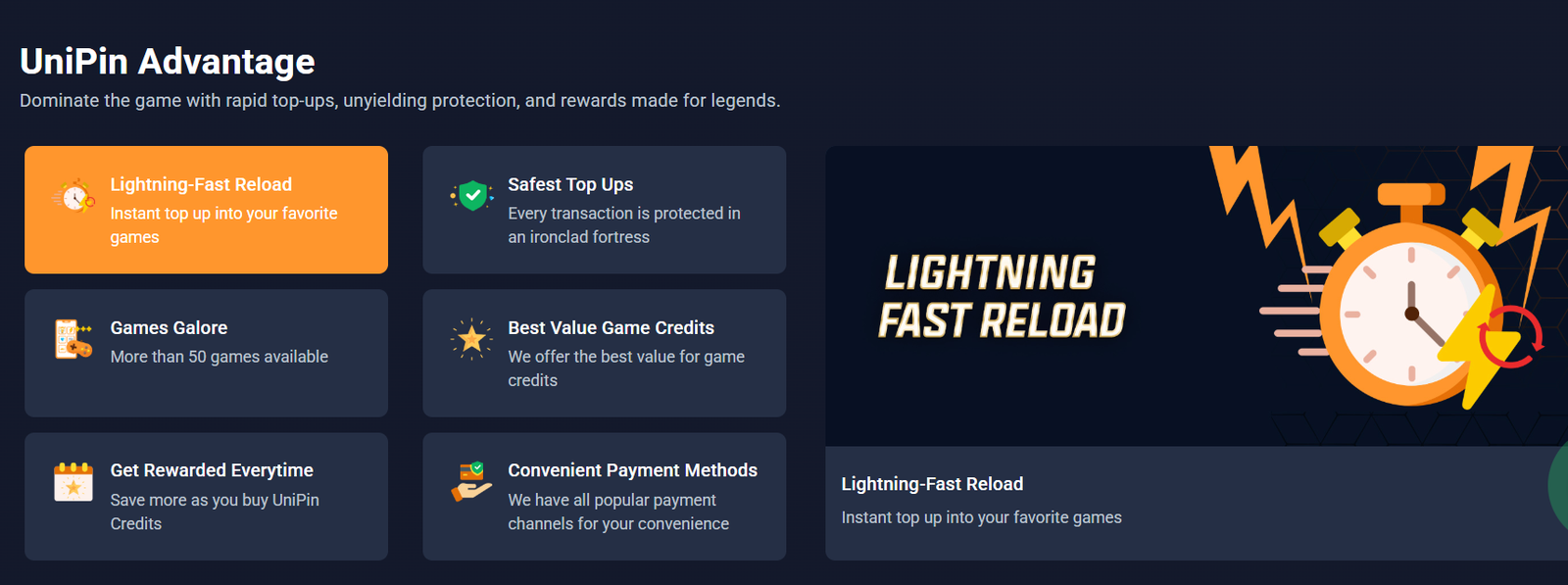
- UniPin publishes safety guidance advising users to verify website addresses, avoid suspicious links, protect passwords and one-time passwords (OTPs), and check unusually generous offers before paying.
- Its support documentation also describes fraud-prevention controls and payment processing safeguards.
These measures can reduce risk, but safe purchasing also depends on the user’s actions. Always start from the official website, read the transaction details, and keep evidence of payment.
Payment Options: Choosing the Right Method
UniPin supports different payment methods depending on the market, product, and checkout options available. In India, users may encounter options such as UPI, digital wallets, net banking, and eligible voucher products.
| Payment method |
What to check before paying |
Practical safety tip |
| UPI |
Merchant details and the amount requested |
Verify the recipient before approving the payment |
| Digital wallets |
Final amount and transaction status |
Use the official wallet app or authorised payment flow |
| Net banking |
Checkout destination and payment amount |
Never share banking passwords or OTPs with a seller |
| UniPin Voucher |
Validity, denomination, and redemption instructions |
Keep the voucher serial number and PIN private |
| Card payments |
Merchant identity and final charge |
Use transaction alerts and never disclose your card OTP |
Payment availability can vary by region and game. A method listed in one country’s UniPin store may not be offered in another.
Before confirming a purchase, check the total amount, any applicable charges, the currency, and the expected delivery method. If a payment fails but money is deducted, retain the transaction reference and contact the relevant payment provider and UniPin support instead of immediately paying again.
Source: UniPin
How to Buy Game Top-Ups More Safely Through UniPin
A few careful checks can prevent many common problems.
1. Verify the website address.
- Visit UniPin.com directly rather than relying on shortened links or messages from unknown sellers.
- Check that the domain is spelt correctly.
2. Confirm your game and player ID.
- Many direct top-ups require a player ID or other account identifier.
- Find it inside the game’s official profile and check every digit before proceeding.
- Selecting the wrong region or server can also affect whether the purchase reaches the intended account.
3. Select the correct product.
- Confirm the game, currency, quantity, region, and denomination.
- Read the redemption instructions carefully if you are purchasing a voucher rather than direct credit.
4. Review the checkout details.
- Check the amount, payment method, and applicable terms before authorising the transaction.
- Do not approve unexpected payment requests or share your OTP with anyone claiming to be customer support.
5. Save your confirmation.
- Keep the payment reference, order confirmation, and relevant emails until the purchased currency arrives.
- If delivery is delayed, these details help support teams investigate the transaction.
6. Check promotions through official channels.
- Discounts can be useful, but offers promising unlimited currency or implausibly large rewards deserve extra scrutiny.
- Compare the offer with the promotion details published on UniPin’s official website.
Common Mistakes to Avoid
The most expensive top-up mistake is not necessarily choosing the wrong package. It can be trusting a third-party seller who requests your game password, buying a region-locked voucher, or paying twice because the first transaction appears delayed.
Never give another person remote access to your device to complete a purchase. Avoid downloading unofficial top-up applications, and do not assume that a transaction is refundable simply because the wrong item was selected. Digital products may be subject to specific cancellation, refund, and redemption conditions.
If something goes wrong, use the official UniPin support channels and provide your transaction details. Do not post payment receipts containing sensitive information publicly.
Make Your Next Top-Up a Safer One
Buying digital currency should be a straightforward part of gaming, not a source of unnecessary risk. UniPin offers multiple ways to access supported gaming credits, but the safest experience starts with verifying the website, checking the game details, choosing an appropriate payment method, and protecting your account information.
Before making your next purchase, take a moment to review the product and payment details. Explore supported games and available options on UniPin.com, and use its official support channels whenever you need assistance. A few simple checks can help you spend more confidently and keep your attention where it belongs: enjoying the game.
Game Top-Ups: Frequently Asked Questions
1. Is UniPin a platform for purchasing in-game currency?
Yes. UniPin offers digital game credits, vouchers, and direct top-up services for supported games. Available products depend on your region.
2. Do I need a UniPin account to purchase game credits?
Not always. Some supported purchases can be made as a guest, while account-based transactions and certain reward features require registration.
3. Is it safe to share my game password for a top-up?
You should not share your password or OTP with an individual seller. Follow the official checkout process and provide only the information required for the specific product.
Also Read: Kovo Credit Builder Review: How Does It Work?

by parth@bidkinetic.com | Oct 27, 2026 | Business
Moving to Canada means learning a new way to manage everyday spending. Between groceries, coffee, transportation, online shopping and household essentials, small purchases quickly add up. That’s one reason digital wallets in Canada have become an important part of everyday payments. According to Payments Canada’s 2025 report on 2024 transactions, Canadians made 22.5 billion retail payment transactions worth $12.2 trillion, and contactless payments accounted for 58% of transactions. Mobile contactless payment volume also grew by 28% year over year. For newcomers, these numbers point to a practical reality: understanding digital payments can make settling into Canadian life easier.
But not every digital wallet works the same way. Apple Pay and Google Wallet can store eligible payment cards for tap-to-pay purchases, while PayPal is commonly used for online payments. Snaplii takes a different approach: it lets users purchase digital gift cards from participating brands and earn Snaplii Cash that can be used toward future purchases. If you’re building new spending habits in Canada, understanding this difference can help you decide which tools fit your needs.
What Is Snaplii, and How Does It Work?
Snaplii is a shopping-focused digital wallet available through a mobile app. Rather than simply storing your bank card for contactless payments, it lets you buy digital gift cards for participating retailers and brands.
The process is straightforward:
- Choose a brand: Browse participating offers across categories such as dining, shopping, travel and home.
- Purchase a digital gift card: Select the amount and complete the payment using the methods available in the app.
- Receive Snaplii Cash: Eligible purchases earn Snaplii Cash according to the offer displayed.
- Use the gift card: Access the digital card in your wallet and redeem it according to the retailer’s terms.
Snaplii advertises cashback of up to 15% on eligible purchases, although the rate varies by offer and brand. Its website also states that Snaplii Cash does not expire. Check the current offer and redemption conditions before purchasing, rather than assuming every brand provides the maximum reward.
Snaplii vs. Other Digital Wallets in Canada
For newcomers, it helps to distinguish between a wallet that stores payment cards and one that rewards purchases through gift cards.
| Feature |
Snaplii |
Apple Pay / Google Wallet |
PayPal |
| Main purpose |
Buy digital gift cards and earn Snaplii Cash |
Pay using eligible stored cards |
Make online payments and supported transfers |
| Where it works |
Participating brands and eligible gift-card locations |
Contactless terminals and supported online apps or websites |
Merchants that accept PayPal |
| Rewards |
Snaplii Cash on eligible offers |
Depends on the linked card and its rewards |
Depends on the transaction and applicable offers |
| Bank card required? |
A supported payment method is needed to buy gift cards |
An eligible payment card is generally added |
Depends on the payment method and transaction |
| Best suited for |
Planned purchases at participating brands |
Everyday tap-to-pay convenience |
Online checkout and supported payments |
These tools can complement each other. For example, you might use Apple Pay for an everyday purchase, then use Snaplii to buy a gift card for a participating retailer where you regularly shop. Availability, payment methods and rewards depend on the provider, merchant and offer.
Why Newcomers Might Find Snaplii Useful
When you’re settling into Canada, you’re often buying the same essentials repeatedly: groceries, clothing, household products, restaurant meals and personal-care items. Snaplii can be useful when those purchases align with its participating brands.
The key is to plan around spending you already intended to make. Suppose you purchase a $100 gift card with an eligible 5% Snaplii Cash offer. You would receive $5 in Snaplii Cash, subject to the offer’s terms. If you were already going to spend that $100 at the retailer, the reward can provide extra value.
However, buying a gift card simply because the reward looks attractive is not always a saving. If you spend an additional $30 to earn a small reward, you’ve increased your overall spending. Also consider whether the gift card suits your needs, whether it can be used online or in-store, and whether the retailer imposes restrictions.
What to Check Before Using Snaplii
Before making your first purchase, pay attention to a few practical details.
- Brand acceptance: A gift card may be limited to particular stores, locations, websites or regions. Confirm where it can be redeemed.
- Offer conditions: Cashback percentages vary. Check the reward amount, eligibility rules and any limits shown before checkout.
- Refunds and cancellations: Digital gift-card purchases may be subject to specific cancellation and refund rules. Read the applicable terms before paying.
- Budget control: Treat a gift card as money committed to a particular retailer, not as unrestricted cash. Avoid purchasing more than you expect to use.
- Account security: Snaplii’s help centre says account creation requires a valid mobile number and verification code. Use a secure device, protect access to your phone number and contact customer support if your account is locked or a transaction looks unfamiliar.
Building a Practical Digital Payment Setup in Canada
The most useful approach is to combine tools according to how you spend. A bank account and debit card can handle everyday transactions; Apple Pay or Google Wallet can make eligible in-person payments more convenient; and Snaplii can provide extra value when you shop at participating brands. PayPal may also be useful for online purchases.
As you explore digital wallets in Canada, keep a small amount of cash available as a backup, and don’t assume every store accepts every payment method. Some merchants may have restrictions, and technical issues can occasionally interrupt mobile payments.
Digital Wallets in Canada: Frequently Asked Questions
- Is Snaplii a bank account?
No. Snaplii is a shopping-focused digital wallet for purchasing participating brands’ digital gift cards and earning Snaplii Cash. It does not replace a regular bank account.
- How much cashback can I earn with Snaplii?
Snaplii advertises up to 15% Snaplii Cash on eligible purchases. The actual reward depends on the brand and offer available at the time of purchase.
- Does Snaplii Cash expire?
Snaplii states that Snaplii Cash does not expire. Review its current terms for any conditions that apply to your account or balance.
Also Read: Kovo Credit Builder Review: How Does It Work?

by parth@bidkinetic.com | Oct 27, 2026 | LifeStyle
A football game, a presidential election, an inflation report, or a major cryptocurrency milestone may seem like completely different events. Prediction markets bring these outcomes into a common framework: participants evaluate what might happen and trade contracts linked to the result. The scale of interest in this category is growing rapidly. OG.com brings this concept to a broad range of real-world events through a platform built on regulated exchange infrastructure. Its markets cover sports, politics, economics, financial indicators, and cultural events, while its AI assistant, OG Alpha, helps users explore market information and understand pricing. OG’s prediction markets are designed around a straightforward idea: if you have a view about an outcome, you can examine the corresponding market, assess its current price, and decide whether to participate.
Understanding the different categories is the first step toward using the platform thoughtfully.
What Are OG’s Prediction Markets?
A prediction market is a marketplace where contracts are linked to the outcome of a defined event. Rather than simply reading a forecast, participants can take a position based on their assessment of what is likely to happen.
On OG, market prices provide a snapshot of how an outcome is being valued by participants at a particular moment. Prices can change as new information arrives, public expectations shift, or trading activity changes. They are useful signals of market sentiment, but they are not guarantees and should not be treated as perfectly accurate probabilities.
OG operates using infrastructure associated with the North American Derivatives Exchange (Nadex), a Commodity Futures Trading Commission (CFTC)-regulated exchange and clearinghouse. The exact contracts available to a user can depend on market rules and applicable eligibility or location restrictions.
Exploring the Main Market Categories on OG
1. Sports: From Match Results to Player Performance
Sports is a central part of OG’s offering.
- Users can explore markets linked to professional and college competitions, including football, basketball, baseball, soccer, hockey, golf, tennis, and other sports.
- Depending on the event and available contracts, markets may cover game winners, player performance, spreads, totals, division winners, or championship outcomes.
- This creates different ways to examine a sporting event beyond asking which team will win.
- For example, someone following an NFL matchup might compare team performance, injuries, recent form, and home-field advantage before reviewing the relevant market price.
- A basketball fan could examine player statistics or a team’s championship prospects.
- The important distinction is between analysing evidence and assuming that a familiar team or favourite player must produce the expected result.
OG’s sports markets are particularly relevant to fans who already follow statistics and match developments. However, every position carries risk, and a well-researched opinion can still be wrong.
2. Politics: Elections, Legislation, and Public Affairs
Political events often involve competing forecasts, changing polling data, campaign developments, and uncertainty around voter behaviour. OG offers markets connected to political outcomes, including elections and other major public developments.
These markets give users another way to examine expectations around an event. Consider an election market: its price may respond to polling changes, campaign announcements, turnout estimates, or important news. Yet market pricing is not a substitute for polling methodology, independent reporting, or an understanding of how votes are counted.
Political markets can be useful for studying how expectations evolve as an event approaches. Users should distinguish between a market’s current assessment and the eventual outcome, particularly when information is incomplete or the event remains far in the future.
3. Crypto and Financial Markets: Tracking Economic Signals
OG also offers markets associated with cryptocurrencies and financial indicators. This category appeals to people who follow digital assets, stock-market benchmarks, commodities, currencies, and broader economic developments.
Rather than focusing exclusively on an asset’s price chart, users may explore contracts tied to a specified financial or economic outcome. Interest-rate decisions, inflation readings, and other economic releases can influence expectations across markets. Cryptocurrency-related events may attract attention when volatility, regulatory developments, or major industry announcements change the outlook.
The contract’s wording matters. A market about whether an asset will reach a specified level by a particular deadline is different from one asking whether its price will finish above that level at a defined time. Before trading, users should understand the threshold, time window, settlement criteria, and potential loss.
4. Economics: Inflation, Interest Rates, and Economic Data
Economic markets connect prediction-market activity to the releases and decisions that shape financial commentary. OG includes markets linked to indicators such as inflation, employment, and interest-rate decisions.
Suppose a central bank is preparing to announce a rate decision. Participants may assess recent inflation figures, employment conditions, and policymakers’ public statements before evaluating the available contracts. The market price can change as expectations develop, sometimes before the official announcement.
These markets can help users explore how expectations form around scheduled events. They cannot eliminate uncertainty: economic data may be revised, announcements may surprise analysts, and a market may not reflect every available perspective.
5. Culture and Entertainment: Outcomes Beyond Finance
Not every prediction market concerns a sporting contest or an economic report. OG also features cultural and entertainment events, including awards and other outcomes that attract public attention.
These markets offer a different research challenge. A user evaluating an awards outcome might examine previous results, nominations, industry commentary, and other relevant evidence. Someone following a cultural trend may need to consider how the event is defined and when the outcome will be determined.
The same principle applies across categories: understand exactly what the contract measures before forming a view.
A Quick Comparison of OG’s Prediction Markets’ Categories

| Category |
Examples of market subjects |
Information worth examining |
| Sports |
Game results, player props, championships |
Statistics, injuries, form, matchups |
| Politics |
Elections, nominees, public developments |
Polling, official announcements, electoral rules |
| Crypto and financial markets |
Digital assets, indices, commodities, currencies |
Price data, volatility, market news |
| Economics |
Inflation, employment, interest rates |
Official releases, forecasts, central-bank statements |
| Culture and entertainment |
Awards, entertainment outcomes, cultural events |
Nominations, historical results, event rules |
Availability varies by contract, event, and user eligibility. This table describes broad categories rather than guaranteeing that every example is currently listed.
How OG Alpha Fits Into the Experience
Exploring multiple markets can involve reviewing contract details, comparing prices, and keeping up with new information.
- OG Alpha is OG’s AI-powered assistant, built into the platform to help users research markets, understand odds, and examine their positions objectively.
- It can support the learning process by helping users interpret market information and organise questions about an event.
- However, AI-generated explanations are not a guarantee of accuracy or a prediction of future returns.
- Important details should be checked against the contract terms and reliable sources.
- OG describes Alpha as an informational tool, not a provider of financial advice.
For users exploring OG’s prediction markets, Alpha adds a research-oriented layer to the platform, while responsibility for any trading decision remains with the user.
What to Check Before Trading on OG
Before entering a position, read the contract rules and confirm the precise outcome being measured. Review the current price, settlement deadline, fees, and conditions that determine the result. Consider what evidence supports your view, what could change it, and how much you can afford to lose.
It is also worth checking whether a market is available in your location and whether you meet the platform’s eligibility requirements. Exchange regulation provides an important framework, but it does not remove market risk or guarantee a favourable outcome.
Discover the Markets on OG
From sports matchups and election outcomes to financial indicators and cultural events, OG brings a wide range of real-world questions into one prediction-market experience. Its combination of live market pricing, diverse categories, and OG Alpha gives users tools to explore how expectations change as events unfold.
The most useful starting point is curiosity paired with careful research. Explore the categories on OG.com, read each contract’s terms, and understand the risks before making a decision. The goal is not to assume that any market knows the future, but to understand what its price says and what it cannot tell you.
OG’s Prediction Markets: Frequently Asked Questions
1. What can users explore on OG?
OG features markets across sports, politics, economics, financial indicators, and culture, with availability varying by event and contract.
2. How do prices work on OG?
Prices change as participants trade and react to information. They indicate how an outcome is valued in the market at that moment, but they do not guarantee the result.
3. What is OG Alpha?
OG Alpha is an AI-powered assistant integrated into OG to help users research markets and understand pricing and positions. It is intended for information and learning, not financial advice.
Also Read: Airwallex Review: Best Business Account for International Payments?

by parth@bidkinetic.com | Oct 26, 2026 | Games
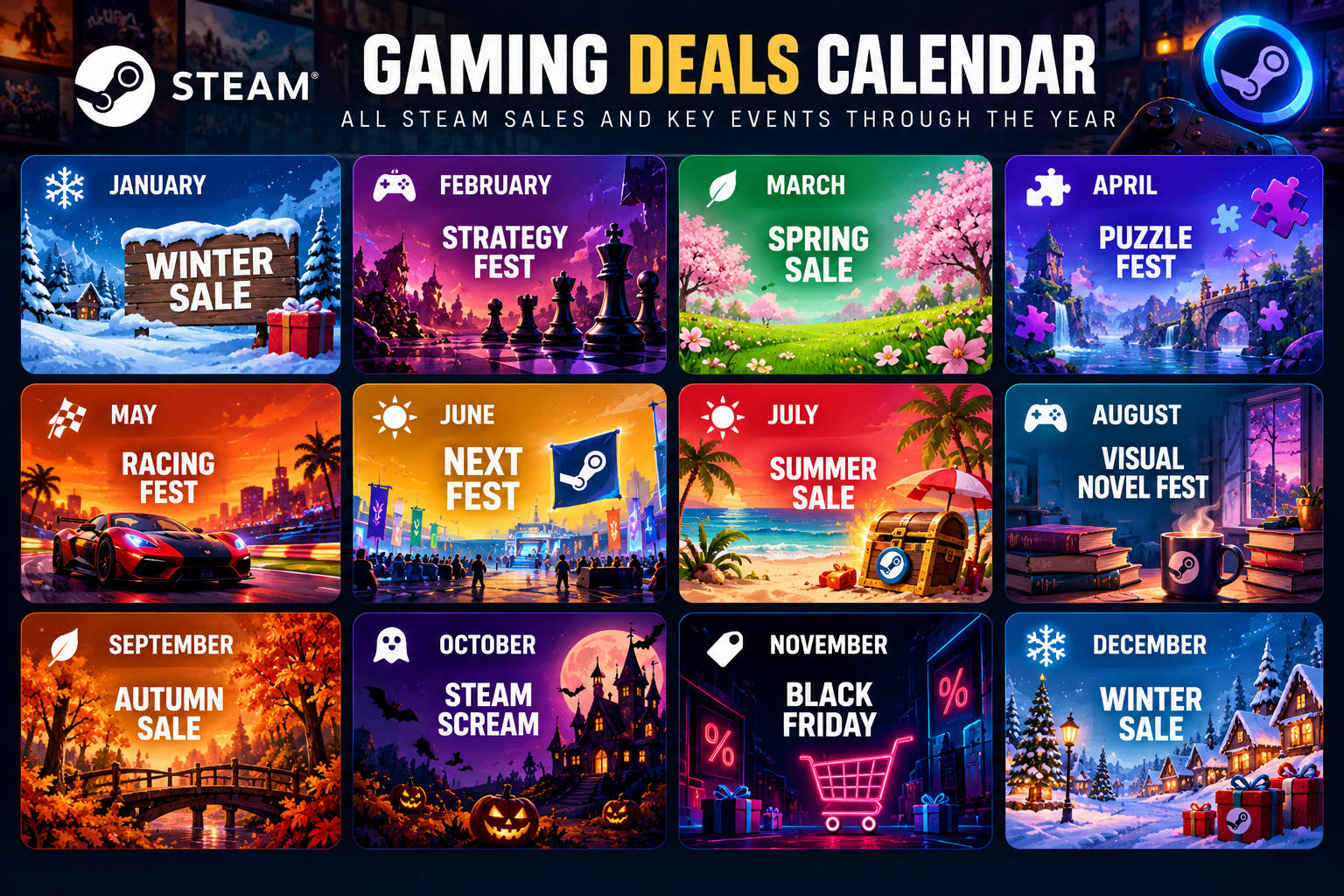
Buying a new game at full price can feel unnecessary when the same title might cost significantly less a few months later. The challenge is knowing when to wait, which sales deserve attention, and how to distinguish a genuine bargain from a discount that only looks impressive. Steam runs four major seasonal sales every year, while its calendar also features genre-specific events and promotions. According to Valve’s official schedule, the next major seasonal opportunity is the Steam Winter Sale, running December 17, 2026, through January 4, 2027. Smaller events, including the horror-focused Steam Scream V, run from October 26 to November 2, 2026. Steam’s official event calendar provides the dates in advance, making it easier to plan purchases instead of buying games impulsively. A useful best gaming deals calendar is not simply a list of sale dates. It is a buying strategy that helps you match your wishlist, budget, and preferred genres to the right promotions.
When Are the Best Times to Buy PC Games?
Steam’s biggest seasonal sales are predictable enough to plan around. However, a major event does not guarantee that every game will reach its lowest price. Publishers set their own discounts, and a smaller promotion can sometimes offer better value on a specific title.
| Period |
Sale or promotion |
What to look for |
| January-February |
Winter Sale carryover and themed events |
Older releases, indie games, and genre-specific offers |
| March |
Steam Spring Sale |
Wishlist titles, strategy games, and back-catalogue deals |
| June-July |
Steam Summer Sale |
Broad selection across genres and major publisher discounts |
| September-October |
Autumn Sale and Steam Scream |
Early autumn discounts and horror games |
| November |
Black Friday and publisher promotions |
PC hardware, game keys, and selected digital titles |
| December-early January |
Steam Winter Sale |
A wide range of games, bundles, and end-of-year purchases |
Dates for smaller events and third-party promotions can change each year. Check the official Steam events page before planning a purchase.
Steam Seasonal Sales: Which Ones Matter Most?
Steam Spring Sale
The Spring Sale is a practical opportunity to revisit games you skipped earlier in the year. It often includes independent releases, strategy titles, simulation games, and older blockbusters. It is also a good time to compare prices across your wishlist before the larger summer event.
Steam Summer Sale
The Summer Sale is one of Steam’s major annual shopping events, generally lasting around two weeks. Its broad catalogue makes it useful for building a collection across several genres, from role-playing games to multiplayer titles.
Rather than browsing every category, sort your wishlist by price and priority. Decide in advance how much you can spend and focus on games you genuinely expect to play.
Steam Autumn Sale and Steam Scream
The Autumn Sale offers another opportunity to pick up games before the end-of-year shopping period. Genre-focused events can be particularly useful if you know what you want. Steam Scream, for example, highlights horror and Halloween-themed games, making it a natural time to compare horror titles and atmospheric adventures.
Steam Winter Sale
The Winter Sale is a strong option for anyone planning purchases around the holidays. It runs across late December and early January, giving you time to compare offers and choose games for yourself or as gifts. It is worth checking bundles and older releases alongside new favourites rather than concentrating only on recent blockbusters.
Why Game Bundles Can Offer Better Value
A bundle groups several games, expansions, or related products into one purchase. Depending on the offer, buying the collection can cost less than purchasing each item separately.
Humble Bundle and Fanatical are examples of stores that regularly feature curated game bundles. Humble also offers its Choice membership, with a changing selection of games. Availability, pricing, redemption methods, and regional restrictions vary by offer, so read the terms before purchasing.
Bundles work best when you want several included titles. If a bundle costs ₹1,000 but you only intend to play one game worth ₹400, the apparent savings may not justify the expense. Check whether you receive Steam keys, whether they have regional restrictions, and whether the games are already in your library.
How to Tell Whether a Gaming Deal Is Genuine
A discount percentage tells only part of the story. A game marked down by 70% may still be more expensive than it has been during previous promotions.
Use a price-history tracker such as SteamDB to review previous prices and see how frequently a title goes on sale. Compare the final price across reputable authorised retailers, accounting for currency conversion, taxes, and any regional differences.
Before checking out, ask yourself three questions:
- Will I play it soon? A cheap game that sits untouched in your library is still money spent.
- Is this a good historical price? Compare the current offer with previous discounts.
- Does the bundle fit my needs? Avoid paying extra for titles you do not want.
Steam also supports wishlist notifications for games that go on sale. Add titles ahead of time so you can focus on meaningful discounts instead of browsing under pressure.
Build a Gaming Budget That Works
Start by dividing your budget into three categories: games you want immediately, games you will buy only at a target price, and games you are curious about but can skip. This keeps a big sale from turning into an expensive shopping spree.
For example, if your quarterly gaming budget is ₹3,000, reserve ₹1,500 for priority titles, ₹1,000 for a well-priced bundle, and ₹500 for an unexpected deal. These amounts are only an example; choose figures that suit your finances.
Keep a short wishlist with each game’s current price, target price, and reason for buying it. Review it before every major sale. If a title misses your target, waiting is often better than stretching your budget. Most games return to promotions eventually, although timing and discount levels vary.
Best Gaming Deals Calendar: Final Thoughts
Finding the best gaming deals calendar takes a little preparation, not constant searching. Keep your wishlist focused, watch the major seasonal sales, check reputable bundles, and compare price history before spending.
A well-planned calendar helps you buy games when the value makes sense for you not simply when a countdown or discount banner creates urgency. The goal is a better game library, fewer impulse purchases, and more money left for the games you truly want to play.
Best Gaming Deals Calendar: Frequently Asked Questions
1. When is the next major Steam sale in 2026?
Steam’s official schedule lists the Winter Sale from December 17, 2026, to January 4, 2027. Smaller themed events may take place before then.
2. Are Steam Summer and Winter sales better than smaller sales?
They feature broad catalogues and many discounts, but they are not automatically the cheapest option for every game. Compare individual price histories before deciding to wait.
3. Where can I find game bundles?
Check reputable stores such as Humble Bundle and Fanatical, alongside Steam’s own promotions. Review included titles, redemption terms, and regional restrictions before paying.
Also Read: Kovo Credit Builder Review: How Does It Work?

by parth@bidkinetic.com | Oct 26, 2026 | Games
A good game night does not need a competitive gaming setup, hours of practice, or a room full of experienced players. Sometimes, all it takes is a television, a few controllers, snacks, and a game that everyone can understand within minutes. In the United States, more than 205 million people played video games in 2025, according to the Entertainment Software Association (ESA). Its research also found that 82% of parents who play video games play with their children, showing how gaming has become a shared family activity rather than a hobby limited to individual players. The best family games for casual game nights are designed around accessibility, shared experiences, and plenty of memorable moments.
Whether you are planning a relaxed evening with your partner, bringing children and parents together, or inviting friends over for a weekend gathering, the right couch co-op game can turn an ordinary evening into something everyone looks forward to.
What Makes a Great Couch Co-op Game?
Couch co-op games let people play together on the same screen or device, often working towards a shared objective. Party games may introduce friendly competition, quick challenges, or unpredictable situations that keep everyone entertained.
For casual groups, the most important features are straightforward controls, short rounds, flexible difficulty, and support for the number of people playing. It also helps when experienced gamers can guide beginners without taking over the entire experience.
Here are some of the best options to consider for your next game night.
Best Games for Casual Game Nights
1. Mario Kart 8 Deluxe: Best for Friendly Competition
If your group enjoys racing, colourful tracks, and a little harmless rivalry, Mario Kart 8 Deluxe is an easy starting point. Players choose characters, race across imaginative courses, and use power-ups to change the outcome at any moment.
The game supports up to four players on a single Nintendo Switch or Switch 2 console in local multiplayer. Its simple controls make it approachable for younger players and adults who rarely play video games. Even someone who finishes last can enjoy the excitement of a close race.
Best for: Families, mixed-age groups, and competitive friends.
2. Overcooked! All You Can Eat: Best for Teamwork
Cooking together has never been quite this chaotic. In Overcooked! All You Can Eat, players prepare ingredients, cook dishes, and serve orders while navigating kitchens filled with moving platforms, unexpected obstacles, and tight deadlines.
The game supports up to four players locally and rewards communication more than individual skill. One person might chop vegetables while another cooks and a third serves food. When everyone starts shouting instructions at once, the resulting confusion is often part of the fun.
It also includes assist features that can make the experience more accessible to different skill levels.
Best for: Families with older children, groups of friends, and players who enjoy energetic teamwork.
3. Minecraft: Best for Creative Families
Not every game night needs a timer or a winner. Minecraft gives players a world where they can build houses, explore environments, gather resources, and create projects together.
A family might spend one evening building a shared home and the next constructing a village or exploring caves. Creative mode is particularly useful for beginners because it removes much of the pressure associated with survival challenges.
Multiplayer availability and player limits depend on the platform and game edition, so check compatibility before planning a session.
Best for: Creative players, families who prefer open-ended activities, and longer gaming sessions.
4. Super Mario Bros. Wonder: Best for a Shared Adventure
For families who enjoy platform games, Super Mario Bros. Wonder combines colourful environments, familiar characters, and surprising transformations. Players move through levels, collect items, and overcome obstacles together.
Its playful design makes exploration enjoyable even when someone is not particularly skilled at platform games. The changing level mechanics also keep the experience fresh rather than making every stage feel identical.
Best for: Families who want an adventure instead of a series of short competitive rounds.
5. LEGO Star Wars: The Skywalker Saga: Best for Story-Driven Fun
This action-adventure game brings the Star Wars universe to life through LEGO’s signature humour, collectable items, puzzles, and accessible combat. Players can explore familiar locations and progress through stories together.
It is a particularly good choice for households where some players enjoy the films while others simply like exploring, solving puzzles, and discovering hidden rewards.
Best for: Parents and children, Star Wars fans, and duos who enjoy adventure games.
6. Stardew Valley: Best for a Relaxed Evening
For a quieter alternative, Stardew Valley offers farming, fishing, crafting, mining, and community-building. Players can divide responsibilities, improve their farm, and gradually build a shared virtual life.
Its slower pace makes it a welcome change from racing games and time-sensitive challenges. However, local multiplayer support and player counts vary by platform, so confirm the version before purchasing.
Best for: Couples, older children, and groups who prefer relaxed, ongoing projects.
Quick Comparison: Which Game Should You Choose?

| Game |
Best experience |
Players together |
Energy level |
| Mario Kart 8 Deluxe |
Racing and rivalry |
Up to 4 locally |
High |
| Overcooked! All You Can Eat |
Fast-paced teamwork |
Up to 4 locally |
Very high |
| Minecraft |
Building and exploration |
Platform-dependent |
Flexible |
| Super Mario Bros. Wonder |
Cooperative adventure |
Up to 4 locally |
Medium |
| LEGO Star Wars: The Skywalker Saga |
Story and exploration |
2 locally |
Medium |
| Stardew Valley |
Farming and creativity |
Platform-dependent |
Low |
Player counts and multiplayer modes can differ by platform, edition, and game settings. Check the official store listing before buying.
How to Plan a Game Night Everyone Enjoys
The game itself is only one part of a successful evening. A few simple decisions can make the experience more enjoyable for the entire group.
- Match the game to the group. Choose racing or party games for larger gatherings and story-driven adventures for smaller groups.
- Check the equipment. Confirm the number of controllers, supported players, console compatibility, and whether additional accessories are required.
- Keep rounds short. Begin with games that offer quick matches so people can switch turns without waiting too long.
- Make room for beginners. Explain the controls, use easier settings where available, and avoid turning every mistake into a competition.
- Check age ratings. Review the game’s content rating and parental controls before inviting younger players to join.
The best family games for casual game nights are not necessarily the most technically advanced titles. They are the ones that let everyone participate, laugh at mistakes, and feel involved regardless of their gaming experience.
Final Thoughts
A memorable game night is less about winning and more about sharing the experience. Start with an accessible favourite such as Mario Kart 8 Deluxe, introduce a teamwork challenge with Overcooked! All You Can Eat, or settle into a creative world with Minecraft or Stardew Valley.
With the right mix of games, family games for casual game nights can bring different generations together, create friendly competition, and turn an ordinary evening at home into a tradition worth repeating.
Frequently Asked Questions
1. What is the best couch co-op game for families?
Mario Kart 8 Deluxe is an excellent choice for quick, accessible competition, while Overcooked! All You Can Eat is ideal for groups that enjoy working together. The right option depends on the players’ ages, interests, and preferred difficulty.
2. What is the difference between couch co-op and online multiplayer?
Couch co-op generally means playing together locally on the same console or screen. Online multiplayer connects players over the internet, often from different locations. Some games offer both modes, but features vary by title.
3. Can non-gamers enjoy couch co-op games?
Absolutely. Racing games, simple party games, and creative sandbox experiences are often good starting points because players can learn through short rounds or experimentation. Choose a game with straightforward controls and adjustable difficulty.
Also Read: Kovo Credit Builder Review: How Does It Work?
