by parth@bidkinetic.com | Sep 11, 2026 | LifeStyle
Finding the right vehicle for a delivery can become surprisingly complicated when a shipment is too large for a regular courier but too small to justify arranging a dedicated logistics company. This Qmove review is worth looking at from this angle because Qmove is built as a digital logistics and on-demand transportation platform, connecting customers with drivers and vehicles for deliveries, moving and freight transportation.
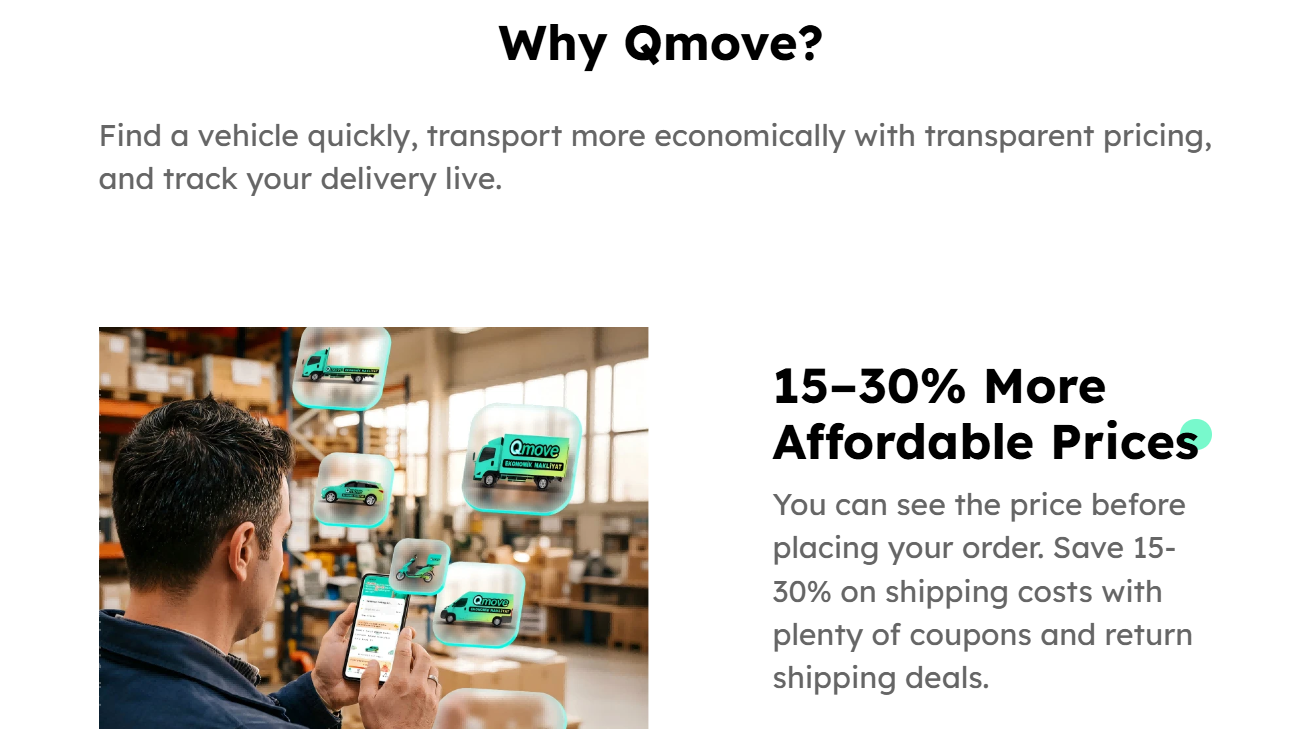
The platform currently covers a broad range of requirements, from small parcels and urgent local deliveries to furniture moving, business shipments and intercity cargo. Qmove offers vehicle matching, estimated pricing before booking and real-time tracking, while the company says its service is available 24/7 in supported markets and that optimized matching and return-load opportunities can potentially reduce transportation costs by 15%-30%.
How Qmove Works for On-Demand Transportation
The basic idea behind Qmove is straightforward: instead of finding a suitable driver independently, customers enter their transportation requirement and allow the platform to match it with an appropriate vehicle.
Choosing the Right Vehicle
Vehicle availability depends on the market, but Qmove supports different categories ranging from motorcycles and cars to vans, pickups and larger commercial trucks. This makes the platform useful for everything from small packages to furniture and heavier commercial loads.
Upfront Estimates and Tracking
Before confirming an order, customers can view an estimated transportation cost. Once the booking is accepted, real-time tracking provides visibility into the driver’s movement and shipment status, reducing some of the uncertainty normally associated with arranging local transportation.
Qmove for Deliveries and Small Shipments

Source: Qmove
Qmove is not limited to large trucks. Smaller delivery requirements are also part of its model, which makes the platform more flexible than a service designed exclusively around freight.
For businesses, this can be particularly useful when deliveries vary from day to day. A retailer may need a smaller vehicle for individual customer orders on one day and a larger vehicle for moving inventory on another.
Local and Urgent Deliveries
Qmove supports local delivery requirements and promotes on-demand transportation, allowing users to arrange a vehicle when it is needed rather than maintaining their own delivery fleet. The platform also lists options such as Economy and Express services in some markets.
Business Deliveries
Retailers, wholesalers, logistics companies and SMEs are among the business users Qmove targets. The platform can be used for store replenishment, customer deliveries and other commercial transportation requirements.
Using Qmove for Home Moving and Large Items
This is where Qmove becomes more interesting than a standard parcel-delivery app. Moving furniture, appliances or multiple household items requires a vehicle with sufficient cargo capacity, and finding one at short notice is often the difficult part.
Qmove’s vehicle-based model allows users to select transportation appropriate to the size of the load. Depending on the market, larger vans, pickups and commercial trucks are available alongside smaller vehicles.
Furniture and Bulky-Item Transportation
Large items such as furniture and appliances can be transported without trying to fit them into a conventional courier vehicle. The practical advantage is the ability to arrange transportation around the size and nature of the shipment.
Relocation Requirements
For people moving homes, Qmove can handle transportation as part of the relocation process. However, users should check exactly what the quoted service includes, particularly if loading, unloading, additional stops or helpers are required.
Qmove for Freight and Intercity Transportation
Source: Qmove
Qmove also operates beyond short-distance deliveries. Its intercity transportation services are aimed at customers and businesses that need goods moved between cities.
The availability of specific vehicles and services varies by market, but Qmove’s international platform includes substantially larger commercial vehicle categories for heavier transportation requirements.
Return-Load Model
One of the more interesting parts of the Qmove model is its focus on return trips. Instead of a vehicle completing a delivery and returning empty, Qmove attempts to match it with another shipment travelling in a suitable direction.
The company says this approach can improve vehicle utilization and contribute to transportation savings. Its advertised 15%-30% potential savings should nevertheless be viewed as a platform claim rather than a guaranteed reduction on every route.
Qmove Review: What the Latest User Feedback Says
This Qmove review also looks beyond the company’s feature descriptions. The current US App Store listing shows a 4.8/5 rating from 26 ratings, with positive feedback mentioning quick responses, straightforward navigation and timely deliveries.
There are also less positive reports across third-party app feedback, including complaints about cancellations, delays, additional driver charges and differences between the expected and actual experience. These are individual reports, so they should not be treated as representative of every booking, but they highlight an important limitation of an on-demand driver marketplace: service consistency can vary by location and driver.
| Area |
Qmove in 2026 |
| Primary service |
On-demand logistics and transportation |
| Delivery types |
Parcels, business shipments and local deliveries |
| Moving |
Home moving and large-item transportation |
| Freight |
Commercial and intercity transportation |
| Vehicle options |
Motorcycles, cars, vans, pickups and trucks |
| Pricing |
Estimated cost before booking in supported services |
| Tracking |
Real-time shipment tracking |
| Business use |
Retailers, wholesalers, SMEs and logistics companies |
| Recent features |
Trusted Vehicle, Favorite Driver, shared transport and voice messaging |
New Features Are Making Qmove More Practical
Qmove’s recent updates suggest that the platform is trying to solve some of the practical problems that appear after the first booking.
The Favorite Driver feature allows repeat customers to save preferred drivers, while Trusted Vehicle gives users an additional way to identify preferred transportation options in supported markets. These features are particularly relevant for businesses that arrange deliveries regularly.
Qmove has also introduced pricing based on the amount of cargo space occupied for shared transportation in supported markets. For smaller shipments, this could be more economical than paying for an entire vehicle.
Qmove Review: Is Qmove Worth Using for Logistics?
The main strength of Qmove is that the platform covers several transportation needs without requiring customers to maintain their own network of drivers. Small deliveries, furniture movement, business shipments and larger freight can all fall within the same ecosystem.
For individual users, Qmove makes the most sense when a normal courier is not sufficient, particularly for bulky items or moving requirements. For businesses, the ability to access different vehicle sizes on demand could reduce the need for maintaining a dedicated delivery fleet.
The main caveat is that Qmove’s experience depends partly on local driver availability and service quality. Pricing should also be checked carefully when additional requirements are involved. Overall, though, Qmove has a clear proposition: use a digital platform to find, book and track transportation instead of arranging logistics manually.
Qmove Review: FAQs
1. Can Qmove be used for home relocation?
Yes. Home moving and transportation of large household items are among Qmove’s supported use cases.
2. Does Qmove offer shipment tracking?
Yes. Qmove provides real-time tracking for supported deliveries, allowing customers to monitor the shipment after booking.
3. Does Qmove guarantee cheaper transportation?
No. Qmove says its matching and return-load model can provide savings of 15%-30% in applicable situations, but the actual price depends on factors such as route, vehicle, cargo and local availability.
Also Read: Last-Minute Travel Deals: How to Book a Trip This Week Without Overpaying

by parth@bidkinetic.com | Sep 11, 2026 | Travel
Finding a good holiday deal is easy. Finding one where the flight, hotel, board option, cancellation terms and final price all make sense is much harder. That is where the Weg review becomes interesting. The German travel platform weg.de has been operating since 2005 and is now part of the lastminute.com Group. Its current offering covers package holidays, flights, hotels, flight + hotel combinations, all-inclusive stays, city breaks, cruises and car rentals. The platform has more than 20 years of experience in the German travel market and currently works with more than 100 tour operator brands.
A closer look at the current website shows that weg.de is particularly strong when the goal is to book a complete holiday rather than build every part of a trip separately. Package holidays remain at the centre of the platform, with destinations such as Turkey, Mallorca, Egypt, Madeira, the Dominican Republic and the Maldives prominently featured. The site also highlights a low-price guarantee for package and last-minute holidays, flexible cancellation or rebooking options on selected offers, and flight + hotel combinations for travellers who want more control.
What Makes weg.de Different?
The first impression is that weg.de is designed around holidays rather than individual travel components. Flights and hotels are available separately, but package travel gets considerably more attention across the homepage.
Strong Focus on Package Holidays
This is where weg.de makes the most sense. Instead of comparing a flight on one website and then searching for a hotel elsewhere, users can compare complete packages with the flight and accommodation bundled together.
The current website also highlights all-inclusive holidays, half-board options and flexible booking choices. For families and travellers who prefer to know most of their holiday cost upfront, this approach can be more convenient than assembling a trip piece by piece.
More Than Just Beach Holidays
The platform also covers short breaks and city trips. Flight + hotel combinations can be created for travellers who do not want a traditional package holiday but still want the convenience of booking accommodation and flights through one platform.
Testing the Booking Experience
The current website is relatively straightforward to navigate. The main search options are clearly separated into Pauschalreisen, Flug + Hotel, and Hotels and Flüge(flights), so the booking route depends on what type of trip is being planned.
The package-holiday search is particularly useful for comparing complete offers because the important elements are presented together. However, the sheer number of tour operator offers can also make comparisons less simple than the clean homepage suggests. Checking what is actually included in each package remains important.
| Area |
weg.de in 2026 |
| Established |
Founded in 2005 |
| Parent company |
lastminute.com Group since 2017 |
| Main strength |
Package and all-inclusive holidays |
| Other bookings |
Flights, hotels, flight + hotel, cruises, car rentals |
| Tour operators |
100+ brands |
| Flexible options |
Available on selected offers |
| Price feature |
Low-price guarantee on package and last-minute trips |
| App |
Flight, hotel and package booking with booking management |
Where weg.de Offers the Most Value

Source: weg.de
A major strength of Weg is the range of package options. Travellers who are flexible with destination or dates can browse deals rather than starting with one specific hotel and trying to build the rest of the trip around it.
The current site prominently promotes one-week package examples with flights and board options included. That makes price comparison easier for travellers who care about the total holiday cost, rather than simply looking for the cheapest flight.
Families and All-Inclusive Travellers
This is probably the clearest target audience. All-inclusive packages can combine accommodation, flights and meals into one booking, reducing the amount of planning required.
The platform currently promotes all-inclusive properties in destinations such as Turkey, Egypt and the Dominican Republic, alongside family-oriented hotel offers.
Flexible Holiday Planners
Selected weg.de offers include cancellation or rebooking options. These can be valuable when travel plans are not completely fixed, although the conditions need to be checked for each individual booking rather than assumed to apply across the site.
What About the weg.de App?
The app extends the booking experience beyond the website.
- The Google Play listing, as of September 2026, says users can manage flight and hotel bookings, access booking information, receive real-time updates and keep travel details in one place.
- It also allows searches to be saved and unfinished bookings to be continued.
The weakness is the gap between the platform’s attractive booking experience and some reported post-booking experiences.
- The current Google Play listing has a 2.0-star rating from 1,330 reviews, with some recent users complaining about slow responses to support requests and difficulty resolving hotel or flight-change issues.
That is worth considering before booking an expensive or complicated trip. The booking interface may be convenient, but customer support becomes much more important when an airline changes a flight or a hotel reservation needs to be modified.
What Customers Say About weg.de
The wider customer picture is mixed rather than uniformly negative.
- Trustpilot currently shows a 3.8/5 TrustScore from 2,501 reviews.
- Some customers praise the selection, booking process and prices, while others report difficulties contacting support or resolving changes after booking.
This is probably the biggest consideration in this Weg review.
- For a straightforward package holiday where everything goes according to plan, the platform can offer good convenience and a wide selection.
- More complicated bookings may require greater patience if something changes after payment.
That does not make weg.de unusable.
- It simply means the cheapest package should not automatically win.
- Cancellation conditions, board type, baggage, transfer arrangements and the identity of the actual tour operator should all be checked before confirming.
Weg Review: Is weg.de Worth Using in 2026?
The answer depends heavily on the type of holiday being booked. This Weg review comes out strongest for travellers looking for package holidays, all-inclusive resorts and bundled flight + hotel deals. The platform has a substantial inventory, more than 20 years in the German market and access to over 100 tour operator brands.
For travellers who prefer complete control over every part of a trip, a specialist flight or hotel comparison platform may provide more flexibility. And if customer support is a major priority, the mixed recent feedback deserves attention.
Overall, weg.de remains a useful option for German travellers who want to compare complete holiday packages rather than assemble everything themselves. Its biggest advantage is the breadth of holiday inventory. Its biggest weakness is that the booking experience and the support experience can feel like two different things.
Weg Review: FAQs
1. Is weg.de good for all-inclusive holidays?
Yes. All-inclusive and package holidays are among the platform’s main strengths, with numerous resort-based offers in destinations including Turkey, Egypt, Mallorca and the Dominican Republic.
2. Does weg.de offer a price guarantee?
The website currently advertises a low-price guarantee for package and last-minute holidays. The exact conditions should be checked before booking.
3. Does weg.de have a mobile app?
Yes. The weg.de app supports flight, hotel and holiday bookings, booking management, travel information and real-time updates.
Also Read: Last-Minute Travel Deals: How to Book a Trip This Week Without Overpaying
by parth@bidkinetic.com | Sep 10, 2026 | Tech
Choosing a VPN in 2026 is less about finding one that can simply hide an IP address and more about finding one that does not make the internet noticeably worse while doing it. In a controlled comparison using a 900 Mbps baseline connection, recent testing recorded NordVPN at 899 Mbps locally, Surfshark at 895 Mbps and ExpressVPN at 724 Mbps. On a US connection, the figures were 794 Mbps, 780 Mbps and 469 Mbps, respectively. Across local and international tests, NordVPN retained about 87% of the baseline speed, compared with 74% for Surfshark and 54% for ExpressVPN. That does not automatically make NordVPN the best VPN for everyone. Privacy architecture, leak protection, device limits, usability and subscription cost change the equation. This ExpressVPN vs NordVPN vs Surfshark comparison looks at how the three actually stack up when speed and privacy are treated as separate tests rather than one big feature checklist.
Speed Test: NordVPN Takes the Lead
The speed difference became much easier to understand when the testing moved away from nearby servers.
- On the US server, NordVPN reached 794 Mbps download, Surfshark 780 Mbps and ExpressVPN 469 Mbps.
- The UK results were similarly close at the top, with NordVPN reaching 860 Mbps, Surfshark 848 Mbps and ExpressVPN 575 Mbps.
- On the Japan server, NordVPN recorded 619 Mbps, Surfshark 574 Mbps and ExpressVPN 301 Mbps.
ExpressVPN remained stable rather than unusable, but its Lightway protocol could not match the sustained download performance of NordLynx and WireGuard in this test.
There is an important caveat: VPN speed varies with the user’s ISP, physical location, server congestion and time of day. A single test is therefore not a universal speed guarantee. However, the consistency across several locations gives NordVPN a meaningful advantage in this particular comparison.
What the Privacy Test Reveals
Speed is only half the job. All three services use modern encryption, kill switches and independently assessed privacy practices. The more interesting difference is how much evidence exists behind their no-logs claims.
NordVPN
Source: NordVPN
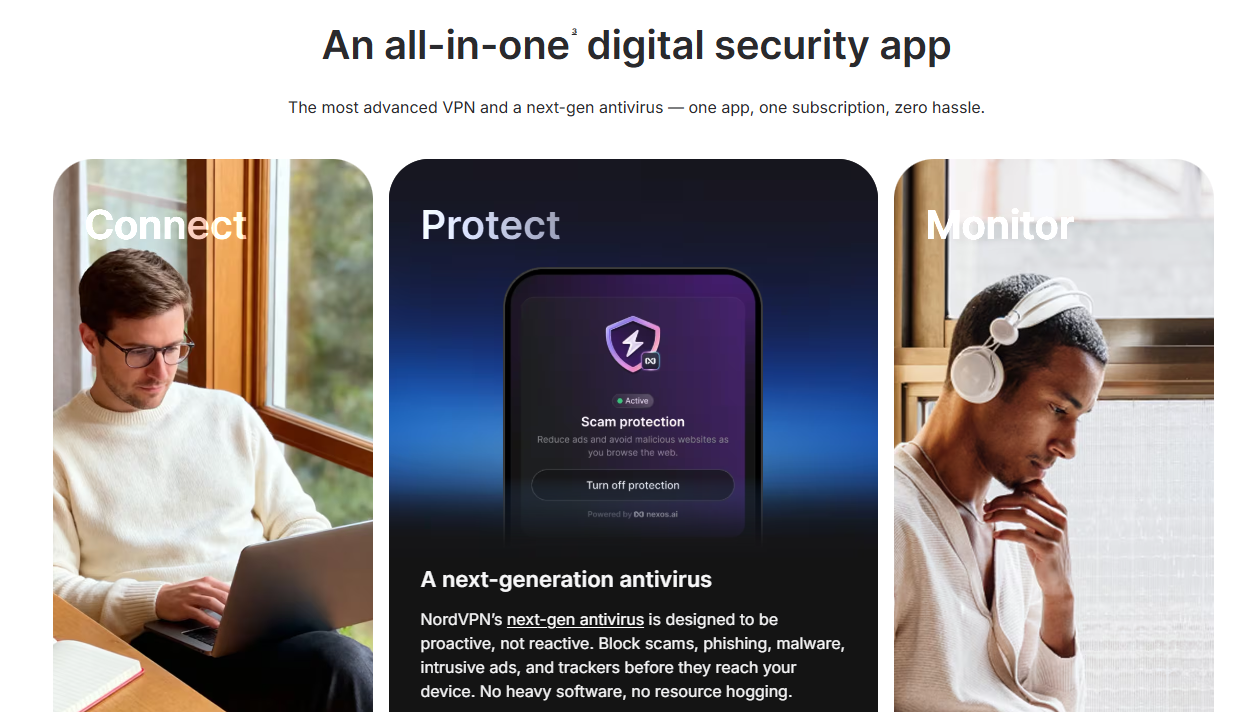
NordVPN has undergone six independent examinations of its no-logs policy, with Deloitte conducting the later reviews, including the sixth in 2025. Its servers are also RAM-only, meaning data is not retained on conventional hard drives.
Source: ExpressVPN
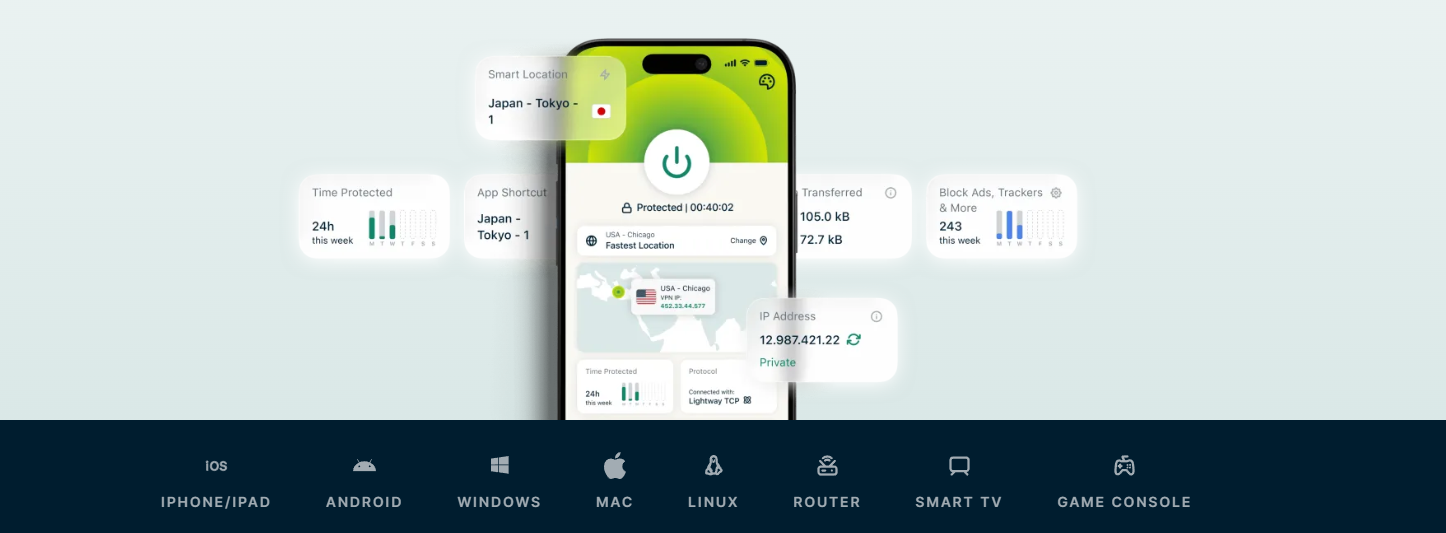
ExpressVPN’s privacy record is similarly strong. Its current documentation lists a third KPMG no-logs audit from 2025, multiple Lightway security assessments and audits of its TrustedServer architecture. ExpressVPN says it does not collect browsing history, traffic destinations, DNS queries or assigned session IP addresses.
Surfshark
Source: Surfshark
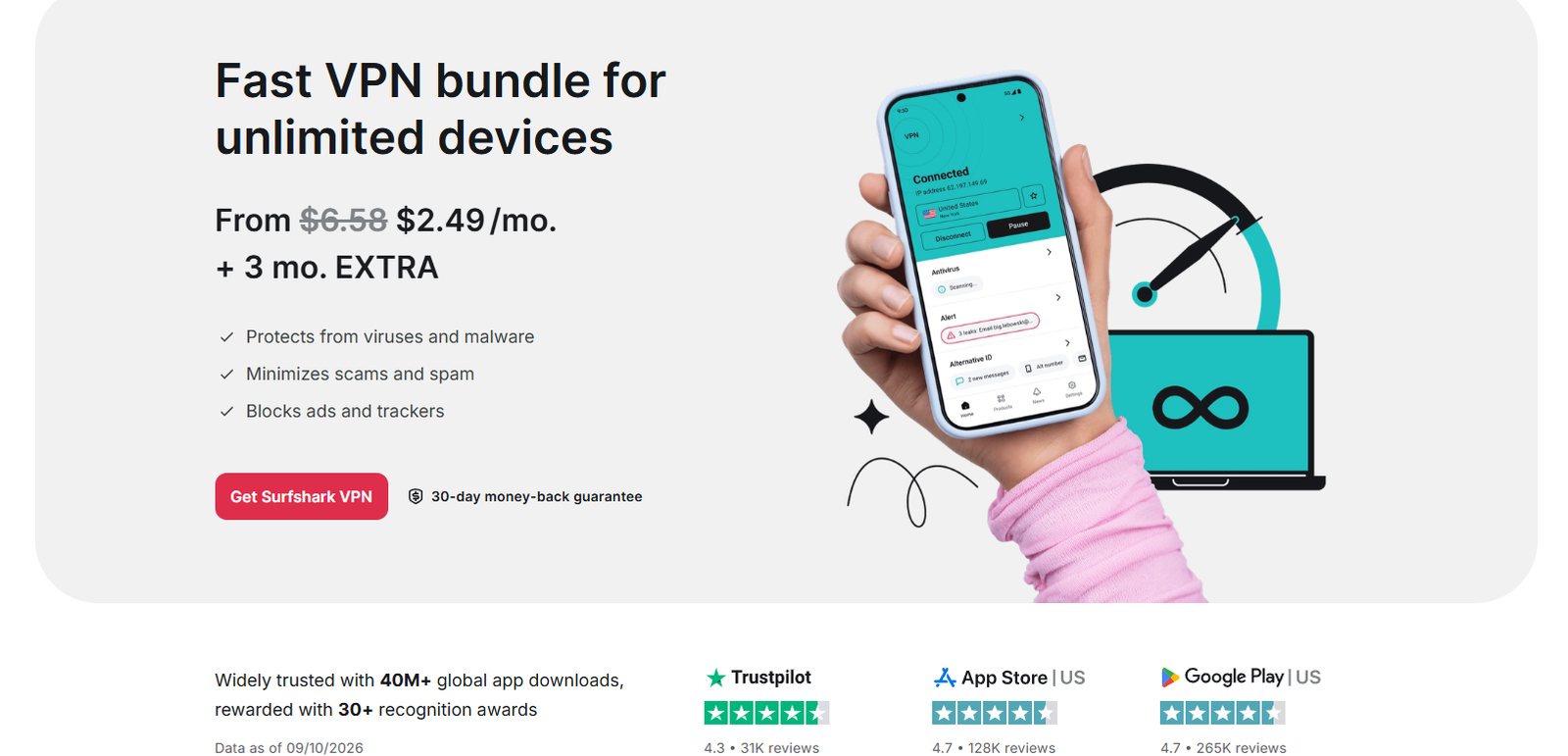
Surfshark has also strengthened its privacy credentials. Deloitte verified its no-logs policy in both 2023 and 2025, while later infrastructure assessments examined its security and found no critical vulnerabilities. Surfshark operates RAM-only servers and says it does not store activity or IP-address logs.
So the ExpressVPN vs NordVPN vs Surfshark privacy comparison is surprisingly close. NordVPN has the longest documented audit trail of the three, ExpressVPN has an established privacy architecture around TrustedServer and Lightway, while Surfshark combines audited no-logs practices with RAM-only infrastructure and a broader set of privacy tools.
Features: Different Priorities, Different Winners
Using each service in normal browsing and streaming workflows highlights a difference that raw speed numbers miss.
NordVPN
NordVPN has the deepest security toolbox. Threat protection, Double VPN, Onion Over VPN, obfuscated servers and dedicated-IP options make it particularly flexible. It also supports 10 simultaneous devices.
Surfshark
Surfshark takes the opposite approach on device coverage. Every plan supports unlimited simultaneous devices, which is difficult to ignore for households with phones, laptops, tablets, televisions and other connected hardware. Its CleanWeb blocking, MultiHop and NoBorders tools add useful functionality without requiring a higher device allowance.
ExpressVPN
ExpressVPN feels more streamlined. Lightway is its proprietary protocol, while Network Lock acts as the kill switch on supported desktop platforms. It has fewer advanced privacy tools than NordVPN and Surfshark, but that can actually make the service easier for someone who wants to connect and get on with browsing.
| Category |
ExpressVPN |
NordVPN |
Surfshark |
| Best tested download speed |
724 Mbps |
899 Mbps |
895 Mbps |
| US download |
469 Mbps |
794 Mbps |
780 Mbps |
| UK download |
575 Mbps |
860 Mbps |
848 Mbps |
| Japan download |
301 Mbps |
619 Mbps |
574 Mbps |
| Main protocol |
Lightway |
NordLynx |
WireGuard |
| Simultaneous devices |
8 |
10 |
Unlimited |
| No-logs verification |
Strong |
Extensive |
Strong |
| RAM-only infrastructure |
Yes |
Yes |
Yes |
| Best suited to |
Simplicity |
Speed + features |
Value + many devices |
Pricing Changes the Value Calculation
This is where Surfshark gains ground. Its current Starter plan is advertised at $2.49/month on its long-term introductory offer and covers unlimited devices. NordVPN’s current Basic pricing starts at $3.49/month under its promotional 27-month offer, with 10 devices.
ExpressVPN generally sits at a higher price point, although current promotional pricing varies by plan and subscription length. The extra cost is easier to justify for users who value its simpler interface and mature privacy architecture, but harder to justify purely on speed.
This makes the ExpressVPN vs NordVPN vs Surfshark decision less straightforward than picking the fastest service. NordVPN wins the performance contest, while Surfshark offers the strongest hardware-per-dollar proposition.
Which VPN Should You Choose?
For raw performance, NordVPN is the winner. Its NordLynx connection produced the fastest results across the tested locations, and its privacy credentials are backed by a long sequence of independent assessments. It is the strongest all-round option if speed, streaming and advanced security tools matter equally.
Surfshark is the smarter choice for families or people running many devices. Unlimited simultaneous connections can make the lower subscription price significantly more valuable than it initially appears.
ExpressVPN remains the cleanest choice for users who prioritise a polished, uncomplicated experience. Its speed was behind the other two in the cited 2026 test, but its connections remained stable and its privacy architecture remains well documented.
Ultimately, the ExpressVPN vs NordVPN vs Surfshark contest has three different winners depending on the priority: NordVPN for performance, Surfshark for value and device coverage, and ExpressVPN for simplicity and a mature privacy-focused design.
FAQs
- Which is fastest in 2026, ExpressVPN, NordVPN or Surfshark?
NordVPN was fastest in the cited 2026 comparison, retaining about 87% of the baseline connection speed. Surfshark retained 74%, while ExpressVPN retained 54%.
- Which VPN is best for privacy?
All three have strong privacy credentials and independent assessments. NordVPN has the longest documented sequence of no-logs examinations, while ExpressVPN and Surfshark also have recent third-party verification.
- Which one is best for a family?
Surfshark is the obvious choice if the household has many devices because its unlimited-device policy removes the connection limit that applies to NordVPN and ExpressVPN.
Also Read: Krisp Review: Does AI Noise Cancellation Actually Work on Calls?
by parth@bidkinetic.com | Sep 10, 2026 | Tech
Deleting the wrong folder is one thing. Realising that a formatted drive contained the only copy of important photos, documents or project files is another. Data recovery software has to do more than find filenames in a scan. It needs to reconstruct usable files, preserve folder structures where possible and, ideally, tell the difference between something genuinely recoverable and a useless fragment. This EaseUS data recovery review puts those practical questions under the microscope.
Current testing shows why EaseUS remains popular: it can recover recently deleted files extremely well, handles formatted HDDs and USB drives effectively, and offers a free version that can recover up to 2GB. However, SSD recovery is much less predictable, particularly after formatting.
The Recovery Test: Where EaseUS Impresses
The first thing noticeable during a recovery workflow is how little technical knowledge is required. The interface essentially follows three stages: select the storage location, scan it, then preview and recover the files. Quick Scan handles straightforward deletions, while Deep Scan digs further when the original file structure is no longer readily available. Files can be filtered by type, size and other attributes before recovery.
That simplicity does not come at the expense of recovery depth.
- In one controlled test using an SSD, EaseUS recovered all deliberately deleted test files with their original filenames.
- A separate HDD test involving a quick format also produced a complete recovery, with filenames and nested folders largely intact.
- USB flash-drive testing produced similarly strong results, although some folder names were partially altered.
That distinction matters. Recovering 500 files is not particularly useful if every file has been renamed and the original folder structure has disappeared. EaseUS performs especially well when the filesystem information is still available.
Deleted Files vs Formatted Drives
Source: EaseUS
A simple deletion is the scenario in which data recovery software has the best chance of succeeding. When a file is deleted, the operating system generally marks the occupied space as available rather than immediately destroying every underlying data block. As long as new data has not overwritten those blocks, recovery can often reconstruct the file.
The results become more complicated after formatting. Tests on HDDs have shown EaseUS recovering files successfully after a quick format, including photos, videos and documents. One independent test recovered 1,114 files totalling 23.26GB from a 16GB USB drive after deleted-data testing, although some recovered material consisted of older remnants that had previously occupied the drive.
| Test situation |
Observed result |
What it means |
| Recently deleted files |
Excellent |
Best-case recovery scenario |
| HDD quick format |
Very strong |
Many files can remain recoverable |
| USB drive deletion |
Strong |
Good results, but filenames may change |
| Formatted SSD |
Unpredictable |
TRIM can make recovery difficult |
| Damaged filesystem |
Variable |
Deep scanning may find fragments |
| Overwritten data |
Poor/usually impossible |
Recovery cannot recreate overwritten data |
The SSD Problem Changes the Verdict
This is where exaggerated recovery claims fall apart. SSDs behave differently from traditional hard drives because of technologies such as TRIM. Once deleted blocks are cleaned up, software may have little or nothing left to reconstruct.
An independent 2025 test demonstrated this clearly. After copying files to an SSD and performing a quick format, EaseUS found only a system file and none of the personal files. Yet when the files were simply deleted without the same formatting scenario, the software recovered the complete set. The same testing showed much stronger performance on HDDs and USB drives.
That is not necessarily an EaseUS-specific failure. It is a fundamental limitation of modern storage. The practical lesson is more important than any recovery-rate headline: stop using the affected drive immediately. Every new download, installation or copied file can overwrite the space containing the missing data.
What Else Does EaseUS Bring to the Table?
The preview function is particularly useful.
- Instead of recovering a huge collection of questionable results and discovering later that half are unusable, the software lets users inspect supported files before committing to recovery.
- That saves considerable time when a deep scan returns thousands of results.
Another practical advantage is that scanning does not mean immediately paying.
- The free version can scan and show recoverable files, with up to 2GB of recovery available without upgrading.
- That makes it possible to establish whether the software can actually see the missing data before spending money.
Pricing: Reasonable If the Data Is Valuable
Source: EaseUS
EaseUS Data Recovery Wizard Pro currently starts at $69.95 for a one-month licence, while the one-year option costs $99.95 and lifetime upgrades cost $149.95. The Windows version is cheaper than the Mac version on the current store, where the Mac Professional edition is listed at $89.95.
That pricing is difficult to judge without considering the situation. Paying $69.95 to recover irreplaceable family photographs or an important work folder can be easy to justify. Paying the same amount to retrieve replaceable downloads is another matter.
The lifetime licence is the more interesting option for technicians or users who regularly work with removable drives. For a one-off emergency, however, the monthly licence makes more sense.
What Could Be Better?
The biggest weakness is that successful scanning can create a false sense of security.
- Seeing a filename in the results does not guarantee that the file will open correctly.
- Deep scans can also produce duplicate entries, fragments and files with missing or altered names.
The software cannot overcome physical drive failure either.
- A clicking HDD, electrically damaged SSD, or severely damaged storage device may require professional recovery equipment rather than consumer software.
- EaseUS itself offers professional recovery services for more serious cases.
There is also the issue of SSD recovery.
- Anyone buying the software specifically because a formatted SSD contains lost files should use the free scan first.
- The test evidence shows that SSD results can be dramatically worse than HDD results.
Final Verdict
The EaseUS data recovery review verdict is more nuanced than “yes, it brings files back.” It can genuinely recover deleted and formatted data, and the strongest results come from HDDs, USB drives and recently deleted files. The interface is approachable enough for someone who has never used recovery software, while the deeper scanning and repair tools give more experienced users additional options.
The software is not magic, though. SSDs, TRIM, overwritten sectors, severe filesystem corruption and physical hardware damage can all change the outcome. The most sensible approach is to run the free scan first, preview the files, and only then decide whether the recovery is worth paying for.
For ordinary accidental deletion, EaseUS is one of the more convincing recovery tools available in 2026. For a physically failing drive or data that has already been overwritten, expectations should be much lower.
FAQs
- How much data can EaseUS recover for free?
The current free version allows up to 2GB of recovery and lets users scan, filter and preview results before upgrading.
- Is EaseUS safe to use?
The software is designed to scan storage and recover files rather than modify the original data. The safest approach is to install it on a different drive from the one containing the lost files and recover the results to another storage location.
- What should be done immediately after deleting important files?
Stop using the affected drive. Avoid installing software, downloading files or copying new data onto it, because those actions can overwrite the deleted data and reduce the chances of recovery.
Also Read: NordVPN Review 2026: Features, Speed, and Real-World Testing
by parth@bidkinetic.com | Sep 9, 2026 | Tech
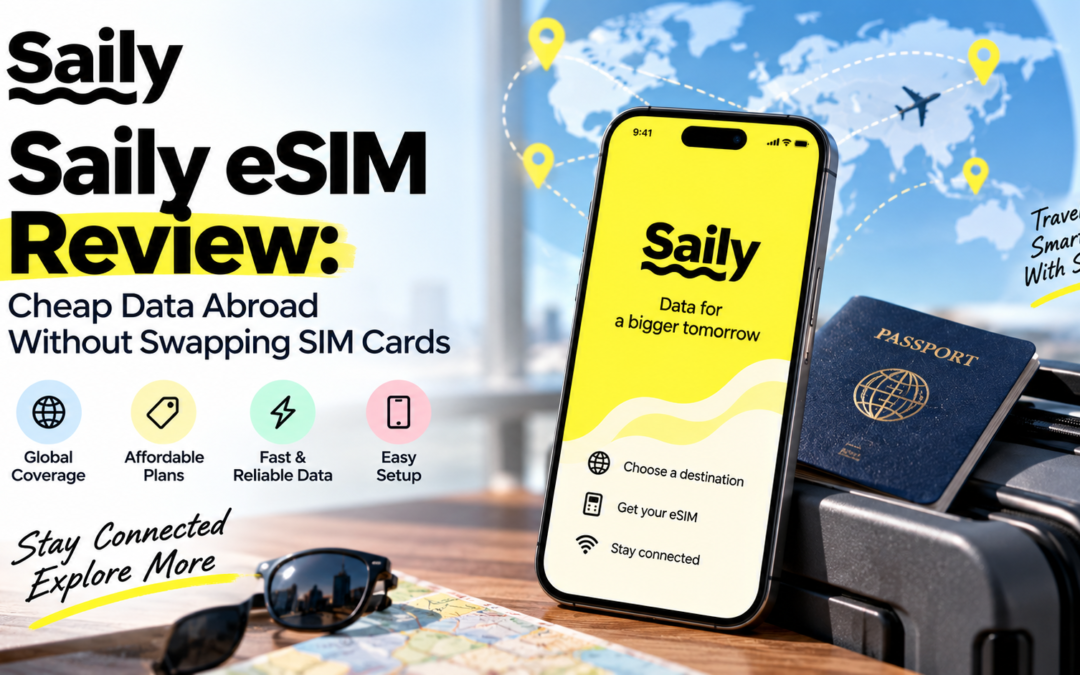
Landing in another country and discovering that the phone has no usable data is still one of the most frustrating parts of international travel. Local SIM cards mean finding a store, dealing with registration, physically swapping cards and keeping track of the original SIM. This Saily eSIM review looks at whether Saily actually removes those hassles without replacing them with a different set of problems.
Saily currently offers prepaid data plans in more than 200 destinations, with country plans starting from around $1.99 in some markets and global options ranging from 1GB for 7 days at $8.99 to 50GB for 365 days at $129.99. It supports 3G, 4G, LTE and 5G depending on the local network, allows hotspot sharing, and can be installed before leaving home.
Setting Up Saily Is the Part That Gets Most Things Right
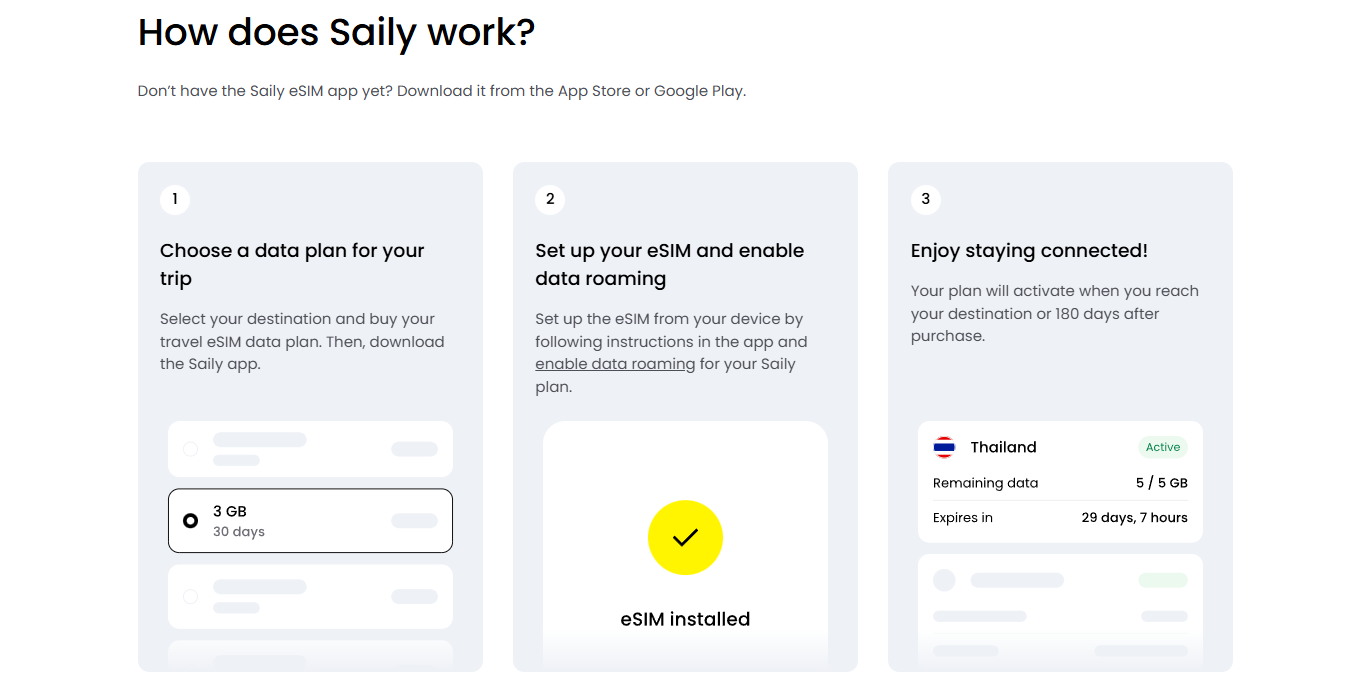
The biggest advantage becomes obvious before the trip even starts. The Saily app handles the eSIM installation, so there is no physical card to remove and no need to hunt for a telecom shop after landing. A plan can be purchased and installed in advance, with the service activating when the traveller reaches the destination, provided the Saily eSIM is enabled and data roaming is turned on.
There is one small catch worth knowing before boarding the plane: the initial installation needs an internet connection. That means installing the eSIM while connected to reliable Wi-Fi is much smarter than waiting until the airport. Once installed, the setup is relatively straightforward, although users should disable automatic mobile-data switching to prevent the phone from accidentally falling back to the primary SIM and generating roaming charges.
The service also allows additional destinations to be added to the existing Saily eSIM. That is particularly useful for multi-country trips because changing from France to Italy, for example, does not require installing another physical SIM or replacing the eSIM profile.
What Is the Data Experience Actually Like?
Source: Saily
Saily’s biggest practical variable is not the app; it is the local network behind it. The company provides access to local operators, with speeds reaching 3G, 4G, LTE or 5G depending on what is available in the destination. That means performance can be excellent in one city and merely adequate in another, particularly outside major urban areas.
For normal travel use, the service is designed around exactly the activities that consume data while abroad: Google Maps navigation, WhatsApp, ride-hailing apps, email, social media and occasional video calls. Published user feedback also includes reports of speeds around 100 Mbps, although that should be treated as an individual experience rather than a guaranteed Saily speed.
Hotspot sharing is another practical strength. Saily currently advertises unlimited hotspot sharing, which can be useful when travelling with a second phone, tablet or laptop. That makes a modest data plan more versatile than one restricted to the primary handset.
The Smart Way to Choose a Plan
The temptation with travel eSIMs is to buy unlimited data and forget about usage. Saily makes a fixed-data plan more interesting because the smaller packages can be considerably cheaper.
| What you need |
Saily option |
Practical verdict |
| Short city break |
1-3GB country plan |
Enough for maps, messaging and light browsing |
| 1-2 week holiday |
5-10GB |
Better balance for regular social use |
| Heavy traveller |
20GB or unlimited |
Better for video, hotspot and frequent navigation |
| Multi-country trip |
Regional/global plan |
More convenient than changing SIMs |
| Frequent international travel |
Long-duration global plan |
Useful when travelling repeatedly |
For example, current global plans include 1GB/7 days for $8.99, 2GB/15 days for $16.49, 5GB/60 days for $33.99, 10GB/180 days for $56.99 and 20GB/365 days for $66.99. A 50GB global option costs $129.99 for 365 days.
Top-Ups and the Features That Actually Matter
Running out of data is less disruptive than it used to be because additional data can be purchased through the app. Saily’s automatic top-up option can also add another plan when the existing allowance is exhausted, which is useful for longer trips where data consumption is difficult to predict.
The app also goes beyond connectivity.
- Saily includes security-oriented tools such as a virtual location, ad blocking and protection against malicious websites and trackers.
- These are useful additions, especially when relying on public Wi-Fi at hotels, airports or cafés, although they should not be mistaken for a full replacement for every dedicated security service.
- There is now an optional US-based phone number with voice and SMS plans as well.
This is separate from the standard data service and is particularly useful for travellers who need an actual number rather than relying entirely on WhatsApp, FaceTime or other VoIP apps.
Saily eSIM Review: Where Saily Falls Short
Saily is not a replacement for a traditional mobile operator in every situation.
- The standard eSIM plans are primarily designed around data, so travellers who need a local phone number, conventional voice calls and SMS should check the available add-ons rather than assuming those services are included.
Coverage also needs to be considered at the destination level.
- “200+ destinations” sounds impressive, but the quality of service ultimately depends on the local networks Saily connects to.
- A strong 5G signal in central London does not mean the same experience will be available in a remote village or rural road elsewhere.
Another limitation is that an eSIM-compatible, carrier-unlocked phone is required.
- Users with older devices cannot solve that limitation through the Saily app.
- The company also notes specific restrictions in Turkey, where the Saily website and top-up options are unavailable within the country, so the plan should be purchased and activated before entering.
Is Saily Actually Cheap?
Source: Saily
This is where the Saily eSIM review becomes more favourable. The entry pricing is genuinely useful for travellers who do not need huge amounts of data. Some country plans start below $4, while unlimited plans are available in selected destinations. Current examples include Japan from $3.99 for 1GB, India from $3.99 and Thailand from $2.99.
The pricing becomes particularly attractive when compared with unlimited travel eSIM alternatives. For example, Saily’s published April 2026 comparison showed its 30-day unlimited plan at $48.99 in Japan, compared with $74.90 for Holafly. Its 20GB Japan plan was only $24.99.
That does not automatically make Saily the cheapest option everywhere. Local prepaid SIMs can still offer better raw data value in some countries. What Saily sells particularly well is convenience: the traveller pays slightly more than a local bargain SIM in some cases, but avoids the store visit, physical card and setup hassle.
Final Verdict
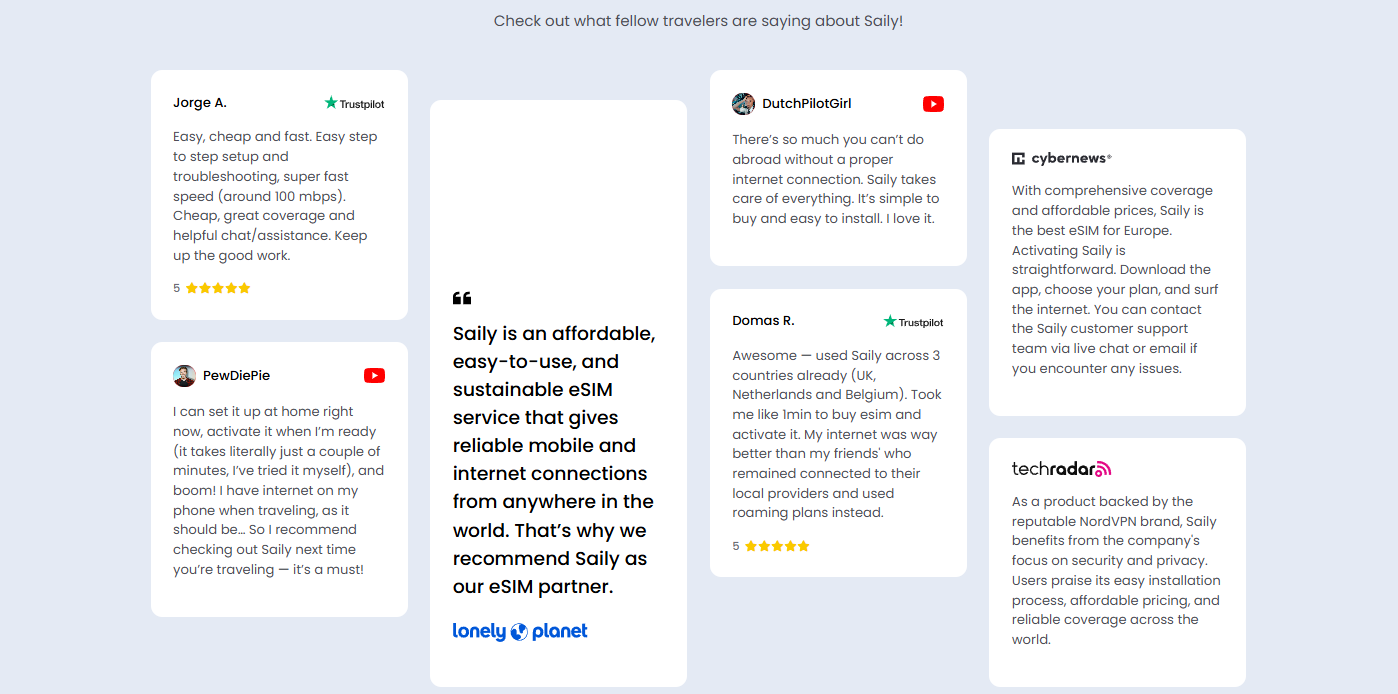
After looking at the complete travel workflow, the Saily eSIM review verdict is fairly straightforward: Saily makes the most sense for travellers who value convenience but do not want to pay for a huge amount of data they will never use.
The strongest combination is the simple installation, broad destination coverage, flexible data sizes, hotspot support and in-app top-ups. The fact that the same eSIM can be used across multiple destinations makes it even more practical for European and multi-country itineraries.
It is less compelling for someone travelling permanently, needing a traditional local number or chasing the absolute lowest cost per gigabyte. For ordinary holidays and business trips, however, Saily removes one of the most annoying travel chores: getting connected after landing.
Saily eSIM Review: FAQs
- Does Saily work without changing the physical SIM?
Yes. The eSIM is installed digitally, allowing the physical SIM to remain in the phone. Users can keep their primary SIM available while directing mobile data through Saily.
- Can Saily be used as a hotspot?
Yes. Saily currently advertises unlimited hotspot sharing, although the underlying mobile network still determines practical performance.
- Can Saily be used in multiple countries?
Yes. Regional and global plans are available, and additional destinations can be added to an existing Saily eSIM rather than installing a new profile for every country.
- Does Saily provide a phone number?
An optional US-based phone number with voice and SMS plans is available. The standard data-only plans do not require this add-on.
Also Read: SEMrush Review: Is It Worth $140/Month for Small Websites?
