
by parth@bidkinetic.com | Sep 9, 2026 | Tech
If a VPN is going to sit between every device and the internet, “fast” and “private” are not enough as selling points. The real questions are whether speeds remain usable when connecting to distant servers, whether streaming services actually work, how quickly connections establish, and whether the privacy claims have been independently checked. This NordVPN Review looks at those practical points rather than simply repeating the feature list.
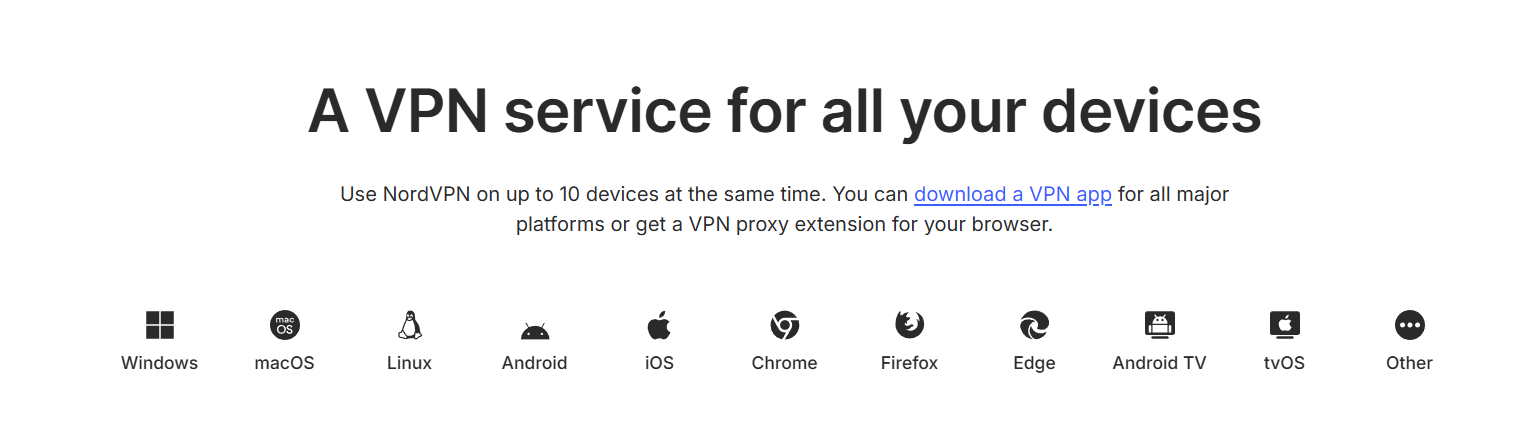
In 2026, NordVPN offers 8,000+ servers across 167 countries according to recent independent testing, supports up to 10 simultaneous devices, and uses NordLynx, its WireGuard-based protocol. Independent testing has recorded download speeds as high as 1,249 Mbps, while NordVPN’s latest pricing starts at $3.49/month on a 27-month introductory offer.
NordVPN in 2026: What Has Actually Improved?
NordVPN has grown well beyond being a basic app with a map of VPN servers. The core service now combines VPN encryption with features such as Threat Protection, DNS leak protection, an automatic kill switch, Double VPN, Onion Over VPN, obfuscated servers and Dark Web Monitor. NordLynx remains the practical choice for users who care about speed, while OpenVPN is available when a more established protocol is preferred.
The other notable change is how much NordVPN now bundles around the VPN itself. Depending on the subscription, users can get malware and phishing protection, ad and tracker blocking, a password manager, 1 TB of encrypted cloud storage, identity monitoring and other security tools. That makes the higher-priced plans considerably broader than a conventional VPN subscription, although not everyone will actually need those extras.
Privacy Is Still One of Its Strongest Arguments
NordVPN’s no-logs position is more convincing than a simple marketing statement because it has gone through six independent examinations. The company says the first reviews were conducted by PwC Switzerland and later examinations, including the sixth in 2025, by Deloitte.
That matters in practical terms. A VPN provider can offer excellent encryption while still creating privacy concerns through logging. Independent verification does not make a service completely risk-free, but it gives NordVPN considerably more credibility than relying solely on its own privacy promises.
Speed Testing: Is NordVPN Really Fast?
Source: NordVPN
Speed is where NordVPN continues to make a strong case.
- A West Coast Labs evaluation using 1 Gbps connections tested Windows 10 and 11 applications across locations including the UK, France, Germany, the Netherlands, East Asia, Australia and the US.
- The highest recorded download speed was 920 Mbps, while the average connection establishment time was 1.67 seconds.
More recent independent testing paints an even stronger picture.
- Tom’s Guide recorded a peak of 1,249 Mbps over NordLynx, placing NordVPN third among the fastest VPNs in its latest testing.
- OpenVPN performance was also unusually consistent, with around 688 Mbps on both local and long-distance connections.
The important caveat is distance.
- Long-distance NordLynx connections can lose substantially more speed than nearby servers.
- That is normal for VPNs, but it means the “1,249 Mbps” figure should not be interpreted as the speed every user will experience.
Streaming, Gaming and Everyday Use
For ordinary browsing, NordVPN’s performance is difficult to fault.
- Recent testing found minimal disruption during browsing, 4K streaming, video calls and gaming.
- Another independent test recorded only about a 7% download-speed reduction compared with the connection without the VPN, although latency increased considerably.
Streaming is another area where NordVPN performs particularly well.
- SmartPlay is designed to combine VPN protection with streaming compatibility, and testing in 2026 has found NordVPN capable of accessing major platforms including Netflix, Disney+ and BBC iPlayer.
Gaming requires a little more nuance.
- Download speed is rarely the limiting factor; latency is more important.
- A nearby VPN server can keep the experience perfectly playable, while routing traffic halfway around the world can introduce unnecessary delay.
| Area |
NordVPN 2026 assessment |
| NordLynx speed |
Excellent |
| Long-distance performance |
Good, but speed drops |
| Streaming |
Excellent |
| Privacy |
Excellent, independently reviewed |
| Connection time |
Very fast |
| Device support |
Up to 10 devices |
| Ease of use |
Good, but feature-heavy |
| Value |
Strong on long-term plans |
| Main drawback |
High renewal pricing |
NordVPN Review on Pricing: The Catch Is Renewal
Source: NordVPN
NordVPN’s current US pricing starts at $3.49/month for Basic when taking the 27-month introductory offer, which totals $94.23 before applicable tax. Complete costs $4.49/month and Prime $7.49/month under the same promotional structure. All three include a 30-day money-back guarantee.
The promotional price applies only to the introductory period. Basic currently renews at $139.08/year, Complete at $219.48/year and Prime at $296.28/year. That makes checking the renewal date important before treating the initial price as the long-term cost.
For most users, Basic is the sensible starting point if the goal is simply a fast VPN. Complete becomes more interesting when malware protection, tracker blocking, password management and cloud storage are genuinely useful.
What Could Be Better?
The biggest weakness is not performance; it is complexity. NordVPN now has so many security and privacy features that the interface can feel busier than simpler VPN competitors. Users who only want a connect button, server selection and a kill switch may find some of the additional options unnecessary.
Platform differences are another consideration. Recent testing notes that some advanced features, including split tunneling and a full-system kill switch, are not equally available across every platform, particularly macOS.
And then there is renewal pricing. The introductory deals are attractive, but anyone comparing VPNs purely on monthly cost should look beyond the promotional figure.
NordVPN Review: Final Verdict
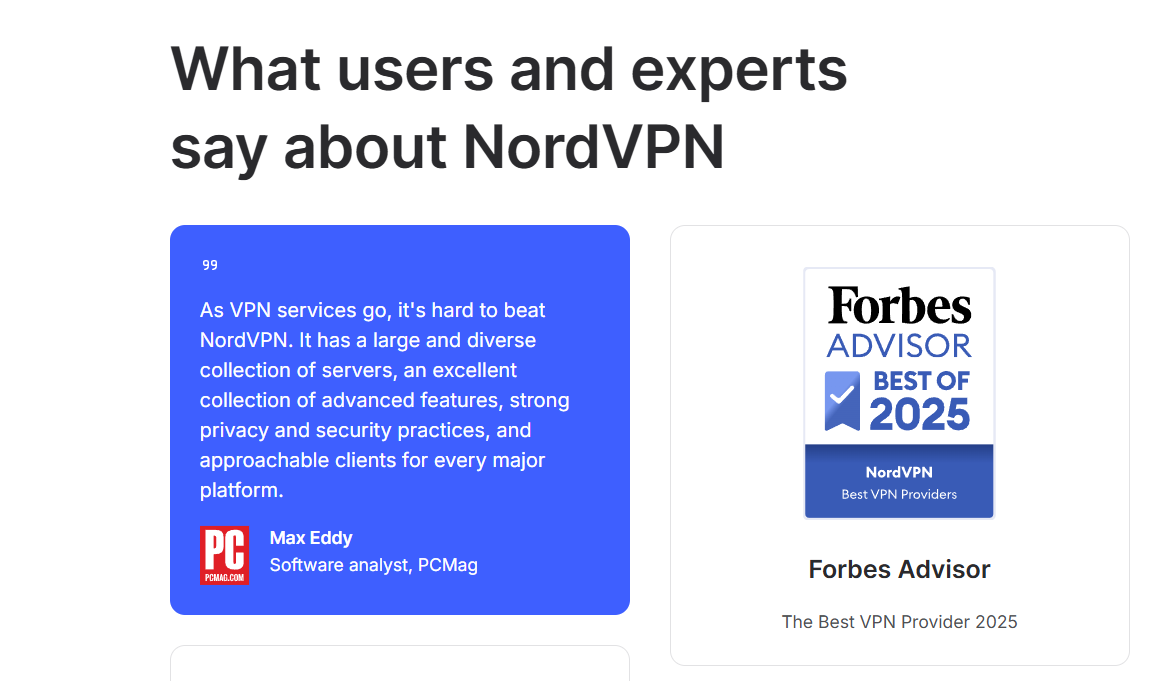
This NordVPN review comes down to performance rather than the size of its feature list. NordVPN remains one of the strongest choices for users who want fast connections, reliable streaming, independently reviewed no-logs practices and a substantial collection of security tools.
The testing data supports the reputation: speeds can reach well above 1 Gbps, nearby connections can have minimal performance impact, and connection times are exceptionally quick.
The best fit is someone who wants more than basic VPN encryption and is willing to manage a feature-rich application. The less convincing proposition is for someone looking for the cheapest possible VPN indefinitely. Once promotional pricing ends, the renewal cost becomes much more significant.
NordVPN Review: FAQs
- Does NordVPN keep logs?
NordVPN says it operates a no-logs policy that has undergone six independent examinations, with the latest examination conducted by Deloitte in 2025.
- How many devices can use NordVPN?
One subscription supports up to 10 simultaneous devices.
- Does NordVPN work for streaming?
Independent testing in 2026 found it effective with major streaming platforms, including Netflix, Disney+ and BBC iPlayer.
Also Read: VPN Speed Explained: Why Your Connection Slows and How to Fix It

by parth@bidkinetic.com | Sep 8, 2026 | Tech
A VPN becomes much harder to justify when a household has several phones, laptops, smart TVs and streaming devices to protect. Buying separate subscriptions for everyone quickly defeats the purpose of choosing a budget service. That is where this Surfshark review gets interesting. Surfshark supports unlimited simultaneous connections, covers major desktop, mobile and TV platforms, and can also be installed on a router to protect devices that do not have a native VPN app. Its network currently spans 4,500+ servers across 100 countries.
The price is also built around long-term subscriptions rather than a simple monthly fee. Surfshark’s current Starter plan starts at $2.49 per month on its two-year option, while month-to-month pricing is considerably higher. There is also a 30-day money-back guarantee, giving families enough time to install it across several devices and see whether the connection, streaming access and day-to-day usability hold up.
Setting Up Surfshark Across a Household
The first thing that stands out is how little effort is required to expand coverage. The same subscription can be used simultaneously across phones, computers, tablets and smart TVs, rather than forcing a family to decide which devices deserve protection.
During normal use, the app is straightforward enough that less technical household members do not need to understand VPN protocols or server infrastructure. For devices without a dedicated application, router installation is the more practical option because everything connected to that network can pass through the VPN.
What Makes the Family Setup Practical
- Unlimited simultaneous connections
- Windows, macOS, Linux, Android and iOS apps
- Apple TV, Fire TV and Android TV support
- Chrome, Firefox and Edge extensions
- Router support for broader home-network coverage
That unlimited-device policy is the feature that changes the value calculation most. Surfshark says there is no bandwidth limit based on the number of connected devices, although normal network and server conditions can still affect performance.
Speed Is Good, But Server Choice Still Matters
Source: Surfshark
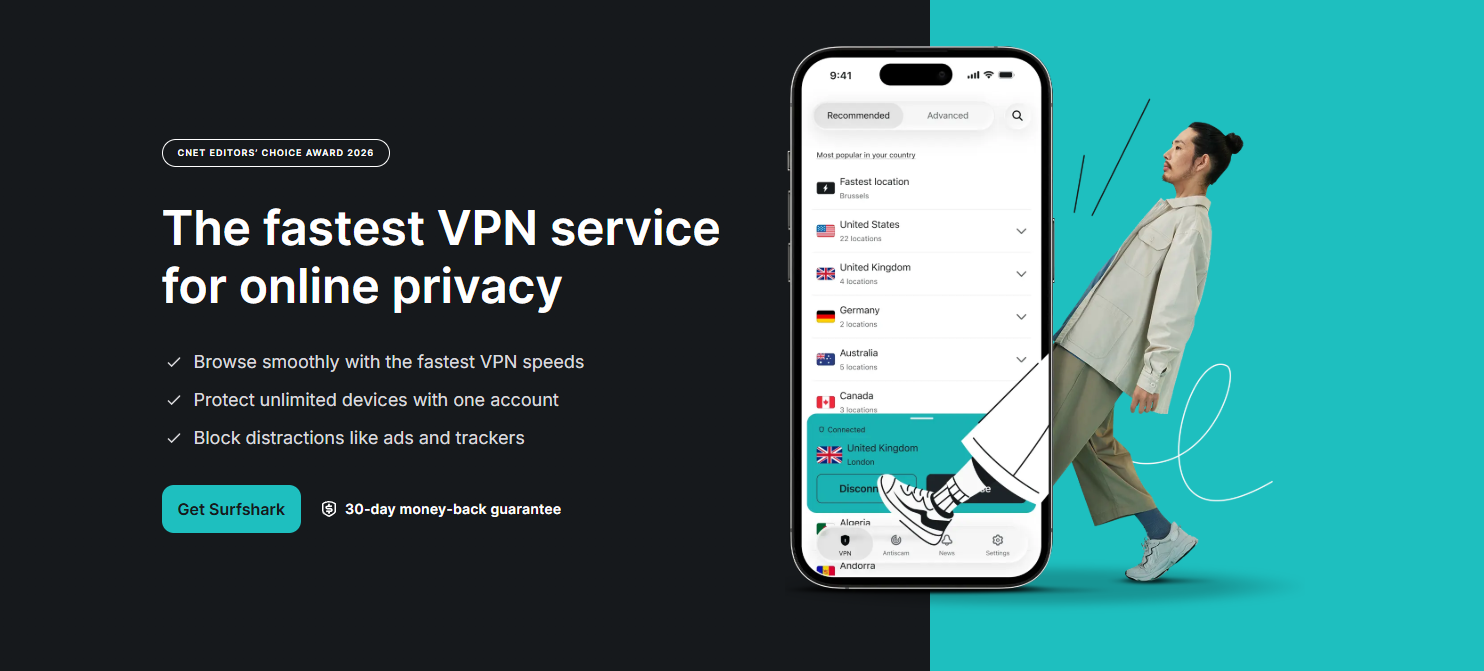
A VPN inevitably adds another step between a device and the internet, so the real-world question is whether the slowdown is noticeable. Surfshark’s current network uses RAM-only servers, with servers supporting at least 10 Gbps according to the company, and its newer Dausos protocol is designed around speed and security.
For a household, the more useful test is not a single speed-test number. It is whether one person can stream while another is on a video call and someone else is downloading a large file without the connection becoming frustrating. Surfshark generally has enough server choice to make switching worthwhile when a particular location feels congested.
Privacy Features Are More Than Marketing Extras
Surfshark includes a kill switch, DNS leak protection, split tunnelling through Bypasser, obfuscation and its Dynamic MultiHop feature. MultiHop routes traffic through two VPN servers, while Bypasser lets selected apps or websites avoid the VPN tunnel. That latter feature is especially useful for banking or services that behave badly when accessed through a VPN.
The privacy claims also have more substance than simply displaying a “no logs” badge. Deloitte’s 2025 assurance report verified Surfshark’s no-activity-logs policy and confirmed that IP addresses were not stored, while independent security assessments in 2025 and 2026 examined its infrastructure, applications and newer Dausos protocol and found no Critical or High-severity vulnerabilities within the protocol itself.
CleanWeb Is Surprisingly Useful at Home
One feature that becomes more noticeable on a family subscription is CleanWeb. It is designed to block ads, trackers and certain unwanted web elements, while Surfshark also offers cookie pop-up blocking.
It does not turn the VPN into a complete parental-control system, and that distinction matters. Families looking for detailed child-specific filtering should not assume a VPN alone provides that. Surfshark is primarily protecting connections and adding privacy, not replacing dedicated parental-control software.
Pricing and What You Actually Get
| Feature |
Surfshark Starter |
Practical family value |
| Two-year starting price |
$2.49/month |
Excellent for multiple devices |
| Monthly starting price |
$16.45/month |
Expensive for casual use |
| Simultaneous connections |
Unlimited |
Biggest advantage |
| Server network |
4,500+ servers / 100 countries |
Strong coverage |
| Kill switch |
Yes |
Important for privacy |
| Split tunnelling |
Yes |
Useful for banking and selected apps |
| MultiHop |
Yes |
Extra privacy layer |
| Ad/tracker blocking |
Yes |
Useful for everyday browsing |
| Money-back guarantee |
30 days |
Useful for testing |
Pricing can change with promotions and renewal terms, so the initial subscription price should not be confused with the renewal price. Surfshark itself notes that renewal is charged at the applicable renewal rate.
The unlimited-device advantage can also make the product seem better than it is for people who only use one laptop and phone. A single user with modest VPN requirements may not get much practical benefit from protecting dozens of devices.
The other issue is that the broader Surfshark ecosystem can make the subscription page confusing. Starter, One and One+ add different combinations of Antivirus, Alert, Alternative ID, scam protection and data-removal services. These extras are useful for some households, but paying for them simply because they are bundled is unnecessary if the VPN is the only requirement.
There can also be occasional speed variation depending on the selected server and distance. No VPN can guarantee the same connection speed as an unencrypted direct connection, and the closest server is not always the fastest one.
Is Surfshark Really the Best Value for Families?
Source: Surfshark
For a household with several connected devices, the Surfshark review verdict is largely positive.
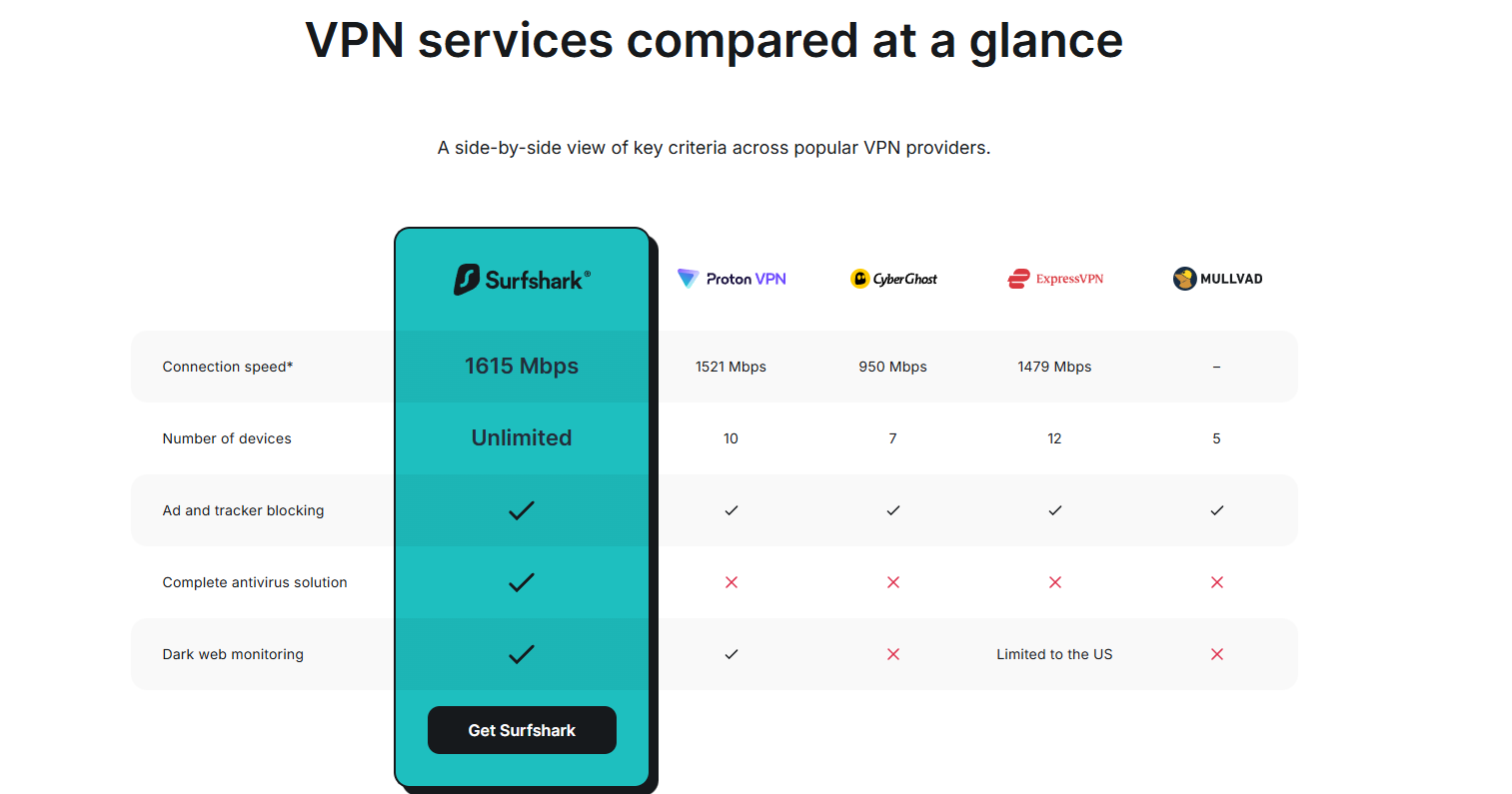
- Unlimited simultaneous connections remove one of the most annoying limitations found in competing VPN subscriptions, and router support makes it possible to extend protection beyond phones and computers.
- It is particularly compelling for families that want one subscription rather than managing separate accounts.
- The combination of unlimited connections, a broad server network, modern protocols, a kill switch, split tunnelling and a 30-day refund window makes the long-term plans easy to consider.
For a single user, the calculation is less obvious.
- If only two devices need protection and advanced features are not important, a cheaper VPN or a free service with fewer restrictions may be enough.
- But once a household starts counting phones, laptops, tablets, TVs and consoles, the value becomes much clearer.
Final Verdict
The strongest part of this Surfshark review is not that Surfshark has an unusually long feature list. It is that the service solves a very practical household problem: one subscription can cover almost everything that connects to the home network.
For families, that makes Surfshark one of the easier VPN subscriptions to justify. The unlimited connections are genuinely useful, the apps are accessible, and the privacy features go well beyond simply changing an IP address. The best value comes from the longer plans, provided the renewal price is checked before committing.
For a single casual user, it is worth comparing alternatives. For a household with a growing collection of connected devices, however, Surfshark makes a much stronger case, which is why this Surfshark review would put it firmly in the value-focused category rather than calling it merely a cheap VPN.
Surfshark Review: FAQs
- Can one Surfshark account be shared with a family?
Yes. Surfshark allows unlimited simultaneous connections, so one subscription can be used across a household’s devices.
- Does Surfshark slow down internet speed?
Some speed reduction is possible because traffic is routed through a VPN server. The actual effect depends on factors such as server distance, congestion, connection quality and protocol.
- Can Surfshark protect smart TVs and gaming consoles?
Yes. Surfshark supports several smart-TV platforms and can also be configured on a compatible router to protect devices such as gaming consoles.
Also Read: PopAi Review: An Honest Look at the AI Document Assistant

by parth@bidkinetic.com | Sep 8, 2026 | Business
If a design project regularly needs stock footage, fonts, presentation templates, music, graphics and mockups, buying each asset separately gets expensive very quickly. That is where this Envato Elements review becomes interesting. The Core plan currently starts at $16.50 per month when billed annually, giving access to more than 29 million creative assets, unlimited downloads and 20 AI credits each month.
The real value becomes apparent when using Elements as a working library rather than simply browsing it. A single project can move from a presentation template to a font, stock image, background video, sound effect and mockup without requiring separate subscriptions. That convenience is the strongest argument for Elements, although the quality and usefulness of individual assets can vary considerably.
The Library Is Huge, But Search Quality Matters More Than the Number
Envato currently lists around 16.4 million stock photos, 150,000+ video templates, 340,000+ music tracks, 940,000 sound effects, 430,000 graphic templates and 61,000 fonts, alongside graphics, 3D assets, presentation templates, WordPress resources and more.
In practical use, the sheer size can be both helpful and slightly frustrating. There are usually plenty of options for a common requirement, but finding the right one can take longer than expected. The first search result is rarely the reason to subscribe; the value comes from being able to keep looking, compare styles and download alternatives without worrying about another per-item charge.
Where It Works Particularly Well
- Social media and advertising creatives
- Presentation and pitch-deck design
- YouTube and video production
- Website and landing-page projects
- Brand mockups
- Fonts and graphic elements
- Background music and sound effects
Templates Are the Biggest Time Saver

The most useful assets are not necessarily the most visually impressive ones. A well-structured template can save hours because the difficult work has already been handled: composition, animation, transitions, typography and layout.
This is especially noticeable with video templates. Envato supports templates for tools including Adobe Premiere Pro, After Effects, Final Cut Pro, Apple Motion and DaVinci Resolve, so the workflow can continue inside software already being used rather than forcing a switch to another editor.
The catch is that templates are not equally beginner-friendly. Some require specific plugins, fonts or newer versions of editing software. Before downloading a complicated project, checking the compatibility notes is worth the extra minute.
The Unlimited Downloads Model Changes How You Work
The phrase “unlimited downloads” sounds like marketing until it changes the way assets are selected. With traditional stock libraries, downloading five versions of a background or testing several presentation templates can feel wasteful when every asset has an individual price.
Elements removes much of that hesitation. Its Core plan provides unlimited downloads of creative assets, subject to its Fair Use Policy.
That makes experimentation one of the platform’s better features. Instead of trying to make the first acceptable asset work, it becomes practical to download several candidates, test them in the project and keep the one that fits.
Licensing Is Better Than It First Appears
The licensing system deserves more attention than it usually gets in reviews. Each downloaded stock asset receives an ongoing license for a specific project, and Envato says completed projects remain covered even after the subscription ends. If the same asset is used for a separate project, a new license needs to be registered.
That distinction is important for freelancers and agencies working for clients. Canceling a subscription does not suddenly invalidate previously licensed completed work. However, the asset cannot simply be downloaded during a subscription and then freely reused in unlimited future projects without registering the relevant use.
Where the $16.50 Plan Makes Sense
| Area |
Envato Core |
Practical Take |
| Annual price |
$16.50/month |
Excellent if used regularly |
| Monthly price |
$39/month |
Much less attractive for occasional use |
| Creative assets |
29M+ |
Extremely broad library |
| Stock photos |
16.4M+ |
Strong variety |
| Video templates |
150,000+ |
Particularly useful for creators |
| Fonts |
61,000+ |
Large typography selection |
| AI credits |
20/month |
Useful for occasional experimentation |
| Downloads |
Unlimited* |
Major advantage |
| Commercial license |
Lifetime for licensed uses |
Strong for client work |
*Subject to Envato’s Fair Use Policy.
The annual Core plan is where the value proposition becomes compelling. At $16.50 a month, downloading several assets every week can quickly make the subscription cheaper than purchasing individual stock items. But the monthly $39 option changes the calculation considerably.
The AI Addition Is Useful, But Not the Main Reason to Subscribe
Envato’s current Core plan includes 20 AI credits per month, while Plus and Ultimate provide substantially larger AI allocations. The newer plans have shifted the platform from a straightforward asset marketplace toward a combined stock-and-AI creative toolkit.
For someone primarily joining to access stock assets, this is more of a bonus than a deciding factor. Twenty credits are not enough to make Core an intensive AI-generation subscription, but they can be useful for occasional image, editing or other creative experiments without requiring another platform.
What Could Be Better?
The biggest weakness is consistency.
- A library containing millions of assets inevitably contains work that feels dated, generic or overused.
- Finding something genuinely distinctive sometimes requires patience, especially for common categories such as corporate presentations, business stock images and social-media graphics.
There is also the Fair Use Policy to keep in mind.
- “Unlimited” does not mean unrestricted automated bulk downloading.
- Envato explicitly says its download system is subject to fair-use conditions and prohibits unusual or excessive activity, including mass downloading through scripts or bots.
Another consideration is software dependency.
- A beautiful After Effects template is not particularly useful if the project requires plugins or technical knowledge that the user does not have.
- The platform supplies the asset, not the production expertise needed to turn every asset into a finished result.
For someone producing content regularly, the answer is largely yes. A designer creating social campaigns, a video editor producing weekly content, a marketing team building presentations or an agency working across several clients can easily use enough assets to make the annual Core subscription worthwhile.
The Envato Elements review becomes less enthusiastic for occasional users. If a project only needs one photo or one presentation template every few months, paying for an annual subscription simply to access a large library may not be economical.
For regular creative work, though, the subscription changes the workflow. The ability to try several assets, download alternatives and move between photos, footage, fonts, music and templates without calculating the price of every download is genuinely useful.
Final Verdict
The strongest part of this Envato Elements review is how the subscription changes the economics of everyday creative work. When several assets are needed every week, being able to download, test and replace them without another purchase makes the library considerably more useful.
At $16.50/month billed annually, Core is compelling for frequent creators. At $39 month-to-month, the value is harder to defend unless the library is being used heavily. Either way, Envato Elements works best as a production resource alongside Photoshop, Premiere Pro, Canva, After Effects, DaVinci Resolve or similar tools, rather than as a replacement for them.
Envato Elements Review: FAQs
- Can Envato Elements be used for commercial projects?
Yes. Envato provides a commercial license for its creative stock assets, including client work and monetized projects, subject to its license terms.
- Can you keep using downloaded assets after canceling?
Existing completed project uses remain covered under the lifetime licensing arrangement. However, new projects require an active subscription and appropriate licensing.
- Is Envato Elements worth it for a freelancer?
It can be, particularly when working across several clients and asset types. The value comes from frequent use rather than simply having access to a large library.
Also Read: Krisp Review: Does AI Noise Cancellation Actually Work on Calls?
by parth@bidkinetic.com | Sep 7, 2026 | Business
Most Amazon seller software looks impressive until it has to answer a practical question: which product should actually be worth launching, which keywords are worth targeting, and where is the listing losing sales? That is the real test behind this Helium 10 review. The platform combines product research, keyword discovery, listing optimisation, competitor tracking, profitability, inventory, refunds and advertising rather than treating each problem as a separate tool.
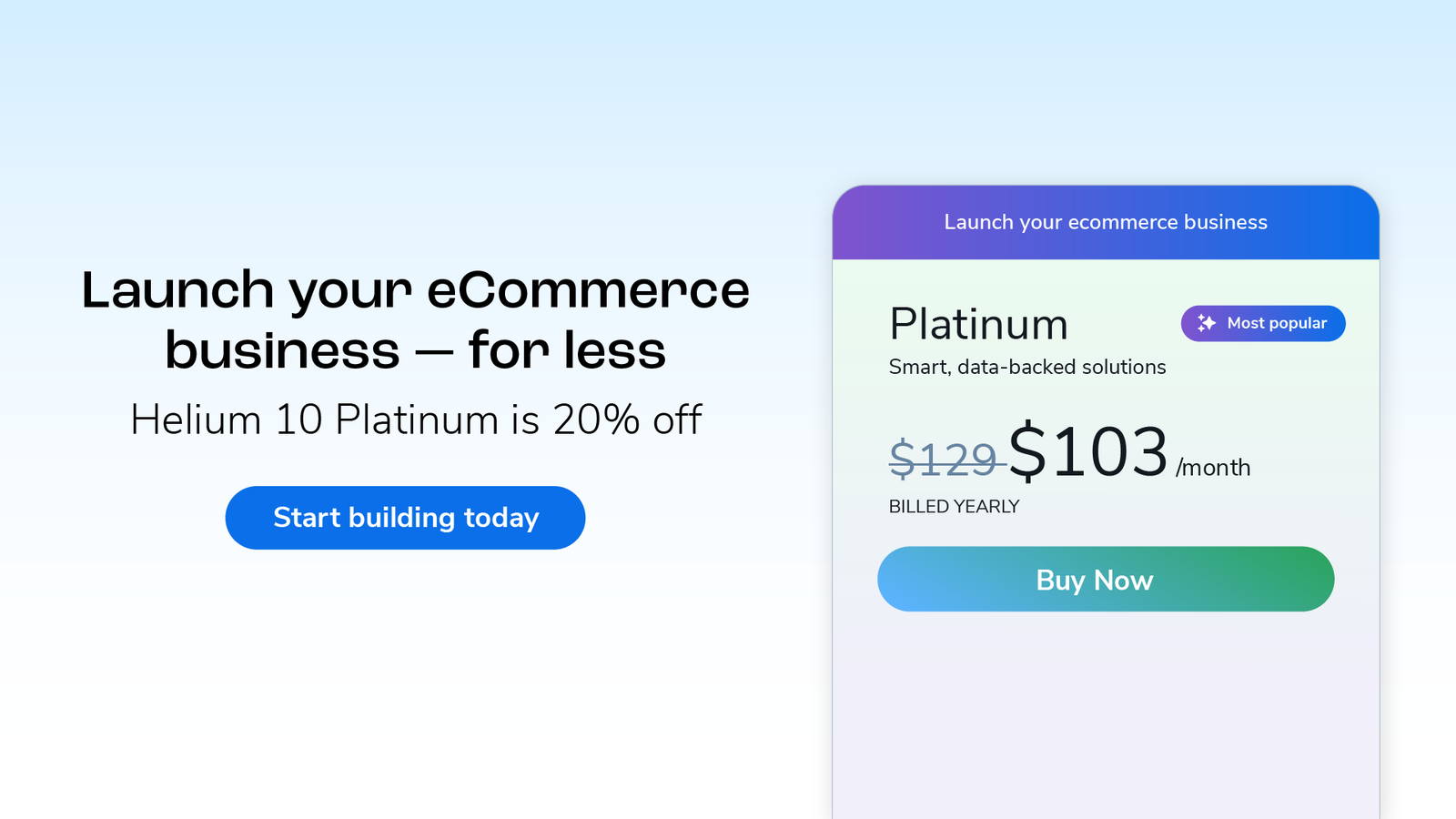
The current US pricing makes the decision more interesting. Platinum costs $129 per month, or $99 per month when billed annually, while Diamond is $359 monthly or $279 when billed annually. Platinum is aimed at sellers with up to $100K in yearly sales, while Diamond is positioned for businesses between $100K and $10M.
Product Research Is Where Helium 10 First Earns Its Keep
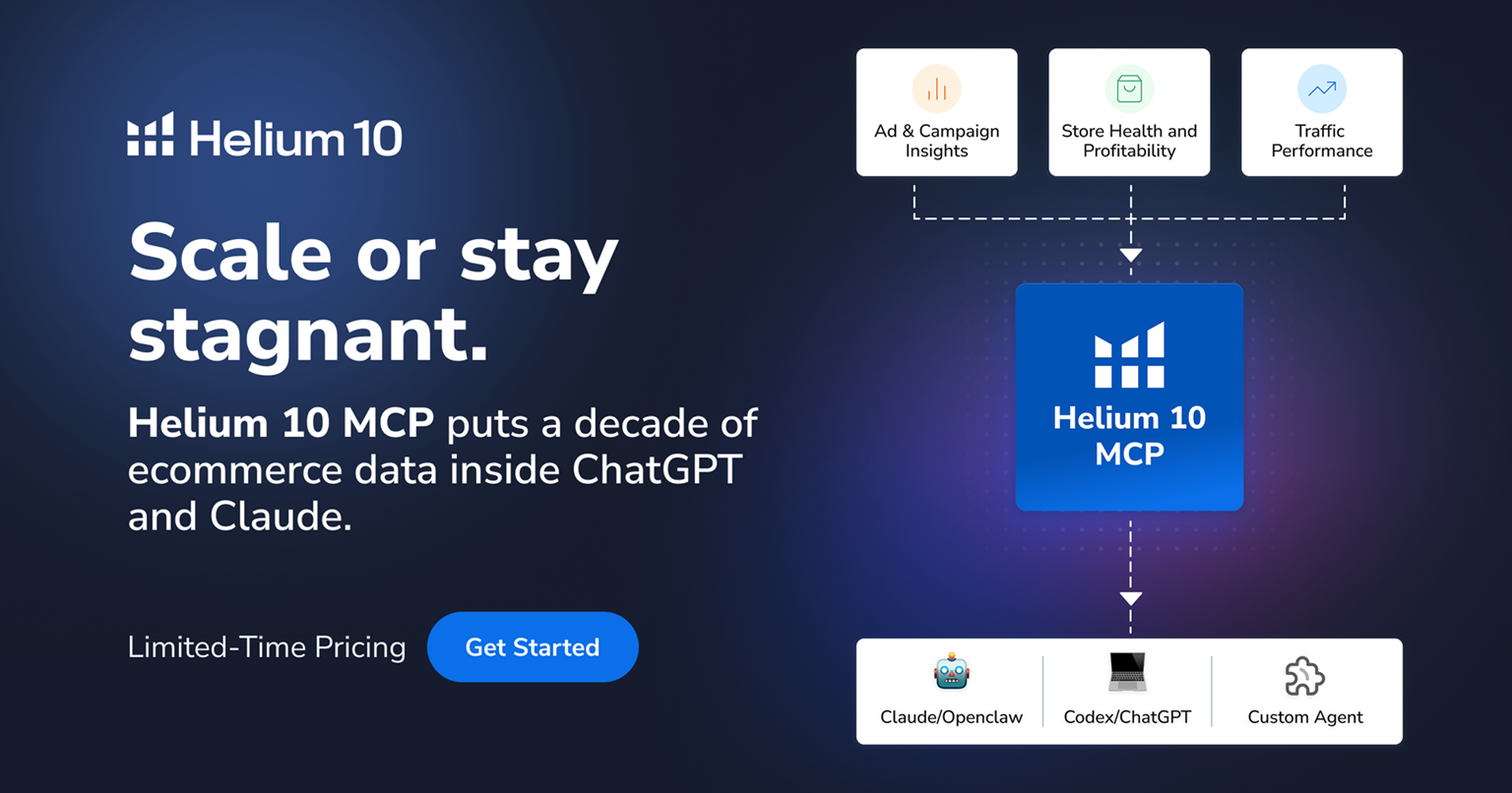
The Black Box and Xray combination is more useful than simply browsing Amazon and guessing which products look profitable. Black Box lets sellers narrow opportunities using market criteria, while Xray puts product-level information directly alongside Amazon search results through the Chrome extension.
The important part is what happens after finding a promising product. Estimated sales, revenue, reviews and competition can be compared before spending money on inventory. The numbers are still estimates, so they should be treated as a screening mechanism rather than a substitute for supplier quotes, landed-cost calculations or actual Amazon account data.
What Stands Out
- Black Box: narrows large product markets into specific opportunities.
- Xray: makes competitor research faster while browsing Amazon.
- Review insights: helps identify recurring complaints and potential product improvements.
- Profitability checks: bring costs into the product-selection decision.
That last point matters because a product can rank well and still be a poor business. A high-selling competitor does not automatically mean there is enough margin, manageable PPC competition or room for another seller.
Cerebro Is More Useful Than Chasing Search Volume
Cerebro is one of the stronger parts of the suite because it reverses the usual keyword research process. Instead of starting with a product idea and generating keywords from scratch, a seller can examine the terms competing ASINs are already ranking for and identify gaps.
Magnet then expands the research around related search terms. In practice, this creates a more useful workflow: competitor ASINs first, keyword opportunities second, listing decisions third. Helium 10 currently includes keyword research and reverse-ASIN functionality in its core research tools.
This is particularly valuable when a listing has decent traffic but weak organic visibility. Rather than rewriting every bullet point, the research can reveal whether important buyer terms are missing, poorly positioned or simply too competitive to pursue immediately.
Listing Optimisation Is About Relevance, Not Keyword Stuffing
Helium 10’s Listing Builder and Listing Analyzer are designed to connect keyword research with the actual product detail page. The useful part is being able to work from the researched keyword set instead of manually moving between spreadsheets, Amazon and separate SEO tools.
The danger is relying too heavily on optimisation scores. A listing can technically include the right keywords and still have weak images, an unconvincing offer or poor differentiation. The Helium 10 review takeaway here is that the software is better at identifying optimisation opportunities than deciding what will persuade a shopper to buy.
A Better Workflow
Competitor research → keyword selection → listing draft → optimisation check → conversion testing
That keeps Helium 10 in its proper role. It provides the data and structure, while the seller still has to make the product positioning convincing.
The Analytics Become More Valuable After Launch
Once products are selling, Helium 10 becomes less about finding the next product and more about understanding what is happening inside the existing business. Profits, Keyword Tracker and Market Tracker can be used together to monitor financial performance, ranking movement and competitor activity.
This is where the suite starts becoming harder to replace with individual research tools. A ranking drop can be investigated alongside keyword trends, competitor movement and listing changes instead of being treated as an isolated SEO problem.
The Helium 10 review becomes considerably more positive for sellers with multiple products because the value shifts from individual tools to the connected workflow. For one small product catalogue, some of these dashboards may remain underused.
Operations Are Where the Suite Gets More Serious
Refund Genie, inventory management, automated follow-ups and alerts extend Helium 10 beyond research. These tools address problems that become increasingly annoying once order volume grows, particularly inventory monitoring and Amazon reimbursement opportunities.
Platinum currently includes inventory management for up to 40 SKUs and 5,000 monthly Follow-up emails, while Diamond expands inventory to 500 SKUs and Follow-up to 15,000 emails. The difference is meaningful for a growing catalogue, but probably unnecessary for a seller managing only a handful of products.
Pricing: Which Plan Actually Makes Sense?
| Plan |
Monthly |
Annual Billing |
Best Fit |
| Free |
$0 |
$0 |
Testing the platform |
| Platinum |
$129 |
$99/month |
Smaller Amazon brands |
| Diamond |
$359 |
$279/month |
Growing sellers and larger catalogues |
| Enterprise |
Custom |
From $1,499/month |
Large teams and brands |
The current pricing shows why choosing a plan based on the feature list alone can be misleading. Platinum already covers the core research workflow, while Diamond adds substantially more capacity, advanced operations and full Helium 10 Ads functionality.
For a new seller, Platinum is the more sensible starting point. Diamond becomes easier to justify when PPC management, larger product catalogues, deeper analytics and operational automation are already part of the business rather than future plans.
What Could Be Better?
The biggest weakness is complexity. Helium 10 contains so many separate tools that it is possible to spend a lot of time researching without actually making a decision. Beginners can also mistake estimated sales, keyword volumes and competition scores for guaranteed outcomes.
There is another practical limitation: not every feature is equally useful at every stage. A seller with two products does not necessarily need sophisticated market tracking, extensive inventory controls or advanced advertising automation. The platform rewards sellers who have enough activity to use several tools repeatedly.
A Good Fit For:
- Private-label Amazon sellers
- FBA brands researching new products
- Sellers managing multiple ASINs
- Businesses actively investing in Amazon SEO and PPC
- Sellers wanting research and operations in one platform
Less Suitable For:
- Complete beginners with no product yet
- Sellers with one low-volume product
- Businesses that only need occasional keyword research
- Sellers unwilling to interpret estimated market data
Final Verdict
The strongest argument for Helium 10 is not that it has dozens of Amazon tools. It is that the tools connect several decisions that normally end up scattered across different platforms.
For a serious Amazon seller, the Helium 10 review comes down to workflow. If product research leads into keyword research, keyword research leads into listing optimisation, and those decisions are later checked against rankings, profitability and competitors, the subscription can earn its place in the operating budget.
For occasional Amazon selling, it is overkill. But once an Amazon business has enough products, advertising spend and inventory to generate constant decisions, Helium 10 becomes much easier to justify.
FAQs
- Is Helium 10 worth paying for?
For active Amazon sellers, particularly those managing several products, it can be valuable because research, optimisation, analytics and operations are combined. Occasional sellers may not use enough of the platform to justify the cost.
- Is Helium 10 good for beginners?
Yes, but the number of tools can initially feel overwhelming. Beginners will get more from it by learning a small workflow rather than trying to use every feature immediately.
- What is the most useful Helium 10 tool?
There is no single answer. Xray and Black Box are strong for product research, while Cerebro is particularly useful for competitor keyword analysis.
Also Read: How to Start a Blog in 2026: The Complete Beginner’s Guide

by parth@bidkinetic.com | Sep 7, 2026 | Business
Paying around $140 every month for SEO software sounds excessive when a small website may have only a few hundred pages and limited organic traffic. But the real question in this SEMrush review is not how many features the platform offers. It is whether those features actually help a small website find better keywords, identify competitors, fix technical problems and make smarter content decisions.
Semrush’s current US SEO Toolkit Pro plan costs $139.95 per month, or an effective $117.33 per month with annual billing. It covers five websites, 500 tracked keywords, up to 100,000 crawled pages per month and 10,000 results per report. For a small site, those limits are more than sufficient. The bigger issue is whether enough of that data will actually be used.
Keyword Research Feels More Practical Than a Keyword List

The Keyword Magic Tool becomes useful when the obvious keywords have already been covered. Instead of simply searching for high-volume terms, filters for keyword difficulty, intent and related variations make it easier to narrow down opportunities that fit the site’s actual authority.
The Keyword Gap tool is even more interesting for smaller websites. Comparing your domain against competitors can reveal terms they rank for while your site does not. This gives content planning a direction based on existing search demand rather than another generic list of blog topics.
SEMrush Review: What Works Particularly Well
- Competitor keyword discovery
- Search-intent filtering
- Long-tail keyword research
- Finding content gaps
- Comparing several competing domains
The database scale is also impressive. Semrush currently says its Keyword Magic Tool covers more than 28 billion keywords across 142 regional databases. That depth matters most when researching competitive industries or markets outside the largest English-speaking search results.
Site Audit Finds Problems, But Don’t Chase Every Warning
Site Audit checks more than 140 technical and on-page issues, including broken links, crawlability, indexability, HTTPS, duplicate content and other problems. For a small website, the benefit is less about the impressive number of checks and more about having one place to monitor technical health.
The mistake is treating the Site Health score as the goal. A site can spend hours clearing minor warnings while an important indexing problem remains unresolved. The more useful approach is to prioritise issues affecting crawling, important pages, internal linking and actual search visibility.
Best use: Run regular audits, identify problems affecting important URLs first, then work down the list.
Competitor Research Is the Strongest Reason to Pay

This is where Semrush starts feeling less like an SEO dashboard and more like a research tool. Entering a competitor’s domain can reveal the keywords driving its visibility, pages receiving organic attention, and the backlink profile supporting that performance.
The Backlink Gap feature is particularly useful when a website has moved beyond basic content optimisation. Finding websites that link to competitors but not to your own domain can provide realistic outreach targets instead of building a backlink list from random websites.
A Useful Workflow
Competitor → Ranking keywords → Missing topics → Content opportunity → Backlink prospects
The important caveat is that competitor traffic figures are estimates. They are valuable for identifying trends and comparing domains, but they should not be interpreted as another company’s actual Google Analytics data.
What You Actually Get for $139.95
| Feature |
Pro Plan |
Small Website Verdict |
| Monthly price |
$139.95 |
Expensive |
| Annual effective price |
$117.33/month |
Better, but still substantial |
| Websites |
5 |
More than enough |
| Tracked keywords |
500 |
Usually sufficient |
| Pages crawled/month |
100,000 |
Far beyond most small sites |
| Report results |
10,000 |
Generous |
| Site Audit |
Included |
Highly useful |
| Position Tracking |
Included |
Useful for measuring progress |
| Competitor research |
Included |
One of the biggest advantages |
The numbers reveal something important: most small websites will not come close to using the plan’s technical limits. A 500-page website does not need access to 100,000 monthly crawlable pages simply because the plan provides them.
What matters is whether the research tools are being used frequently enough to influence publishing, optimisation and link-building decisions. If Semrush is opened once every few weeks, the subscription becomes difficult to justify.
The Interface Can Feel Like Too Much

Semrush gives access to Keyword Overview, Organic Research, Keyword Gap, Backlink Analytics, Site Audit, Position Tracking and several other reports. The problem is not that these tools are poor. It is that there are so many of them that beginners can spend more time exploring reports than acting on them.
For experienced SEO users, that depth is an advantage. For smaller businesses without a dedicated SEO person, the platform works better when there is a defined routine: research opportunities, track important keywords, audit the site and review competitors.
SEMrush Review: What Could Be Better
- The dashboard can feel overwhelming.
- Some reports require interpretation rather than giving a straightforward answer.
- Competitor traffic figures are estimates.
- Small sites may pay for capacity they never use.
- The monthly price is difficult to justify for occasional SEO work.
Is Semrush Worth $140 a Month?
For a hobby website or a small business that publishes occasionally, probably not. A combination of Google Search Console, Google Analytics and a few lower-cost SEO tools can cover many basic requirements without committing nearly $140 every month.
For a small site actively competing for organic traffic, the calculation is different. If Semrush is used every week to identify content gaps, evaluate competitors, track rankings, find technical issues and uncover backlink opportunities, it can become part of the actual growth process rather than another subscription sitting unused.
Worth it for:
Small businesses with an active SEO strategy, affiliate sites, content publishers and agencies managing multiple projects.
Probably not worth it for:
New websites with little content, businesses that rarely publish, or owners who only need occasional keyword research.
Final Verdict
The biggest mistake would be buying Semrush because it has a huge feature list. The better reason is that it connects several parts of SEO research in one workflow, especially competitor analysis, keyword discovery, technical auditing and rank tracking.
At $139.95 per month, it is not cheap software for a small website. But for a site where organic search directly contributes to leads, sales or affiliate revenue, the subscription can make sense if the data is being turned into action consistently.
That is ultimately the conclusion of this SEMrush review: the Pro plan is expensive for the casual user, but considerably easier to justify for a small website that treats SEO as an ongoing growth channel.
SEMrush Review: FAQs
- How many keywords can Semrush Pro track?
The current Pro plan includes tracking for up to 500 keywords.
- Can Semrush show what competitors are ranking for?
Yes. Organic Research, Keyword Gap and related competitor tools can show keywords and content opportunities associated with competing domains.
- Is Semrush better than Google Search Console?
They serve different purposes. Search Console provides first-party Google search performance and indexing information, while Semrush adds competitor research, keyword discovery, backlink analysis and broader SEO research.
Also Read: How to Do Keyword Research for a New Website: Free + Paid Methods
