by parth@bidkinetic.com | Oct 8, 2026 | LifeStyle
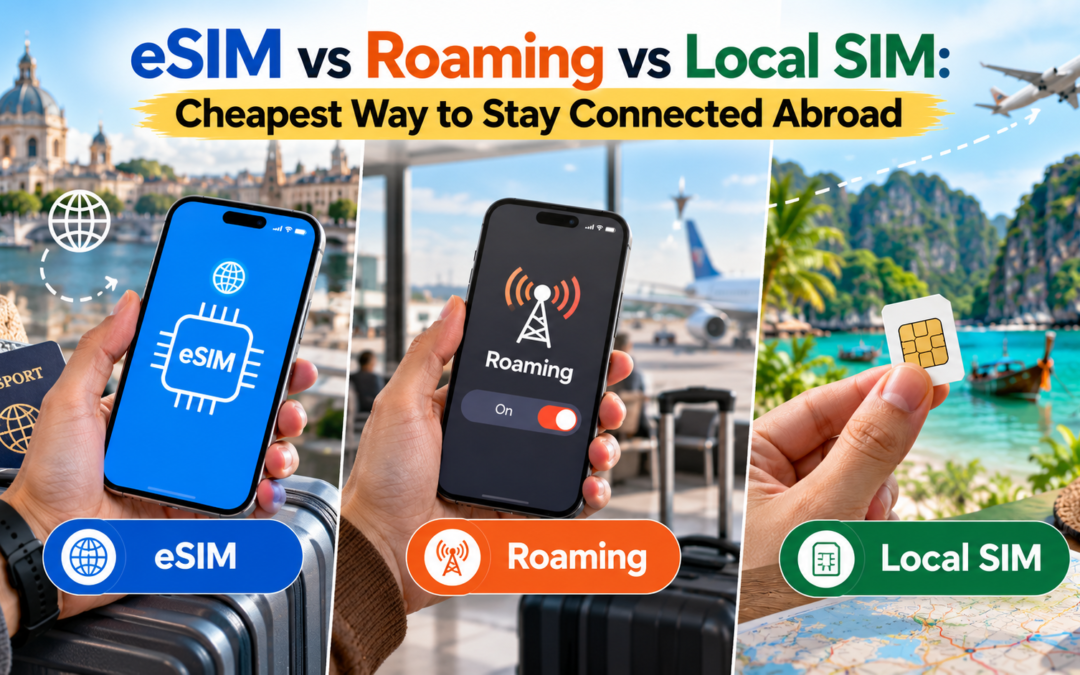
For international travellers, mobile connectivity is no longer just about finding the strongest signal. The real question is how much that connection will cost once the phone crosses a border. In 2026, eSIM adoption is accelerating: GSMA Intelligence estimates that eSIMs represented about 5% of global smartphone connections at the end of 2025, with the share expected to reach 10% by the end of 2026. So, this eSIM vs roaming vs local SIM comparison is less about finding one universal winner and more about matching the connection method to the destination, trip length, data usage and the need to keep the home number active.
A traveller can now install a data plan before boarding a flight instead of buying a physical SIM after landing. But that does not automatically make eSIM the cheapest option. Local SIM cards can still offer excellent value in many countries, while roaming can actually be the smartest choice for a short trip when a carrier’s international pass is reasonably priced.
What Are the Three Options?
eSIM: A digital SIM profile installed directly on a compatible phone. Travel eSIM providers sell country, regional or global data packages that can usually be activated through an app or QR code. Some providers now offer plans covering hundreds of destinations, with packages ranging from small data allowances to unlimited options.
Roaming: The existing SIM connects to a foreign network through an agreement between the home carrier and the overseas operator. Nothing physical needs to change, and the home number remains available. The problem is pricing: outside regions with regulated or generous roaming agreements, standard roaming can become expensive quickly.
Local SIM: A physical SIM purchased from a mobile operator or retailer in the destination country. It generally gives access to local network pricing and may include a local phone number. The trade-off is the time and paperwork involved in buying and registering it.
Which One Is Actually Cheapest?
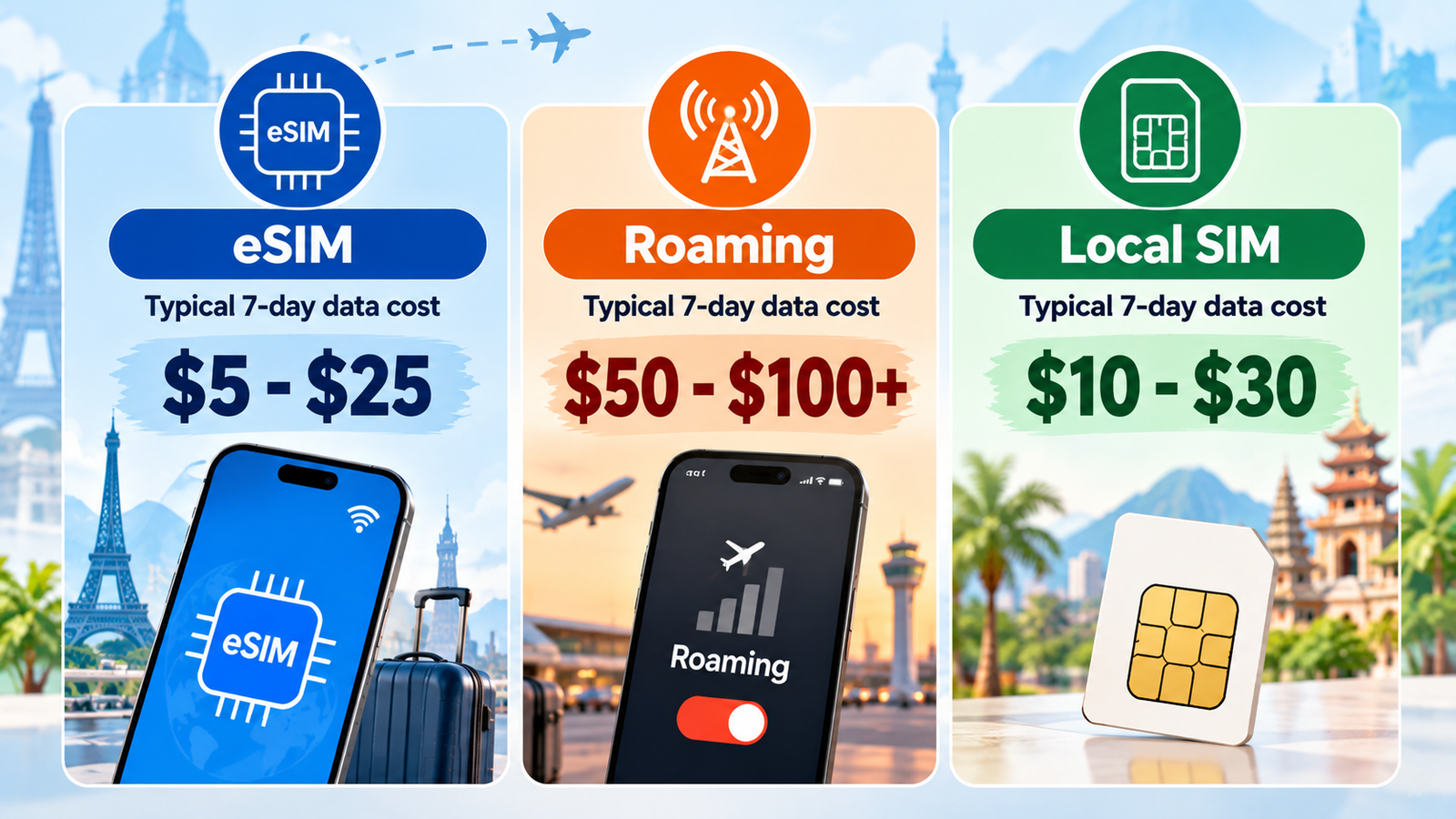
There is no single worldwide price because local telecom pricing varies enormously. As a useful 2026 benchmark, travel connectivity comparisons put a typical week of data at roughly $5-$25 for an eSIM, $50-$100+ for standard roaming, and $10-$30 for a local physical SIM. These are indicative ranges rather than fixed global prices.
| Factor |
eSIM |
Roaming |
Local SIM |
| Typical 7-day data cost |
$5-$25 |
$50-$100+ without a good pass |
$10-$30 |
| Setup |
Before or after arrival |
Usually automatic |
Buy and install locally |
| Physical SIM required |
No |
No |
Yes |
| Keep home number |
Usually yes with dual SIM |
Yes |
Usually no |
| Local phone number |
Usually no |
Yes, home number |
Usually yes |
| ID requirement |
Usually no |
No additional ID |
Often required |
| Multi-country travel |
Excellent with regional plans |
Depends on carrier |
Requires multiple SIMs |
| Best for |
Convenience + predictable data cost |
Short trips and simplicity |
Longer stays + heavy data |
The important detail is that roaming should not automatically be dismissed as expensive. Many carriers sell daily passes or international bundles that make roaming much more predictable. In the EU/EEA, for example, eligible travellers can generally use their domestic allowance while roaming under the EU’s “Roam Like at Home” rules, subject to fair-use limits. The regime currently covers all 27 EU countries plus Iceland, Liechtenstein and Norway, and was extended to Ukraine and Moldova from January 1, 2026.
For an EU traveller visiting another EU country for a few days, switching to a separate eSIM may therefore add cost and complexity without providing much benefit.
eSIM: The Best Balance for Most Travellers
The biggest advantage of an eSIM is preparation. The plan can be purchased and installed before departure, meaning mobile data can work shortly after landing.
- It is particularly useful when travelling between multiple countries. Instead of buying a new physical SIM in each destination, a regional eSIM can cover several countries under one package.
Another advantage is dual-SIM functionality.
- On compatible unlocked phones, the home SIM can remain active for calls or SMS while the eSIM handles mobile data.
- This is useful for receiving bank OTPs, keeping WhatsApp associated with the home number and staying reachable without paying for full roaming data.
The main limitation is compatibility.
- The phone must support eSIM, and some devices are carrier-locked or have regional restrictions.
- Some travel eSIMs are also data-only, so they do not provide a conventional local phone number for calls and SMS.
That makes eSIM vs roaming vs local SIM particularly interesting for travellers who primarily need maps, messaging, ride-hailing, email, and social media rather than traditional voice calls.
Local SIM: Cheapest for Longer Stays
A local SIM becomes more attractive when the trip lasts several weeks or involves heavy data use.
Local operators often price their prepaid packages for residents rather than international travellers, which can mean substantial data allowances for comparatively little money. A local SIM can also provide a domestic phone number, which matters when restaurants, delivery services, taxis or businesses require local calling.
The downside is the arrival experience. The SIM has to be purchased, registered where required, installed and configured. Some countries require passport or identity verification. There is also the practical problem of removing the existing SIM and keeping it somewhere safe.
For a two-week or one-month stay, however, that inconvenience may be worthwhile.
When Roaming Makes More Sense
Roaming wins on convenience. There is no need to research local operators, compare eSIM packages or visit a store.
It is especially sensible when:
- The trip is only a few days.
- The carrier offers an affordable international day pass.
- The traveller needs the home number for regular calls.
- The destination has poor eSIM availability.
- A work phone has restrictions on installing third-party eSIMs.
The danger is using standard pay-as-you-go roaming without checking the rates beforehand. A phone that automatically downloads photos, synchronises cloud files or streams video can consume data surprisingly quickly.
Before departure, check the carrier’s roaming price, daily limits, destination coverage, hotspot restrictions and whether receiving calls or SMS costs extra.
The Cheapest Choice Depends on the Trip
- For a three- to seven-day holiday, an eSIM is often the strongest combination of low cost and convenience.
- For a month-long stay, a local SIM can win on raw value, particularly for heavy data users.
- For a very short business trip, roaming can be cheapest in practical terms if the existing carrier offers a reasonably priced pass. There is no setup time and no need to change the phone configuration.
- For multi-country travel, a regional eSIM usually becomes more attractive because one plan can cover several destinations.
This is why eSIM vs roaming vs local SIM should always be evaluated against the actual itinerary rather than a generic “cheapest SIM” list.
What to Check Before Buying
Price per gigabyte is only one part of the calculation. Check the network used by the provider, coverage in rural areas, maximum 4G/5G speeds, hotspot support, activation period, validity window and whether unused data expires.
Also check whether the phone is unlocked. A cheap local SIM or eSIM is useless if the handset cannot accept another carrier profile.
For eSIMs, confirm whether the plan starts when installed or only when it connects to the destination network. For local SIMs, check registration requirements. For roaming, check whether the advertised price is a daily charge, a fixed data bundle or simply the carrier’s standard out-of-bundle rate.
FAQs
1. Is an eSIM cheaper than roaming?
Usually, especially outside regions where roaming is regulated or where the carrier offers a competitive international pass. But prices vary by country and carrier.
2. Is a local SIM cheaper than an eSIM?
Often, particularly for longer stays and large data requirements. However, an eSIM can be cheaper when convenience and short-trip pricing are considered.
3. Can the home SIM and travel eSIM work together?
Yes, on compatible dual-SIM phones. The eSIM can handle mobile data while the home SIM remains active for calls and SMS.
Also Read: Traveloka Review: Is It Worth Using for Booking Flights and Hotels?
by parth@bidkinetic.com | Oct 7, 2026 | Business
International payments become complicated quickly when a business starts billing overseas clients, paying foreign suppliers, managing multiple currencies, or running subscriptions across different markets. Traditional banks can involve multiple accounts, conversion spreads, transfer charges, and paperwork. Airwallex takes a different approach by combining multi-currency accounts, foreign exchange, international transfers, corporate cards, payment acceptance, expense management, and integrations in one platform. That makes an Airwallex review particularly relevant for startups, agencies, ecommerce companies, SaaS businesses, and companies with international customers or suppliers.
But the platform is not simply a replacement for a conventional business bank account. Availability, fees, payment methods, and account capabilities depend on the business’s registration country and the specific product being used.
Airwallex is a global financial platform built around businesses that operate across borders. Its business accounts allow eligible companies to collect and hold funds in 20+ currencies, while its payment network supports local and SWIFT payouts across more than 200 countries and regions and over 90 currencies.
The platform goes beyond international transfers. Businesses can also use corporate cards, expense management, bill payments, invoicing, online payment acceptance, and accounting integrations. Xero and QuickBooks are supported on the current U.S. plans.
Airwallex Account and Pricing
One of Airwallex’s biggest attractions is that businesses can start without a conventional monthly account charge. The current U.S. Explore plan is free, while Grow costs $12 per user per month plus a platform fee based on team size. Larger companies can use the custom-priced Accelerate plan.
However, “free account” does not mean every transaction is free. Airwallex applies transaction charges for certain FX, transfers, and payment-processing services.
For U.S. customers, the current pricing page lists FX at 0.5% above interbank rates for major currencies and 1% for other currencies. SWIFT transfers are listed at 15-25 per transfer, while card acceptance starts at 2.8% + $0.30 for domestic cards and 4.3% + $0.30 for international cards.
| Feature |
Airwallex |
| Basic account |
Free Explore plan |
| Multi-currency holding |
20+ currencies |
| Local/global payouts |
200+ countries/regions |
| FX |
0.5% major currencies; 1% others on U.S. pricing |
| Corporate cards |
Available |
| Expense management |
Available |
| Accounting integrations |
Xero, QuickBooks |
| SWIFT transfers |
15–25 on U.S. pricing |
| Paid plan |
Grow: $12/user/month + platform fee |
| Enterprise |
Custom pricing |
Fees and availability vary by country, product and transaction type.
Multi-Currency Accounts Are the Main Advantage
Source: Airwallex
For an international business, this is where Airwallex becomes more interesting than a basic business checking account.
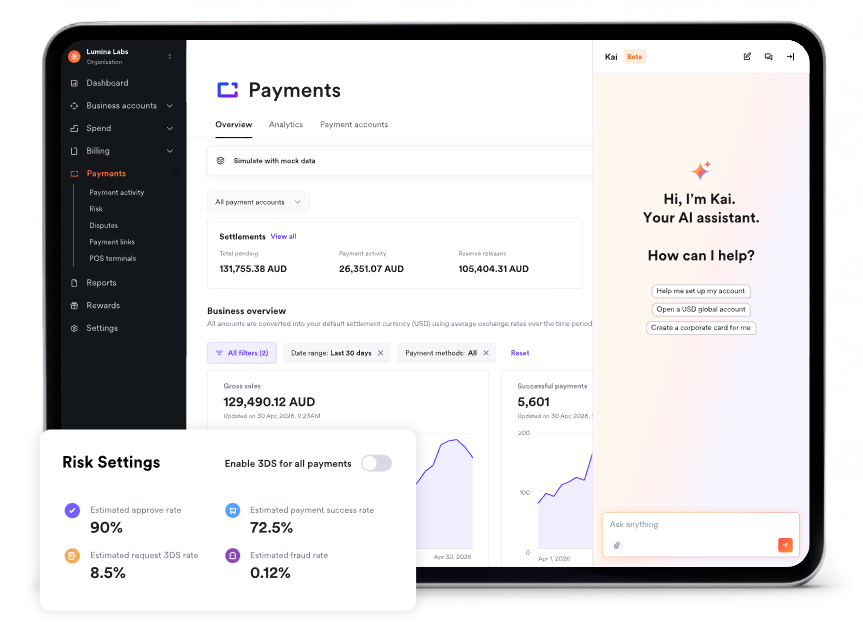
- Eligible businesses can collect and hold funds in more than 20 currencies and use local account infrastructure in supported markets.
- For example, Airwallex currently lists local receiving capabilities for USD in the U.S., GBP in the UK, EUR in parts of Europe, SGD in Singapore, AUD in Australia, and several other currencies.
- The practical benefit is straightforward: a company selling internationally may not need to convert every incoming payment immediately into its home currency.
That can simplify cash management and reduce unnecessary currency conversions.
International Transfers
Airwallex currently supports local and SWIFT payouts to more than 200 countries and regions. Its network connects to local clearing systems in more than 120 countries and regions, which can make local transfers more efficient than relying exclusively on SWIFT.
The platform also supports batch transfers, which can be useful for businesses paying multiple freelancers, suppliers, contractors, or overseas expenses.
For companies making frequent international payments, this is one of the strongest reasons to consider Airwallex.
Corporate Cards and Expense Management
Airwallex is not limited to receiving and sending money.
- Its current Explore plan includes multi-currency corporate cards, advanced card controls, expense management, reimbursements, spending requests, and bill payments.
That combination is useful for businesses with distributed teams.
- Instead of giving employees access to a traditional company card and reconciling everything later, administrators can set controls and manage expenses centrally.
The paid Grow plan adds more sophisticated approval workflows, expense automation and budget controls.
Payment Acceptance
Source: Airwallex
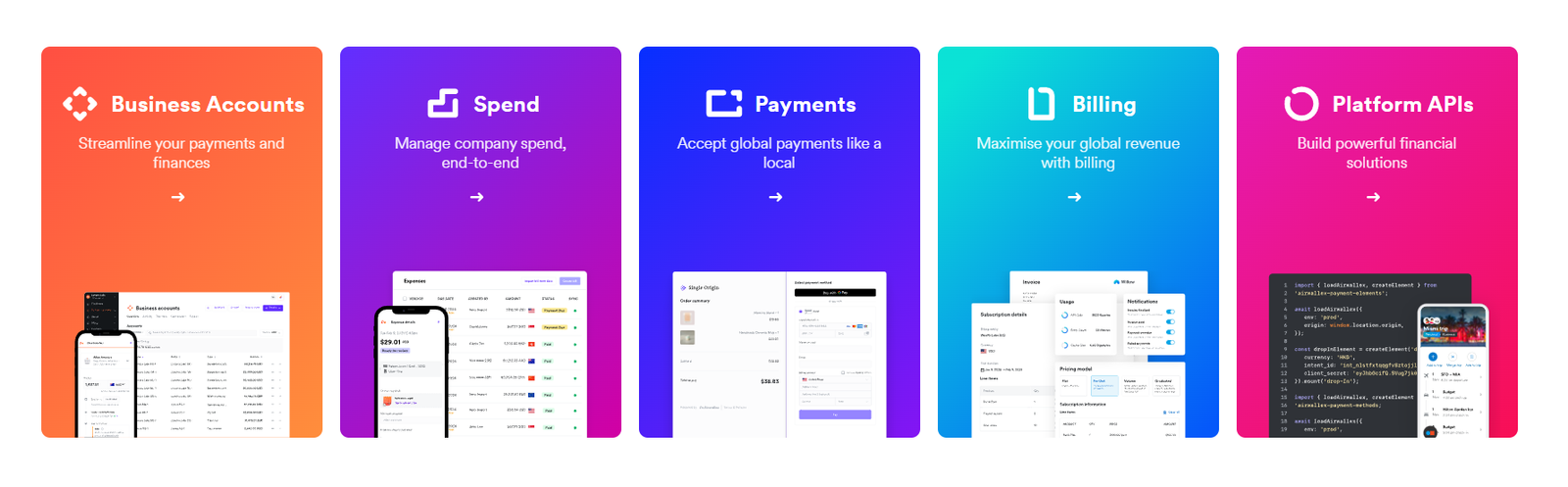
Another major differentiator is online payment acceptance. Airwallex supports cards and local payment methods across international markets, with current U.S. pricing showing domestic card acceptance at 2.8% + $0.30 and international cards at 4.3% + $0.30.
This makes the platform more relevant to ecommerce companies and SaaS businesses than a simple international-transfer service.
However, payment acceptance availability varies considerably by the country where the business is registered. Airwallex currently lists Australia, the EEA, Switzerland, UK, U.S., Singapore, Hong Kong, New Zealand and other selected markets for its Payments product, with some markets under early access.
Is Airwallex Safe?
Airwallex operates through regulated entities in multiple jurisdictions, with licensing and safeguarding arrangements depending on the country. Its U.S. operation states that it is licensed or authorized as a money transmitter in listed states, while its broader regulatory structure includes jurisdictions such as Australia, Singapore, the UK and Canada.
The company also states that it follows PCI DSS, SOC 1 and SOC 2 requirements and safeguards customer funds according to applicable local regulations.
Still, businesses should understand that a fintech account is not necessarily identical to a traditional bank deposit account. The protection structure depends on the Airwallex entity serving the customer and local regulations.
Airwallex Review: Who Should Use Airwallex?
Airwallex makes the most sense for businesses with genuine international payment requirements.
It is particularly well suited to SaaS companies, ecommerce businesses, digital agencies, startups, international suppliers, and companies paying contractors in multiple countries. For a business operating entirely in one country with very few international transactions, many of Airwallex’s strongest features may simply go unused.
Airwallex Review: Verdict
Airwallex stands out because it combines international accounts, FX, transfers, cards, payment acceptance and expense management rather than treating each function as a separate financial service.
The free entry-level plan is appealing, but businesses should look beyond the headline $0 price and calculate actual FX, transfer, card and payment-processing costs.
Overall, this Airwallex review finds it particularly compelling for companies already operating internationally or planning to expand across borders. For a purely domestic business, a conventional business bank may remain simpler.
Airwallex Review: FAQs
- Is Airwallex a bank?
Airwallex is a financial technology company rather than a conventional bank. Its services are provided through regulated entities and banking partners depending on the market.
- Is Airwallex good for international payments?
Yes. Its extensive local payout network, multi-currency accounts and FX infrastructure make international payments one of its strongest use cases.
- Does Airwallex support India?
Airwallex supports INR local payouts to India through NEFT, IMPS, RTGS and iACH. However, local payout support should not be confused with full business-account availability, so companies should check eligibility for their specific registration country and product.
Also Read: How to Get the Lowest Hotel Price on Trivago UK

by parth@bidkinetic.com | Oct 7, 2026 | Business
Blogging in 2026 is less about choosing a massive subject and more about owning a narrow problem. Finance, travel, fitness and technology have huge search demand, but they are crowded by publishers with years of authority. Current niche research points toward micro-niches where specific intent, buyer demand and practical expertise leave more room for smaller sites. Google also emphasizes people-first content and warns against mass-producing generic pages simply to attract search traffic. That is why blog niches with low competition can be attractive for new publishers.
The aim is not to find a topic nobody covers. It is to find a defined audience with unanswered questions, products or services to buy, and enough related subjects to build authority.
What Makes a Blog Niche Profitable?
Search volume alone is not enough. Look for recurring questions, commercial intent, enough subtopics for a content cluster, and multiple monetization options. Affiliate sales are useful, but focused blogs can also earn from ads, sponsorships, digital products, consulting or leads.
1. AI Tools for Specific Professions
Instead of targeting the crowded “AI tools” category, focus on AI solutions for recruiters, real estate agents, teachers, marketers, accountants, or other professions. Create tool comparisons, workflow guides, tutorials, and practical use cases. SaaS affiliate programs also create strong monetization potential.
2. Sustainable Home Upgrades
Focus on practical sustainability rather than broad environmental topics. Cover energy-saving devices, balcony solar, smart thermostats, water-saving products, composting, and low-waste home solutions. Product-focused content gives this niche clear affiliate and sponsorship opportunities.
3. Pet Enrichment & Specialized Pet Gear
General pet content is competitive, but specific problems such as indoor-pet enrichment, senior pets, apartment living, pet travel, and interactive toys offer narrower opportunities. Product comparisons and buying guides can attract readers with strong purchase intent.
4. Budget Travel for Specific Routes
Rather than competing for broad destination keywords, target specific routes, cities, traveler types, or fixed budgets. Detailed transport comparisons, itineraries, hotel guides, and local costs can capture highly specific searches. Hotels, activities, insurance, and travel products provide several monetization options.
5. Home Organization for Small Spaces
Small apartments, studio homes, dorms, and compact kitchens create highly specific organization problems. Focus on storage solutions, space-saving furniture, renter-friendly ideas, and room-specific guides. Product recommendations make this a natural affiliate niche.
6. Creator Equipment for Specific Content Types
Avoid broad keywords like “best cameras” and target equipment for food creators, podcasters, beauty creators, travel vloggers, or product reviewers. Micro-niche equipment guides can combine tutorials with product comparisons. Cameras, microphones, lighting, tripods, and accessories offer strong commercial intent.
7. Regional-Language Education & Career Content
Localized education and career information can serve audiences that broad English-language websites often overlook. Focus on scholarships, exams, career paths, software tutorials, and skill development in a specific language or region. Local relevance can become the site’s biggest competitive advantage.
8. Niche Hobbies & Specialized Equipment
Hobbies such as home coffee, aquariums, balcony gardening, pickleball, model building, or specialty cooking have dedicated audiences willing to buy equipment. Go deeper than the hobby itself by covering beginner setups, product comparisons, maintenance, and upgrades. This creates both informational and commercial content opportunities.
9. Small-Business Automation
Create content around automation for specific businesses such as salons, restaurants, agencies, clinics, or freelancers. Cover CRM, appointment reminders, invoicing, customer support, lead management, and follow-ups. SaaS affiliate programs, software sponsorships, and consulting can all become revenue streams.
10. Senior-Friendly Technology
Focus on technology that solves everyday problems for older adults and their families, including smartphones, tablets, accessibility settings, video calling, security, and emergency devices. Simple tutorials and easy-to-understand product comparisons can build trust. Hardware affiliates and sponsored reviews provide natural monetization opportunities.

Quick Comparison
| Niche |
Competition |
Monetization |
Best Content |
| AI for professions |
Medium-Low |
SaaS, consulting |
Workflows |
| Sustainable home |
Low-Medium |
Affiliates, sponsors |
Cost guides |
| Pet enrichment |
Medium |
Affiliates, ads |
Gear guides |
| Route-specific travel |
Low-Medium |
Travel affiliates |
Itineraries |
| Small-space organization |
Low-Medium |
Product affiliates |
Solutions |
| Creator gear |
Medium |
Product affiliates |
Comparisons |
| Regional-language education |
Low |
Ads, courses |
Local guides |
| Niche hobbies |
Low-Medium |
Affiliates |
Equipment |
| Small-business automation |
Low-Medium |
SaaS, consulting |
Tutorials |
| Senior-friendly tech |
Low-Medium |
Product affiliates |
How-to guides |
How to Pick the Right One
The best blog niches with low competition are not necessarily those with the lowest keyword difficulty. A niche can be easy to rank for and still be commercially weak.
Before committing, check 20-30 long-tail searches. Review the quality and freshness of ranking pages, identify content gaps, and confirm that readers have products or services to buy. For example, a small-business automation blog could cover appointment software, CRM tools, review requests, invoicing and WhatsApp workflows. That creates topical depth without becoming a general business blog.
Google recommends a clear site purpose and first-hand expertise where appropriate.
FAQs
1. What are the best blog niches with low competition in 2026?
Specialized AI tools, niche travel, regional-language education, automation, sustainable home products and hobby equipment are strong starting points.
2. Can a low-competition blog make money?
Yes. A smaller audience that buys software, products, travel or services can be more valuable than a larger audience with no purchasing intent.
3. Should I cover multiple niches?
Start with one tightly related subject. Build depth first, then expand into adjacent topics once the site has a clear audience.
4. How many articles do I need?
There is no magic number. Google says it does not use a preferred word count. Prioritize useful, original coverage over publishing large numbers of thin articles.
Also Read: VPN Speed Explained: Why Your Connection Slows and How to Fix It

by parth@bidkinetic.com | Oct 7, 2026 | Business
SEO software has become expensive as platforms add competitor research, backlinks, rank tracking, content tools, and AI-search features. SEMrush’s current SEO Toolkit Pro costs $139.95 a month and includes five websites, 500 tracked keywords, and 100,000 crawl pages monthly. For a solo blogger publishing several articles a week, that can be difficult to justify. The smarter option is to pay for the tasks that affect the site: finding realistic keywords, checking competitors, tracking rankings, and identifying content gaps. These SEMrush alternatives cover those jobs at much lower entry points, while free Google tools can fill some gaps.
What Should a Budget Blogger Look For?
A useful SEO platform should answer four questions: What are people searching for? How difficult is the keyword? Which pages rank? Is the blog gaining visibility?
1. Ubersuggest: Best Overall Budget Pick
Ubersuggest is one of the easiest starting points for bloggers who want keyword research, competitor analysis, rank tracking, backlinks, and site audits in one interface.
Its current Individual plan is $16 a month with annual billing, while Business is $27.17 monthly when billed annually. The Individual plan covers one website, 125 tracked keywords, weekly rank tracking, 1,000 crawled pages, and 20,000 keyword suggestions monthly. A seven-day trial is available for monthly subscriptions.
The advantage is simplicity. A blogger can move from keyword discovery to content planning without an enterprise-level dashboard.
2. Mangools: Best for Simple Keyword Research
Mangools is a strong choice when keyword research is the main requirement. Its KWFinder focuses on search volume, keyword difficulty, SERP results, and related terms. The platform also includes SERPChecker, SERPWatcher, LinkMiner, and SiteProfiler.
Its main advantage is ease of use. The trade-off is depth: it does not match SEMrush’s full technical, backlink, content, and marketing breadth.
3. KeySearch: Best for Independent Bloggers
KeySearch is built around independent publishers, bloggers, and small businesses. Its Starter plan is currently $24 per month and includes 200 keyword searches per day, 80 tracked keywords monthly, 2,000 audited pages, and 5,000 AI credits.
It also includes SERP analysis, competitor research, backlinks, YouTube research, rank tracking, and an SEO auditor. It is a practical middle ground for bloggers who need more than keyword suggestions.
4. LowFruits: Best for Low-Competition Keywords
LowFruits takes a more focused approach. Instead of trying to reproduce every function of a large SEO platform, it looks for keywords where the current search results contain weaker pages that smaller websites may be able to challenge.
That focus is useful for niche bloggers, where realistic ranking opportunities matter more than impressive search-volume numbers.
LowFruits’ Standard plan is around $29.90 monthly, or about $20.75 per month with annual billing, and uses a credit-based system. Pay-as-you-go credits are also available, which can suit bloggers who research topics in batches.
5. Ahrefs: Best for Backlink and Content Research
Ahrefs is not the cheapest suite, but its $29/month Starter plan is accessible for smaller projects. The plan is much more limited than Ahrefs Lite, which starts at $129/month, so it should not be viewed as a complete replacement for a large enterprise toolkit.
Its appeal is backlink and content research. Bloggers can use it to study competitors, investigate link profiles, and understand which pages have attracted authority. Ahrefs also provides a free version for analyzing your own site.
6. Google Search Console: Best Free Companion
Google Search Console should be part of almost every blog’s SEO setup, regardless of which paid tool is selected. It provides first-party information about Google Search performance, including queries, clicks, impressions, average position, indexing, and site issues.
It does not replace commercial competitor databases, but it provides actual Google performance data for your own website.

Quick Comparison
These SEMrush alternatives differ sharply in scope, so price alone should not decide the purchase.
| Tool |
Best for |
Starting price* |
Main strength |
| Ubersuggest |
Overall blogging SEO |
$16/mo annually |
Broad features |
| Mangools |
Keyword research |
Around $20+/mo |
Easy workflow |
| KeySearch |
Independent bloggers |
$24/mo |
Balanced toolkit |
| LowFruits |
Low-competition topics |
$29.90/mo |
Weak-SERP discovery |
| Ahrefs |
Backlinks/content |
$29/mo Starter |
Link and content data |
| Google Search Console |
Site monitoring |
Free |
First-party Google data |
*Prices can change; annual billing affects the effective monthly rate.
Which Tool Should a Blogger Choose?
Among these SEMrush alternatives, Ubersuggest is the strongest starting point for most solo bloggers because it combines keyword research, competitor analysis, rankings, backlinks, and audits at a relatively low cost.
Mangools is better when keyword research and simplicity are the priorities. KeySearch suits independent publishers who want a wider SEO toolkit, while LowFruits is particularly useful for niche sites searching for realistic ranking opportunities.
Ahrefs becomes more attractive when backlinks and content research matter. Google Search Console belongs alongside any of them because it supplies actual search performance data.
The goal is not to recreate SEMrush cheaply. Identify the SEO task holding the blog back, then pay for the tool that solves it.
SEMrush Alternatives: FAQs
1. Is SEMrush necessary for blogging?
No. It is powerful, but many bloggers can handle keyword research, ranking analysis, content planning, and basic technical SEO with cheaper tools.
2. Which SEMrush alternatives are cheapest?
Google Search Console is free for monitoring your own site. Among paid options, Ubersuggest currently starts at $16 per month with annual billing..
3. Can free SEO tools replace paid platforms?
For a new blog, often partly. Search Console, Trends, Keyword Planner, and manual SERP research can cover the basics. Paid platforms become more useful for competitor and backlink research, larger datasets, and automated tracking.

by parth@bidkinetic.com | Oct 6, 2026 | Tech
Moving to a new iPhone sounds simple until the transfer involves tens or hundreds of gigabytes of photos, messages, WhatsApp conversations, contacts, music, app data and device settings. Apple now offers several official ways to migrate data, including Quick Start, iCloud and computer backups through Finder or Apple Devices. For older Windows setups, iTunes remains relevant. Apple also says that direct Quick Start transfers can require both devices to remain occupied until migration finishes, while iCloud downloads apps and data in the background. That leaves users with a practical choice between Apple’s built-in methods and third-party software such as iMobie AnyTrans.
The difference is not simply about speed. It comes down to how much control is needed over what gets transferred, where backups are stored, whether data needs to be extracted selectively, and whether the user wants to work across iPhone, Android, iCloud, and a computer from one interface.
iMobie AnyTrans: More Control Over Your Data
iMobie AnyTrans is designed as a broader device-management tool rather than just a backup utility.
- Its desktop software supports Windows and Mac and can transfer content between iPhones, iPads, computers, iCloud and other devices.
- iMobie also positions it for backup, content management and extracting selected information from iCloud or iTunes backups.
The biggest advantage is selectivity.
- Instead of restoring an entire backup, users can work with particular categories or files.
- This matters when the new iPhone is already configured and only certain photos, messages or other data need to be moved.
It also becomes more interesting for people switching between platforms.
The trade-off is obvious: AnyTrans is third-party software, and its full desktop feature set is not the same as Apple’s free built-in migration tools. It makes more sense when flexibility is worth paying for.
iTunes: Reliable, Local and Familiar

iTunes was once Apple’s central iPhone management tool. Today, its role depends on the operating system. Apple uses Finder for iPhone management on macOS Catalina and later, while Windows users can use Apple Devices; iTunes remains available for older Mac versions and supported Windows workflows.
The major strength of the computer-backup approach is local storage. A backup can be created on a computer rather than uploading the entire device to Apple’s cloud.
For important data, an encrypted local backup is particularly useful. Apple says encrypted backups can include saved passwords, Wi-Fi settings, website history, Health data, and call history that aren’t included in an unencrypted computer backup.
There is one important limitation: restoring a computer backup can be less flexible than selective file management. Apple also notes that if the new iPhone has already been set up, it may need to be erased before restoring a backup through Apple Devices, Finder or iTunes.
iCloud: Easiest for Most Apple Users
iCloud is the most convenient option if the goal is to keep everything within Apple’s ecosystem. iCloud Backup can automatically create device backups while the iPhone is connected to Wi-Fi, powered, and locked.
The catch is storage. Every
- Apple account gets 5GB of free iCloud storage, and that space is shared across backups, iCloud Photos, iCloud Drive and other services.
- If the backup exceeds available space, the iPhone cannot complete its iCloud backup until storage is freed or upgraded.
Apple does offer a useful exception when purchasing a new iPhone.
- Eligible users who don’t have enough iCloud storage can receive temporary storage for transferring their data, with Apple currently providing 21 days to restore the temporary backup.
iCloud is therefore excellent for convenience, but less attractive when a user wants to inspect individual backup contents or move selected data manually.
Which Method Is Better?

| Feature |
iMobie AnyTrans |
iTunes / Apple Devices / Finder |
iCloud |
| Full iPhone transfer |
Yes |
Yes |
Yes |
| Selective data transfer |
Strong |
Limited |
Limited |
| Local backup |
Yes |
Yes |
No |
| Cloud backup |
Yes, including iCloud management |
No |
Yes |
| Computer required |
Usually |
Yes |
No |
| Works with Android transfers |
Yes, for supported data |
No |
No |
| Encrypted backup |
Supports backup workflows |
Yes |
Apple encrypts iCloud backups |
| Storage limit |
Computer-dependent |
Computer-dependent |
5GB free |
| Best for |
Advanced control |
Local backup |
Convenience |
| Cost |
Paid features |
Free |
Free tier + iCloud+ |
Where iMobie AnyTrans Has the Edge
The strongest argument for iMobie AnyTrans is control.
Imagine an iPhone with 200GB of data where only 30GB needs to be moved to another device. A traditional restore is designed around the broader backup rather than a file-management workflow. AnyTrans is built around managing and transferring specific categories of content, making it more suitable for users who don’t want an all-or-nothing migration.
It can also work with existing iCloud and iTunes backups. iMobie says AnyTrans can preview and extract selected information from these backups rather than requiring a complete device restoration.
That makes the software particularly useful for photographers, frequent device switchers, people managing multiple Apple devices and users moving between Android and iPhone.
When Apple’s Tools Are Still Better
For a straightforward iPhone-to-iPhone upgrade, paying for third-party software may be unnecessary.
Apple’s Quick Start can transfer data directly between compatible iPhones over a wireless connection, and Apple recommends keeping both devices close together and connected to power during the migration.
Likewise, iCloud is difficult to beat for automated backups. Once configured, it works in the background without requiring a computer.
The decision becomes clearer when the requirements change. Basic migration favors Apple. Selective management favors AnyTrans. Local archival favors encrypted computer backups.
FAQs
- Is AnyTrans free?
AnyTrans offers a free trial, but many of its advanced desktop functions require a paid license. Pricing and included features can change, so the current iMobie store should be checked before purchasing.
- Can AnyTrans transfer data from Android to iPhone?
It supports several cross-platform migration workflows, including WhatsApp transfers, although the exact supported data types depend on the devices and current software versions.
- What is the safest way to back up an iPhone?
Maintaining more than one backup is sensible for important data. An encrypted local backup provides an additional copy, while iCloud provides an off-device backup that can be useful if the phone is lost or damaged.
Also Read: Airwallex Review: Best Business Account for International Payments?
