by parth@bidkinetic.com | Oct 4, 2026 | Tech
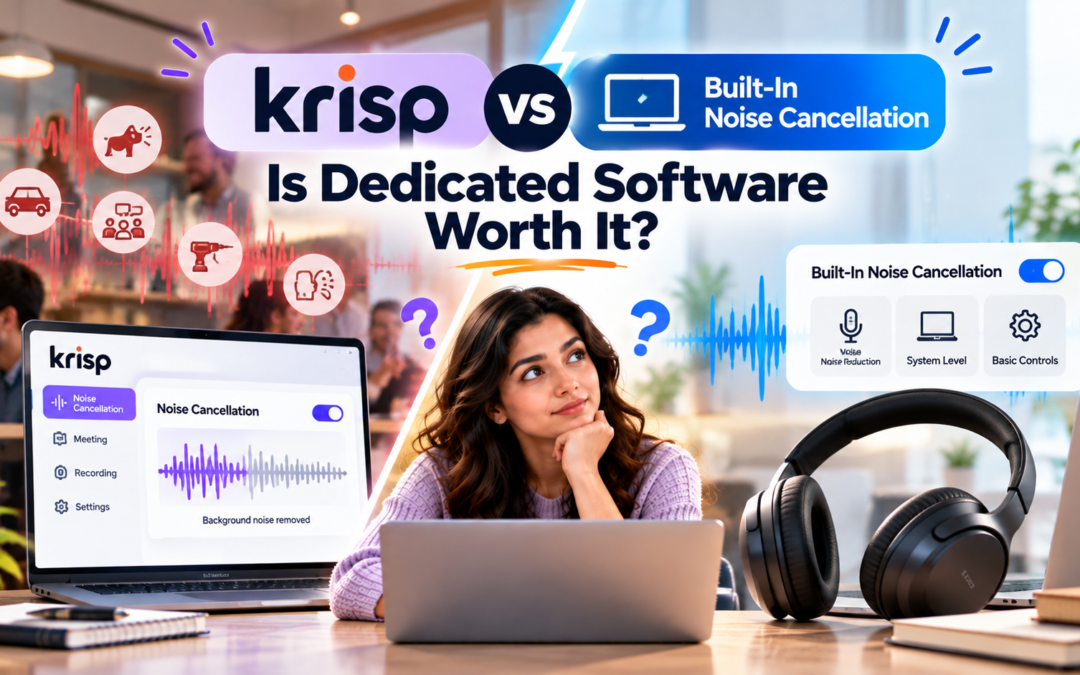
The Krisp vs built-in noise cancellation comparison has become more relevant as video platforms increasingly include their own AI audio processing. Microsoft Teams can suppress background noise and use AI-powered Voice Isolation, while Google Meet can remove sounds such as typing, doors closing and construction noise. Krisp takes a different approach: it works as a separate desktop audio layer, processing microphone and speaker audio across supported meeting applications rather than tying noise cancellation to one meeting platform. Krisp says its processing happens locally on the device and currently reports more than 3 billion calls processed and 9 million users worldwide. (October 2026)
That makes the choice less straightforward than paying for “better noise cancellation.” If most meetings happen inside Teams or Google Meet, their built-in controls may already cover everyday office noise. But people who switch between Zoom, Teams, Meet and other communication apps may value a single audio layer that follows them from application to application.
What Built-In Noise Cancellation Already Does
Modern meeting platforms are much better at handling background noise than they were a few years ago.
Microsoft Teams, for example, offers background-noise suppression and a Voice Isolation mode that uses AI to identify the user’s voice and filter surrounding sound. Microsoft says its audio processing can also handle echo, distorted speech and reverberation.
Google Meet similarly removes non-speech sounds such as typing, doors closing, room echo and construction noise. Depending on the setup, noise cancellation can be processed on the device or through supported cloud-based functionality.
For someone sitting in a reasonably quiet room with an occasional keyboard, fan or air conditioner in the background, these built-in tools can be enough.
The bigger question is what happens when the environment gets more difficult.
How Krisp Is Different

Krisp operates independently of the meeting platform. Instead of turning noise cancellation on separately in each application, it creates an audio-processing layer between the microphone, speakers and communication software.
Its current noise-cancellation system covers microphone noise, background voices, speaker noise and echo cancellation. That last point is particularly relevant when people aren’t using headphones.
Krisp also offers an AI Meeting Assistant with meeting transcription, notes, action items and AI chat, although those are separate productivity features rather than part of noise cancellation itself.
Another notable point is privacy. Krisp states that its noise-cancellation processing runs locally and that audio from the user’s machine isn’t sent to Krisp’s servers for noise cancellation.
Krisp vs Built-In Noise Cancellation: Feature Comparison
| Feature |
Krisp |
Built-In Meeting App Cancellation |
| Microphone noise removal |
Yes |
Yes, platform dependent |
| Background voice removal |
Yes |
Available on some platforms |
| Speaker-side noise reduction |
Yes |
Depends on platform |
| Echo cancellation |
Yes |
Usually available |
| Works across meeting apps |
Yes |
Usually tied to the individual app |
| Teams integration |
Yes |
Native |
| Google Meet integration |
Yes |
Native |
| Zoom and other apps |
Yes |
Depends on app |
| Local processing |
Yes, according to Krisp |
Varies by platform |
| AI meeting notes |
Yes, with AI Meeting Assistant |
Depends on platform/plan |
| Additional software |
Required |
No |
| Additional cost |
Depends on Krisp plan |
Often included with meeting software |
The important distinction is platform independence. Built-in cancellation is convenient because there is nothing additional to install. Krisp’s advantage is that the same processing can follow the user between applications.
When Built-In Cancellation Is Enough

There is little reason to add another application if the existing meeting platform already handles your environment well.
Take a home office with a closed door, a decent microphone and occasional keyboard noise. Teams can suppress background sounds, and Google Meet can remove several common non-speech noises.
Built-in processing also has a practical advantage: fewer things can go wrong.
There is no virtual microphone to select, no additional application to launch and no audio-routing layer to troubleshoot. For occasional meetings, that simplicity can be more valuable than having additional controls.
This is especially true if almost every meeting happens on one platform.
When Krisp Starts Making More Sense
The Krisp vs built-in noise cancellation question changes when the environment becomes unpredictable.
- Consider someone working from a café, shared office or home where other people are talking nearby.
- Krisp’s Background Voice Cancellation is specifically designed to suppress surrounding human voices while keeping the primary speaker’s voice.
That is different from basic noise suppression.
- Google Meet, for example, explicitly notes that its standard noise cancellation removes non-speech noises but does not cancel voices from television or people talking.
- Teams’ Voice Isolation addresses surrounding voices too, but it requires creating a voice profile.
For someone who regularly moves between several meeting platforms, Krisp can also avoid repeatedly configuring audio processing inside each application.
What About Audio Quality?
Noise cancellation isn’t simply about removing as much sound as possible.
Aggressive processing can sometimes affect speech quality, particularly when the software has difficulty distinguishing a person’s voice from background sounds. Meeting platforms therefore provide different levels or modes.
Teams, for example, offers multiple noise-suppression settings, including automatic, low and high levels on supported devices. Google Meet also warns that noise cancellation is designed for non-speech sounds and can be inappropriate when music or other non-speech audio needs to be transmitted.
The same principle applies to Krisp: noise cancellation is useful for meetings, but it isn’t designed to preserve every element of a complex audio environment.
The Hidden Cost of Dedicated Software

The biggest disadvantage in the Krisp vs built-in noise cancellation comparison is not necessarily performance. It’s complexity.
A dedicated application adds another piece of software to manage.
- Users need to make sure Krisp is selected as the microphone and speaker source in their meeting application.
- They also need to consider system resources, permissions and subscription requirements for paid features.
Built-in cancellation avoids all of this.
- There’s also a practical question: if Teams already provides Voice Isolation and Google Meet already provides noise cancellation, paying for a separate tool may provide limited additional value for a user who spends the majority of the day inside one platform.
Krisp vs Built-In Noise Cancellation: Which Setup Fits Different Users?
| User situation |
More relevant approach |
Reason |
| Quiet home office |
Built-in |
Basic suppression may be sufficient |
| Occasional online meetings |
Built-in |
No extra software required |
| Frequent Teams meetings |
Teams controls |
Native audio processing is convenient |
| Frequent Google Meet meetings |
Meet controls |
Noise cancellation is already integrated |
| Switching between multiple platforms |
Krisp |
One audio-processing layer across apps |
| Shared/open office |
Krisp or advanced platform isolation |
Background voices are harder to suppress |
| Café or public workspace |
Dedicated or advanced isolation |
More challenging background noise |
| Speakerphone meetings |
Krisp can be useful |
Speaker and echo processing |
| Music/audio production |
Neither by default |
Noise cancellation can remove wanted audio |
So, Is Krisp Worth It?
The Krisp vs built-in noise cancellation decision isn’t really about whether built-in tools have become good enough. They have.
The more useful question is whether you need consistent noise cancellation outside a single meeting platform.
For straightforward meetings in a quiet environment, built-in cancellation is likely to cover the basics without adding another application. Teams and Google Meet already provide sophisticated AI-based audio processing.
Krisp becomes more interesting for people who work across multiple communication platforms, regularly deal with surrounding voices or unpredictable environments, or want additional features such as speaker-side noise cancellation and Krisp’s broader AI meeting workflow.
In other words, dedicated software isn’t automatically necessary. Its value comes from solving problems that the built-in option doesn’t adequately address.
FAQs
1. Does Krisp work with Teams and Google Meet?
Yes. Krisp operates as a separate audio layer, allowing it to be selected as the microphone and speaker in supported communication applications.
2. Does Krisp cancel other people’s background noise?
Yes. Krisp provides speaker noise cancellation designed to reduce unwanted sounds coming from the other participants’ side of a call.
3. Does Krisp process audio in the cloud?
Krisp says its noise-cancellation processing occurs locally on the user’s device and that audio isn’t sent to its servers for this function.
Also Read: Termly Review: Is It Worth Using for Website Privacy Compliance?
by parth@bidkinetic.com | Oct 4, 2026 | Tech
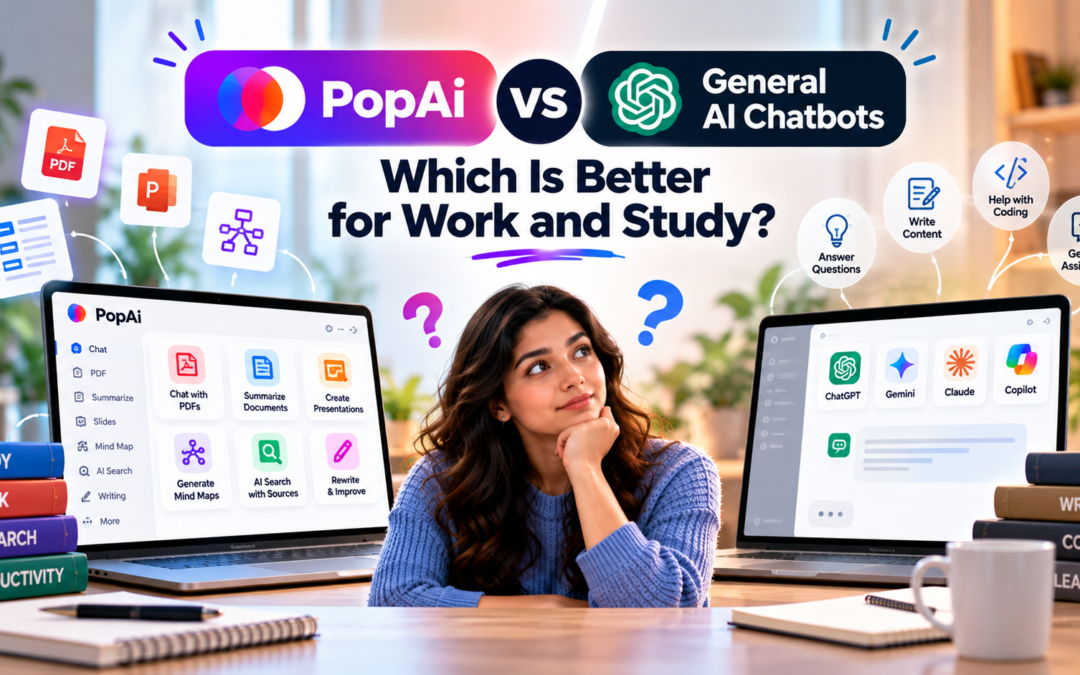
The PopAi vs general AI chatbots comparison is less about which tool has the smarter chatbot and more about how each one handles the work surrounding an answer. PopAi positions itself as an AI workspace combining conversational AI with document analysis, AI presentations, AI Sheets and other productivity tools. Its current document reader can handle up to 20 documents and 5,000 pages at once, while its presentation tools can turn PDFs, Word files, images and web content into editable slide decks.
General-purpose chatbots such as ChatGPT, meanwhile, are designed to cover a much wider range of tasks, including writing, reasoning, summarization, coding, research, image work, file analysis and data analysis. ChatGPT also has dedicated Study Mode for step-by-step learning and Deep Research for multi-source research with citations.
That difference is important. A student preparing a presentation from a 100-page research paper has different needs from someone brainstorming an essay topic. Similarly, a business user analyzing a spreadsheet may want an AI assistant that understands tables and formulas rather than a conventional conversational interface.
What Makes PopAi Different?
PopAi is built around the idea of an AI workspace rather than just an AI chat window.
Its ChatPDF system lets users upload documents, ask questions about them, create summaries, generate mind maps and analyze charts or images. PopAi says users can upload up to 20 documents totaling 5,000 pages in its AI reader.
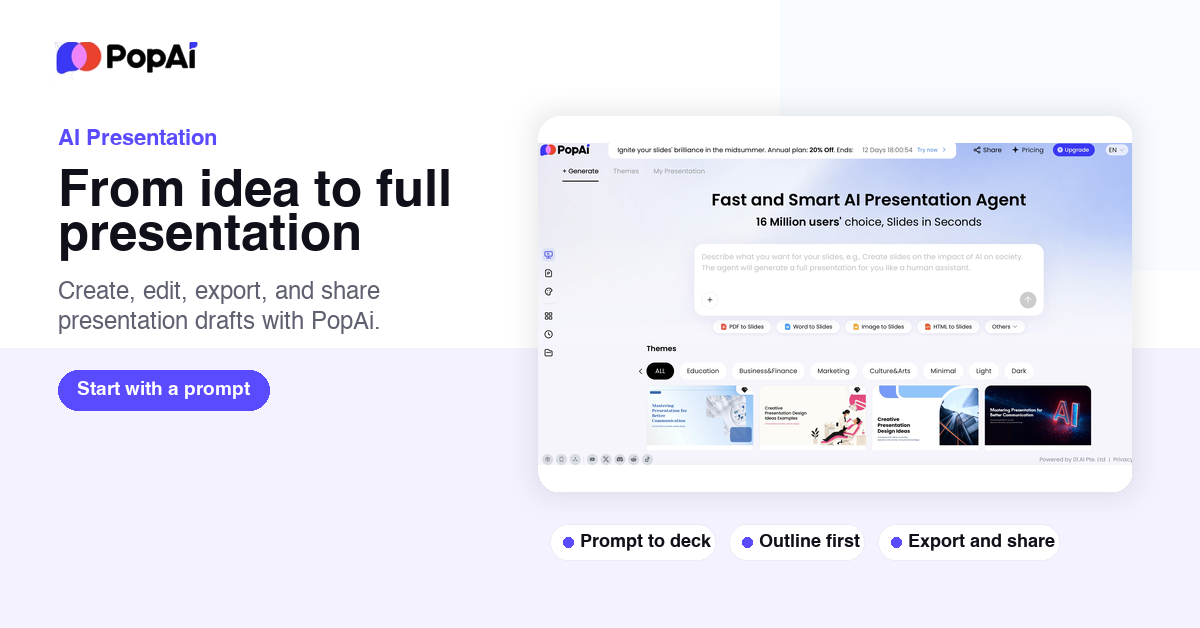
Its presentation functionality is another major distinction. A user can start with a topic or upload a document and have PopAi create a structured presentation. Generated slides remain editable and can be exported as PPTX or PDF.
PopAi also has AI Sheets, where users can generate tables, automate Excel and Google Sheets formulas, analyze data and export results to Excel, CSV or PDF.
For someone whose work repeatedly moves between documents, research, spreadsheets and presentations, that integration can reduce the number of separate tools involved.
How General AI Chatbots Compare
General AI chatbots take a broader approach.
Rather than specializing primarily in documents and presentations, they can handle open-ended questions, writing, coding, brainstorming, explanations, translation, data analysis and research. ChatGPT, for example, supports file uploads, data analysis, image input and generation, web search and Deep Research, depending on the user’s plan and available features.
For study, ChatGPT also offers Study Mode, which uses guided questions, hints, knowledge checks and step-by-step explanations rather than simply returning an answer.
This broader scope makes a general chatbot useful when the task changes frequently throughout the day.
PopAi vs General AI Chatbots: Feature Comparison
| Feature |
PopAi |
General AI Chatbots |
| General questions |
Yes |
Yes |
| Document analysis |
Strong focus |
Available on many platforms |
| Large PDF workflows |
Dedicated tools |
Depends on platform/model |
| AI presentations |
Dedicated presentation generator |
Often available, but workflow varies |
| PDF to PPT |
Dedicated feature |
May require a separate workflow |
| Spreadsheet assistance |
AI Sheets |
Available on some platforms |
| Research |
AI-assisted document/web workflows |
Often broader research capabilities |
| Study assistance |
Yes |
Often includes tutoring/study features |
| Coding |
Not the primary focus |
Usually a major capability |
| Image generation |
Available in PopAi |
Available in some general AI platforms |
| Data analysis |
AI Sheets |
Available on leading platforms |
| Best suited to |
Document-heavy productivity |
Broad, changing workloads |
The comparison shows why a simple “better” answer doesn’t really capture the difference. They overlap, but their starting points are different.
For Students: Which One Fits Better?
Students often move through several different tasks during one assignment: finding information, reading papers, understanding difficult sections, taking notes, preparing slides and revising.
This is where PopAi can be particularly convenient.
A research paper can be uploaded into its document environment, where the user can ask questions about the source, summarize sections, generate notes and create a presentation from the material. Its PDF-to-PPT workflow specifically analyzes the document’s hierarchy and extracts headings, paragraphs, charts, tables and other elements before organizing them into slides.
A general chatbot is more useful when the student needs broader tutoring. For example, Study Mode in ChatGPT can use Socratic questioning, hints, quizzes and knowledge checks to help students work through a concept instead of simply generating an answer.
So the distinction is fairly practical: PopAi leans toward turning study material into usable outputs, while general AI chatbots can be more flexible for learning conversations.
For Work: Where Does PopAi Fit?
For office work, PopAi’s strongest use cases are document-heavy workflows.
- Consider a consultant who receives a lengthy report and needs to produce a presentation.
- PopAi can analyze the PDF and create an editable slide structure rather than requiring every section to be manually transferred.
The same applies to spreadsheet-heavy work.
- Its AI Sheets functionality can create tables from prompts, generate formulas and export data into common formats.
A general chatbot becomes more useful when the workflow extends beyond those specific tasks.
- Drafting emails, analyzing an unfamiliar problem, writing code, researching a topic, creating strategy documents or switching between unrelated tasks are areas where a broader AI assistant can provide more versatility.
PopAi vs General AI Chatbots: The Workflow Matters
One of the biggest differences is how much setup is required.
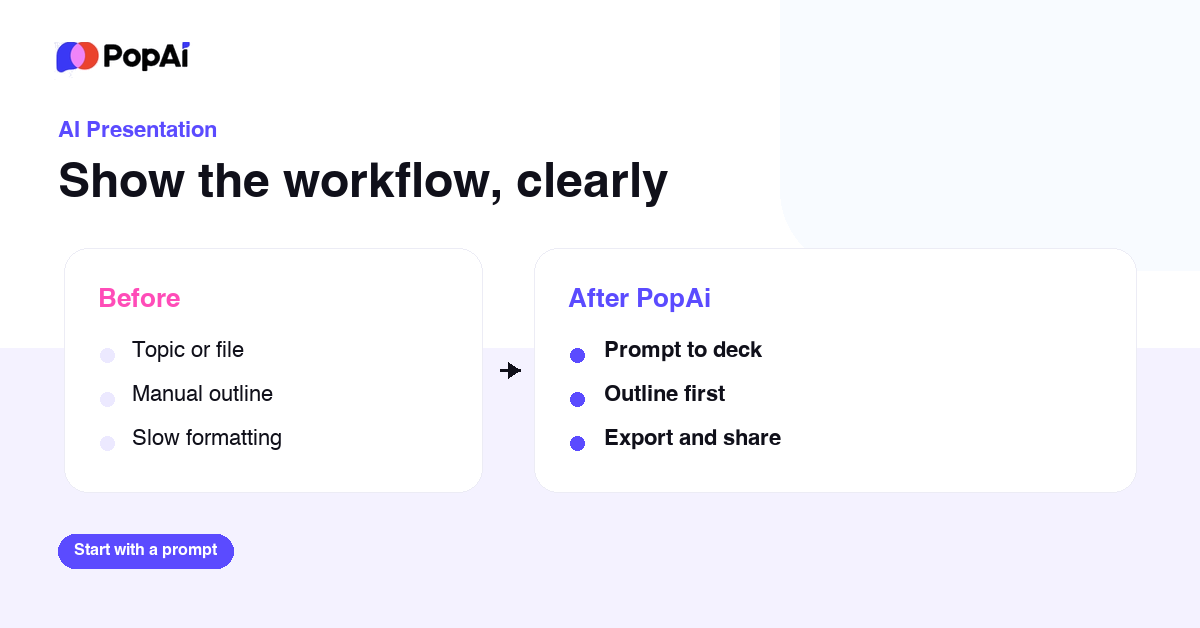
With PopAi, several common outputs have dedicated workflows. For example, there is a specific PDF-to-Slides tool that accepts a PDF and turns its structure into an editable presentation.
With a general chatbot, the same outcome may be possible, but the user may need to describe the desired structure, provide the source material and then iterate through the result.
That doesn’t necessarily make one approach universally better. Users who prefer specialized interfaces may appreciate PopAi’s workflow, while users who want one assistant capable of handling many unrelated tasks may prefer a general chatbot.
Where General AI Chatbots Have the Edge
The biggest advantage of a general chatbot is breadth.
A single conversation can move from explaining a statistics problem to drafting an email, debugging Python code, analyzing a spreadsheet and brainstorming a business proposal. Leading platforms also increasingly combine web research, files, data analysis and multimodal capabilities.
For people whose work doesn’t follow a predictable document-to-presentation workflow, that flexibility can be more valuable than having dedicated buttons for specific outputs.
Where PopAi Has the Edge
PopAi’s advantage is specialization.
Its current product brings ChatPDF, presentations and AI Sheets into one workspace, with dedicated workflows for converting documents into slides, analyzing PDFs and working with spreadsheet data.
That can be especially useful for students, researchers, consultants, educators and office users who repeatedly work with reports, academic papers, presentations and structured data.
Final Thoughts
The PopAi vs general AI chatbots decision ultimately depends on the type of work being done.
- PopAi makes a strong case when the workflow revolves around documents, PDFs, presentations and spreadsheet analysis.
- Its dedicated tools reduce the amount of prompting and manual formatting involved in turning source material into a finished output.
General AI chatbots are broader.
- They can move between research, writing, coding, tutoring, data analysis and creative tasks without being tied to one particular workflow.
- ChatGPT’s current combination of file analysis, Deep Research and Study Mode illustrates how far that general-purpose model can extend.
For a student working primarily with academic PDFs and presentations, PopAi’s specialized workflow may be particularly relevant. For a professional who jumps between many unrelated tasks, a general AI chatbot offers broader coverage. And for users who regularly do both, using a specialized document workspace alongside a general assistant can be a practical approach.
FAQs
1. Is PopAi a general AI chatbot?
PopAi includes conversational AI, but its platform extends beyond chat with dedicated document analysis, AI presentation and AI Sheets functionality.
2. Can PopAi analyze PDFs?
Yes. Its AI ChatPDF tools can summarize and analyze documents, answer questions, interpret charts and images, and generate mind maps.
3. Can PopAi create PowerPoint presentations?
Yes. PopAi can create presentations from topics and documents, and its PDF-to-Slides tool can generate editable PPTX files from supported PDFs.
Also Read: Krisp Review: Does AI Noise Cancellation Actually Work on Calls?
by parth@bidkinetic.com | Oct 4, 2026 | Business
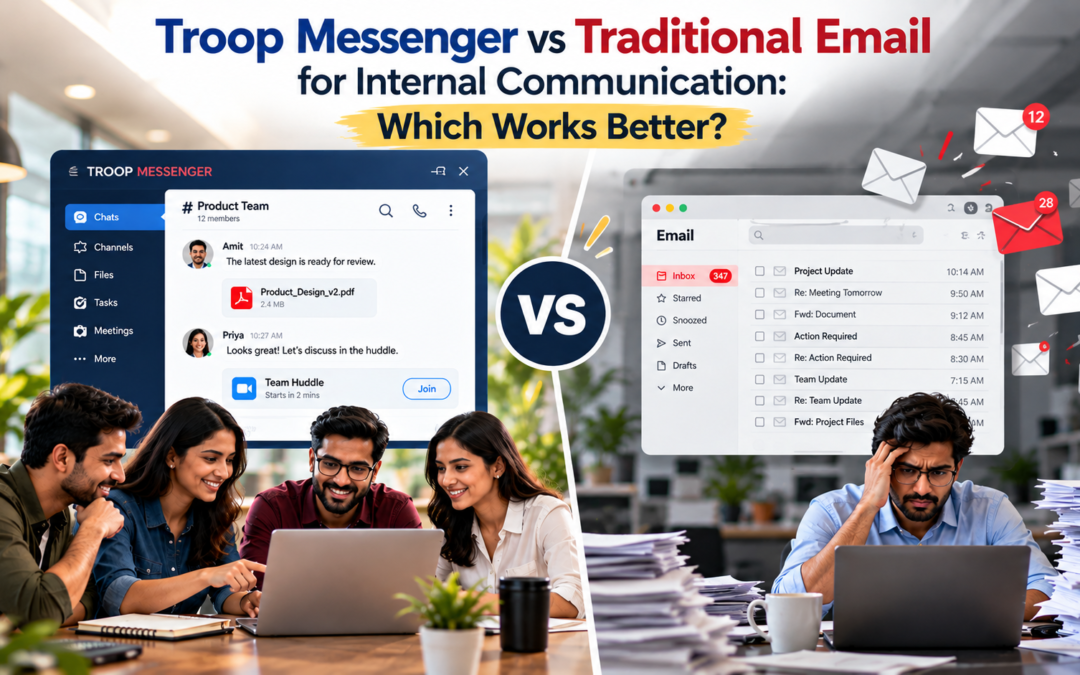
Internal communication has changed dramatically as teams have become more distributed, faster-moving, and more dependent on digital workflows. The comparison of Troop Messenger vs traditional Email is particularly relevant because the two tools are designed around very different communication models. Microsoft’s 2025 Work Trend Index found that the average worker receives 117 emails and 153 Teams messages per weekday, while employees are interrupted by a meeting, email, or notification roughly every two minutes. Microsoft also found that mass emails sent to 20 or more recipients increased by 7% year over year.
That volume raises a practical question for companies still using inboxes as the main internal communication system: is email still the right place for everyday employee conversations? Email is primarily built around formal, asynchronous messages and individual inboxes. Troop Messenger is designed around persistent team conversations, direct messaging, groups, file sharing, calls, and workplace collaboration.
Neither completely replaces the other. The better choice depends on whether the communication requires formality and external reach or speed, context, and team interaction.
Troop Messenger vs Traditional Email: What Actually Changes?
Traditional email works well when information needs to be formally documented, sent outside the organization, or handled asynchronously. A contract, client communication, official notice, policy document, or management announcement can still make sense in an inbox.
The problem appears when email is used for dozens of small internal interactions every day.
A question such as “Has the client approved the design?” can generate a chain of replies, copied employees, attachments, forwards, and unrelated messages appearing in the same inbox. Finding the final answer later can become surprisingly difficult.
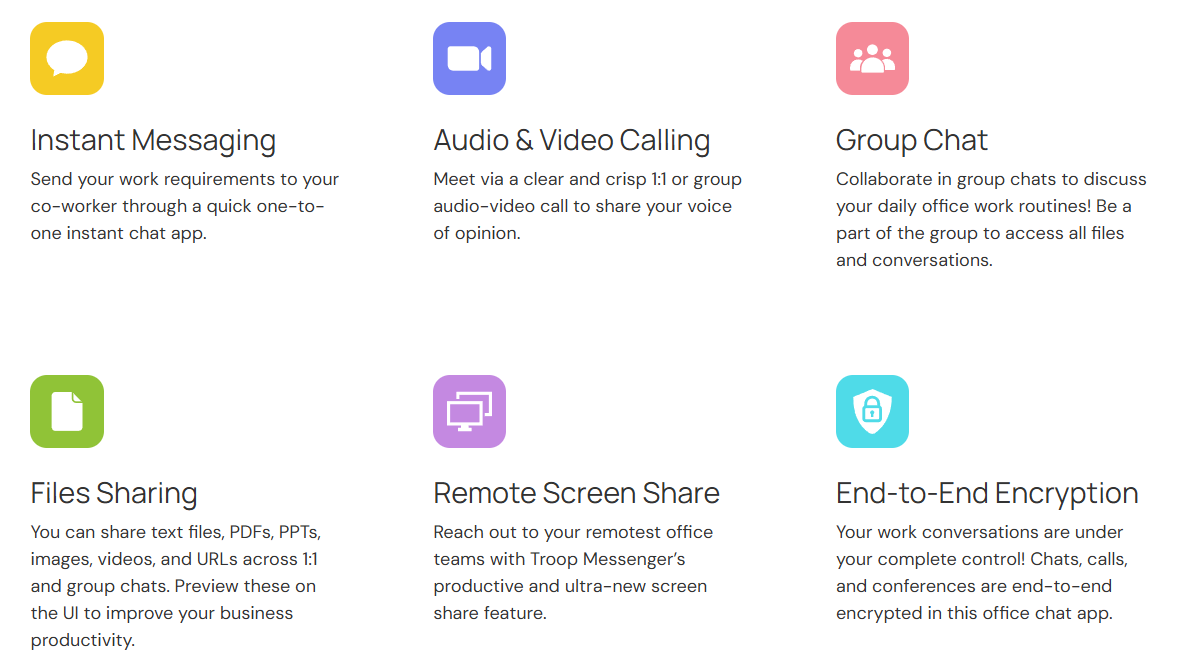
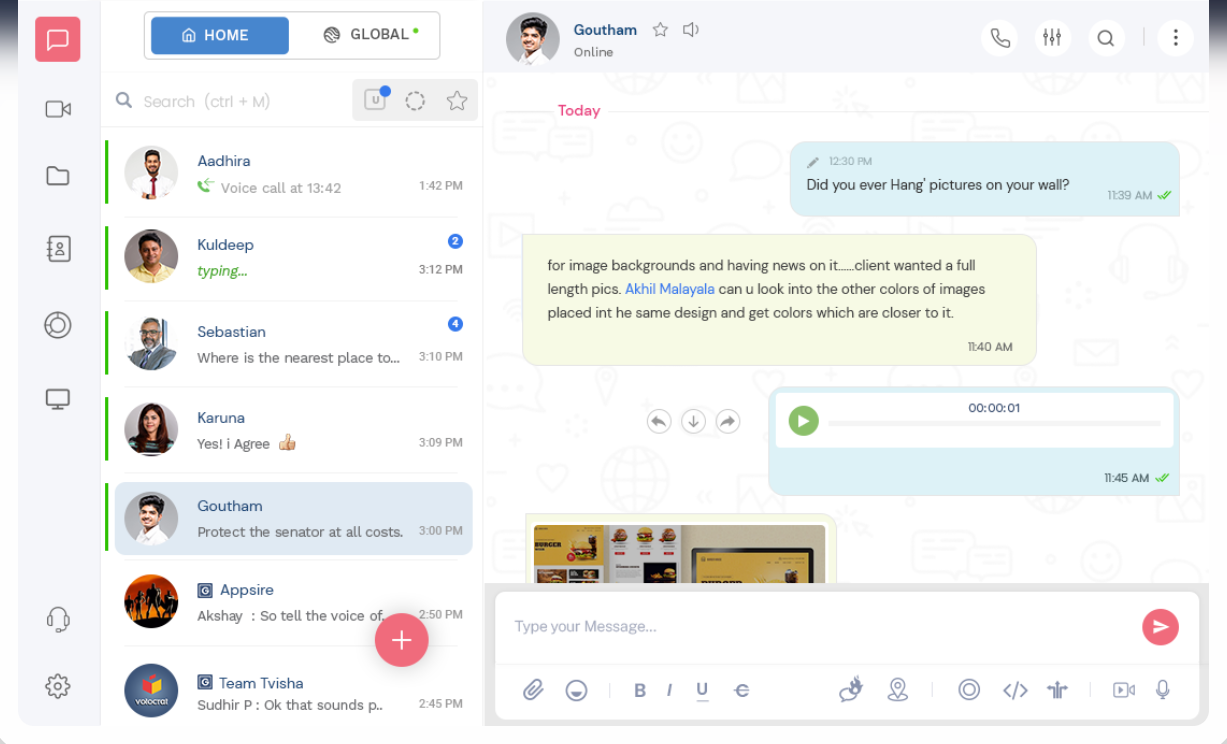
Troop Messenger approaches this differently. Conversations can remain inside one-to-one chats or dedicated group discussions, with searchable history, file sharing, mentions, replies, read indicators, and other workplace-specific functions. Its current feature set also includes audio and video calling, screen sharing, Respond Later, Forkout, and file management.
Where Troop Messenger Has the Advantage
Source: Troop Messenger
The strongest argument for Troop Messenger vs traditional Email is speed without losing conversation context.
A team member can ask a question in a direct message, move a discussion into a group, attach the relevant document, and switch to an audio or video call when text is no longer enough. Troop Messenger also allows users to continue chatting while on a call, which is useful when discussions involve documents or project details.
Another useful feature is Respond Later. Instead of allowing an important message to disappear underneath newer conversations, users can flag it for follow-up. Forkout serves a different purpose: it allows one message or attachment to be sent to multiple users or groups without creating another group conversation.
For distributed teams, that distinction matters. Communication can remain organized around the work rather than around individual inboxes.
File handling is another area where a dedicated business messenger can be more practical. Troop Messenger’s File Deck brings files shared across one-to-one and group conversations into a central searchable area, with filtering by people, groups, dates, types, and tags.
Where Traditional Email Still Wins
Email is not obsolete. In fact, replacing it completely can create new problems.
Email remains better suited to:
- External clients, suppliers, partners, and prospects
- Formal notices and business correspondence
- Contracts and official documentation
- Communication that must remain independent of an internal chat platform
- Long-form messages that do not require real-time interaction
- Organizations already deeply integrated with Microsoft 365 or Google Workspace
Email also has an important advantage in familiarity. Almost every employee already understands how to send, forward, archive, search, and organize an email. There is little onboarding required.
The issue is not that email is inherently inefficient. It is that using email for every internal conversation creates an inbox-management problem. Microsoft’s research illustrates the scale: 117 emails per employee per day on average in its 2025 telemetry.
Troop Messenger vs Traditional Email: Feature Comparison
| Communication need |
Troop Messenger |
Traditional Email |
| Quick internal questions |
Excellent |
Good, but slower |
| One-to-one discussions |
Excellent |
Good |
| Team conversations |
Excellent |
Moderate |
| Persistent project context |
Strong |
Often fragmented across threads |
| File sharing |
Built into conversations + File Deck |
Attachments/links |
| Audio/video communication |
Built in |
Usually requires another service |
| Screen sharing |
Built in |
Requires another service |
| Urgent internal updates |
Strong |
Moderate |
| Formal external communication |
Limited |
Excellent |
| Searchable work conversations |
Strong |
Strong |
| Message follow-up |
Respond Later |
Flags/tasks vary by email client |
| Broadcast without creating a group |
Forkout |
Distribution lists |
| Sensitive temporary conversation |
Burnout option |
Not equivalent |
| Deployment flexibility |
SaaS and on-premise options |
Depends on email provider |
Troop Messenger also supports role-based administration, LDAP/SSO, encryption, and on-premise deployment options, making it relevant to organizations where internal communication needs tighter administrative control.
The Bigger Issue: Context Switching
Source: Troop Messenger
One reason internal communication becomes exhausting is not simply the number of messages. It is the number of places employees have to look.
A project update might start in email, move to a WhatsApp message, continue in a meeting, and end with a file stored somewhere else. The information technically exists, but the context is scattered.
A dedicated workplace messenger can consolidate more of that activity.
This does not mean every message should become an instant message. Asynchronous communication remains valuable because employees should not be expected to respond immediately to everything. Slack’s workplace communication guidance similarly recommends using both synchronous and asynchronous communication depending on urgency, complexity, and working patterns.
The better model is therefore not “chat replaces email.” It is using each channel for the communication it handles best.
Security and Administrative Control
Security becomes especially important when employees discuss internal projects, customer information, operational decisions, or confidential documents.
- Troop Messenger offers organization-level controls, role-based access, encryption, LDAP/SSO, and both cloud and on-premise deployment options.
- Its Burnout feature can also create a temporary one-to-one conversation that automatically disappears after a defined period, although organizations can disable or restrict the feature through administration settings.
- Email security depends heavily on the organization’s email provider, configuration, retention policies, identity controls, and endpoint security.
- For companies with established Microsoft 365 or Google Workspace environments, those ecosystems can provide extensive security and compliance controls.
So the right question is not simply which tool is “more secure.” It is which system gives the organization the controls, deployment model, retention approach, and governance it actually requires.
Which One Should Your Business Use?
The most practical answer to Troop Messenger vs traditional Email is usually not an either-or decision.
Use Troop Messenger for:
- Daily employee communication
- Project discussions
- Quick decisions
- Department groups
- Internal announcements
- File-based collaboration
- Remote-team coordination
- Conversations that benefit from immediate feedback
Use email for:
- External communication
- Formal approvals
- Contracts
- Official notices
- Client and vendor correspondence
- Long-form business documentation
For many organizations, this combination is more sensible than trying to force every communication type into one platform.
Final Verdict
Troop Messenger vs traditional Email is ultimately a comparison between two different communication philosophies.
Email treats communication as messages moving between inboxes. Troop Messenger treats communication as an ongoing workspace where conversations, files, calls, and team interactions can happen together.
For internal communication, Troop Messenger has the stronger workflow when speed, collaboration, searchable context, and direct interaction matter. Email remains the better choice when formality, external communication, and document-oriented correspondence take priority.
The strongest setup for most businesses is therefore not abandoning email. It is reducing internal email overload by moving everyday team conversations into a purpose-built communication platform while keeping email for the situations where an inbox is genuinely the better tool.
FAQs
1. Is Troop Messenger better than email for internal communication?
For day-to-day internal discussions, it can be. Its messaging, group conversations, file sharing, calls, screen sharing, and follow-up features are designed specifically around workplace collaboration.
2. Is Troop Messenger suitable for remote teams?
Yes. It supports desktop, mobile, and browser access, along with messaging, calls, screen sharing, file sharing, and live location features.
3. Does Troop Messenger support on-premise deployment?
Yes. Troop Messenger offers on-premise deployment alongside its SaaS model, with enterprise-oriented controls such as LDAP/SSO and administrative management.
by parth@bidkinetic.com | Oct 3, 2026 | Tech
Finding the best cheap hosting providers is less about finding the lowest advertised monthly price and more about figuring out what you actually receive for that price. In 2026, entry-level shared hosting starts below $3 per month, but introductory rates usually require long-term commitments, while renewal pricing can be several times higher. Hostinger’s current Premium plan starts at $2.99/month on a 48-month term and renews at $10.99/month; Bluehost’s Starter plan is $3.99/month on a 36-month term and renews at $9.99/month.
UltaHost currently lists shared hosting from $4.39/month, with that price shown as its current recurring monthly price. That makes this comparison more useful than simply asking which company has the cheapest first-year offer. Storage, number of websites, backups, email, CDN, WordPress tools, support, uptime commitments, and renewal costs can change the real value considerably.
Bluehost vs UltaHost vs Hostinger at a Glance
| Feature |
Bluehost |
UltaHost |
Hostinger |
| Entry price |
$3.99/mo |
$4.39/mo |
$2.99/mo |
| Entry-term |
36 months |
Current monthly offer |
48 months |
| Renewal price |
$9.99/mo |
$4.39/mo currently shown |
$10.99/mo |
| Entry websites |
10 |
1 |
3 |
| Entry storage |
10 GB NVMe |
30 GB NVMe |
20 GB SSD |
| Free SSL |
Yes |
Yes |
Yes |
| Free domain |
1st year |
Domain transfer |
1st year |
| Backups |
Weekly |
Free backups |
Weekly |
| CDN |
Free |
Not highlighted on entry plan |
Included |
| Money-back guarantee |
30 days |
30 days |
30 days |
| Best suited to |
WordPress beginners |
Budget-focused businesses |
Overall value |
Prices and included features can change by location, billing term, and promotion, so the checkout price should always be treated as the final reference.
Hostinger: Best Overall Value
Source: Hostinger
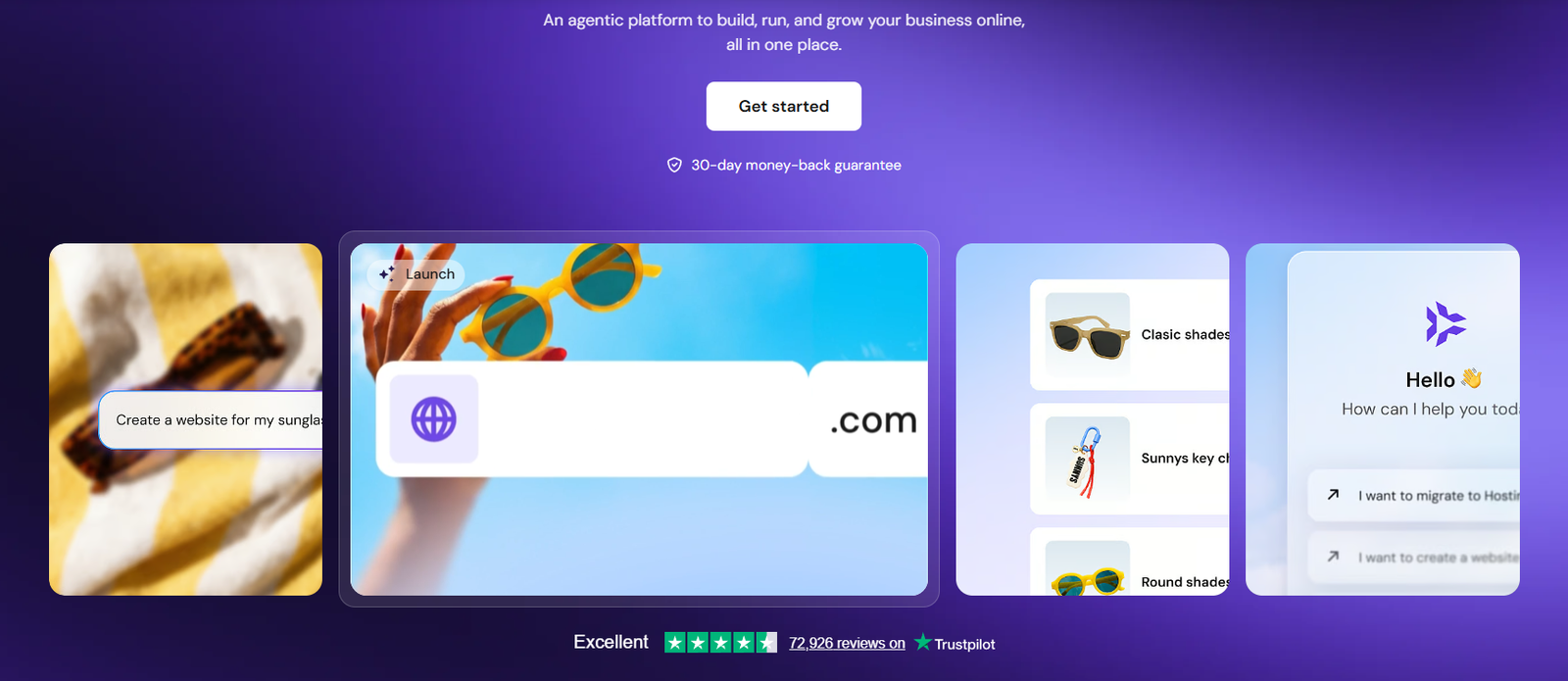
Hostinger is the easiest pick if the priority is getting a lot of functionality without moving into higher-priced hosting tiers.
Its current Premium plan starts at $2.99/month when paid for 48 months. It supports three websites, provides 20 GB SSD storage, weekly backups, a free domain for one year, CDN access, AI tools, ecommerce support, and free email for the first year. The Unlimited plan starts at $3.99/month and increases storage to 50 GB NVMe, adds unlimited websites, and includes daily backups.
There is an important catch: the attractive $2.99 price is tied to a four-year commitment. Renewal rises to $10.99/month. That does not make Hostinger poor value, but it means the headline price should not be confused with the long-term cost.
For someone launching a portfolio, blog, small business site, or several WordPress websites, Hostinger currently offers one of the strongest feature-to-price ratios among these three.
Bluehost: Best for WordPress Beginners
Source: Bluehost
Bluehost takes a slightly different approach. Its strength is not simply being cheap; it is making WordPress hosting relatively approachable.
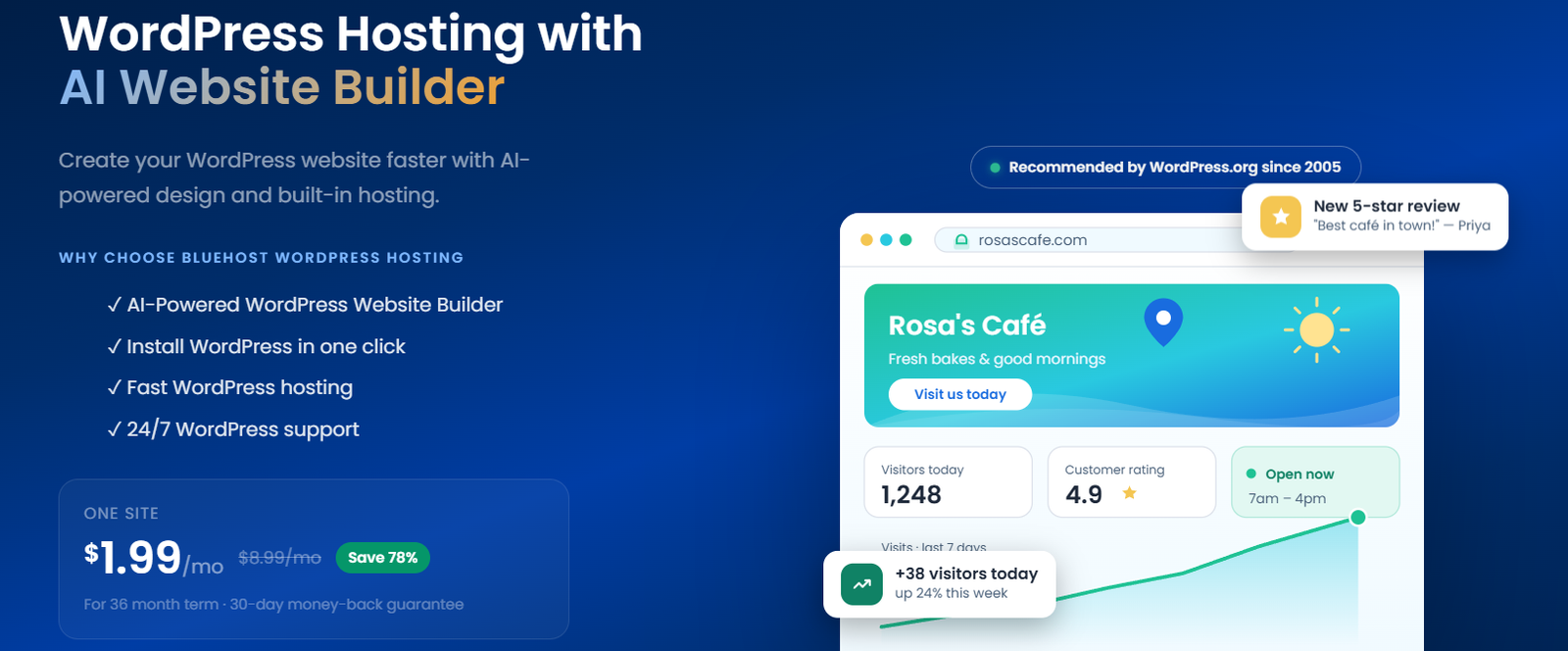
- The current Starter plan costs $3.99/month for a 36-month term and renews at $9.99/month.
- It includes 10 websites, 10 GB NVMe storage, a free domain for the first year, free CDN, free migration tools, SSL, managed WordPress updates, AI site creation tools, weekly backups, and a 99.99% uptime SLA.
Bluehost also has an advantage in support.
- Its current plans provide 24/7 chat, while higher tiers add phone support.
- It is officially recommended by WordPress.org, which makes it particularly attractive to first-time WordPress users who want a mainstream ecosystem and guided setup.
The downside is the renewal price.
- Bluehost’s introductory price looks competitive, but the cost nearly triples after the initial term.
- Buyers should budget for the renewal rather than evaluating the service solely on the promotional rate.
UltaHost: Best for More Resources at the Entry Level
Source: Ultahost
UltaHost is the less obvious choice in this comparison, but its entry-level shared plan has an interesting specification.
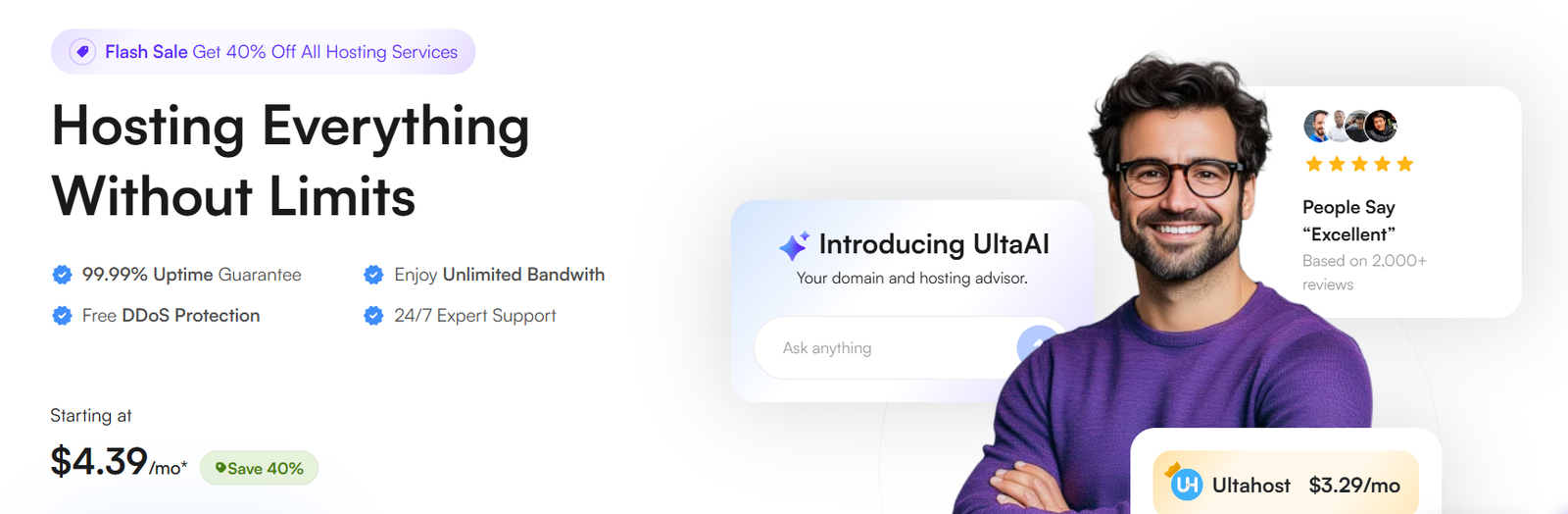
Its Shared Starter plan is currently listed at $4.39/month and includes one domain, approximately 10,000 monthly visits, 30 GB NVMe SSD storage, unlimited bandwidth, free backups, free SSL, and free domain transfer. UltaHost also advertises a 99.99% uptime guarantee, DDoS protection, and 24/7 expert support.
The 30 GB NVMe allocation is considerably more generous than Bluehost’s 10 GB entry plan and Hostinger’s 20 GB Premium plan.
UltaHost also offers managed VPS hosting at relatively accessible prices, making it interesting for a business that expects to move beyond shared hosting later. An independent 2026 review found UltaHost particularly appealing for small and medium-sized businesses, although it also noted monthly visitor limits and some location-specific testing issues.
Best Cheap Hosting Providers: Where Each One Makes Sense
The best cheap hosting providers are not necessarily interchangeable.
- Choose Hostinger if your priority is the lowest introductory cost combined with multiple websites, modern tools, CDN access, AI features, and a simple dashboard.
- Choose Bluehost if WordPress is your main focus and you value a familiar platform, migration tools, managed WordPress features, and broader support options.
- Choose UltaHost if storage, unlimited bandwidth, backups, and a path toward managed VPS hosting matter more than having the absolute lowest introductory price.
Performance should also be considered alongside price. A recent 2026 comparison found Hostinger ahead of UltaHost in median real-world TTFB, although the underlying datasets were very different in size, so this should not be treated as a universal speed ranking.
Don’t Ignore Renewal Pricing
This is probably the most important point when comparing cheap hosting.
A $2.99 monthly promotional price sounds inexpensive, but four years at that rate means paying $143.52 upfront with Hostinger. Bluehost’s $3.99 rate similarly requires a 36-month term. After renewal, the monthly economics change substantially.
The cheapest-looking plan can therefore become the more expensive option if the website remains online for several years.
Also check whether backups, email, domain privacy, malware protection, and advanced security are included before comparing two plans purely by storage.
Final Verdict
Among these three, Hostinger is the strongest overall choice for cheap hosting, particularly for individuals, creators, small businesses, and users managing multiple websites.
Bluehost is the better fit for beginners who want a WordPress-oriented experience and more traditional support options. UltaHost is worth considering when larger storage and generous entry-level resources matter more than the lowest promotional price.
The key takeaway from comparing the best cheap hosting providers is simple: don’t buy based on the first number you see. Look at the contract length, renewal price, included backups, storage type, website limits, support, and upgrade path. A slightly more expensive plan can easily be cheaper over the life of a website if it includes features that would otherwise require paid add-ons.
FAQs
1. Is Hostinger cheaper than Bluehost?
On current advertised introductory pricing, yes. Hostinger starts at $2.99/month for a 48-month Premium term, while Bluehost starts at $3.99/month for a 36-month Starter term. Their renewal rates are $10.99 and $9.99 respectively.
2. Is UltaHost better than Hostinger?
Not universally. Hostinger currently has the lower entry price and a broader beginner-focused feature set, while UltaHost offers 30 GB NVMe storage and unlimited bandwidth on its entry shared plan.
3. Does cheap hosting mean poor performance?
Not necessarily. Shared hosting can provide good performance for blogs, portfolios, small business websites, and moderate traffic. The important factors are server resources, caching, CDN availability, storage technology, and how many sites share the infrastructure.
Also Read: How to Build Credit from Zero: A 12-Month Plan for the US

by parth@bidkinetic.com | Oct 3, 2026 | Travel
With more than 6 million hotels and holiday properties worldwide, 40 million+ traveler reviews, operations across 200+ countries and territories, and 24/7 customer support, Agoda is one of the biggest online travel platforms serving Asian travelers. That scale matters, particularly in Asia, where hotel inventories range from international chains in Singapore and Tokyo to independent guesthouses, villas, ryokans and budget properties in smaller destinations. Agoda APAC is therefore less about simply finding a room and more about navigating a very large regional accommodation marketplace.
But reliability is a more complicated question than company size. Agoda’s own policies make clear that reservations are subject to the individual property’s booking conditions, cancellation rules and supplier terms. External customer feedback is also mixed, particularly around customer service and refunds.
So, is Agoda reliable for hotel bookings in Asia? The answer depends heavily on the property, rate type, cancellation terms and how carefully the reservation is checked before payment.
Agoda APAC: What Makes It Useful for Asian Hotel Bookings?
Agoda has particularly deep accommodation coverage across Asian markets.
Its inventory includes hotels, apartments, villas, private homes and other accommodation types, with properties ranging from budget stays to luxury hotels. Agoda says its platform covers more than 200 countries and territories and supports 39 languages.
That breadth can be valuable when travelling around Southeast Asia, Japan, South Korea, India and other parts of the region. A search for Bangkok, Bali, Tokyo or Kuala Lumpur can return everything from international hotel chains to small independent properties that may be less prominent on other booking platforms.
Agoda also offers features such as Agoda Preferred, which identifies selected properties with an established relationship with Agoda, and Easy Cancel for properties offering eligible free-cancellation terms.
How Reliable Are Agoda Hotel Reservations?
The booking mechanism itself is straightforward. Once a reservation is confirmed, the confirmation email and Agoda account contain the booking details and applicable conditions.
The important point is that Agoda does not make every reservation equally flexible.
Some rooms are refundable, others are non-refundable. Some allow changes until a particular deadline, while others impose charges for modifications or cancellations. Agoda states that cancellation fees are determined by the property’s applicable policy and are shown during booking.
This becomes particularly important in Asia because accommodation businesses vary enormously in size. A reservation at a large international hotel and one at a small independent property may involve very different operational practices.
What to check before clicking “Book”
| Factor |
What to check |
Why it matters |
| Property |
Recent guest reviews and rating |
Helps identify recurring issues |
| Room |
Exact room category |
Photos can represent several room types |
| Cancellation |
Free cancellation deadline |
Determines how much flexibility you have |
| Payment |
Pay now vs pay later |
Affects when money leaves your account |
| Taxes |
Final price and included charges |
Prevents surprises at checkout |
| Guests |
Maximum occupancy |
Important for families and groups |
| Breakfast |
Included or paid separately |
Can materially change the total cost |
| Location |
Exact address and map |
Especially important in large Asian cities |
| Special requests |
Check property-specific conditions |
Requests aren’t always guaranteed |
Pricing: Is Agoda Actually Cheaper?

Price is one of Agoda’s biggest attractions. The platform works with a large network of accommodation suppliers and promotes discounted rates, member offers, property promotions and other deals.
However, an Agoda price should not automatically be treated as the final cheapest price.
Hotel rates can change depending on dates, occupancy, currency, membership status, promotions, payment method and cancellation conditions. A seemingly cheaper room may also have fewer benefits than a hotel’s direct rate.
The best approach is to compare the same room, same dates, same occupancy and same cancellation conditions against the hotel’s own website.
This is especially relevant to Agoda APAC, where hotels frequently run region-specific promotions or direct-booking offers.
What About Cancellation and Refunds?
This is one of the areas where reading the booking conditions matters most.
Agoda says cancellation fees are determined by the property and that the applicable policy is displayed during booking and included in the confirmation. Some reservations can be non-refundable or non-changeable.
If a booking qualifies for free cancellation, the process can generally be handled through Agoda’s website or app. For eligible bookings, users may also see an option to request a cancellation-fee waiver, although the property can take up to 48 hours to respond.
Agoda’s terms also state that reservation changes should follow the platform’s specified process rather than being handled informally with the hotel. For an expensive or important trip, choosing a refundable rate can therefore be worth considering even if the initial price is slightly higher.
What Do Customer Reviews Say?
There is a significant difference between Agoda’s own verified hotel-review system and reviews about Agoda as a booking company.
- Agoda says hotel reviews are requested from customers after checkout and that reviews go through its content approval process.
At the same time, external customer feedback is more mixed.
- When checked, Trustpilot showed Agoda at 2.9/5 from more than 53,000 reviews.
- Positive reviewers frequently mention competitive prices and an easy booking process, while negative reviews commonly discuss customer-service interactions, refunds and situations where the hotel reservation did not work as expected.
That doesn’t mean a typical Agoda booking will encounter these problems. It does mean that support and exception handling deserve more attention than the basic booking process.
Agoda’s New Booking Support Features
Agoda has been investing in AI-assisted customer support. In January 2026, it introduced a Booking Form Bot that can answer questions about the selected property, room type, cancellation rules and payment terms directly during checkout. Agoda also says its Property AMA Bot handles more than 30,000 hotel-related questions each day.
For travelers, that can be useful when a room’s conditions are unclear before payment. Still, the booking confirmation and property’s actual terms remain the documents to rely on.
Agoda APAC Reliability: The Practical Verdict
For hotel bookings in Asia, Agoda is an established booking platform with extensive regional inventory and a large review base, rather than an unknown intermediary. Its size, Asian roots and breadth of accommodation make it particularly relevant for travel around the region.
The bigger issue isn’t whether Agoda is a legitimate booking platform. It is whether the individual reservation has been checked carefully.
For important trips, compare the final Agoda price with the hotel’s direct rate, read the cancellation policy, verify the exact room category, check recent property reviews and save the confirmation email. Those few steps reduce the chance of unpleasant surprises.
For flexible travelers looking for a broad range of Asian accommodation, Agoda APAC can be a practical booking option, but the individual rate conditions matter more than the platform’s headline discount.
FAQs
1. Does Agoda guarantee hotel reservations?
Agoda provides confirmed booking arrangements, but individual reservations remain subject to the applicable property and supplier terms. Its policies also describe procedures for situations where alternative accommodation may be required.
2. Is Agoda cheaper than booking directly with a hotel?
Not necessarily. Agoda can offer promotional and discounted rates, but prices vary. Comparing the identical room and cancellation conditions with the hotel’s direct website is the safest way to check.
3. Can Agoda bookings be cancelled?
Some can be cancelled free of charge, while others have fees or are non-refundable. The exact policy is shown with the reservation and in the confirmation.
Also Read: Malaysia Airlines Economy Review: Seats, Food, Baggage and Service
